What is MaxKB?
MaxKB (short for Max Knowledge Brain) is an open-source platform for building enterprise AI agents on top of retrieval-augmented generation (RAG). It combines document knowledge bases, a visual workflow engine, tool calling through Python tools, Skills and MCP servers, and hosted or locally run models, with customer service, internal knowledge bases, research and education as the named scenarios. The source code is published in the 1Panel-dev/MaxKB repository under GPL-3.0.
MaxKB is developed by FIT2CLOUD, registered as Hangzhou Feizhiyun Information Technology Co., Ltd., a Chinese open-source software company founded in 2014 that also makes 1Panel, JumpServer and DataEase. The Chinese site maxkb.cn and the documentation at docs.fit2cloud.com are run by FIT2CLOUD; the English site maxkb.pro and the English documentation carry the name of Lingxia (Hong Kong) Software Co., Ltd. The first public release, v0.9.0, appeared in March 2024; since MaxKB 2.0 (July 17, 2025) the Community Edition has no limits on users, agents or knowledge bases.
Monthly feature releases ran from v2.0.0 to v2.9.2 (May 20, 2026). Since v2.10.0-lts on June 4, 2026, every v2 release carries the -lts (long-term support) suffix and stays within 2.10, with fixes, security patches and smaller additions; the 1.x line continues in parallel as v1.10.x-lts. No newer non-LTS release exists: the default branch is v2, and a v3 branch is in development without a tagged release as of November 21, 2026. The current release, v2.10.9-lts (November 19, 2026), fixes knowledge base, agent and SSO logout issues, upgrades the bundled PostgreSQL and closes 16 security advisories, including cross-workspace file access, stored XSS and SSRF. A FIT2CLOUD security notice of October 22, 2026 had asked all users to move to v2.10.8 LTS or later.
The stack is Vue.js and LogicFlow, Python with Django and LangChain, and PostgreSQL with pgvector plus Redis, shipped as Docker containers through a docker run one-liner, an offline installer or the 1Panel app store. The v2 interface ships Simplified Chinese, Traditional Chinese and English, and custom language packs can be added. The full documentation at docs.fit2cloud.com/maxkb is in Chinese; the English docs.maxkb.pro covers only a 1.x quick start. Neither official site lists a hosted cloud service.
The pricing page (checked on November 21, 2026) lists three self-hosted editions. The Community Edition is free with community support. The Professional Edition costs CNY 48,000 per perpetual license including one year of maintenance (CNY 9,600 per year from the second year), with single-node or cold-standby deployment and 5x8 support; it adds the X-Pack features and can be trialled or ordered through Alibaba Cloud Marketplace. The Enterprise Edition is sold through sales and adds multi-tenancy, resources shared across workspaces, cluster deployment and 7x24 support. Each license covers one deployment for one end customer; no US dollar prices are published.
Key capabilities
- Four knowledge base types General knowledge bases take uploaded files, Web site knowledge bases fetch a root URL and its child pages, and workflow knowledge bases assemble their own ingestion pipeline. A Feishu (Lark) knowledge base that imports cloud documents and sheets is an X-Pack feature of the paid editions. Each knowledge base is bound to an embedding model and sits in folders up to three levels deep.
- Document formats and upload limits General knowledge bases accept Markdown, TXT, PDF, DOCX, HTML, XLS, XLSX and CSV, plus ZIP archives that bundle Markdown or Excel files with their images; question and answer pairs can be imported from XLS, XLSX or CSV. By default one upload takes up to 50 files of at most 100 MB each, and the knowledge base documentation states that the limits can be raised to 1,000 files and 1,000 MB per document. Whole folders can be selected and are filtered by file extension.
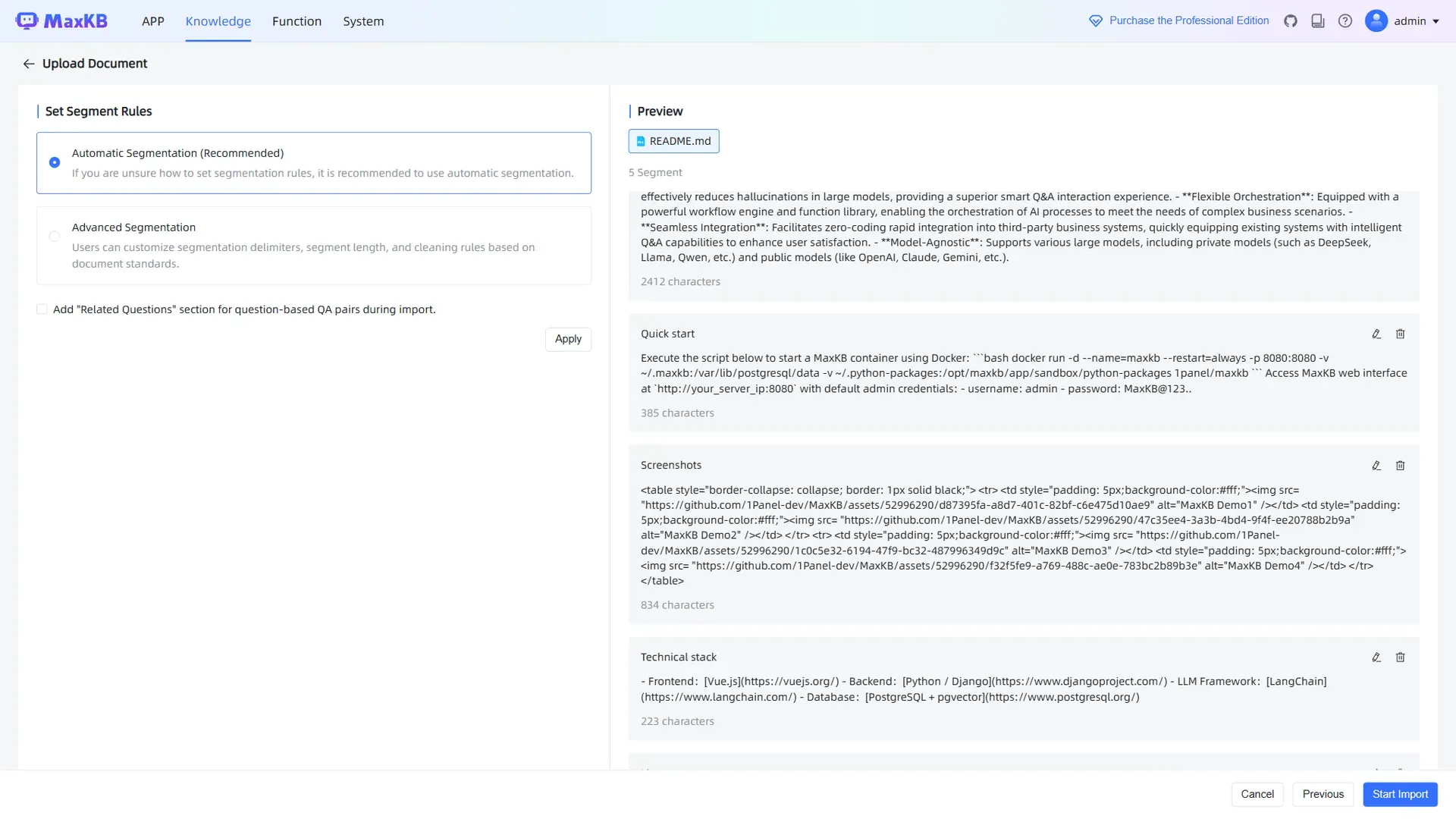
- Smart and advanced segmentation Smart segmentation splits Markdown, HTML and DOCX by heading level (up to six levels) with a maximum of 4,096 characters per segment, and TXT or PDF by # headings or by length. Advanced segmentation accepts custom delimiters, regular expressions, a segment length between 50 and 4,096 characters and automatic cleaning of repeated whitespace. A preview lets users edit or delete segments before vectorisation starts.
- Retrieval tuning Segments can carry related questions, entered by hand or generated by a model, which are matched before the segment text. Documents can be tagged and filtered by tag, and since v2.10.0-lts a custom terminology library gives priority to defined terms during word segmentation and retrieval. Hit testing shows which segments a question retrieves, and each document can pass hits to the model or return the segment text directly.
- Web site crawling and sync A Web site knowledge base takes a root address and a CSS selector (the whole body by default) and imports the text of the root page and its sub-pages. Single documents can be re-synced later, which deletes their segments and fetches the page again.
- Knowledge base workflows Workflow knowledge bases chain data source, document parsing, segmentation and write nodes on a canvas. Local files and Web sites are built-in sources, and further sources or parsers are added as Python data source tools without waiting for a new MaxKB version. General, Web site and Feishu knowledge bases can be converted to workflow knowledge bases; the conversion cannot be undone.
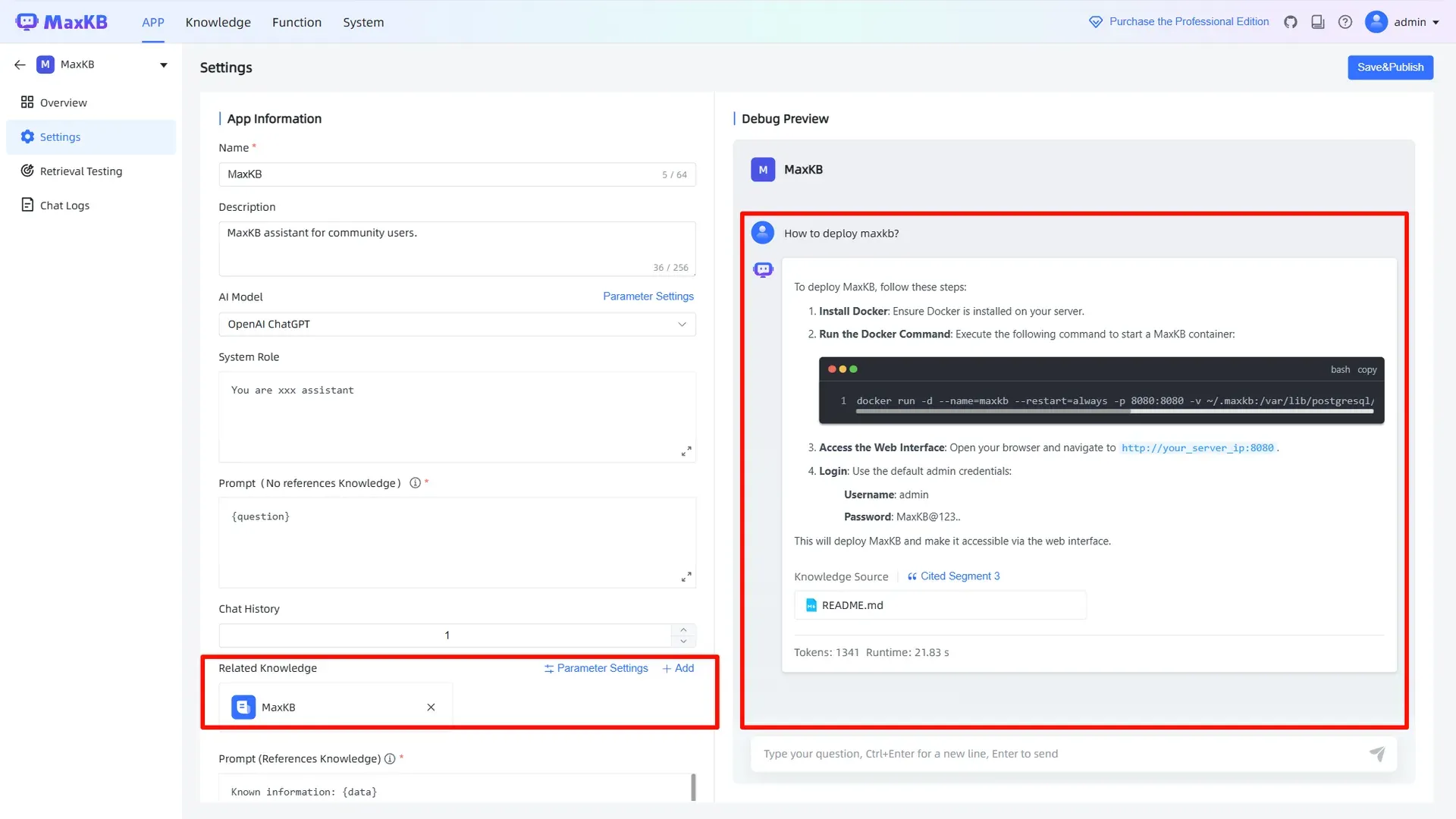
- Simple agents A simple agent combines a model, a system prompt, a user prompt and one or more knowledge bases, with a debug chat next to the settings. Simple agents and the AI chat node match the intent of a question and call tools, MCP servers, Skills and other agents automatically: tool and MCP calling arrived in v2.2.0, agent calling in v2.5.0 and uploaded Skills packages in v2.7.0.
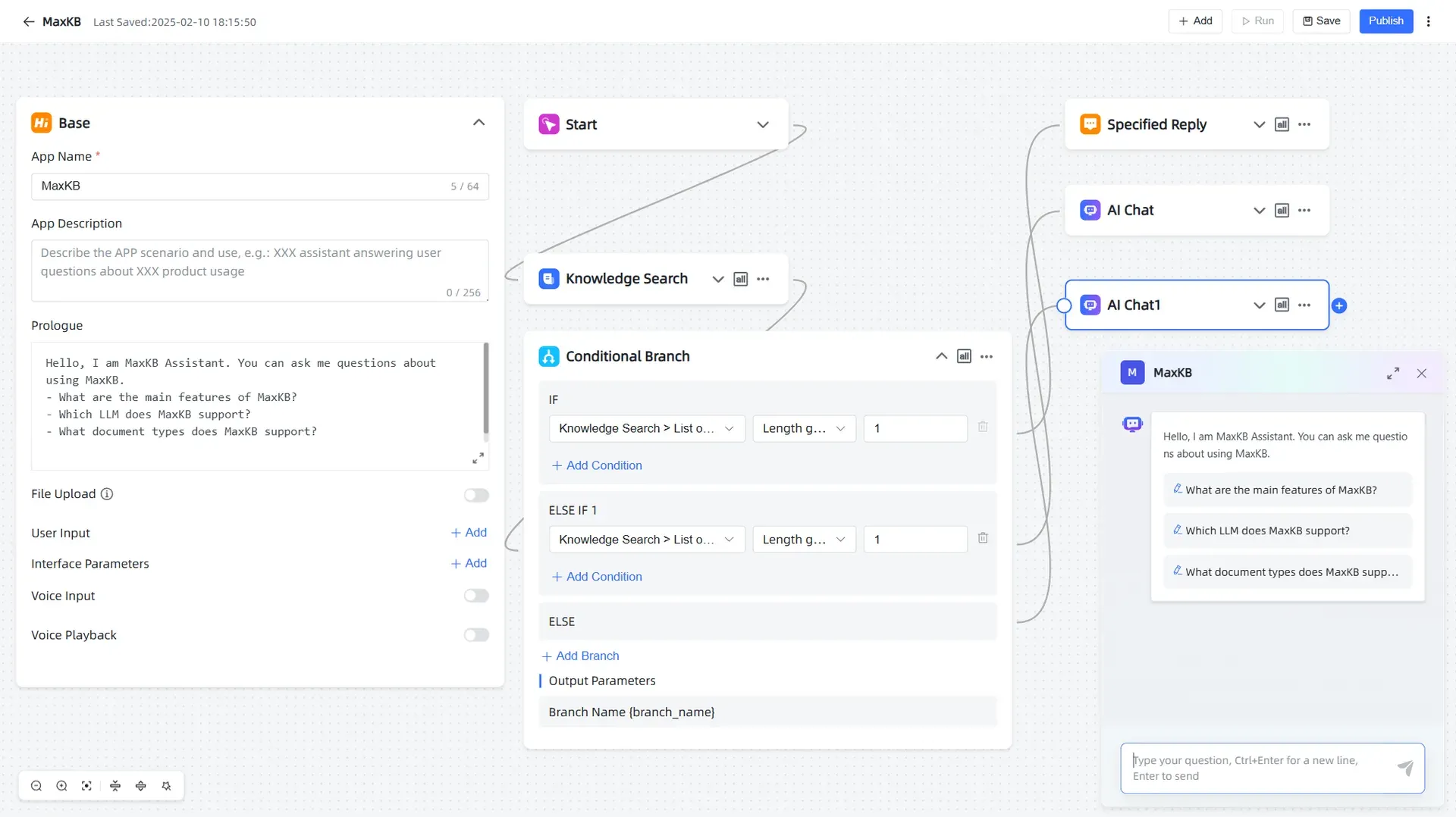
- Advanced agents on a workflow canvas Advanced agents are built from nodes for AI chat, intent recognition, question optimization, knowledge search, document tag search, multi-path recall, conditions, form collection, fixed replies, loops, variable assignment, aggregation and splitting, parameter extraction, document content extraction, MCP calls, tools and sub-agents, plus speech, image and video nodes; since v2.10.0-lts the AI chat node also takes multimodal input. Nodes can be disabled for debugging, publishes are kept in a history, and agents export to
.mkfiles without their model and knowledge base selections. The advanced agent documentation describes each node. - Long-term memory and conversation state Version 2.9.0 added long-term memory that is generated per number of conversation rounds or per time period and injected into prompts through variables. Session variables, user input parameters and form collection nodes keep structured data across the steps of a conversation.
- Custom Python tools Tools are Python functions with typed input parameters and separate startup parameters for secrets such as API keys, so that keys are not exposed as workflow inputs. Code can be generated from the tool name and description, debugged in the editor and extended with packages installed by
pipinside the container. Workflows can be saved as reusable workflow tools. - MCP and Skills MCP servers are added as JSON configuration and called over SSE or Streamable HTTP, either from the AI chat node or from a dedicated MCP node. Skills are uploaded as ZIP packages of up to 100 MB; only Python-triggered Skills are supported, and they run as a restricted sandbox user in a per-conversation temporary directory that is deleted afterwards. A tool store and a template center provide more than 80 preconfigured agent templates, knowledge base templates, tool sets and Skills.
- Triggers Triggers run agents or tools on a schedule (daily, weekly, monthly, at intervals or by cron expression) or on events. An event trigger generates a webhook URL and a Bearer token, and callers pass parameters in the HTTP request. Each trigger keeps an execution log with the inputs and outputs of the run.
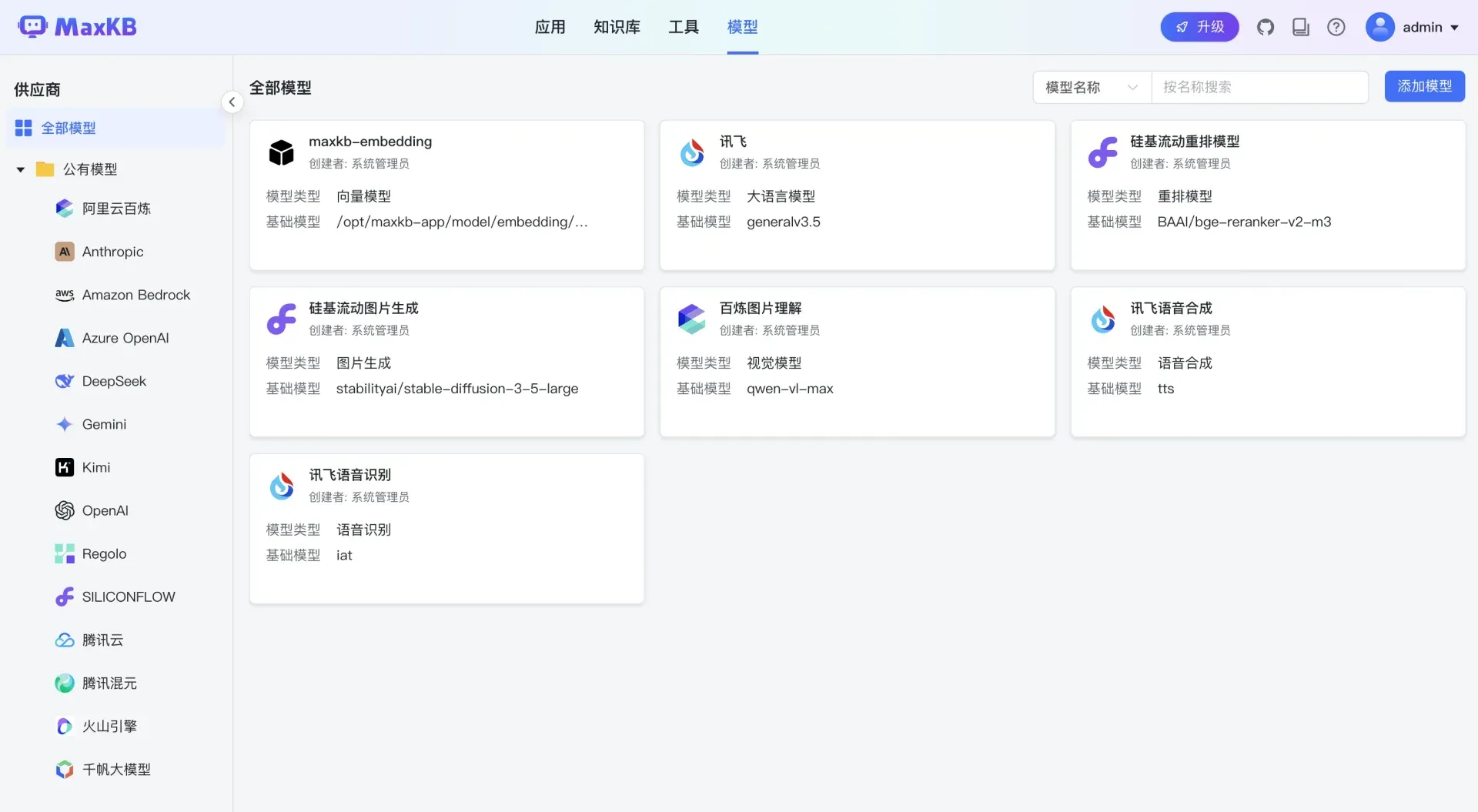
- Model providers The provider table lists Alibaba Cloud Bailian, Anthropic, Amazon Bedrock, Azure OpenAI, DeepSeek, Gemini, Kimi, OpenAI, SILICONFLOW, Tencent Cloud, Volcano Engine, Qianfan, iFlytek Spark, Zhipu AI and MiniMax. Model types cover LLMs, embedding, reranking, speech recognition and synthesis, vision, image generation and video generation, varying by provider.
- Local and private models Locally run models connect through the Ollama, vLLM, Xorbits Inference and Docker AI providers or the built-in local model provider. The documentation includes tutorials for deploying Ollama models offline and for running them on a GPU.
- Publishing and embedding Each agent has a public chat link that can be switched off or regenerated, plus embed code for full-screen, mobile and floating window modes. Access limits cap the number of questions per client and restrict embedding to whitelisted domains. Users of the chat page can export a conversation as Markdown, HTML or PDF.
- API access Agents are called with per-agent API keys through an OpenAI-compatible chat completions endpoint or through the built-in API documentation page, where an open endpoint creates a session and a chat endpoint sends questions. The Professional edition adds a platform-level system API. A separate MaxKB Skills repository, released in March 2026, lets the OpenClaw assistant query published MaxKB agents.
- Users, permissions and sign-in The Community Edition has unlimited users, managed by the system administrator, and per-resource view or manage permissions for agents, knowledge bases, tools and models. The X-Pack in the paid editions adds workspaces with role-based access control, chat user management, operation logs, branding, single sign-on via LDAP, CAS, OIDC, OAuth2 and SAML2, QR code login with WeCom, DingTalk and Feishu, and agent connectors for WeCom, DingTalk, Feishu, WeChat Official Accounts and Slack.
- Docker installation The README starts MaxKB with
docker run -d --name=maxkb --restart=always -p 8080:8080 -v ~/.maxkb:/opt/maxkb 1panel/maxkb; the Chinese docs use the registry.fit2cloud.com image and add a Windows variant. The installation guide lists Ubuntu 22.04 or CentOS 7 (kernel 3.10 or later), 4 CPU cores, 8 GB of RAM, 100 GB of disk and Docker 26.0.0 or later; the web interface listens on port 8080 with the default account admin. - Offline installer and 1Panel The offline installer from the FIT2CLOUD community download page is configured through
install.conf(install directory, port, Docker subnet, external PostgreSQL and Redis) and adds themkctlcommand for status, start, stop, restart, reload, version, removal of old images and uninstall. Community installers are published for x86_64 only and ARM64 installers for the paid editions, while Docker images exist for amd64 and arm64. The 1Panel app store lists MaxKB in its AI category and installs the 1panel/maxkb image with a chosen port and CPU and memory limits.
Where MaxKB fits
Internal knowledge base assistant
The quick start follows four steps: add a model, create a knowledge base, upload documents and create an agent. Uploaded files are segmented and vectorised, hit testing shows which segments a question retrieves, and a simple agent answers with references to the cited segments and their source documents. Answers can link back to downloadable source files when a document allows it, and the chat log records each conversation for later review or for adding corrected answers back into a knowledge base.
Customer service chat on a website
Customer service is the first scenario on maxkb.cn, with case studies from a restaurant chain, transport and public services. A published agent is placed on a site with the floating window or full-screen embed code, limited to whitelisted domains and to a number of questions per client. In the Professional and Enterprise editions, the same agent can also answer in WeCom group chats, WeCom and DingTalk applications, Feishu, WeChat Official Accounts and Slack.
Question answering over product documentation
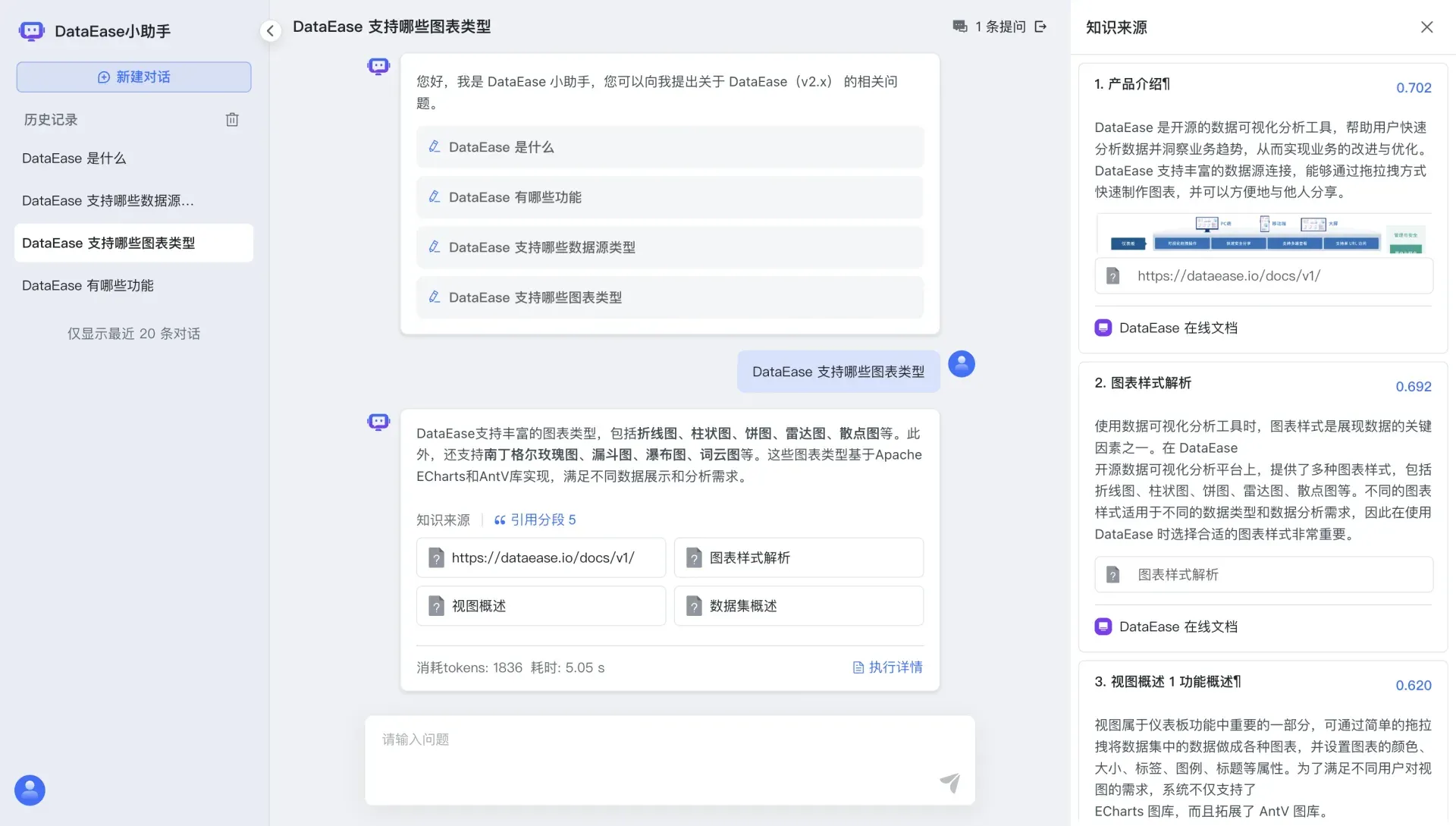
A Web site knowledge base points at a documentation root, such as the DataEase docs used in the official examples, with a CSS selector that limits extraction to the content area. Pages are imported with their URLs, can be re-synced after the documentation changes, and appear as knowledge sources with similarity scores next to each answer, as the README screenshots show.
Multi-step business workflows
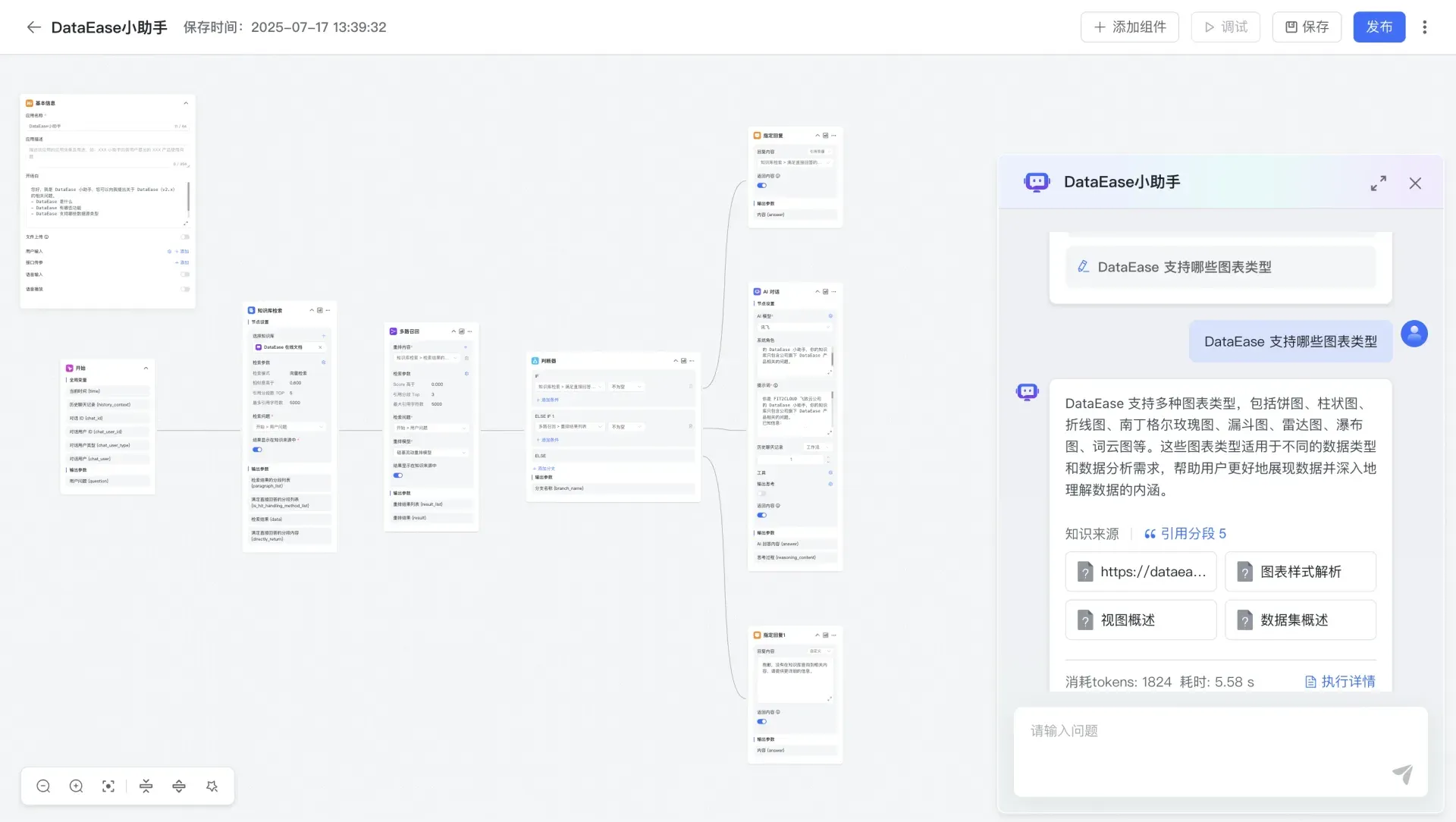
Advanced agents combine intent recognition, conditions, forms, parameter extraction, loops, tools and MCP calls on one canvas. The documentation includes worked examples such as a contract review assistant for WPS documents and multimodal knowledge built from images, audio and video through a knowledge base workflow. The FIT2CLOUD site also describes approval assistants, fault analysis and exam question generation as examples of connecting business systems to MaxKB through its API.
Scheduled and event-driven automation
Triggers start an agent or a tool without a chat: on a fixed schedule or cron expression, or when another system calls the generated webhook URL with the Bearer token and parameters. Execution records show the workflow or tool inputs and outputs of each run, and triggers can be enabled, disabled or deleted in bulk.
Private deployment with local models
MaxKB, its PostgreSQL and pgvector database and its uploaded files run on infrastructure run by the operator. Models can stay inside the same network through Ollama, vLLM or Xorbits Inference, with official tutorials for offline Ollama deployment and GPU use, and FIT2CLOUD documents a provider for its own 1Panel AI gateway. Published agents can in turn serve other assistants: through the MaxKB Skills package, the OpenClaw assistant lists the published knowledge base agents, picks the ones that fit a question and combines their answers.
Install
docker run -d --name=maxkb --restart=always -p 8080:8080 -v ~/.maxkb:/opt/maxkb 1panel/maxkbReviews of MaxKB
Be the first to share your experience with MaxKB.
Write a review
Loading review form…
Found MaxKB useful? Upvote it todayYour vote helps other IT teams find it in the daily ranking.