
What is Sim?
Sim is an open-source workspace for building, deploying and managing AI agents and workflows, developed by Sim Studio, Inc., which presents itself as Sim, Inc. on its website. A workflow connects blocks: an Agent block calls a language model and can use tools, Function blocks run code, Condition and Router blocks branch, and integration blocks act on outside services. Workflows can be assembled on a visual canvas, described in Chat or created through the API and CLI, then deployed as a REST endpoint, a chat page or an MCP server. The GitHub repository describes Sim as the collaborative workspace to build, deploy and monitor AI agents and workflows and states that it is used by 100,000+ builders; the website repeats that figure and lists 280+ integrations and every major LLM.
The website's organization data gives 2025 as the founding year and an address in San Francisco, California. The Y Combinator company directory lists Sim in the Spring 2025 batch, with Emir Karabeg as founder and CEO and Waleed Latif as founder and CTO. The repository was created in January 2025. It is a TypeScript monorepo built with Turborepo: a Next.js application on the Bun runtime, PostgreSQL with Drizzle ORM, Better Auth for authentication, ReactFlow for the workflow editor, Socket.io for realtime collaboration, Trigger.dev for background jobs, E2B for remote code execution and isolated-vm for local JavaScript execution.
Sim is offered as the managed Sim Cloud at sim.ai and as a self-hosted deployment with Docker Compose or a Helm chart for Kubernetes; the interactive npx sim-setup wizard prepares a Compose installation. A macOS desktop app, a sim command-line tool and a hosted MCP server at https://mcp.sim.ai/mcp for clients such as Claude Code and Codex complete the distribution. The core source is licensed under Apache 2.0. Code under apps/sim/ee uses the separate Sim Enterprise License, which allows development, testing and evaluation but requires an Enterprise subscription for production use of features such as SSO, SCIM, audit logs and permission groups. The README states SOC 2 Type II, ISO 27001 and GDPR coverage, with reports in the Trust Center.
Releases are frequent. The latest GitHub release is v0.9.62, published November 17, 2026, the third release that day after v0.9.60 and v0.9.61; Helm chart versions are tagged separately, most recently helm-chart-1.11.20 on November 15, 2026. The v0.9.62 notes list a computer-use change that reports only what changed after an action, a fix for GitLab group discovery and permission-aware search, and a billing fix that withholds hosted Fal.ai image generation from free-plan payers.
The pricing page, checked on November 18, 2026, lists four Sim Cloud plans in US dollars. Free costs $0 with 1,000 one-time credits, one workspace, two concurrent executions, 5 GB of file storage and 30-day log retention. Pro costs $25 per user per month billed monthly, with 6,000 credits per month plus a 2,000-credit weekly refresh, three workspaces, 50 concurrent executions, 50 GB of storage and unlimited log retention. Max costs $100 per user per month with 25,000 credits per month plus 4,000 per week, unlimited workspaces, 200 concurrent executions and 500 GB. Enterprise is priced on request and adds SSO, access control, self-hosted enterprise features and dedicated support. Annual billing is shown with a 15% discount, and one credit is worth $0.005 on Sim Cloud. Similar visual builders on iThub include Dify, Langflow, Flowise and n8n.
Key capabilities
- Visual workflow builder A workflow is made of a trigger, blocks and connections; a block becomes ready when its upstream blocks finish, and independent branches run at the same time. Outputs are referenced with connection tags such as
<start.input>or<agent.content>. The editor runs the draft with Run and highlights active blocks in a console with per-block timing, inputs and outputs. - Core blocks Work blocks are Agent, Function, API and integrations; control flow uses Condition, Router, Loop and Parallel; run behaviour uses Response, Guardrails, Wait, Human in the Loop, Evaluator, Variables and nested Workflow blocks. Agent blocks can request structured output through a Response Format and call tools, custom tools, skills and external MCP servers. Model-driven blocks can return different answers across runs, as the documentation notes.
- Integrations catalogue The README lists 280+ integrations with 5,800+ actions and 530+ triggers, covering services such as Slack, Notion, HubSpot, Salesforce and databases; these counts are the project's own figures. Integrations appear as workflow blocks or as tools an Agent can call, and the integration catalog lists the supported services. Services outside the catalogue can be reached through an external MCP server or a custom tool.
- Chat Chat builds, edits, tests, debugs and deploys workflows from a conversation, and can also research sources into cited reports, create documents and charts, query tables and manage knowledge bases. Resources open in a side panel next to the conversation. On self-hosted deployments Chat is a Sim-managed service that needs a Chat API key from sim.ai (
COPILOT_API_KEY) and can be hidden withNEXT_PUBLIC_CHAT_DISABLED=true. - Triggers, schedules and webhooks A run starts from Start (editor, API or chat input), Schedule, Webhook, RSS, Table row changes, Sim workspace events or an integration event such as a GitHub push. The Schedule trigger accepts minute, hourly, daily, weekly, monthly or cron settings with a timezone and disables itself after 100 consecutive failures. Automatic triggers use the deployed version, not the draft.
- Versioned deployments Deploy creates a numbered snapshot used by API, chat, MCP and automatic trigger runs, so later draft edits do not reach callers until Update is clicked. Versions can be renamed, compared, loaded back into the draft or promoted to live, and Undeploy removes the deployment and its schedules. Deploying requires workspace Admin access.
- Workflow API A deployed workflow is called at
POST /api/v2/workflows/{workflow-id}/executewith anX-API-Keyheader or an OAuth access token, returning a complete JSON result, a server-sent event stream or an asynchronous run receipt. A specific deployment version can be pinned withrun.version. The API reference also covers tables, files, knowledge bases, logs, credentials, MCP servers and organizations. - Chat pages A workflow can be deployed as a chat with a unique URL, a title, selected output fields and a welcome message, and the page can be linked or embedded. Access control options are public, password, email or supported SSO. Each message starts a fresh run, so earlier context is kept by configuring Agent Memory with the chat's conversation ID.
- MCP server and MCP tools Workflows can be deployed as tools on an MCP server, and Agents can call tools from external MCP servers. Sim Cloud also runs a hosted MCP server at
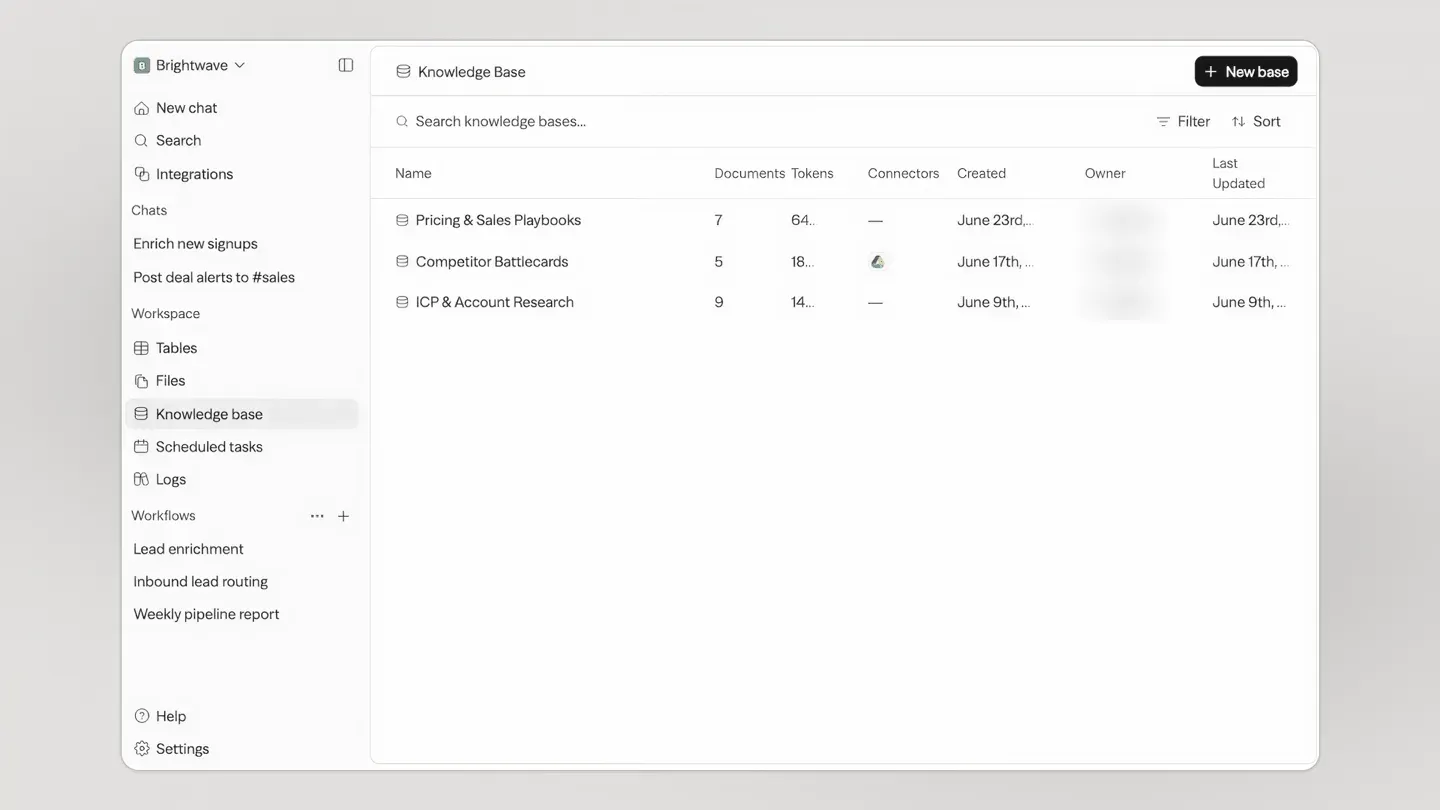
https://mcp.sim.ai/mcpthat lets clients such as Claude, Claude Code and Codex manage workspaces, run and deploy workflows and work with tables, knowledge bases, files and logs, with OAuth sign-in or an API key. - Knowledge bases Knowledge bases extract text from uploaded PDF, Word, text, Markdown, HTML, Excel, CSV, PowerPoint (.pptx), JSON and YAML files, split it into chunks and store embeddings for retrieval by the Knowledge block. Each file can be up to 100 MiB, with at most 20 files and 500 MiB per upload action. Connectors keep content synced from sources such as Notion, Google Drive, Confluence and GitHub, and scanned PDFs need Mistral OCR configured.
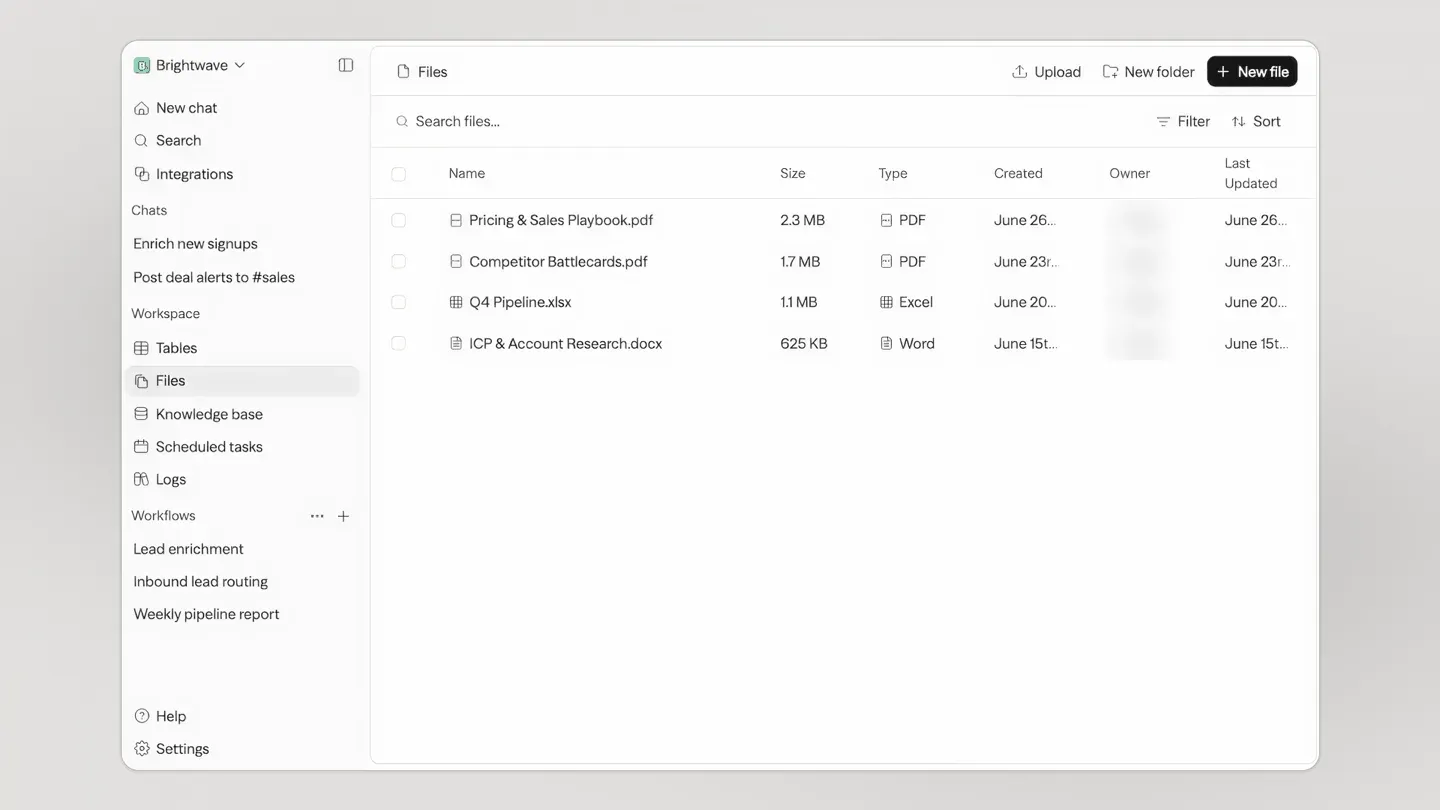
- Tables and files Tables hold structured rows that workflows read and update between runs, with CSV import and export and a Table trigger that fires on inserts, updates or deletes. Files hold uploads and agent outputs in one workspace store. Plan limits apply on Sim Cloud, for example 5 tables of 50,000 rows on Free and 100 tables of 100,000 rows on Pro.
- Logs and traces Logs list each run with workflow, date, status, cost in credits, trigger and duration, with filters such as
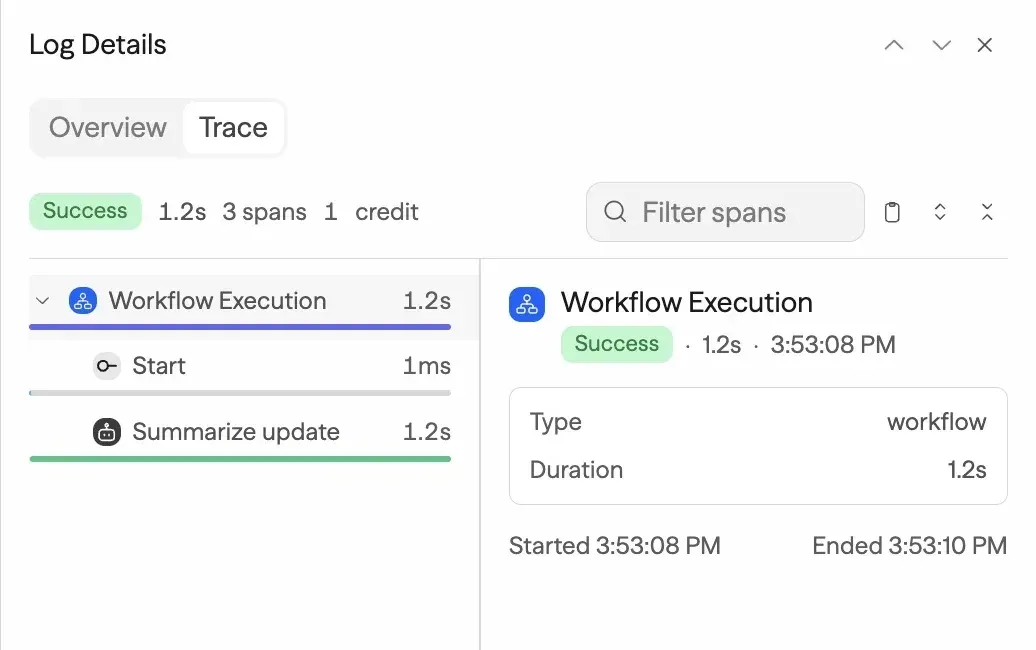
status:errororduration:>5sand CSV export. A run's trace shows every block and child span with timing, resolved inputs, outputs or errors, and a snapshot of the workflow as it ran. Protected secret values are masked in log views. - Self-hosting with Docker Compose
npx sim-setup(Node.js 20 or later and Docker) creates asim/directory, generates secrets, writes.envand starts published images. The Docker guide lists the services: the app on port 3000, realtime on 3002, PostgreSQL 17 with pgvector, Redis, a migration job and a scheduler, and requires Docker Compose 2.24.0 or later. The documentation suggests 2 cores, 12 GiB RAM and 20 GiB SSD for evaluation, and notes that uploads are not persisted until object storage or a mount is configured. - Kubernetes Helm chart The Helm chart is published as an OCI chart at
ghcr.io/simstudioai/charts/sim, bundles PostgreSQL with pgvector and Redis, runs migrations before the app starts and enables scheduled jobs by default. Prerequisites are Kubernetes 1.25 or later, Helm 3.8 or later and a default StorageClass for the bundled database. Replica, autoscaling, disruption-budget, secret-store and network-policy settings are exposed. - Local and self-hosted models Agent blocks accept a provider key or a compatible self-hosted endpoint such as Ollama, vLLM, LM Studio or LiteLLM. For Ollama,
OLLAMA_URLpoints the Compose stack at an Ollama server, and knowledge base embeddings can useollama/<model>. A development stack,docker-compose.ollama.yml, builds Sim from source with GPU or CPU profiles and pulls gemma3:4b. - Code execution Plain JavaScript without imports runs in isolated-vm inside the app container. Python, shell, JavaScript with imports and custom sandboxes require a remote sandbox provider, E2B or Daytona, configured with its own key and image. The self-hosting documentation describes these as external dependencies.
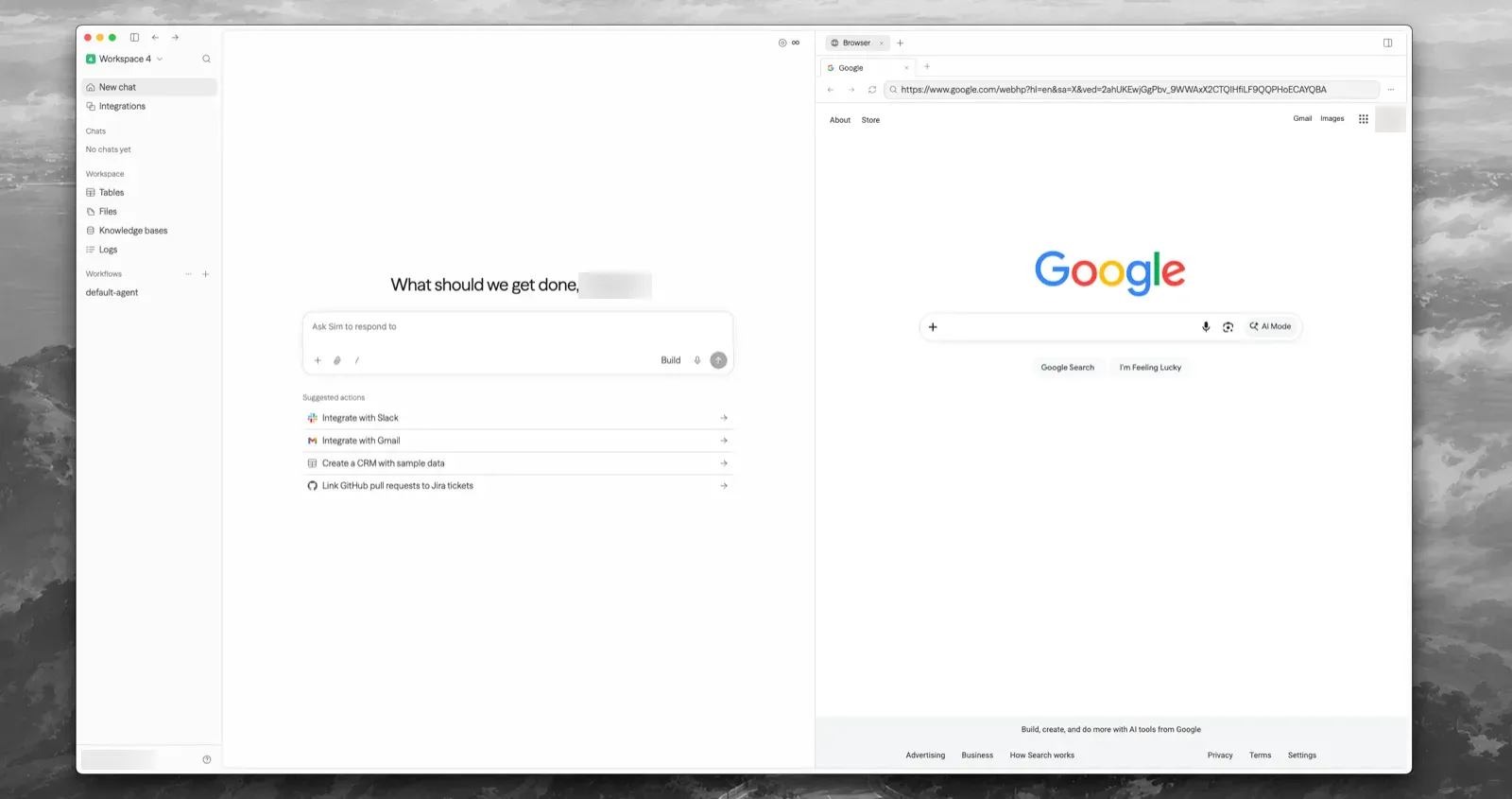
- Sim Desktop and CLI Sim Desktop is a signed universal macOS app for macOS 12 or later on Apple Silicon and Intel; it adds a built-in browser, terminal sessions, local file tools and notifications, and can be pointed at a self-hosted server. The
simCLI (Node.js 20 or later) runs workflows, queries tables, moves files, searches knowledge bases and reads logs, with JSON output by default. - Enterprise governance The Enterprise plan adds SSO with SAML 2.0 or OIDC (including Microsoft Entra ID, Okta and Google Workspace), SCIM provisioning from Entra ID or Okta, audit logs, permission groups that restrict models, blocks and tools, session policies, data retention, data drains and whitelabeling. On self-hosted deployments these are switched on with
ENTERPRISE_ENABLEDflags, and production use requires an Enterprise license.
Where Sim fits
Building an agent workflow from a description
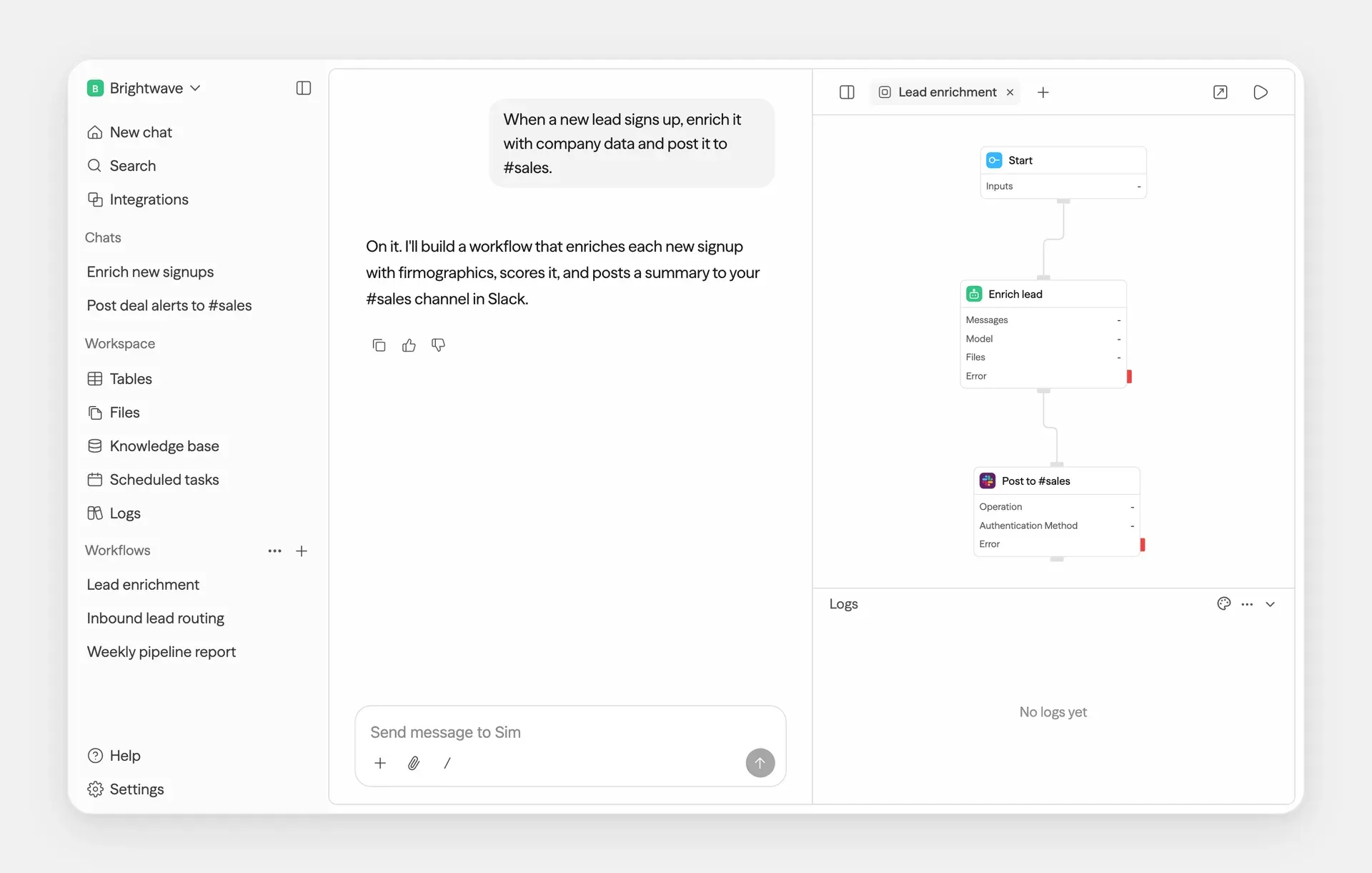
A user opens a new chat and describes the task, for example enriching each new signup with company data and posting a summary to a Slack channel. Sim creates the workflow with a Start block, an Agent block and a Slack block and opens it on the canvas beside the conversation, where blocks can be edited directly. The getting started guide walks through building and running a simple summarizer workflow.
Exposing a workflow to an application as an API
After testing a draft, a workspace Admin deploys it and generates an API key under Deploy, API. The application then calls the execute endpoint synchronously, as a stream or asynchronously, and can pin a deployment version. Each call appears in Logs with its trigger, duration and credit cost, and the trace shows the inputs and outputs of every block.
Publishing an internal or public chat assistant
A workflow with a Start block that accepts messages and attachments is deployed as a chat page with its own URL, title, welcome message and access control (public, password, email or SSO). Agent Memory keyed on the conversation ID keeps earlier turns available, and the selected output field, typically an Agent's content, becomes the reply.
Scheduled and event-driven automations
Schedule triggers run a deployed workflow on a timer or cron expression in a chosen timezone, Webhook triggers accept HTTP requests at a generated URL, and integration triggers react to events such as a GitHub push or a new email. Table triggers start runs when rows change. Self-hosted installations need the scheduler service running with CRON_SECRET set for scheduled work.
Answering questions from company documents
Teams create a knowledge base, upload documents or attach a connector such as Notion, Google Drive or Confluence, and wait until processing completes. A Knowledge block then retrieves relevant chunks for an Agent to cite in its answer. The documentation includes pages on chunking strategies, tags and debugging retrieval when results are missing.
Running Sim on private infrastructure with local models
Organizations that keep data in-house run the Docker Compose stack or the Helm chart, put a TLS proxy in front of ports 3000 and 3002, configure object storage for uploads and back up ENCRYPTION_KEY and API_ENCRYPTION_KEY with the database. Agent blocks and embeddings can point at an Ollama or vLLM server, as described in the self-hosting documentation; Chat and external integrations still need network access to their services. Ollama itself is listed on iThub under Ollama.
Install
npx sim-setupReviews of Sim
Be the first to share your experience with Sim.
Write a review
Loading review form…
Found Sim useful? Upvote it todayYour vote helps other IT teams find it in the daily ranking.


