

What is Botpress?
Botpress is a platform for building, deploying and operating conversational AI agents, developed by the company of the same name, whose investors include Inovia, Decibel and Real Ventures. Its current product, Botpress Cloud, is a managed web application: agents are designed in the browser-based Studio, run on Botpress infrastructure and are published to channels such as a website chat widget, WhatsApp, Slack, Microsoft Teams or Telegram. The botpress/botpress repository is not the hosted platform itself. It holds the open-source pieces around it: the integrations published on the Botpress Hub, the developer tools, example bots written as code, and the official plugins.
The repository is a TypeScript monorepo managed with pnpm and Turborepo. It contains 82 integration packages (OpenAI, Anthropic, Google AI, Groq, Mistral, WhatsApp, Messenger, Instagram, Teams, Slack, Zendesk, HubSpot, Salesforce, Notion, Jira, Stripe, n8n, Zapier and others), shared interface definitions such as llm, hitl and speech-to-text, plugins for knowledge, analytics and human handoff, and the packages developers install from npm. As of November 6, 2026 the npm registry lists @botpress/cli 7.1.13, @botpress/sdk 7.2.12 and @botpress/client 2.12.0, each requiring Node.js 18 or later. The repository pins Node.js 22.17.0 and pnpm 10.29.3 for its own builds.
The latest GitHub release, v12.30.9 from June 2023, belongs to the earlier self-hosted Botpress v12 line, whose code now lives in the separate botpress/v12 repository. The v12 sunset notice states that v12 and every other self-hosted or locally installed edition are no longer available for purchase, download or new deployment; existing v12 customers stay supported through their account manager. Work on the current platform ships continuously as npm packages and Hub integration versions rather than as tagged GitHub releases, so the release tag on this page should not be read as the current product version.
Inside Studio, an agent is a set of Workflows made of Nodes and Cards. The default Autonomous Node hands control to a large language model, which decides when to answer, search a Knowledge Base, call a tool or run a sub-workflow. The decision loop runs on LLMz, an LLM-native TypeScript virtual machine whose source is in the same repository. Knowledge Bases, Tables, Hooks, versioning, analytics and human handoff complete the hosted toolkit, and developers who prefer code can use the SDK, bots-as-code or the separate Agent Development Kit.
All packages in this repository are released under the MIT License according to the README, although a few internal packages such as LLMz and Zai declare ISC in their package metadata. The Studio, the runtime and the Botpress Cloud service are proprietary and billed through Botpress plans, starting with a free tier. Running agents entirely on your own servers is out of scope for new users, and the open-source code does not replace a Botpress workspace.
Botpress screenshots
Explore the interface. Open a screenshot to view it at full size.
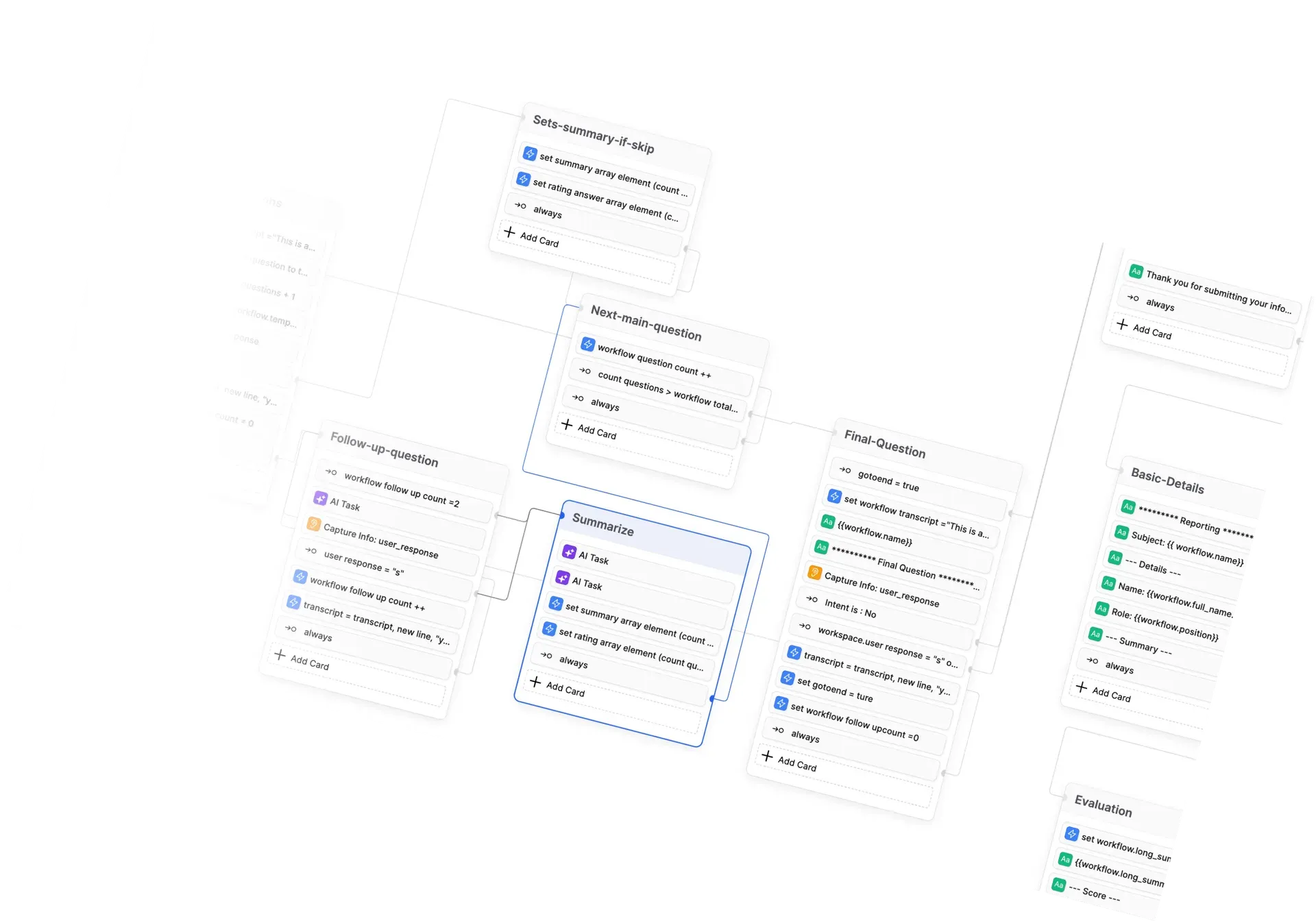
Studio canvas from the repository README, showing a questionnaire workflow built from Nodes and Cards. It reflects the 2023 Studio interface.
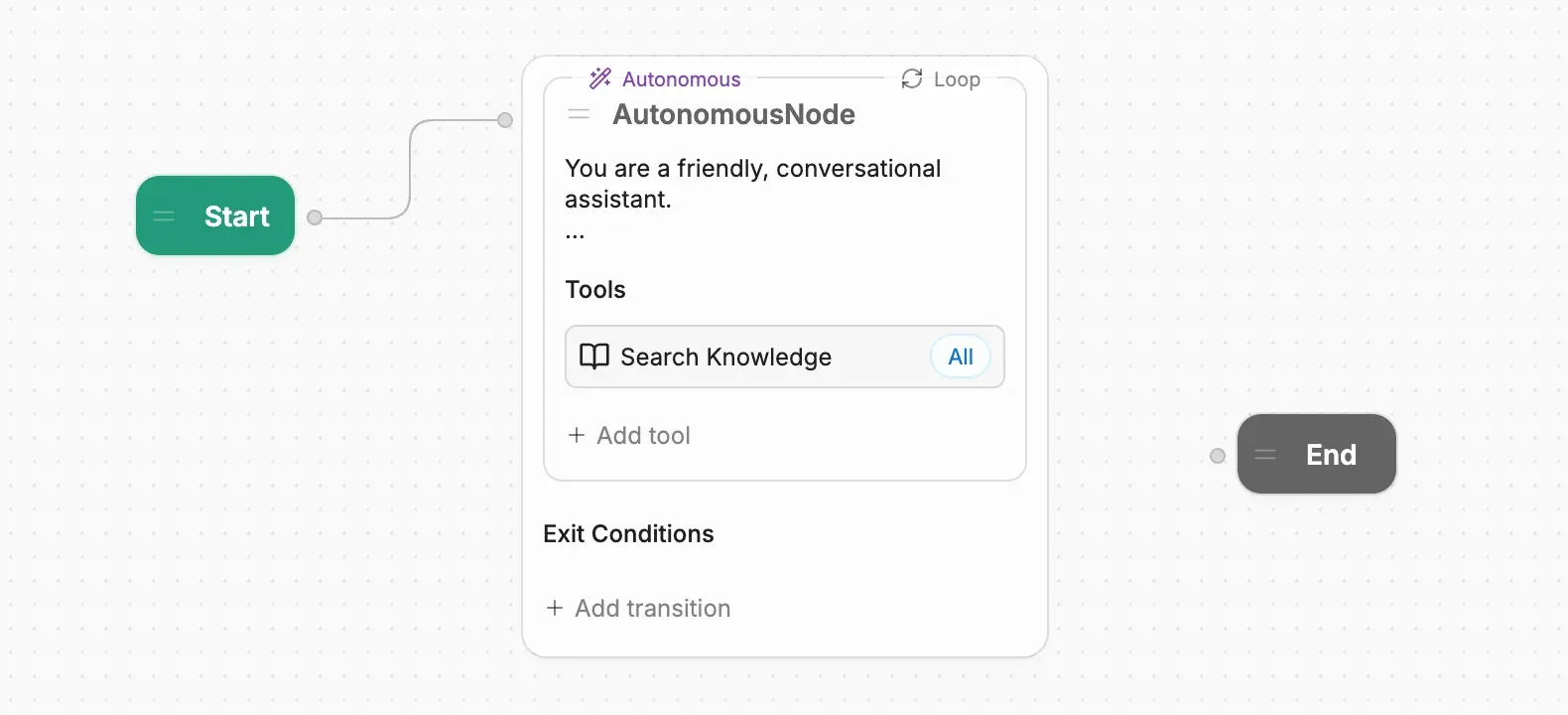
An Autonomous Node with its instructions, a Search Knowledge tool scoped to all Knowledge Bases and an empty exit-condition list, from the official documentation.
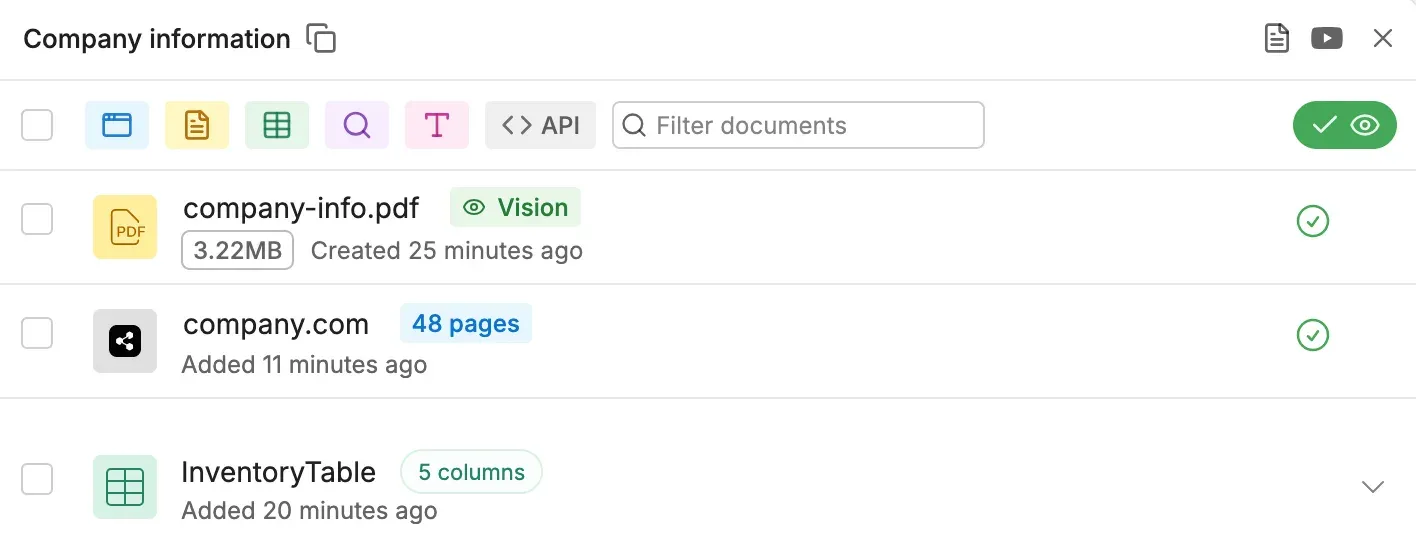
A Knowledge Base holding a PDF processed with Vision, a 48-page website crawl and an inventory table, from the official documentation.
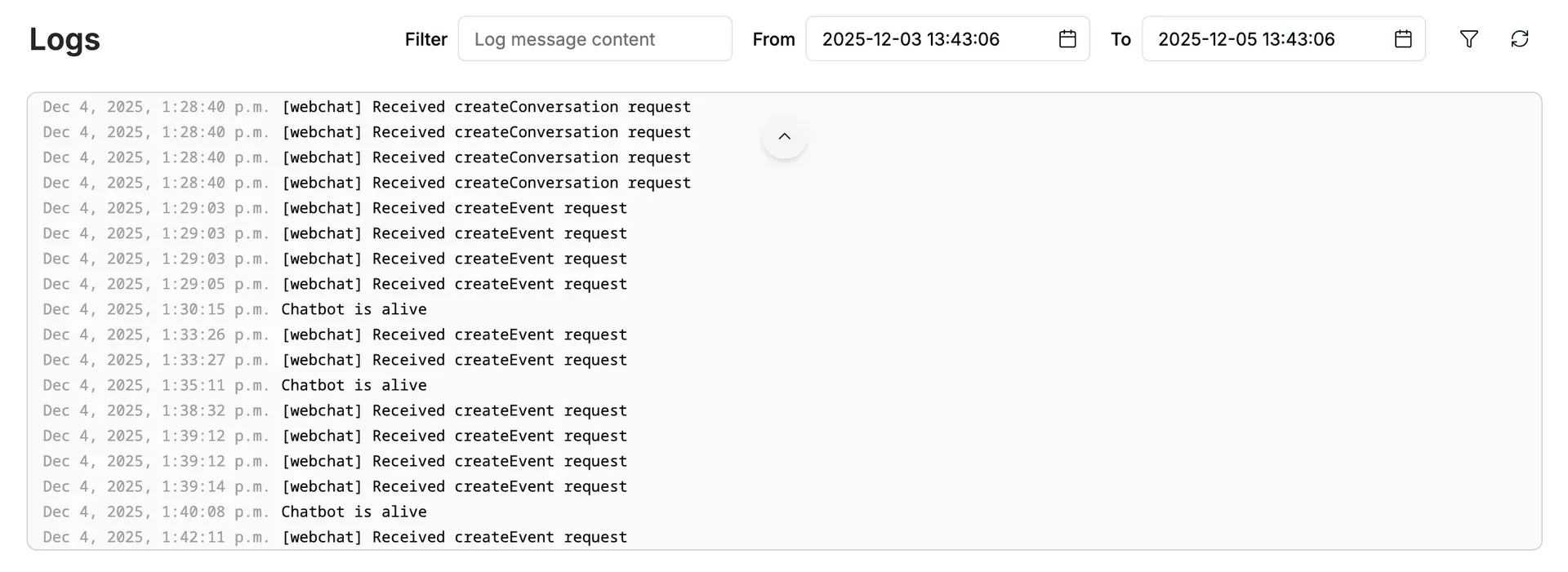
Bot log viewer with a text filter and date range, listing Webchat requests and a periodic bot message, from the official documentation.
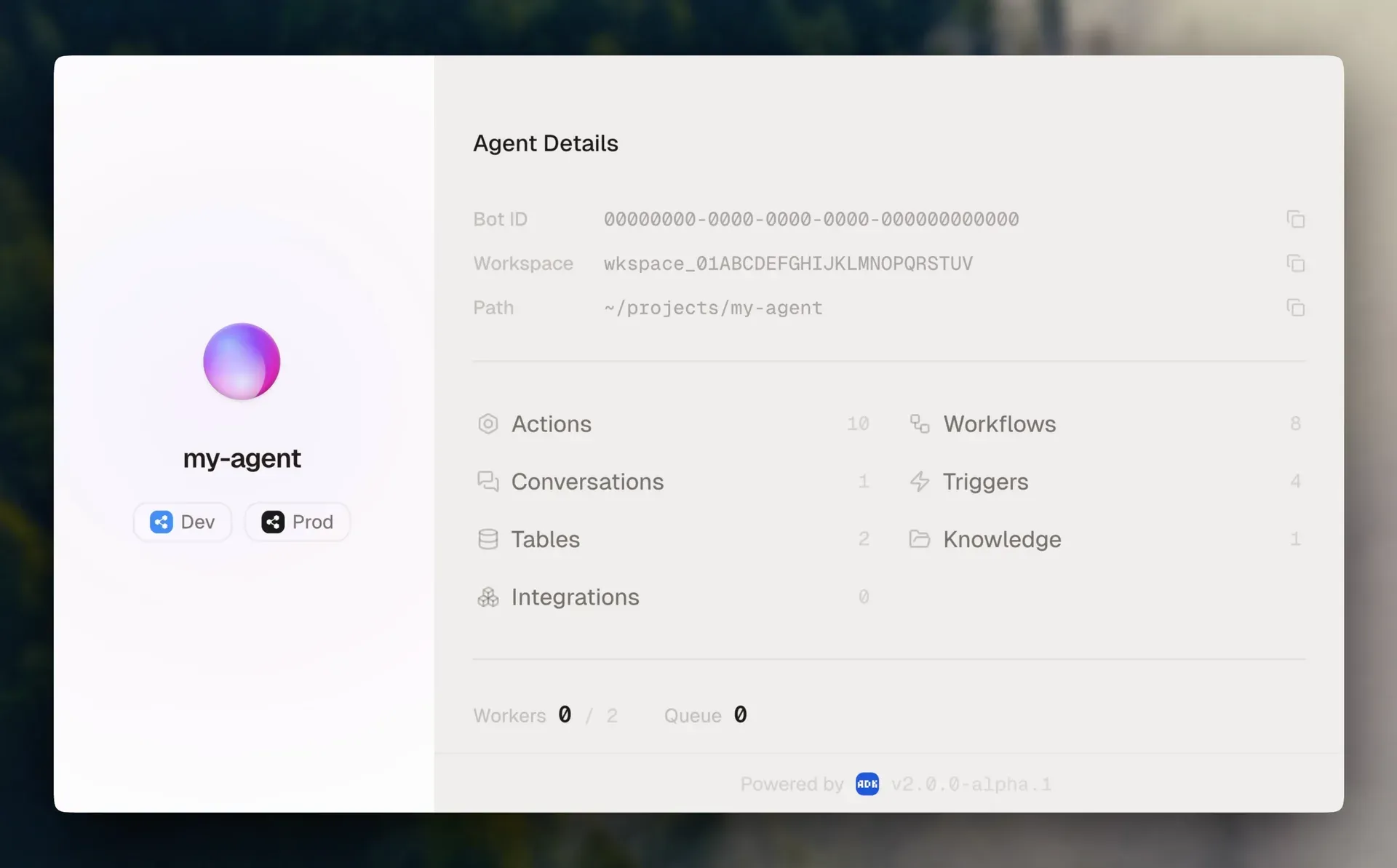
The ADK Dev Console showing an agent project with its actions, conversations, tables, integrations, workflows, triggers and knowledge. The footer shows an ADK 2.0 alpha build.
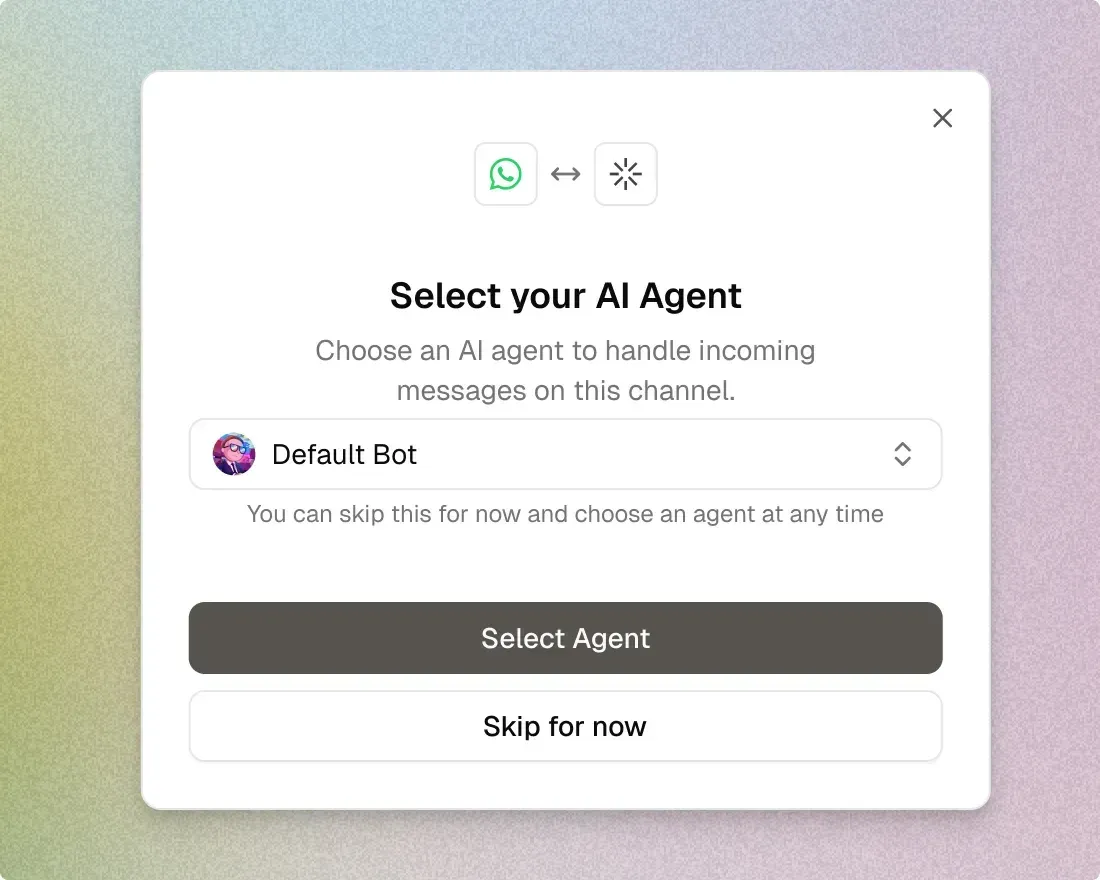
Channel setup dialog from the Botpress Desk page: choose which AI agent answers messages arriving on a WhatsApp channel.
Source: official Botpress project page.
Key capabilities
- Studio visual builder Botpress Studio is a browser IDE with a drag-and-drop canvas of Workflows, Nodes and Cards, plus Variables in workflow, user, conversation, bot and configuration scopes. Standard Nodes execute their Cards in order, so deterministic steps such as data capture or API calls stay predictable. Real-time collaboration in Studio is listed on the Team plan.
- Autonomous Node and LLMz The Autonomous Node takes instructions, tools, Knowledge Bases, workflows and exit conditions, then lets an LLM choose the next step in a loop until an exit condition fires. An Iterations view shows how many reasoning passes were needed and which tools were called. Botpress recommends a high-performing model, roughly comparable to OpenAI GPT-4.1, and advises keeping the LLMz engine version current in Bot Settings.
- Model selection per task Bot Settings define a default fast LLM, a default best LLM, the autonomous model, the RAG model and a fallback model that is used when a preferred one is unavailable. Individual Autonomous Nodes can override the response and RAG models. Model providers are installed as Hub integrations that implement the shared
llminterface, and the SDK documents how to plug in your own LLM. - Knowledge Bases Knowledge Bases accept websites, uploaded documents, Tables, web search, rich text and sources provided by integrations. The default Autonomous Node searches all Knowledge Bases through a Search Knowledge Card that can be scoped to selected ones. Standard Nodes need a Query Knowledge Bases or Capture Information Card and the Knowledge Agent enabled. Vector and file storage are capped per plan.
- Tables Tables are hosted structured stores that bots can read and write, use as a Knowledge Base source and reach through the Tables API. Each table is limited to 20 columns, and a row holds 4 KB at the default row factor; a higher factor raises the per-row size but counts each row several times. The pricing page lists 1,000 rows on Free, 100,000 on Plus and 500,000 on Team.
- Code inside the bot Execute Code Cards, Actions and Hooks run JavaScript in the hosted runtime. Hooks fire at defined points such as before an outgoing message, after each LLMz iteration or at the end of a conversation. External libraries cannot be imported in an Execute Code Card; Axios is provided for HTTP calls, and secrets belong in configuration variables.
- Built-in agents Studio ships specialised agents that can be switched on per bot: Summary, Personality, Policy, Translator, Knowledge, HITL, Vision and Analytics. They add conversation summaries, tone rules, policy checks, translation, retrieval, handoff, image understanding and analytics without building those flows manually.
- Channels and Webchat Agents are published through channel integrations, including WhatsApp, Messenger, Instagram, Telegram, Slack, Microsoft Teams, LINE, Viber, WeChat, Twilio and Vonage. Webchat embeds the agent in a website with a script tag, a React library or CMS guides for WordPress, Wix and Webflow. Whitelabel Webchat and the WhatsApp channel are listed from the Plus plan, and voice is an Enterprise feature.
- Human handoff and Botpress Desk New workspaces route human handoff to Botpress Desk, an AI helpdesk with routing, priorities, macros, saved views and agent seats at no charge. Desk can run standalone or connect to an existing Zendesk or Intercom helpdesk. Older workspaces keep the legacy HITL integration and its ticket dashboard, which requires a Plus plan or higher.
- Integrations on the Botpress Hub The Hub lists channels, model providers and business connectors in one catalog. This repository holds the integrations maintained by Botpress, such as HubSpot, Salesforce, Zendesk, Intercom, Freshdesk, Jira, Linear, Notion, Google Drive, SharePoint, Shopify, Stripe, Gmail and Calendly. Business connectors typically authenticate through OAuth or API keys stored in the workspace configuration.
- Integration SDK and CLI The Botpress SDK builds integrations, interfaces, bots and plugins on the same primitives as Studio. Install the CLI with
npm install -g @botpress/cli, scaffold withbp initand publish withbp deploy. Deployed integrations are private to the workspace by default;bp deploy --visibility publiclists a version on the Hub, after which that public version cannot be updated. - Bots-as-code Bots-as-code define a whole bot in TypeScript with the SDK and CLI, which suits teams that want Git review and CI. Such bots appear in the dashboard but cannot be edited in Studio. Botpress recommends Studio for most use cases and positions bots-as-code for experienced developers.
- Agent Development Kit (ADK) The ADK is a separate TypeScript framework and CLI for conversations, workflows, tools, actions, tables, knowledge, triggers, custom Webchat components and evals as code. It needs Node.js 22 or later and installs with a shell or PowerShell script from the ADK releases page;
adk devopens a local Dev Console, andadk deploypushes to Botpress Cloud. Version 2.0.8 is the latest stable CLI, with 3.0 in beta. - Public APIs The Botpress API at
api.botpress.cloudgroups the Admin, Runtime, Files and Tables APIs, while the Chat API atchat.botpress.cloudlets a custom frontend talk to a deployed bot. Requests use a Personal Access Token, a Bot Access Key or an Integration Access Key, each with a narrower scope than the last. A sliding-window rate limiter returns HTTP 429 with RateLimit headers. - Monitoring, logs and versions Each bot has logs with text and time-range filters, conversation and analytics views, and an Inspect mode for tracing behavior. Versions are created manually or on every publish and can be restored, which overwrites the current draft. Raw conversations and compiled analytics can be exported through the API or streamed from Hooks.
- Developer libraries The monorepo also publishes @botpress/client for typed API access, @botpress/chat for the Chat API, @botpress/cognitive for model calls through Botpress, Zai for typed LLM utilities and Vai, a Vitest extension for testing with LLMs. These packages are the same building blocks the Studio uses, so code written against them follows the platform's data model.
Where Botpress fits
Website support agent grounded in your documentation
Create a bot, add a Knowledge Base with your help center URL and a few PDFs, and keep the default Autonomous Node with its Search Knowledge Card. Write instructions that say what the agent may answer and when it must hand over, then embed Webchat on a test page. Check answers against the source pages, review the Iterations tab for questions where retrieval failed, and watch the plan's vector storage and conversation quota before launch.
WhatsApp or Teams assistant with handoff
Install the WhatsApp or Microsoft Teams integration from the Hub, connect the account and select the agent that handles incoming messages. Set up Botpress Desk, or the legacy HITL integration on older workspaces, and add an instruction that starts handoff when a user asks for a person. Test that the conversation history reaches the human agent and that the bot resumes cleanly after the ticket is closed. WhatsApp requires at least the Plus plan.
Transactional workflows on top of a CRM or helpdesk
Combine Standard Nodes for deterministic steps with Autonomous Node tools for open-ended requests: look up an order in a Table, call Salesforce or HubSpot through their integrations, or post to Zendesk. Keep credentials in configuration variables and validate each Execute Code result before it reaches the user. Restrict which variables the Autonomous Node can write, because it only gets write access when you grant it explicitly.
Building and publishing a custom integration
Install the CLI, run bp init, then edit integration.definition.ts and src/index.ts to declare actions, events and channels. Deploy privately with bp deploy and test it in a workspace bot. Publish with --visibility public only when the version is final, since a public version cannot be updated. Implement the hitl or llm interface if the service should work with the handoff plugin or act as a model provider.
Agents as code with review and CI
Teams that keep everything in Git can use the ADK or bots-as-code. The ADK scaffolds a project with adk init, runs a local Dev Console with adk dev against a development bot and promotes to production with adk deploy. Pin the CLI version in CI, run the built-in evals before each deploy, and remember that bots built this way are managed in the dashboard rather than edited in Studio.
Operating and auditing a deployed agent
Use logs, analytics and the conversation export endpoints to review what the agent said and which tools it called. Hooks after each LLMz iteration or at conversation end can stream records to your own store. Create a named version before risky edits so the previous state can be restored, and keep a Personal Access Token for automation separate from the scoped Bot Access Key used at runtime.
Install
npm install -g @botpress/cliReviews of Botpress
Be the first to share your experience with Botpress.
Write a review
Loading review form…
Alternatives to Botpress
 DifyDify by LangGenius combines a visual workflow builder, knowledge pipelines, sandboxed agents, model management and app APIs. It runs as Dify Cloud or self-hosted with Docker Compose under a modified Apache 2.0 license.
 LangflowLangflow is an MIT-licensed platform for composing AI agents and retrieval workflows from Python components on a visual canvas. Flows run in the Playground, through a REST API or as MCP tools, from Desktop, Docker or a pip install.
 ParlantApache 2.0 Python framework and engine by Emcie for support and sales chat agents. It matches written policies per turn, reviews tool calls and replies, and ships a React chat widget, human handoff, session API and an optional paid Dashboard.