

What is LiteLLM?
LiteLLM is an open-source AI gateway and Python SDK that puts more than 100 model providers behind one OpenAI-style interface. Applications send requests in the OpenAI format and LiteLLM translates them for OpenAI, Anthropic, Gemini, Vertex AI, AWS Bedrock, Azure, vLLM, NVIDIA NIM and many other backends. The same codebase serves two roles: a library imported directly into Python code, and a proxy server that a platform team runs as a central service with virtual keys, budgets, logging and an Admin UI.
The project is developed by BerriAI, a Y Combinator W23 company that its Y Combinator profile lists as founded in 2023 by Krrish Dholakia and Ishaan Jaffer. The repository code is MIT-licensed, with one exception: anything under the enterprise/ directory follows a separate commercial license. Enterprise features are unlocked by a license key on the same gateway image rather than by a separate product, as described in the enterprise documentation.
Distribution covers several paths. The litellm package on PyPI ships wheels for Windows x64, macOS (Intel and Apple Silicon) and Linux (glibc and musl, x86_64 and aarch64) and needs Python 3.10 or newer; the litellm[proxy] extra adds the gateway and CLI. Container images are published to GHCR as litellm, litellm-database and litellm-non_root, with mirrors on Docker Hub, all signed with cosign. The repository also contains a Helm chart and Terraform modules for AWS (ECS Fargate, Aurora, ElastiCache) and Google Cloud (Cloud Run, Cloud SQL, Memorystore).
The latest release checked for this profile is v1.108.2, published November 6, 2026 and labelled LTS; the lts image tag follows the newest patch of that line. It contains 12 fixes, among them an OpenAI deployment with an empty api_key sending an admin key as the bearer token, audio transcription errors echoing the full provider reply into client responses and logs, and spend rows being dropped while Postgres restarts. Version 1.108.0 added Entra ID and OAuth authentication on every Azure AI Foundry route, applied vector-store upload controls to /v1/rag/ingest and stopped a credential-less Vertex pass-through from forwarding the caller's virtual key. The release cycle publishes nightly dev builds, weekly release candidates and stable releases on Tuesdays since the week of November 2, 2026.
Internally, the Python package is built with maturin and includes a Rust workspace with crates for the gateway, authentication, caching, cost calculation and inference routes. A production proxy normally runs with PostgreSQL for keys, teams and spend logs and Redis for shared rate limits, caching and routing state. LiteLLM does not host or serve models itself: it forwards traffic to providers or to self-hosted inference servers you configure, and model quality, uptime and token prices remain the responsibility of those backends. The screenshots in this profile come from the official documentation and show the Admin UI at version 1.105.0.
LiteLLM screenshots
Explore the interface. Open a screenshot to view it at full size.
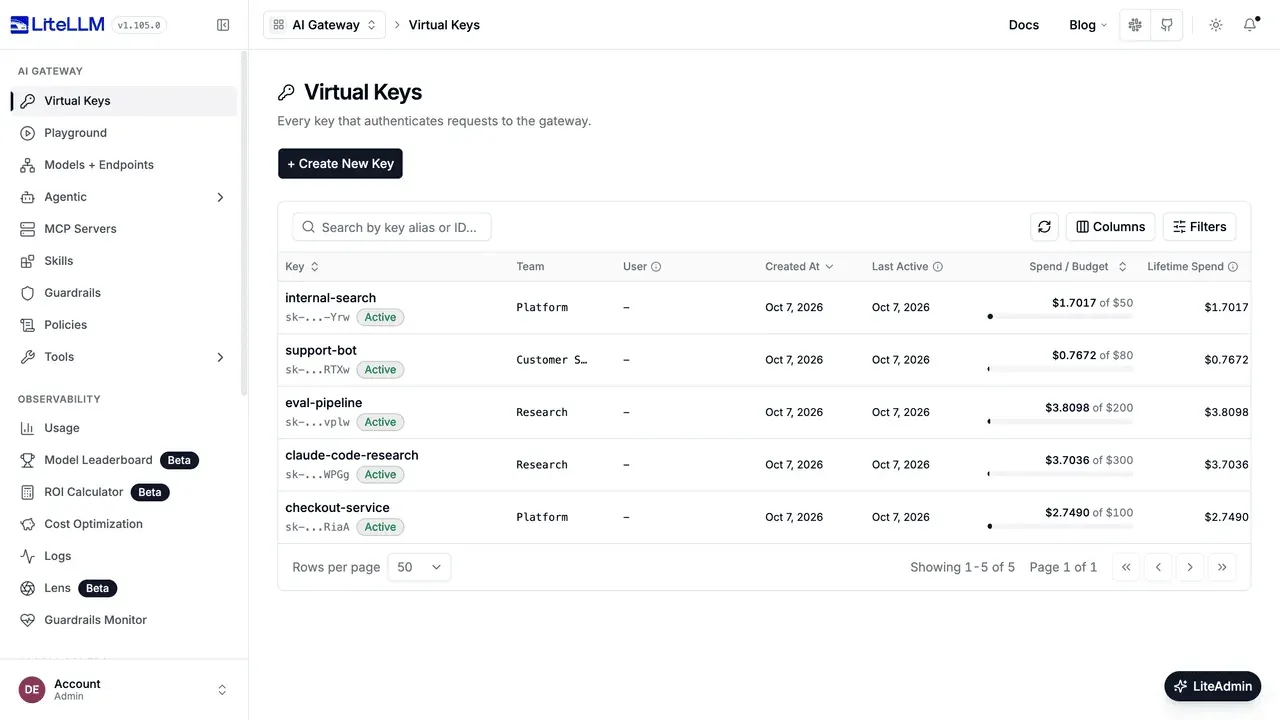
Official documentation screenshot of the Virtual Keys page in version 1.105.0, showing per-key spend against each budget.
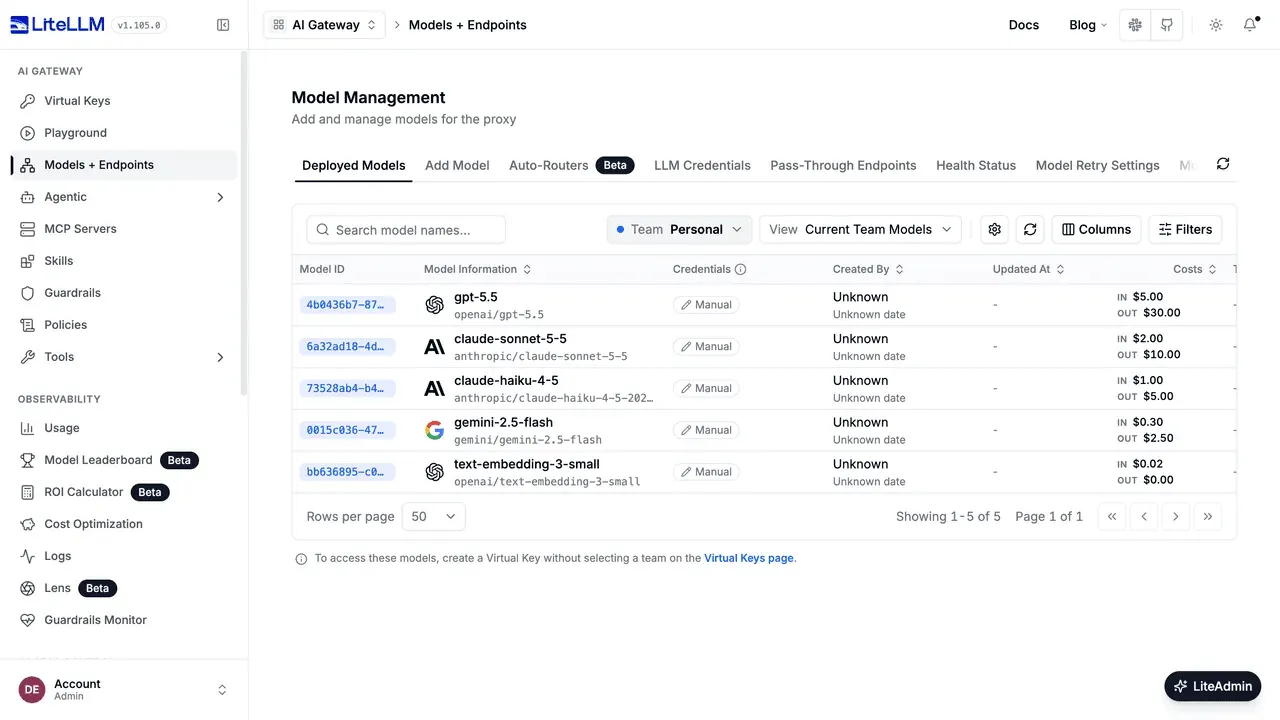
Deployed models with input and output prices per million tokens, from the official UI tour.
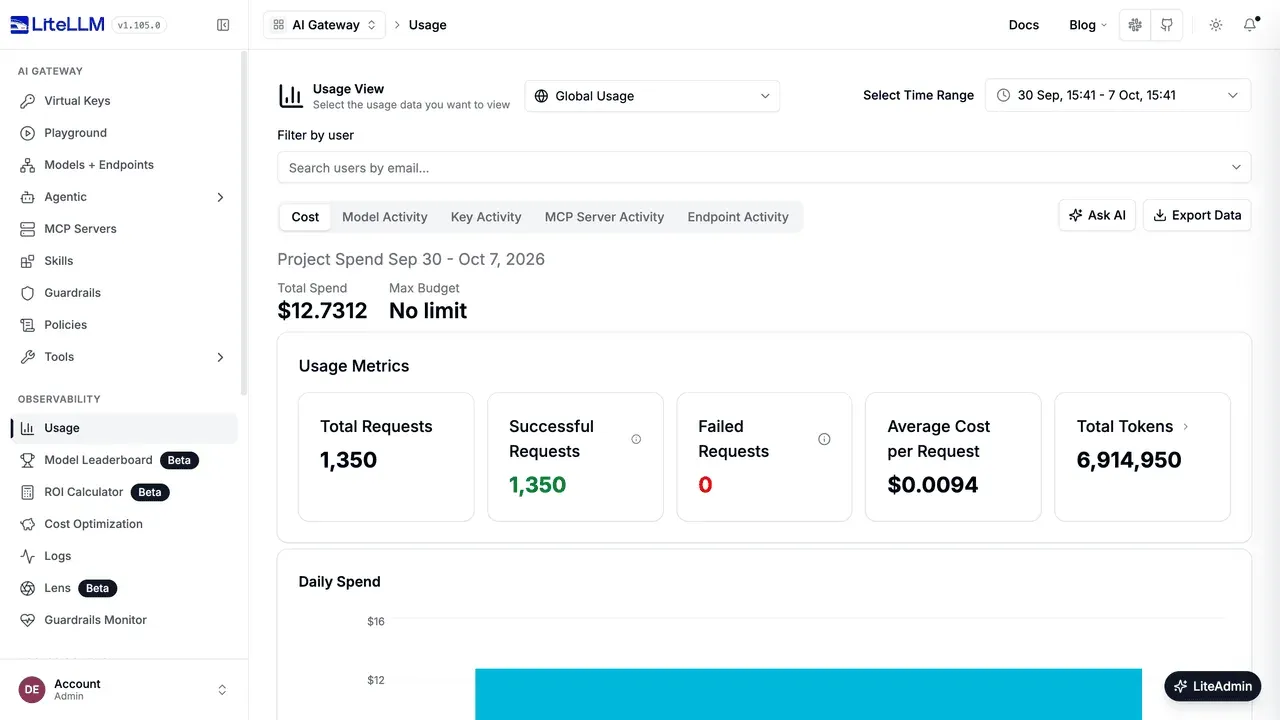
Usage view with spend, successful and failed requests, average cost per request and tokens; sample data from the official docs.
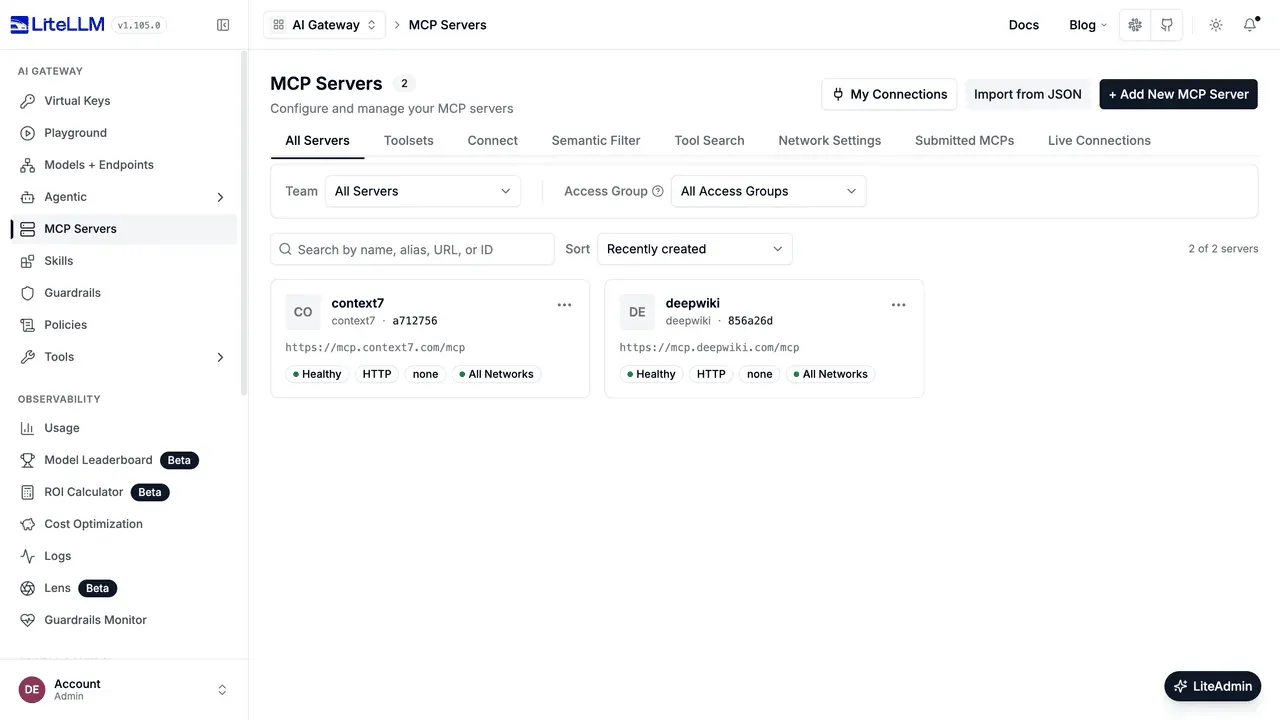
MCP gateway view with two registered remote servers, their transport and health status.
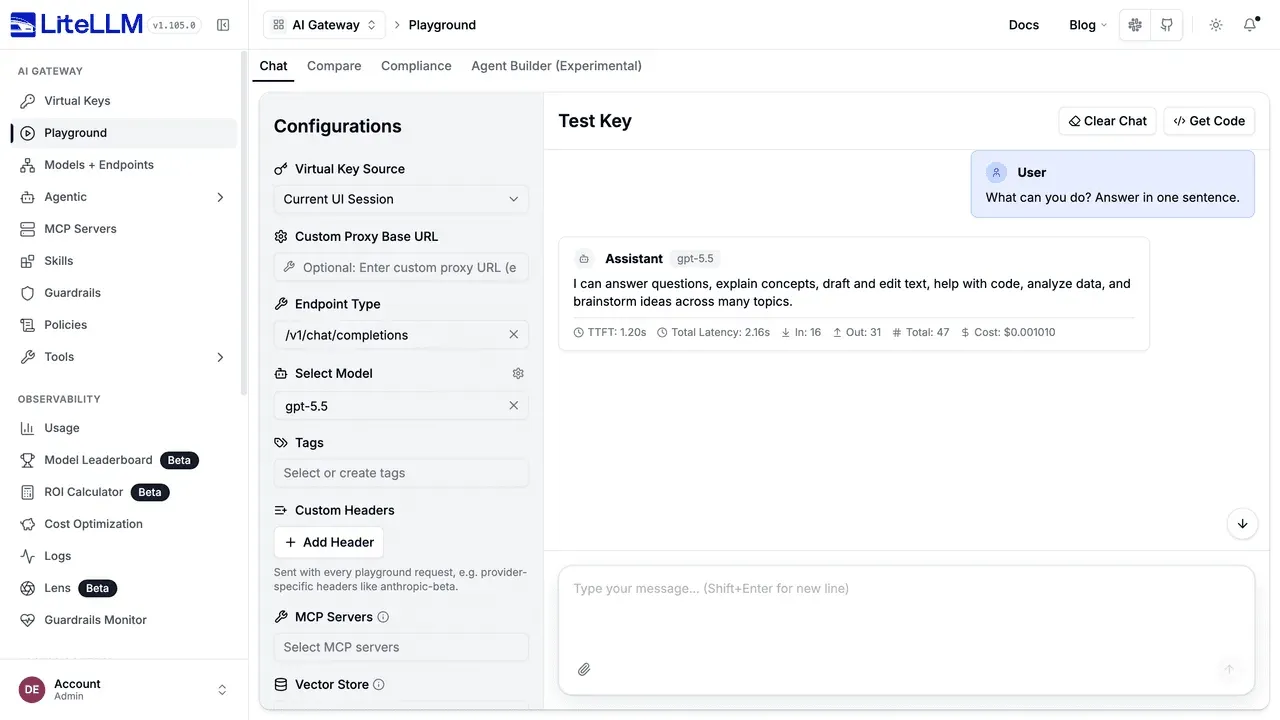
Playground response with time to first token, total latency, token counts and request cost, from the official quick start.
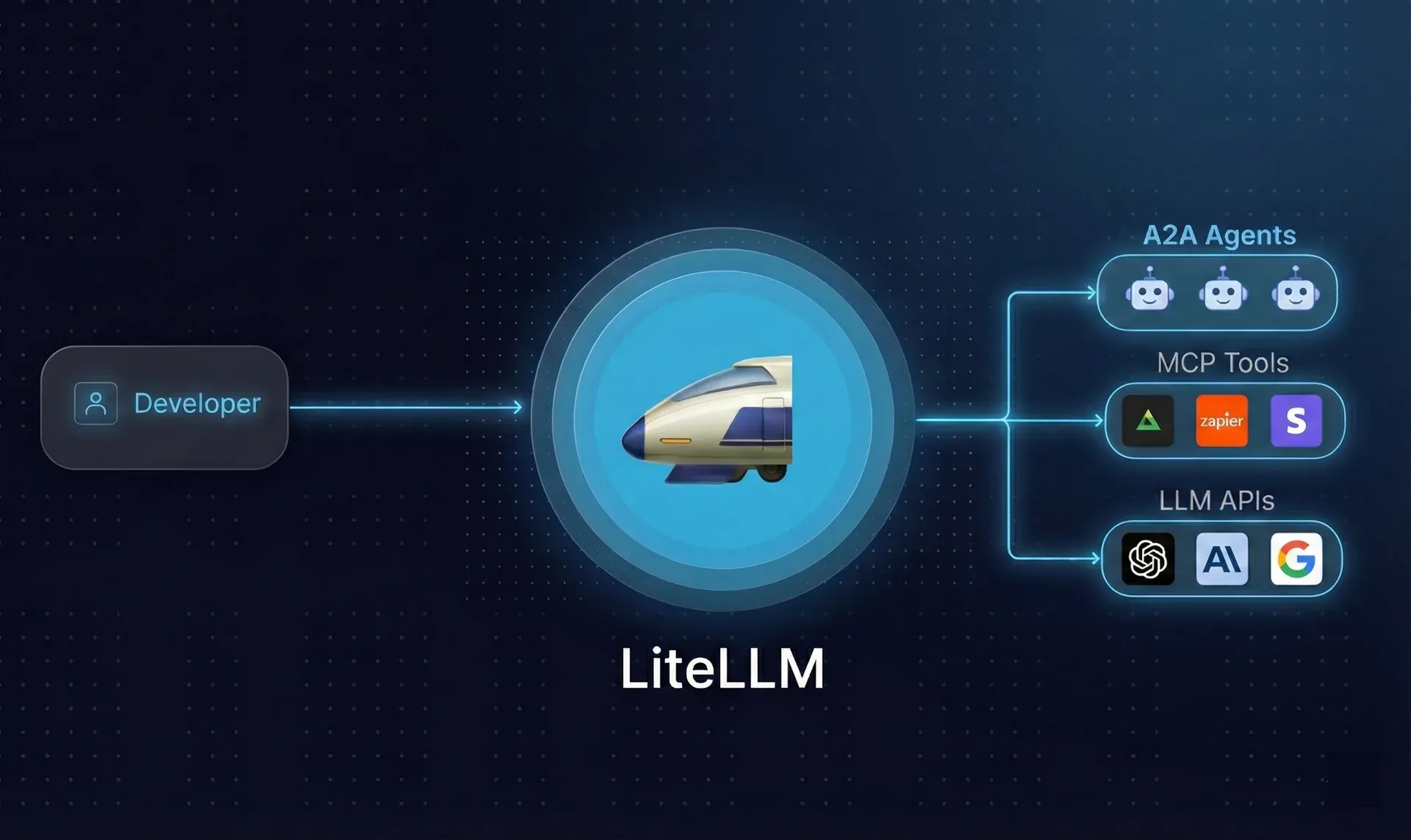
Official README figure showing LiteLLM between a developer and A2A agents, MCP tools and model APIs.
Source: official LiteLLM project page.
Key capabilities
- Python SDK with one call format
litellm.completion()and its async variant accept aprovider/modelstring such asanthropic/claude-sonnet-4-20250514and return OpenAI-shaped responses and exceptions. Provider credentials come from environment variables or call parameters. The package requires Python 3.10 or newer; the SDK documentation covers streaming, function calling and per-provider parameters. - Gateway installation with Docker The documented quick start runs
scripts/quickstart.sh, ordocker composewithdocker-compose.quickstart.yml, which starts the proxy on port 4000 together with a Postgres database for models, keys and spend logs. GenerateLITELLM_MASTER_KEYandLITELLM_SALT_KEYbefore the first start; the master key must begin withsk-and doubles as the Admin UI password. Images are also available aslitellm-non_rootfor restricted container runtimes. - Installation from PyPI on Windows, macOS and Linux
uv tool install 'litellm[proxy]'installs the CLI and gateway, after whichlitellm --model gpt-4ostarts a local proxy. PyPI wheels exist for Windows x64, macOS x86_64 and arm64, and Linux x86_64 and aarch64 in glibc and musl builds. Without a database the proxy runs, but virtual keys, teams and spend tracking need Postgres. - Kubernetes and Terraform deployment A Helm chart lives in
helm/litellm-helm. Terraform modules on the public registry deploy a split stack on AWS (ECS Fargate, Aurora PostgreSQL, ElastiCache, ALB, Secrets Manager) or Google Cloud (Cloud Run, Cloud SQL, Memorystore, HTTPS load balancer, Secret Manager), including a migration job and a generated master key. The deployment guide notes that Cloud Run cannot pull from ghcr.io directly and needs an Artifact Registry remote repository. - Supported endpoints beyond chat The gateway exposes
/chat/completions,/responses,/messages,/embeddings, image, audio,/moderations,/batches,/rerankand/a2aroutes. Coverage differs by provider: the README table shows, for example, Bedrock with rerank but no image generation. Check the endpoint list for each backend before relying on a route. - Router, fallbacks and load balancing A model group can contain several deployments of the same model, such as Azure and OpenAI copies. The router supports simple-shuffle (the default), least-busy, latency-based, usage-based and cost-based strategies, with retries, cooldowns and fallbacks to other groups. Usage-based routing tracks state in Redis and adds latency; the routing documentation recommends the default for high traffic.
- Auto routing by prompt complexity An
auto_router/complexity_routerdeployment classifies each prompt into SIMPLE, MEDIUM, COMPLEX or REASONING tiers and maps each tier to a model group. The README example uses a heuristic classifier and a default model for unmatched cases. Routing quality depends on that classifier, so compare its choices against a sample of real prompts. - Virtual keys, users and teams The proxy issues its own
sk-keys tied to users, teams and allowed models, so applications never hold provider credentials. Keys carry budgets, RPM and TPM limits, expiry and metadata. Provider keys stay on the gateway or in a secret manager. See virtual keys for the full parameter set. - Spend tracking and budgets Every request is priced from a maintained model cost map and recorded per key, user, team and tag in Postgres. Budgets can block traffic once reached, and the Usage page shows spend, request counts, tokens and daily charts. Prices for custom or self-hosted models must be set manually. Production guidance recommends batching spend writes every 60 seconds to avoid database hot spots; details are in cost tracking.
- Admin UI The dashboard at
/uimanages models and credentials, virtual keys, MCP servers, guardrails, policies and logs, and includes a Playground that shows time to first token, latency, token counts and cost per response. Session cookies are JWTs that expire after 24 hours or at logout. SSO for the Admin UI is free for up to five users; larger teams need an Enterprise license. - Response caching Supported caches are Redis and Valkey, semantic caches on Redis, Valkey or Qdrant, S3 and GCS buckets, in-memory and disk. An in-memory cache belongs to one worker process, so a four-worker proxy keeps four separate caches. The documentation recommends Redis for anything beyond a single worker. Provider-side prompt caching for OpenAI and Anthropic is handled separately.
- Guardrails Guardrails run as
pre_call,during_callorpost_callhooks, globally or per key and team. A built-in content filter covers PII masking and harmful-content rules, and integrations include Presidio, Lakera, AWS Bedrock Guardrails, Google Model Armor, Microsoft Purview, Pangea and others. Each external guardrail adds a network call and its own data processing; see the guardrails quick start. - MCP gateway Remote MCP servers over Streamable HTTP and local stdio servers can be registered once and exposed to permitted keys and teams, with OAuth, AWS SigV4 or static-header authentication. Clients such as Cursor connect to the gateway's
/mcp/endpoint, and/chat/completionsaccepts MCP tools for any model. For OAuth providers that reject dynamic client registration, a pre-registered client ID is required. The MCP documentation lists access controls. - A2A agent gateway Agents built with LangGraph, Vertex AI Agent Engine, Azure AI Foundry, Bedrock AgentCore or Pydantic AI can be added to the gateway and called through
/a2a/<agent>with a virtual key. Protocol version 1.0 or 0.3 is set per agent, and the client example requiresa2a-sdk1.1.0 or newer. See A2A agent gateway. - Coding-agent harnesses
litellm.agent()runs Claude Code, Codex, OpenCode, pi or Deep Agents against a chosen model and sandbox, returning text, cost and changed files. When routed through the gateway, each model call is tagged with the harness name for spend reporting. The agent CLI itself, plusstarletteanduvicorn, must be installed separately. - Logging, metrics and alerts Callbacks send request logs to Langfuse, OpenTelemetry, LangSmith, Arize, MLflow, Lunary, Sentry, S3, GCS, Azure Blob, SQS, DynamoDB and custom HTTP endpoints. Prometheus metrics are part of the open-source tier, and Slack alerts cover failures, slow requests, budget crossings and weekly spend reports. Message content can be excluded with
turn_off_message_logging; see logging. - Pass-through endpoints Provider-native APIs that the unified format does not cover can be forwarded through pass-through routes while still authenticating with virtual keys and recording spend. Behaviour on these routes follows the upstream API, not the OpenAI schema.
- Signed images and release channels GHCR images are signed with cosign using a key pinned to commit
e82a3c6, and versioned tags cannot be overwritten, whilelatestand other rolling tags can. Releases come as nightly dev builds, release candidates and weekly stables; the project recommends pinning a stable version or image digest in production. - Enterprise license features A license key enables SSO and SCIM, JWT and OIDC authentication, audit logs with retention, organization and team admins, IP allowlists, secret managers (AWS, Azure, Google, HashiCorp Vault, CyberArk), automated virtual-key rotation, per-team logging, tag-based budgets and a multi-region control plane. A 30-day trial key is available. Pricing depends on annual gateway request capacity and support level, not on tokens.
Where LiteLLM fits
One OpenAI-compatible endpoint for an engineering organization
Platform teams run the proxy centrally, register provider credentials once and hand each application or developer a virtual key. Existing OpenAI SDK code only needs a new base_url and key. Before rollout, confirm that each provider and route your applications use appears in the endpoint table, set a master key and salt key from a secret manager, and test that a revoked key is refused within the expected time. The getting-started tutorial walks from first container to first request.
Cost control per team and project
Create teams with model allowlists and budgets, then issue keys per service so spend appears at the right level. Compare the Usage page against provider invoices for a week, since custom or fine-tuned models need manually set prices. Decide whether a reached budget should block or only alert, and test soft alerts if you use them. Tag-based budgets and some reporting features require the Enterprise license.
Failover across providers and regions
Group equivalent deployments, for example the same model on Azure in two regions plus a direct provider, and configure retries, cooldowns and fallbacks. Test by revoking one deployment's credentials and watching which group answers, and check that response formats stay consistent for streaming and tool calls. Redis is required for shared state when several proxy instances serve traffic.
Central MCP and agent access
Register MCP servers and A2A agents on the gateway instead of distributing their credentials to every client. Assign them to access groups, connect an IDE through the /mcp/ endpoint with a virtual key, and verify that a key without permission cannot list or call those tools. OAuth-based MCP servers need a test sign-in per provider, because reaching the authorization page does not prove tool calls will succeed.
Guardrails and logging for regulated data
Attach a PII-masking or content guardrail as pre_call on keys that handle customer data, and route logs to an observability backend you control. Turn off message logging where prompts must not be stored, and confirm what the chosen guardrail vendor receives. Run a set of known sensitive prompts through the Playground and check both the response and the stored log row.
Library use inside a Python application
Developers who do not need a shared gateway can import the SDK and use its Router for retries, fallbacks and cost per call directly in their service. Pin the package version, because weekly releases change provider behaviour, and catch the OpenAI-style exceptions LiteLLM maps provider errors to. Moving later to the proxy keeps the same model names and call shape.
Install
uv tool install 'litellm[proxy]'Reviews of LiteLLM
Be the first to share your experience with LiteLLM.
Write a review
Loading review form…
Alternatives to LiteLLM
 NVIDIA NeMo SwitchyardNVIDIA NeMo Switchyard is an Apache 2.0 library that routes each AI agent request to an efficient or a more capable model to balance success, cost and latency.
 vLLMvLLM is an Apache-2.0 library and OpenAI-compatible server for LLM inference, with PagedAttention, continuous batching and distributed execution.