

What is Agenta?
Agenta is an open-source workspace in which a team builds AI agents by chatting with them, shares them with colleagues and runs them as automations. You describe the work, connect the apps the agent needs and correct it through feedback; the agent keeps instructions, skills, files and memory between sessions. People reach the same agents in the web app, which also works on a phone, in Slack, Telegram or WhatsApp Business, or through a chat widget embedded in another website. Agenta is developed by Agentatech UG (haftungsbeschränkt), which does business as Agenta and lists a Berlin address in its imprint; the company was founded in 2023.
Earlier Agenta releases centred on prompt management, evaluation and observability for LLM applications. Those functions are still part of the open-source core and now sit behind a developer mode, while the documentation and README describe the product first as a workspace for agents and the people who work with them. Agents run on a harness that Agenta starts for each task: Claude Code, Pi or Codex. The harness, the model and the credential are chosen separately, so a team can move an agent to another model without rebuilding its instructions, tools or permissions.
There are two ways to run it. Agenta Cloud is the hosted service, with an EU region in AWS eu-central-1 (Frankfurt) and a US region in AWS us-east-2 (Ohio), chosen at signup. Self-hosting uses the Docker Compose quick start or a Helm chart for Kubernetes; a Railway template exists but is community-maintained without official support. The self-hosted stack includes the agent runner and sandboxed execution and has no plans, credits or usage limits.
The release covered here is v0.128.9, published on November 6, 2026. Version 0.128.0 (October 30, 2026) added personal accounts: each person can store their own secrets, Composio connections and MCP sign-ins, and saving an automation now makes the editor the identity it runs as. Version 0.128.9 is mostly front-end work that brings the newer interface to parity with the older one for observability, the prompt registry, deployments, revision comparison, test set editing, human evaluators and live evaluations.
The web UI is a Next.js and TypeScript application. The API and the services layer are Python FastAPI services, background work runs on TaskIQ workers over Redis Streams, and a Node.js runner starts the harness processes inside a sandbox: the runner container itself by default, or a Daytona cloud sandbox per run. State lives in PostgreSQL, Redis and a bundled SeaweedFS store or external S3, with SuperTokens for authentication and Traefik or Nginx in front.
Licensing is open core. Everything outside the ee/ directories is under the MIT license, and the open-source images are built only from that code; the ee/ directories are under the Agenta Enterprise License, which requires a commercial agreement for production use (see the open source and commercial comparison). By its own description Agenta is not a coding environment, not a single-user personal assistant and not a drag-and-drop workflow builder, and the website states that it is not an inference provider.
Agenta screenshots
Explore the interface. Open a screenshot to view it at full size.
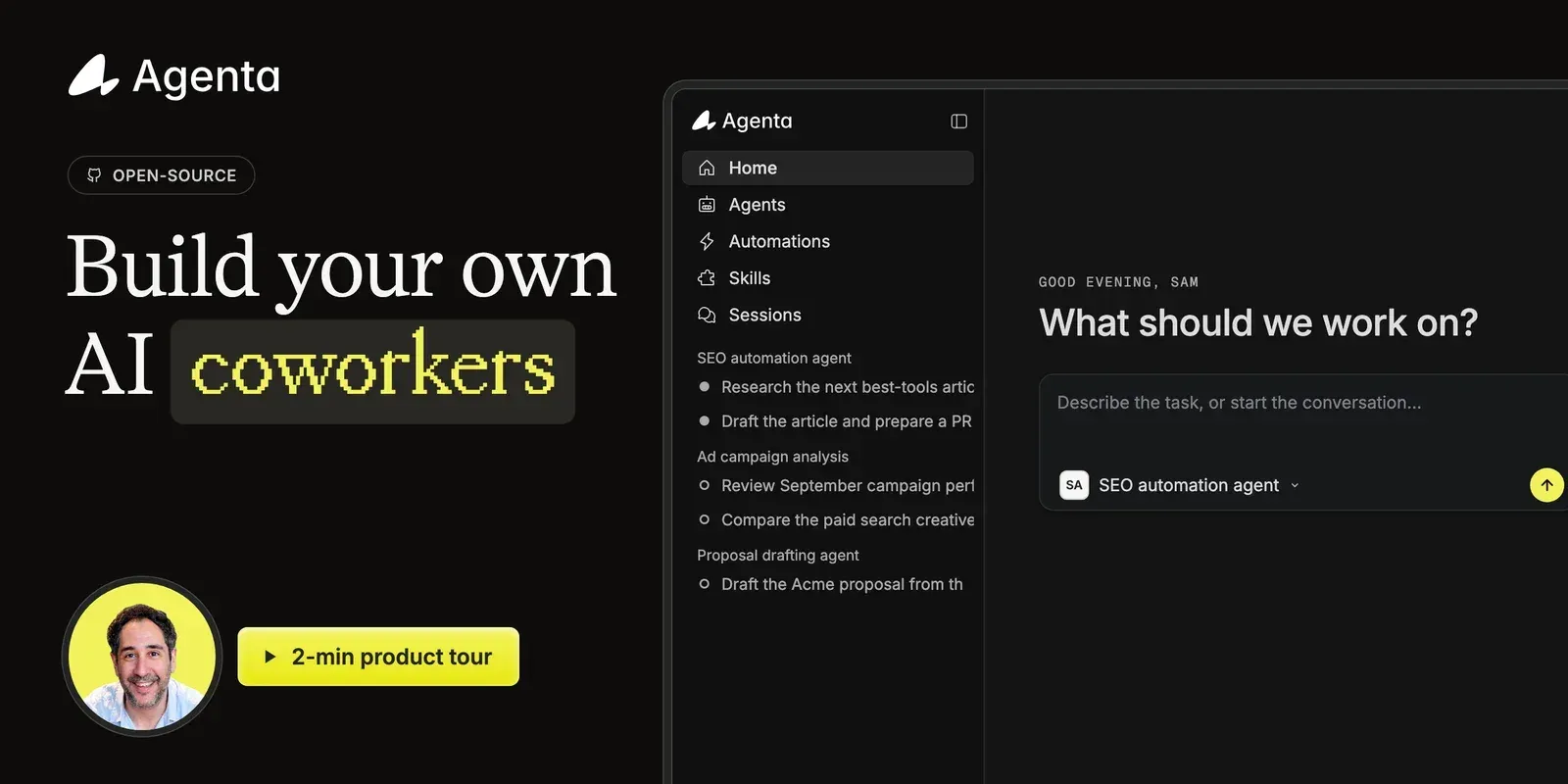
Product tour cover from the Agenta README, showing the workspace sidebar with agent sessions and the task prompt.
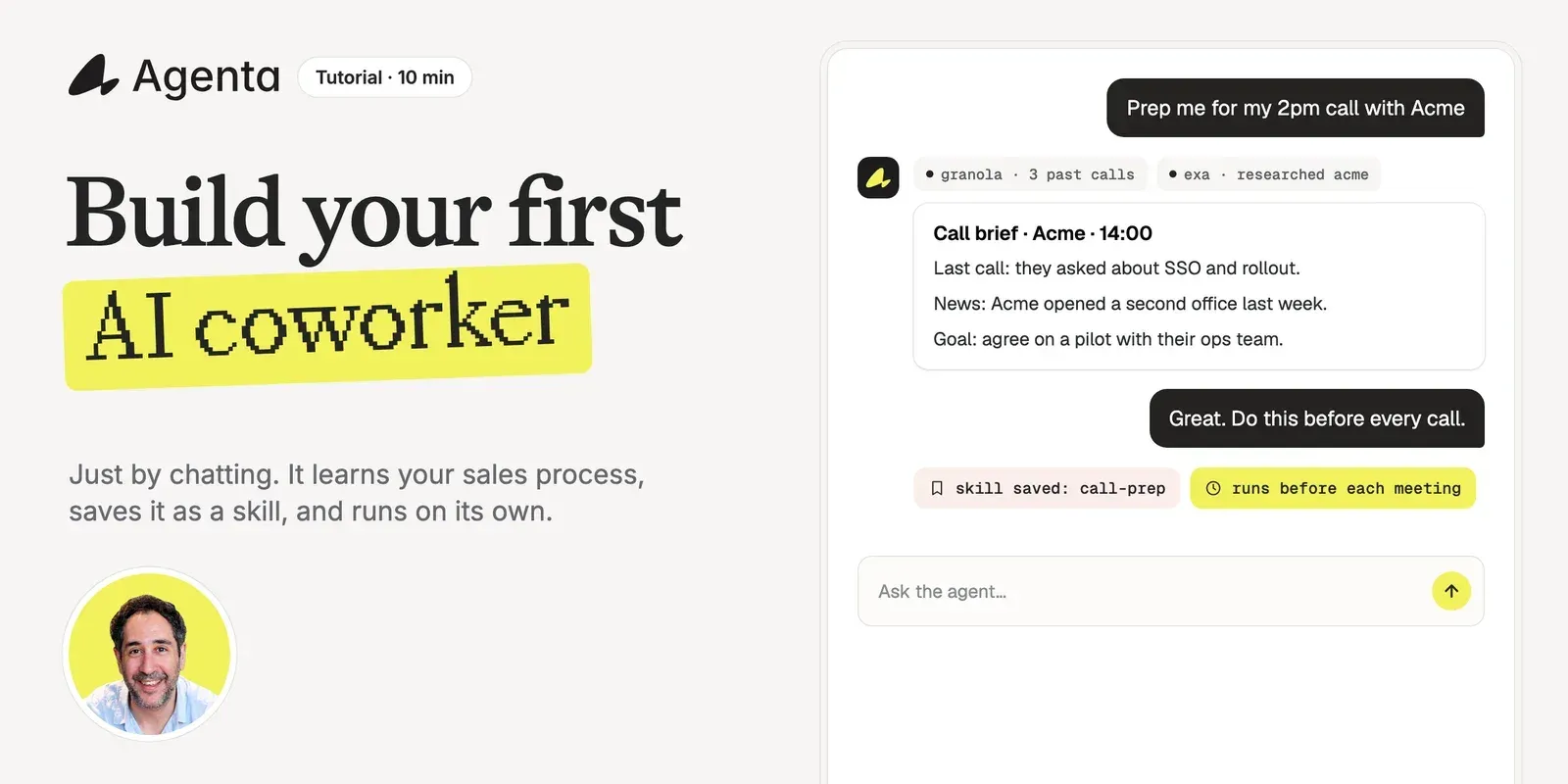
Tutorial cover from the Agenta README: an agent builds a call brief, saves it as a skill and schedules it before each meeting.
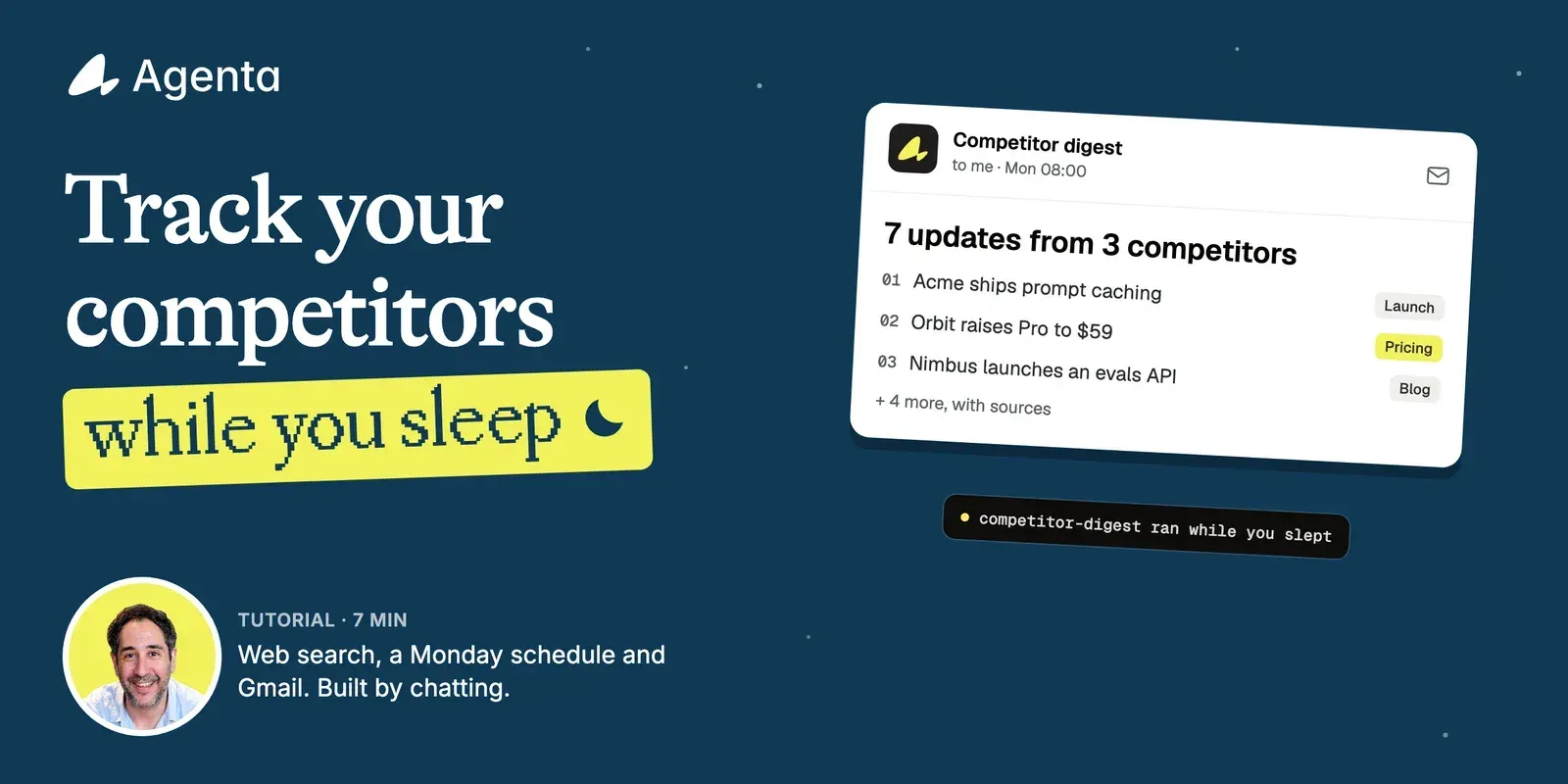
Tutorial cover from the Agenta README for a scheduled competitor-tracking automation delivered by email.
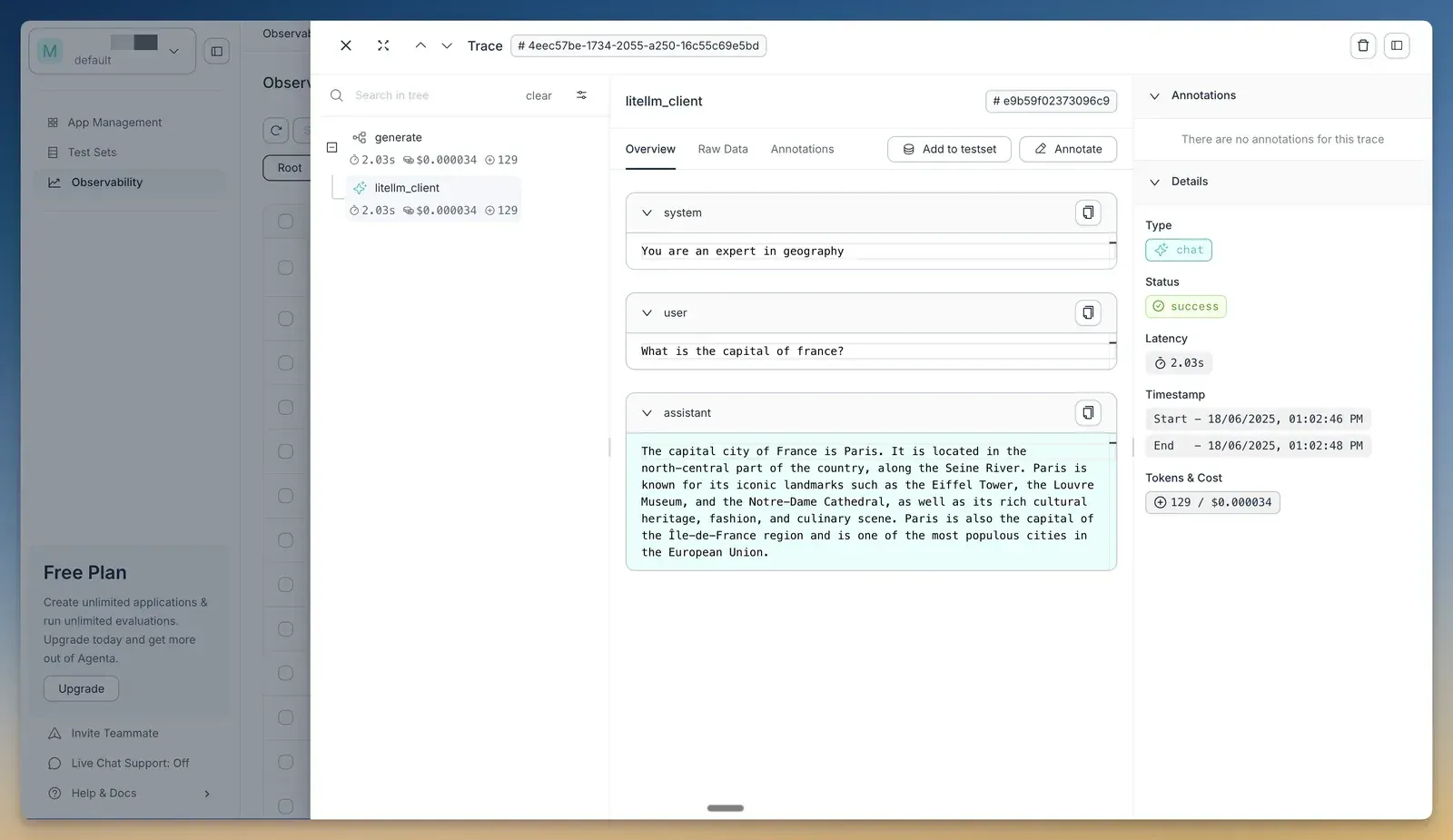
Trace detail from the Agenta documentation, with span tree, message contents, latency, tokens and cost; captured in an earlier interface version.
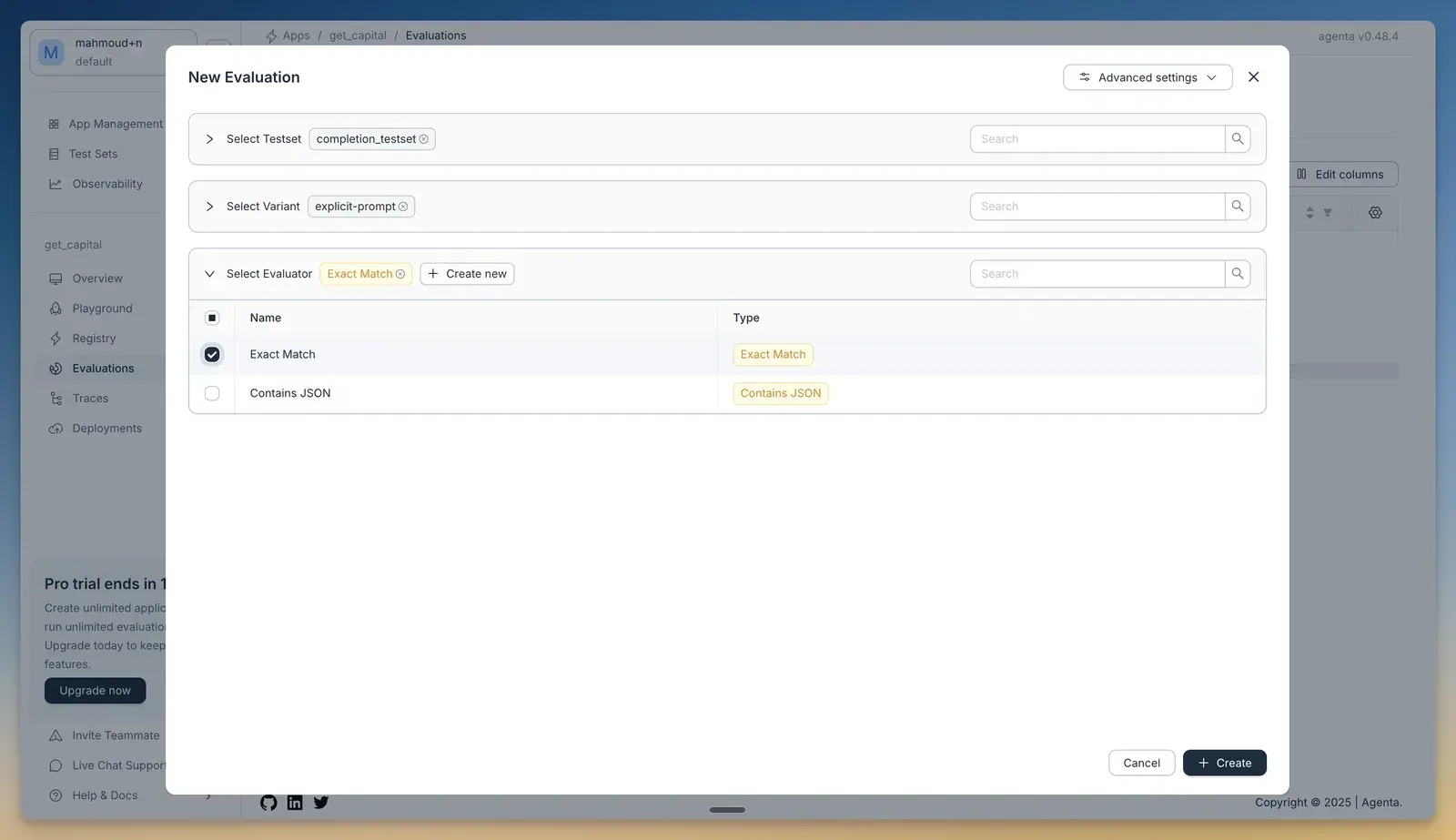
Evaluation setup from the Agenta getting-started documentation, captured on agenta v0.48.4; the current interface differs.
Source: official Agenta project page.
Key capabilities
- Agents built by chatting An agent is a set of instructions (an
AGENTS.mdfile), a model and harness, tools, skills, files and permissions. You create and refine it in conversation, and corrections can be saved as skills or instruction changes. Every change is recorded in a version history that can be compared revision by revision. - Choice of harness, model and credential Agenta ships three harnesses: Claude Code (Anthropic models directly, through AWS Bedrock, Google Vertex AI or your own gateway), Pi (OpenAI, Anthropic, Gemini, Mistral, Groq, OpenRouter, xAI and other providers plus any OpenAI-compatible endpoint) and Codex (a fixed set of OpenAI models, reached directly). Self-hosted models are supported through Ollama. The three choices are independent, so switching one is a configuration change.
- Use an existing subscription An agent on the Claude Code harness can run on a Claude Pro or Max plan by pasting a token from
claude setup-token, on Agenta Cloud and self-hosted. Self-hosted deployments can also mount a Claude, Pi or ChatGPT/Codex login into the runner, which works only for local runs and is meant for a single trusted operator. On Agenta Cloud, your own API key or ChatGPT subscription removes model costs from the credit bill, but runtime is still charged. - Permissions and approvals Every action gets one of three answers before it runs: go ahead, ask first, or refuse. A new agent starts with reads allowed and writes or sends held for approval; the other defaults are run everything, ask for everything, or run nothing, and each tool can override the default. In a chat an approval takes a second, while an unattended automation waits until someone answers.
- Automations on schedules and app events An automation sends a fixed message to an existing agent on a schedule or when a connected app reports an event, optionally followed by the event data. Each run keeps its full conversation in a run history and can be continued as a session. A run uses the access of whoever last saved the automation, and it is paused if that user loses access.
- Integrations through MCP and Composio Agents connect to HTTP MCP servers and, through Composio, to more than 1,000 apps such as Gmail, Slack, Notion and GitHub, with custom secrets for tools that need them. Since 0.128.0, connections and MCP sign-ins can belong to an individual person rather than the whole project. One documented limit: a Codex agent sees only the first page of a paginated MCP tool list.
- A computer for every agent Each agent has a browser and a file system, so it can work on websites and files that have no integration. Agent folders act as a shared workspace (called AI Drive on the pricing page) for documents, research and wikis with comments and previews. Agents can also build small apps such as a board or a form for the team.
- Chat channels Agents can be published to Slack, Telegram and WhatsApp Business, so colleagues and customers use them from chat apps they already have. On self-hosted deployments a worker loop delivers channel replies and must run as a single replica. The web app is responsive and is the documented way to use Agenta on a phone; there is no separate native mobile app.
- Embeddable chat widget An agent can be embedded in a website or internal tool with an iframe snippet, without visitor accounts. Embeds can be limited to listed domains, carry a greeting, up to four starter prompts and a theme, and accept a per-user visitor key that the docs ask to be random with at least 128 bits. Without a domain list anyone who copies the snippet can run the agent on your credits, subject to rate limits.
- Subagents and skills Agents can call other agents and hand work to them, so one coordinator can delegate to specialists. Skills package repeatable procedures; they can come from templates, from the wider agent skill ecosystem, or be written by the agent itself after feedback. With each request the harness sends the model the name and description of every skill, alongside the instructions and tool list.
- Tracing, usage and cost Every model call and tool call is traced with tokens, latency and estimated cost, and costs are shown per agent. Traces can be annotated and added to test sets. On Agenta Cloud, trace data is kept for one week on Hobby, three months on Business and a custom period on Enterprise, then deleted permanently; self-hosted deployments never remove traces.
- Prompt management and playground The developer mode keeps the original LLMOps tooling: prompt apps with variants and revisions, a playground for comparing configurations, a registry, and deployments to environments, each with a Use API drawer for integration code. v0.128.9 adds side-by-side comparison of two revisions in the newer interface.
- Automatic and human evaluation Evaluations run a prompt or workflow against a test set with built-in evaluators such as exact match or JSON checks, LLM-as-a-judge or custom code. Human evaluators support review by people, and the release notes list live evaluations next to offline runs. Test sets are versioned, and v0.128.9 lets you pick the test set revision when adding traces.
- Agents API and SDK Applications invoke a stored or inline agent with
POST /services/agent/v0/invoke, authenticated with anApiKeyheader, and read a single JSON response, SSE frames or NDJSON frames. Reusingsession_idcontinues a session, and pending approvals or client tool calls are answered through the same API. The REST API is described by an OpenAPI 3.1 file at agenta.ai/openapi.json, and a Python SDK installs withpip install agenta. - Local or Daytona sandboxes Self-hosted runs execute either inside the runner container (the default) or in a Daytona cloud sandbox per run. Local runs share one filesystem and environment, so one user's agent can read another's files and the runner's secrets; the docs recommend Daytona for any multi-user deployment. With Daytona, model keys and MCP credentials stay outside the sandbox as placeholders that are substituted only for requests to the matching host.
- Access control in the open-source edition The MIT edition includes seven built-in roles (owner, admin, member, developer, editor, annotator and viewer), multiple organizations and workspaces, email and one-time-code login, and OAuth/OIDC providers such as Google, GitHub, Okta and Azure AD configured at deployment, plus SAML through BoxyHQ. Organization-managed SSO with DNS domain verification, custom roles and audit logs are commercial features.
- Self-hosting with Docker Compose The quick start needs Docker and Docker Compose: a sparse Git clone, a copy of
env.oss.gh.example, a newAGENTA_SERVICES_INTERNAL_KEY(the API refuses to start with the placeholder), thendocker composewith thewith-webandwith-traefikprofiles, serving on port 80. Sign-ups are open by default, so restrict organization creation before exposing the instance. Upgrades pull new images and run Alembic migrations. - Kubernetes and remote deployment A Helm chart covers Kubernetes, with a separate production guide for replicas, disruption budgets and rollouts on managed clusters. Other guides cover a remote server with SSL, server tracing and logs, backing up agent files, and switching an open-source deployment to the enterprise edition. Image tags can be pinned to a published release.
- Agenta Cloud plans Hobby is free with 75 daily credits on up to 10 days a month, a 500-credit signup bonus, two concurrent tasks, 30-minute tasks, one project and two members. Starter costs $29 a month for 2,900 credits, 20 concurrent tasks and four-hour tasks; Business costs $299 a month for 32,000 credits, 50 concurrent tasks, 11-hour tasks, SSO and a SOC 2 Type II report. Runtime costs about 50 credits an hour on a 2 vCPU, 4 GiB agent, and extra credits cost $10 per 1,000.
Where Agenta fits
Build a sales-call preparation coworker
The first official tutorial connects a meeting-notes tool and a web search tool, gives the agent a role, and asks it to prepare a brief before a customer call. When the brief is right, you ask the agent to repeat the procedure and it saves it as a skill. Check which tools the agent was granted, keep send actions on approval, and read the saved skill before relying on it, because the agent wrote it from one conversation.
Schedule a weekly competitor digest
A second tutorial gives an agent web search, schedules it for Monday mornings and delivers the summary by Gmail. Put the facts that never change in the agent's instructions and the specific job in the automation message, including where to save the result if delivery fails. Review the first runs in the run history, and check that the automation runs as an account that will keep its access.
Put an agent where the team already works
Publishing an agent to Slack, Telegram or WhatsApp Business lets colleagues use it without learning a new tool, and the embed guide adds a chat to a website or internal tool. Before publishing, decide which actions may run without approval, because channel users rarely see the configuration. For embeds, restrict the allowed domains and pass a per-user visitor key if users sign in.
Self-host for a trusted team or for many users
The Docker Compose stack is enough for one operator or a team that already shares the same data. Once people who should not see each other's files can start runs, follow the sandbox isolation guide and enable Daytona, because local runs share the runner filesystem and environment. Also restrict sign-ups, set a strong internal key, pin image tags and plan backups for PostgreSQL and the file store.
Test prompt changes before deploying them
In developer mode, a prompt app is edited in the playground, committed as a revision, run against a test set with automatic or human evaluators, and deployed to an environment. Traces from production can be annotated and added to the test set, so regressions found in use become test cases. Compare two revisions before deploying and keep the evaluator configuration under the same review as the prompt.
Call agents from your own application
The Agents API runs a stored agent or an inline configuration over HTTP and streams frames back as SSE or NDJSON. Store the session identifier to continue a conversation, and handle approval requests in your client instead of setting every tool to run automatically. Use a project API key with the narrowest role that works, and watch the trace view for cost per run.
Reviews of Agenta
Be the first to share your experience with Agenta.
Write a review
Loading review form…
Alternatives to Agenta
 DifyDify by LangGenius combines a visual workflow builder, knowledge pipelines, sandboxed agents, model management and app APIs. It runs as Dify Cloud or self-hosted with Docker Compose under a modified Apache 2.0 license.
 LangflowLangflow is an MIT-licensed platform for composing AI agents and retrieval workflows from Python components on a visual canvas. Flows run in the Playground, through a REST API or as MCP tools, from Desktop, Docker or a pip install.
 n8nn8n is a fair-code workflow automation platform from n8n GmbH in Berlin. It combines a node-based visual editor with JavaScript and Python code, AI agent nodes, 1500+ integrations, a REST API and an MCP server, self-hosted or on n8n Cloud.