What is Yogurt?
Yogurt is a free, MIT-licensed desktop app that records meetings, transcribes them and writes AI summaries, with transcription and the language model running on the user's own computer. It records the microphone and the audio playing on the computer, so no bot joins the call and other participants install nothing. The project calls itself private AI meeting notes and is made by Frigade, which holds the copyright; the yogurt.so website states that Yogurt is backed by Y Combinator. The repository was opened on November 10, 2026 and the app needs no account.
Yogurt is distributed as installers on GitHub Releases: a DMG for Apple Silicon Macs on macOS 14.4 or later, an x64 .exe installer for Windows 10 version 2004 or later, and an x64 AppImage for Ubuntu 22.04 or compatible newer Linux systems with PulseAudio or PipeWire. Every platform needs at least 8 GB of memory. The Mac build is signed and notarized, while the Windows installer is not yet signed with a Microsoft certificate, so SmartScreen shows a warning. Installed copies update themselves from GitHub Releases, and a setting added in 0.3.6 controls automatic updates and version checks.
The latest release is 0.3.12, published on November 13, 2026, the same day as 0.3.9, 0.3.10 and 0.3.11. These releases have no separate notes; the changes are described in the commit messages. 0.3.12 shows AI model downloads in the title bar, fetches a better notes model in the background with options to skip or remove it, restarts the notes engine after a lost graphics card and opens Sound settings from the Windows call audio Manage button. 0.3.11 offers to restart Yogurt when a new version has waited a day and no longer shows the update notice during a call. 0.3.10 reads Zoom names from Gallery view tiles, files a summarized meeting into a clearly matching folder, marks agenda events that have notes and asks the Mac to sync calendars before reading them. 0.3.8, from November 12, reads call names on Linux through AT-SPI, ships hicolor icons and matches the Linux window to its desktop entry, keeps the AppImage mount out of a relaunch's library path and adds selecting several meetings at once. Version 0.3.6 offered to eject the DMG after installation and added the auto-update setting, and 0.3.2 introduced a new recorder animation and send button. The app has been released in quick succession since its first public version, 0.3.1, on November 11, 2026.
Transcription uses Whisper through whisper.cpp, with large-v3-turbo or a smaller model depending on the hardware; on supported Macs, Apple SpeechAnalyzer supplies the live words while Whisper produces the saved transcript. Summaries and answers come from a local open-weight model from the Gemma 4, gpt-oss or Qwen3 families, chosen for the hardware and run through llama.cpp via node-llama-cpp. The app is built with Electron, React and TipTap, and native helpers handle audio capture and transcription. According to the help page, Yogurt goes online only to download models from Hugging Face, fetch Apple's optional speech assets and check GitHub for updates, and it has no telemetry.
Several features are limited to macOS: calendar access and reading speaker names from Zoom, Teams and Meet. There is no mobile app, no hosted service and no team workspace; meetings stay in a local data folder and move between machines only through backup ZIP files. Setup downloads a smaller notes model of about 5 GB first and then the largest model the computer can run, which can be 14 GB or more. Similar meeting recorders on iThub include Meetily, Anarlog and Minutes.
Key capabilities
- Bot-free call recording Yogurt captures the microphone and system audio, so it can record calls in any app, including browser calls, without a participant bot. On macOS the call audio permission appears under Screen and System Audio Recording. The FAQ notes that no bot joins, so the other people on the call should be told about the recording.
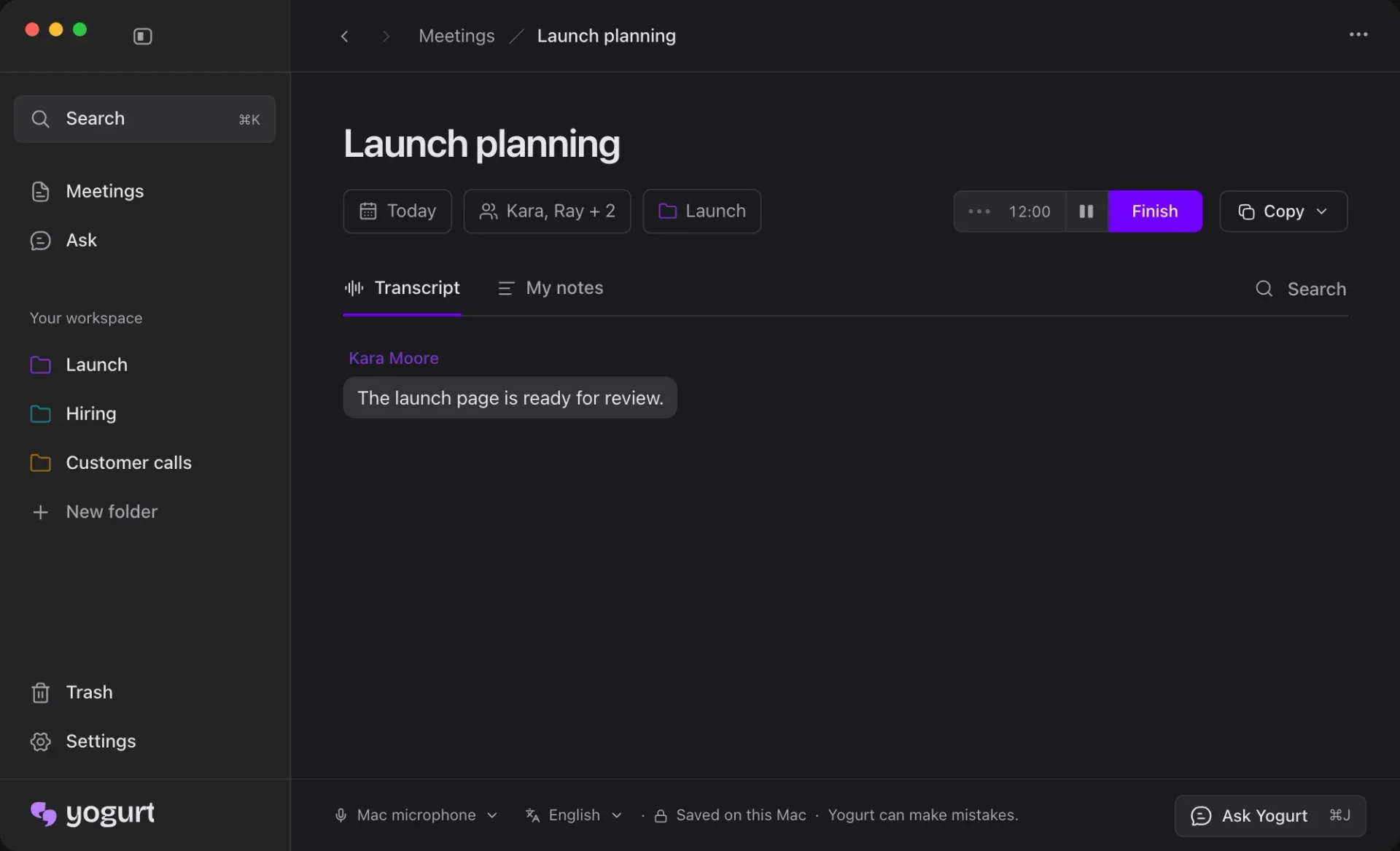
- Live transcripts Speech is turned into text while the meeting is running, shown in the Transcript tab with speaker labels. Whisper runs through whisper.cpp with large-v3-turbo or a smaller model selected for the hardware. On supported Macs, Apple SpeechAnalyzer supplies live words and Whisper writes the saved transcript.
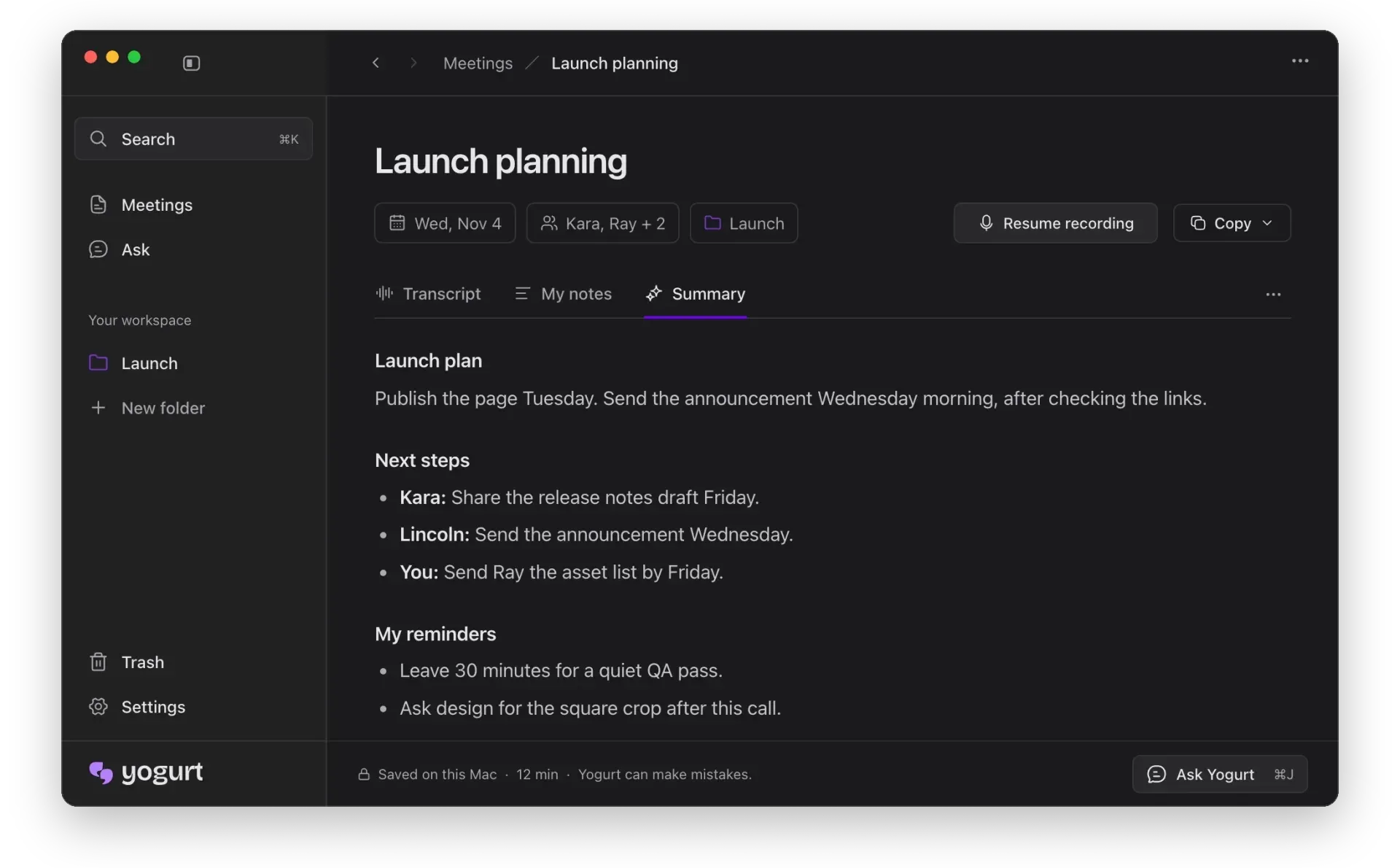
- Meeting summaries with personal notes Users can type their own notes in the My notes tab during the call. After the call, the Summary tab combines the conversation and those notes into sections such as the plan, next steps per person and the user's own reminders. Summaries follow the meeting's main language.
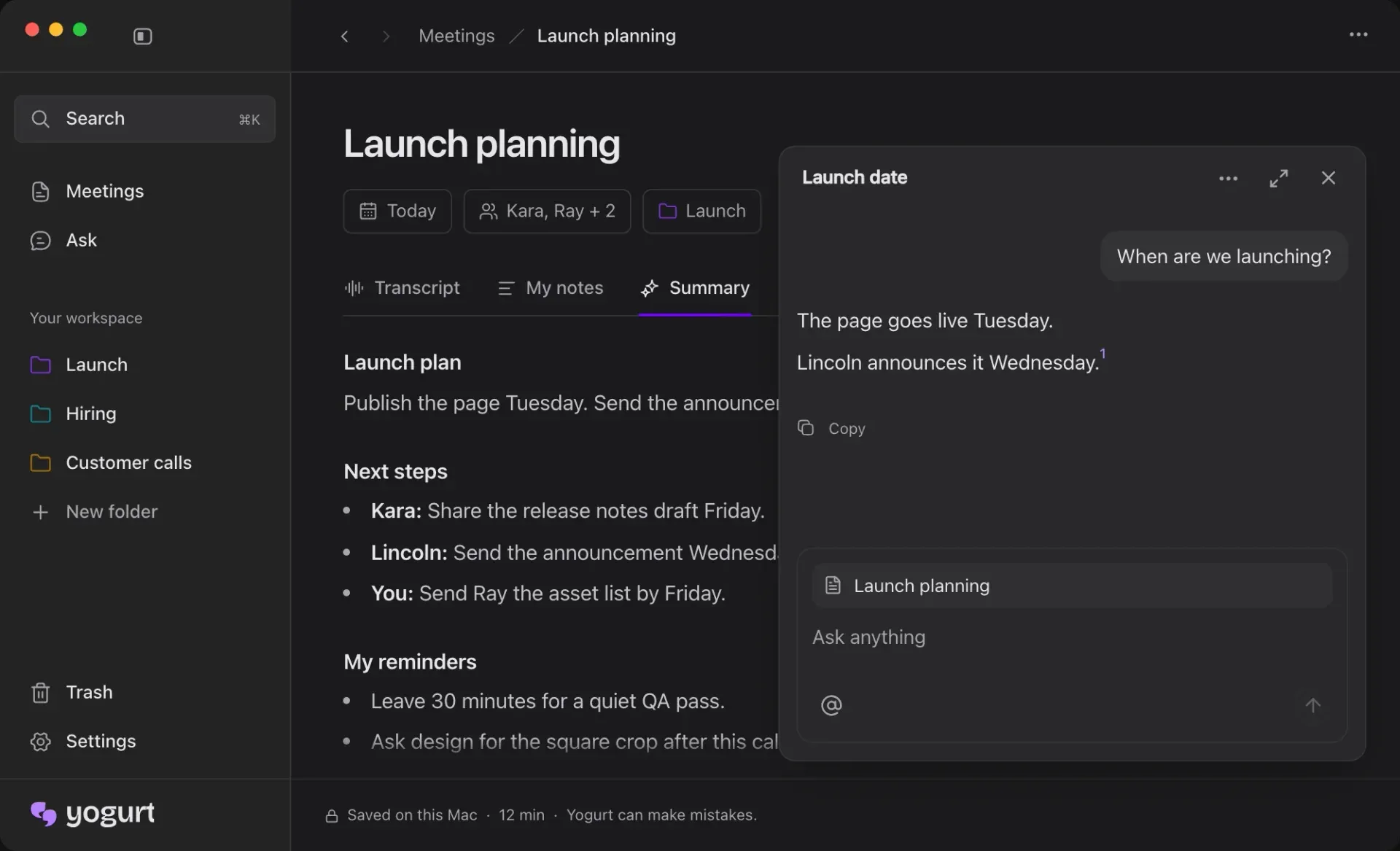
- Ask across meetings with sources The Ask view and the Ask Yogurt panel answer questions across meetings and link each answer to its source in the transcript. Answers follow the language of the question. Like summaries, answers come from the local language model.
- Local AI models Summaries and answers use a local open-weight model from the Gemma 4, gpt-oss or Qwen3 families, picked for the computer's hardware and run with llama.cpp. Setup downloads a notes model of about 5 GB first and then the best model the machine can run well, which the help page puts at about 14 GB on a Mac with 64 GB of memory and about 63 GB with 96 GB or more. Windows and Linux check transcription speed during setup and stop if the computer cannot keep up. Since 0.3.12, download progress and time left appear in the title bar, the better notes model replaces the first one once it works, and the download can be skipped and later started or removed in Settings.
- Offline operation After the one-time model download, transcription and summaries run without an internet connection. Recording works as soon as setup finishes, and notes and questions work offline once the notes model has downloaded in the background.
- Speaker names on Mac With Accessibility permission, Yogurt reads speaker names from Zoom, Microsoft Teams and Google Meet when the call app shows who is speaking. This is currently available on macOS only, and 0.3.10 added reading names from the video tiles in Zoom Gallery view. On Linux, 0.3.8 added reading call names through AT-SPI.
- Call detection and recording reminders Yogurt checks which apps are using the microphone and, for browser calls, the tab title or a nearby calendar event with a call link. When a supported call starts it offers to record; recording begins only when the user chooses to. Recording stops automatically when the call ends.
- 99-language transcription Choosing Multi-language under Settings, Language, Spoken language transcribes 99 languages, and the language can also be switched from a menu in a note's footer before or during recording. English only is the default. The interface is available in 32 app languages.
- Calendar integration on Mac On macOS, Yogurt reads the calendars already configured on the computer after Calendar access is allowed, shows upcoming meetings and uses their titles and attendees. Users choose which calendars to show, and there is no sign-in to a calendar account inside Yogurt. Since 0.3.10, Yogurt asks the Mac to sync before reading, so an event added on the web shows within a minute, and the agenda marks events that have notes with a purple line.
- Folders and search Meetings are organized into folders in the sidebar, and search finds meetings by folder, title, notes or transcript content. Several meetings can be selected at once since 0.3.8, and since 0.3.10 a meeting with a summary and no folder is placed in a folder that clearly fits without a confirmation step. Deleted meetings go to a Trash view first.
- Copy and Markdown export Notes and transcripts can be copied, or both saved together as Markdown. The help page states that copying and exporting do not upload content. Since 0.3.10, the Markdown export adds a small Recorded with Yogurt link on the date line.
- Local MCP server Under Settings, AI apps, users turn on access, copy a helper command and add it as a local MCP server in an assistant app. Access is off by default and read-only: connected apps can read meetings, notes and transcripts but cannot change them. Mac and Linux use a socket in the profile folder with
0600permissions, Windows uses a named pipe with a random name each launch, and there is no per-app token, so any app under the same user account can read while access is on. - Backup and restore Settings, Backup exports meetings and audio to one ZIP file, excluding meetings in the Trash. Importing a backup adds missing meetings and leaves existing ones unchanged, and backups work across Mac, Windows and Linux.
- Local data storage Meetings, recordings, settings and models are stored in
~/Library/Application Support/Yogurton Mac,%APPDATA%\Yogurton Windows and~/.config/Yogurtor$XDG_CONFIG_HOME/Yogurton Linux. Uninstalling the app keeps this folder; deleting it removes the local meetings, recordings, settings and models. - Installers for Mac, Windows and Linux Releases provide
Yogurt-mac-arm64.dmg,Yogurt-windows-x64.exeandYogurt-linux-x86_64.AppImage. The AppImage needs FUSE 2 (libfuse2on Ubuntu 22.04,libfuse2t64on 24.04 and newer), and GNOME needs the AppIndicator extension for the tray icon. Intel Macs, ARM Windows and ARM Linux are not listed as supported. - Building from source The build guide requires Node.js 24, pnpm 10.7.0 and CMake, plus Xcode Command Line Tools on Mac, or Rust and the Vulkan SDK on Windows and Linux.
pnpm -C app nativebuilds the audio, system and transcription helpers,pnpm devruns the app, andYOGURT_FAKE=1swaps in a fake transcriber and notes model for testing. Installers are built with electron-builder, and tests use Vitest and Playwright.
Where Yogurt fits
Notes for video calls without a bot
When a Zoom, Teams or Meet call starts, Yogurt offers to record; after the user accepts, it captures the microphone and system audio, shows a live transcript and lets the user add notes. On a Mac with Accessibility permission, speaker names come from the call app. When the call ends, recording stops on its own and the Summary tab lists the plan, next steps by person and the user's reminders, as shown in the official screenshots.
Finding decisions across past meetings
The Ask view takes a question such as when a launch is scheduled and answers from the stored meetings with a numbered link to the source passage in the transcript. Search covers folders, titles, notes and transcripts. Both run on the local model, so they work offline once the notes model is downloaded.
Meetings in languages other than English
Setting the spoken language to Multi-language enables transcription in 99 languages, and the language can be switched from a note's footer before or during a call. Summaries are written in the meeting's main language, and answers in the language of the question, according to the README FAQ.
Giving an AI assistant read access to meeting notes
A user who works with an MCP-capable assistant enables access under Settings, AI apps, copies the helper command and registers it as a local MCP server in that assistant. The assistant can then read meetings, notes and transcripts but not edit them. The documentation states that the connected app may send what it reads to its own online model and that turning access off in Yogurt stops further reads.
Moving meetings between computers
Because there is no cloud sync, meetings move through the backup feature: Settings, Backup writes meetings and audio to a ZIP file that can be imported on another Mac, Windows or Linux machine, where missing meetings are added and existing ones left unchanged. Markdown export covers sharing a single meeting's notes and transcript.
Evaluating or extending the source
Developers can clone the repository, build the native helpers and run pnpm dev, using YOGURT_USER_DATA for a separate profile and YOGURT_FAKE=1 to run the app in seconds without models. The release script tags a version, and GitHub Actions builds the Mac, Windows and Linux installers and publishes one release when all three pass. Problems are reported through GitHub Issues, with the help page asking reporters to leave private meeting content out of screenshots.
Reviews of Yogurt
Be the first to share your experience with Yogurt.
Write a review
Loading review form…
Found Yogurt useful? Upvote it todayYour vote helps other IT teams find it in the daily ranking.