

What is Amical?
Amical is an open-source dictation app for macOS and Windows. You hold a shortcut or click a small floating widget, speak, and the transcript is pasted into whichever application has focus: a code editor, a chat window, a mail composer or a browser field. Speech recognition runs locally with OpenAI Whisper models, or through the hosted Amical Cloud model after sign-in. An optional formatting pass sends the raw transcript through a language model that adds punctuation and adapts structure and tone to the focused app. The official documentation describes it as a desktop dictation app that works offline once a local model is installed.
The project is developed in the public amicalhq/amical repository and released under the MIT license. The website's privacy policy and terms name Exa Labs LLC as the service provider for the Amical mobile app. Desktop builds are published on GitHub releases as DMG and ZIP files for Apple Silicon and Intel Macs and as .exe installers for Windows x64 and Windows on Arm; macOS users can also install the Homebrew cask. The download page lists Windows 10 or later. iOS and Android apps are offered through the App Store and Google Play and require an Amical account. Their source is not in the public repository, which contains the desktop app, the website and shared packages.
The latest stable release is v1.13.0, published on November 7, 2026, after two Beta pre-releases. It raises the dictation limit to 15 minutes, learns vocabulary from the corrections a user makes after a dictation is pasted, adds regional language variants and Cantonese to the language picker (cloud-only variants are marked, and new installs default to the operating system's regional variant), shows the cloud word allowance in the sidebar with a usage warning from 80%, adds a QR code in the desktop app for getting the mobile apps, and asks for telemetry consent at sign-in. Bug fixes cover Windows microphone access during setup, translation of the account and sign-out screens and the usage meter after plan changes. The previous stable release, v1.12.5 of September 25, 2026, rebuilt the Windows binaries with Visual Studio 2026 and added a Vulkan variant of the Windows x64 build, and v1.12.0 added a Korean interface locale, multiple bindings per shortcut and sync of vocabulary, snippets and Markdown notes for signed-in users.
Amical is a TypeScript monorepo built with pnpm and Turborepo. The desktop client is an Electron application with a React 19 and Tailwind interface, a local SQLite database accessed through better-sqlite3 and Drizzle ORM, and a whisper.cpp wrapper compiled as a native Node addon. Small native helpers handle global shortcuts, key suppression and paste: a Swift helper on macOS and a C# (.NET 8) helper on Windows. Linux is not supported because no Linux native helper exists yet.
Several items on the project's feature list are roadmap entries rather than shipped functions. MCP integrations, editable formatting prompts and real-time meeting transcription with microphone and system audio are documented as planned, and structured voice notes with summaries are marked in progress. AI formatting and Draft are labelled Alpha and Personalization is labelled Beta. According to the documentation, Amical does not execute spoken commands: an instruction dictated into a search field is typed as literal words. Similar dictation apps listed on iThub include Handy, OpenWhispr, VoiceInk and FluidVoice; local formatting can use Ollama.
Amical screenshots
Explore the interface. Open a screenshot to view it at full size.
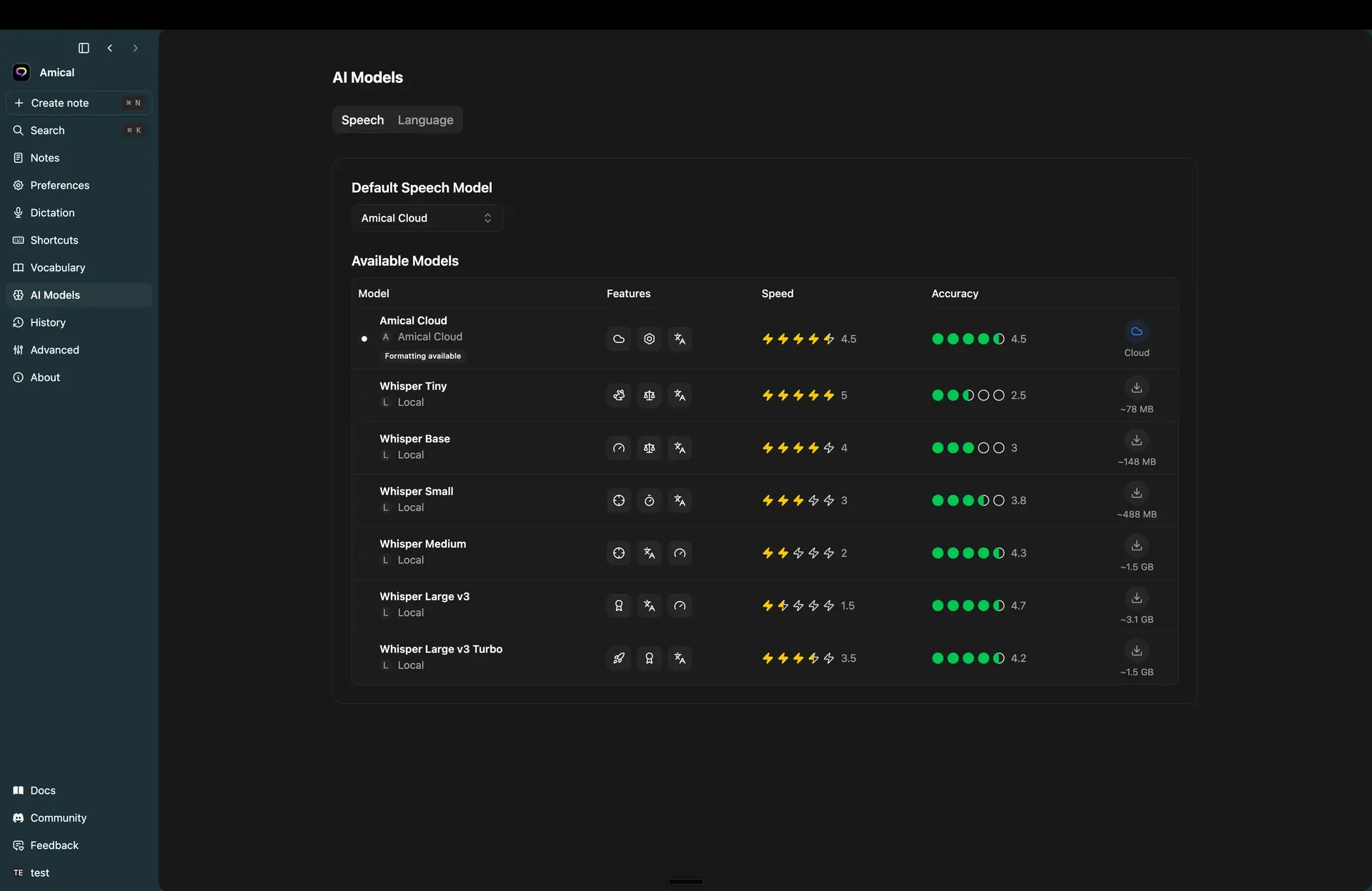
Official documentation screenshot of Settings, AI Models, Speech: Amical Cloud plus Whisper Tiny to Large v3 Turbo with download sizes from about 78 MB to 3.1 GB.
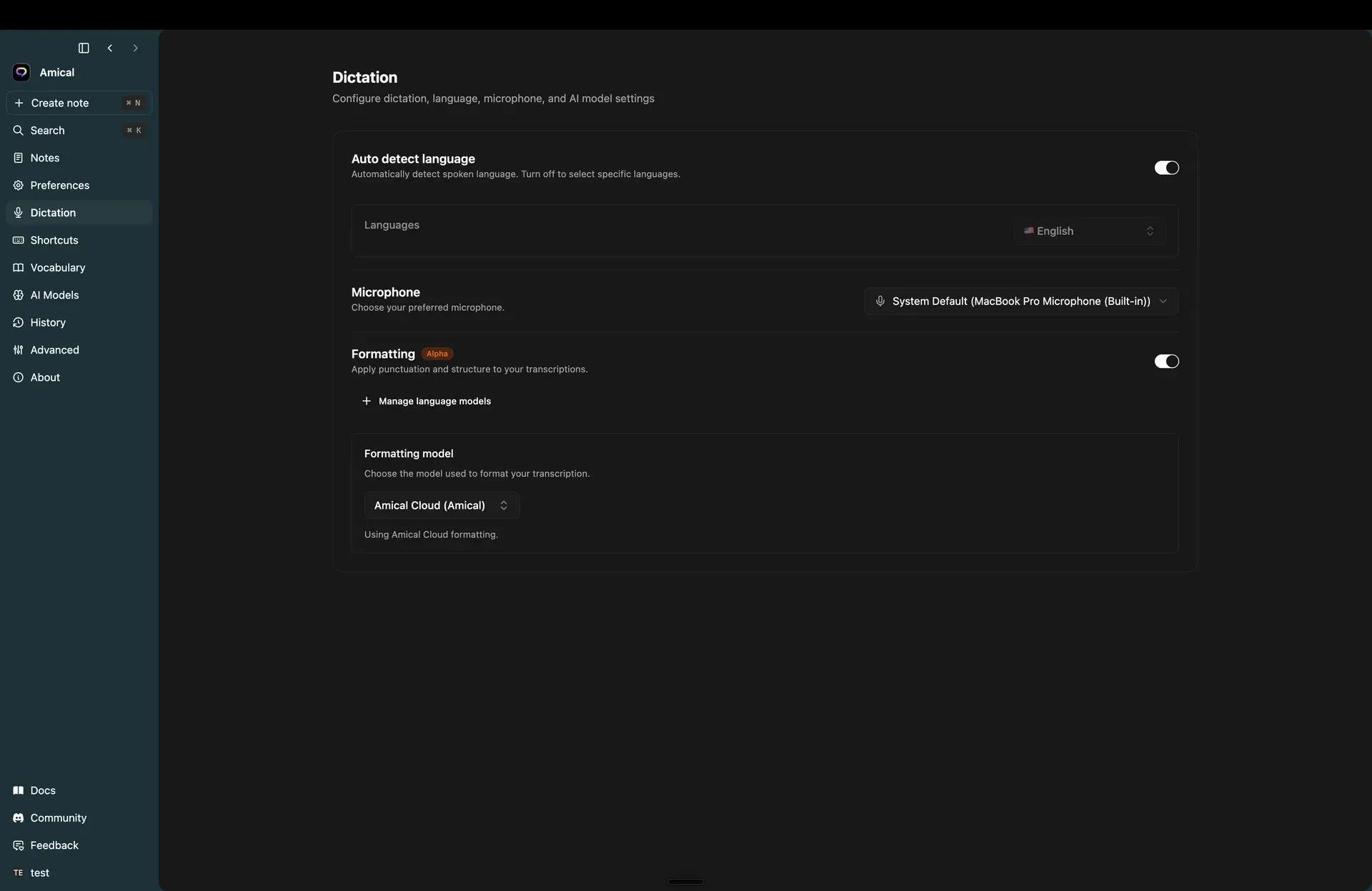
Official screenshot of Settings, Dictation: language auto-detection, microphone choice and the Formatting (Alpha) switch with its model picker.
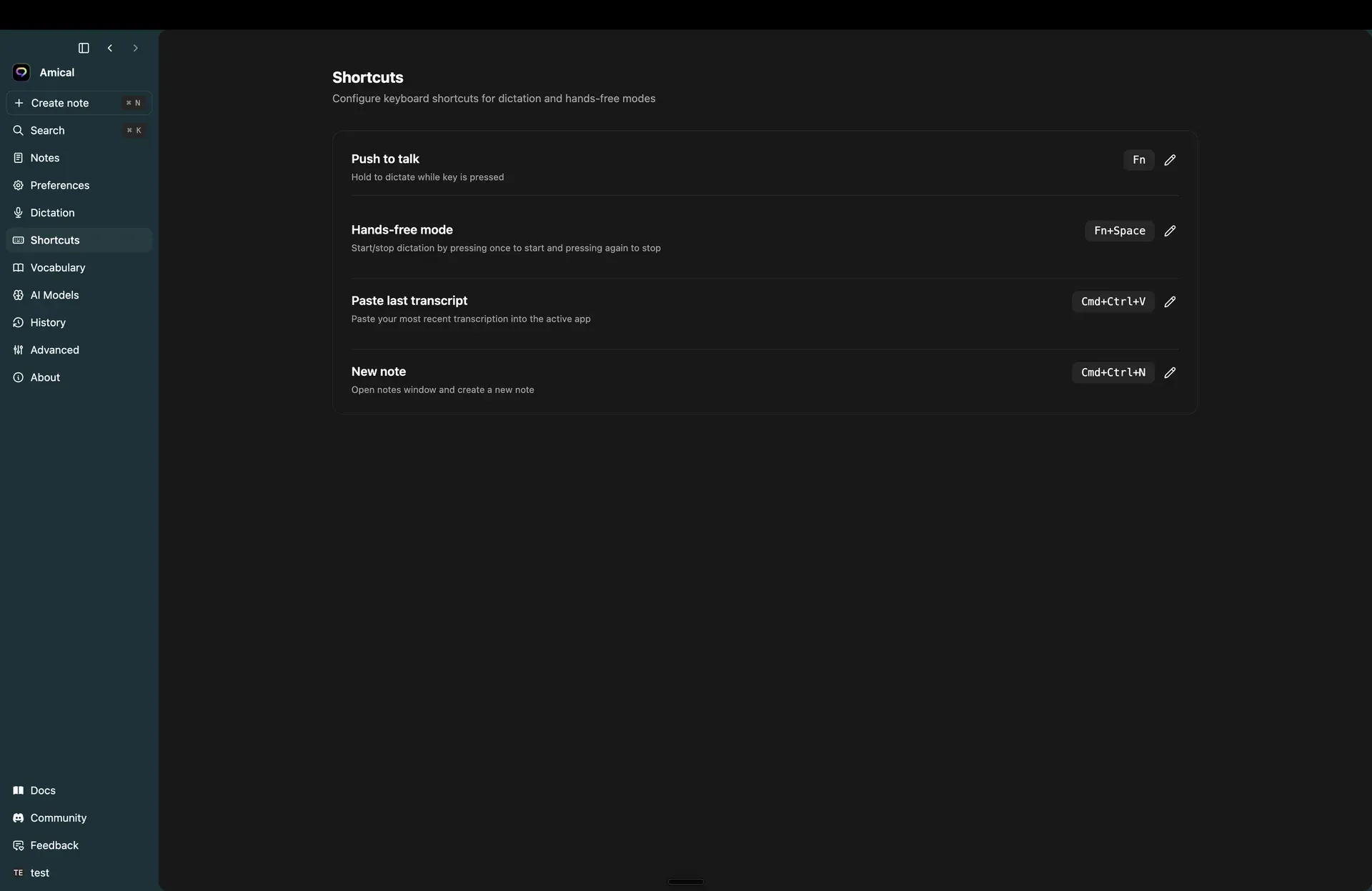
Official screenshot of the Shortcuts page with the default macOS bindings.
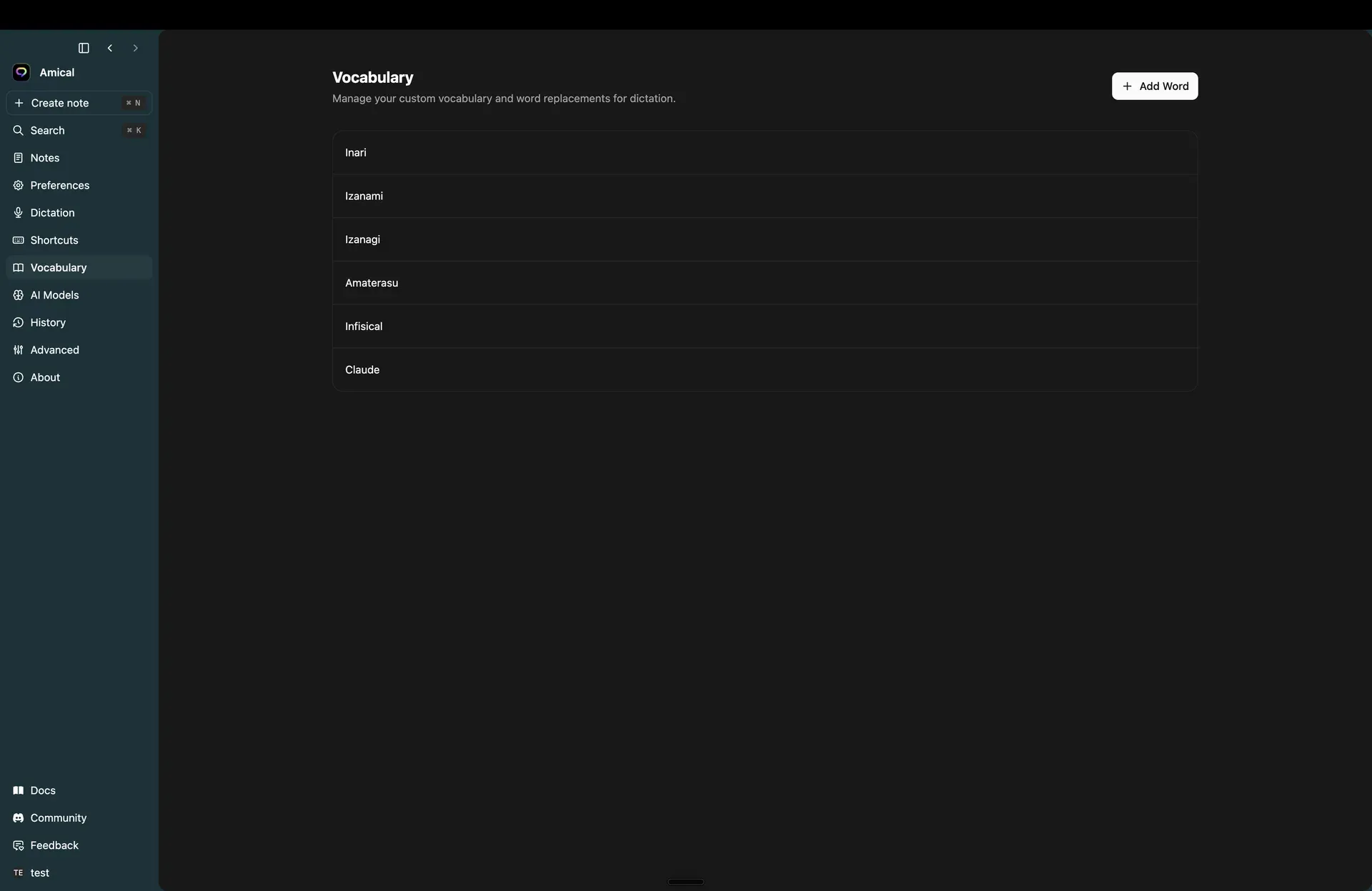
Official screenshot of Settings, Vocabulary with sample custom terms.
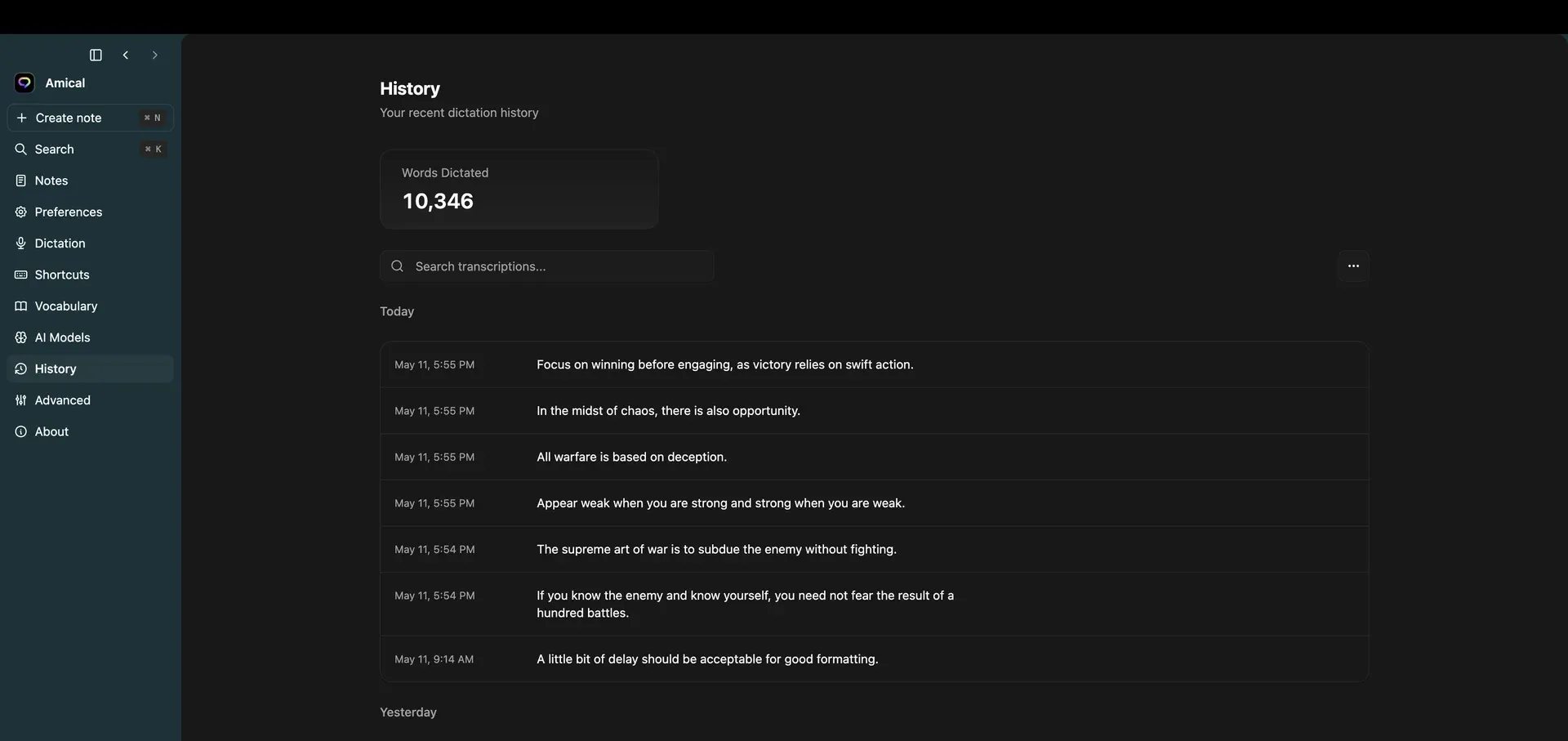
Official screenshot of the History page with sample transcriptions grouped by day.
Source: official Amical project page.
Key capabilities
- Download Amical for macOS Release assets include a DMG and a ZIP for Apple Silicon (arm64) and for Intel (x64). The DMG is the recommended first install: open it and drag Amical to Applications; the ZIP files mainly feed the auto-updater. Homebrew users can run
brew install --cask amical. On Apple Silicon, Whisper runs on the Metal backend; Intel Macs work but more slowly, and the README's build notes state that local Whisper transcription needs macOS 15 or later. - Download Amical for Windows Each release ships an .exe installer for Windows x64 and a separate one for Windows on Arm (ARM64). The installer places the app in the user's AppData folder and creates a shortcut. The download page lists Windows 10 or later. Recent CI changes also build a Vulkan variant of the x64 binary.
- Mobile apps for iPhone and Android Amical is listed on the App Store and Google Play. Both mobile apps ask you to sign in with an Amical account. On Android you grant Accessibility Service, Display over other apps and microphone access so a floating bubble can insert dictation into the focused app. The pricing comparison marks mobile apps on the Free plan as coming soon, while Premium includes them. Since v1.13.0 the desktop app shows a QR code that leads to the mobile apps.
- Push-to-talk and hands-free dictation Hold the push-to-talk key (Fn by default) to record and release it to transcribe and paste; press Fn+Space once to start a hands-free session and again to stop. Release v1.13.0 raised the dictation limit to 15 minutes; the documentation still describes the earlier cap of 6 minutes with a warning at 5. Recording stops after 5 seconds without audio, and a push-to-talk press shorter than 500 ms is discarded as a slip.
- Local Whisper speech models Settings, AI Models, Speech lists Whisper Tiny (about 78 MB), Base (148 MB), Small (488 MB), Medium (1.5 GB), Large v3 (3.1 GB) and Large v3 Turbo (1.5 GB) with speed and accuracy ratings. Download a model, select it as the default, and delete it later to free disk space. Local dictation is unlimited on every plan and needs no account. The local models guide covers the options.
- Amical Cloud speech model Signing in unlocks the hosted Amical Cloud model in the same model list. Audio for each request is streamed to Amical's speech endpoint and the transcript is returned. On the Free plan cloud dictation is capped at 2,000 words per week; when the cap is reached the cloud path stops until the weekly refresh while local dictation keeps working. Since v1.13.0 the sidebar shows the remaining cloud word allowance, the usage meter warns from 80% used and the reset time is shown as a relative time.
- Context-aware AI formatting (Alpha) The Formatting switch under Settings, Dictation rewrites the raw transcript with a language model: emails get a greeting and closing on separate lines, chat stays short, notes become bullets, and search bars or terminals only get punctuation and casing. It needs either a local language model from Ollama or an OpenAI-compatible server, or a signed-in Amical Cloud session. On macOS, accessibility permission lets Amical tell a search field from a long-form composer. Output can vary from run to run, as the formatting documentation notes.
- Per-app Personalization skills (Beta) Built-in skills cover chat, email and notes; custom skills target specific apps (by bundle id, AUMID or executable name) and website hostnames. Each skill sets a preset (Default, Personal chat, Work chat or Email), a polishing level from None to High and a Casual or Formal tone. The first matching custom skill wins, otherwise the matching default runs. A custom prompt mode is visible but still locked.
- Draft: spoken instructions instead of literal dictation Hold Fn+Ctrl on macOS or Ctrl+Win+Alt on Windows and describe what you want written, for example a short reply. Amical generates text into a review window where Enter inserts it, Copy places it on the clipboard and Esc discards it. Draft can also rewrite selected text. It is Alpha and currently works only with the Amical Cloud speech model.
- Custom vocabulary and replacements Settings, Vocabulary accepts single terms such as product names and acronyms, or replacement pairs that map a misheard form to the spelling you want. Entries apply from the next recording without a restart. Vocabulary is tied to the account and follows a signed-in user across machines; the list view pages at 100 entries. Since v1.13.0 the macOS and Windows helpers read the text field a dictation was pasted into, Amical extracts correction candidates from the user's edits and lists them as learned words, marked separately in vocabulary settings; learned terms are capped at two words and nothing is learned when the dictation is deleted.
- Snippets A snippet maps a spoken trigger phrase to a longer block of text, such as an address or a signature, and is expanded inline while the rest of the sentence is kept. Expansions are plain text without dynamic placeholders. The snippets page recommends distinctive multi-word triggers to avoid accidental expansion.
- Global shortcuts Amical registers push-to-talk, hands-free mode, paste last transcript (Cmd+Ctrl+V), new note (Cmd+Ctrl+N) and Draft. Rebinding captures the key combination live and reverts if it conflicts with a system or Amical shortcut. Since v1.12.0 a shortcut can have multiple bindings. On Windows an Allow injected keystrokes option makes remote desktop, KVM, PowerToys or macro-key input count, with documented side effects.
- Floating desktop widget An 8 px pill sits above other windows; hovering expands it and a click starts hands-free recording with a live waveform and a stop button. It follows the same recording limit and silence stop as the shortcut. The widget is draggable, its position is remembered, and it can be hidden while inactive.
- Voice notes A notes panel stores notes with a title, an optional emoji and a rich-text body that you can type or dictate into. The New note shortcut and an optional auto-dictate setting start a hands-free recording when a note opens. Since v1.12.0 note bodies are stored as Markdown and sync for signed-in users.
- Transcription history and audio retention Settings, History keeps every transcription with a lifetime word counter, search over the latest 100 entries and per-row copy, play, download, retry and delete actions. Retry re-runs the audio with the currently selected model. Audio retention can be 1, 7, 14 or 28 days or Never (the default); after a cutoff the audio file is deleted and the text remains.
- Dictation and interface languages Language detection runs per recording by default, or you can pin one language from the speech model's list; the website cites more than 100 dictation languages. The interface language is set separately: the docs list English, Spanish, Japanese and Traditional Chinese, and v1.12.0 added a Korean locale. Changing the interface language prompts a restart. Version 1.13.0 adds regional variants and Cantonese to the dictation language picker, marks variants that only the cloud model supports and sets new installs to the operating system's regional variant.
- Telemetry, diagnostics and updates Anonymous telemetry covers lifecycle, performance and error events; since v1.13.0 the app asks for consent and turns telemetry on at sign-in, and the documentation states that it excludes transcript content, notes, audio and vocabulary unless you explicitly report a transcription. Settings, Advanced shows the data and log locations, a Machine ID for bug reports, a Stable or Beta update channel and a Reset App action that wipes local data. The telemetry page lists what is sent.
- Teams, billing and Enterprise options Premium adds team management with owner, admin and member roles, managed in the web portal at app.amical.ai; pending invitations count against seats. Self-serve billing runs through the Dodo billing portal. Enterprise adds private model hosting, custom models, SSO/SAML and centralized billing, with SOC 2 listed as in progress on the pricing page.
Where Amical fits
Offline dictation with a local model
During onboarding a user chooses Local instead of Cloud and downloads a Whisper model, from the 78 MB Tiny model to the 3.1 GB Large v3. After microphone access is granted, and on macOS accessibility access so Amical can paste, dictation works without an account or a network connection. Audio retention defaults to Never, which keeps recordings indefinitely, and can be set to 1, 7, 14 or 28 days, and anonymous telemetry can be switched off in Settings. The desktop quick start describes the five onboarding screens.
Dictating prompts and code comments in an editor
Push-to-talk pastes short prompts, commit messages and code comments into the focused editor or AI coding tool. Identifiers, library names and acronyms go into Vocabulary, replacement pairs map misheard forms to the intended spelling, and since v1.13.0 corrections made after a paste can be learned automatically. With formatting enabled, terminals and unknown fields receive only punctuation and casing, and a custom skill for the editor can set the polishing level to Low.
App-aware email and chat writing
With Formatting enabled and a language model selected (a local Ollama model, an OpenAI-compatible server or Amical Cloud), the same dictated sentence is formatted differently by target app: emails get greeting and closing lines, chat messages stay short and notes become bullets. Personalization skills set a Formal or Casual tone and a polishing level per app or website. The feature is labelled Alpha, and the Personalization guide explains how the matching skill is chosen.
Drafting replies from a spoken instruction
In Draft mode the user holds the Draft shortcut and describes what the text should say. Amical shows the generated text in a review window, where Enter inserts it, Copy places it on the clipboard and Esc discards it; selected text can also be rewritten. Draft currently requires the Amical Cloud speech model. The Draft documentation describes redo and dismiss behaviour.
Dictation on iPhone and Android
The iOS app adds an Amical keyboard that can be selected in any app, and the Android app uses a floating bubble that inserts dictation into the focused field after Accessibility, overlay and microphone permissions are granted. Both require an Amical account, and the App Store listing states that vocabulary and preferences sync with Amical for Mac and Windows. One subscription covers desktop and mobile devices, according to the pricing FAQ.
Rolling Amical out to a small team
On Premium, an owner creates an organization in the web portal at app.amical.ai, invites colleagues by email and assigns admin or member roles. Shared vocabulary keeps product names consistent across the team, and pending invitations count against seats. According to the documentation, removing a member revokes cloud transcription and formatting immediately, while that person's local dictation and on-device data are not affected.
Install
brew install --cask amicalReviews of Amical
Be the first to share your experience with Amical.
Write a review
Loading review form…
Alternatives to Amical
 HandyHandy is a free, MIT-licensed speech-to-text app for Windows, macOS and Linux. Press a shortcut, speak, and a local Whisper, Parakeet or other model transcribes the audio and pastes the text into the focused field, without a cloud service.
 OpenWhisprMIT-licensed dictation app for macOS, Windows and Linux that types speech at the cursor, records meetings with speaker labels and keeps searchable notes. Runs Whisper, Parakeet and other models locally, or uses OpenWhispr Cloud or your own API keys.
 VoiceInkGPL-3.0 voice-to-text app for macOS that transcribes on-device or through your own provider keys, pastes at the cursor and applies per-app Modes. Prebuilt app is a one-time license from $25; the source can be built for free.