
What is MicroClaw?
MicroClaw is a self-hosted AI agent runtime written in Rust that answers in chat apps and runs tools on the machine or server where it is installed. The GitHub description calls it an agentic AI assistant that lives in your chats, inspired by NanoClaw and incorporating some of its design ideas. The project site microclaw.org names Everett as maintainer, and since version 0.30.1 the support contacts and copyright notice are listed under AtomSprout. The code is MIT-licensed. The repository was created in February 2026, the first GitHub release (v0.0.4) followed on February 7, 2026, and the README is translated into Chinese, Hindi, Spanish, Arabic, French, Bengali, Portuguese, Indonesian and Urdu.
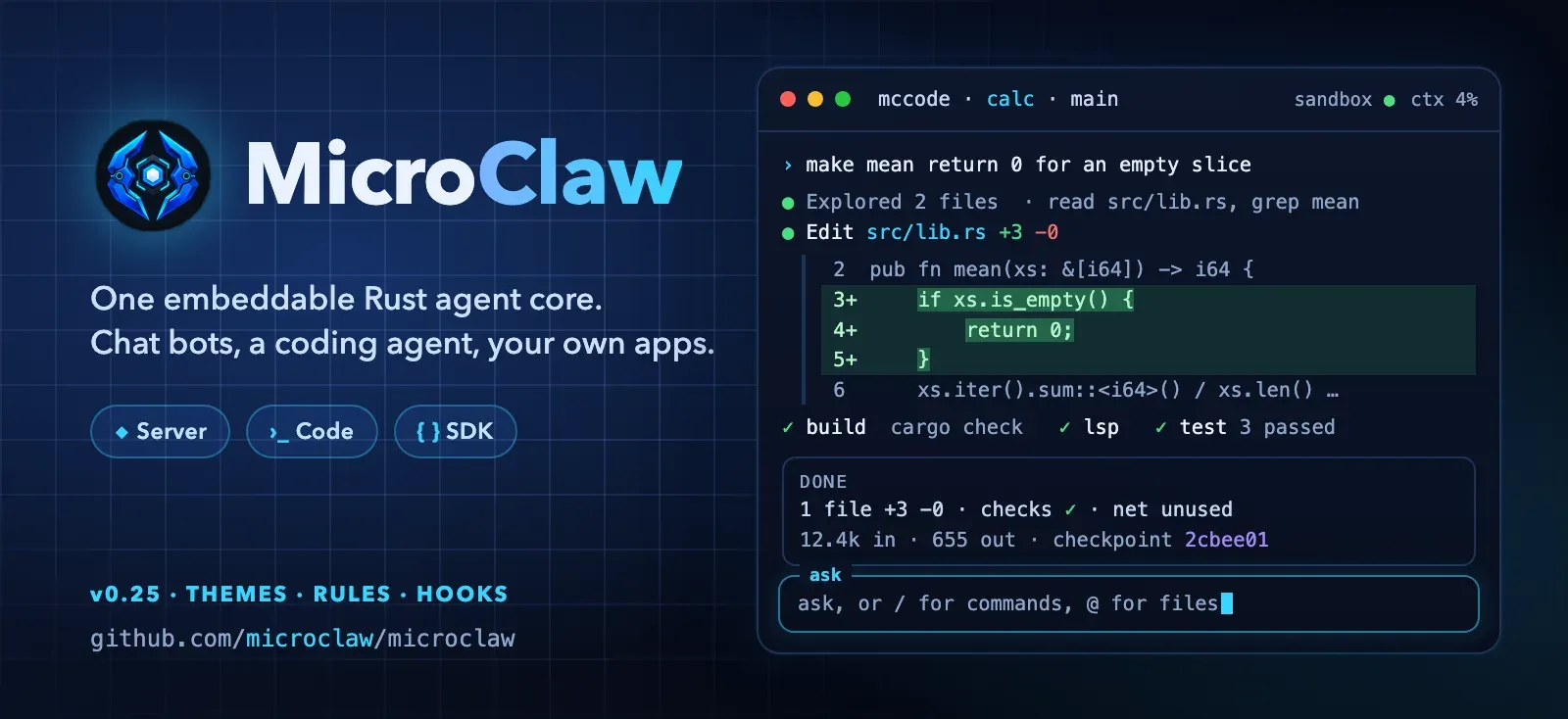
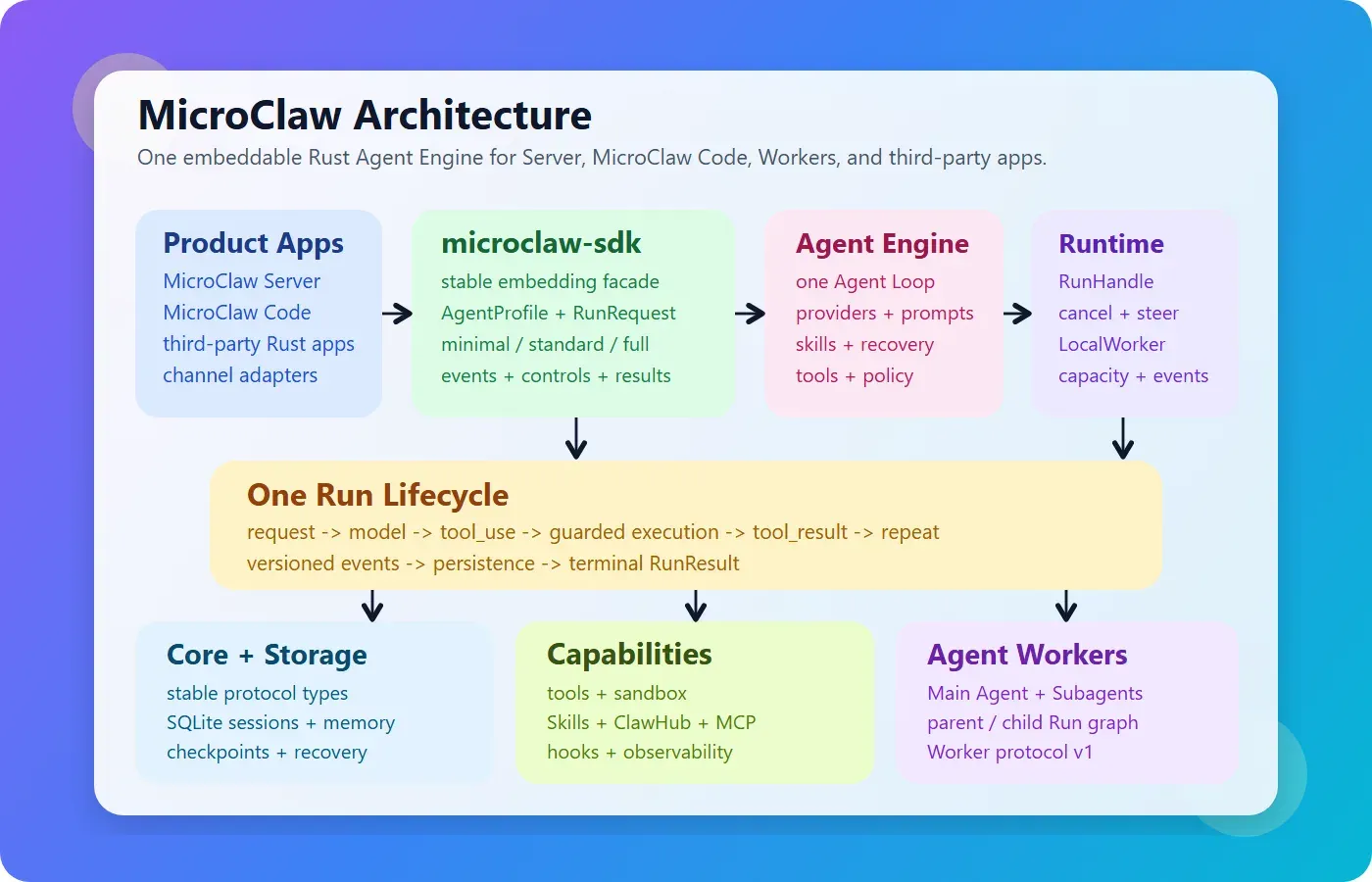
The project now describes itself as one embeddable Rust agent core with three products that share a single Agent Engine. MicroClaw Server (the microclaw binary) runs continuously for chat channels, a local Web UI, HTTP APIs, scheduled tasks and background work. MicroClaw Code (mccode) is a coding agent in preview for the Zed editor and the terminal. The microclaw-sdk crate lets other Rust applications run the same engine, tools, memory, skills and runtime events without the Server or UI code; the public crates on crates.io are microclaw-core, microclaw-engine and microclaw-sdk. State lives in embedded SQLite, so no separate vector database or service mesh is required, according to the README.
The latest GitHub release is v0.31.0, published on November 13, 2026, and releases arrive several times a week. Version 0.31.0 gives MicroClaw Code a private memory per repository next to the shared .microclaw/memory.md, imports Claude Code and Codex memories, installs plugins in the Claude Code layout with mccode plugin add, compacts large idle sessions before the Anthropic prompt cache expires, and adds a macOS desktop app preview that is built from source and not shipped as a download. Version 0.30.0 added background shell commands, a /rewind that also cuts the conversation and a separate model for sub-agents. Version 0.28.0 removed the Matrix channel and updated rusqlite, rmcp and openssl for RUSTSEC advisories. The README points production users to the stable branch, because main moves quickly and may include breaking changes; the stated stable delivery baseline is v0.11.0.
The v0.31.0 release on the GitHub releases page ships archives of both microclaw and mccode for macOS on Apple Silicon and Intel, Linux (GNU, x86_64 and aarch64) and Windows x86_64, plus a SHA256SUMS.txt file and a machine-readable reliability scorecard. The installation guide documents a shell installer for macOS and Linux, a PowerShell installer, the microclaw/tap Homebrew tap, the container image ghcr.io/microclaw/microclaw and cargo build --release from source. The prebuilt Linux binaries need glibc 2.39 or newer and OpenSSL 3 (Ubuntu 24.04+, Debian 13+, Fedora 40+ or RHEL-compatible 10+). microclaw gateway install registers a launchd user agent on macOS, a systemd --user service on Linux or a native Windows service.
MicroClaw exposes OpenClaw-compatible HTTP hooks and a WebSocket gateway compatible with OpenClaw Mission Control, and it installs skills from the ClawHub registry. Similar self-hosted agents listed on iThub are NanoClaw, OpenClaw, IronClaw and ZeroClaw.
Key capabilities
- Chat channel adapters The runtime includes adapters for Telegram, Discord, Slack, Feishu/Lark, WeChat, DingTalk, QQ, WhatsApp, Signal, IRC, Nostr, iMessage, email and Web; the README notes that availability and setup requirements vary by platform. The channel setup guides cover Telegram, Discord, Slack, Feishu/Lark, Weixin and IRC, including multi-bot accounts and QR login where applicable. Each channel or bot account can point at its own provider preset. The Matrix channel was removed in v0.28.0.
- LLM providers Anthropic has a native provider path, and every other service uses a shared OpenAI-compatible path. The generated provider matrix lists 43 provider IDs, among them OpenAI, OpenAI Codex, OpenRouter, Google, DeepSeek, Mistral, xAI, Azure, Amazon Bedrock, Groq, Together AI and Alibaba Qwen. Local servers include Ollama, LM Studio, vLLM, SGLang and a LiteLLM proxy, and a custom entry accepts any OpenAI-compatible base URL.
- Agentic tool loop Every message enters a loop in which the model calls tools, reads the results and continues until the task is complete, capped by
max_tool_iterations(default 100). The generated catalog lists 67 built-in tools, includingbash, file read, write and edit,apply_patch,glob,grep, web search and fetch, browser automation, PDF rendering and anosv_checkvulnerability lookup. Web search can use DuckDuckGo, SearXNG, Brave, Tavily or Keenable. - Skills and ClawHub The overview lists 45 built-in skills for computation, coding, research, planning, writing, diagrams and documents, and the agent can activate, manage and sync skills itself. The ClawHub integration searches and installs skill packs from the CLI (
microclaw skill searchandinstall) or through agent tools, records installs inclawhub.lock.jsonand can verify skills on load. - MCP servers Model Context Protocol servers are configured in
mcp.jsonwith optional fragments inmcp.d/, over thestdioorstreamable_httptransports. MCP tools pass through the same registry, authorization, hook and audit path as built-in tools, according to the MCP guide. SSE-only servers need a protocol bridge. - Plugins and hooks Manifest plugins loaded from the data directory add slash commands and tools, and each command declares whether it runs on the host or only in the sandbox. Hooks run before LLM calls and before and after tool calls. MicroClaw Code additionally installs plugins in the Claude Code layout (commands, agents, skills, hooks and MCP servers) since v0.31.0.
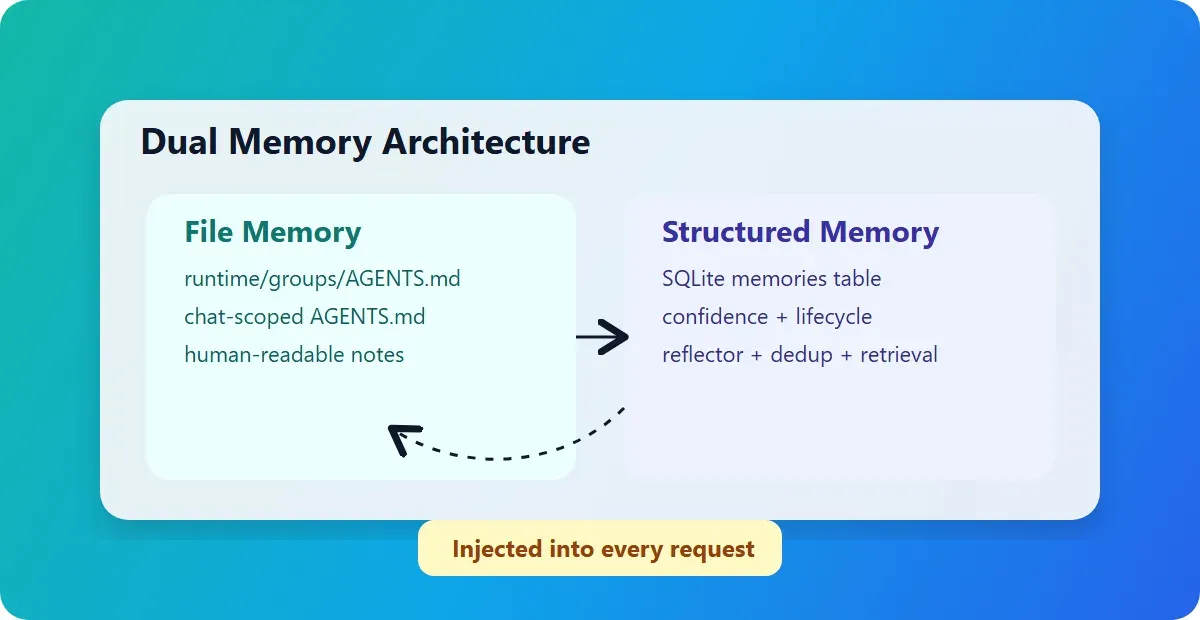
- Layered memory File memory lives in
AGENTS.mdfiles at global, bot and chat scope, and the agent reads and writes it withread_memoryandwrite_memory. Structured memories are kept in SQLite with extraction, deduplication and lifecycle controls, and a temporal knowledge graph adds connected facts during recall. Cross-conversation search uses SQLite FTS5, the optionalsqlite-vecbuild feature adds semantic vector indexing, and an MCP memory server can replace the built-in store, as described in the memory documentation. - Scheduler The
schedule_tasktool creates cron and one-time tasks, plus random cadences such as2h..3d, a run cap (max_runs) and a deadline (not_after). Tasks can be listed, paused, resumed and cancelled, failed runs land in a dead-letter queue that can be replayed, and task completion is kept separate from message delivery so a result stays queued while a channel is down. Details are in the scheduler documentation. - Sub-agents and agent protocols A main agent can spawn bounded sub-agents with named tasks, progress reports and cancellation, running natively or as ACP workers. MicroClaw can act as an ACP stdio server, talk to A2A peers and let specialists consult each other. Since v0.30.0 sub-agents can use their own model.
- Local Web UI and APIs With
web_enabled(the default) the Server serves a management UI athttp://127.0.0.1:10961with an operator password, sessions from all channels, tasks, settings, governance and learning state.POST /api/sendruns a synchronous turn,/api/send_streamstarts an asynchronous run with SSE replay, and/hooks/agentand/hooks/wakeaccept authenticated hook calls. The operator API reference covers scoped API keys and the WebSocket gateway. - Tool policy and approvals A global
tool_policywith allow lists, deny lists and a risk ceiling applies at one registry choke point, and scoped grants narrow tools per chat, channel or principal (main agent, scheduler, sub-agent). High-risk calls pause with an approval card: approve once, always allow the tool in this chat, or deny. An optional reviewer model annotates each prompt, and in MicroClaw Code it can approve calls it rates safe. See the permissions guide. - Sandbox and egress control The secure runtime guide describes a container sandbox with
require_runtime(fail closed when no container runtime exists), a hardened profile that drops Linux capabilities and ano_networkmode. Environment variables that look like secrets are withheld from sandboxed commands unless named in an allowlist. Anegress_policylimits outbound hosts and can block private, loopback and metadata addresses. The new enforcement modes default to off. - Recovery and durable delivery Long replies are split into ordered chunks and retried, a provider-neutral checkpoint resumes work after the process stops between model and tool steps, and recovery stops at uncertain side effects of write-capable tools instead of replaying them.
microclaw doctorchecks the runtime, sandbox and delivery, and every release publishes a reliability scorecard. - Voice, media and personality Inbound voice messages are transcribed on Telegram, Discord, Slack and Feishu, with opt-in text-to-speech replies. Tools cover image generation, image description, text-to-speech and transcription. A
SOUL.mdfile sets the personality globally or per chat, andcontrol_chat_idsmarks chats that may use cross-chat tools. - MicroClaw Code (preview)
mccodeworks in a local repository from a full-screen terminal UI, a-pscripting mode or the Zed Agent Panel over ACP (version 0.27.0 or later), with plan, ask and auto modes, reviewable diffs and approvals. After edits it runs the project's own build, lint and test checks and hands failures back to the agent. A paired Server can forward its notifications and approval cards to Telegram, Discord, Slack or Feishu. The editor guide covers the Zed setup. - Rust SDK
microclaw-sdkneeds Rust 1.93 or newer and comes inminimal,standard,fullandremote-workerfeature sets. Applications configure it from YAML or in code, build an agent with selected skills and consume ordered runtime events and a finalRunResult. The SDK quickstart includes a compiling example. - Install on macOS and Linux Run
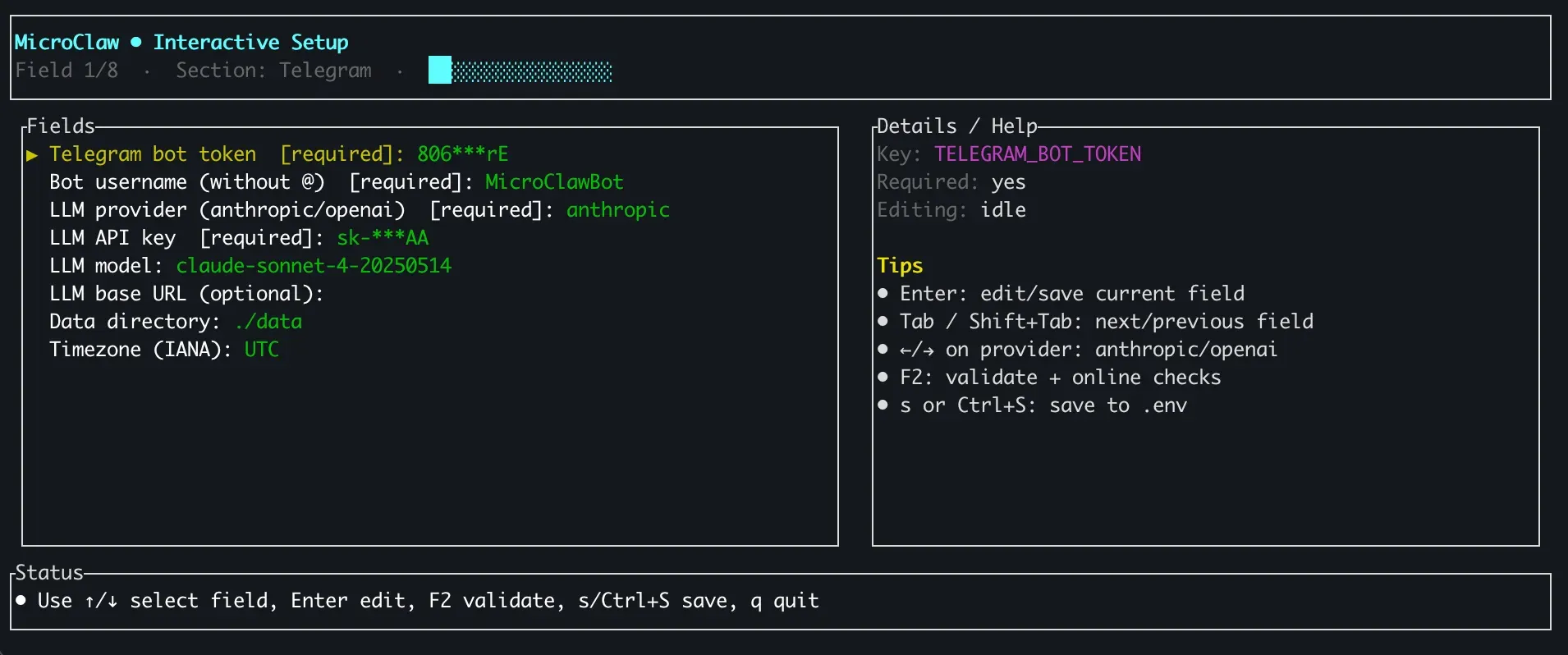
curl -fsSL https://microclaw.org/install.sh | bash, which downloads the matching release archive, or usebrew tap microclaw/tap && brew install microclawon macOS.microclaw setupstarts an interactive wizard for provider, model and channel credentials and writesmicroclaw.config.yaml. Older Linux distributions that do not meet the glibc 2.39 requirement can build from source or use the container image. - Install on Windows The PowerShell installer is
iwr https://microclaw.org/install.ps1 -UseBasicParsing | iex, and each release also carries an x86_64 MSVC zip.microclaw gateway installregisters a native Windows service and needs an elevated terminal. - Container image Images are published as
ghcr.io/microclaw/microclaw:latestand by version. The documented run command publishes port 10961 on localhost and mounts the configuration file and a data directory that keeps sessions, memory, skills, SQLite state and scheduled work.
Where MicroClaw fits
Personal assistant in a chat app
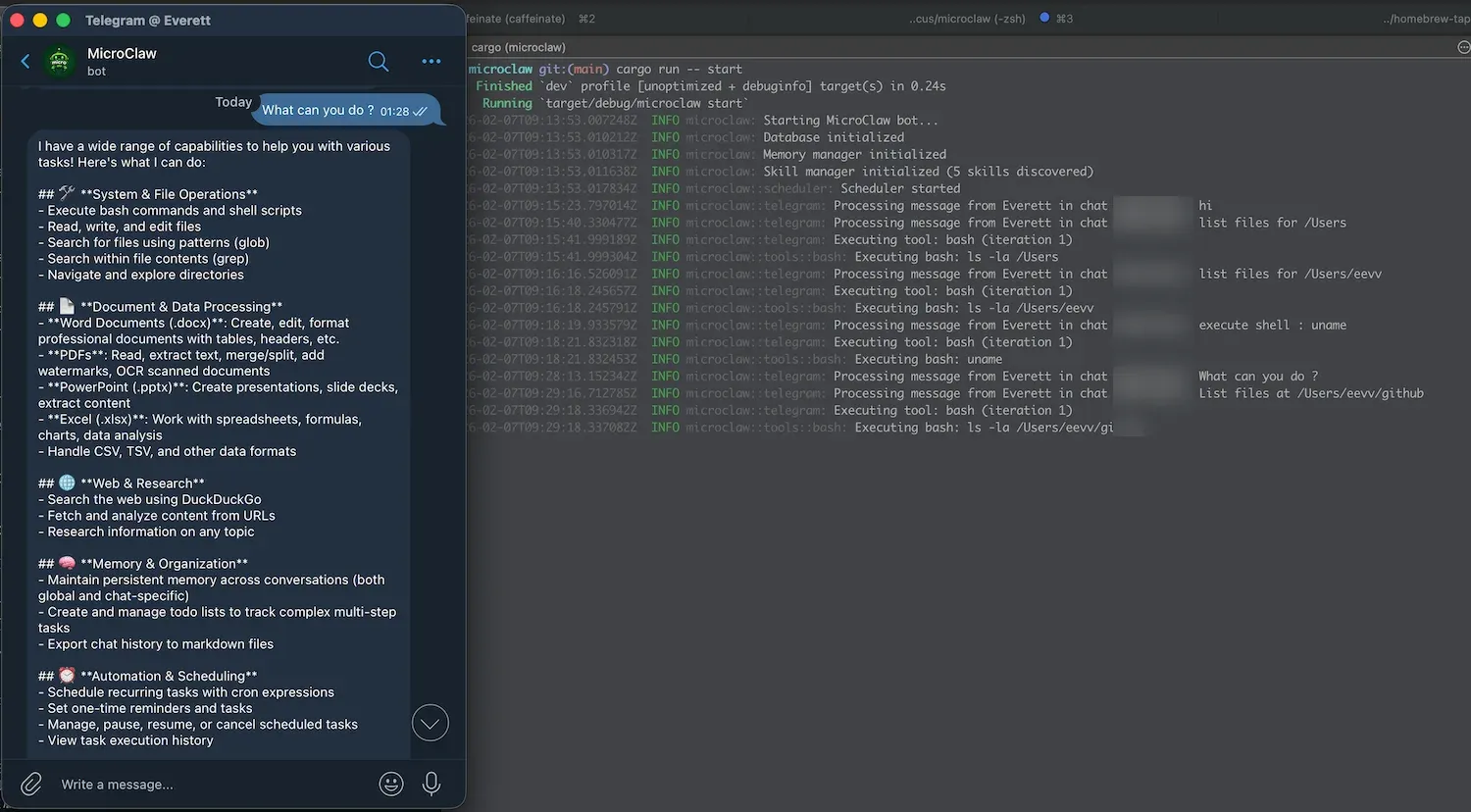
An individual runs MicroClaw Server on a laptop, home server or VPS, enters a Telegram, Discord or Slack bot token and an LLM key in microclaw setup, and talks to the agent from that chat. The agent can run shell commands, read and write files, search the web and keep notes in its memory files between conversations. The documentation notes that the Web UI is enabled by default, so a chat credential is optional for a local first run.
Reminders and recurring digests
Asked in plain language, the agent creates scheduled tasks with cron expressions, one-time times or random windows, optionally limited to a number of runs or an end date. Each run goes through the same tool loop and posts its result to the chat, with retries from the delivery queue if the channel is temporarily unavailable. list_scheduled_tasks shows the cadence, progress and next run.
Team operations bot
Teams connect MicroClaw to Slack, Feishu/Lark, DingTalk or another workplace channel and restrict what the agent may do with tool policies and scoped grants per channel or chat. High-risk calls wait for an approval card in the chat, and governance and audit data are visible in the Web UI. Session history from all channels is stored in the same SQLite database.
Coding in a repository
Developers install mccode, configure a model once and run it in a repository from the terminal or the Zed Agent Panel. The agent proposes diffs, asks before running commands in ask mode and verifies its edits with the project's build, lint and test commands. With mccode remote pair, a running Server forwards notifications and approval requests to a chat app while the developer is away, as described in the Web UI and gateway guide.
Triggering runs from other systems
Scripts, CI jobs and monitoring tools call the HTTP API with a scoped API key to start a synchronous or streamed run, or post to /hooks/agent with a dedicated hook token. The HTTP trigger guide documents payloads, session routing and curl examples, and the hook endpoints follow the OpenClaw hook format.
Embedding an agent in a Rust product
A Rust application adds microclaw-sdk with the full feature set, configures a provider and model, and runs an agent with selected skills, tools, MCP servers and memory. The application consumes runtime events and the final result without importing the Server, Web console or channel adapters, and remote Workers can execute runs on other hosts.
Install
curl -fsSL https://microclaw.org/install.sh | bashReviews of MicroClaw
Be the first to share your experience with MicroClaw.
Write a review
Loading review form…
Found MicroClaw useful? Upvote it todayYour vote helps other IT teams find it in the daily ranking.