

What is Zed?
Zed is a code editor built by Zed Industries, Inc., a for-profit company from the creators of Atom and Tree-sitter. It is written from scratch in Rust to use multiple CPU cores and the GPU, and it is designed for collaboration with both teammates and AI. Zed runs on macOS, Linux and Windows, and its source code is licensed primarily under GPL-3.0-or-later, with Apache-2.0 components where marked.
The editor covers the core development workflow: Language Server Protocol support, an outline view, multibuffers that combine excerpts from across a codebase in one editable surface, a debugger built on the Debug Adapter Protocol, native Git operations, a built-in REPL using Jupyter kernels, dev containers and remote development in which only the UI runs on your machine. Vim and Helix modal editing are available, and hundreds of extensions add language support and themes.
AI features are optional and can be disabled. The agent can edit files, navigate code and run tools, several agent threads can run in parallel, and external agents such as Claude Agent, Codex or OpenCode connect through ACP, with MCP servers for extra context. Edit prediction is powered by Zeta2, Zed's open-weight model. The Personal plan is free forever with your own API keys or external agents, Pro costs $10 per month with hosted models and unlimited edit predictions, and Business costs $30 per seat per month with org-level AI and data controls.
Zed screenshots
Explore the interface. Open a screenshot to view it at full size.
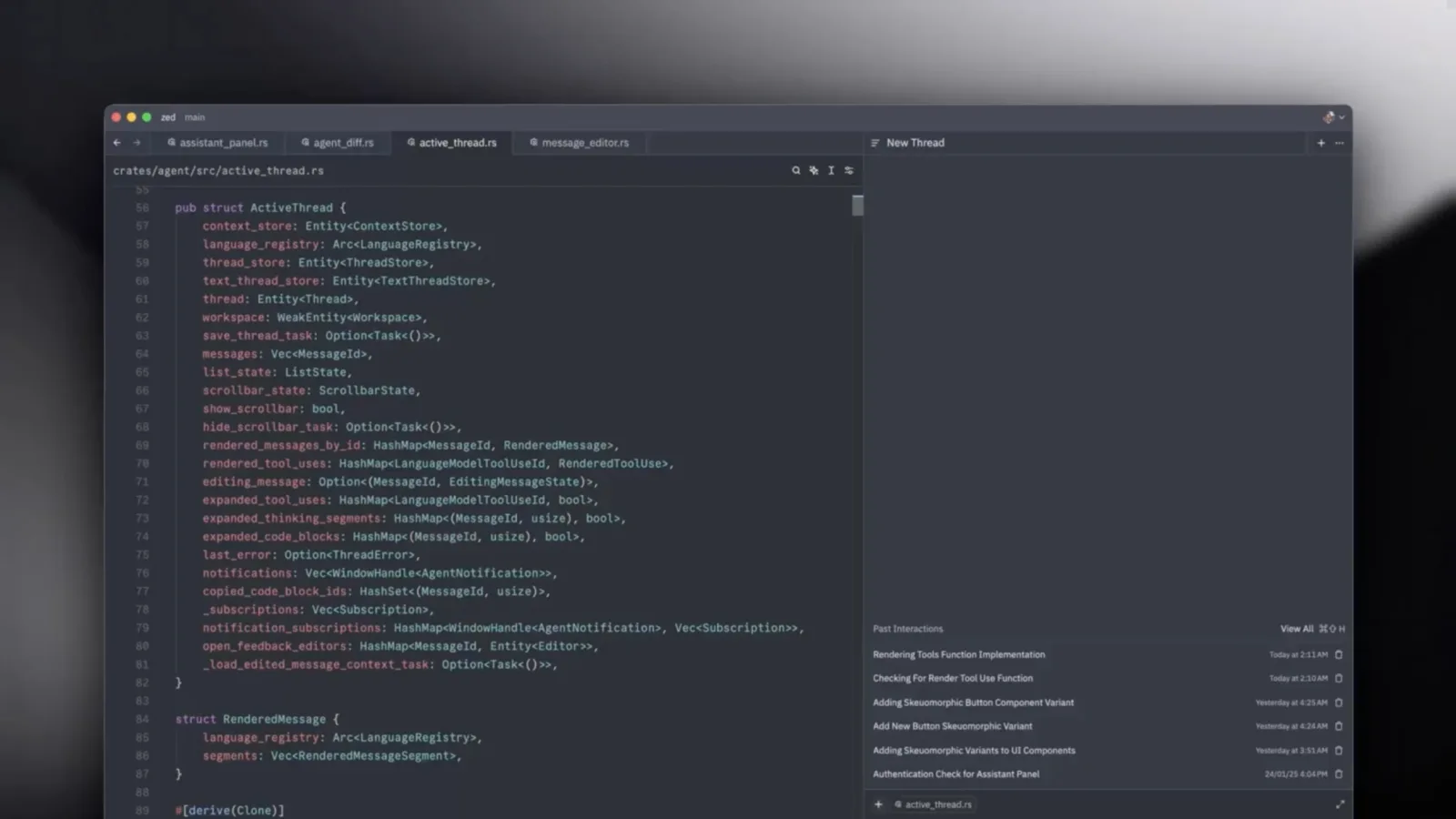
Source: official Zed project page.
Key capabilities
- Native performance Zed is written from scratch in Rust to use multiple CPU cores and the GPU, with builds for macOS, Linux and Windows.
- Agentic editing Delegate work to the agent, follow its progress live and review the changes, or run several agent threads in parallel across projects.
- Edit prediction Zeta2, an open-weight language model, anticipates your next edit, and Pro and Business include unlimited edit predictions.
- Your own models and agents Use your own keys for providers such as Anthropic, OpenAI, Ollama or OpenRouter, or connect Claude Agent, Codex or OpenCode through ACP.
- Real-time collaboration Chat with teammates, code together and share your screen and project from inside the editor.
- Debugger and Git Debug across languages through the Debug Adapter Protocol, and stage, commit, pull, push and view diffs without leaving Zed.
Where Zed fits
- Language intelligence Language Server Protocol support, an outline view of each file's symbols and a diagnostics multibuffer for project-wide errors and warnings.
- Multibuffer editing Compose excerpts from across the codebase in one editable surface and change them together.
- Remote development Only the Zed UI runs on your machine while the codebase runs on a remote server, and dev containers provide a consistent environment.
- Modal editing First-class Vim bindings with text objects and marks, plus a Helix mode.
- Extensions Hundreds of extensions broaden language support and add themes.
- Interactive code A built-in REPL runs code through Jupyter kernels, and a CLI opens Zed from the command line.
- Team administration Business admins can restrict hosted AI models, turn off edit predictions org-wide and lock data sharing settings.
Install
curl -f https://zed.dev/install.sh | shReviews of Zed
Be the first to share your experience with Zed.
Write a review
Loading review form…
Alternatives to Zed
 AlacrittyAlacritty is an Apache-2.0 GPU-accelerated terminal emulator for Linux, BSD, macOS and Windows. It offers vi mode, scrollback search, regex hints and multi-window IPC, configured in TOML, and leaves tabs and splits to tmux.
 AthasAthas is an AGPL-licensed desktop code editor for macOS, Windows and Linux built with Tauri, Rust and React. It combines CodeMirror 6 editing, Git and GitHub views, terminals, database viewers and AI agents, with optional paid hosted AI and Cloud Agents.
 CC SwitchCC Switch is a free, MIT-licensed desktop app that switches API providers and manages MCP, Skills and prompts for Claude Code, Codex, Gemini CLI and more.