

What is Alacritty?
Alacritty is a GPU-accelerated terminal emulator written in Rust. It renders with OpenGL, runs on Linux, BSD, macOS and Windows, and is developed in the open at alacritty/alacritty under the Apache License 2.0. The project describes itself as a modern terminal with sensible defaults and extensive configuration, and it explains its approach as integrating with other applications rather than reimplementing their functionality. That is why the FAQ says it has no tabs or splits of its own: those are left to a window manager or a multiplexer such as tmux.
The project was publicly announced in January 2017 (the README links the original announcement post and a January 2017 talk), and it has since been developed as a small set of crates: the alacritty application, the reusable alacritty_terminal emulation crate and a configuration crate. The README still labels the software as beta, with a few missing features and bugs, while noting that many people use it as a daily driver. That wording is worth reading as a statement about completeness, not about day-to-day stability.
The latest release is v0.17.0, published on April 6, 2026. Its changelog lists support for TOML 1.1 syntax in the configuration file, the ability to bind WheelUp and WheelDown in mouse.bindings, window.resize_increments on Wayland, a new alacritty-escapes(7) manual page, and fixes for crashes after OpenGL context resets and with some IMEs on macOS. The development branch (0.18.0-dev) already records fixes around the kitty keyboard mode stack and vi mode paragraph motions.
Distribution is split by platform. The release page provides a macOS disk image, a Windows MSI installer and a portable Windows executable, plus manual pages, shell completions, a terminfo file and a desktop entry. Linux and BSD users install through their distribution's package manager or build from source with the steps in INSTALL.md, including cargo install alacritty. Requirements are at least OpenGL ES 2.0, and on Windows ConPTY support (Windows 10 version 1809 or later). The official site carries the configuration reference and changelog. Details come from the repository and site.
Alacritty screenshots
Explore the interface. Open a screenshot to view it at full size.
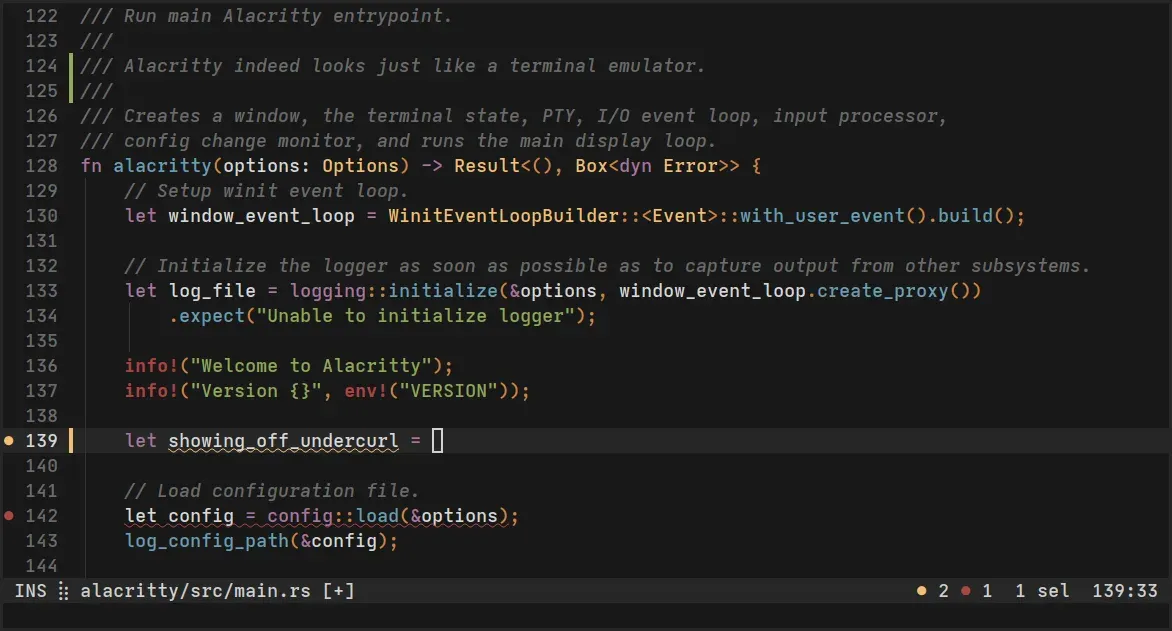
Official promo image from the Alacritty repository (extra/promo) showing the terminal running an editor.
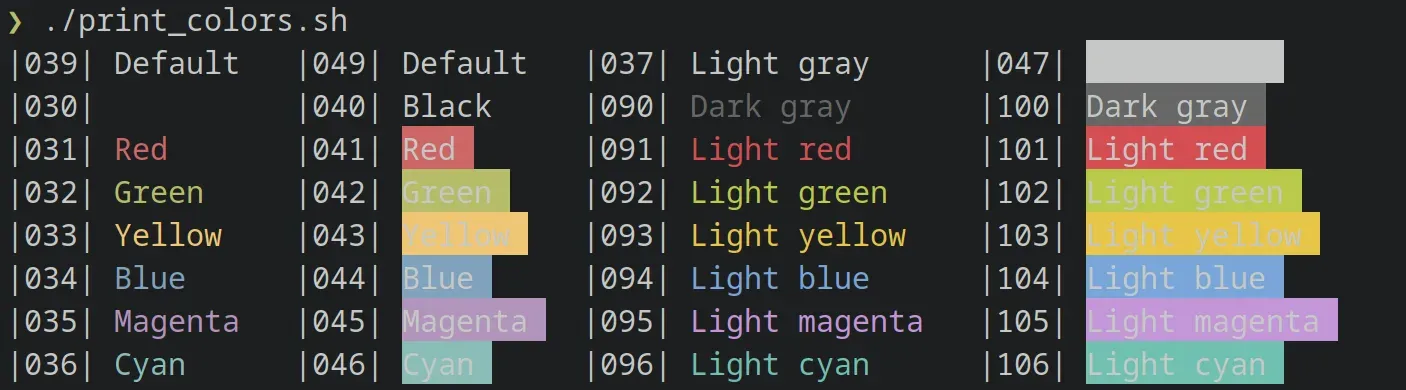
Colour test output with the alacritty_0_12 scheme, from the official alacritty-theme repository.
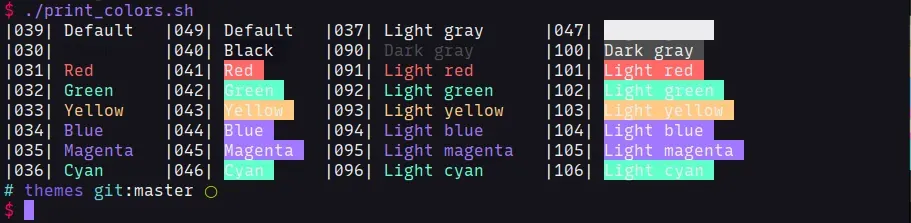
Colour test output with the aura theme, from the official alacritty-theme repository.
Source: official Alacritty project page.
Key capabilities
- OpenGL-rendered terminal emulation Alacritty draws the terminal grid with OpenGL and requires at least OpenGL ES 2.0. The README positions it as fast and benchmarks throughput with the project's vtebench tool, while adding that latency and frame consistency are harder to measure and that you should test with your own workload.
- Vi mode A keyboard-driven mode, opened by default with Ctrl+Shift+Space, moves around the viewport and scrollback with vi-style motions. You can start a selection with
vand copy withy, and semantic, line and block selections are available. Motions are configurable if you prefer other bindings. - Scrollback search Forward and backward search over the scrollback buffer is bound to Ctrl+Shift+F and Ctrl+Shift+B (Command+F and Command+B on macOS). In vi mode the keys become
/and?, and Enter and Shift+Enter jump between matches during normal search. - Regex hints Hints match visible text, such as URLs, with a regular expression and then pass it to an external program or run a built-in action. They can be triggered with the mouse or the vi mode cursor, and are configured in the
hintsandcolors.hintssections. - Selection and URL opening Double-click expands a selection semantically, triple-click selects a line, and holding Ctrl while expanding with the right button switches to block selection. URLs can be opened by clicking, with the required modifiers and the opener program set in the config. Applications that capture mouse clicks need Shift held to bypass them.
- Multi-window from one process A single Alacritty instance can host several terminal windows, created with the
CreateNewWindowkey action oralacritty msg create-window. The site describes this as a way to reduce resource use compared with starting separate processes. - IPC with alacritty msg On Unix the
ipc_socketoption (on by default) allows commands to a running instance, including creating windows, applying configuration overrides and reading the active configuration withalacritty msg get-config. It is a local socket interface and is not a network service. - TOML configuration with live reload Alacritty does not create a config file. It looks for
alacritty.tomlin XDG and home locations,/etc/alacrittyon Unix and%APPDATA%\alacrittyon Windows.live_config_reloadis on by default, although some options, such as window dimensions, need a restart. - Config imports and themes The
importlist loads further TOML files in order, which allows a base configuration plus separate keybinding or colour files. The Apache-2.0 alacritty-theme repository in the same organisation provides ready-made colour schemes to import. - Keyboard protocol support The changelog documents support for the kitty keyboard protocol with fixes across several releases, plus IME handling on X11, Wayland and macOS. Applications that rely on modified-key reporting should be tested in your actual setup.
- Clipboard and OSC 52 controls The changelog states that OSC 52 paste is disabled by default and controlled by
terminal.osc52. Theselection.save_to_clipboardoption defaults to false. These settings matter when programs on remote hosts can write to your terminal. - Window options The
windowsection covers dimensions, startup position, decorations (Full, None, and on macOS Transparent or Buttonless), opacity and a blur request for transparent windows. Platform support differs for several options, so check the reference for your system. - Shell and environment settings
terminal.shellsets the program and arguments, for example a login shell, and theenvtable adds variables for every spawned process. The default is to start your usual shell. - Windows installers The release provides an MSI installer and a portable executable. Windows 10 version 1809 or later with ConPTY is required, and the development changelog notes an Open Alacritty here entry for the Windows folder context menu.
- macOS disk image The release ships a DMG, and the changelog records macOS-specific fixes for font smoothing settings and Apple events permissions. Building a universal binary is covered in INSTALL.md.
- Linux and BSD packaging assets Releases include man pages for the application, configuration, key bindings, escape sequences and the msg subcommand, shell completions for Bash, Fish and Zsh, a terminfo file and a desktop entry. Wayland and X11 are both enabled by default, and the build can be restricted to one.
- Reusable terminal library The
alacritty_terminalcrate has its own changelog. It is separate from the application's window and rendering code.
Where Alacritty fits
A fast, minimal terminal for daily shell work
Install the release for your platform, create alacritty.toml in the documented location and set only what you need, such as the shell, font and colours. Because there is no settings UI, keep the file in version control. Verify the result by opening your normal shell and a full-screen application such as an editor.
Pairing with tmux or a tiling window manager
Alacritty deliberately omits tabs and splits, so plan the layout elsewhere. Run tmux for persistent sessions and panes, or rely on your window manager for tiling. Check that your multiplexer passes through the key combinations you use, especially if you enable the kitty keyboard protocol.
Keyboard-only scrollback navigation
Use vi mode to move through output and copy text without touching the mouse, and use search to find an error inside a long build log. Practice the default bindings first, then rebind in keyboard.bindings if they collide with your editor.
Opening links and paths from terminal output
Configure hints to match URLs or file paths in output and hand them to an opener program. Test the regex against your real logs, and remember that pressing Shift bypasses applications that capture the mouse.
Scripting windows through IPC
On Unix, use alacritty msg create-window to open windows from a launcher or script, optionally with --option overrides. This keeps one process alive for many windows. Confirm the socket is enabled and that other local users cannot reach it in a shared environment, since anything that can write to it can ask your running instance to open windows.
Sharing a configuration across machines
Split the configuration with the import list: a shared base file, a per-machine overrides file and a theme from the alacritty-theme repository. After a version upgrade, compare against the config reference, since keys have moved between releases and TOML replaced the older YAML format. Keep a copy of the working file next to the version number so a rollback is quick.
Install
cargo install alacrittyReviews of Alacritty
Be the first to share your experience with Alacritty.
Write a review
Loading review form…
Alternatives to Alacritty
 GhosttyMIT-licensed terminal emulator with a SwiftUI and Metal app on macOS and a GTK4 app on Linux, offering tabs, splits, a quick terminal, Kitty graphics, shell integration and the embeddable libghostty-vt library.
 NeovimNeovim is an Apache 2.0 text editor that refactors Vim for extensibility. It adds Lua configuration, a built-in LSP client, Tree-sitter parsing, an embedded terminal, a msgpack RPC API and a plugin manager.