

What is Ghostty?
Ghostty is a terminal emulator for macOS and Linux that combines a shared core written in Zig with a native interface on each platform. Mitchell Hashimoto started it as a personal project; the GitHub repository dates from March 2022, and version 1.0 became public on December 26, 2024. Since December 2025 the project has been a non-profit fiscally sponsored by Hack Club, a US 501(c)(3) organization, with Hashimoto as project lead under a benevolent-dictator governance model. The financial support page states that donations pay contributors, continuous integration, hosting and code signing, and that the MIT license is unchanged.
The macOS application is written in Swift with AppKit and SwiftUI, renders through Metal and discovers fonts through CoreText. The Linux application uses GTK4 and libadwaita with an OpenGL renderer, and the same GTK build also runs on FreeBSD. Each terminal surface has dedicated read, write and render threads, and the parser uses CPU-specific SIMD instructions. The terminal core is also published as libghostty-vt, a zero-dependency C and Zig library for parsing terminal sequences and holding terminal state. It is versioned separately with vt-X.Y.Z tags; vt-1.0.0 was tagged on November 6, 2026.
Distribution differs by platform. The project publishes a universal DMG for Apple Silicon and Intel Macs running macOS 13 Ventura or later, with built-in update checks. For Linux, the binary install page states that the project ships no prebuilt binaries: packages come from Arch, Alpine, Gentoo, Nixpkgs, openSUSE, Solus, Void and Ubuntu 26.04 or later, plus community builds such as a Snap, Fedora COPR repositories, a Debian package script and an AppImage. Nightly builds are published as the "tip" pre-release on GitHub, and building from source needs Zig 0.17 for the current release.
The current stable release is Ghostty 1.4.0, tagged October 27, 2026. It completes Kitty graphics protocol support with animation and relative placements, compresses idle scrollback (the notes report 70 to 90 percent less physical memory for text-heavy history), replaces the GTK OpenGL path with an EGL renderer that passes frames to GTK as DMABUFs, adds the Kitty clipboard protocol (OSC 5522) and introduces ghostty +ssh. Version 1.3.0 (March 2026) added scrollback search, native scrollbars, more accurate OSC 133 semantic prompts and AppleScript. Version 1.2.0 (September 2025) added the command palette, the Linux quick terminal and background images.
Some limits are explicit. There is no Windows application: the 1.4.0 notes state that Windows support for the Ghostty GUI has been dropped from the roadmap, although libghostty-vt builds for Windows. The GTK build now requires GTK 4.18 and libadwaita 1.7, which Ubuntu 24.04 LTS does not provide. Right-to-left scripts render correct grapheme clusters, but only left-to-right text layout is supported. Ghostty is a terminal emulator only: it is not a shell, a session server or a remote-access service, and the README lists Ghostty-specific control sequences as not yet started.
Ghostty screenshots
Explore the interface. Open a screenshot to view it at full size.
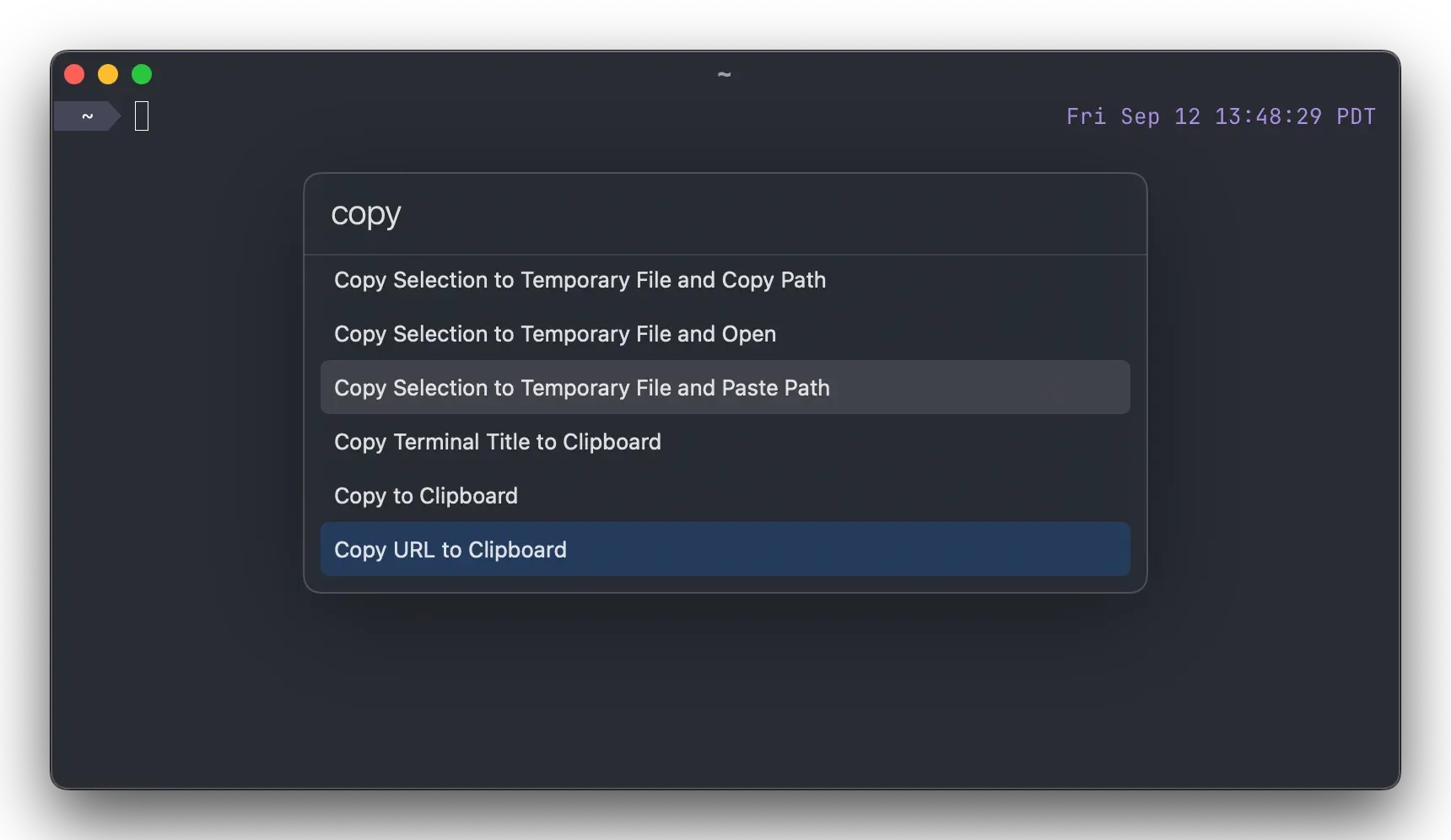
Command palette on macOS, from the Ghostty 1.2.0 release notes: typing "copy" lists matching actions such as Copy to Clipboard and Copy URL to Clipboard.
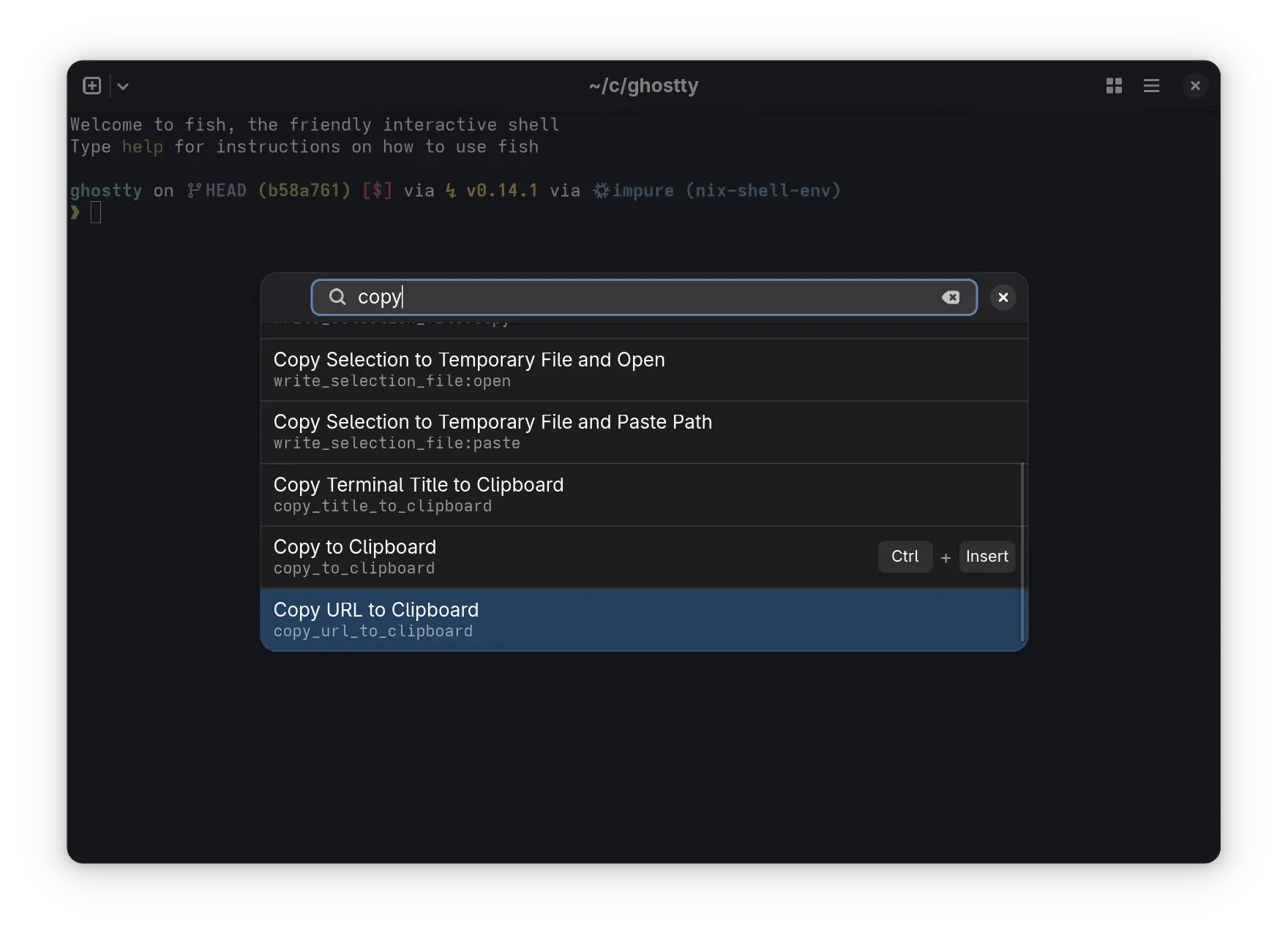
Command palette in the GTK app, from the 1.2.0 release notes: each entry shows the action identifier and its key binding where one exists.
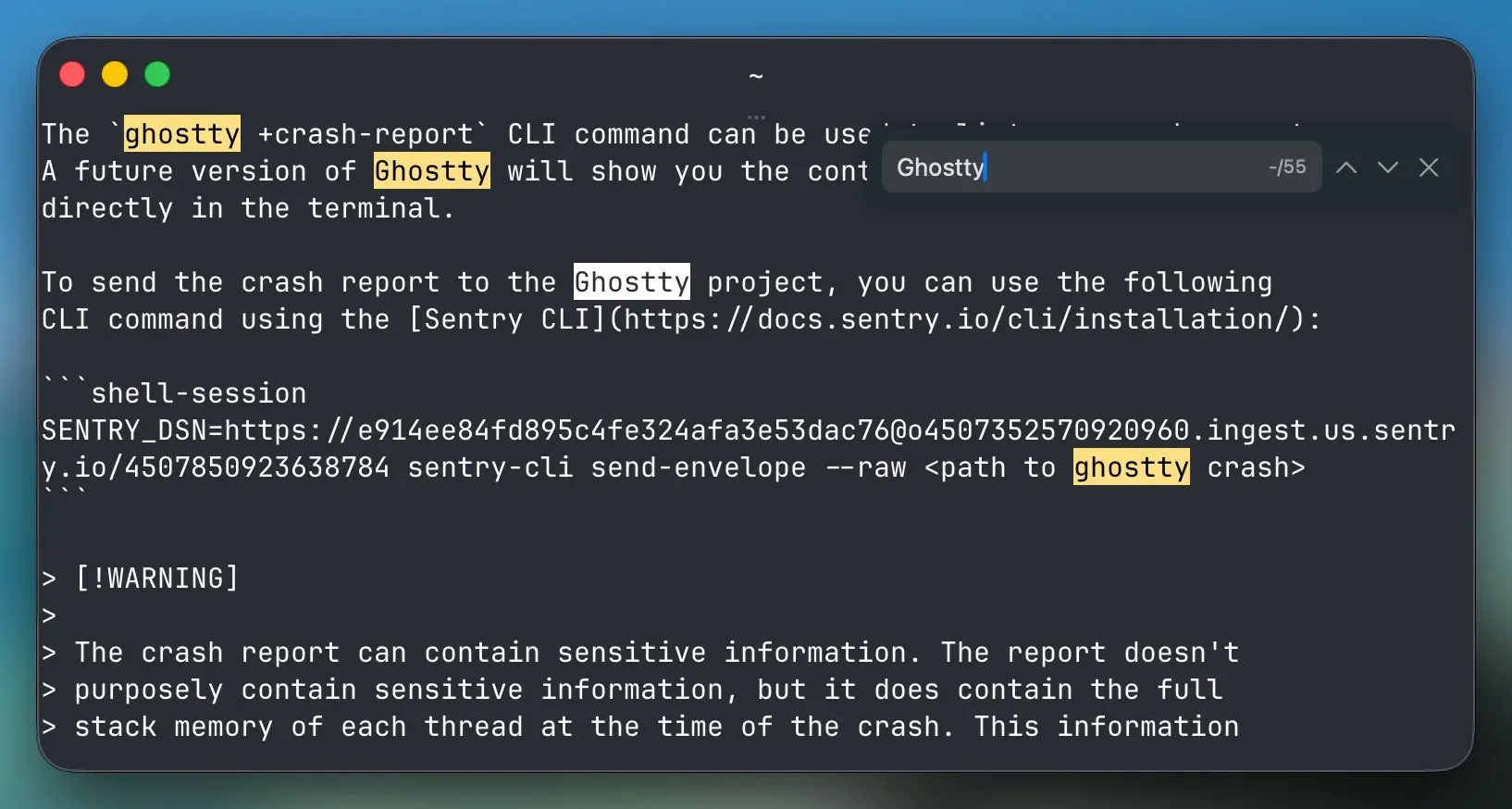
Scrollback search added in Ghostty 1.3.0: the search bar sits in a corner of the terminal and highlights every match in the viewport.
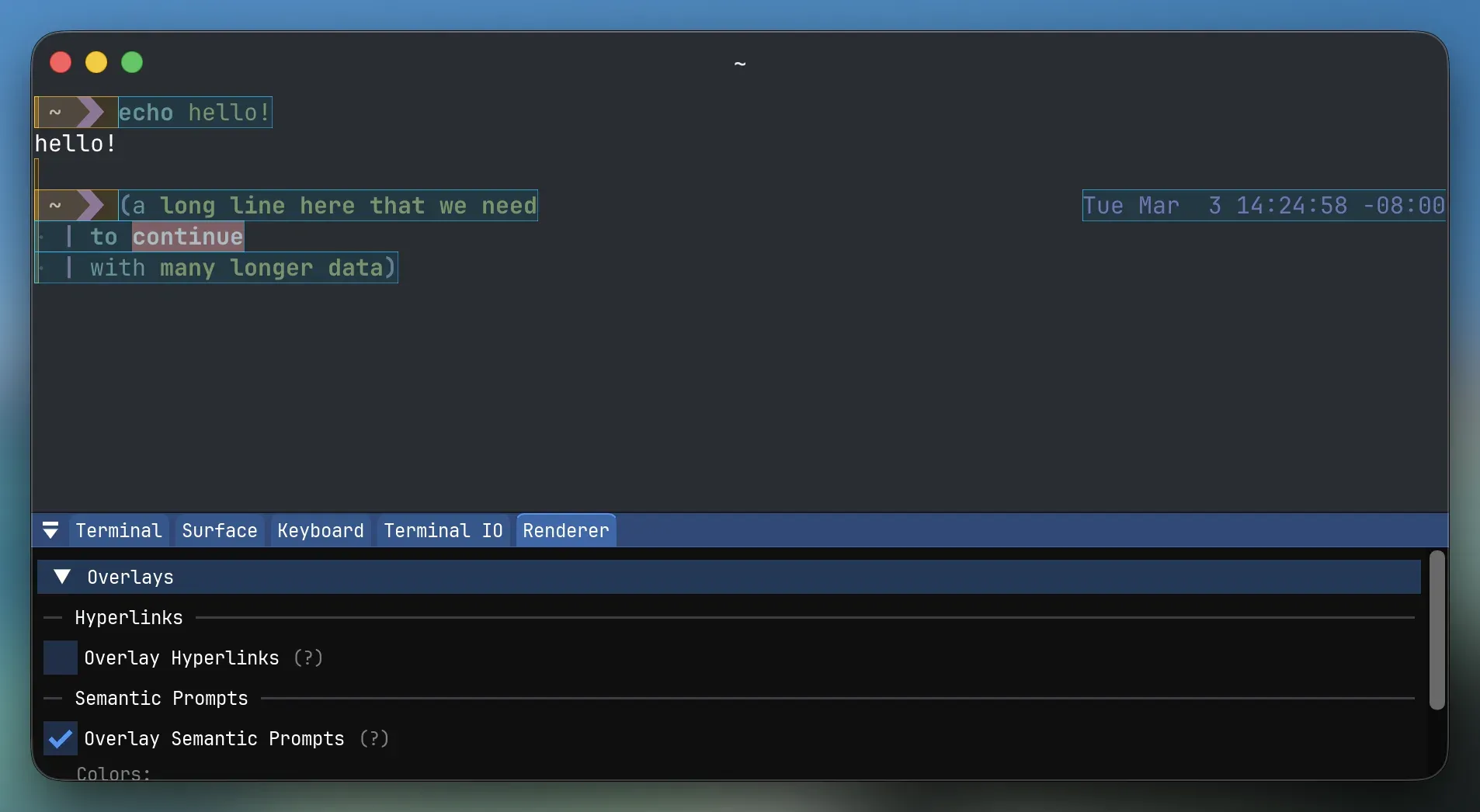
Terminal inspector from the 1.3.0 release notes, with the Renderer tab overlay outlining OSC 133 prompt and input regions.
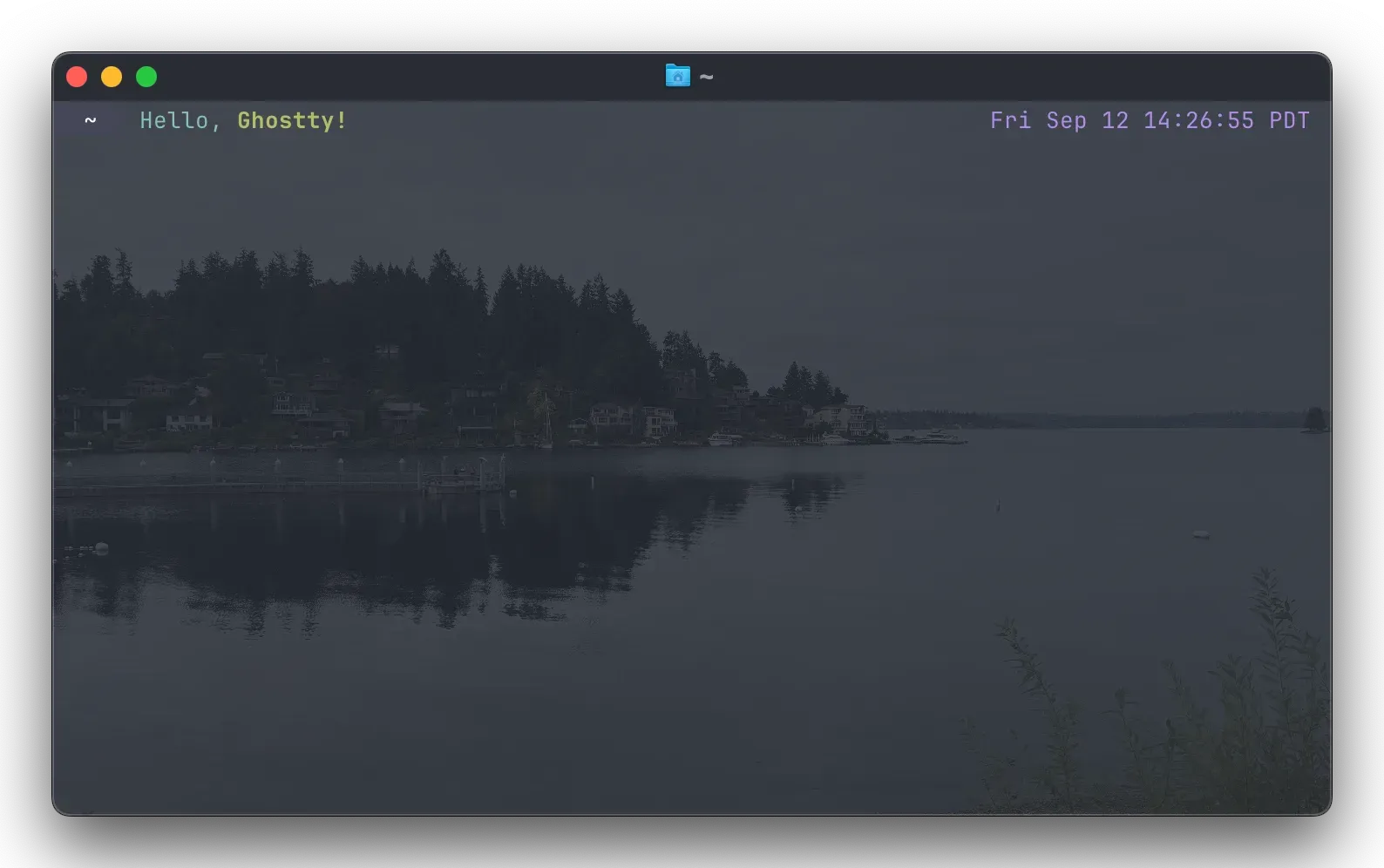
Terminal background image, an option introduced in Ghostty 1.2.0 with opacity, position, fit and repeat settings.
Source: official Ghostty project page.
Key capabilities
- Download Ghostty for macOS The download page offers a universal DMG for Apple Silicon and Intel Macs running macOS 13 Ventura or later; drag the app to Applications. Updates are delivered in-app, and since 1.3 they appear as a small dismissable notice in the window instead of a popup. A community-maintained Homebrew cask is also available (
brew install --cask ghostty). The 1.4.0 notes say macOS 13 support will be dropped in a future release. - Install Ghostty on Linux Linux packages are maintained by distributions, not by the project: for example
pacman -S ghosttyon Arch,apt install ghosttyon Ubuntu 26.04 or later,sudo zypper in ghosttyon openSUSE andnix run nixpkgs#ghosttywith Nix. A Snap (snap install ghostty --classic), Fedora COPR and Terra repositories, a Debian package script and an AppImage are community builds. Version 1.4 needs GTK 4.18, libadwaita 1.7 and OpenGL 4.3 through EGL; Ubuntu 24.04 users are pointed to Flatpak or an older Ghostty release. - Windows, tabs and splits Each window holds native tabs and splits, rendered with platform widgets rather than drawn text. Splits can be dragged to rearrange them on macOS since 1.3 and on GTK since 1.4, including into other tabs and windows; dragging a split out to create a new tab or window remains macOS-only. The
drag-handleoption (auto,always,never) controls the handle. Version 1.4 adds themove_tab_to_new_windowaction and window renaming. - Quick terminal A drop-down terminal slides in from a screen edge when its keybind is pressed. On macOS it appears below the menu bar; on Linux it works under Wayland since 1.2, with tabs, splits, runtime resizing and a default set by
quick-terminal-size. Version 1.4 addsquick-terminal-screenon GTK, global keybinds through the XDG portal and a+toggle-quick-terminalCLI action. - Command palette
cmd+shift+pon macOS andctrl+shift+pon GTK open a searchable list of keybind actions, including actions that have no key assigned. On macOS 1.4 adds fuzzy matching and action descriptions, and the palette is fully localized. Custom entries can be added withcommand-palette-entry, andcommand-palette-entry = clearremoves the defaults. - Plain-text configuration Settings live in
config.ghosttyunder$XDG_CONFIG_HOME/ghostty/, with an additional macOS path under Application Support that loads last. Each line iskey = value, files can include others throughconfig-file(a leading?makes an include optional), and every key also works as a command-line flag.ghostty +show-config --default --docsprints all options with documentation, and 1.4 adds+explain-config. Reloading usesctrl+shift+,orcmd+shift+,, although some options only apply to new terminals. - Themes, backgrounds and shaders Hundreds of color themes are bundled and selected with one
themeline; 1.4 updated the set and added 356 themes. A theme can switch automatically with the system light or dark mode, and custom themes are supported. Since 1.2,background-imagesets an image with opacity, position, fit and repeat options, and custom shaders receive cursor information for effects such as cursor trails. - Fonts and text rendering Ligatures render, and individual OpenType font features can be enabled or disabled. Multi-codepoint emoji such as flags and skin tones render as single grapheme clusters, fallback fonts are size-adjusted, and 1.4 upgrades to Unicode 18. The new GTK renderer keeps text sharp at fractional scales such as 125 or 150 percent. Right-to-left text is not laid out right-to-left.
- Standards-based terminal emulation Behavior follows published standards such as ECMA-48 first, then xterm, then other popular terminals, backed by an xterm audit and conformance cases. Since 1.4 the esctest suite runs in CI, and sequences such as DECSTR, DECXCPR and DECBKM were added. Window resizing by applications (
vt-window-resize-allowed) and checksum reports (vt-xt-checksum-report) are off by default. The terminal API reference documents supported sequences and is marked as work in progress. - Kitty graphics, keyboard and clipboard protocols Terminal programs can display images through the Kitty graphics protocol; the 1.4 notes claim full coverage of the published spec, including animation and relative placements. The Kitty keyboard protocol, synchronized rendering and light/dark mode notifications are also supported. The Kitty clipboard protocol (OSC 5522) follows the
clipboard-readandclipboard-writesettings, with single writes capped byclipboard-write-limit-bytes(64 MiB by default). - Shell integration Ghostty injects integration automatically into bash, elvish, fish, nushell and zsh when it launches them; other shells run without these extras. Integration skips the close confirmation at an idle prompt, opens new terminals in the current directory, redraws complex prompts on resize and turns the cursor into a bar at the prompt. Manual sourcing from
GHOSTTY_RESOURCES_DIRkeeps it working in nested shells, and the macOS system/bin/bashdoes not support automatic injection. Thesudoandsshwrappers are disabled by default. - SSH helper with terminfo setup
ghostty +ssh, new in 1.4, wraps the systemsshcommand, installs Ghostty's terminfo entry on the remote host and forwardsCOLORTERM,TERM_PROGRAMandTERM_PROGRAM_VERSION. If the install fails it falls back toxterm-256color. Flags such as--terminfo=falseand--forward-env=falseturn parts off, and+ssh-cache --prune=30dclears old cache entries. - Scrollback search and memory use Scrollback search opens with
cmd+forctrl+shift+f, highlights matches in the viewport and steps between them. Native overlay scrollbars follow thescrollbarsetting. In 1.4, idle scrollback is compressed (switch off withscrollback-compression), the default limit rises to 50 MB under the renamedscrollback-limit-bytes, andscrollback-limit-linessets a line-based cap. Hidden tabs release GPU resources. - Prompt-aware commands and notifications With OSC 133 semantic prompts from shell integration or a compatible shell,
jump_to_promptmoves between commands, a modifier triple-click selects one command's output and Alt or Option click moves the cursor within a prompt. Since 1.3 Ghostty can ring the bell or post a desktop notification when a long command finishes, filtered by focus state and minimum duration. ConEmuOSC 9;4sequences render as native progress bars. - macOS automation and system features A built-in AppleScript dictionary inspects and controls windows, tabs, splits and terminals, including sending text and key input; it is enabled by default and gated by macOS Automation permissions, and 1.4 adds
pid,ttyandname overrideproperties. Apple Shortcuts actions are also available. Secure Keyboard Entry activates on detected password prompts, Quick Look works on terminal text, and closed windows, tabs and splits can be restored withinundo-timeout. - Terminal inspector and local crash reports The terminal inspector shows terminal, surface, keyboard, I/O and renderer state and can overlay hyperlinks and semantic prompt regions. Crash reports are written to
$XDG_STATE_HOME/ghostty/crashin Sentry envelope format on the next start after a crash and are listed withghostty +crash-report. They are not sent anywhere automatically, and the README warns that they include the stack memory of every thread. - libghostty-vt for embedding The C and Zig library parses terminal sequences and maintains terminal state for other applications. Since 1.4 it builds for macOS, Linux, Windows, FreeBSD, Android, iOS and WebAssembly, with CMake support, Nix packaging and an xcframework. The Doxygen C API reference, the
exampledirectory and the Ghostling project show usage; the README still describes the API signatures as in flux, so pin a release tag.
Where Ghostty fits
Replacing the default macOS terminal
Install the DMG from the download page, open a few existing workflows and compare keyboard shortcuts with the old terminal. Copy only the settings you need into config.ghostty, then run ghostty +show-config to confirm the effective values. Check the 1.4 behavior changes before carrying habits over: copy-on-select now defaults to none on macOS, and cmd+arrow_up jumps between prompts again. If scripts drive the terminal, review the AppleScript dictionary and the Automation permission prompts on a test account.
Running Ghostty on a Linux workstation
Choose a distribution package first, because the project does not ship Linux binaries. Confirm that the distribution provides GTK 4.18 and libadwaita 1.7 for 1.4; otherwise stay on the packaged older release or use another documented route. After installation, test fractional scaling, the quick terminal under Wayland and global shortcuts through the XDG portal on your compositor. The help pages cover GTK single-instance and OpenGL context issues.
Working on remote servers over SSH
Remote hosts often lack Ghostty's terminfo entry, which shows up as broken keys or colors in full-screen programs. Use ghostty +ssh or enable the ssh-terminfo and ssh-env shell integration features so the entry is installed and environment variables are forwarded. Check that a fallback to xterm-256color is acceptable on hosts where installation is blocked, and prune the cache with +ssh-cache --prune when hosts are retired.
Prompt-aware shell workflows
Start a supported shell (bash, elvish, fish, nushell or zsh) and confirm that integration was injected, or source the script manually in nested shells. Then test jump_to_prompt, command output selection and click-to-move inside a prompt. Configure command-finished notifications with a minimum duration so short commands stay quiet. The shell integration guide lists what each shell supplies on its own.
Sharing one configuration across machines
Keep a base config.ghostty in version control and add machine-specific files with optional config-file = ?local.ghostty includes. Pin themes by name, since bundled theme updates can change colors. After each upgrade, run +show-config and read the release notes for renamed options such as scrollback-limit, which now maps to scrollback-limit-bytes through a compatibility layer.
Embedding a terminal with libghostty-vt
Applications that need terminal parsing or state, such as editors, multiplexers or web terminals, can link libghostty-vt from C or Zig instead of writing a parser. Build it with the packaging instructions or the CMake integration, start from the examples or Ghostling, and pin a vt-X.Y.Z tag. Rendering, fonts and windowing stay the host application's responsibility.
Reviews of Ghostty
Be the first to share your experience with Ghostty.
Write a review
Loading review form…
Related to Ghostty
 ZedZed is an open source code editor from Zed Industries, written in Rust for speed, with AI agent editing, real-time collaboration and native Git support.TTuxeeTuxee is an MIT-licensed web interface for Linux files and persistent terminals, run as a Debian-based Docker container or installed on an existing server.
 AiderOpen-source command-line tool for editing code with LLMs inside a local git repository. It builds a repository map, applies model edits to files, commits each change, runs linters and tests, and works with most hosted and local models.