

What is Aider?
Aider is an open-source command-line tool for pair programming with large language models inside a local git repository. You start aider in a project directory, name the files that should change and describe the task in a chat prompt. Aider sends the request to the configured model together with selected code context, applies the returned edits to the files on disk and commits each change to git with a generated message. It works on new projects as well as existing codebases, and the model documentation covers hosted APIs, OpenAI-compatible endpoints and local runners.
The project is published by Aider AI LLC, which the FAQ describes as the company behind the tool, and GitHub releases are authored by maintainer Paul Gauthier. The repository was created in May 2023 and the source is licensed under Apache-2.0. Each entry in the release history states how much of the new code aider wrote itself; the figure is computed with a git blame script over source files and was 88% for version 0.86.0.
Aider is distributed as the aider-chat Python package. The installation guide recommends aider-install, uv or pipx, which keep aider in its own environment and fetch a separate Python 3.12 when needed; one-line scripts based on the uv installers exist for macOS, Linux and Windows PowerShell. The current PyPI package declares Python 3.10 to 3.12. Two Docker images are documented: paulgauthier/aider with the core and paulgauthier/aider-full with optional extras such as the browser UI, interactive help and Playwright scraping. The docs warn that system package managers often install aider with incorrect dependencies.
The latest GitHub release is v0.86.0, published August 9, 2025. It added support for the GPT-5 model family across OpenAI, Azure and OpenRouter, Grok-4 and Kimi K2 model names, clearer /clear and /undo output, and a bump to litellm 1.75.0. Version 0.86.1 added a reasoning effort setting for GPT-5, and a 0.86.2 package followed on PyPI in February 2026. The release history lists further main-branch changes not yet in a tagged release, including Claude 4.5 and 4.6 aliases, Gemini 3 preview models, GPT-5.1 to 5.4 settings, an /ok shortcut and repository map tags for Fortran, Haskell, Julia and Zig. Commits continued into May 2026, while tagged releases have slowed compared with the monthly cadence of early 2025.
Aider is written in Python and reaches model providers through LiteLLM. Its repository map is built from tree-sitter tags and ranked with a graph algorithm, and edits come back in one of several text edit formats such as search/replace blocks, whole files or unified diffs. Aider does not include a hosted model, a managed cloud service or a sandbox for shell commands: you supply API keys or a local model, and commands it proposes run on your machine after confirmation. The browser interface is labelled experimental, and the Python scripting interface is described as unsupported and subject to change.
Aider screenshots
Explore the interface. Open a screenshot to view it at full size.
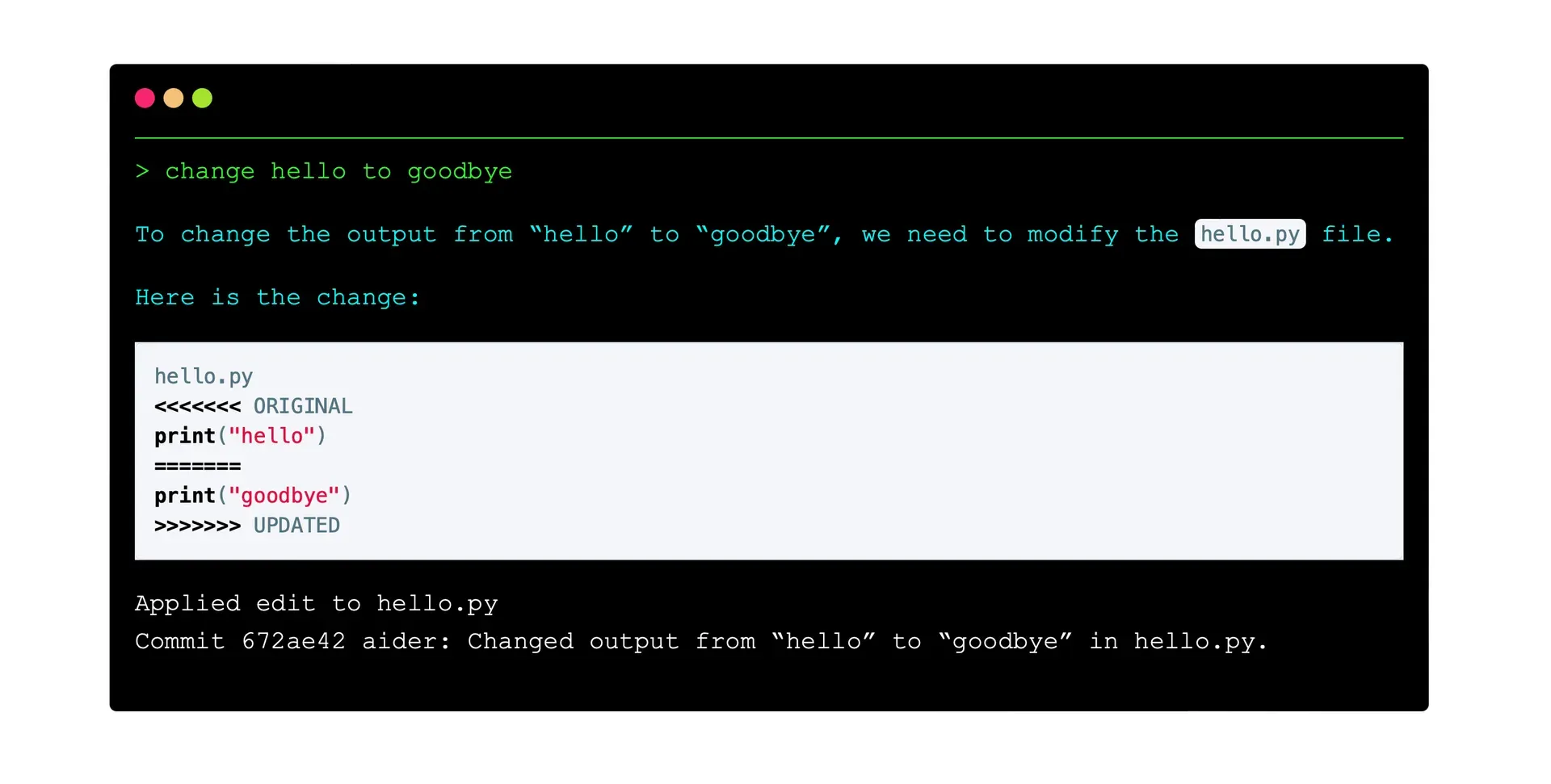
Official aider screenshot of a chat request, the edit block it produced and the automatic git commit. It shows an older edit block style.
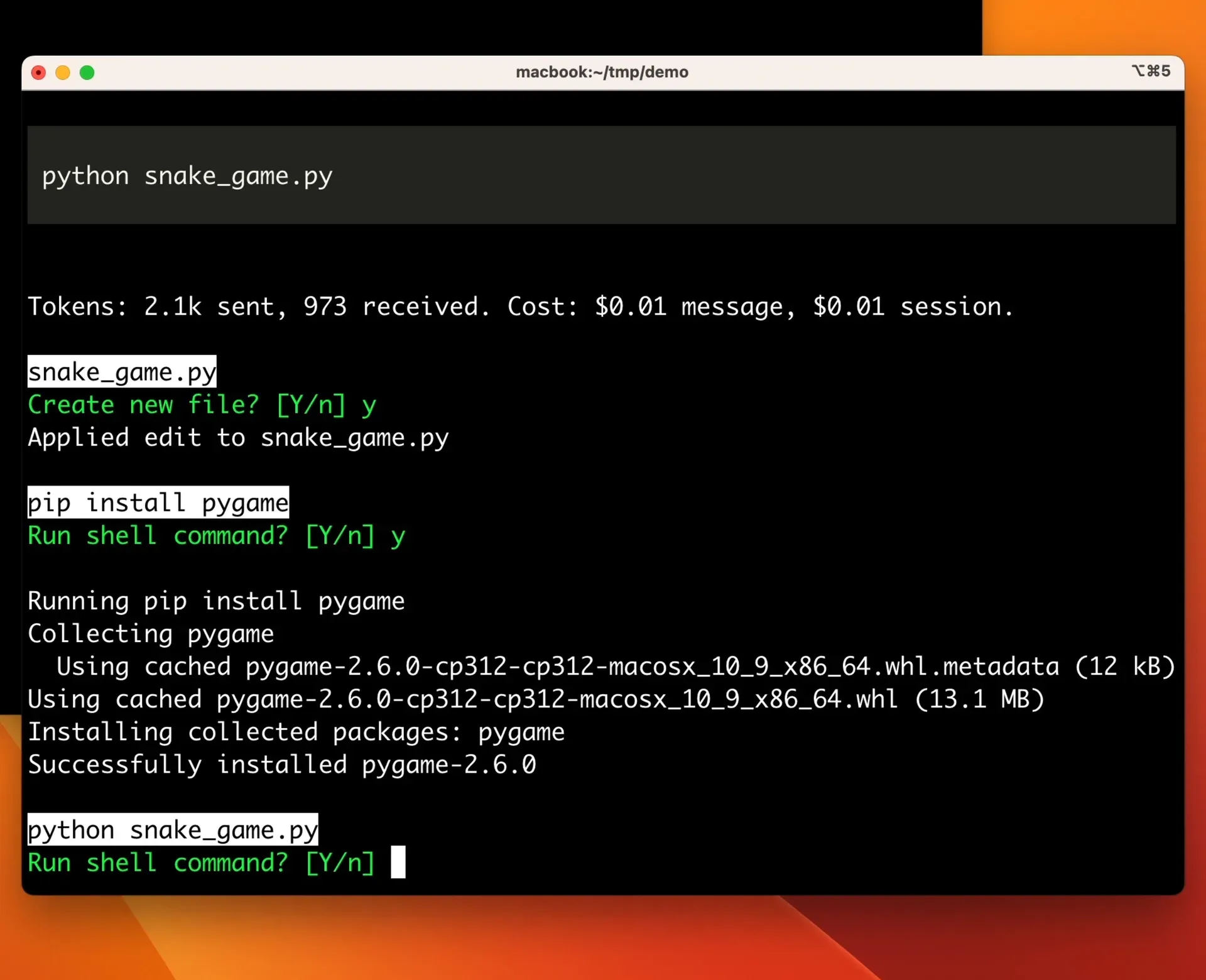
Official screenshot of aider proposing shell commands, each confirmed before it runs, with per-message token and cost output.
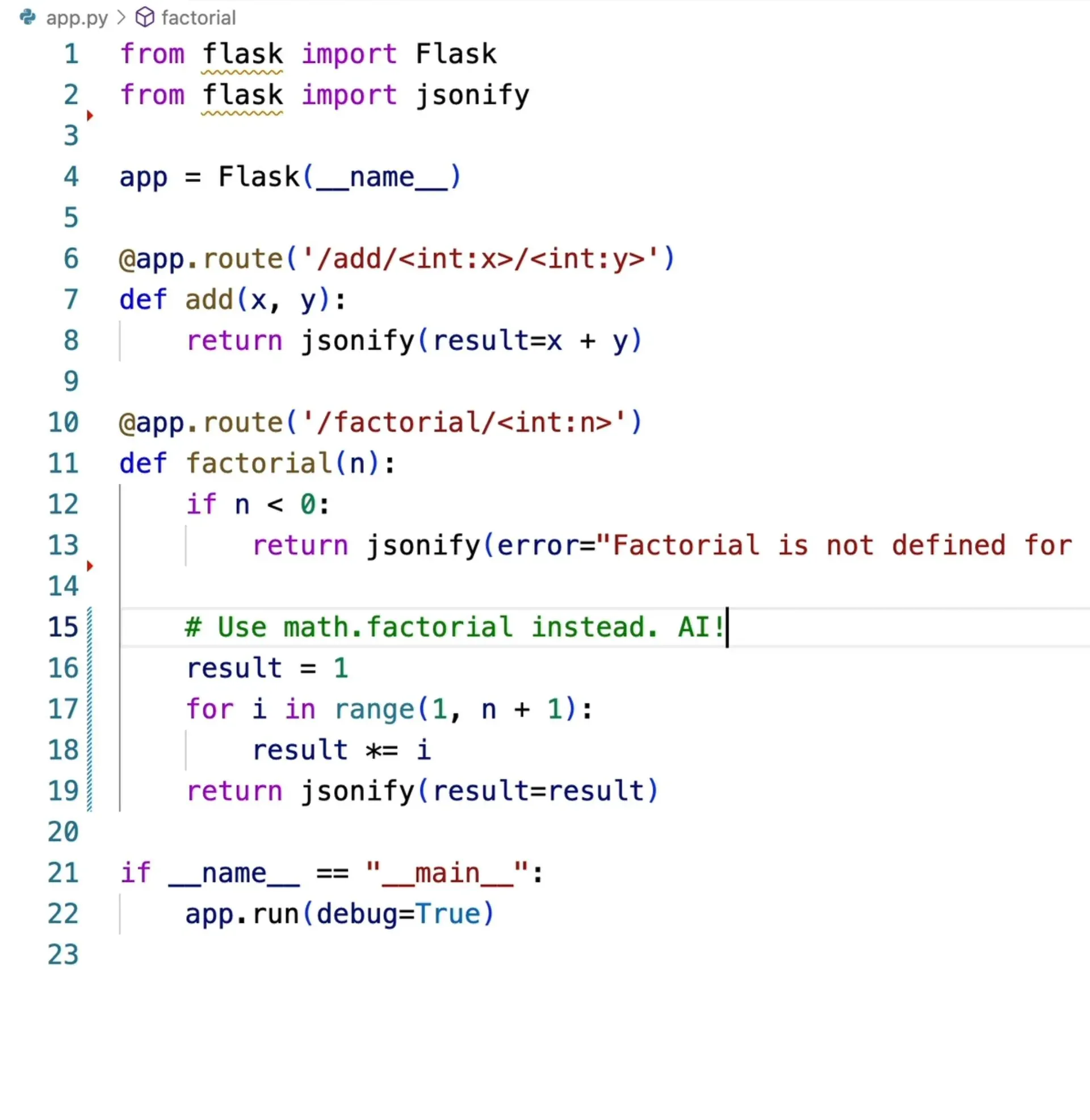
Official image from the IDE documentation: an AI! comment that aider picks up when running with --watch-files.
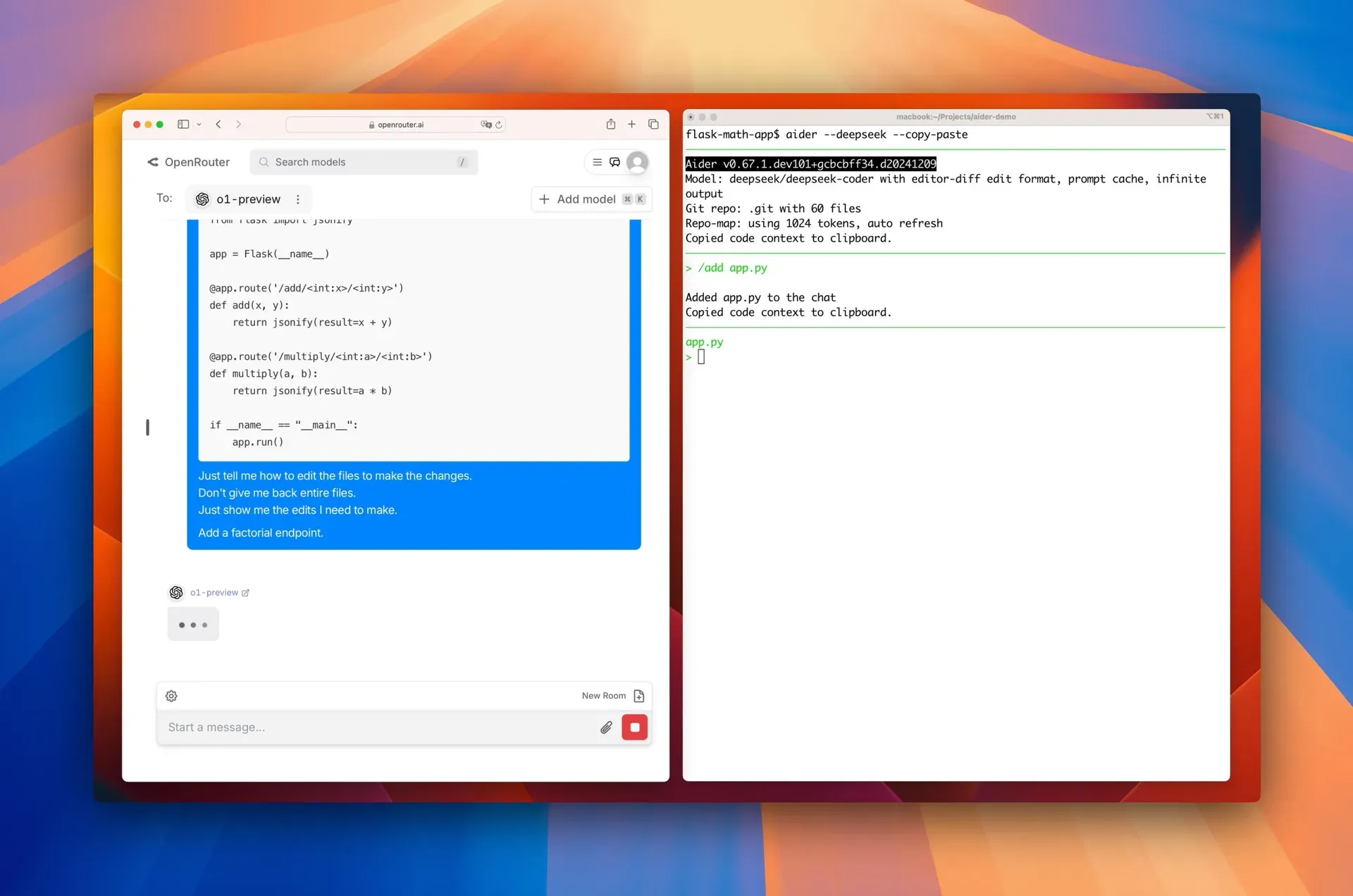
Official screenshot of the copy and paste workflow between a web chat model and aider in the terminal (aider 0.67 development build).
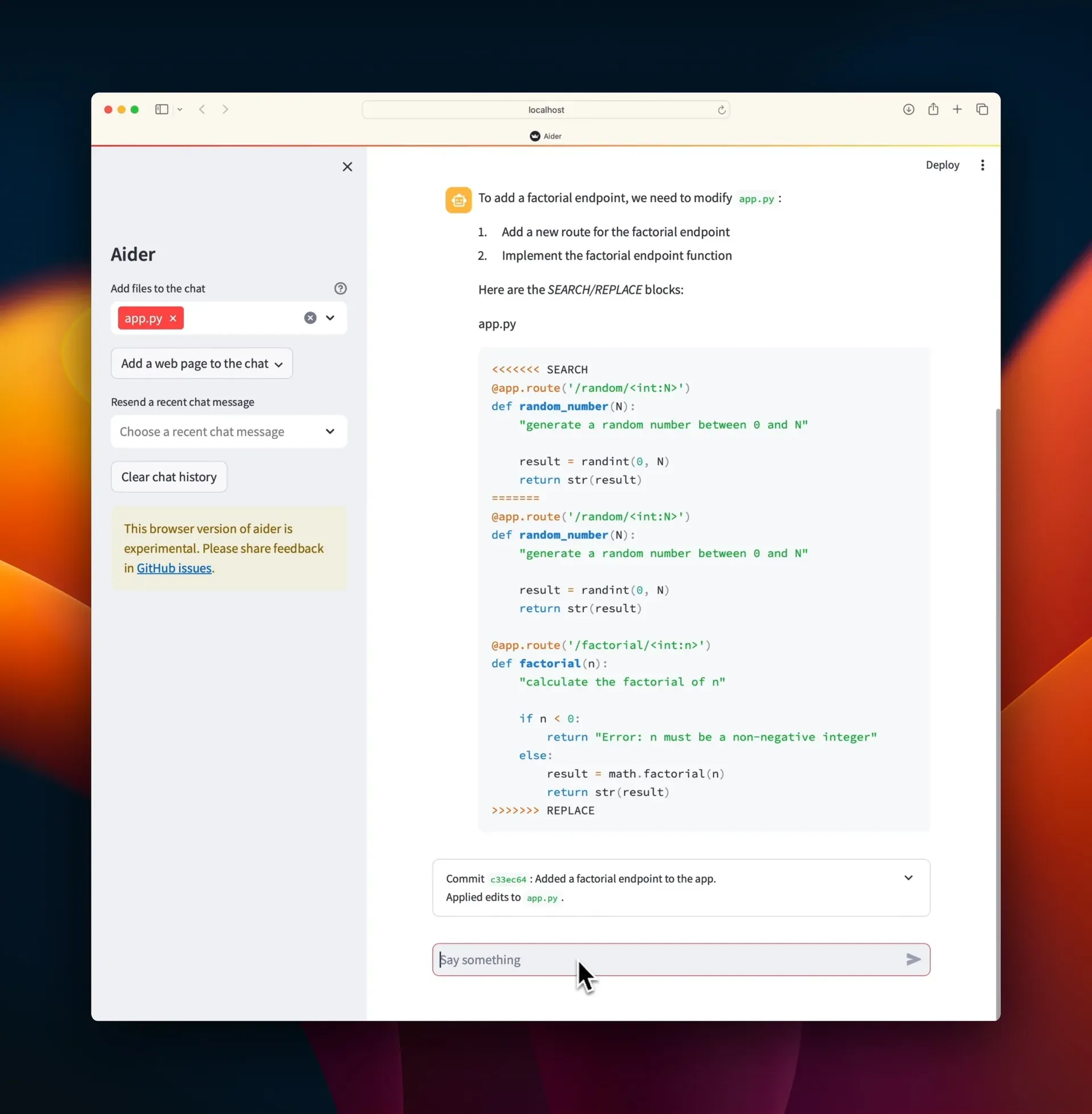
Official screenshot of the experimental aider --browser interface editing and committing a local file.
Source: official Aider project page.
Key capabilities
- Chat-driven code edits in the terminal Run
aider file1 file2and describe a change at the prompt; aider shows the diffs it applies to those files. Only files added to the chat are edited, either from the command line or with/add, and new file names can be given for files aider should create. The usage guide advises adding just the files a task needs, because extra files cost tokens and can confuse the model. - Automatic git commits and undo Every edit aider makes is committed with a descriptive message written by the weak model, following Conventional Commits by default. Uncommitted work in a dirty file is committed separately first so your changes and the model's changes stay apart.
/undodiscards the last aider commit,/diffshows changes since your last message, and--no-auto-commitsor--no-gitturn the behaviour off. The git integration page lists all switches. - Commit attribution Since 0.85 aider adds a Co-authored-by trailer to its commits by default; older versions appended "(aider)" to the git author and committer names, which can still be enabled explicitly. Options such as
--attribute-commit-message-authoradd an "aider: " prefix to messages instead. Pre-commit hooks are skipped unless--git-commit-verifyis set, which teams with hook-based checks should note. - Repository map Aider sends a compact map of the whole repository with each request: file names, key classes and functions and their signatures. The map is built from tree-sitter tags and trimmed with a graph ranking to fit a token budget set by
--map-tokens, 1,024 tokens by default, which aider can exceed when no files are in the chat. The repository map documentation explains the ranking. - Broad language coverage The README cites support for more than 100 languages, and the languages page lists which have built-in linting and which have repository map support, with parsers supplied by tree-sitter-language-pack. Languages without a tags file still work for editing, only without map context. Recent releases added map support for MATLAB, Clojure and OCaml.
- Chat modes: code, ask, architect and help Code mode edits files, ask mode discusses the code without changing it, and help mode answers questions about aider itself. Architect mode sends the request to a main model for a proposal and then to an editor model that turns it into file edits, which costs two requests. Modes switch per message with
/askor/architect, or persistently with/chat-mode; see chat modes. - Many model providers Aider connects to OpenAI, Anthropic, Gemini, DeepSeek, xAI, Groq, Cohere, Azure, Amazon Bedrock, Vertex AI, OpenRouter, GitHub Copilot tokens and any OpenAI-compatible API. Model aliases such as
sonnetorgeminipoint at current versions, and/modelswitches during a session. The docs warn that models weaker than GPT-3.5 may fail to return usable edits. - Local models Ollama, LM Studio and other servers with an OpenAI-compatible API can serve models on your own hardware, with prompts and code staying local. Quality depends heavily on the model; the LLM leaderboards show how models score on aider's polyglot benchmark of 225 Exercism exercises in six languages.
- Edit formats Models return changes as whole files, search/replace blocks (diff and diff-fenced), unified diffs, or editor-diff and editor-whole for architect mode. Aider picks a format per model and
--edit-formatoverrides it. A mismatched format is a common cause of edits that fail to apply. - Lint and test loop After each edit aider runs a built-in linter for supported languages or a command set with
--lint-cmd, and can run tests with/testor--test-cmd. When the command exits non-zero, the output goes back to the model to fix. Formatters that exit non-zero after reformatting need a wrapper script, as described in linting and testing. - AI comments from any editor With
--watch-files, aider watches the repository for one-line comments ending inAI!to request a change orAI?to ask a question, in#,//or--style. This lets you trigger aider from VS Code, JetBrains IDEs, Vim or any editor without a plugin, as the IDE page shows. - Shell commands with confirmation Aider can suggest shell commands such as installing a package or running a program, and asks "Run shell command?" before each one.
/runexecutes a command and can add its output to the chat. There is no sandbox, so commands run with your user permissions. - Images, web pages and voice Vision-capable models accept screenshots and mockups through
/addor/paste./webscrapes a URL into markdown, with Playwright as an optional dependency for JavaScript pages./voicerecords speech and transcribes it into a prompt, after the optional audio dependencies are installed. - Copy and paste with web chats
/copy-contextcopies the added files, read-only files and repository map to the clipboard for use in a web chat, and--copy-pasteapplies edits pasted back. This suits workplaces that allow a model only through a web interface, with a cheaper API model applying the edits. - Prompt caching and conventions
--cache-promptsstructures requests so providers such as Anthropic and DeepSeek can cache the system prompt, read-only files and repository map, and--cache-keepalive-pingskeeps the cache warm. Coding rules go in a file such asCONVENTIONS.mdloaded read-only with--read, or permanently through.aider.conf.yml. - Configuration and scripting Settings come from command-line flags,
AIDER_environment variables, a.envfile or.aider.conf.yml, documented in the configuration reference.--messageruns one instruction and exits, which allows shell loops over many files, and--yesanswers prompts. A PythonCoderclass can be scripted, but the docs state that API is unsupported and may change. - Experimental browser UI
aider --browserstarts a local web interface with file selection, URL import and chat history, editing and committing the same local repository. It needs the browser extra or the full Docker image and is labelled experimental. - Installation on macOS, Linux and Windows On macOS and Linux run
curl -LsSf https://aider.chat/install.sh | sh; on Windows the PowerShell command downloadsinstall.ps1. Alternatives arepython -m pip install aider-installfollowed byaider-install,uv tool install aider-chat, pipx, or the Docker images, where/runexecutes inside the container and voice needs host audio access.
Where Aider fits
Making a scoped change in an existing repository
Commit or stash your own work, start aider in the repository root with the files that need changing, and describe the change. Use ask mode first for anything non-trivial, agree on an approach, then switch to code mode and say "go ahead". Review each diff aider prints and the resulting commit with your normal git tools. If an edit is wrong, /undo removes that commit. Check that aider did not touch files outside the chat and that the commit message matches the change.
Fixing lint and test failures in a loop
Set --lint-cmd per language and --test-cmd to your test runner, or call /test during a session. Aider feeds failing output back to the model and attempts a fix. Keep the test command fast and deterministic, because each failure costs a model request. Watch for the model changing tests instead of code, and cap long fix loops by reviewing after a few attempts.
Working with an expensive reasoning model and a cheaper editor
Architect mode pairs a strong planning model with an editor model that writes the file edits, for example a reasoning model as architect and a cheaper chat model as editor. Set --architect, --model and --editor-model, and pick editor-diff or editor-whole formats as recommended. Compare token costs shown after each message, since two requests are made per turn, and use the leaderboards to choose pairs.
Running aider with local models
Point aider at an Ollama or LM Studio server, or any OpenAI-compatible endpoint, with a model name such as ollama_chat/ plus the model. Ollama defaults to a 2k context window and silently drops overflow, so check the window aider sets or fix one with num_ctx in the model settings; the repository map and added files must fit. Expect lower edit success with small models; if edits fail to apply, try another edit format or a larger model. This keeps code and prompts on your own hardware.
Batch edits from scripts and CI
Use aider --message "..." file in a shell loop to apply the same instruction to many files, with --yes for non-interactive runs and --dry-run to preview. Run on a dedicated branch so every change lands as a separate commit that can be reviewed in a pull request. Pin the aider version and model name, because model aliases and defaults change between releases.
Requesting changes from your editor
Start aider --watch-files in a terminal next to VS Code, a JetBrains IDE or Vim, then write a comment such as "add error handling AI!" where the change belongs. Aider collects all AI comments, edits the files and removes the comments. Save the file to trigger it, keep the terminal visible to confirm prompts, and use the terminal chat for undo and context management.
Install
curl -LsSf https://aider.chat/install.sh | shReviews of Aider
Be the first to share your experience with Aider.
Write a review
Loading review form…
Alternatives to Aider
 ClineApache-2.0 coding agent from Cline Bot Inc. that edits files, runs commands and uses MCP tools with per-action approval. Ships as a VS Code extension, JetBrains plugin, npm CLI, desktop app and TypeScript SDK, with BYOK or Cline-billed models.
 Codex CLIOpen-source Rust CLI from OpenAI that reads a repository, edits files and runs local commands inside a sandbox with approval prompts. Includes code review, MCP, skills, codex exec for CI, a TypeScript SDK and an app-server.OOpenCodeOpenCode is an open-source AI coding agent available through a command-line interface and a beta desktop app. It provides separate agents for development work and read-only code exploration.