What is HarnessRouter?
HarnessRouter is an infrastructure layer for running existing agent harnesses, such as Codex, Claude Code and Hermes, as backends for a product. A harness in this sense is a complete agent runtime: the loop that plans, calls tools, edits files and reports back. Instead of integrating each harness separately, an application sends tasks to one API and selects the harness per request with metadata.harness_id. The repository at github.com/HarnessRouter/harnessrouter contains HarnessRouter Community Edition, the self-hosted edition, released under the Apache 2.0 license.
Community Edition ships as one Docker image, harnessrouter/harnessrouter. The container holds three components: a Console on port 3000 (the only published port), a Gateway on port 8080 that serves the Responses API and the harness lifecycle, and a Runner on port 8081 that executes harnesses in session workspaces. Gateway and Runner listen only on loopback inside the container. State lives on a /data volume as SQLite plus files, secrets and workspaces. Harness CLIs are not baked into the image: they are installed into the volume on first launch, controlled by the HR_BACKENDS variable. The README lists Docker, about 4 GB of disk and an API key from a model provider as requirements, with no HarnessRouter account and no bundled model key.
The project also defines the Unified Harness Protocol (UHP), which it describes as an open standard for running complete agent harnesses as shared infrastructure. UHP is an HTTP contract whose task surface is compatible with the OpenAI Responses API. The repository holds the specification (current version 2026-10-19, status draft standard), OpenAPI 3.1 and JSON Schema 2020-12 definitions, a runnable conformance suite and a governance document. Community Edition is the Apache 2.0 reference implementation of that protocol.
Alongside the open-source edition, the company operates HarnessRouter Cloud at harnessrouter.ai, a managed service that runs each task in its own serverless, isolated sandbox through the same API contract. The pricing page lists Free, Developer, Production, Scale and Enterprise plans for Cloud. Community Edition has no billing component: users pay their model providers directly.
The latest release at the time of writing is v0.41.13, published on November 12, 2026. Its notes describe session processes now starting through setpriv with a scrubbed environment, a runner that holds no secret in its own environment, and source metadata tags on resources HarnessRouter creates at Qoder. Releases are frequent, with release candidates published as pre-releases. Harness CLIs installed on first launch remain under their own upstream licenses, and the separate Starter Kits repository uses its own license terms.
Key capabilities
- One API for 31 harness bases The README lists Codex, Claude Code, Hermes, Pi, DeepSeek Harness, OpenCode, Kilo Code, Qwen Code, Gemini CLI, Cline, Oh My Pi, goose, Kimi Code CLI, MiniMax Code, Aider, OpenHands, CheetahClaws, Grok Build, Agent Zero, System One, Qoder Cloud Agent, MiMo Code, jcode, OpenSquilla, nanobot, ZeroClaw, Mistral Vibe, Docker Agent, fast-agent, Deep Agents Code and Roder. The support matrix records which bases run on which model provider. A base that is left out of
HR_BACKENDSor fails to install is shown as not installed, and the others keep working. - OpenAI Responses-compatible endpoint Tasks are sent to
/api/harness/v1/responseson the instance with a bearer API key created in the Console. The harness is chosen withmetadata.harness_idand the model withmodel. The project states that existing Responses SDKs, streaming parsers and UI components can work against it. The full API is described in an OpenAPI document at/v1/openapi.json, with a browsable copy at/v1/docs. - Persistent sessions Follow-up instructions continue a session through
previous_response_id. Each session gets its own workspace and operating-system user inside the container, rather than a separate container. Workspaces sit on the data volume, so a restart does not discard work in flight. - Streaming progress Setting
"stream": truereturns server-sent events while the agent works. The UHP conformance suite checks that event sequence numbers are gapless and that a stream is delivered progressively instead of being buffered until the end. - Files and artifacts Input files are uploaded with
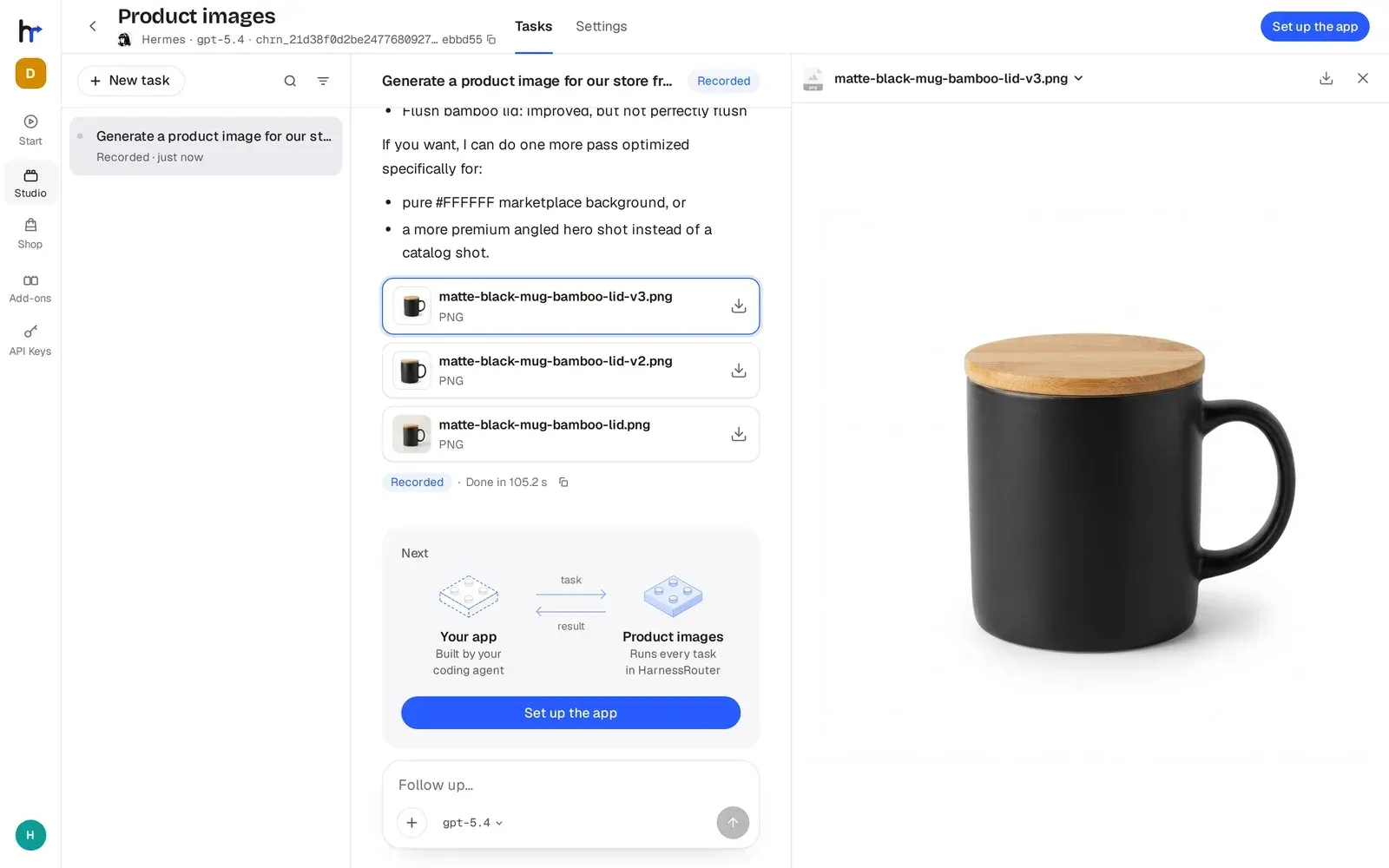
POST /v1/filesand referenced as aninput_fileblock. The file is placed in the agent's working directory before every turn that carries it. Generated outputs are returned as artifacts that the product can download. - Cancellation and structured failures Running work can be cancelled through the same contract. Failures come back in a structured error envelope, and the hosted product describes every run ending in a defined terminal state, for example a timeout reported as incomplete with a reason and partial work kept.
- Idempotent retries Repeating a request with the same
Idempotency-Keyheader returns the first result without starting a second execution. If the first request is still running, the retry waits for it. Reusing a key with a different request body returns HTTP 409. - Trace context propagation W3C
traceparentandtracestateheaders on a request make the task's model calls carry a child span of the caller's trace. Invalid trace headers are dropped rather than refused, andbaggageis never read. - Secrets through environment references A harness takes an
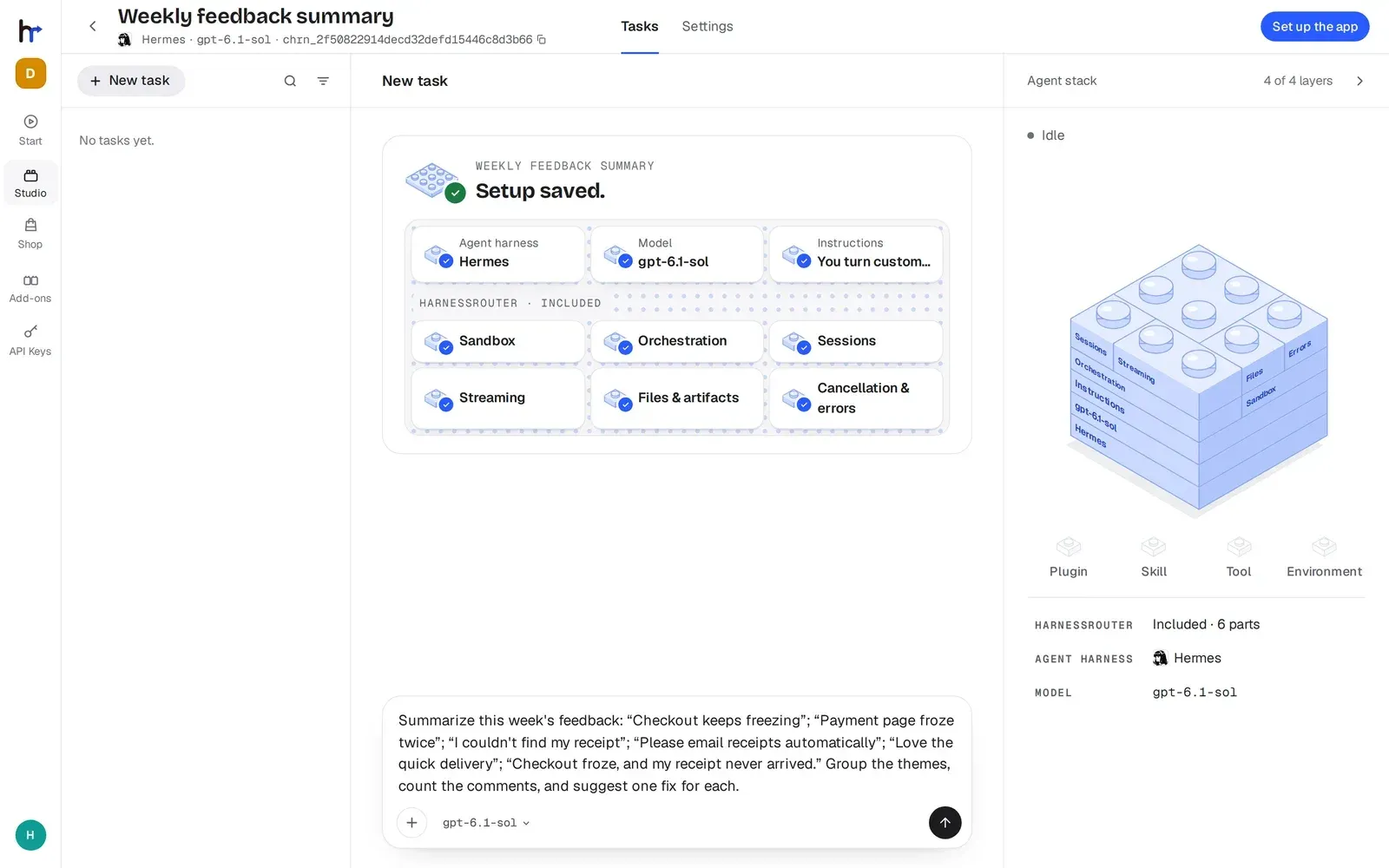
envmap whose values can reference a request header or a stored secret (vault:name). Values that arrive through a reference are redacted from the response, the stream, the trace and the stored record. The README notes that redaction protects the record, not the agent, which can still read the value. - Console and Studio The web Console creates agent setups from a one-sentence description: it picks a harness, model, skills, plugins and tools on one of the user's own models and writes the instructions. Studio settings change model, instructions, skills, plugins, tools, environment and limits. According to the setup guide, the Console is the hosted product's console with account, billing and marketplace surfaces hidden.
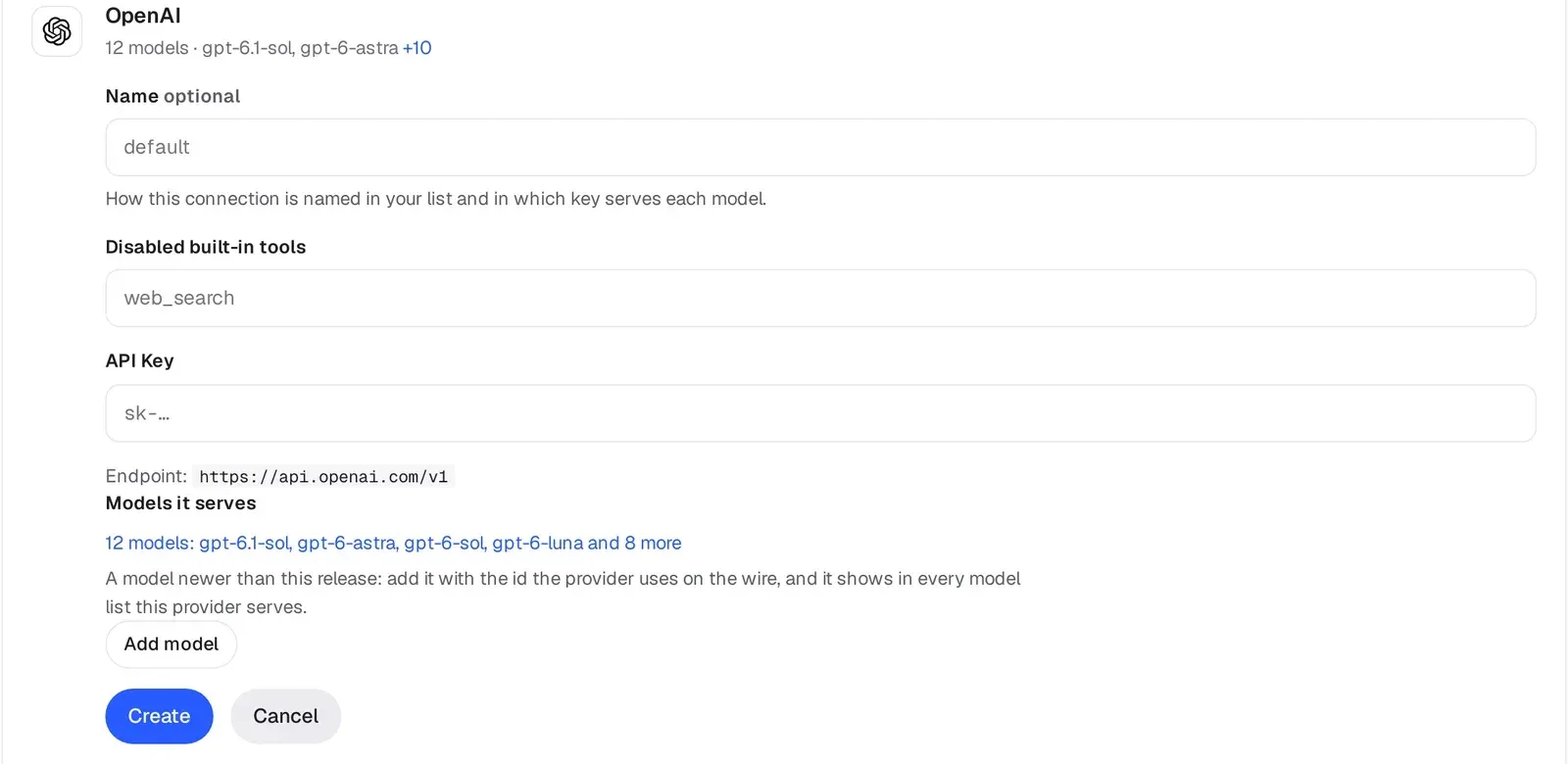
- Bring your own provider keys Model provider keys are added under Bring your own key, or supplied through environment-based connection policies. Credentials are not baked into the image. In Community Edition a turn is bounded by
max_stepandtimeout_seconds, not by cost. - Plugins, environments and memories Workspace plugins include Browser, GitHub, Vercel, InsForge and Microsoft 365. Environments package a project's files and installed dependencies once and mount them read-only at
/env/<slug>in each task. An optional script starts four open-source memory engines beside the instance so agents keep memory per person across sessions. - Unified Harness Protocol and conformance suite The repository contains the UHP specification, schemas and a Python conformance suite installed with pip and run as
uhp-conformanceagainst any server URL. The suite README lists 101 checks in three cumulative classes: Core, Extended and Full. It runs about seven real agent tasks, which consume model tokens. - Starter kits The Shop page in the Console launches ready-made kits for Slides, Sheets, Dashboards, Videos and a Harness Bot that installs AI teammates as harnesses. The kits live in a separate repository under the HarnessRouter Starter Kit License.
- Docker installation One
docker runcommand with a named volume starts the instance on127.0.0.1:3000. The first launch installs the enabled harness CLIs; the instance generates its own initial password, readable from/data/selfhost-initial-password. The setup guide covers Docker Compose, version pinning, upgrades, backups and public deployment with TLS. - Upload to Cloud A custom harness configured locally can be uploaded to a HarnessRouter Cloud workspace from its Settings. The upload copies harness configuration only, not provider keys, sessions or generated files.
Where HarnessRouter fits
Adding agent features to a product backend
The README describes running product tasks, such as content generation or data analysis, on a configured harness through the Responses-compatible API. The product backend stores a Console-issued API key as HARNESSROUTER_API_KEY, sends tasks with a harness ID and model, and receives results, streamed events and files. The documentation states the key must stay out of browser code.
Switching harnesses and models by configuration
A saved harness object combines a base runtime, a model, instructions and limits. Because the request contract stays the same, a product can move a task from one harness base to another by changing the harness ID. The project publishes a benchmark page comparing cost and latency of eight harness and model configurations on the same task, and notes that results vary by task.
Self-hosting with local keys and data
Community Edition runs Console, Gateway and Runner in one container with SQLite and files on a local volume. Provider keys, sessions, files and workspaces stay on that host, while model requests go to the configured provider. The Console product analytics pipeline is disabled in this edition.
Implementing or testing a UHP server
Developers building their own server or client can follow the specification chapters for lifecycle, harnesses, tasks, streaming, sessions, files and errors, and the guides for implementing a server or a client. The conformance suite defines what "UHP conformant" means at each class, and its exit code is designed for CI use. Changes to the protocol go through UHP Enhancement Proposals described in the governance document.
Moving from self-hosted to managed Cloud
Teams that start on Community Edition can upload a custom harness to HarnessRouter Cloud, which runs each task in a serverless isolated sandbox and adds execution tracing, managed concurrency and harness and model comparison. Cloud plans and usage rates are listed on the pricing page.
Running starter kits on an own instance
The Shop page launches complete example products, each with an app, a configured agent and a skill. The Dashboards kit reads a database schema and writes SQL for charts; the setup notes ask for a read-only database account and state that stored connections are encrypted at rest. Similar projects on iThub include Omnigent, Omnara and Free Claude Code.
Install
docker run -d --name harnessrouter -p 127.0.0.1:3000:3000 -v harnessrouter:/data harnessrouter/harnessrouterReviews of HarnessRouter
Be the first to share your experience with HarnessRouter.
Write a review
Loading review form…
Found HarnessRouter useful? Upvote it todayYour vote helps other IT teams find it in the daily ranking.