

What is Free Claude Code?
Free Claude Code, abbreviated FCC, is an open-source local proxy server published in the Alishahryar1/free-claude-code repository. According to its README, it routes any supported coding harness to models from any supported provider. The README lists 12 harnesses: Claude Code, Codex, Pi, OpenCode, Cline, Hermes, DeepSeek Harness, Grok Build, Muse Code, Aider, Antigravity CLI and VS Code Chat. It states that native streaming, tool use and interleaved thinking are preserved, and that for Claude Code the Fable, Opus, Sonnet and Haiku tiers can each be routed to a chosen model.
The README counts 61 supported providers, covering free, paid, subscription and local options, and states a figure of more than 1.3 billion free tokens per month. It adds that free-tier availability and limits are controlled by each provider and may change. On terms of service, the project states that FCC follows provider terms and removes integrations if they stop being allowed. The README also carries the notice that FCC is an independent open-source project, not affiliated with or endorsed by Anthropic, and that Claude and Claude Code are trademarks of Anthropic. For some subscription providers it quotes their limits: Kimi Code plans and the QwenCloud Coding Plan are described as intended for personal, interactive coding-agent use under those providers' own terms.
FCC runs as a server on the user's computer. On Windows and macOS it is opened as the Free Claude Code app from the desktop, Start menu or Applications folder, with a tray or menu-bar icon; on Linux it is started with fcc-server. The server opens a browser-based Admin UI with pages for Providers, Model Config, Messaging, Integrations and Code sessions. Launcher commands such as fcc-claude, fcc-codex and fcc-opencode start the server and the chosen harness together. Other Chat Completions clients can use the OpenAI-compatible base URL, by default http://127.0.0.1:8082/v1.
Beyond terminals, the README describes use from desktop apps (Codex App, Claude Desktop and DeepSeek Desktop), IDE extensions for VS Code and JetBrains, Discord and Telegram bots with voice notes, and native Code sessions in the browser UI. It lists reliability features for provider outages: automatic retries, configurable rate limits and concurrency, model and provider fallback, and fallback across several API keys. Optional RTK and Headroom integration is described as reducing token usage by up to 90%.
The project is written in Python (the README badge names Python 3.14) and installed with uv through official install scripts. The latest release, v6.19.6 of November 10, 2026, advertises a Claude Fable 5.2 shortcut and ships a Python wheel and source archive. The code is licensed under the GNU Affero General Public License version 3 only. Other model gateways listed on iThub include LiteLLM and OmniRoute.
Free Claude Code screenshots
Explore the interface. Open a screenshot to view it at full size.
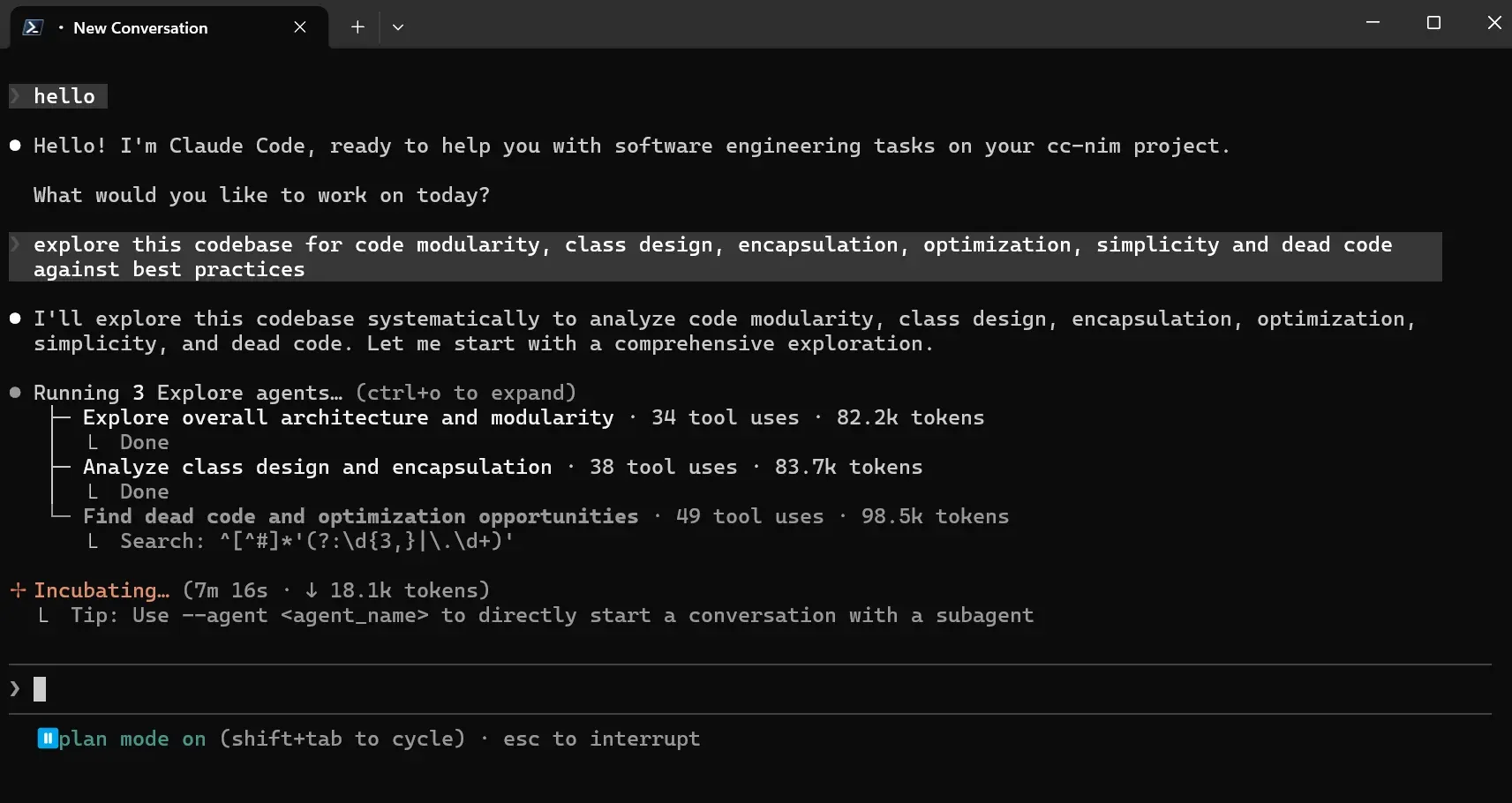
Claude Code running with FCC, from the README: a session exploring a codebase with three parallel Explore agents.
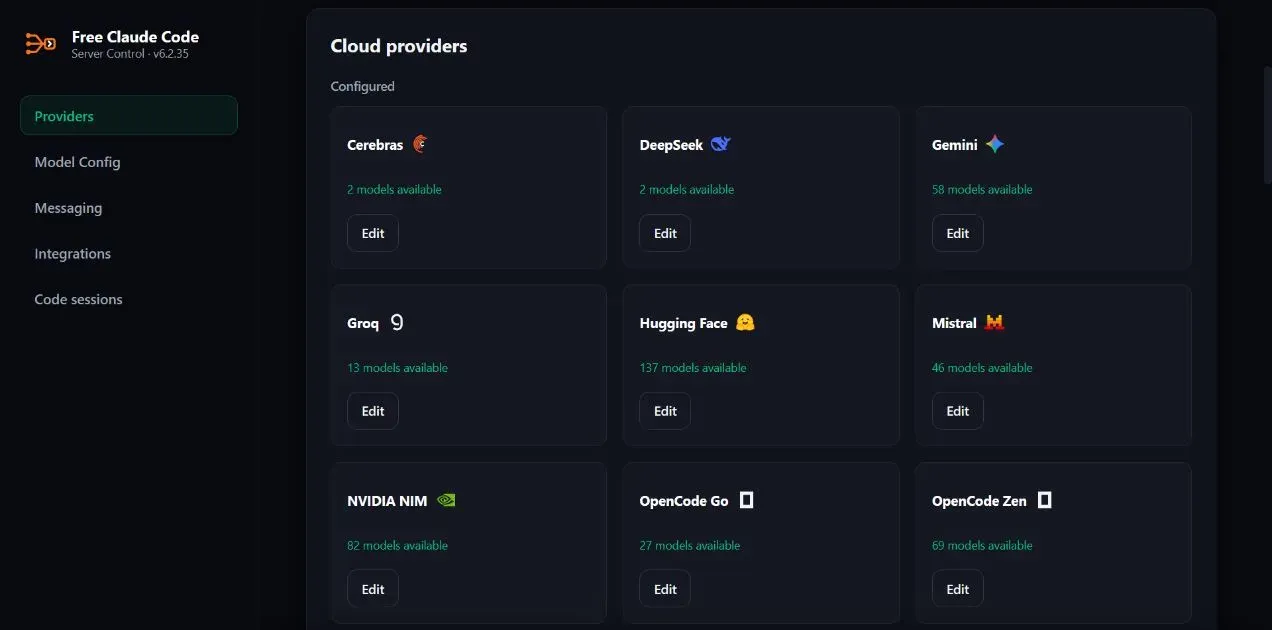
The Admin UI Providers page listing configured cloud providers, such as Cerebras, DeepSeek, Gemini, Groq and NVIDIA NIM, with their model counts (local path cropped).
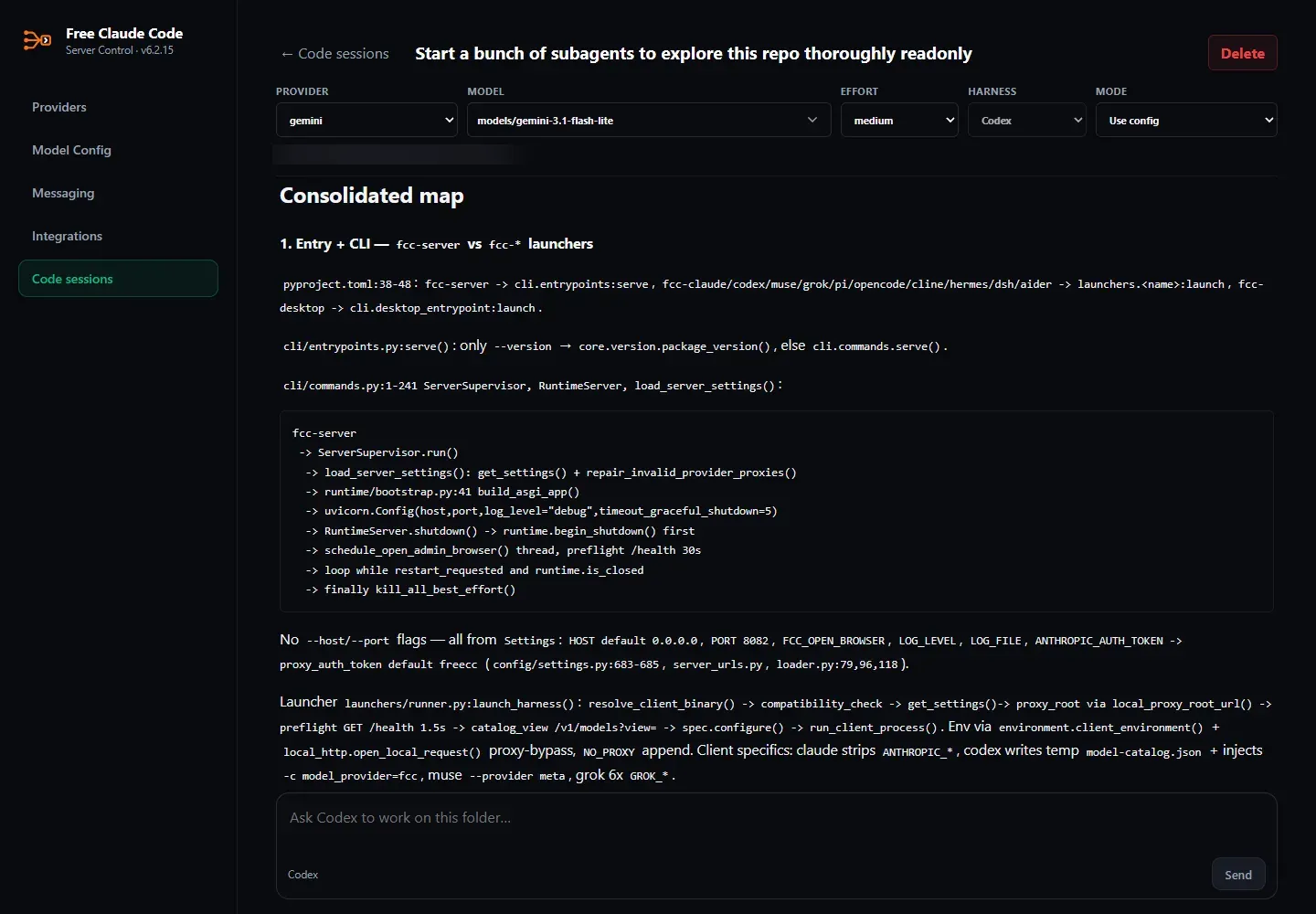
A native Codex session in FCC's browser UI, with provider, model, effort, harness and mode controls (local path blurred).
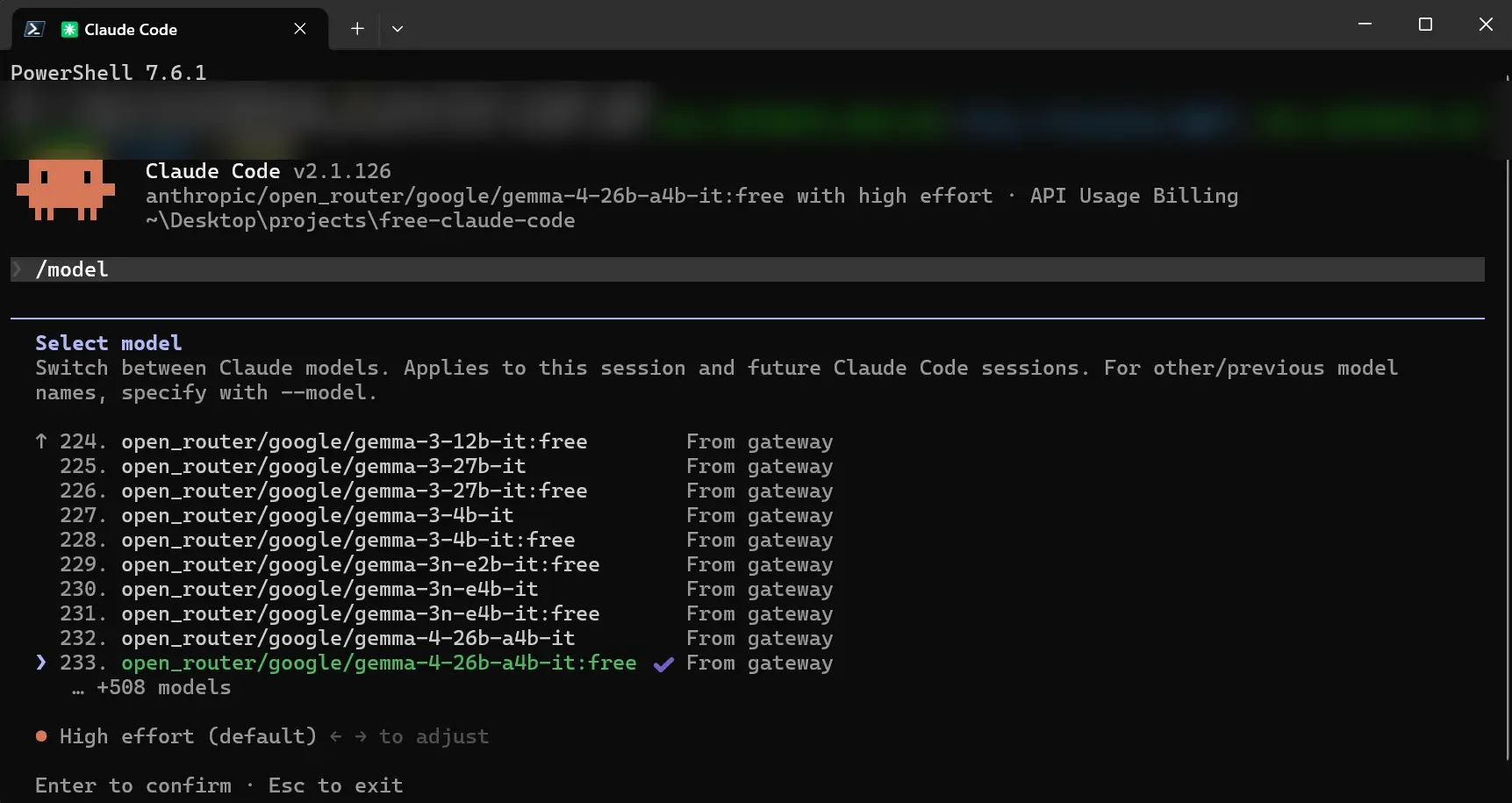
Claude Code's native /model picker listing models served by FCC (command line with local path blurred).
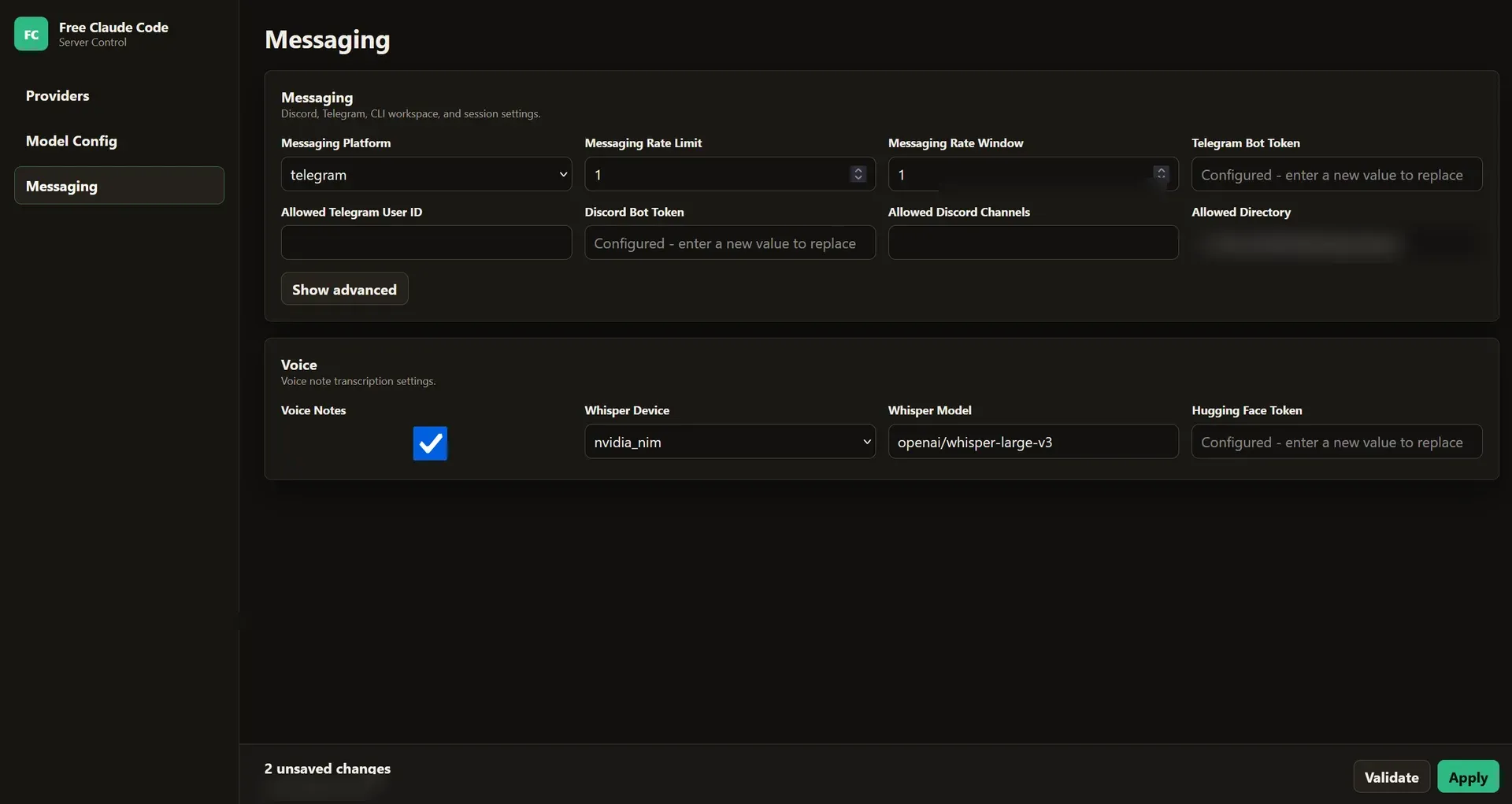
The Admin UI Messaging page with platform, rate limit, bot token and voice note settings (local paths blurred).
Key capabilities
- Install on macOS and Linux The README's install command pipes
scripts/install.shfrom the repository intosh. During installation the user chooses at least one coding agent and can enable RTK and Headroom token optimization for supported agents. An option adds local Whisper voice support, with a CUDA 13.0 variant. - Install on Windows A PowerShell command downloads and runs
scripts/install.ps1. After installation, Free Claude Code opens from the desktop or Start menu, and the tray icon opens Admin, restarts or quits the server. A separate script installs or updates only Muse Code on native Windows. - Admin UI The server opens a local Admin UI on start. Providers holds API keys and OAuth connections, Model Config sets the default model, per-tier models, fallbacks and reasoning effort, Messaging configures bots and voice, Integrations connects desktop and IDE clients, and Code sessions runs browser sessions. Proxy Authentication can protect the local proxy with a bearer token.
- Twelve harness launchers Commands such as
fcc-claude,fcc-codex,fcc-pi,fcc-opencode,fcc-cline,fcc-hermes,fcc-dsh,fcc-grok,fcc-muse,fcc-aiderandfcc-agystart FCC and the matching harness. Antigravity CLI must first be connected on the Integrations page. VS Code Chat is connected through the Integrations page. - 61 providers The provider catalog in the README includes NVIDIA NIM, OpenRouter, Groq, Google AI Studio, Vertex AI, Anthropic, OpenAI API, Azure OpenAI, Amazon Bedrock, DeepSeek, Mistral, Together AI, DeepInfra, Fireworks AI, Cerebras, Hugging Face, Cloudflare Workers AI and many smaller services. The quick start uses NVIDIA NIM with a key from build.nvidia.com as the first provider.
- Subscription and OAuth providers OpenAI / ChatGPT uses the user's ChatGPT subscription through a browser sign-in instead of an API key. GitHub Copilot uses the signed-in GitHub account and subscription and requires Copilot CLI 1.0.83 on the PATH; available models and quotas depend on the subscription and organization policies. Anthropic and the OpenAI API use separately billed API keys.
- Local model servers LM Studio, llama.cpp and Ollama are supported with default local URLs on ports 1234, 8080 and 11434. FCC discovers models from running local servers at startup, and Refresh models adds servers started later. The README notes that local models need enough context for the agent's system prompt and tool definitions.
- Custom providers Any other endpoint can be added under Custom providers with its base URL, optional keys and API format. Model IDs are discovered automatically or entered one per line.
- Claude Code tier routing
MODELis the fallback for every request, andMODEL_FABLE,MODEL_OPUS,MODEL_SONNETandMODEL_HAIKUoverride individual Claude Code tiers. FCC models also appear in Claude Code's native/modelpicker. - Fallback models and multiple keys An ordered Fallback Models list applies to every connected client, each entry with its own reasoning effort and key number. Provider settings accept several numbered keys. The README notes that a failed request may reach and consume usage from more than one provider before succeeding.
- Reasoning control Each model can use the effort sent by the client, turn reasoning off, or force Low, Medium, High, X-High or Max. Tier overrides and fallbacks can inherit the resolved effort.
- Desktop app and IDE integrations The Integrations page connects Claude Code in VS Code, VS Code Chat, Claude Desktop, Codex in VS Code and the Codex App, DeepSeek Harness Desktop, and Claude Code through JetBrains ACP. Disconnect removes the integration; for Claude Desktop it returns to normal Claude sign-in. FCC must run on the same computer and in the same user environment as the client.
- OpenAI-compatible endpoint Other Chat Completions clients point to FCC's server URL with
/v1and select an FCC model name. Streaming and JSON replies are supported, and the Proxy Authentication token is used as the API key when enabled. - Discord and Telegram bots A bot created in the Discord Developer Portal or with BotFather is configured with allowed channels or user ID and an absolute allowed directory. Commands include
/stats,/stopand/clear, each with a reply form that acts on a single request or message chain. - Voice notes Voice messages on Discord and Telegram are transcribed by NVIDIA NIM, included in every installation, or by local Whisper on CPU or CUDA after installing the local voice option. Local gated models need a Hugging Face key.
- Browser Code sessions The Code sessions page runs native harness sessions, such as Codex, in the browser with provider, model, effort, harness and mode selectors.
- Update, diagnose and uninstall
fcc-updateinstalls the checked stable release,fcc-server --versionprints the version, andfcc-doctorprints diagnostics for bug reports. The uninstall scripts remove FCC, its launchers and~/.fcc/, and keep uv, Python, coding agents, RTK and Headroom.
Where Free Claude Code fits
Running Claude Code on other models
After installation and adding a provider key in the Admin UI, fcc-claude starts Claude Code against the local proxy. The default model applies to all requests unless the Fable, Opus, Sonnet or Haiku tier is mapped to a different model, and FCC models appear in Claude Code's /model picker. The README's quick start uses NVIDIA NIM with its default Nemotron model.
Using one provider setup across several harnesses
The same provider keys, model selection and fallbacks serve every connected client. Codex, Pi, OpenCode, Cline, Hermes, DeepSeek Harness, Grok Build, Muse Code, Aider and Antigravity CLI each have their own fcc- launcher, and other Chat Completions clients connect through the /v1 endpoint.
Connecting desktop apps and IDEs
With FCC running, the Integrations page connects Claude Desktop, the Codex App and extension, VS Code Chat, Claude Code in VS Code, DeepSeek Harness Desktop and Claude Code in JetBrains. The README gives per-client steps, such as fully quitting Claude Desktop before connecting and reloading VS Code afterwards. A separate action completes Claude Code onboarding.
Keeping work going through provider outages
Automatic retries, rate limits, concurrency limits and an ordered fallback list across models, providers and key numbers let requests move on when a provider fails or throttles. Each fallback can have its own reasoning effort. The README states that a request may consume usage at more than one provider before it succeeds.
Running local models
LM Studio, llama.cpp and Ollama servers are discovered at startup, and provider cards show the checked endpoint and response time. The README advises tool-capable models with enough context for coding agents.
Coding from a phone
A Discord or Telegram bot configured on the Messaging page accepts prompts, voice notes and control commands, working within an allowed directory on the host machine. Voice notes are transcribed through NVIDIA NIM or local Whisper. Issues and feature requests go to the GitHub issue tracker.
Install
curl -fsSL "https://raw.githubusercontent.com/Alishahryar1/free-claude-code/main/scripts/install.sh" | shReviews of Free Claude Code
Be the first to share your experience with Free Claude Code.
Write a review
Loading review form…
Alternatives to Free Claude Code
 LiteLLMSelf-hosted AI gateway and Python SDK from BerriAI. It translates OpenAI-format requests for 100+ model providers and adds virtual keys, budgets, spend tracking, routing with fallbacks, guardrails, an MCP gateway and an Admin UI.OOmniRouteOmniRoute is an MIT-licensed AI gateway by Diego Souza that routes requests across model providers through one endpoint, with a dashboard and API keys.
 LLM GatewayAGPL-3.0 API gateway for LLMs: one OpenAI-compatible endpoint for many providers, with routing, failover, key management, usage and cost analytics, caching and guardrails. Use the managed cloud or self-host with Docker.