
What is Windmill?
Windmill is an open-source developer platform from Windmill Labs, Inc. that runs scripts as jobs and turns them into internal tools. Windmill parses each script's typed parameters into a generated input form, an HTTP endpoint and a CLI command, and scripts can be chained into flows, used by AI agent steps and data pipelines, or wired into low-code and full-code React and Svelte apps. The README describes the project as a self-hostable alternative to Lovable, Retool, n8n and a simplified Temporal.
The backend is written in Rust and consists of stateless API servers and workers that pull jobs from a queue stored in PostgreSQL, which also holds all workspace state; the frontend uses Svelte 5. Workers run one job at a time and are grouped by tag, so dev and prod workers can sit in separate networks. Jobs are isolated with nsjail and PID namespaces, and stored credentials are encrypted with one key per workspace. The README states an added latency of about 50 ms per job. Windmill's own benchmark study, last run in 2025 with Windmill 1.483.1, Airflow 2.7.3, Prefect 2.14.4, Temporal 2.34.0, Kestra 0.22.3 and Hatchet 0.62.0 on AWS m4.large instances, reports Windmill as the fastest engine tested; these are vendor-published figures.
Windmill is offered as Windmill Cloud and for self-hosting through Docker images (windmill for the Community Edition, windmill-ee for the Enterprise Edition), Docker Compose, a Helm chart and release binaries. Releases are very frequent: v1.881.0 was published on November 20, 2026 and GitHub lists 53 releases between October 21 and November 20, 2026. Version 1.881.0 fills argument descriptions from JSDoc @param tags and Python Args: docstrings lets a subflow step override its worker tag and fixes access checks on the cancel_persistent and flow_dependencies endpoints.
Licensing is mixed, which is why GitHub reports the license as NOASSERTION. The root LICENSE file puts backend/ and frontend/ under the AGPLv3, except code behind the enterprise compile flag or a positive license check, which is under a proprietary commercial license. The Python, Deno, Go and PowerShell clients and the OpenAPI files, including the OpenFlow specification, are Apache 2.0. A binary built without the enterprise flag is AGPLv3 software. The Community Edition shipped in the official images and GitHub binaries also contains proprietary, non-public code: it may be used free of charge within the limits and quotas built into the software and redistributed as is, but not sold, resold, run as a managed service, modified or wrapped without an agreement. Internal use as is and use of its APIs need no commercial license; re-exposing Windmill to customers as part of a product, other than iframed public apps, requires one.
On November 21, 2026 the pricing page (USD) listed the free Community Edition, self-hosted Pro from $48 and Enterprise from $120 per month, and on Windmill Cloud a Free plan, Team from $10 and Enterprise from $840 per month. Similar automation tools listed on iThub include n8n, Activepieces and Temporal; internal tool builders include Retool and Appsmith.
Key capabilities
- Scripts in more than 20 languages TypeScript runs on Bun by default (Deno only on the
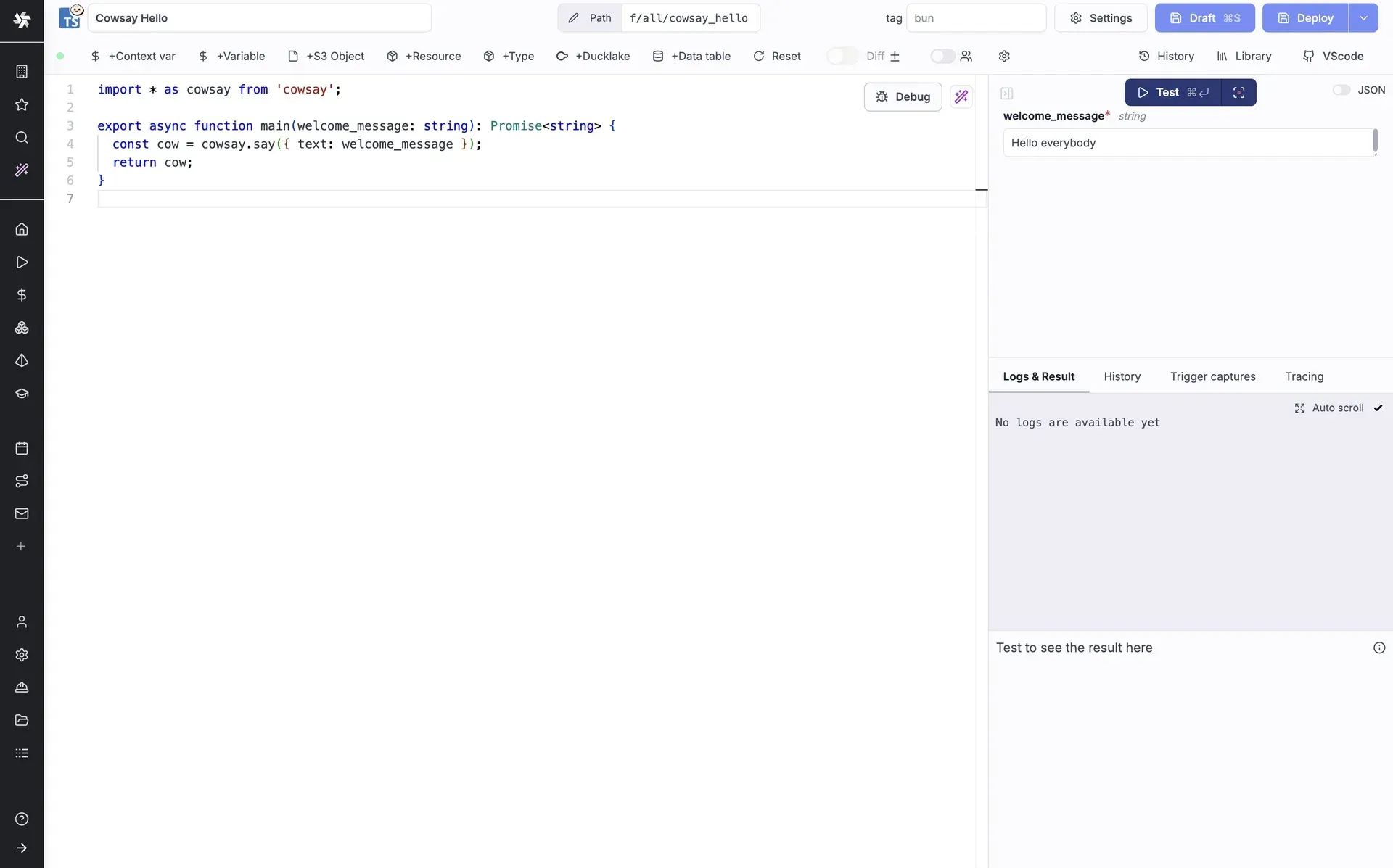
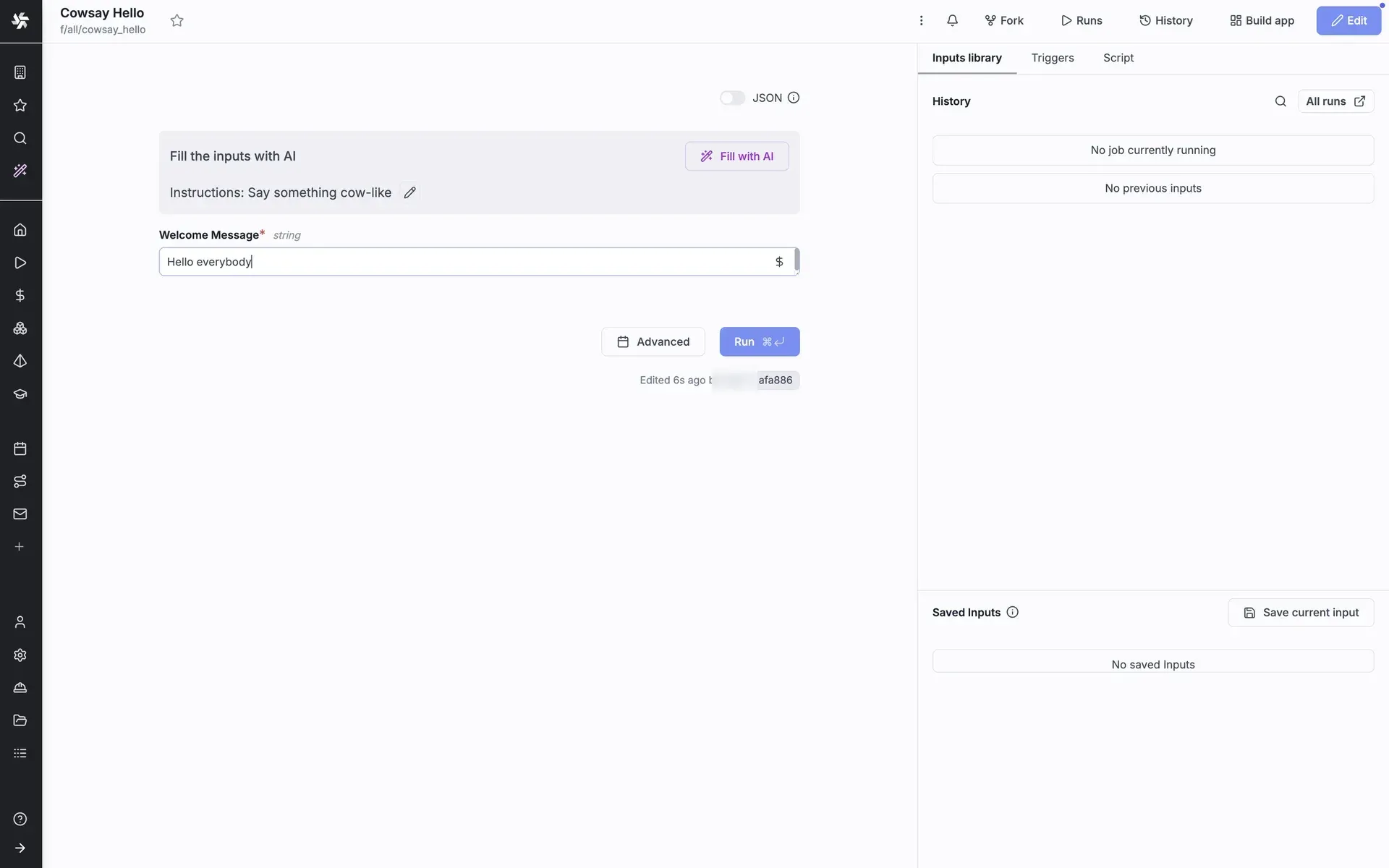
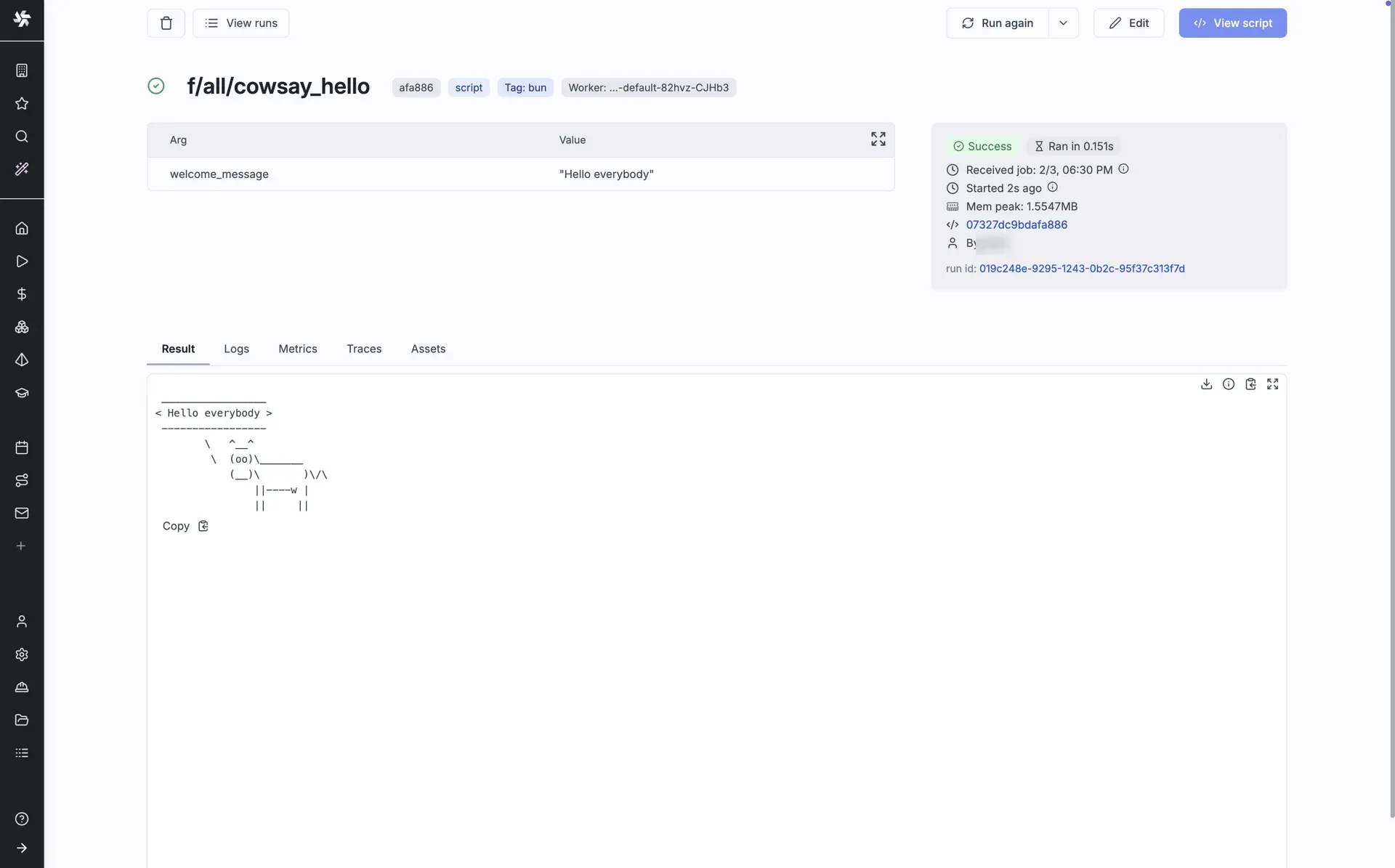
windmill-fullimages), Python uses uv for dependencies, and Go, Bash, PowerShell, SQL, GraphQL, Rust, C#, Java, Ruby, R, Ansible and dbt are supported, with PHP only on the full images. Imports such as npm packages are resolved and pinned automatically, and any Docker image can run as a script. Scripts are edited in the web IDE or synced from a local repository. - Generated forms, endpoints and CLI commands Typed main-function arguments become an input form, an HTTP endpoint and a CLI command; a string union becomes a dropdown and default values infer the type. Logs stream live in the UI and the return value is stored as JSON.
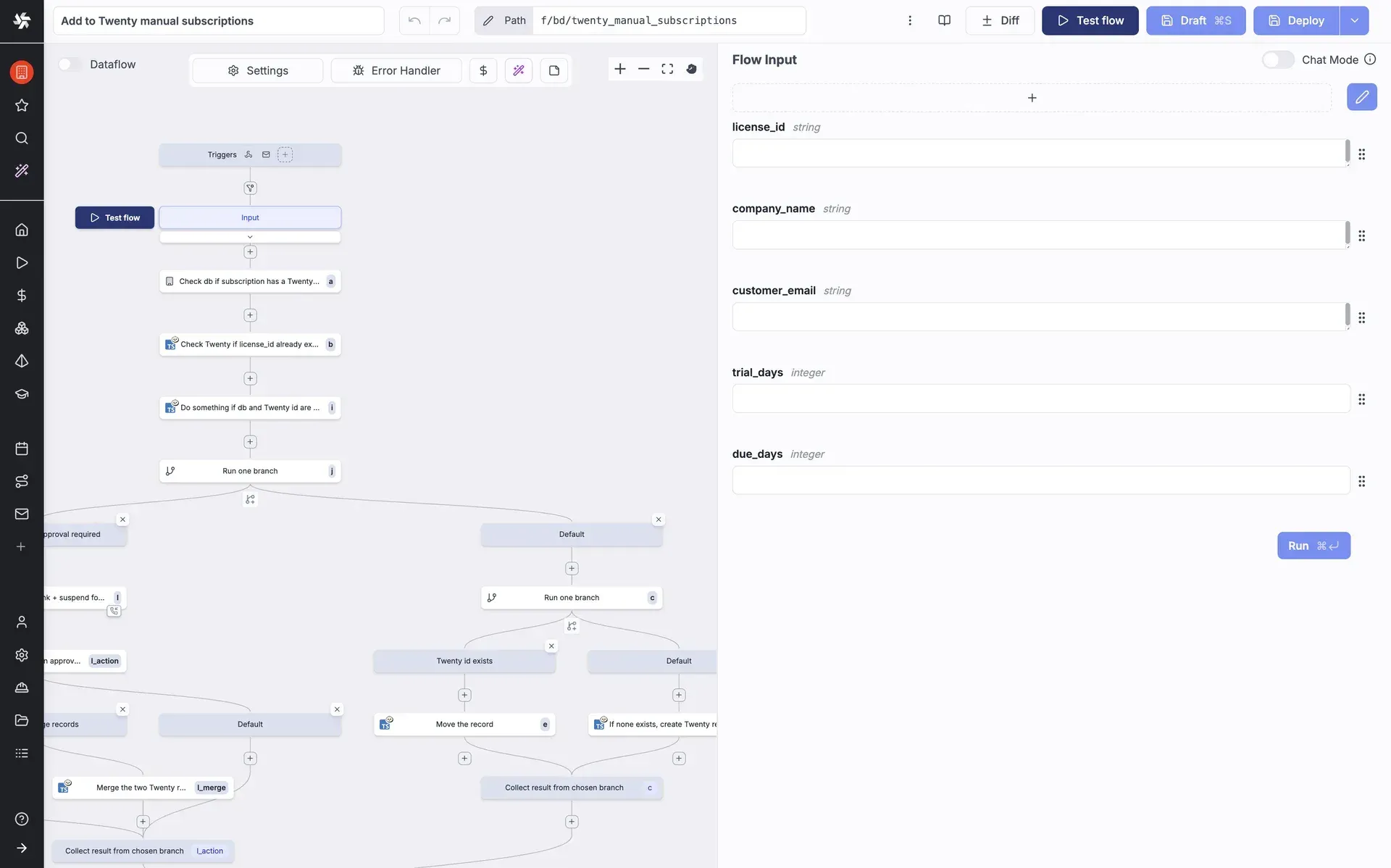
- Flows and workflows as code Flows are built in the visual flow editor or as YAML (OpenFlow), with branches, for loops, retries, error handlers and approval steps. Workflows can also be written in code with
workflow(),task()andwaitForApproval(), where each task runs as its own job and waiting for an approval releases the worker. Approval forms, prompts and group-restricted approvers are not included in the self-hosted Community Edition. - Job queue, workers and worker groups All jobs go through a queue in PostgreSQL; workers pull jobs by tag, run one job at a time and can be grouped by network or hardware. Native workers run query-language jobs with eight subworkers each. Agent workers that execute jobs from remote locations, autoscaling, the worker group management UI and native Windows workers are listed as Enterprise or self-hosted Enterprise features.
- Triggers Scripts and flows run from cron schedules, webhooks, HTTP routes, emails, WebSocket messages, Postgres changes through logical replication, MQTT and AMQP, and through native GitHub, Nextcloud or Google triggers. Kafka, NATS, SQS, Google Cloud Pub/Sub and Azure Event Grid triggers require the Enterprise Edition, and the Community Edition limits email triggers to 100 emails per day. See the triggers documentation.
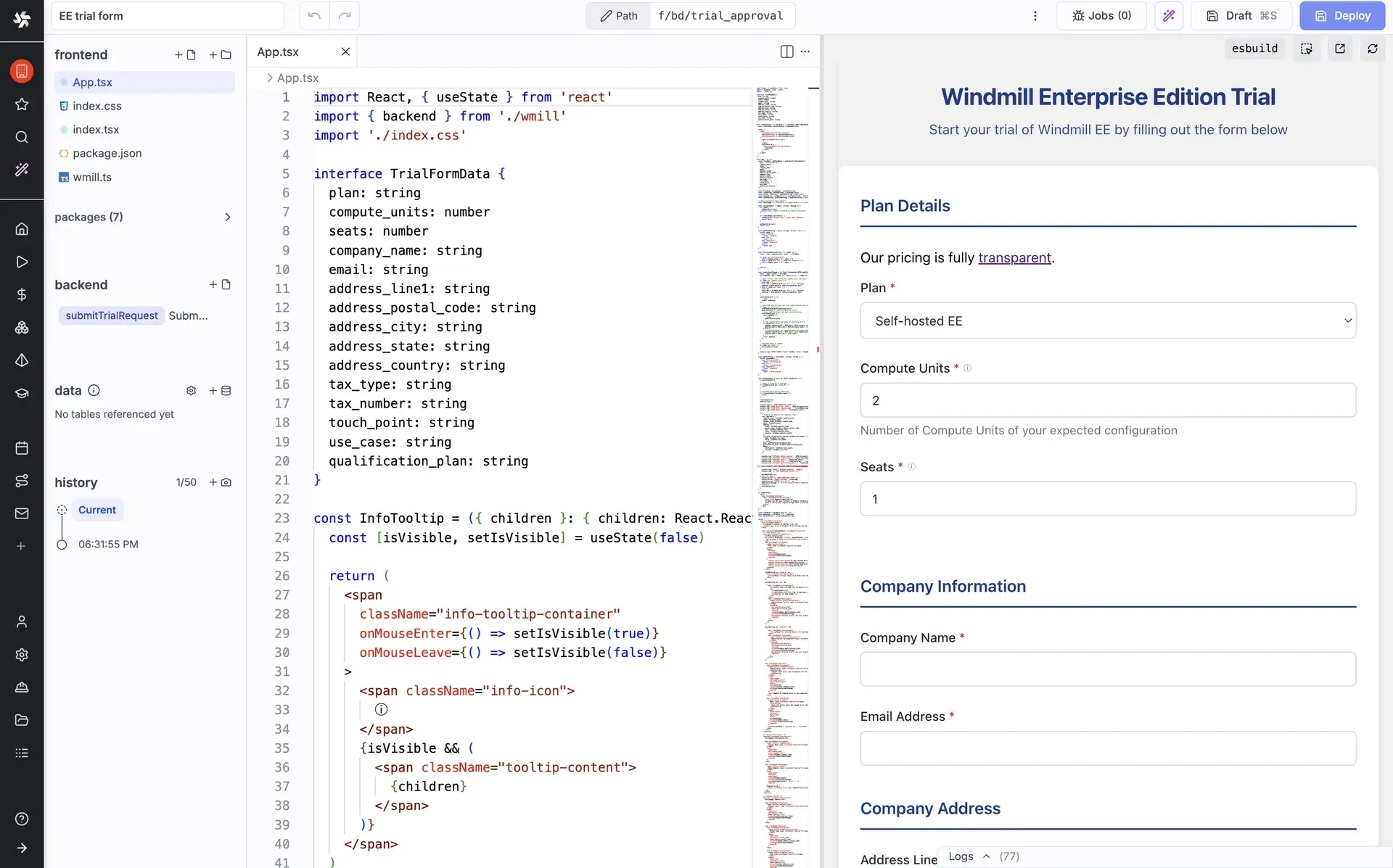
- App builder and full-code apps The app editor builds UIs on top of scripts and flows, and full-code apps are written in React or Svelte with a frontend and backend scripts. Public apps can be opened anonymously by URL, and guest users who sign in through the instance identity provider take no seat for the first 100 distinct emails per 30 days. Global CSS, custom React components and scheduled app reports are not included in the self-hosted Community Edition.
- Resources, variables and secrets Integrations are modeled as resources and resource types, where each type defines the schema for credentials and connection settings; approved types can be synced from WindmillHub. Variables and secrets are permissioned by path and encrypted with a per-workspace key. External secret backends such as HashiCorp Vault, Azure Key Vault and AWS Secrets Manager are Enterprise features.
- Git sync, forks and promotion Git sync keeps a workspace and a Git repository in two-way sync; it is available on Cloud and self-hosted Enterprise and on the Community Edition for workspaces with up to two users. Workspace forks and dev workspaces can be promoted to production through Compare and Deploy or a pull request, and protection rulesets can block direct deployment. Automatic deployment of new commits from the tracked branch is Enterprise only.
- wmill CLI and VS Code extension The CLI installs with
npm install -g windmill-cli(Node.js newer than v20), syncs a workspace with local files and Git, and runs scripts and flows from the terminal.wmill initgenerates anAGENTS.mdfile and skill files for coding agents such as Claude Code and Cursor. A VS Code extension edits and tests scripts and flows locally. - MCP server Every instance exposes an MCP server at
/api/mcpthat lets AI clients such as Claude, ChatGPT or Cursor build, test, deploy and run scripts, flows and apps, manage resources and monitor jobs. Clients connect with OAuth sign-in or a token in the URL or header; sign-in through the instance's own OpenID Connect provider is an Enterprise feature. - AI sessions, chat and copilots AI sessions build scripts, flows and apps in a workspace or fork with a live preview, plan mode, skills, MCP connections and a diff to review before deploying. In-editor copilots and a global AI chat share the same tools. Documented limits include 8 images and 8 text files of 1 MB each per message and 5,000 characters per custom instruction block.
- AI agent steps Flows can contain AI agent steps that call Windmill scripts as tools, and agents can also be saved and run on their own. Supported providers include OpenAI, Azure OpenAI, Azure AI Foundry, Anthropic, Mistral, DeepSeek, Google Gemini, Groq, OpenRouter, Together AI, AWS Bedrock and any OpenAI-compatible endpoint. Local models such as Ollama connect as a custom provider once private base URLs are allowed with
ALLOW_PRIVATE_AI_BASE_URLS. - Data tables, DuckDB and pipelines Data tables give each workspace managed Postgres tables that scripts query with type-checked SQL without a connection string. DuckDB scripts query CSV, Parquet and JSON files in S3 or Azure Blob storage as well as Postgres, MySQL and BigQuery, DuckLake stores lakehouse tables in workspace object storage, and existing dbt projects run as scripts. Data-driven pipelines that materialize tables are in alpha.
- Isolation, access control and compliance Jobs run under nsjail with PID namespace isolation enabled by default. OAuth and SSO with Google Workspace, Microsoft or Okta are configured from the superadmin UI; the self-hosted Community Edition allows 10 SSO users, and SAML, SCIM and audit logs on self-hosted instances require the Enterprise Edition. The website footer states that Windmill Labs is SOC 2 Type II compliant.
- Self-hosting with Docker Compose The self-host guide deploys with three files:
docker-compose.yml,Caddyfileand.env. The default stack runs PostgreSQL 18, one server, three workers with a 2048 MB memory limit, one native worker, an optional full-text indexer, an extra container for the language server, multiplayer and debugger, and Caddy as reverse proxy. A fresh instance starts with a default superadmin login that the setup flow replaces; an external database is set throughDATABASE_URL. - Kubernetes and cloud deployments A Helm chart from the windmill-helm-charts repository is the documented option for larger and production installations, with guides for AWS EKS and ECS, Google Cloud, Azure and Neon. PostgreSQL can be a managed service such as Aurora, Cloud SQL or Azure PostgreSQL. The sizing rule of thumb is one worker per vCPU with 1 to 2 GB of RAM.
- Windmill Cloud plans Cloud Free costs $0 with 1,000 executions per month, Google, GitHub or GitLab SSO and community support on Discord. Team starts at $10 per month: $10 per builder and $5 per non-builder, 10,000 executions per seat per month, at most 10 seats and 7-day audit log retention. Cloud Enterprise starts at $840 per month with a dedicated cluster; the pricing page example totals $940 per month for a $600 core package, one builder at $40 and three compute units at $300.
- Self-hosted plans The Community Edition has unlimited executions but caps an instance at 3 workspaces, 50 users, 10 SSO users, 4 groups and 10 GiB of workspace object storage, keeps job run details for at most 30 days and limits Git sync to two users. Pro starts at $48 per month ($8 per builder, $4 per non-builder, $20 per 2 GB worker, at most 10 compute units) for individuals and early-stage businesses under $250k in annual revenue. Enterprise starts at $120 per month ($20 per builder, $10 per non-builder, $50 per 2 GB worker) with 24/7 support and a 3-hour response time; non-profits and universities get 40% off.
Where Windmill fits
Turning operations scripts into self-service tools
An engineer writes a script, for example a Python function that provisions an account, and deploys it to a folder. Windmill generates the input form from the function signature, so colleagues with a non-builder role can run it without seeing the code, while every run keeps its inputs, logs and result. The same script is callable as a webhook or HTTP route and can be wrapped in an app when a custom layout is needed.
Scheduled jobs and data pipelines
Scripts and flows run on cron schedules with a schedule error handler that reacts to failures. Data jobs combine DuckDB queries over Parquet or CSV files in object storage, workspace data tables and dbt projects, and the alpha pipelines feature runs a SQL script whenever the table it depends on is materialized. The scheduler guide also shows a scheduled flow that pauses for human approval.
Event-driven automation
Incoming webhooks, HTTP routes, emails, WebSocket messages, MQTT messages and Postgres row changes start scripts or flows directly, and preprocessors can reshape the request before the main script runs. On Enterprise instances, Kafka, NATS, SQS, Google Cloud Pub/Sub and Azure Event Grid messages are further trigger sources. Each event becomes a job in the queue with its own logs.
Approval workflows
Flows can stop at an approval step until a person approves through a link or the UI, and workflows written as code call waitForApproval() with a timeout, releasing the worker while they wait. The project documents examples such as running PowerShell scripts on a schedule only after approval. Approval forms and restricting approvers to logged-in users or group members are not part of the self-hosted Community Edition.
Internal applications on top of scripts
Teams build admin panels and forms in the app editor, binding components to existing scripts and flows, or write full-code React and Svelte apps whose backend calls run as Windmill jobs. Apps can be private to workspace members, opened by guests who sign in through the identity provider, or published anonymously as public apps.
Git-based development with the CLI and coding agents
Engineers keep scripts, flows and apps in a Git repository, edit them locally in VS Code or with a coding agent, and push them with the wmill CLI or Git sync. Business users can build with AI sessions in a workspace fork; protection rulesets then require an engineer to review the diff and deploy it to production, and worker groups can run AI-built code on separate workers.
Install
curl https://raw.githubusercontent.com/windmill-labs/windmill/main/docker-compose.yml -o docker-compose.yml && curl https://raw.githubusercontent.com/windmill-labs/windmill/main/Caddyfile -o Caddyfile && curl https://raw.githubusercontent.com/windmill-labs/windmill/main/.env -o .env && docker compose up -dReviews of Windmill
Be the first to share your experience with Windmill.
Write a review
Loading review form…
Found Windmill useful? Upvote it todayYour vote helps other IT teams find it in the daily ranking.