What is Huginn?
Huginn is a self-hosted system for building agents that perform automated tasks online: they read websites, watch feeds, mailboxes and webhooks for new data, and take actions such as sending a message or calling an API. The project README calls it a hackable version of IFTTT or Zapier on your own server. In Huginn, an Agent is a configured instance of one of the built-in Agent types, for example a Website Agent, a Trigger Agent or an Email Digest Agent. Agents create and consume Events, which are JSON payloads passed along a directed graph, and they run on a schedule or when Events arrive. These Agents are rule-based components configured with JSON options and Liquid templates; the term has been used by the project since 2013 and does not mean autonomous LLM agents.
Huginn was created in 2013 by GitHub user @cantino and is developed in the huginn/huginn repository under the MIT license. According to the README and the sponsors page, it is maintained by Akinori Musha (@knu) in his spare time and supported through GitHub Sponsors. The application is written in Ruby on Rails (Rails 8.1.4.1 since release v2026.11.05.2) and runs as a web process plus a background worker, backed by MySQL or PostgreSQL. The requirements page states that Huginn needs Ruby (MRI) 3.4.0 or newer and does not run on Windows.
Huginn is released from the master branch with date-based version tags. After a single v2022.08.18 release, regular GitHub releases resumed on August 27, 2026, and the current one is v2026.11.19, published on November 19, 2026, which moves the Docker images to Ruby 4.0.10. Release v2026.11.18 limited the instance-wide OPENAI_API_KEY to the origin set in OPENAI_BASE_URL, restricted active web responses and external redirects to Agents owned by administrators, and gave each Google Calendar Publish Agent its own service account credentials. The security policy states that older releases do not receive backported fixes.
The official Docker images are published on GitHub Container Registry for amd64 and arm64: ghcr.io/huginn/huginn runs all processes in one container, with a bundled MySQL server when no external database is configured, and ghcr.io/huginn/huginn-single-process runs one process per container. The latest tags follow releases that passed the Docker specs, and the master tags follow the development branch. Images are still pushed to Docker Hub under huginn/huginn, but they set a flag that shows a warning in the web interface asking operators to switch to GHCR, because Docker Hub discontinued team accounts. A source installation guide for Ubuntu and Debian and a Heroku guide are maintained in the documentation folder.
Since March 2026 the core also includes four Agent types that call OpenAI-compatible APIs for chat completions, images, speech and video. Each sends a request built from its options and the incoming Event and emits the response as a new Event; the surrounding workflow is still defined by the Agent graph. The project operates no hosted service: data stays in the operator's database, apart from what Agents send to the external services they are configured to contact. Other workflow automation tools on iThub include n8n, Activepieces and Automatisch. Questions are handled in GitHub Discussions.
Key capabilities
- Docker quick start The README starts Huginn with
docker run -it -p 3000:3000 ghcr.io/huginn/huginn, after which the web interface is available on port 3000. The first login uses the accountadminwith a random password printed once in the container log;SEED_USERNAMEandSEED_PASSWORDset the credentials instead. The Docker documentation covers persistent storage and external databases, and the multi-process image README warns that data is lost on update unless its MySQL volume is exported or a separate database container is used. - Docker Compose, Dokku and container platforms The README names Docker Compose with the single-process image as the recommended production setup, with example Compose files for MySQL and PostgreSQL in
docker/single-process/. The same files work on Compose-based platforms such as Coolify and Dokploy, and the Docker guide includes a Dockerfile and Procfile for Dokku with separate web and worker processes. Render, Fly.io, Railway and DigitalOcean App Platform are listed as platforms that fit the web plus worker shape. - Source installation and requirements The installation guide covers Ubuntu and Debian with a system Ruby (the guide builds Ruby 4.0.10), Node.js for front-end packages, foreman and MySQL, MariaDB or PostgreSQL. It is maintained on a best-effort basis, and other Unix systems need adapted package commands. The requirements page recommends a dual-core server and 2 GB of RAM, treats 0.5 GB of RAM plus 0.5 GB of swap as a working minimum, and points Windows users to a virtual machine. Heroku is still documented (web dyno, always-on worker dyno and Postgres add-on), and community packages exist for YunoHost and Unraid.
- 74 built-in Agent types The
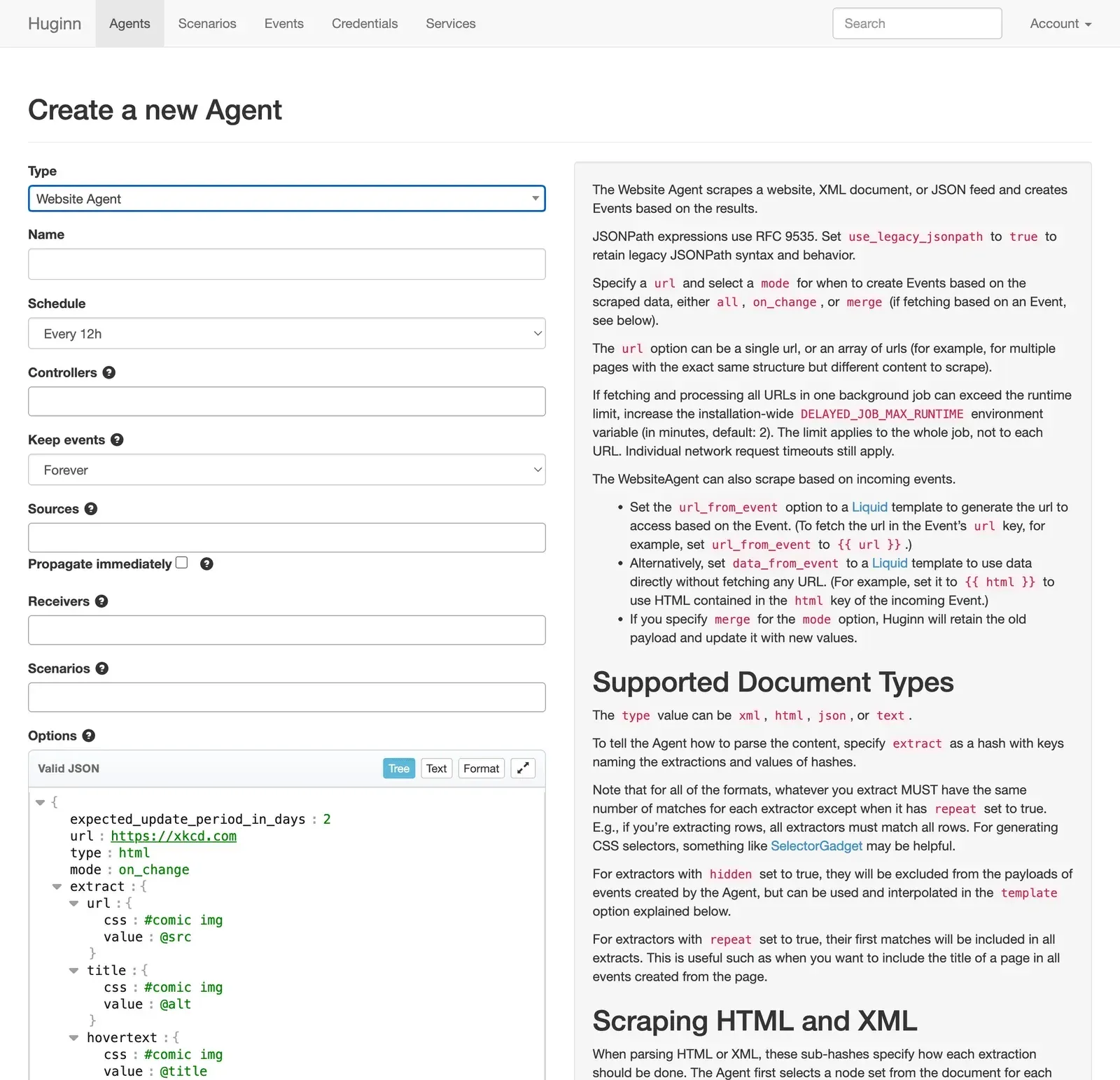
app/models/agentsfolder of release v2026.11.19 contains 74 Agent type classes. One of them, the Twitter Stream Agent, was retired in September 2026 because the Twitter v1.1 streaming API is gone; existing instances stay loadable but new ones cannot be created. Further Agent types can be installed as Ruby gems through theADDITIONAL_GEMSvariable and written with the huginn_agent gem; the Human Task Agent moved to such a gem in August 2026. - Website scraping and HTTP requests The Website Agent fetches HTML, XML, JSON or plain text and extracts values with CSS selectors, XPath or JSONPath; JSONPath follows RFC 9535 by default since September 2026, with a per-Agent legacy option. Its modes emit all results, only changed results, or merged results when the URL comes from an incoming Event. The HTTP Status Agent records status codes and response times, and the Post Agent sends Event data as POST or GET requests to any URL.
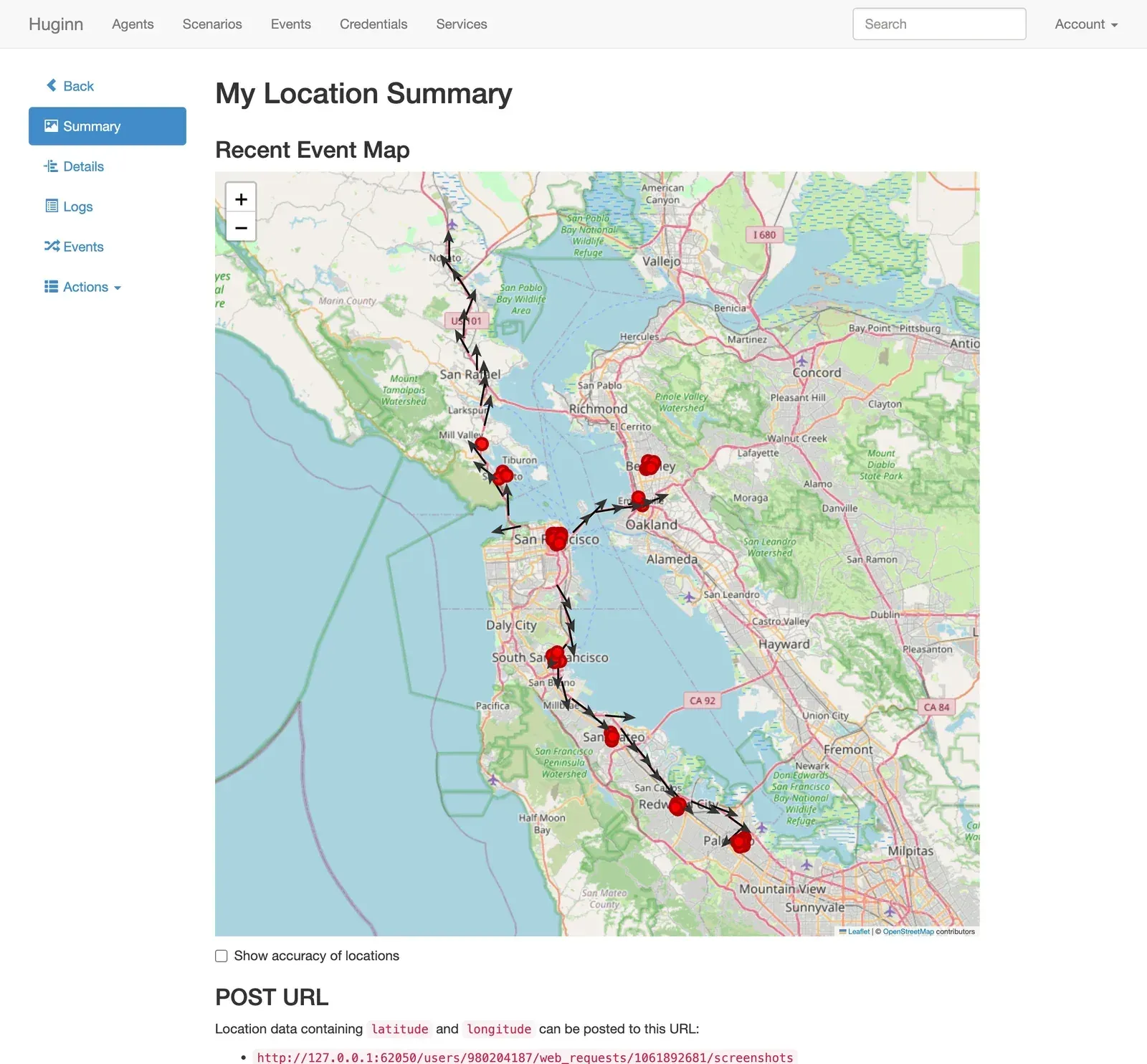
- Feeds, mail, webhooks and other inputs The RSS Agent parses RSS and Atom feeds with Feedjira and emits Events when they change. The IMAP Folder Agent watches mailbox folders, the Webhook Agent creates Events from POST requests sent to a generated URL, and the MQTT Agent publishes to and subscribes to topics. Other inputs include weather forecasts, location updates, incoming Twilio texts, Jira issue updates, AfterShip shipments and manually created test Events.
- Event logic and control Agents Trigger, Change Detector, De-duplication, Peak Detector and Gap Detector Agents filter Event streams or raise alerts when a value matches, changes, spikes or stops arriving. Digest, Email Digest and Delay Agents collect Events and release them later, and the Key-Value Store and Attribute Difference Agents keep state between Events. The Scheduler Agent and Commander Agent run, enable, disable or reconfigure other Agents on a cron-style schedule or when an Event arrives.
- Transformation and code steps The Event Formatting Agent reshapes payloads with Liquid templates, and the JSON Parse and CSV Agents convert between formats. The JavaScript Agent runs user code on V8 through mini_racer and, since May 2026, can call
Agent.fetchandAgent.fetchAll. The jq Agent is disabled unlessUSE_JQpoints to the jq binary, because the configuration notes that jq can loop indefinitely; the Sentiment Agent scores text against the ANEW word list shipped in the repository, and the Translation Agent uses Google Cloud Translation. - Notifications and publishing Notification Agents send Event data by email and as email digests, and to Slack, Telegram, Jabber/XMPP, Pushover, Pushbullet and Twilio SMS or phone calls; a HipChat Agent is still in the codebase. Publishing Agents post to Twitter, Tumblr, Threads, Weibo and Raindrop.io, and other Agents follow Twitter users, searches and favorites, Threads users, Tumblr likes and Weibo timelines. These Agents authenticate with an API key, bot token or webhook URL of the target platform, or with an OAuth service connection.
- Files and storage Agents read and write files on FTP servers, Amazon S3, Dropbox and the local filesystem, and the Read File, CSV and PDF Info Agents process the files they receive. Since June 2026 file-handling Agents emit signed file pointers, and newly created file-consuming Agents reject unsigned pointers by default. The Local File Agent can read and write any file available to the Huginn system user, so it runs only when
ENABLE_INSECURE_AGENTSis set. - Published feeds and pages The Data Output Agent serves received Events as an RSS or JSON feed at a secret URL, and the Liquid Output Agent renders Events through a Liquid template as HTML, JSON or other text. These responses are sent with a sandboxing Content-Security-Policy. Release v2026.11.18 limits active HTML and external redirects to Agents owned by administrators unless
ALLOW_UNRESTRICTED_AGENT_WEB_RESPONSESis set, and serves RSS, Atom and XML from other users as attachments. - OpenAI-compatible AI Agents Four Agent types work with OpenAI-compatible endpoints: the OpenAI LLM Agent (chat completions), the Image Generation Agent, the Speech Agent (speech to text and text to speech) and the Video Generation Agent. The LLM Agent documentation lists OpenAI, Azure OpenAI, Ollama, Groq, vLLM and LiteLLM as compatible services, selected through
base_url, with options for model, system and user messages, temperature, token limits and a JSON response format. The shared instance key is only sent to the origin configured inOPENAI_BASE_URL, so other providers need a per-Agent key; the default options read it from a credential namedopenai_api_key. - Scenarios: grouping, export and import Scenarios group related Agents and can be exported as JSON, kept private or shared through a public export URL. Imports accept an uploaded file, a pasted JSON document or a URL (with a timeout and a 5 MB limit), and when the GUID matches an existing Scenario, the import updates it and lets the user choose how each Agent is updated. The import screen warns when a Scenario contains a Shell Command Agent, and with
IMPORT_DEFAULT_SCENARIO_FOR_ALL_USERS=true, as in the example configuration, new accounts start with a default Scenario of example Agents. - Credentials and OAuth services Each user stores secrets as named credentials and references them in Agent options with the Liquid tag
{% credential name %}; credentials can be exported and imported as JSON. Services are OAuth connections for Twitter, Tumblr, Dropbox, Evernote, Google, Threads and Raindrop.io, enabled by setting the matching application keys in the environment. - Multi-user accounts and administration One installation serves several users, and the trust model in SECURITY.md states that users must not be able to read or use other users' Agents, Events, Credentials or Services. Sign-up requires an invitation code (
INVITATION_CODE, defaulttry-huginn) unlessSKIP_INVITATION_CODEis true, and email confirmation can be required. Administrators create, deactivate and delete users and can switch to any user account. - Insecure Agents and outbound restrictions The Shell Command Agent and the Local File Agent only run when
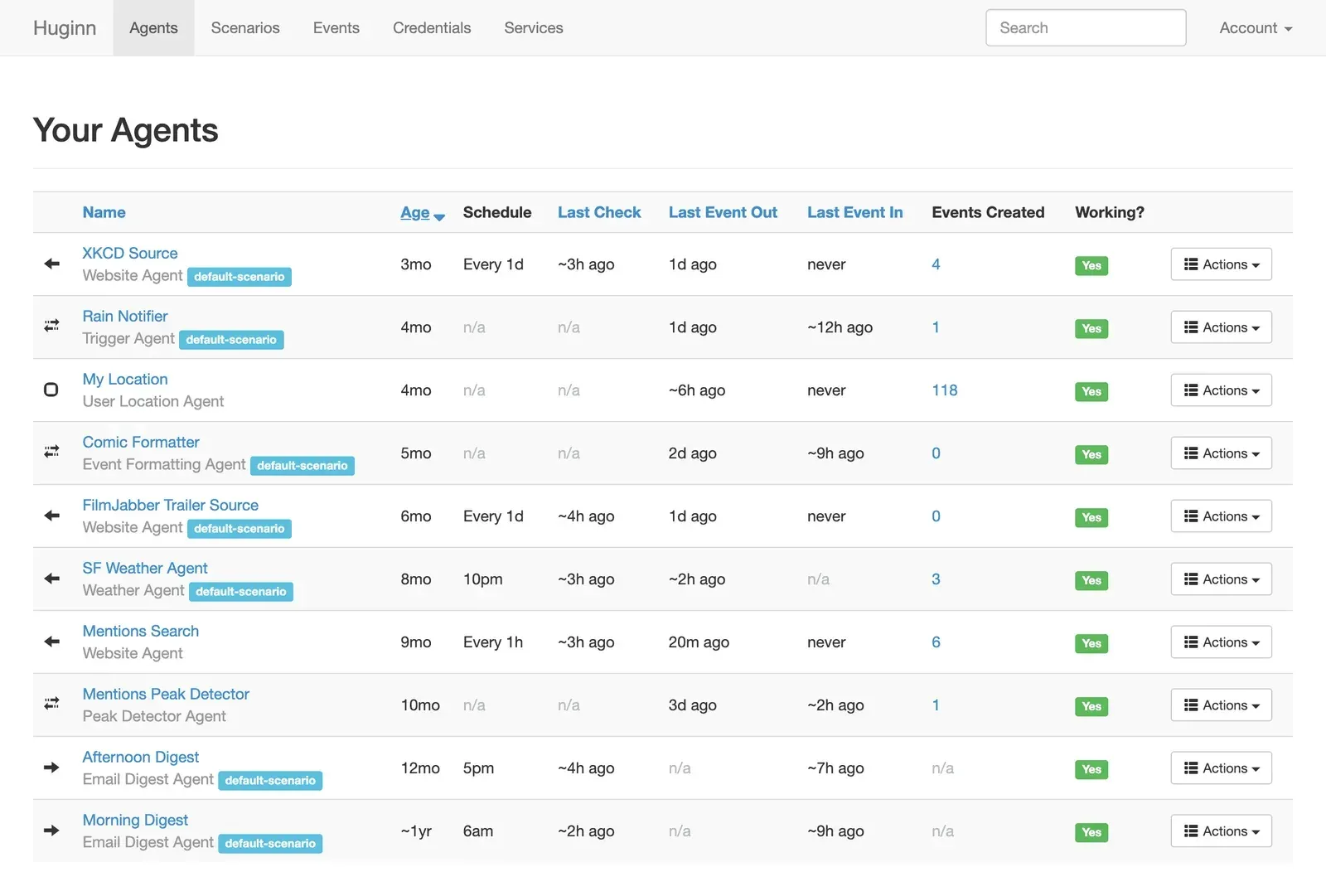
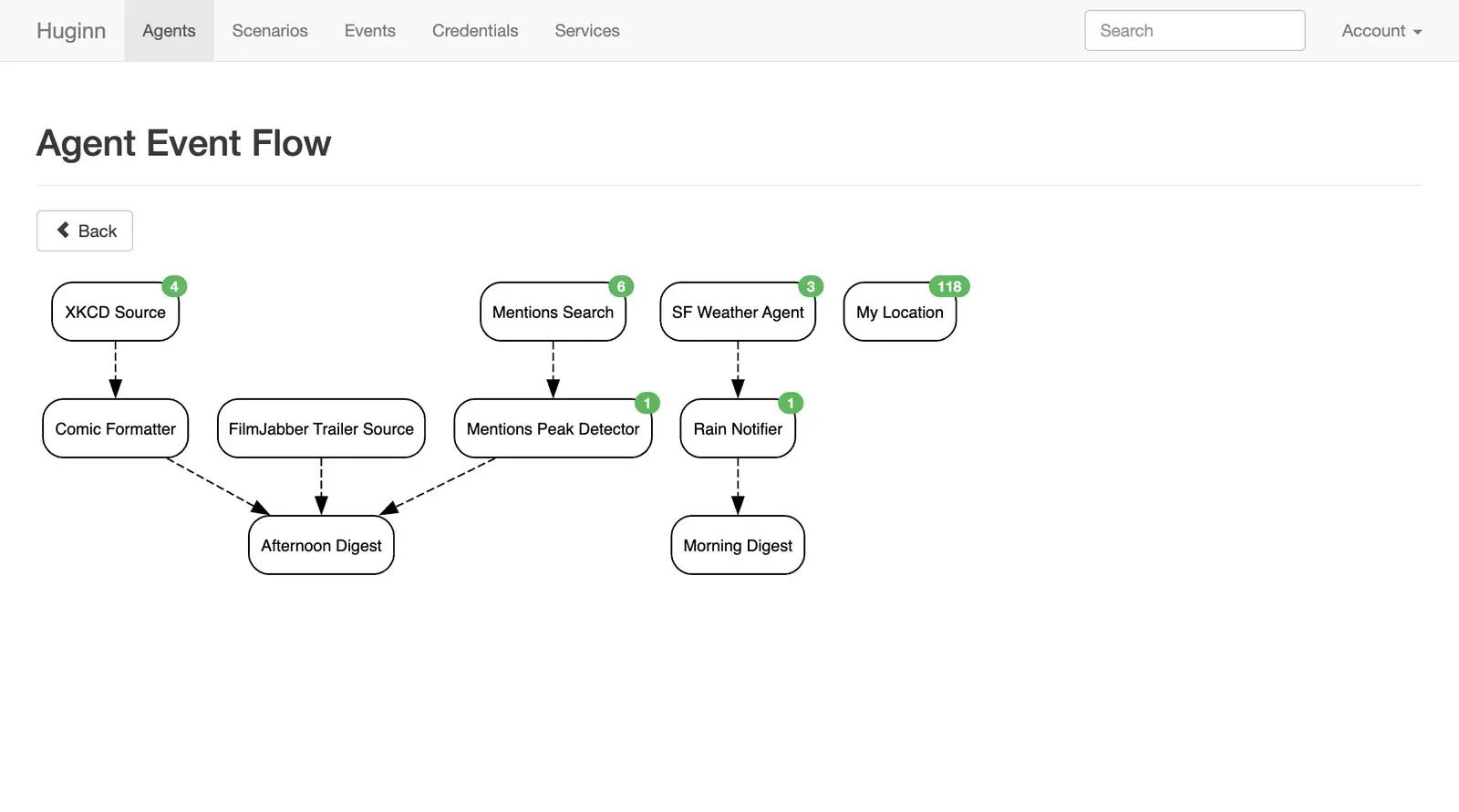
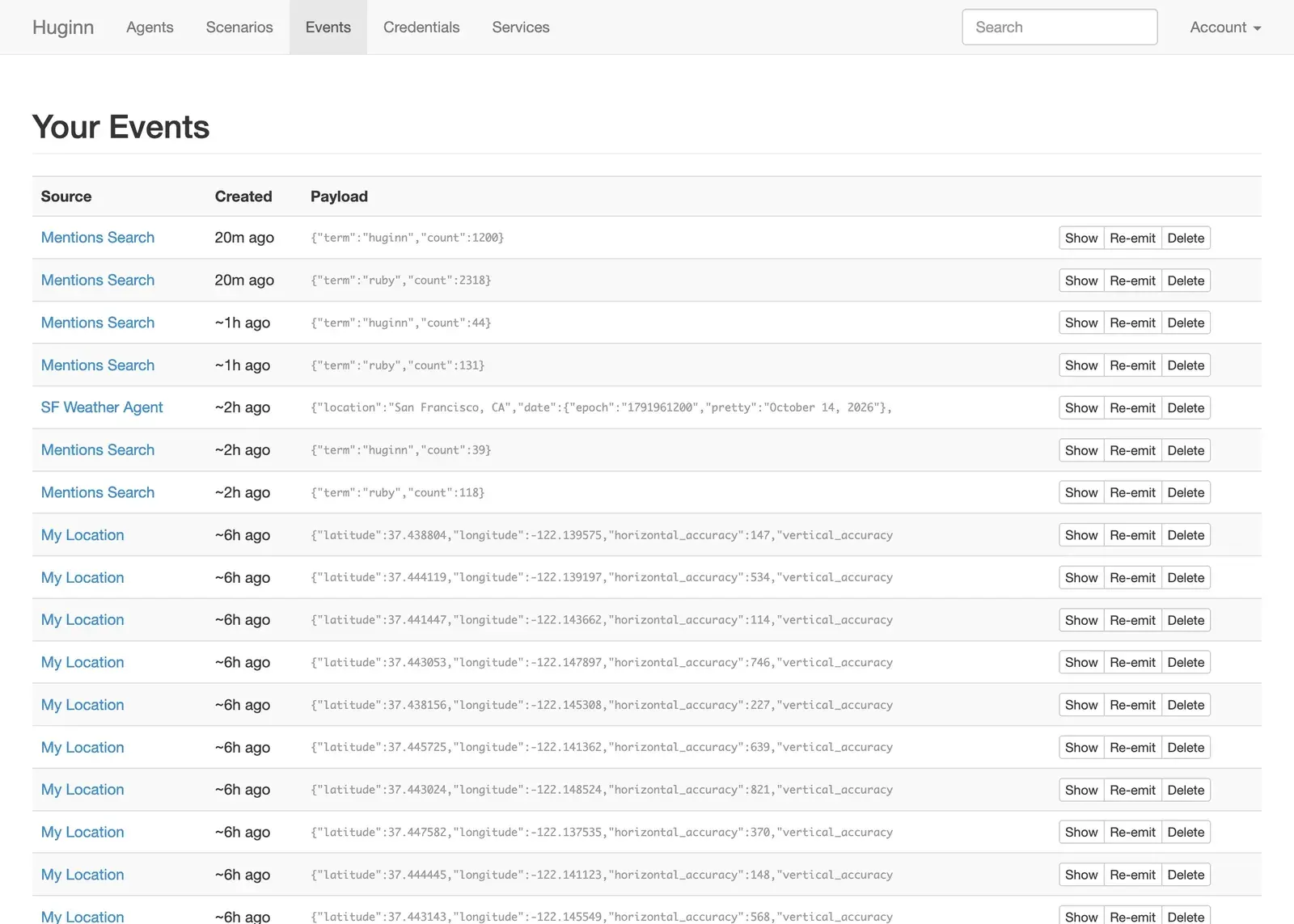
ENABLE_INSECURE_AGENTS=true; the setting is false by default and documented for installations where all users are trusted.OUTBOUND_PROXYroutes outbound HTTP(S) requests, including Scenario imports, through an egress proxy, and the Docker images bundle Smokescreen, enabled withENABLE_SMOKESCREEN=true, to block private and link-local addresses. The outbound request guide notes that FTP, IMAP, MQTT and XMPP Agents are not covered by this proxy. - Monitoring, debugging and workers The Agents list shows schedule, last check, last Event in and out, Event count and a Working status derived from each Agent's expected update period. Agents that support it offer a dry run, every Agent keeps a log (200 entries by default), Events can be inspected and re-emitted, and retention is set per Agent from one hour to 365 days or forever. The event flow diagram is rendered with Graphviz by default since October 2026, and an opt-in
delayed_job_masterprocess can replace the default threaded worker.
Where Huginn fits
Watching a website for changes
The README lists scraping websites and receiving an email when they change as a typical use. A Website Agent is scheduled, for example every 12 hours, with CSS or XPath extractors and the on_change mode, so it only emits an Event when the extracted values differ from the previous run. Its Events go to an Email Agent for immediate messages or to an Email Digest Agent that sends a summary at a fixed time of day. The expected_update_period_in_days option marks the Agent as not working when nothing new arrives within that period.
Filtering feeds and building new ones
RSS Agents read one or more feeds, De-duplication and Trigger Agents remove repeated or unwanted items, and a Data Output Agent publishes the result as a new RSS or JSON feed. The wiki describes merging Events from multiple feeds and a filtered full-text feed built from an RSS Agent, a Trigger Agent, a Website Agent that fetches each article page, and a Data Output Agent. A self-hosted reader such as FreshRSS can subscribe to the published feed URL.
Weather and daily digests
The default Scenario seeded for new accounts contains an SF Weather Agent, a Rain Notifier Trigger Agent and morning and afternoon Email Digest Agents, together with Website Agents for XKCD and movie trailers. The weather example follows the README use case of an email when rain or snow is forecast for the next day. The Weather Agent needs a Pirate Weather API key, which is entered in the seeded Agent's api_key option.
Detecting spikes and gaps in a stream
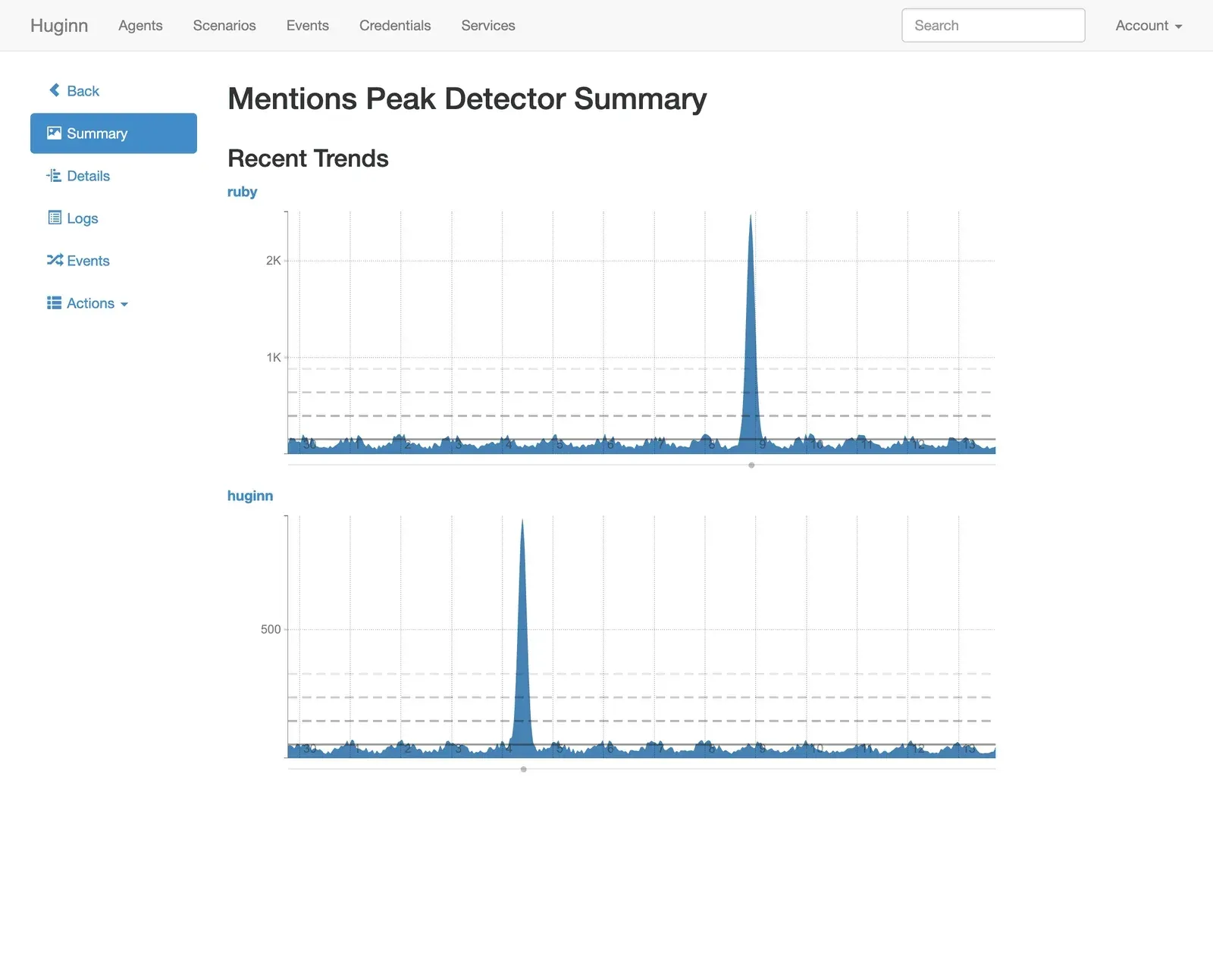
A source Agent, such as a scheduled search or a Webhook Agent that receives counts from another system, feeds a Peak Detector Agent. The Peak Detector compares the newest value with the average and standard deviation over a 14-day window by default and emits an Event when it exceeds three standard deviations; its summary page charts the stream with the detected peaks. A Gap Detector Agent raises a no-data alert when Events stop arriving within a set window, and the Pushover, Telegram, Slack or Twilio Agents deliver the alert.
Connecting other systems through webhooks
A Webhook Agent gives an external application a URL to POST data to, and its Events can be reshaped with an Event Formatting or JavaScript Agent before a Post Agent forwards them to another API. The JSON Parse Agent unpacks payloads that arrive as strings, and the Post Agent builds the outgoing body from a Liquid-interpolated payload, with a separate option for request headers. The wiki page on using a Webhook Agent with external software documents this pattern.
Summarizing or classifying text with a language model
The README lists summarizing, classifying and translating text with OpenAI-compatible APIs. An OpenAI LLM Agent receives Events from an RSS or Website Agent, inserts fields such as the title or content into its user message with Liquid, and emits the model's reply, optionally merged into the original payload with output_mode: merge. The base_url option also accepts a local endpoint, such as Ollama at http://localhost:11434/v1.
Install
docker run -it -p 3000:3000 ghcr.io/huginn/huginnReviews of Huginn
Be the first to share your experience with Huginn.
Write a review
Loading review form…
Found Huginn useful? Upvote it todayYour vote helps other IT teams find it in the daily ranking.