What is crate?
crate is an open-source iOS and iPadOS app that runs full arm64 Linux distributions, including their graphical desktops, in virtual machines on an iPhone or iPad. The name stands for Compact Runtime for Arm64 Translation and Emulation. The guest operating system runs on the device itself rather than on a remote server, works without a network connection once installed, and keeps its disk and files inside the app's storage. The app is developed in the oneamendez/crate-ios repository on GitHub, and the virtual machines run on the separate crate engine, an embeddable arm64 virtual machine engine written in Rust.
The engine is an arm64-to-arm64 translator: according to the project, it copies most guest instructions into host code unchanged and rewrites only the instructions that touch the machine. The README reports that a benchmark pass taking 130.5 seconds under QEMU's TCG takes 24.5 seconds under crate on a Mac, with further timings, including iPhone results, in the engine's benchmarks section. Graphics run through virglrenderer, ANGLE and MoltenVK, so the guest's OpenGL is executed on the iPhone or iPad GPU. User-mode networking comes from libslirp and GLib, the serial console uses SwiftTerm, and each of these libraries is built from upstream source as described in docs/PROVENANCE.md.
Because the translator needs JIT, which iOS only grants to apps that a debugger has attached to, crate is not distributed through the App Store. Each GitHub release instead ships an unsigned IPA, crate-unsigned.ipa, built by the repository's GitHub Actions workflow with a build attestation and a published SHA-256. Users sign it with their own Apple account on a Mac and install it on the device; INSTALL.md documents the steps and includes a prompt for Claude Code that performs them. JIT is then turned on by crate's built-in StikJIT helper, which uses LocalDevVPN, or by the separate StikDebug app.
The latest release is crate v0.1.4, published on November 15, 2026. It added an external monitor mode in which the iPhone or iPad acts as a trackpad, mouse and trackpad support on iPad, a disk size chosen at install time from 16 GB up to the device's free space, a per-VM memory setting, more reliable JIT activation and crash-persistent logs. The earlier releases v0.1 to v0.1.3 were published on November 14, 2026, all built against crate engine v0.1.1 and the frameworks-2026.11.14 bundle.
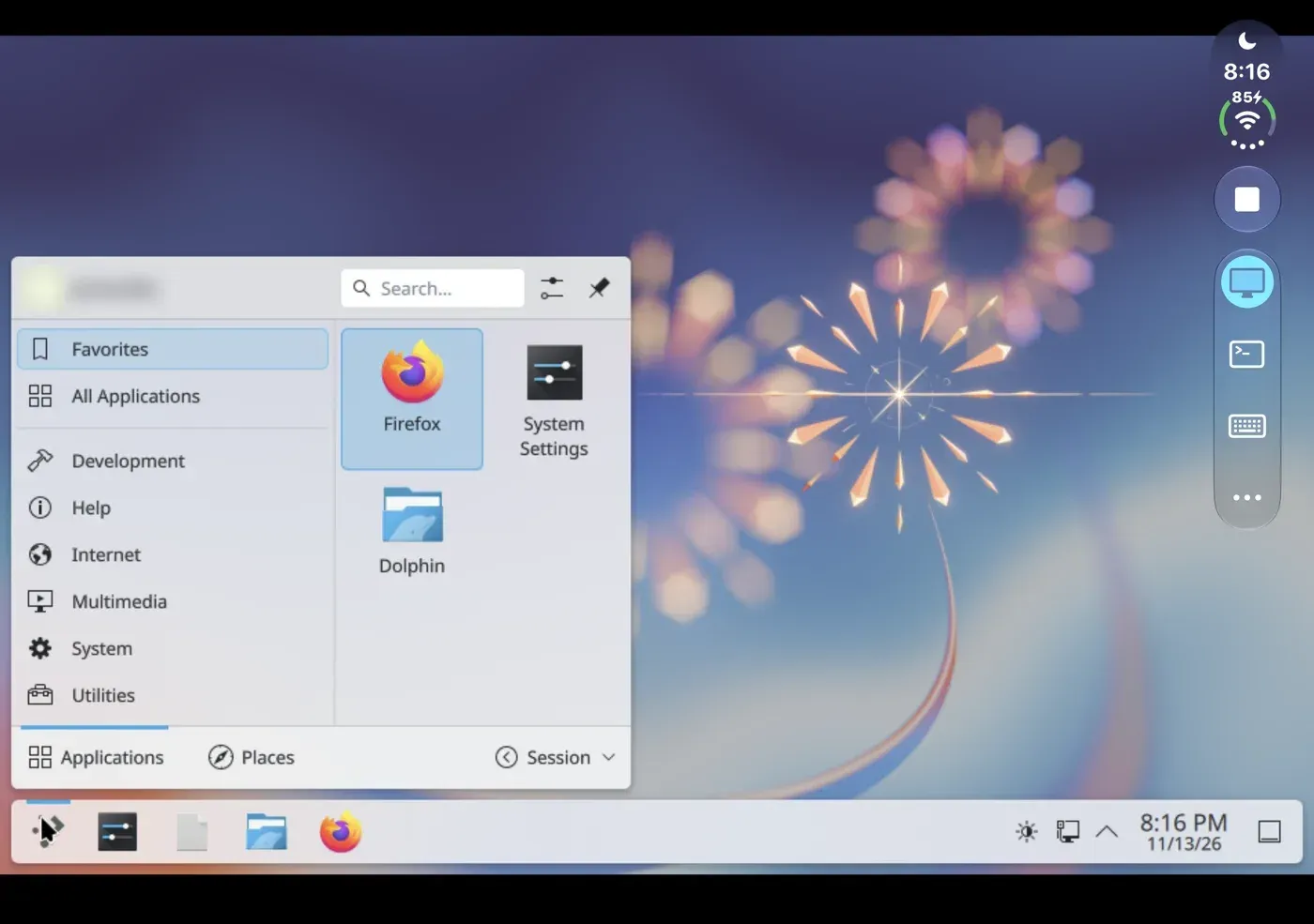
The installable catalog covers Ubuntu 26.04 LTS with GNOME, Debian 13 with KDE Plasma or Xfce, and Arch Linux ARM with KDE Plasma or Xfce. The images are built and attested by the arm64-desktop-images workflow. The project lists Omarchy with Hyprland, custom Linux images and other operating systems as coming later, and its roadmap puts engine speed first, followed by device passthrough and more systems. The README notes that a few UI stand-ins remain in the code and that the app is developed on an iPhone Duo with iOS 27.1. crate's own code is licensed under MPL-2.0; bundled components keep their own licenses, listed in THIRD_PARTY_NOTICES.md. Similar listings on iThub include windows95, which emulates Windows 95 in a desktop app, and OrbStack, which runs Linux machines on macOS.
Key capabilities
- Linux distribution catalog The Install tab lists Ubuntu 26.04 LTS with GNOME, Debian 13 with KDE Plasma or Xfce, and Arch Linux ARM with KDE Plasma or Xfce. Each image is a stock arm64 distribution with its own package manager, so software published for Arm laptops and servers installs from the regular repositories. Install asks for a user account to create inside the VM.
- Verified image download Install reads the latest
catalog.jsonfrom arm64-desktop-images, which lists each image's kernel, initrd and disk with SHA-256 checksums. The disk arrives in xz parts under 2 GiB, every file is checked, and the disk is unpacked sparsely through Apple's xz decoder as the parts arrive. crate must stay open while the download runs. - Disk and memory settings Since v0.1.4 the disk size is picked at install time, from 16 GB up to the space the device has. A VM's memory limit can be changed later in its settings on every device. Settings, Memory shows the limit iOS granted to the app, which is lower when the app is signed without the optional memory entitlements.
- Account setup through cloud-init Crate writes a small FAT seed disk labelled CIDATA beside each VM with cloud-init NoCloud user-data: the user, a SHA-512 crypt of the password, the hostname and time zone, plus the image's vendor-data such as desktop autologin. The seed stays attached read-only, so cloud-init configures the VM once.
- crate engine Every VM runs in the app's own process on the crate engine, an MPL-2.0 arm64 virtual machine engine in Rust. The project describes it as an arm64-to-arm64 translator that copies most guest instructions as they are and rewrites only what touches the machine. Engine contributions go to the engine repository.
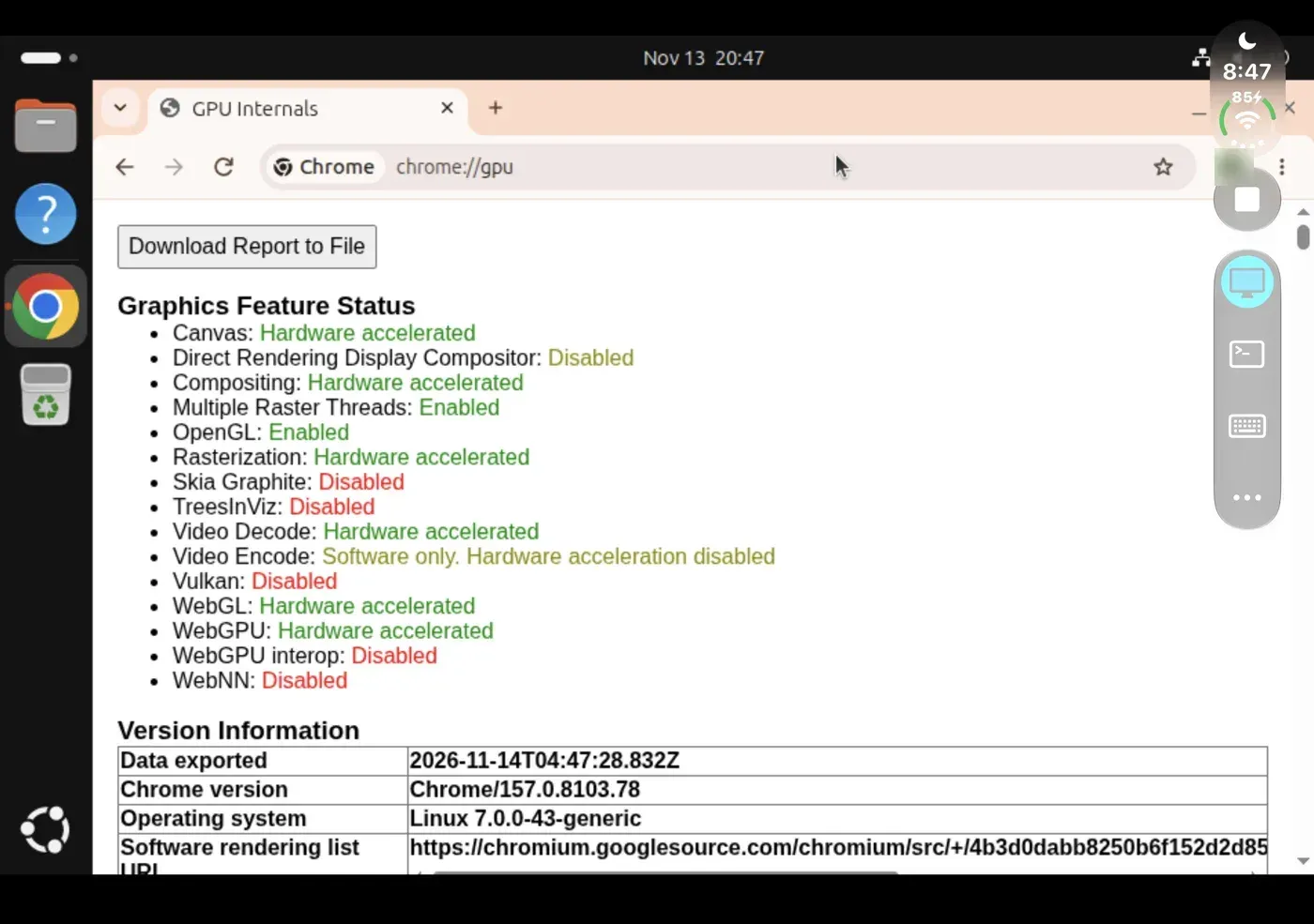
- GPU-accelerated graphics The guest's OpenGL runs on the device GPU through virglrenderer, ANGLE and MoltenVK, so desktops composite in hardware and 3D applications render on the GPU. The README shows Chrome's chrome://gpu page reporting hardware acceleration for canvas, compositing, WebGL and WebGPU. In the iOS Simulator the guest draws in software instead.
- Touch, keyboard and key row Touch input is passed to the guest as a virtio tablet. A key row above the on-screen keyboard adds Esc, Ctrl, Super, Tab, function keys and arrows, and a hardware keyboard also works. The desktop resizes as the phone rotates or folds.
- Mouse and trackpad on iPad Added in v0.1.4: on iPad the pointer follows a connected mouse or trackpad, the wheel scrolls, and right and middle click are passed to the guest.
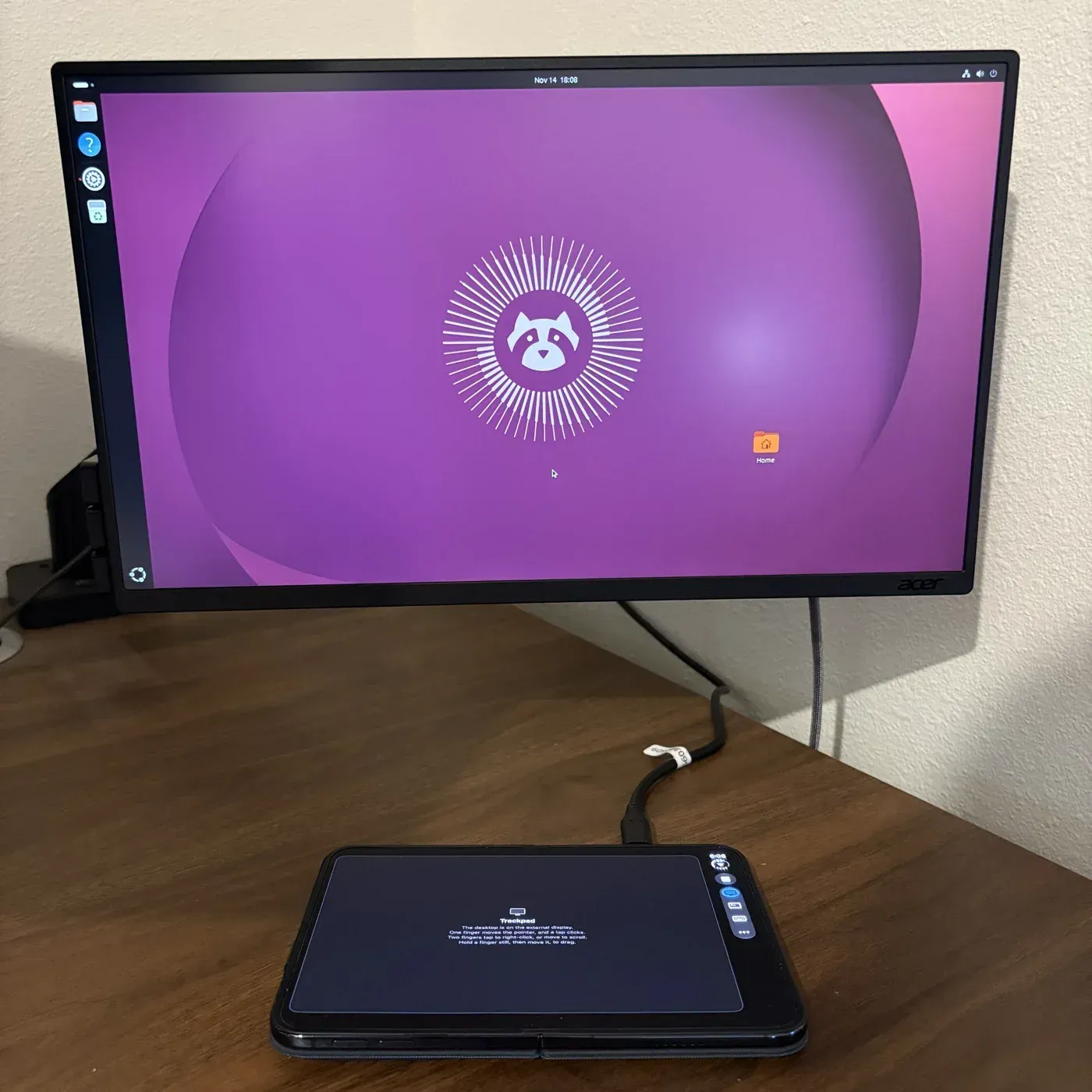
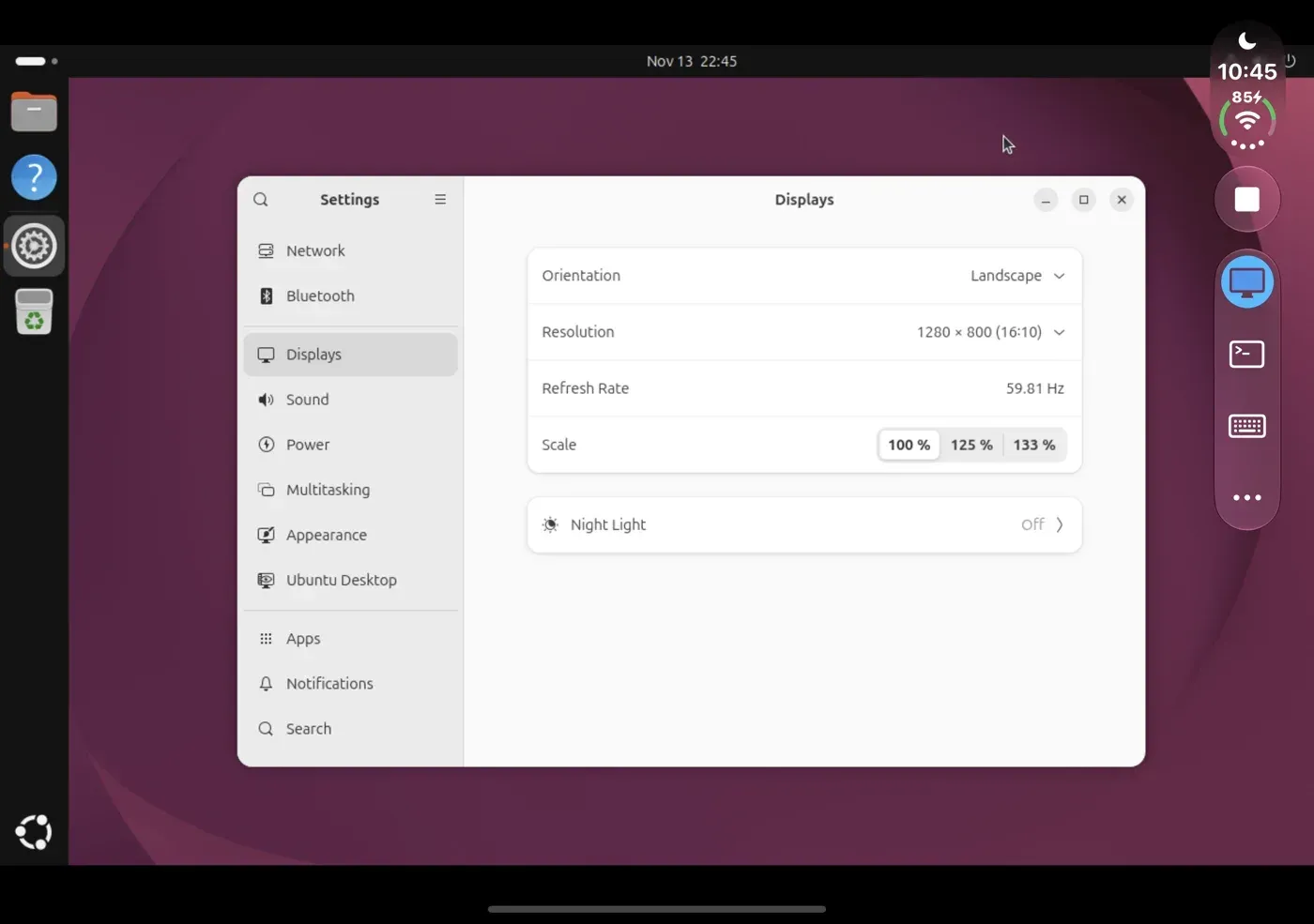
- External monitor mode A connected monitor becomes the VM's screen at the monitor's resolution, and the iPhone or iPad turns into a trackpad for it. The known issues note that GNOME may need its resolution set by hand in Settings, Displays to fill the monitor, and that Xfce's wallpaper does not follow a new screen size.
- iPhone Duo layouts On the foldable iPhone Duo, crate has layouts that follow the fold, a tab rail for the open device and per-VM settings available from each Home card. The README states that the app is developed on an iPhone Duo with iOS 27.1.
- Serial console The VM screen switches between the graphical display and the VM's serial console, rendered in a terminal with SwiftTerm. The console is available a tab away from the desktop.
- Built-in StikJIT The default JIT method is a helper extension that runs StikJIT through LocalDevVPN's tunnel. Set Up JIT pairs the device with crate itself on iOS 27 or accepts a pairing file, using idevice built from source with one patch. An option turns JIT on each time crate opens; JIT lasts until the app closes.
- StikDebug support As an alternative, Settings can hand JIT activation to StikDebug: crate opens a
stikdebug://enable-jitlink with its process ID, StikDebug attaches as a debugger and returns to crate. - Home screen and VM management The Home tab shows one large card per installed VM with a preview of the screen it showed when last stopped, a Start button and a menu with settings and Delete. VM files live under
Library/Application Support/VMs/in the app container. - Logs and memory tracking Each launch logs its JIT steps to
crate.logand pairing messages toidevice.log. Since v0.1.4, Export Logs includes the previous launch so logs survive a crash, memory use is logged while a VM runs, and logging can be turned off in Settings. A GitHub issue template collects device reports with these logs. - Unsigned IPA releases Each release provides
crate-unsigned.ipawith a SHA-256 and a GitHub build attestation that can be checked withgh attestation verify. The IPA is about 13.6 MB for v0.1.4. - Signing and install requirements INSTALL.md requires a Mac with Xcode signed in to an Apple account and an iPhone or iPad with Developer Mode on. The repository's
sign-ipa.shsigns the IPA under the user's own bundle ID and can install it. Profiles from a paid Apple Developer Program membership last a year; a free account's last 7 days, after which the app is signed again and existing VMs remain. - Optional memory entitlements The app ID can be given the Increased Memory Limit and Extended Virtual Address Space capabilities so VMs can use more memory. The project states that crate runs without them, with a lower memory limit, and that it is developed and tested signed with both.
- Build from source The app builds with XcodeGen and Xcode after fetching pinned, checksummed frameworks (idevice, libslirp, GLib, the GPU stack), StikJIT 2.0.1 and crate engine v0.1.1. Scripts rebuild each library from source, and the iOS Simulator build accepts launch arguments to open a given tab or JIT state.
Where crate fits
Running a Linux desktop on an iPhone
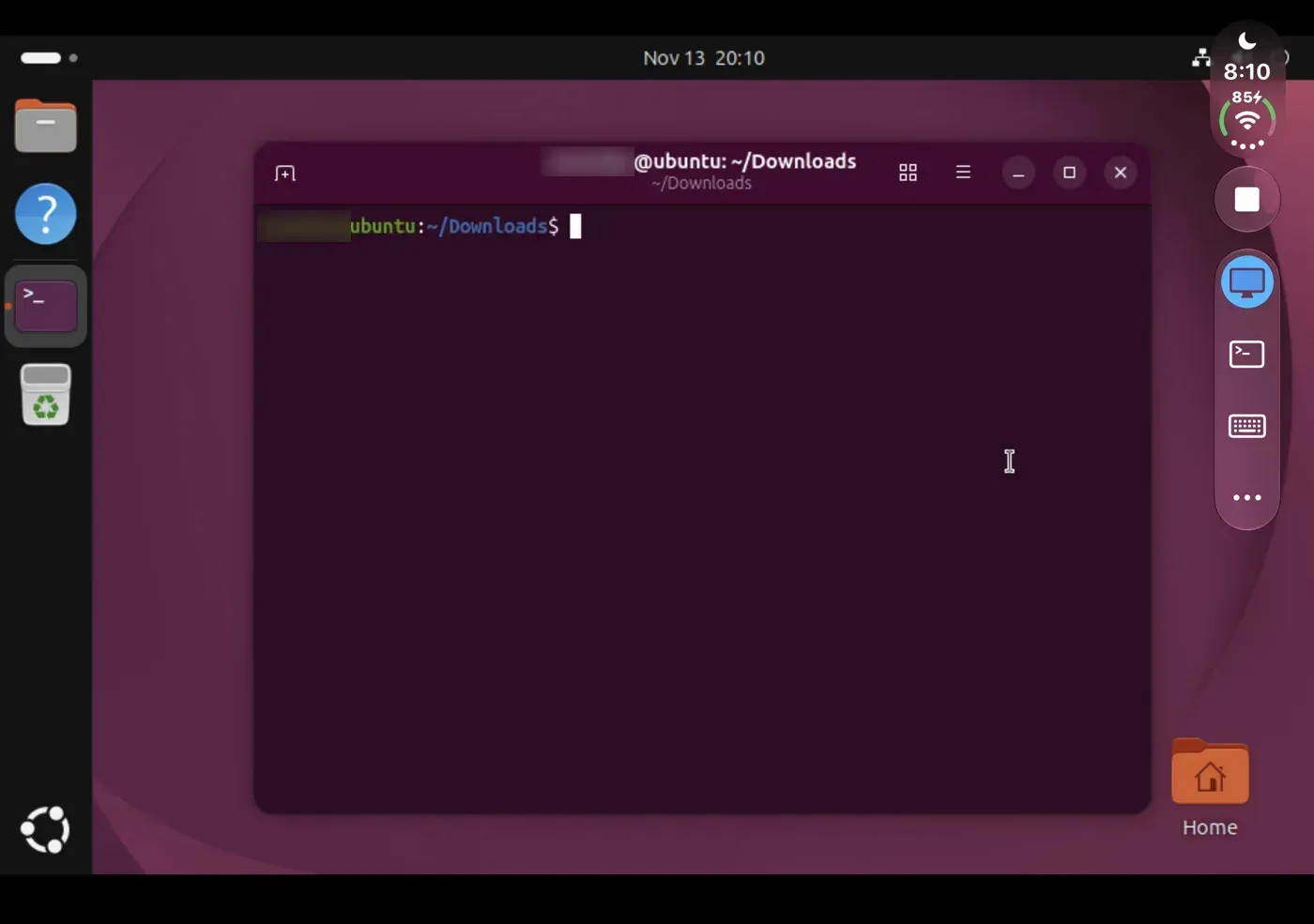
The documented flow is to install the signed app, turn on JIT in Settings, then pick a distribution and memory size in the Install tab and enter the account to create. After the download and unpack, the VM boots to its desktop from the Home card. The project suggests setting the guest's own display resolution, for example 1280 x 800, to fit more on screen. Ubuntu with GNOME is the heaviest desktop in the catalog, and the README states that it runs.
Development tools and coding agents in the VM
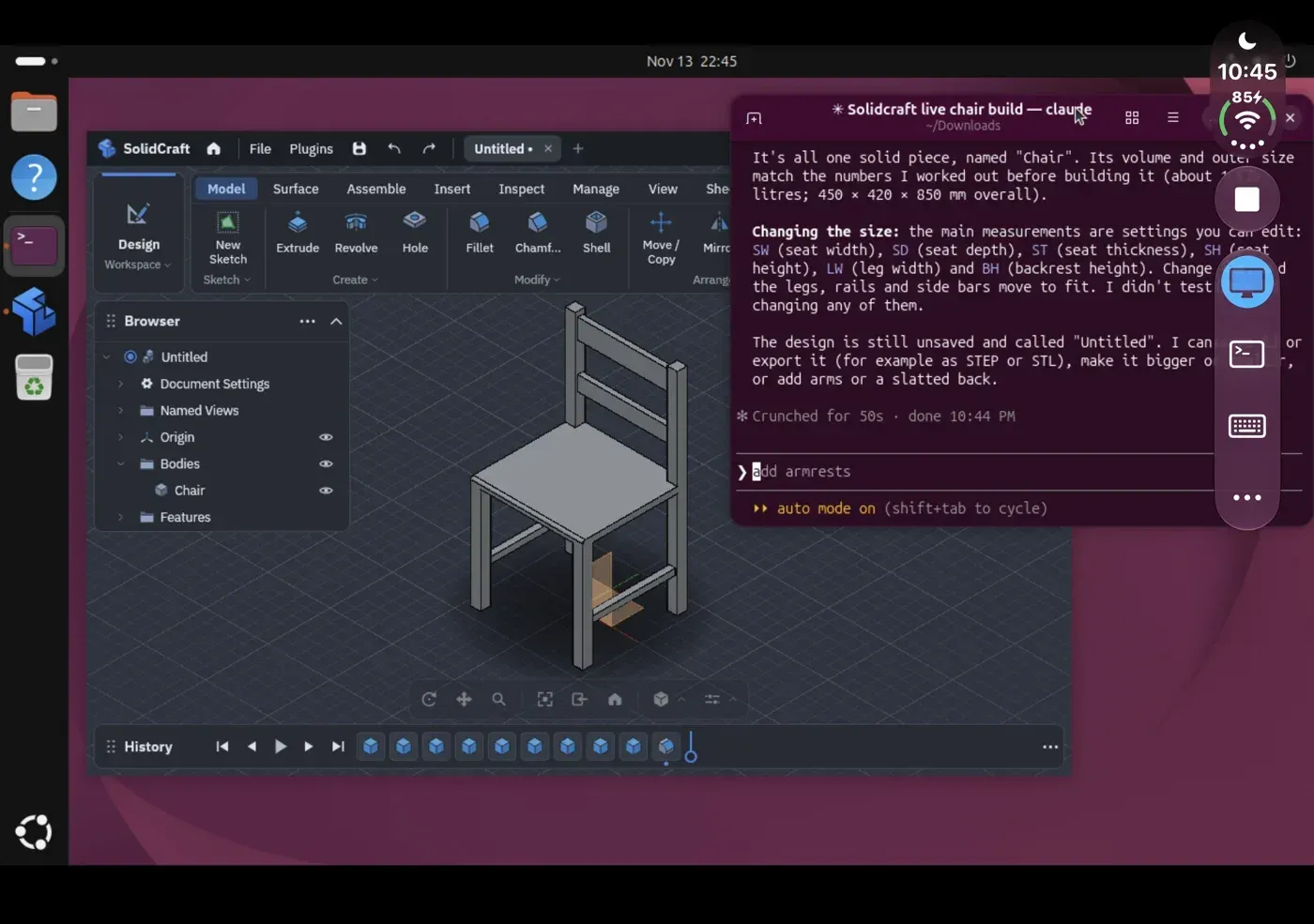
Because the guests are stock arm64 distributions, developer tools install through apt or pacman as on an Arm server. The README gallery shows Claude Code running in a terminal inside the Ubuntu VM and building a chair model in SolidCraft, a 3D CAD application, on the same GNOME desktop.
GPU-accelerated browsers and 3D apps
With the guest's OpenGL mapped to the device GPU, desktop compositing, browsers and 3D applications render in hardware. The project's screenshot of Chrome's chrome://gpu page in the VM lists canvas, compositing, rasterization, video decode, WebGL and WebGPU as hardware accelerated, while Vulkan and video encode show as disabled.
Using an external monitor as the VM screen
From v0.1.4 a monitor connected to the iPhone or iPad shows the VM desktop at the monitor's resolution, and the phone becomes a trackpad: one finger moves the pointer, a tap clicks, two fingers right-click or scroll. If Ubuntu's desktop does not fill the monitor, the known issues describe picking a resolution with the monitor's aspect ratio, such as 1920 x 1080, in the VM's display settings.
Working from the serial console
The VM screen can switch from the graphical display to the serial console in a SwiftTerm terminal, which gives a text login and shell independent of the desktop session. Debug builds can also be driven from a Mac through files in the app's cache folder that capture the screen, type commands into the console and resize the desktop.
Side-loading a custom VM by hand
Outside the catalog, a VM can be placed on the device manually by copying vmlinuz, initrd.img and disk.img into its folder with devicectl device copy to and the --user mobile option. The README warns never to add --remove-existing-content, which empties the app's whole container. The project also states that a guest cannot update its own kernel, because crate boots the kernel and initrd from outside the disk.
Reviews of crate
Be the first to share your experience with crate.
Write a review
Loading review form…
Found crate useful? Upvote it todayYour vote helps other IT teams find it in the daily ranking.