

What is Spinifex?
Spinifex is an open-source cloud platform that reproduces a set of AWS service APIs on servers the operator controls. It is built by Mulga (Mulga Defense Corporation), which names Austin, Texas as company headquarters and the Sunshine Coast in Australia as its engineering base. Existing AWS CLI, SDK and Terraform workflows are pointed at a Spinifex endpoint instead of an AWS region. The API calls then start real QEMU/KVM guests, write replicated block volumes and store erasure-coded objects on local hardware. Spinifex is not a mock for unit tests. Mulga and Spinifex state that they are independent of Amazon, and the AWS service names describe interface compatibility only.
The current release is v1.24.0, published on November 3, 2026, with Linux amd64 and arm64 tarballs, SHA-256 files and a setup.sh script. It adds Oracle Linux 10.2 hosts, a deploy script for Vultr bare-metal and VM hosts, a redesigned web console with side panels and a nodes view, IAM Roles for Service Accounts (IRSA) in EKS, and many corrections that align error codes and response fields with AWS. Version 1.23.0 (October 27, 2026) introduced Route 53 public hosted zones and patched guest kernels. Version 1.22.0 (October 7, 2026) added deployment on Oracle Cloud Infrastructure and wider IAM policy-condition support. Development builds are also published as pre-releases with a -dev suffix.
Distribution covers three paths. A bootable x86 ISO installs the operating system, disks, networking and a complete single node. A one-line installer adds Spinifex to an existing Ubuntu 26.04, Debian 13 or Oracle Linux 10.2 host. Builds from source use Go. A hosted sandbox on a partner Neocloud gives a 72-hour account with access keys and the web console, with no card required. The documentation site holds install, cluster, networking and service guides.
The architecture is message-driven. An AWS gateway authenticates every request with SigV4, applies per-account throttling and publishes the call to a NATS subject. Stateless daemons for EC2, EBS, S3, VPC, IAM and other services answer those subjects, so capacity grows by starting more daemons and nodes. Compute runs on QEMU/KVM, VPC networking on OVN and Open vSwitch, block storage on Viperblock and object storage on Predastore, both separate Mulga projects. Cluster state lives in NATS JetStream key-value buckets. The design document walks through a request from the SDK to the daemon. The README also states that engineers use Claude Code for parts of the work, such as API boilerplate and test generation, while keeping architecture and security decisions.
The source is licensed under AGPL-3.0, with a commercial license available from Mulga. The project lists 405 AWS API operations served across EC2, EBS, S3, VPC, IAM, ELBv2, EKS, ECR, ECS, RDS, Route 53, ACM and STS. Bedrock-style model serving is scheduled for Q4 2026, and Lambda and SQS for Q1 2027; these are roadmap items, not shipped features. Services and operations outside the published coverage report should be treated as unavailable.
Spinifex screenshots
Explore the interface. Open a screenshot to view it at full size.
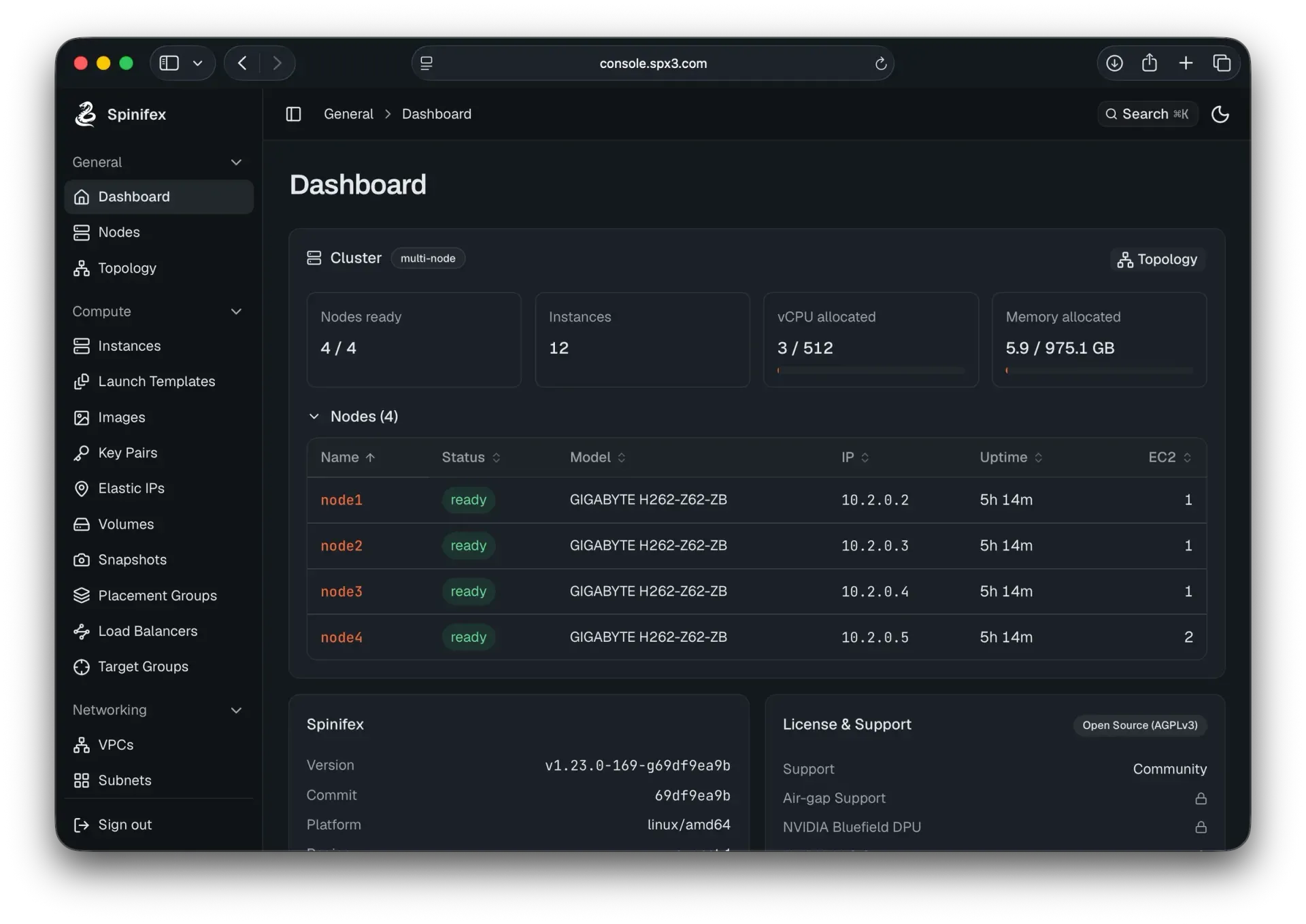
Official README screenshot of the console dashboard on a four-node cluster running a v1.23.0 development build, with license and support status.
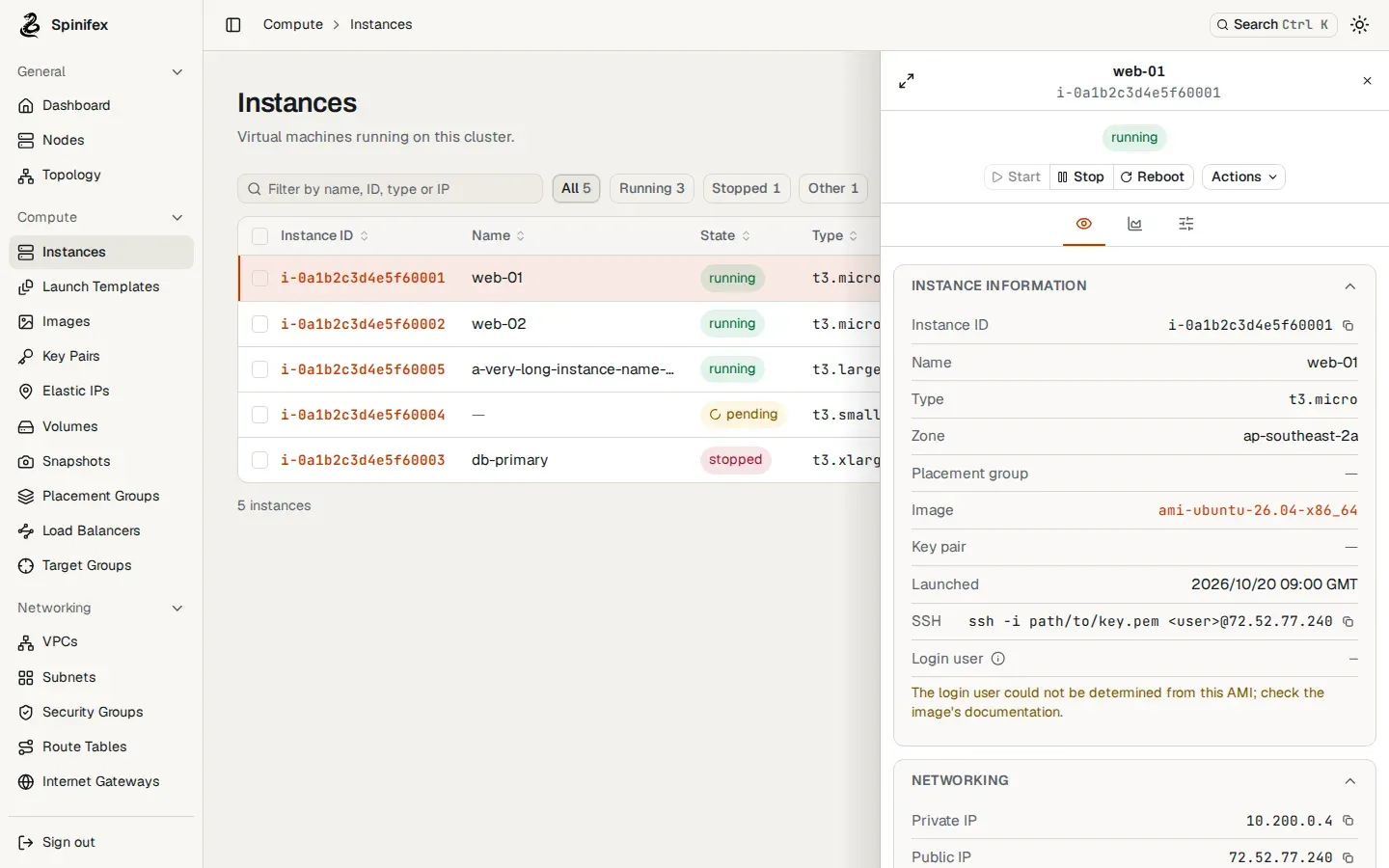
Console visual test snapshot from the Spinifex repository, using fixture data, showing the side-panel layout introduced with the v1.24.0 redesign.
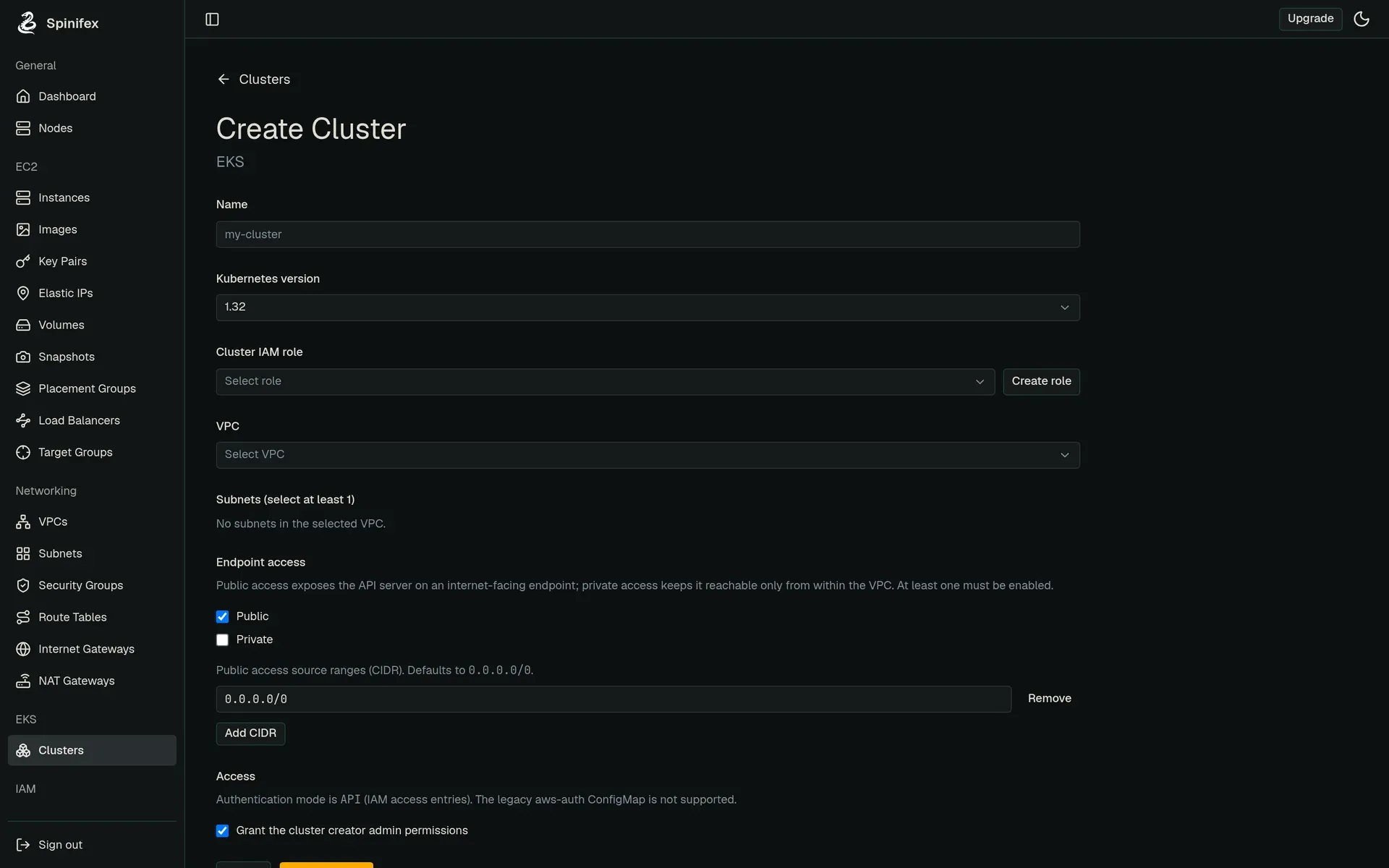
Documentation screenshot of the EKS create-cluster form in the earlier console design, with IAM access entries as the authentication mode.
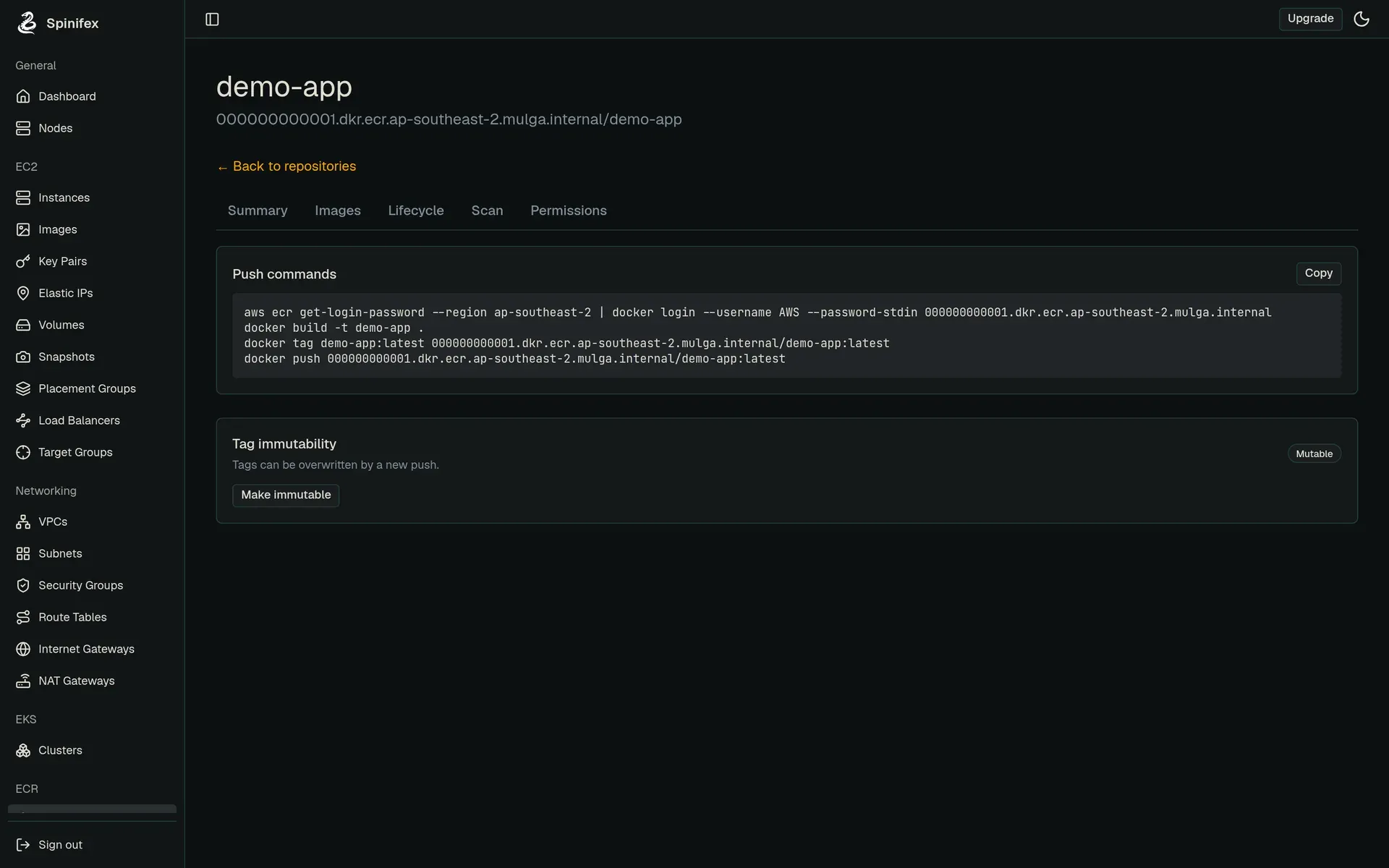
Documentation screenshot of an ECR repository with generated push commands and the tag immutability setting.
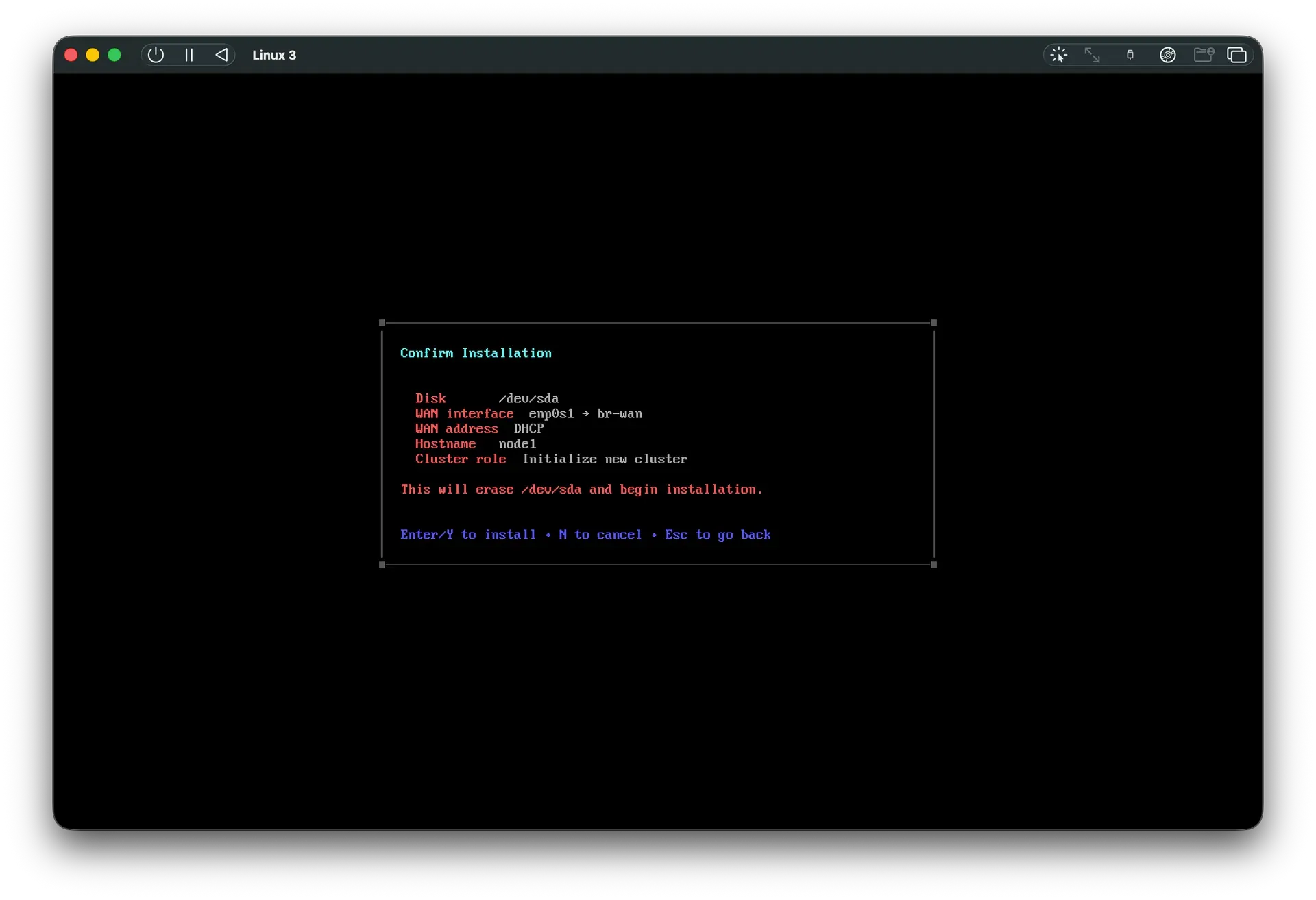
Official screenshot of the bare-metal installer confirmation step, which warns that the selected disk will be erased.
Source: official Spinifex project page.
Key capabilities
- Bootable bare-metal installer (x86) The
spinifex.isoimage is written to a USB drive of at least 8 GB and booted on the target server. A console or headless mode (set ingrub.cfg) asks for disks, WAN and LAN interfaces, a hostname and an admin password, then installs a complete working single node. Selected drives are erased without rollback after the confirmation screen; drives held by md, LVM or device-mapper abort the install. The USB install guide covers each step. - One-line install on an existing Linux host
curl -fsSL https://install.mulgadc.com | bashinstalls thespxdaemon and CLI, QEMU/KVM, OVN and Open vSwitch, Predastore, Viperblock and AWS CLI v2. Supported hosts are Ubuntu 26.04, Debian 13 and Oracle Linux 10.2 or later 10.x on UEK R8 (x86_64 only). The WAN interface must already sit on a Linux bridge namedbr-wan; the installer does not create it yet. The single-node guide lists the checks. - Release tarballs, air-gapped install and source builds Every GitHub release ships Linux amd64 and arm64 tarballs, SHA-256 checksums and
setup.sh. The air-gapped guide prepares these on a connected machine, moves them on USB media and verifies the packages on the target. A source install is documented for developers, and settingINSTALL_SPINIFEX_CHANNEL=devselects untested development builds. - EC2-compatible compute Instances are QEMU/KVM guests launched through the EC2 API, with AMIs, key pairs, launch templates, placement groups, Elastic IPs, spot instances and an instance metadata service with IMDSv2 hop-limit handling. The gateway places a multi-instance launch across nodes with spare capacity and rolls back on partial failure. A full node returns
InsufficientInstanceCapacity, as AWS does. - GPU passthrough VFIO binds NVIDIA and AMD GPUs to guest VMs and exposes GPU instance types, with each GPU allocated exclusively to one instance. It needs an x86_64 bare-metal host with IOMMU (Intel VT-d or AMD-Vi) enabled.
spx admin gpu setupconfigures the kernel arguments and is safe to re-run. NVIDIA MIG partitioning is sold as an enterprise add-on. - EBS-compatible block storage Volumes and snapshots are served by Viperblock, which keeps a write-ahead log on local NVMe and stores data in Predastore. In a three-node cluster, volumes inherit Predastore durability. Recent releases refuse
DeleteSnapshotwhile an AMI uses the snapshot and report the platform key posture for EBS encryption by default. - S3-compatible object storage Predastore spreads objects across nodes as Reed-Solomon shards, RS(2,1) in a three-node cluster, so one node can be lost. It holds AMIs, volume data, user data and DNS zone files as well as tenant buckets. SigV4 clients, multipart uploads and standard headers such as
Cache-ControlandContent-Dispositionare supported. - VPC networking OVN provides VPCs, subnets, route tables, security groups, internet, NAT and egress-only gateways, and Elastic IPs. Geneve tunnel traffic can use a dedicated interface with
--encap-ip, which the docs require for multi-node clusters. The VPC networking guide explains bridge setup and data paths. - IAM, STS and SigV4 on every service Users, groups, roles, managed and inline policies, instance profiles and STS sessions are enforced across services. Policies accept
NotAction,NotResourceand the common string, date, numeric and IP condition operators.iam:PassRoleis checked when ECS, EKS or instance profiles take a role. - Load balancers and certificates ALB runs on HAProxy for layer 7 and NLB on nginx
streamfor layer 4, inside a microVM based on Alpine 3.24. ACM-imported certificates terminate TLS, and expired certificates are refused on import. ALBs setX-Forwarded-*headers and stop sending traffic to unhealthy targets. - EKS on k3s Kubernetes clusters run k3s with highly available control planes and managed node groups.
kubectlauthenticates throughaws eks get-token, access uses IAM access entries rather than theaws-authConfigMap, and v1.24.0 adds IRSA for pods with an annotated ServiceAccount. The EKS quickstart uses Terraform. - ECR and ECS ECR stores OCI images in Predastore, deduplicated per account, and serves the OCI referrers API for signatures and SBOMs. ECS runs task definitions on Spinifex instances, with task role credentials served under a secret credential ID. Push commands are shown in the console for each repository.
- RDS and Route 53 RDS offers PostgreSQL and MariaDB instances with automated backups, snapshots and parameter groups. Route 53 runs on Northstar, an authoritative DNS server; a public hosted zone goes live once the parent domain delegates to the cluster name servers.
spx admin dnsverifies, activates and releases zones. - Web console A built-in console manages instances, volumes, buckets, networks, load balancers, clusters, DNS and IAM. Since v1.24.0 every resource opens in a side panel, lists support bulk delete, shared filters and inline tag editing, and a nodes view shows hardware inventory, host metrics, topology and node-to-node network tests.
- Multi-node clusters Three servers are the recommended minimum: OVN databases, NATS JetStream state and Predastore shards each survive the loss of one node at that size. The init node waits for peers, then distributes credentials, CA certificates and configuration. Servers beyond three point at the three-member OVN database cluster. See the multi-node guide.
- Operations CLI and upgrades
spx admininitialises nodes, generates TLS certificates and AWS CLI profiles, manages accounts, certificates, GPU setup and DNS. Upgrades re-run the installer, which reinstalls systemd units and applies configuration migrations; replacing only the binary is documented as unsafe, andspx admin upgradereconciles units. The update guide covers the manual path. - Cloud and partner deployments Documented targets include Oracle Cloud Infrastructure VM and bare-metal shapes, Vultr bare-metal and VM hosts, and validated hardware from Cisco (Unified Edge), Supermicro and OnLogic with published reference architectures and benchmarks. Mulga also quotes pre-installed appliances with Cisco, ASUS and Critical Shift; hardware pricing is on application.
Where Spinifex fits
Moving an existing AWS workload on-premise
Use the spinifex AWS CLI profile that spx admin init writes, then run the same CLI commands or Terraform plans against the new endpoint. Check every API call the workload makes against the coverage report first, because an unlisted operation is not served. The workload migration guide lists the supported services and tools. Rebuild AMIs and test IAM policies, since AWS account IDs, ARNs and regions differ.
Running a disconnected edge site
Install from the ISO or from release tarballs carried on USB media, and verify the SHA-256 files before installing. A single node is complete when the installer finishes, and the platform needs no external control plane. For intermittent links, the hybrid sync guide uses aws s3 sync between local buckets and AWS. Confirm how certificates, time synchronisation and upgrades will reach the site before deployment.
Building a highly available private cloud
Start with three servers, each on a supported host OS with br-wan in place and a dedicated tunnel interface for Geneve traffic. Initialise the first node, join the others and verify that OVN, NATS JetStream and Predastore report all members. Then power off one node and confirm that instances on the remaining nodes, object reads and API calls keep working. RS(2,1) tolerates one lost node, not two.
Serving AI models on owned GPUs
Enable IOMMU in firmware, run spx admin gpu setup on an x86_64 bare-metal node and check that GPU instance types appear. Each passed-through GPU belongs to one instance; sharing a card through NVIDIA MIG is an enterprise add-on. The vLLM and Hugging Face TEI based Bedrock service is a roadmap item for Q4 2026, so model serving today runs inside your own EC2 or EKS workloads.
Running Kubernetes with an EKS API
Create a cluster with an IAM role, VPC and subnets through the console, CLI or the Terraform workbooks, then fetch a token with aws eks get-token. Push images to ECR and annotate ServiceAccounts for IRSA. Check add-on versions and ingress behaviour against your manifests, and remember that the control plane is k3s, so distribution-specific Kubernetes features may differ from Amazon EKS.
Evaluating in the hosted sandbox
Create a sandbox account to get keys and console access for 72 hours, then run a representative Terraform plan and the CLI commands your pipeline uses. Record failures and unsupported calls before planning hardware. The sandbox runs on a partner Neocloud, so do not load confidential data into it.
Install
curl -fsSL https://install.mulgadc.com | bashReviews of Spinifex
Be the first to share your experience with Spinifex.
Write a review
Loading review form…
Alternatives to Spinifex
 ProxmoxProxmox VE is an open-source server virtualization platform that combines KVM virtual machines, LXC containers, storage and networking in one web interface.
 VMwareVMware, a Broadcom subsidiary since 2023, makes the ESXi hypervisor, vSphere and VMware Cloud Foundation, sold only as subscriptions.FFlociFloci is a free, open-source local AWS emulator for development, testing and CI that works with AWS SDKs, the AWS CLI, Terraform, CDK and OpenTofu.