
What is windows95?
windows95 is a desktop application that runs Windows 95 inside an Electron app. The README describes it as the full operating system, written entirely in JavaScript, and working on macOS, Windows and Linux. It is developed in the felixrieseberg/windows95 repository, which was created in 2018. The README credits nearly all of the emulation work to the v86 project, an x86 emulator that runs in JavaScript and WebAssembly, and its contributors.
On licensing, the README's License section states that the project is provided for educational purposes only and that it is not affiliated with and has not been approved by Microsoft. The repository's LICENSE.md contains an MIT-style permission notice for the project, dated 2019, followed by the BSD-style license of the v86 source code; GitHub does not detect a single SPDX identifier for the file. The Windows 95 disk image is not part of the repository: it is included in the packaged releases, and the README explains how to extract it from a release with the Show Disk Image button in order to run the project from source.
The latest published release is v5.0.1, from April 13, 2026. It fixes a race in 5.0.0 where the packaged app could cold-boot instead of resuming from saved state, by waiting for v86's loaded event before restoring. Version 5.0.0, released the same day, added a host folder that appears as drive Z:, a shared clipboard, ISO mounting as drive D:, a raw TCP relay for clients beyond port 80, a redesigned launcher and an info bar with CPU, disk and network sparklines. Version 4.0.0 from February 2025 added working internet through Internet Explorer 5.5, host file browsing at http://my-computer, and Office 95 with Word, Excel, PowerPoint and FrontPage plus Space Cadet Pinball. The repository also carries a v6.0.0 tag and a 6.0.0 version in package.json on main, without a published release.
Release assets are 32-bit and 64-bit Windows installers and standalone zips, macOS zips for Apple Silicon and Intel, and Linux DEB and RPM packages for x86_64, ARM64 and ARMv7, as linked in the README downloads table. The help page covers MS-DOS display problems, resetting a stuck machine and installing more software. The README itself notes that a dedicated virtualization app is likely the better choice for games; full virtualization platforms listed on iThub include Proxmox and VMware.
windows95 screenshots
Explore the interface. Open a screenshot to view it at full size.
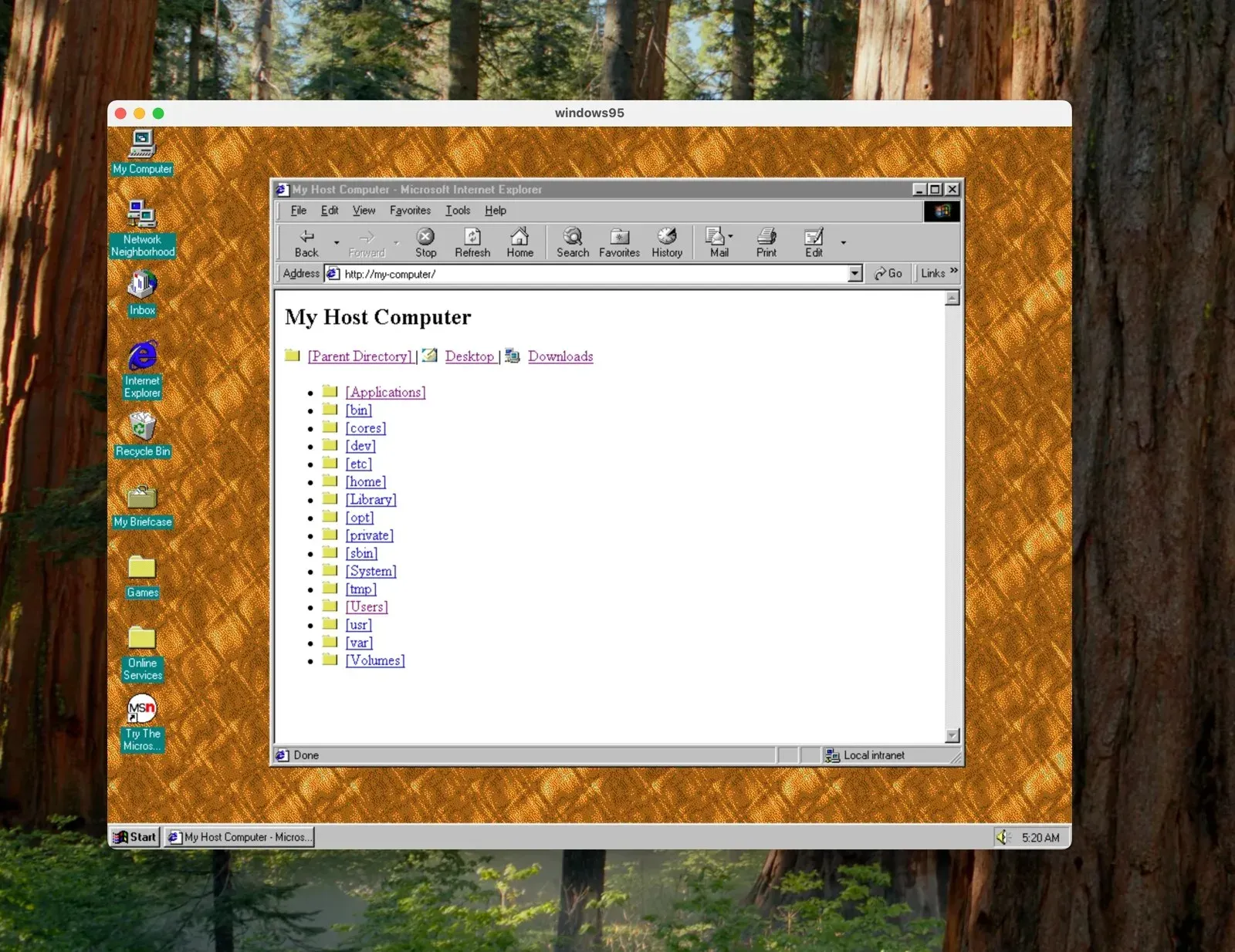
Internet Explorer inside windows95 browsing the host file system at http://my-computer.
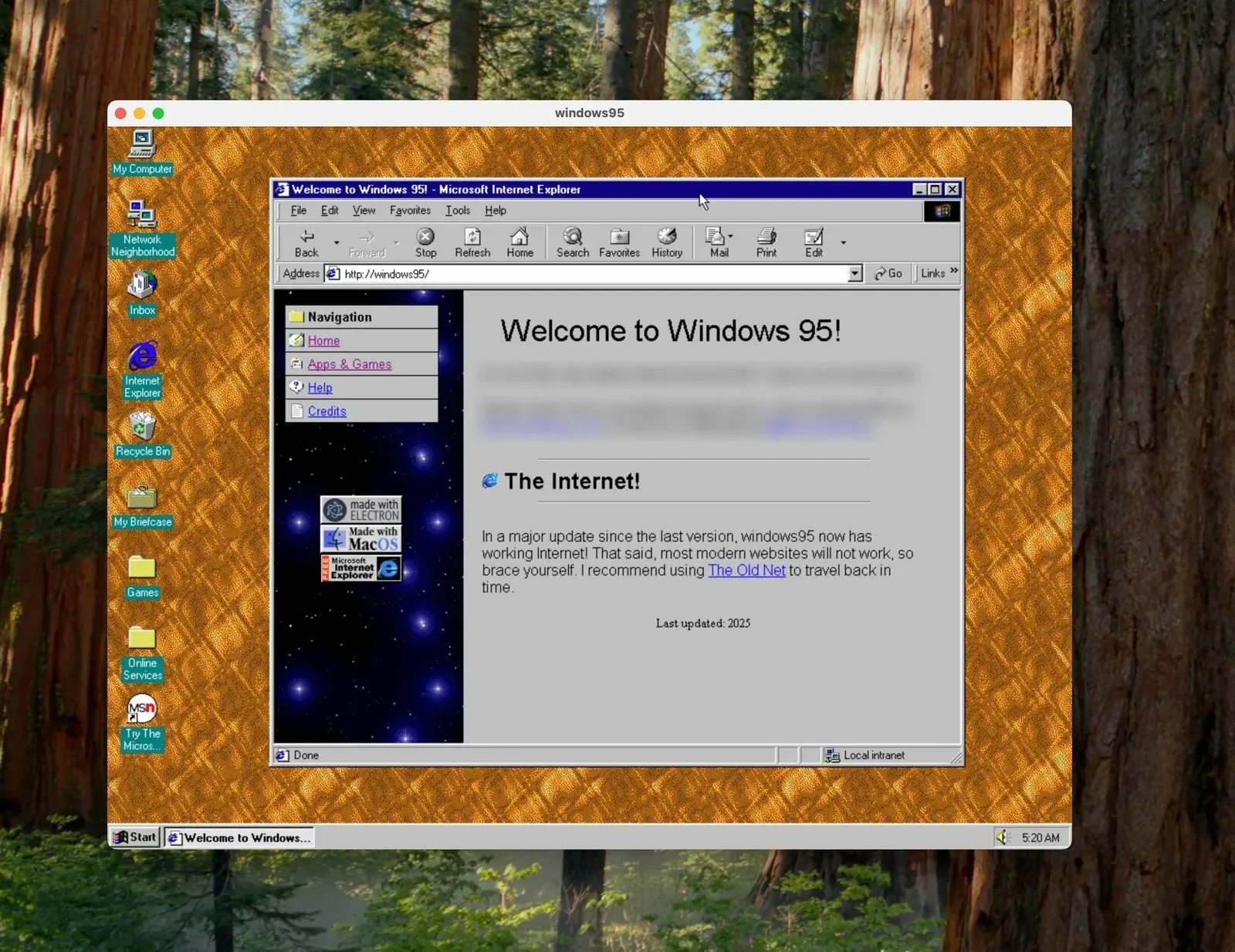
The Windows 95 desktop with the built-in welcome page in Internet Explorer; personal contact lines on the page are blurred.
Boot screen animation included in the windows95 repository (assets/boot.gif), single frame.
Source: official windows95 project page.
Key capabilities
- Complete Windows 95 in one app The app boots a full Windows 95 installation with its desktop, Start menu, Internet Explorer and Control Panel. The project describes it as the full thing rather than a visual imitation. The disk image ships inside the packaged release, so no separate Windows installation media is needed to start it.
- v86 emulation in JavaScript and WebAssembly The x86 machine is emulated by v86 inside Electron's renderer, without a hypervisor. The README asks users to adjust expectations because the emulator is written in JavaScript, and the repository documents its own patches to v86 in
docs/v86-patches.md. - Saved machine state The app resumes Windows 95 from saved state instead of booting from scratch. Settings can delete the machine's state when Windows gets stuck, and since 5.0.0 the Machine menu offers Boot from scratch and Start without state. Release 5.0.1 fixed a case where the packaged app cold-booted instead of resuming.
- Host folder as drive Z Release 5.0.0 maps a folder from the real computer into Windows 95 as drive Z:, with long filenames. A built-in SMB1 server, documented in docs/smb-share.md, shares the folder read-only, defaults to
~/Downloadsand is configurable in Settings. TheW95TOOLSguest agent maps\\HOST\HOSTautomatically at login. - Shared clipboard Text copied on the host can be pasted in Windows 95 applications such as Notepad, and the other way round. The guest agent talks to the host over the VMware backdoor port, so the feature does not need networking.
- CD-ROM images An
.isofile can be mounted and appears as drive D: inside Windows 95, so software can be installed from a disc image as on the original system. - Internet access Since 4.0.0, Internet Explorer 5.5 can open web pages, though the release notes state that many modern websites do not work and point to archived versions of sites. Release 5.0.0 added a raw TCP relay that lets the guest reach ports beyond 80 for IRC, FTP or telnet clients, and fixed a stall in v86's NE2000 network card emulation.
- Host file browsing over HTTP Visiting
http://my-computerinside Windows 95 lists the host's file system in Internet Explorer, with Desktop and Downloads shortcuts. This was added in 4.0.0 as a way to move files such as extra games or apps into the guest. - Preinstalled software The disk image includes Office 95 with Word, Excel, PowerPoint and FrontPage, Space Cadet Pinball and a few other games, according to the 4.0.0 notes and the README. More software can be installed from the internet, for example from archive.org, as the README describes.
- DOS games and display settings The README states that DOS games run, and recommends switching Windows 95 to 640x480 with 256 colours before starting them. The help page explains that Alt+Enter toggles a DOS window to full screen when MS-DOS garbles the display.
- Mouse and launcher Version 5.0.0 integrates the mouse through VBMOUSE, so the pointer moves between host and guest without pointer lock. The launcher uses 98.css styling, and an info bar with live CPU, disk and network sparklines appears on hover.
- C: drive tools The Modify C: Drive section of the app includes a Show Disk Image button that reveals the disk image and default state files. Since 5.0.0, files on the drive survive disk-image upgrades.
- Download for Windows 32-bit (ia32) and 64-bit (x64) builds are offered as setup installers and as standalone zips. The README notes that most computers need the x64 build.
- Download for macOS Standalone zips are published separately for Apple Silicon (arm64) and Intel (x64) Macs, with a pointer to Apple's guide for identifying the processor.
- Download for Linux DEB and RPM packages exist for 64-bit x86, ARM64 and 32-bit ARM (armhf and armv7hl) systems on each release.
- Docker and cloud development docs The repository documents running windows95 in Docker with an X11 display on Linux, Xming on Windows or XQuartz on macOS, and running it in an online VM with Kubernetes and Gitpod. These guides use a container image named in the docs rather than an image built by the release workflow.
- Building from source After extracting the
imagesfolder from a packaged release intosrc,npm installandnpm startrun a local build. The QEMU guide explains how to modify the image or build a new one.
Where windows95 fits
Revisiting Windows 95 on a modern desktop
The app opens a Windows 95 desktop in a window on macOS, Windows or Linux, with the start menu, Internet Explorer, Office 95 and Space Cadet Pinball already installed. Saved state lets a session resume where it stopped, and Settings can reset the machine to its default state.
Running DOS and Windows 95 games
The README states that DOS games such as those found on archive.org run in the app, and that a few games are preinstalled. It suggests switching to 640x480 at 256 colours before starting DOS games, and the help page describes Alt+Enter for MS-DOS windows that garble the screen. The README also says that a full virtualization application is likely to work better for gaming.
Moving files between host and guest
Files reach Windows 95 through the read-only Z: drive, which shares a configurable host folder over SMB1, through http://my-computer in Internet Explorer, or through ISO images mounted as drive D:. Text moves in both directions through the shared clipboard, which works without guest networking.
Using period internet clients
Internet Explorer 5.5 inside the guest can browse the web, with the release notes pointing to archived versions of sites because modern pages often fail. The raw TCP relay from 5.0.0 lets old IRC, FTP and telnet clients connect beyond port 80.
Customizing the disk image
Developers extract the disk image and default state from a packaged release with Show Disk Image, place them in src/images and run the Electron app with npm. The QEMU guide covers editing the image or creating a new one, and the repository's documentation of v86 patches records changes made to the emulator for this project.
Running the app in a container
The Docker guide shows how to run windows95 in a container that draws on the host's X11 server on Linux, through Xming on Windows or through XQuartz on macOS, with sound passed through on Linux. A separate guide covers an online VM with Kubernetes and Gitpod.
Reviews of windows95
Be the first to share your experience with windows95.
Write a review
Loading review form…
Related to windows95
 ProxmoxProxmox VE is an open-source server virtualization platform that combines KVM virtual machines, LXC containers, storage and networking in one web interface.
 VMwareVMware, a Broadcom subsidiary since 2023, makes the ESXi hypervisor, vSphere and VMware Cloud Foundation, sold only as subscriptions.