
What is shadPS4?
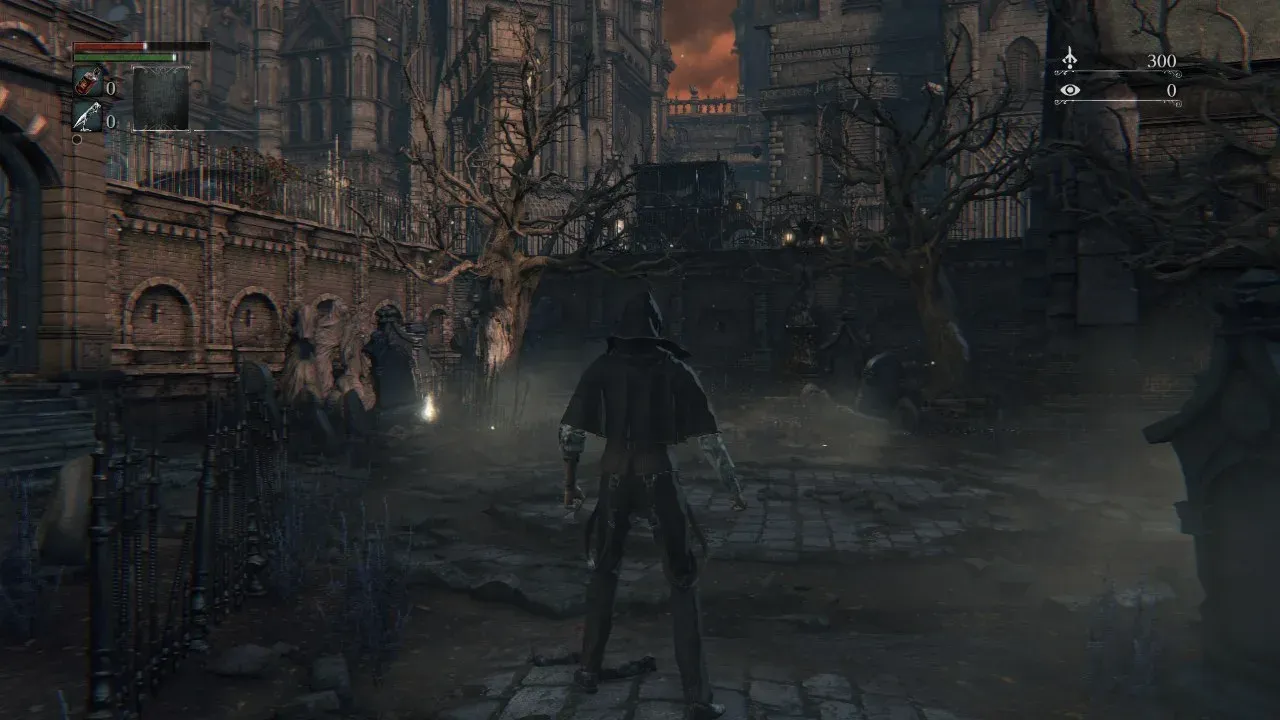
shadPS4 is an open-source C++23 PlayStation 4 emulator developed by the shadPS4 Emulator Project in the shadps4-emu/shadPS4 repository, created in October 2022. The README calls it an early emulator, and the official Quickstart warns that many games do not work and that those that do usually show emulation issues. The README lists Bloodborne, Dark Souls Remastered and Red Dead Redemption among games it runs. On November 15, 2026, the official compatibility page counted 1,015 tested titles on Windows, with 167 (16.45%) Playable and 299 (29.46%) Ingame; 1,011 on Linux, with 227 (22.45%) Playable and 260 (25.72%) Ingame; and 352 on macOS, with 43 (12.22%) Playable and 74 (21.02%) Ingame.
The main repository holds the emulator core, without a desktop GUI. Its GitHub releases contain SDL builds as ZIP archives for 64-bit Windows, Linux and macOS, plus automatic pre-releases from the main branch. For end users, the README and the downloads page point to the separate QtLauncher, a GPL-2.0 Qt frontend for the same three systems that downloads stable or nightly emulator versions itself. Since 0.16.0 the core also has a controller-oriented Big Picture Mode, and the game library manager Playnite includes shadPS4 launch profiles.
The current release is v.0.21.0, published on October 30, 2026. Its notes list Rosetta 2 workarounds for Apple Silicon Macs, USB storage and music player services, an np_auth rewrite, a platinum trophy fix and a fast_shader_math setting. Version 0.20.0, from October 14, 2026, followed the first stable shadNet 0.1.0 server release and rewrote the sceNet library with peer-to-peer support. Version 0.17.0 integrated shadNet, added ZArchive support and brought the KosmicKrisp Vulkan driver to macOS; 0.16.0 introduced Big Picture Mode, an OpenAL audio backend, local multiplayer and initial x64 FreeBSD support.
The emulator design page explains that the PS4 CPU is not emulated: guest x86-64 code runs natively, so the emulator needs an x86-64 host or, on Apple Silicon, Rosetta 2. System libraries are reimplemented (HLE) or loaded from firmware modules (LLE). The GPU is the only fully emulated hardware: the emulator processes submitted PM4 command buffers and renders them with Vulkan, through a shader recompiler that the README says uses the yuzu Hades compiler as its blueprint. The build links SDL3, Dear ImGui and OpenAL, and macOS builds bundle the Vulkan loader with the Mesa KosmicKrisp driver.
The code is GPL-2.0 licensed, with GPL-2.0-or-later SPDX headers in source files. The emulator ships without games or firmware: the Quickstart states that games, updates and DLC are copyrighted and must be dumped from the user's own copy, and the README states that the supported firmware modules must be dumped from a legally owned PlayStation 4. The issue templates state that issues involving software piracy are prohibited and lead to a ban. Donations go through Ko-fi; there is no paid edition.
Key capabilities
- Download shadPS4 for Windows The v.0.21.0 release provides shadps4-win64-sdl-0.21.0.zip, a command-line SDL build for 64-bit Windows, and the QtLauncher pre-releases provide a win64 ZIP containing shadPS4QtLauncher.exe. The FAQ lists Windows 10 as the minimum version, and the Quickstart and FAQ state that the Microsoft Visual C++ 2022 redistributable is required. The Windows build guide states that ARM64 is not supported. The official downloads page links both packages.
- Download shadPS4 for Linux The release includes shadps4-linux-sdl-0.21.0.zip, and the Quickstart describes the Linux QtLauncher as an AppImage started from the extracted folder. The FAQ gives Ubuntu 22.04 as the minimum Linux version. The Linux build guide lists dependencies for Debian and Ubuntu, Fedora, Arch Linux and openSUSE, plus a Nix flake, and notes that the shadps4-git AUR package is not maintained by the developers.
- Download shadPS4 for macOS The release includes shadps4-macos-sdl-0.21.0.zip. The README states that macOS 26.0 or later is required and that Intel Macs are not supported, while the website FAQ still lists macOS 15.4 with Rosetta 2 as its minimum. The macOS build targets x86-64, sets a macOS 26.0 deployment target for KosmicKrisp and bundles the Vulkan loader and driver. The Quickstart describes allowing the QtLauncher with Open Anyway in the Privacy and Security settings on first launch.
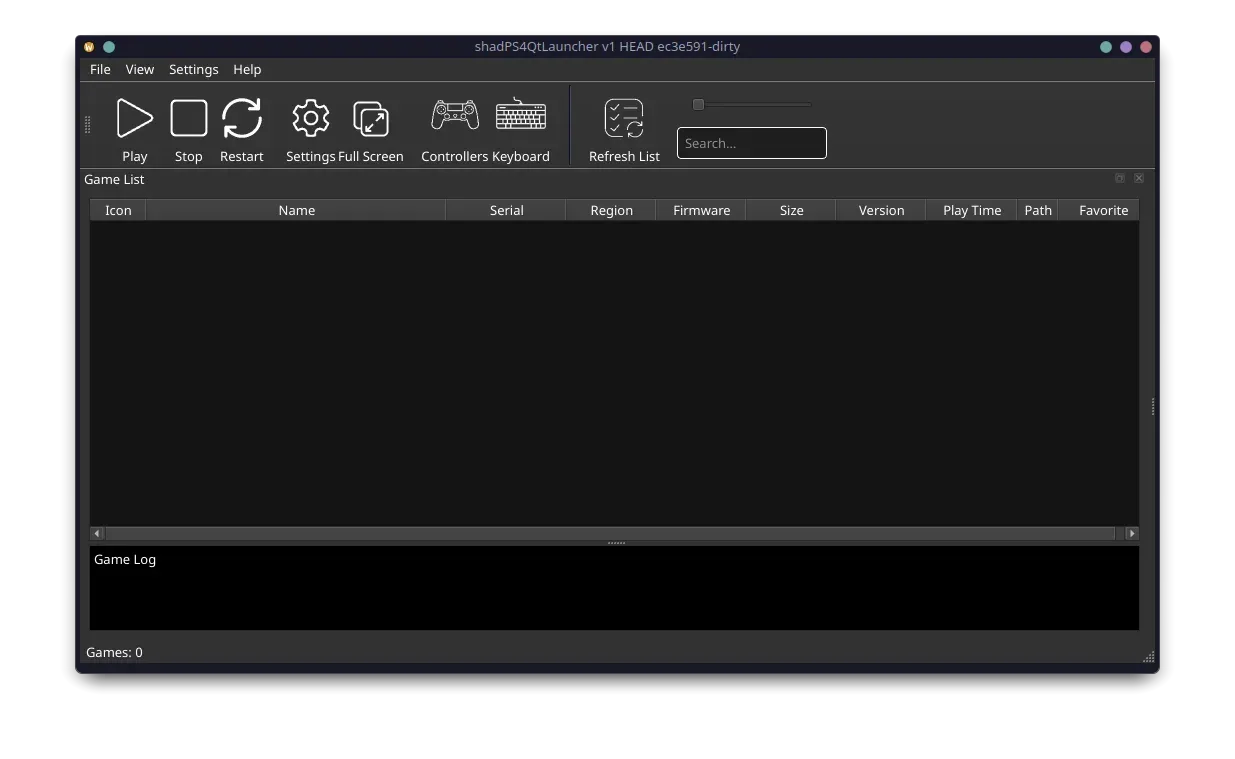
- QtLauncher graphical frontend The official Qt launcher shows a game list with icon, name, serial, region, firmware, size, version, play time, path and favorite columns, a search field and a game log pane. Its Version Manager downloads stable and nightly emulator builds and switches between them. Settings tabs cover General, Frontend, Graphics, User, Input, Paths, Log and Debug, with options for Discord Rich Presence, title music and compatibility data, and a game context menu opens a trophy viewer. Builds are published on the QtLauncher releases page, and translations are managed on Crowdin.
- Command-line operation The SDL build boots a game by its serial, such as a CUSA folder in the configured game folders, by a path, or directly from a PS4 ELF file. Options include
--fullscreen,--config-clean,-pfor a patch file,--add-game-folder,--mountand-efor guest environment variables. Arguments after a double dash go to the game executable, and--helpprints the full list, as the README usage examples show. - Minimum system requirements The FAQ asks for a processor with at least 4 cores and 6 threads above 2.5 GHz that supports the x86-64-v3 baseline: Intel Haswell or newer, AMD Excavator or newer, or Apple hardware through Rosetta 2. The GPU needs at least 2 GB of VRAM and Vulkan 1.3 with the
VK_KHR_swapchainandVK_KHR_push_descriptorextensions, alongside 8 GB of RAM. The FAQ states that these minimums make booting games possible, while more demanding 3D games still struggle. - HLE libraries and firmware modules Several PS4 system libraries are reimplemented in the emulator, and modules that are not implemented yet can be loaded from console firmware files placed in the sys_modules folder. The README lists 34 supported modules, including libSceAudiodec, libSceFont, libSceJson, libSceNgs2, libSceAvPlayer and libSceLibcInternal, and states that they are required to run games properly and must be dumped from a legally owned console. Since 0.18.0, AvPlayer can run in LLE mode with the libSceAvPlayer modules, which fixed broken videos in a few games.
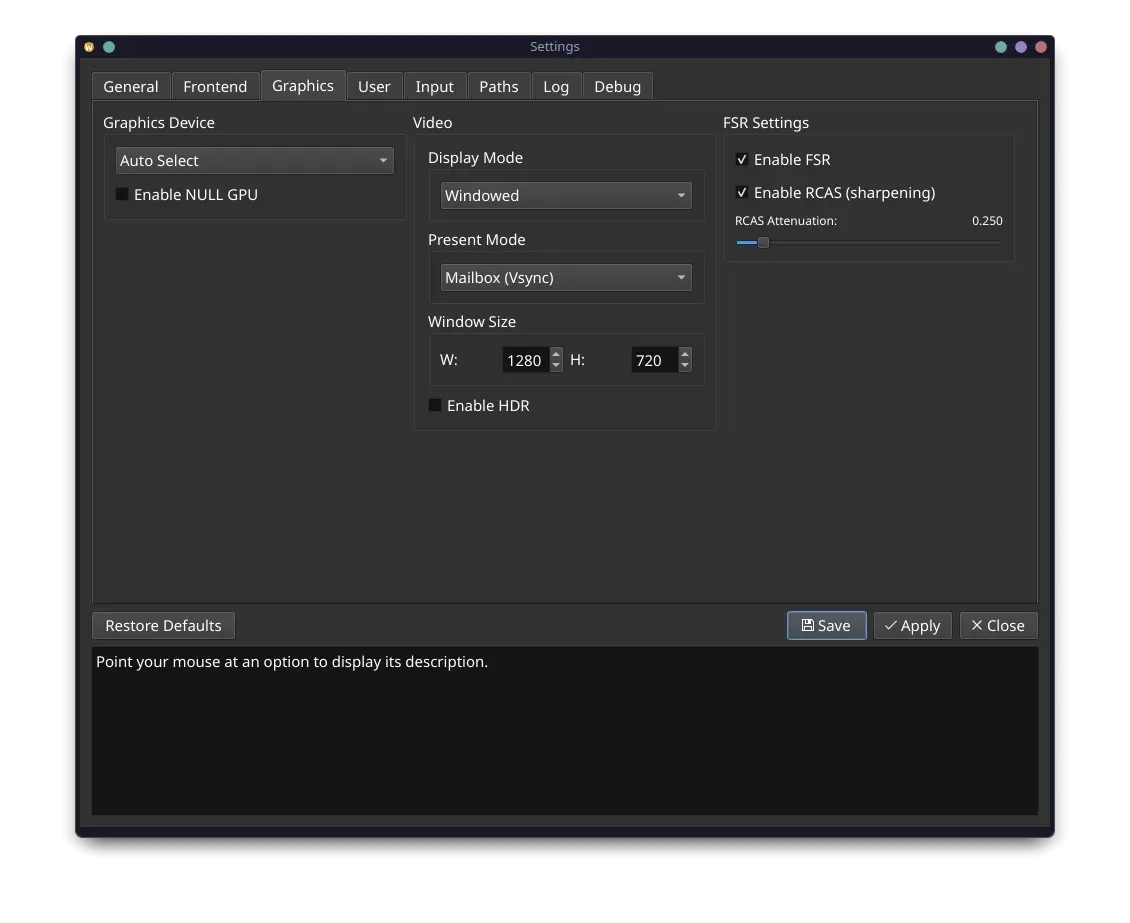
- Vulkan GPU emulation and graphics settings The video core follows the PM4 packets that games send to the emulated AMD GPU and renders through Vulkan with texture and buffer caches, while the shader recompiler translates GCN shader instructions. The official graphics settings screenshot shows graphics device selection, a NULL GPU option, windowed or fullscreen display modes, present mode, window size, HDR, and AMD FSR with RCAS sharpening. The wiki notes that the window size does not change the resolution of the game.
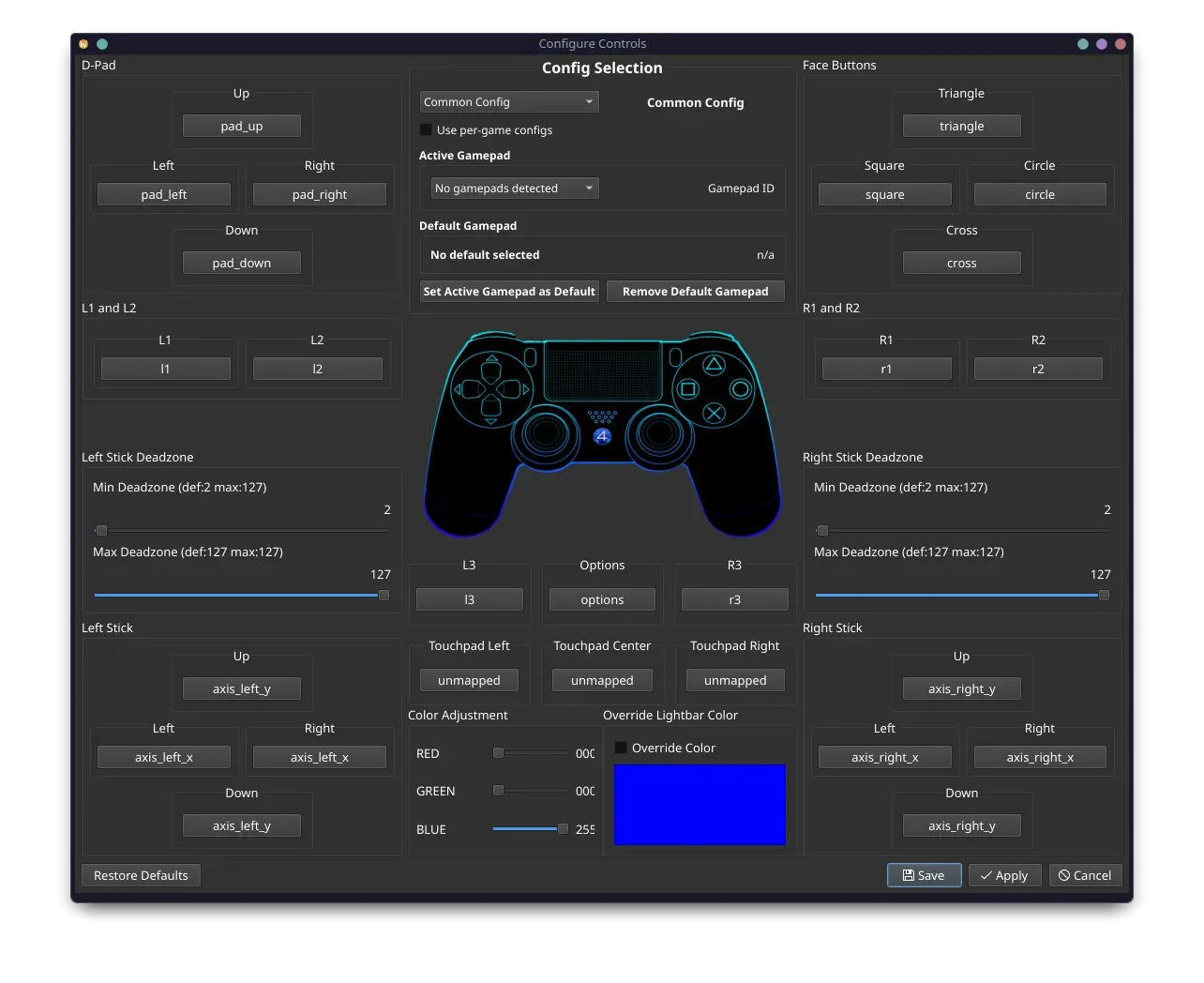
- Controllers, keyboard and mouse The README states that Xbox and DualShock controllers work out of the box and documents a default keyboard layout, with WASD for the left stick and Q, U, E and O for the shoulder buttons. Custom bindings are saved per game and support up to three keys per binding, mouse buttons and mouse movement mapped to a joystick. The controller dialog also covers stick deadzones, touchpad zones and a lightbar color override, and 0.17.0 added sceMouse emulation for games that supported a USB mouse.
- Games, updates, DLC and ZArchive Games are installed as dumped folders named after their CUSA serial in a game installation directory, and updates use the same serial with a -patch or -UPDATE suffix. DLC goes into a separate additional content directory. Since 0.17.0 the emulator reads ZArchive files, which store a game in one compressed file, and 0.19.0 added DLC in ZAR form. Trophies unlock once a trophy key is entered in the settings, and saves go to user/savedata/1/ plus the game ID. The Quickstart states that games, updates and DLC are copyrighted content that must be dumped from the user's own copy.
- shadNet online services The shadPS4 wiki describes shadNet as the network layer of the emulator, an open-source server that emulates the PSN matchmaking and presence services, and notes that games needing dedicated servers require separate fan-made servers. Integration began in 0.17.0 with score posting, friends and lobbies, and 0.20.0 added peer-to-peer online play. The shadNet site shows trophies, leaderboards, top players and activity.
- Cheats and patches From the context menu of a game in the launcher, users can download cheats and patches from several repositories, including the official shadPS4 cheats and patches repository, then enable individual entries before starting the game. The core accepts a patch file with
-p. The wiki states that the project provides no help for games run with cheats, patches or mods, and game bug reports require a clean installation without them. - Overlays, screenshots and RenderDoc F10 toggles the FPS counter, Ctrl+F10 shows video debug information and F11 switches to fullscreen; on a Mac, Command replaces Control and fullscreen uses Command+F11. F12 triggers a RenderDoc capture or, when RenderDoc is unavailable, a game-only screenshot, while Alt+F12 captures the screen including HUD and dialog overlays. Version 0.18.0 added draw call and dispatch counts to the frame info overlay.
- Configuration files and logs Settings are stored in config.json in the user folder, with per-game configuration files named after the game serial, and an older config.toml is detected for migration. The debugging documentation explains log options such as synchronous logging, per-class log filters, appending and a separate log file per game. By default the log is written to log/shad_log.txt, and the wiki FAQ states that only the last log is kept.
- Building from source The CMake build sets C++23. The Linux guide names Clang 23 as the recommended compiler, used for official Linux builds and CI, with GCC 14 also tested. The Windows guide covers Visual Studio 2022 with the Clang components, or VS Code with LLVM 23, CMake 4.2.3 and Ninja 1.13.2; the macOS guide requires Xcode 26.0 and Homebrew packages for building the KosmicKrisp driver; a Docker development container is also documented.
- Local data and privacy The privacy policy states that the emulator records the shadPS4 version, CPU and GPU models, operating system, configuration settings and the game being played only in the local log file, which is not transmitted automatically. It also states that the project websites show non-targeted ads, use cookies for login sessions and language preferences, and keep IP addresses on the forums and wiki for anti-abuse purposes.
Where shadPS4 fits
Playing a personal PS4 game library through the QtLauncher
The Quickstart is written around the QtLauncher. After extracting it, the user opens the Version Manager, selects a stable or nightly emulator build and lets the launcher download it. Game dumps from the user's own copies are copied, named by serial, into the game installation directory chosen on first start and then appear in the game list; updates, DLC and licenses follow the same pattern in their own folders. The Quickstart covers firmware modules, the trophy key and firmware fonts as further setup steps, and the compatibility page shows the reported state of each title.
Running games from a terminal or script
The SDL builds from the GitHub releases have no GUI and run from a terminal. A game is booted by passing its serial or path as the last argument, with options such as --fullscreen true or --config-clean placed before it, or named explicitly with -g. The downloads page recommends the QtLauncher over these builds for most users. Playnite, an open-source game library manager listed on iThub, ships a shadPS4 emulator definition whose profiles pass the game path to the Qt build or to shadPS4QtLauncher on the command line.
Controller play in Big Picture Mode
Started with -b, Big Picture Mode offers a console-like interface for controllers and living-room setups. It manages game folders, including recursive folder scanning added in 0.20.0, and reads games stored as ZArchive files. By default each game launches in a clean process, and --same-process changes that. Xbox and DualShock controllers are recognized without setup, and controls can be remapped per game.
Testing games and reporting problems
Game status reports go to the compatibility repository, while the emulator issue tracker is reserved for bugs and feature requests, and support questions go to the Discord server. A game bug report must confirm an official build, a re-dumped game in a clean installation without mods, disabled patches and cheats, and all required system modules, plus an unedited log. The wiki guide to critical log lines and the debugging guide explain how to read logs and capture frames with RenderDoc.
Playing online through shadNet
Since 0.17.0 the emulator can connect to shadNet, the project replacement for PSN matchmaking and presence, and 0.20.0 added peer-to-peer play after the shadNet 0.1.0 server release. The wiki configuration guide enables shadNet by setting the server addresses in config.json and the registered NP ID and password of the user in users.json, because the launchers do not expose these settings yet. Scores, trophies and rankings reported by games appear on the shadNet website, and the server itself is developed in the separate shadNet repository in C++ with Qt 6.
Building, debugging and contributing
Developers build the core with CMake and Clang following the per-platform guides, or inside the documented Docker container with VS Code integration. The Debugging documentation covers Visual Studio debug configurations, RenderDoc use (on Linux under X11, since RenderDoc does not work with Wayland) and log filters by class and level. Contributions arrive as pull requests that follow CONTRIBUTING.md, and Clang 23 is used in CI for formatting. Release posts such as the v0.21.0 announcement summarize recent changes.
Reviews of shadPS4
Be the first to share your experience with shadPS4.
Write a review
Loading review form…
Found shadPS4 useful? Upvote it todayYour vote helps other IT teams find it in the daily ranking.