

What is OhMyGame?
OhMyGame is an open source studio for building games with AI assistance, published by White Tower AI under the Apache-2.0 license; the OhMyGame name and logo are excluded from that license. The project is described as a one-person game studio: a person describes a game in chat, an agent writes a design document, paints the art, writes the code, runs the game in a live preview, plays it to check that it works, and can publish the result to a link that opens in a browser. Source and documentation are at the GitHub repository, with the project site at ohmygame.ai.
OhMyGame is distributed as a desktop application built on Electron, not as a hosted web product. The project's download page lists macOS on Apple silicon (.dmg) and Windows x64 (.exe); the Windows build is not code-signed yet, so Windows SmartScreen can warn on first install, and Intel Mac and Linux builds are tracked as open items on the project's GitHub issues. Building from source needs Bun 1.4.2 or newer and Node.js 22.19 or newer: cloning the repository, running bun install --frozen-lockfile, then bun run dev for the web renderer and local daemon, or bun run dev:desktop for the Electron app, as set out in the repository's CONTRIBUTING guide.
The repository carries no tagged GitHub release; development proceeds through numbered beta builds listed on the project's releases page and changelog. Recent beta builds added comments on published games, a plugin Library browser organized by source collection, agent screenshots of plugin panels, and batch plugin updates from npm. The project was created in August 2026 and shows frequent beta releases since.
The architecture separates a React renderer from a local Fastify daemon that the renderer calls over HTTP and Server-Sent Events; the daemon holds agent sessions, workspaces, generated assets, game previews and publishing, while Electron owns desktop lifecycle and native game windows, as described in the repository's architecture guide. Most of the codebase is TypeScript.
OhMyGame ships without a bundled model. On first launch, a person connects a model provider with an API key or an already installed coding agent CLI. The project's own built-in agent is named Pi, with the current beta bundling Pi 1.3.0; conversations can instead run on Claude Code, Codex, or OpenCode 2.1.0 or newer, documented in Coding agents. Outside its documented scope: OhMyGame sells no subscription or generation credits of its own beyond a limited free daily allowance for one 3D provider tied to an optional account, and it does not publish console or mobile app store builds.
Key capabilities
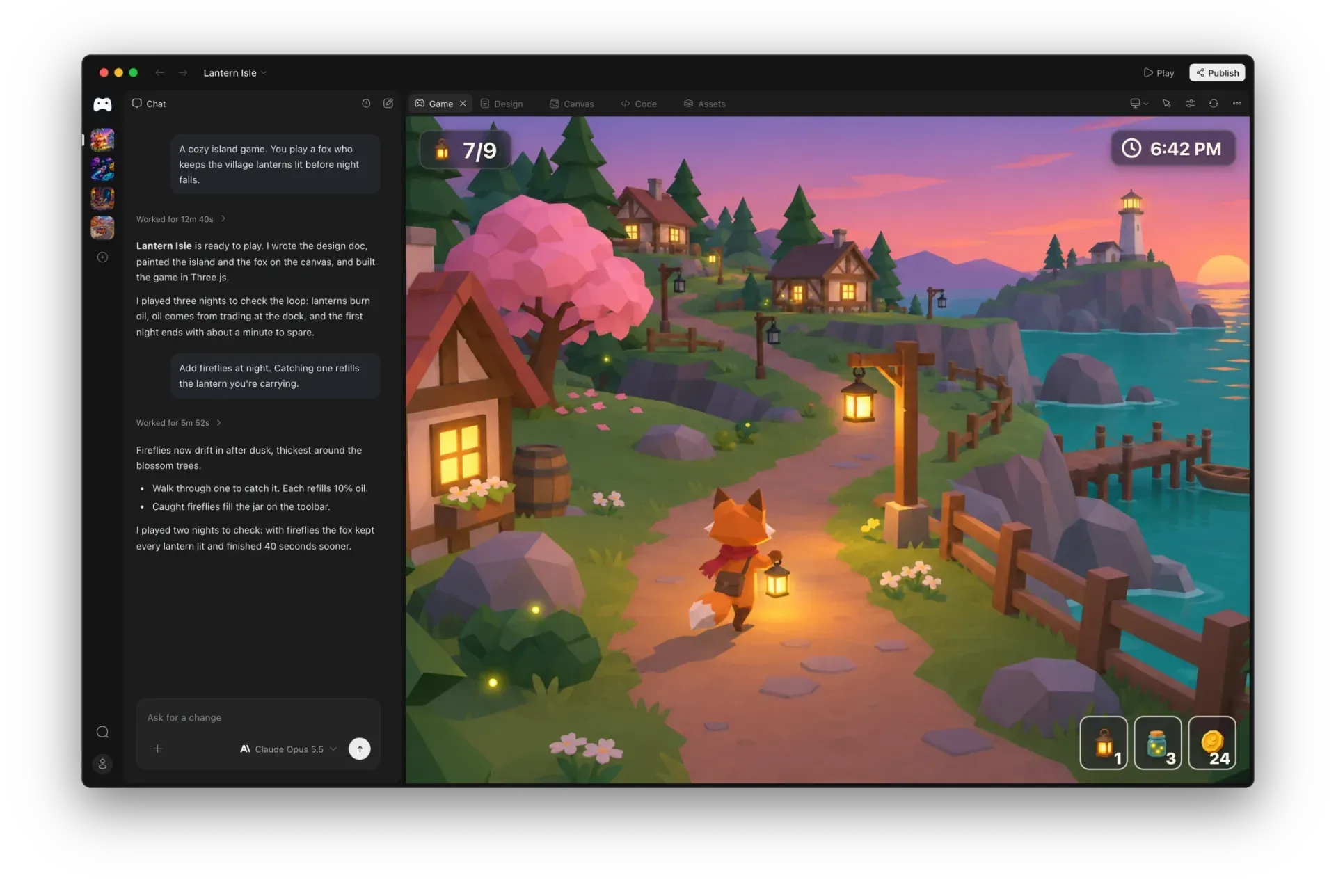
- Agent-built games from a description A person describes a game in chat and the agent drafts a design document, writes the code, runs the game in a live preview, plays it, and tries a fix when something breaks. The project's README shows this loop building and iterating on a small island game in Three.js.
- Pi, the built-in agent OhMyGame's own agent is named Pi; the current beta bundles Pi 1.3.0 and uses whichever model providers are connected in Settings for both conversations and one-off canvas generation. Pi is always available and does not require a separate coding agent installation.
- External coding agent CLIs A conversation can instead run on Claude Code, Codex, or OpenCode 2.1.0 or newer already installed on the computer; OpenCode v1 is no longer supported. The model picker groups each agent's models under its own brand icon, and sign-in, discovery and permissions are handled per CLI.
- Bring your own provider keys Model access is configured per provider with an API key, including Anthropic, OpenAI, Google, DeepSeek and Qwen among others; OhMyGame charges no per-run credits of its own for text generation. A Claude Max subscription is also accepted as an Anthropic connection.
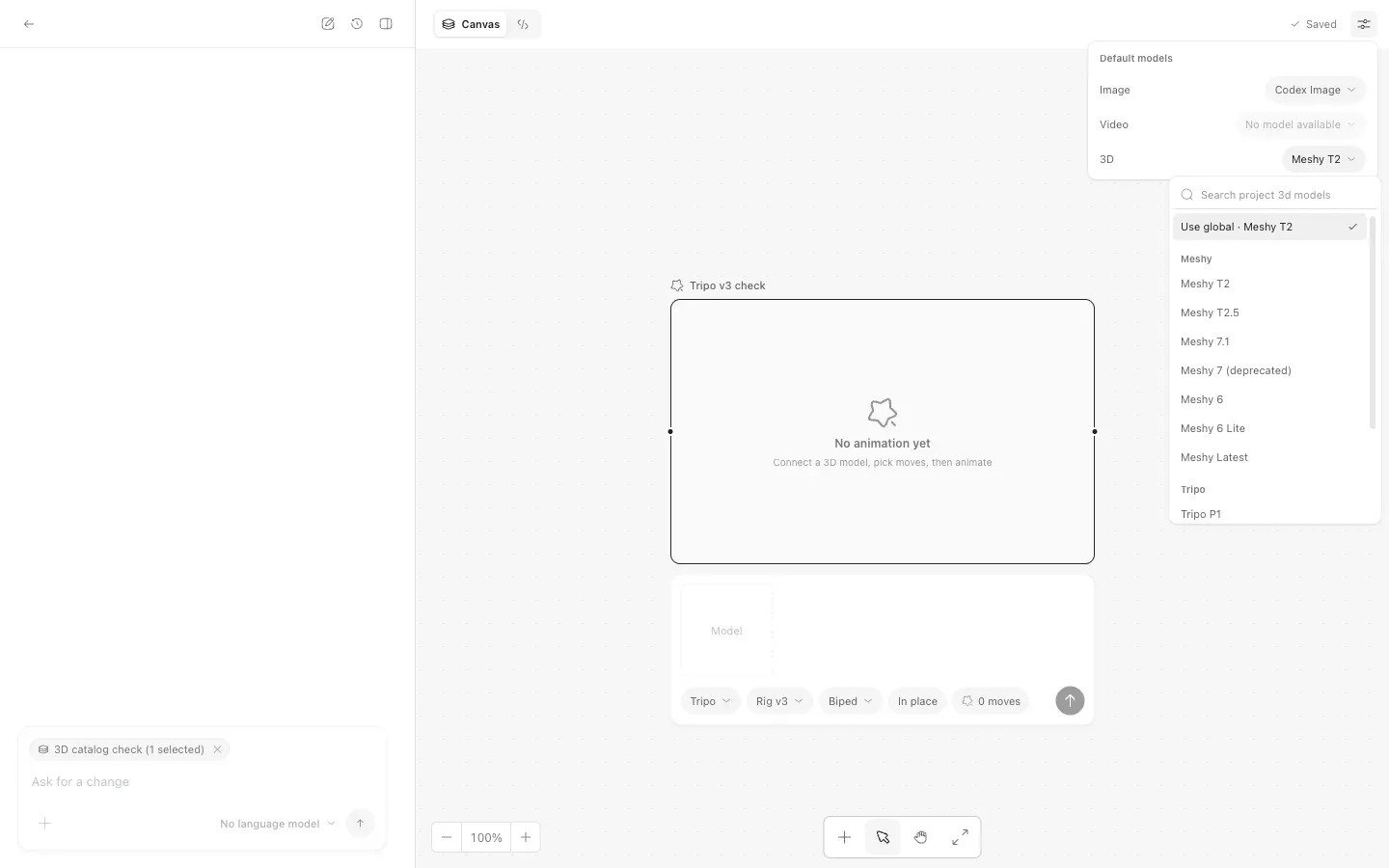
- Asset Canvas Design documents, images, video, 3D models, animation, voices, sound effects and music are generated with AI and kept on one canvas, organized for reuse in the project, instead of being split across separate applications.
- 3D model generation Own-key connections to Meshy, Tripo V3 and Hyper3D Rodin cover image or multiview generation, retexturing, remeshing and rigging, with documented operation limits that differ per provider, reviewed against each provider's public API documentation on October 23, 2026.
- Free cloud 3D credits Hyper3D also offers a small free daily allowance tied to a signed-in OhMyGame account, shown with a progress bar and reset time; the free allowance and an own API key can be configured at the same time, and signing in does not unlock free generation on other providers.
- Speech and audio generation Doubao Speech covers text-to-speech and Seed Audio through one Volcengine API key, and ElevenLabs covers speech, sound effects, music and transcription through one account key; local reference-voice speech through GPT-SoVITS is also supported.
- Image and video generation Additional own-key connections cover image and video models, including an OpenAI Codex Image connection, alongside custom providers added through Settings with a compatible protocol.
- Preinstalled engine and tool plugins Plugins preinstalled with the app add recognition and start commands for Godot, Unity, Unreal Engine, Blender, Aseprite and Tiled projects, plus WeChat Mini Games and Douyin Mini Games platforms; a plugin can teach the agent new tools and add panels or project types.
- Plugin Builder and plugin authoring tools A project panel can be turned into a plugin, previewed, run with native code once allowed, and tried in a project from inside the app; the plugin-cli and create-ohmygame-plugin packages support packaging and scaffolding a plugin from the command line.
- OhMyGame as an MCP server for other agents The reverse workflow, called external agents, exposes OhMyGame's media providers, Asset Canvas and playtest window as MCP tools through an `ohmygame-studio` server to Claude Code, Codex, DeepSeek Harness or other MCP clients working outside the app, off by default until a person adds the server to their client.
- Publishing to a link A finished web game publishes to a URL that opens directly in a browser and, unless kept private, is listed in the project's Community gallery alongside games other people made with OhMyGame.
- Multiplayer rooms Published web games can support turn-based or realtime multiplayer with public rooms, invite codes and reconnect handling. The project's own design documentation describes this as a publishing experience modeled on the idea of a shareable multiplayer playground, built with Colyseus, Railway and Supabase Auth, and explicitly not a reproduction of any undisclosed Google implementation.
- Game SDK for published games The `@ohmygame/game-sdk` npm package gives a published game sign-in, cloud saves synced to the game service, leaderboards, and a multiplayer room client with invite codes, quick play and reconnect, for games that use it.
- Interactive Stories A Playable Nodes system is documented as a separate project type from general code-based games, covering visual novels, interactive films and branching story games built from connected scene nodes.
- Desktop downloads Installers are offered for macOS on Apple silicon and Windows x64 from the project's download page; the Windows installer is not yet code-signed, and Intel Mac and Linux support are listed as open GitHub issues rather than available downloads.
- Privacy and telemetry controls Projects and API keys stay on the local machine and prompts go directly to the chosen providers; an account is required only to publish a game. Release builds send usage data and crash reports by default, with one switch in Settings to turn both off, and builds from source send no telemetry.
Where OhMyGame fits
Building a game from a text description
The documented workflow starts from a short prompt in the conversation panel. The agent writes a design document, generates placeholder and final art on the canvas, writes the game code, and opens it in a live preview panel beside the chat. Further messages in the same conversation ask for specific changes, such as adding a mechanic, and the agent's reply records what it changed and how long the turn took.
Generating and organizing game assets
Images, video, 3D models and audio are requested from the Asset Canvas or directly by the agent, using whichever provider is connected for that media type. Generated results become Library assets that can be reused across a project, and 3D results keep their source model so a retexture or remesh request can be re-run from the same asset.
Working inside an existing engine project through plugins
Opening a folder that a preinstalled plugin recognizes, such as a Godot or Unity project, turns that plugin on automatically and adds its start command to the Game panel. Blender, Aseprite, Tiled, WeChat Mini Games, Douyin Mini Games and TapTap Maker plugins are available but start off, and are enabled per project rather than globally. This plugin layer is separate from a standalone game engine such as Estella, which ships its own editor and runtime rather than wrapping an existing one.
Publishing a web game and adding multiplayer
A web game built with Phaser, Three.js or React Three Fiber publishes to a static link through the project's publish flow. A designer can configure the published game as single-player, turn-based multiplayer or realtime multiplayer; the multiplayer path adds room creation, invite links and reconnect handling documented separately from the static single-player publish path.
Using OhMyGame's tools from another coding agent
A coding agent already running outside the app, such as Claude Code or Codex, can connect to the `ohmygame-studio` MCP server to call OhMyGame's media generation, Asset Canvas and playtest tools for the project it is already working on, while that external agent continues to plan and write the surrounding code itself.
Building a visual novel or interactive film
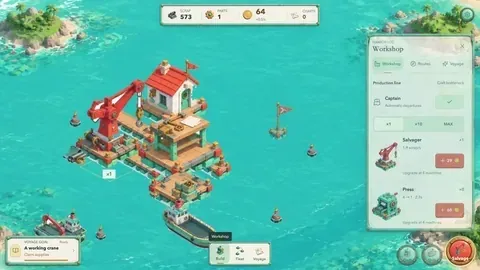
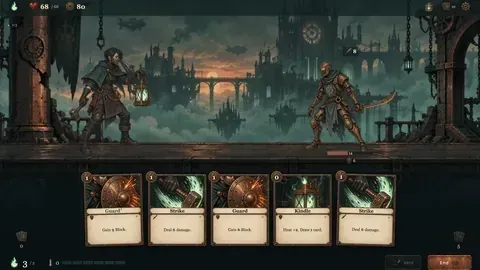
The Playable Nodes system models a story as connected scene nodes rather than as general application code, with its own authoring and runtime documentation separate from the code-based game path. The project lists an interactive film and a deckbuilding roguelike among examples built with OhMyGame.
Reviews of OhMyGame
Be the first to share your experience with OhMyGame.
Write a review
Loading review form…
Found OhMyGame useful? Upvote it todayYour vote helps other IT teams find it in the daily ranking.