

What is Dyad?
Dyad is a desktop AI app builder from Dyad Tech, Inc., created by Will Chen. You describe an app in a chat panel, a language model writes the code, and Dyad saves it to a folder on your computer, installs the npm packages and shows a running preview next to the conversation. It covers the same prompt-to-app workflow as hosted builders such as Lovable, v0 or Bolt, but the projects are ordinary Git repositories under ~/dyad-apps, so they can be opened in VS Code or moved to another tool at any time. The public repository was created in April 2025.
The application is distributed from the official download page and from GitHub releases: a Windows Setup.exe, macOS ZIP builds for Apple Silicon and Intel, and a Linux DEB, RPM and AppImage. Each release also publishes per-platform build provenance files. Linux support is described as experimental and has no auto-update. There is a stable channel and a beta channel, selectable in Settings. Using Dyad requires Node.js on the machine, because the generated apps run locally through it; Dyad tries to install pnpm and falls back to npm.
The latest stable release is v1.22.0, published November 2, 2026. According to the release notes, it stops Neon backup branches from accumulating after undo operations, with an opt-in migration for existing Neon apps, reduces out-of-memory failures in long chats and large MCP tool calls, adds French as an interface language and makes self-hosted GitLab connections more reliable. Version 1.21.0 made Cloudflare Workers publishing generally available, converts plain Vite apps to Nitro for that target, added a guided Neon deployment flow and a CPU and memory meter in the toolbar. Version 1.20.0 added experimental publishing to GitLab.com or a self-hosted GitLab, which also enables Coolify deployments.
Dyad is an Electron application written in TypeScript and React, built with Electron Forge and Vite. Local app metadata is stored in SQLite through Drizzle ORM, and model access goes through the Vercel AI SDK provider packages, which is how it supports OpenAI, Anthropic, Google, AWS Bedrock, Azure, xAI and any OpenAI-compatible endpoint. Code outside src/pro is licensed under Apache 2.0; the src/pro directory is fair-source under the Functional Source License 1.1 with an Apache 2.0 future license, as stated in the README.
Scope is deliberately narrow. Dyad only builds JavaScript apps: the default template is a client-side React and Vite app, and a Next.js template with shadcn/ui and Tailwind is included. PHP, Ruby or Python back ends, and native Swift or Kotlin apps, are out of scope; mobile output is limited to hybrid apps through Capacitor. Dyad is free with your own API keys, and the optional Dyad Pro subscription adds hosted model credits and Pro modes.
Dyad screenshots
Explore the interface. Open a screenshot to view it at full size.
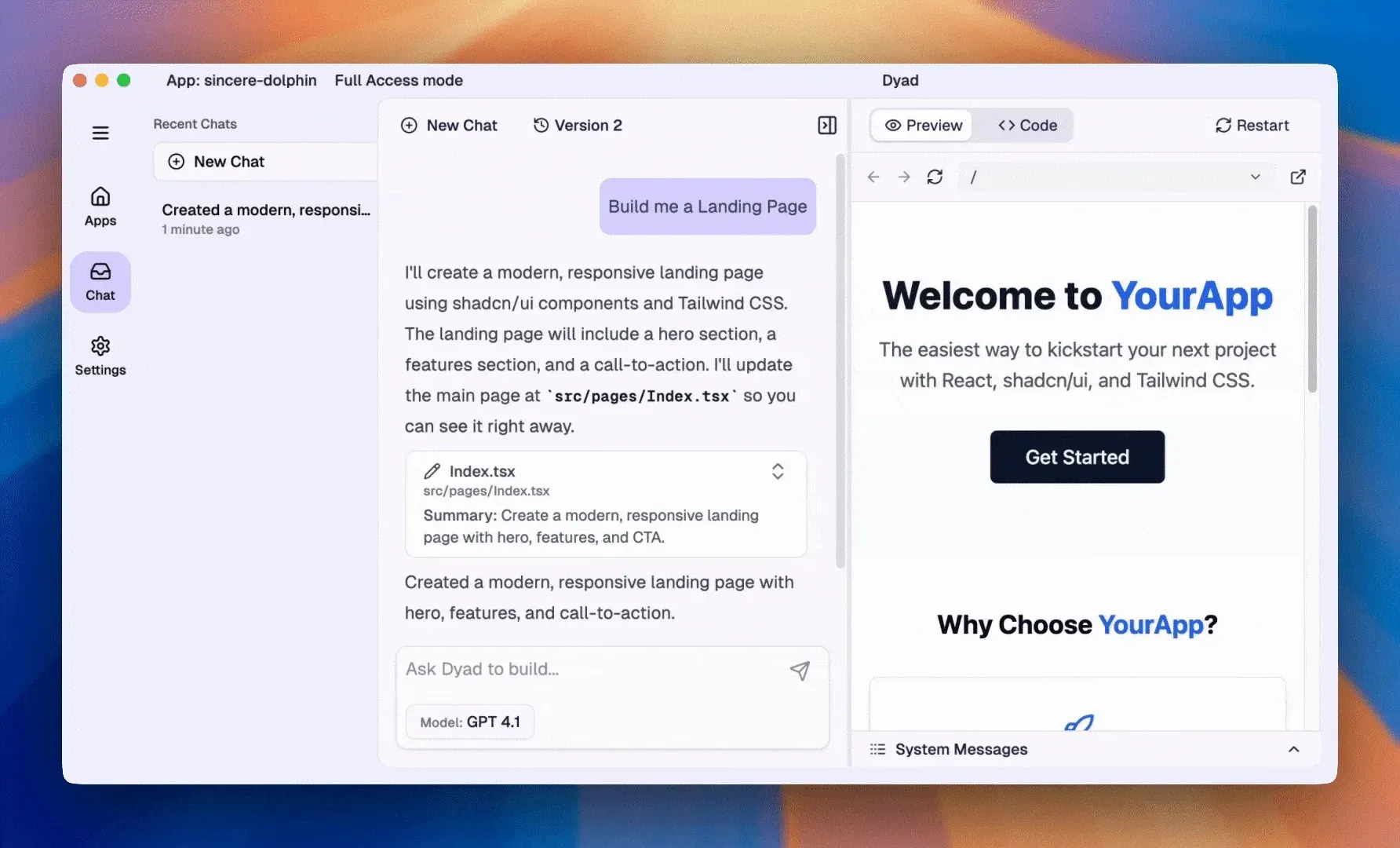
Official README demo: Dyad writes src/pages/Index.tsx in the chat and shows the running landing page in the preview panel.
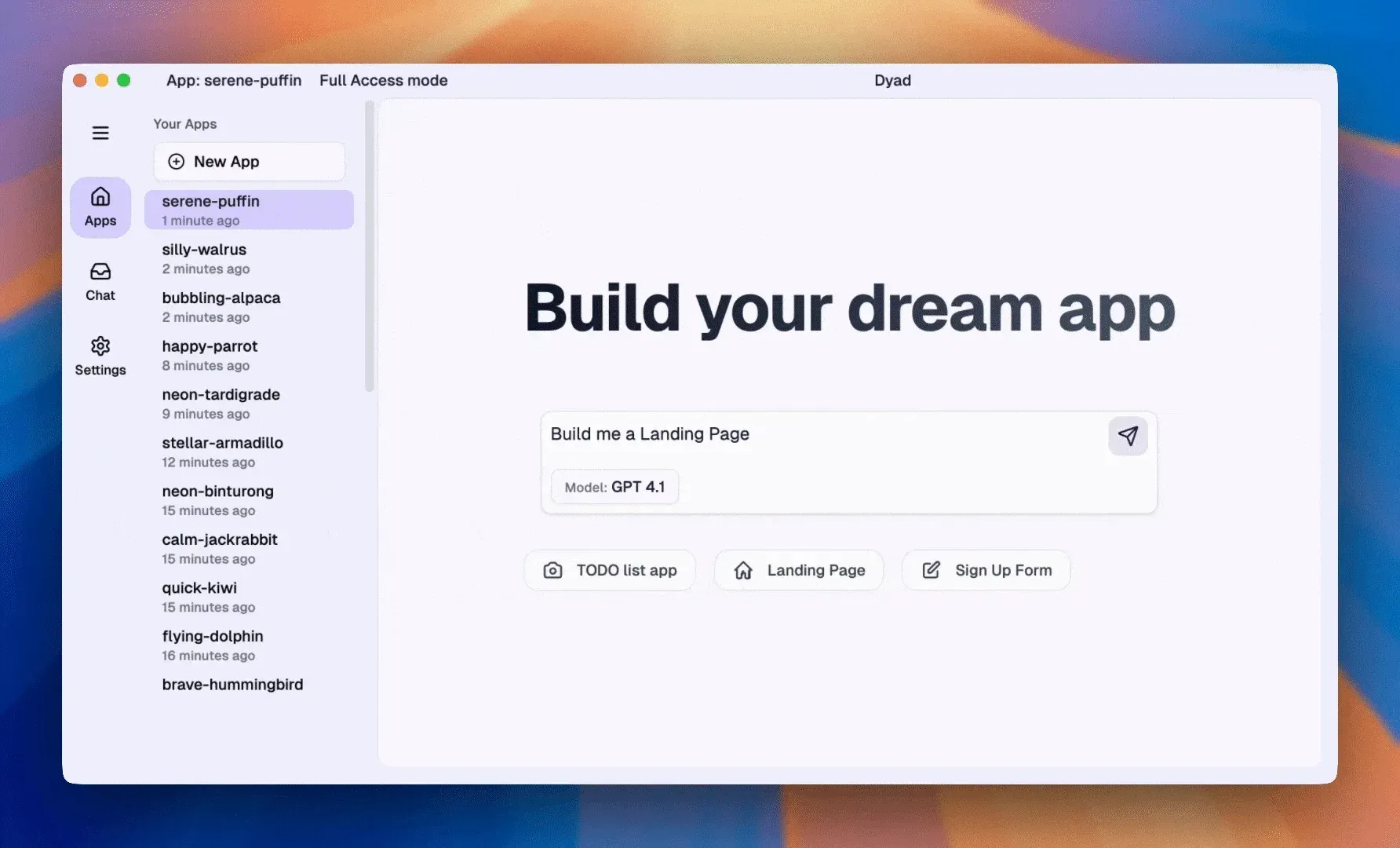
Frame from the official README demo: the apps sidebar and the prompt that starts a new app.
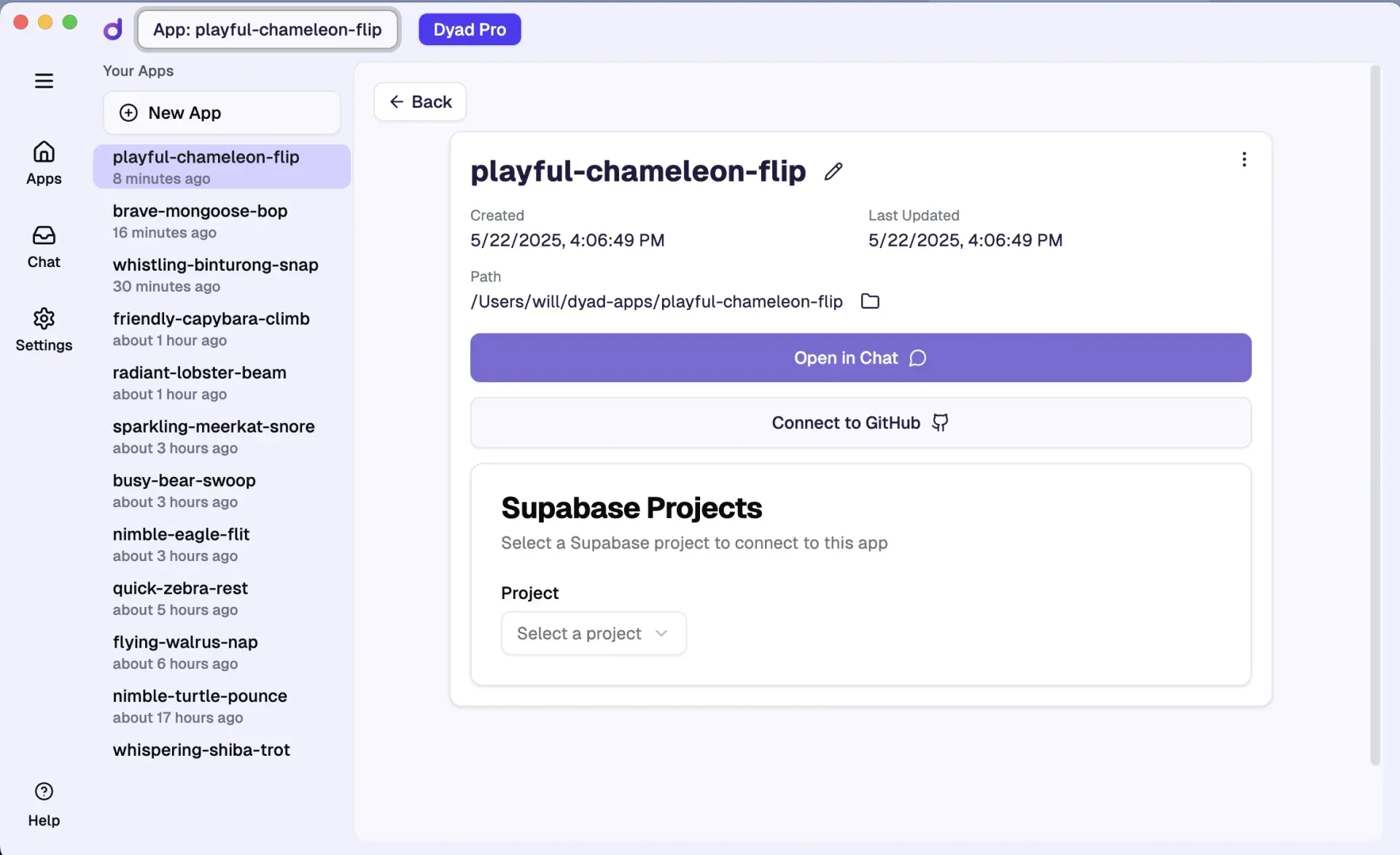
Official image from the Dyad FAQ: the app details screen with the local app path, GitHub connection and Supabase project selector.
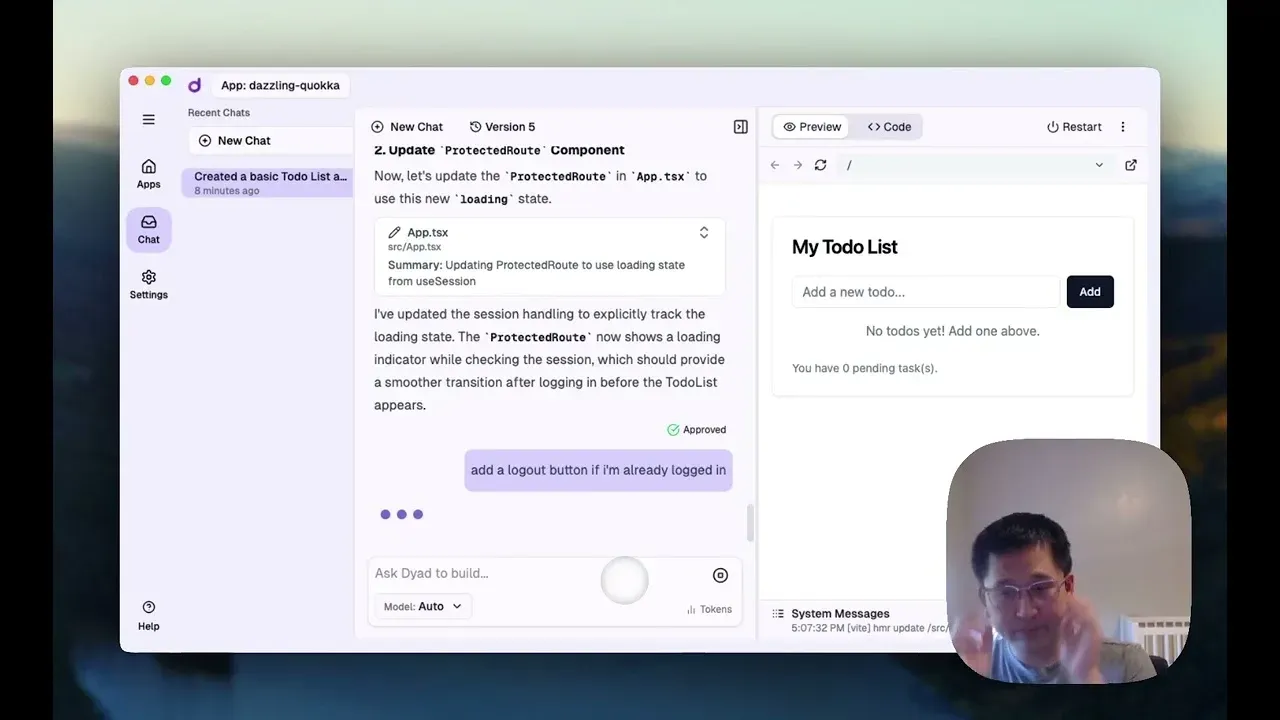
Thumbnail of the official debugging case-study video linked from the Dyad debugging guide.
Source: official Dyad project page.
Key capabilities
- Download for Windows A Squirrel-based Setup.exe installs Dyad per user and updates it automatically unless auto-updates are turned off in Settings. According to the FAQ, each release is signed with a Dyad Tech, Inc. code-signing certificate, but Windows Defender SmartScreen may still show a warning on first launch; the quickstart says to choose More info and then Run anyway. The installer and update package are attached to every GitHub release.
- Download for macOS Separate ZIP builds are published for Apple Silicon (darwin-arm64) and Intel (darwin-x64) Macs. Both are listed on the download page for the stable and beta channels, and installed apps follow the release channel chosen in Settings.
- Download for Linux Release assets include a DEB for Ubuntu and Debian, an RPM for Fedora and openSUSE and an x86_64 AppImage for other distributions. The FAQ calls Linux support experimental and untested, and Linux builds do not auto-update, so new versions must be downloaded manually.
- Chat-driven app generation Describe the app in the chat input; Dyad sends the request to the selected model, writes the resulting file changes and shows a per-file summary. Changes can be reviewed and approved before they are saved and run. Several chats can work on the same app, each with a clean context, and a Summarize into new chat action appears when a conversation approaches the model's context limit.
- Live preview panel The generated app runs on a local Node.js dev server and is displayed beside the chat, with restart, refresh, an address bar and an open-in-browser button. The first preview of an app installs its npm packages, which can take time; build output appears in the System Messages drawer. Release 1.21.0 isolates HttpOnly cookies per app so sessions do not collide on shared localhost addresses.
- Automatic versioning on Git Every AI edit becomes a Git commit with a generated message. The Version menu lets you preview an earlier state and restore it; a restore is additive, creating a new commit similar to a multi-commit revert, so history is not lost. Because projects are plain repositories, they can also be inspected with GitHub Desktop or the Git CLI.
- Model choice and bring-your-own-key Nine built-in providers accept an API key: OpenAI, Anthropic, Google Gemini, OpenRouter, Google Vertex AI, Azure OpenAI, xAI, AWS Bedrock and MiniMax. Any other OpenAI-compatible API can be added as a custom provider with its base URL, and custom model IDs can be added with their context window and output limits, as described in the AI models guide. The Auto setting picks a model from the first configured provider.
- Local models through Ollama and LM Studio Dyad lists models from Ollama at
OLLAMA_HOSTorhttp://localhost:11434, and from LM Studio athttp://localhost:1234. The documentation warns that small local models often fail to follow Dyad's output format, and recommends a larger model or a cloud model on less powerful hardware. - ChatGPT and Claude subscriptions A ChatGPT account, including a free one, can be connected so usage counts against that plan. In Agent mode Dyad charges an orchestration fee of up to 1.5 credits per million tokens for this route. A Claude Pro or Max plan can be used experimentally through a locally installed Claude Code, enabled under Settings, Experiments; Dyad does not collect the Claude login.
- Supabase and Neon back ends When a prompt needs a database, Dyad offers to connect Supabase or Neon through OAuth; the access token is stored locally. Supabase covers auth, Postgres with row-level security and Edge Functions; Neon adds branching, with a recommended development branch and a Migrate to Production step before deployment. Neon is available for Next.js and Vite projects. Dyad generates RLS policies, but the Supabase guide asks you to review them.
- Publishing to GitHub, Vercel, Cloudflare and GitLab Sync to GitHub pushes the local repository to a GitHub project, which Vercel or another host can then build. Dyad can inject Neon environment variables into Vercel and add the deployment domain to Neon's auth redirect allowlist. Cloudflare Workers publishing is generally available since 1.21.0; GitLab.com and self-hosted GitLab publishing, including Coolify deployments, is experimental.
- Agent mode and Pro Agent The free Basic Agent can check build errors, run tests and debug from logs, limited to 20 messages per day. The Pro Agent removes that limit against Pro credits and adds web search, website cloning and image generation. Test runs show their queue and outcome in the chat.
- MCP servers and plugins Dyad can connect Model Context Protocol servers such as browser DevTools or web search tools, and recent releases add a plugin catalog with icons on plugin cards. Large MCP payloads are bounded in the transcript since 1.22.0. The repository security documentation describes the sandbox capabilities of file writes and MCP tools.
- AI rules and context control An
AI_RULES.mdfile in the project root is added to the system prompt to describe the stack and coding conventions; Dyad generates one on import if missing. All users can restrict chat context with glob paths such assrc/**; Pro adds Smart Context, which uses a smaller model to pick relevant files, and Turbo Edits for routine file changes. - Security review The experimental Security panel asks the model to review the app and lists findings by Critical, High, Medium and Low severity, each with a Fix Issue action. False positives can be suppressed in
SECURITY_RULES.md. The security review guide states that it may miss issues and does not show Supabase's own security advisories. - Importing existing apps Projects from Lovable, v0, Bolt or elsewhere can be imported, experimentally, if they are Node.js JavaScript apps with an
npm run devscript. Laravel, Rails and other non-JavaScript stacks cannot be imported. Zip files can also be attached to a chat and are unpacked for the agent. - Hybrid mobile apps with Capacitor Apps on the default React and Vite template can be upgraded to Capacitor from the App Details page, which adds Sync and open in Xcode and Android Studio buttons. This support is experimental. Building for iOS still needs a Mac with Xcode or a remote build service, and store publishing needs paid Apple and Google developer accounts.
- Settings, backups and migration App settings live in
sqlite.dbanduser-settings.jsonin the Dyad data directory (%APPDATA%\dyad,~/Library/Application Support/dyador~/.config/dyad). Dyad backs them up automatically on every upgrade. App code is separate and must be copied fromdyad-appswhen moving to a new computer.
Where Dyad fits
Prototyping a web app without a hosted builder
Install Node.js, add one model provider key (the quickstart suggests a Google Gemini key because it has a free tier), then describe the first screen and its user flows in a single detailed prompt. Review the file summary for each change and test the main flows in the preview every few prompts. If a change touches files you did not expect, restore the previous version from the Version menu rather than prompting on top of it. Note that Gemini's free tier allows Google to use submitted content to improve its products.
Adding a database, auth and server logic
Ask for a backend feature and pick Supabase or Neon in the integration selector. Use a separate database project per app, and with Neon keep the recommended development branch until release. Before going live, check the generated row-level security policies or auth settings in the provider console, enable backups and run Migrate to Production for Neon. Keep secret API keys in Supabase Edge Functions or Next.js server code, not in a client-side React bundle.
Publishing and keeping deployments in sync
Connect the app to GitHub, use Sync to GitHub, and import the repository into Vercel, or publish to Cloudflare Workers from the Publish panel. After changing database environment variables, click Sync to Vercel and redeploy. If you also edit the repository outside Dyad, expect non-fast-forward push errors; the GitHub guide explains manual syncing or copying an app without history.
Running on local models or a fixed AI budget
Teams that cannot send code to a cloud model can run Ollama or LM Studio and pick a model from the Local Models list. Check that the model is large enough to follow Dyad's edit format before judging results. For predictable spending, compare paying a provider directly with your own key, using a ChatGPT subscription, or Dyad Pro credits; only the Pro route proxies prompts through Dyad's servers.
Taking over an app built elsewhere
Import a JavaScript project exported from Lovable, v0 or Bolt, confirm that package.json has a dev script, and let Dyad generate AI_RULES.md. Edit that file to state the framework, UI library and database conventions you want kept, and add a backwards-compatibility rule for schema changes once the app has real data.
Reviewing an app before sharing it
Run the Security panel review, fix Critical and High findings one chat at a time, and rerun the review after each fix. Treat the result as a first pass: the documentation recommends a separate scanner such as Snyk and a check of Supabase's security advisories. Remember that a Vercel deployment is public by default once the URL is shared.
Reviews of Dyad
Be the first to share your experience with Dyad.
Write a review
Loading review form…
Alternatives to Dyad
 BubbleBubble is a no-code platform for building full-stack web apps visually, including a database, backend workflow logic and API connections, without writing code.
 ToolJetToolJet is an open-source, AGPL-3.0 platform for building internal tools, admin panels and dashboards on your existing databases, APIs and SaaS systems.OOpenCodeOpenCode is an open-source AI coding agent available through a command-line interface and a beta desktop app. It provides separate agents for development work and read-only code exploration.