

What is GDevelop?
GDevelop is an open-source game development application for 2D, 3D and multiplayer games. Florian Rival started the project, then called Game Develop, in 2008, and the current GDevelop 5 editor was rewritten as a web and Electron application. The online services, asset store and subscriptions are operated by GDevelop Ltd. Game logic is assembled from events (conditions and actions) and reusable behaviors attached to objects, so a working game does not require writing code. JavaScript remains available for extensions and advanced logic.
The editor is distributed from the official download page as a desktop application for Windows (also in the Microsoft Store), macOS and Linux (AppImage, ZIP, an ARM64 AppImage and a Flathub package), as a browser editor at editor.gdevelop.io, and as mobile apps for iOS and Android. The 5.6.287 release of November 4, 2026 ships a Windows setup executable and ZIP, a universal macOS DMG and ZIP, and Linux packages. Releases 5.6.284 to 5.6.287 were published between October 14 and November 4, 2026.
Recent releases concentrate on 3D and tooling. Version 5.6.284 added an experimental 3D terrain object that can be sculpted and painted with up to four textures, plus grass, scattered-model and 3D water objects, better directional-light shadows, and bloom, depth of field, ambient occlusion and tone-mapping effects. Lights now use a physically based formula, so existing games must upgrade the Light3D extension to v2.0 and raise light intensities. Version 5.6.285 fixed a possible leak of the GDevelop cloud session cookie when a rogue project was opened in the desktop app. Version 5.6.286 added folders in the project manager and an experimental local MCP connection for external AI agents, and 5.6.287 fixed a Windows GPU performance problem by disabling stencil buffer resolution in render targets.
The architecture overview describes four parts: a C++ Core library that models projects, events and refactoring tools; GDJS, the TypeScript game engine that renders with PixiJS for 2D and Three.js for 3D over WebGL; GDevelop.js, which compiles Core to WebAssembly for the editor; and the React and Electron editor. Physics runs in WebAssembly through Box2D for 2D and Jolt Physics for 3D. Events are translated to JavaScript at export time.
The Core library, both game engines, the editor and the built-in extensions are under the MIT license, and the README states that exported games can be distributed and sold without being open-sourced. The GDevelop name and logo remain the property of Florian Rival. Cloud projects, one-click builds, gd.games hosting, multiplayer lobbies, leaderboards and the integrated AI agent are online services with plan limits; they are not part of the MIT source and are not documented for self-hosting.
GDevelop screenshots
Explore the interface. Open a screenshot to view it at full size.
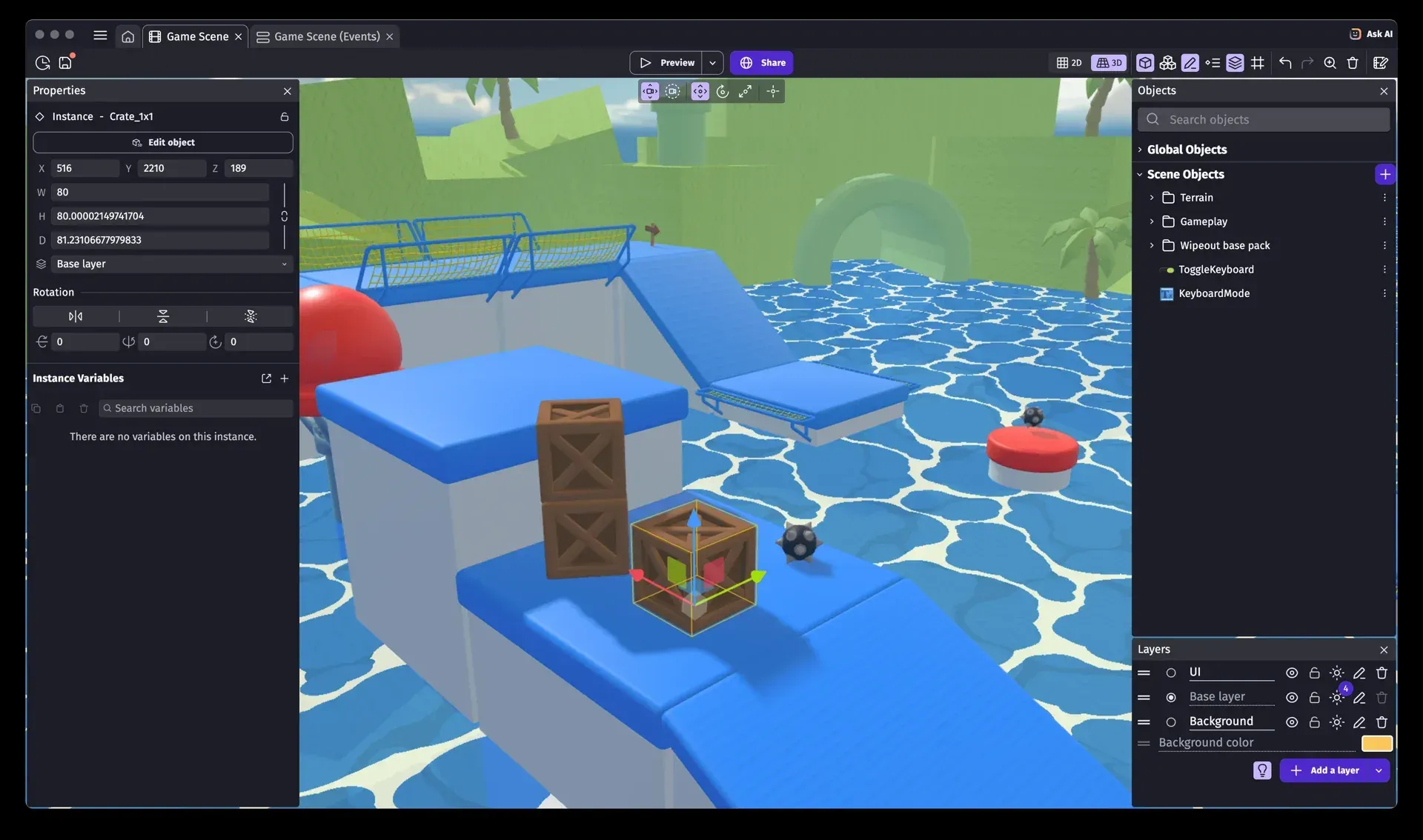
Official screenshot of the GDevelop 5 scene editor in 3D mode, with a crate instance selected and its position, size and rotation in the properties panel.
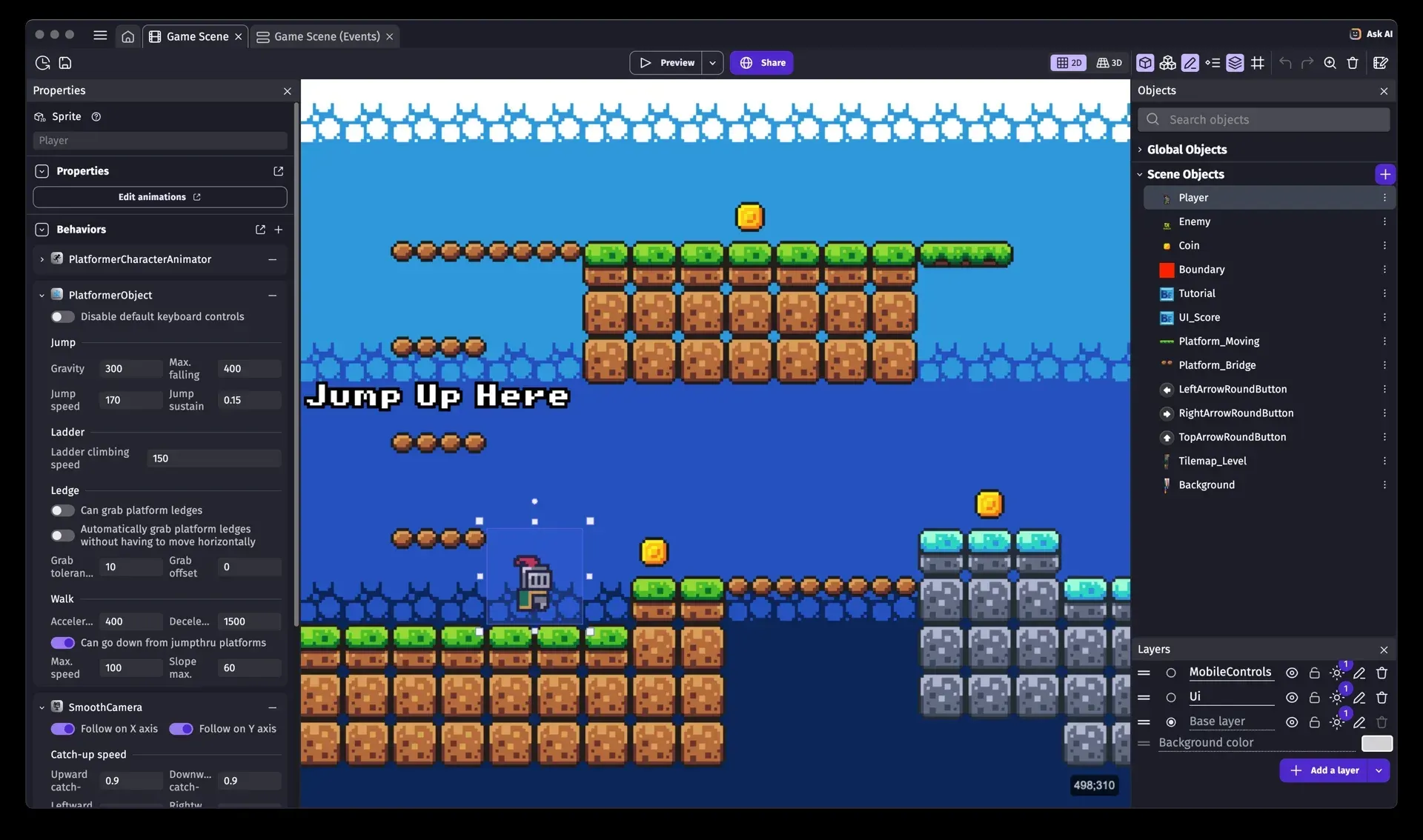
Official screenshot of the 2D scene editor: the Player sprite uses the PlatformerObject and SmoothCamera behaviors, with gravity and jump settings in the properties panel.
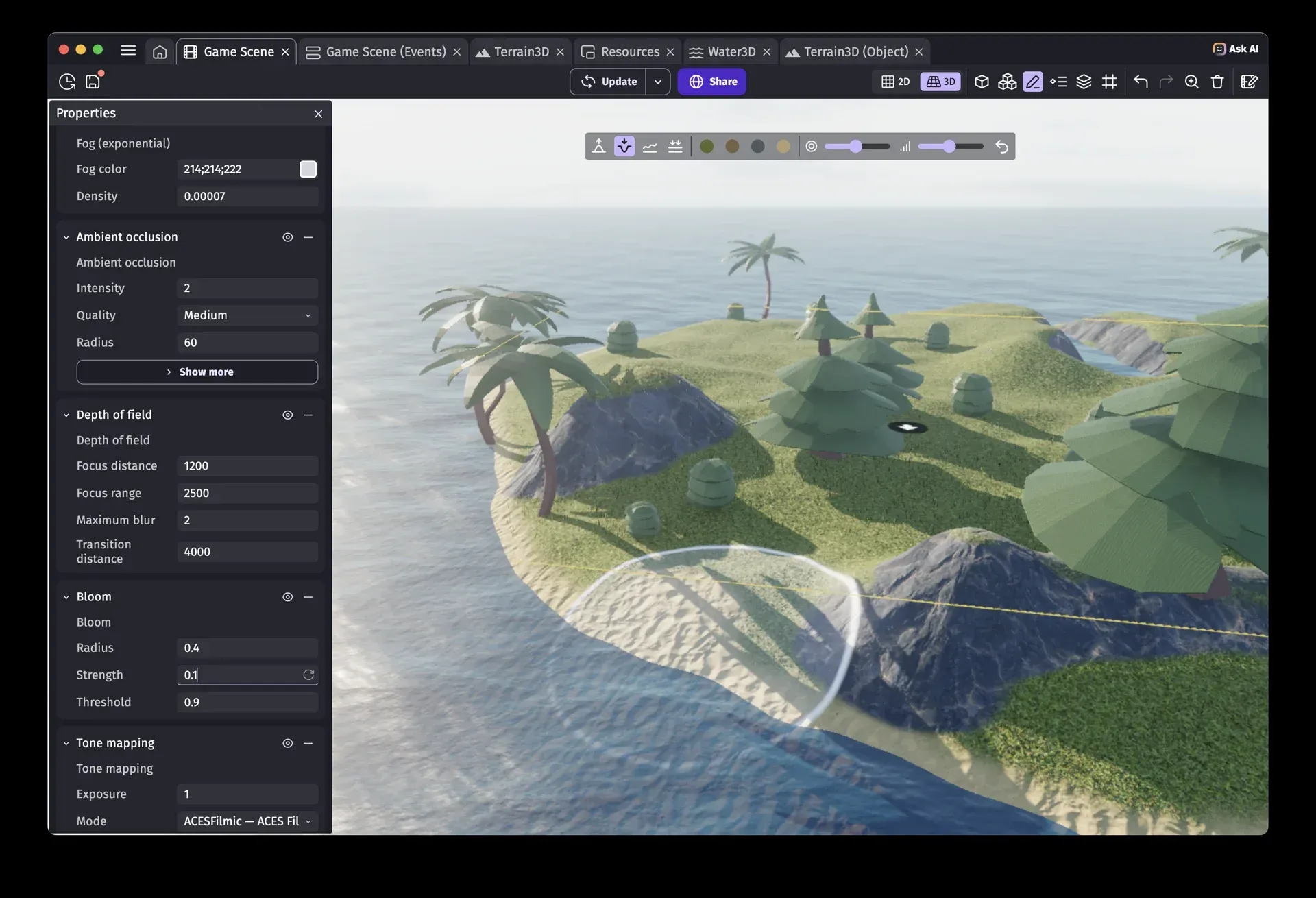
Official release image for 5.6.284 showing the experimental 3D terrain and water objects with the new post-processing effects.
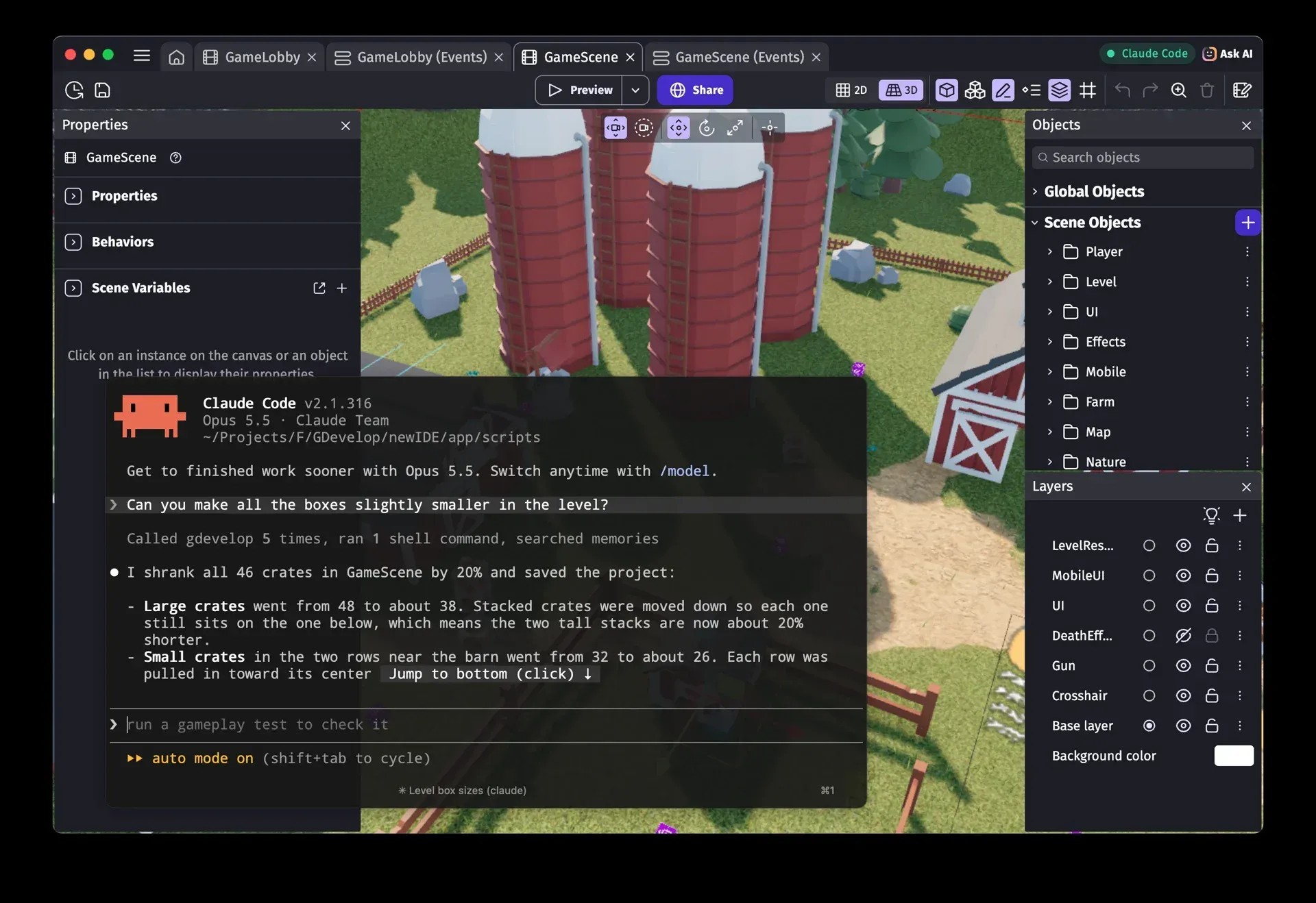
Official release image for 5.6.286 showing an external agent connected to the editor through the experimental local MCP connection.
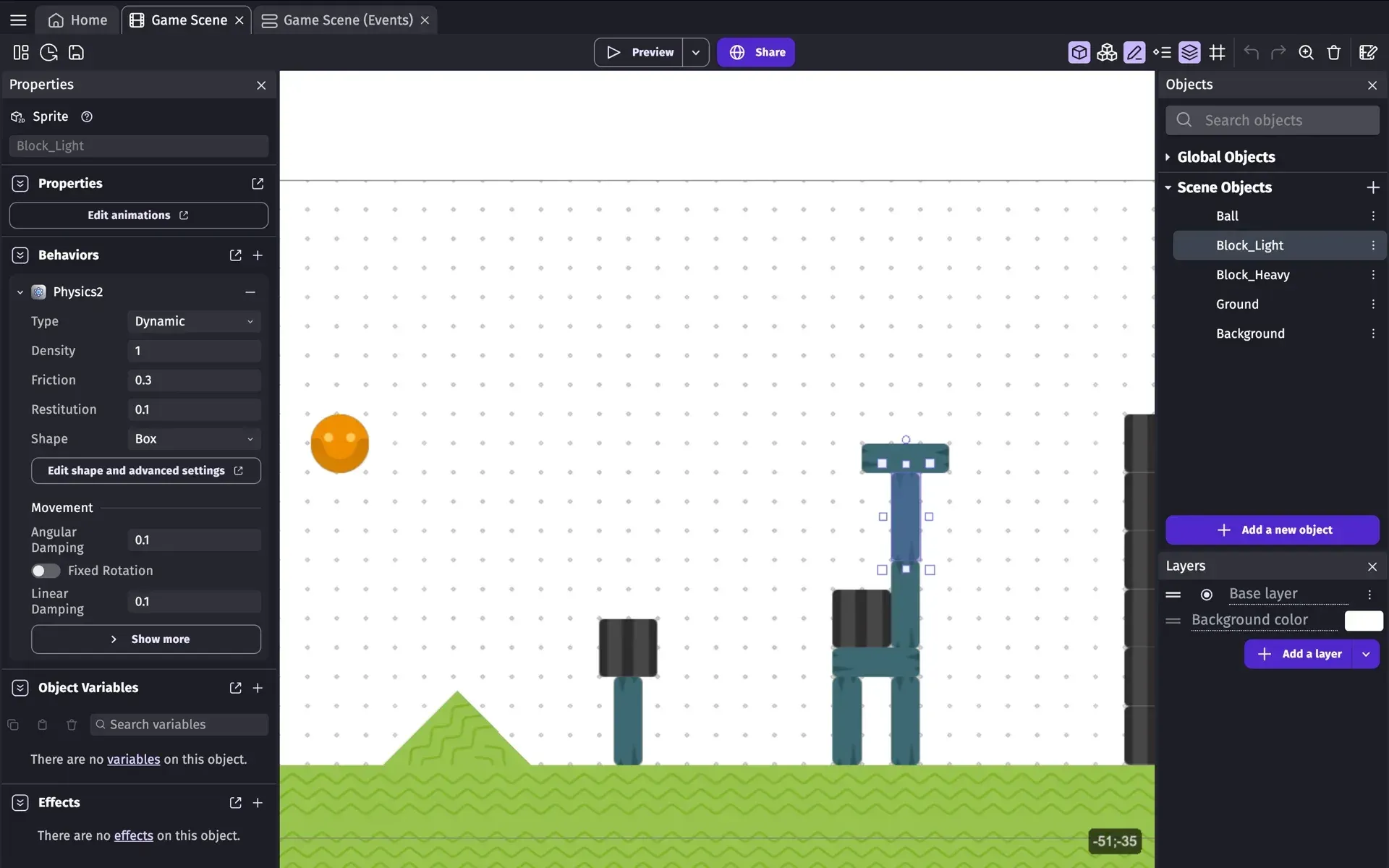
Official editor screenshot of a 2D physics level with the Physics2 behavior configured on a block.
Source: official GDevelop project page.
Key capabilities
- Download for Windows The desktop editor is published as a setup executable and a portable ZIP on each GitHub release, and through the Microsoft Store. The desktop build is required for the local MCP connection and for working with project folders on disk. Each release also publishes the update metadata used by the desktop app to offer new versions.
- Download for macOS and Linux MacOS uses a universal DMG or ZIP that covers Intel and Apple Silicon. Linux users can choose an x86_64 AppImage, an ARM64 AppImage, a ZIP, or the Flathub package
io.gdevelop.idepublished by the GDevelop team. The Flathub listing tracks the same version number as the GitHub release. - Browser and mobile editors The same editor runs in a browser at editor.gdevelop.io without installation, and as iOS and Android apps from the App Store and Google Play. Browser and mobile sessions rely on cloud projects for storage, which are limited to 3 on the free plan. The MCP connection for external agents is not available in these editions.
- Event sheets instead of scripts Each scene has an event sheet where conditions and actions are combined, with sub-events, loops, variables and expressions. Events are compiled to JavaScript during preview and export, so the logic runs at engine speed rather than through an interpreter. A JavaScript code event allows direct code where a visual event is insufficient, as described in the events documentation.
- Behaviors and objects Ready-made behaviors add platformer and top-down movement, physics, pathfinding, tweens, draggable objects and camera following to an object without events. Objects include sprites, tiled sprites, text, particle emitters, Tiled-based tilemaps, 3D boxes and 3D models. Behavior properties such as gravity, jump speed or acceleration are edited in the properties panel.
- 2D and 3D scene editors One scene can mix 2D and 3D layers, and the editor switches between 2D and 3D views of the same level. Instances can be moved, rotated and resized with gizmos, organized into layers and folders, and given per-instance variables. Version 5.6.286 added folders for scenes, external layouts, external events and gameplay tests in the project manager.
- 3D terrain, water and lighting The experimental terrain object supports sculpting and painting in the editor, runtime edits through actions, randomized generation, normal maps, 3D physics and navmesh pathfinding. Terrain Grass, Scattered models and 3D water objects complete the toolset. These features ship as reusable extensions, so projects need to update them, as described in the 3D terrain documentation.
- Physics engines 2D physics uses Box2D and 3D physics uses Jolt Physics, both compiled to WebAssembly. Bodies can be static, dynamic or kinematic, with density, friction, restitution and damping settings; version 5.6.285 added an action to change the body type of 3D physics objects at runtime. Joints and collision shapes are configured per object.
- Built-in multiplayer Lobbies are created automatically per game and configured in the game dashboard, with a maximum of 8 players per lobby. Only objects with the Multiplayer behavior are synchronized, each object has an owner, and variables and game state are synchronized for players who join mid-game. Players log in with a GDevelop or gd.games account, and the free plan is limited to 1 lobby of 4 players. The multiplayer guide covers host migration and ownership.
- Leaderboards, feedback and player accounts Games can submit scores to hosted leaderboards, collect player feedback and authenticate players without a separate backend. The free plan allows 1 leaderboard and 3 feedback entries per game; Gold and Pro remove those limits. These services run on GDevelop infrastructure, not on the exported game.
- Extensions and asset store Official and reviewed extensions are maintained in the GDevelop-extensions repository, with a separate community list. Extensions can be written with events or with JavaScript and add objects, behaviors, actions and conditions. The asset store provides free and paid sprites, 3D models, music packs, effect packs and game templates.
- Templates and examples New projects can start from free examples or paid premium templates, including 3D starters for tank, horror-house and driving games. Version 5.6.287 added a free 3D Air Hockey example and made the expanded 3D starters load faster. Templates are a starting point; their extensions still need to be kept current.
- Integrated AI agent The Ask AI panel can answer questions about a project or edit it directly when Auto edit is on, with a confirmation mode when it is off. Usage is metered in AI credits: 40 per month on the free plan and 200 to 3,000 per week on paid plans. The AI documentation states that projects are not used for training and that cloud projects get a restore point before each request; local projects do not.
- Local MCP server for external agents The desktop app can expose a local streamable HTTP MCP endpoint (for example on 127.0.0.1) protected by an access key. Claude Code, Cursor, VS Code with Copilot, Codex and Gemini CLI can then create scenes, place instances, write events, run gameplay tests and save the project. The feature is opt-in in Preferences, works on one editor window at a time, and the agent's model usage is billed by its own provider.
- One-click and manual exports The Share dialog publishes to gd.games, builds Android packages for Google Play, iOS builds for the App Store on Gold and Pro, and desktop executables for Windows, macOS and Linux, including Steam. HTML5 export to a local folder supports itch.io, Poki, CrazyGames, Newgrounds and Game Jolt. Manual Cordova and Electron exports remain available for teams that want to build with their own toolchains, as listed in the publishing guide.
- Previews and debugging A preview runs the game from the editor, with hot reload and a debugger that inspects instances, variables and performance. Network previews let a phone on the same network run the current build. Gameplay tests, made more reliable in 5.6.286, can now also exercise multiplayer games.
- Cloud projects and version history Projects can be saved to the GDevelop cloud for use across devices: 3 projects on Free, 50 on Silver, 100 on Gold and unlimited on Pro. Version history is kept for 2 days on Silver, 5 days on Gold and without limit on Pro. Local projects are JSON-based folders that can also be stored in your own Git repository.
- Engine reference and source build Generated API documentation for the Core and the GDJS runtime is published at docs.gdevelop.io. The editor can be built from source with Git and Node.js by running npm install and npm start in newIDE/app, which opens the editor in a local browser tab; Electron is used for the standalone build.
Where GDevelop fits
Prototyping a 2D platformer or puzzle game
Start from a free example or an empty project, add a sprite with the Platformer character behavior and a tilemap for the level, then adjust gravity, jump speed and ledge settings in the properties panel. Add events for coins, enemies and scene changes. Check the preview on the target resolution and test touch controls with a network preview on a phone before investing in art. The GDevelop wiki has beginner tutorials for each behavior.
Building a small 3D game
Use 3D boxes and 3D models with the 3D physics behavior, add lights and a camera, and use the 2D/3D switch to edit the same level from both views. Version 5.6.284 changed lights to a physically based model, so older projects need Light3D v2.0 and higher intensities. Verify frame rate on the weakest target device, because terrain, shadows and post-processing effects carry a GPU cost; 5.6.286 also added a warning when 3D rendering is slow.
Adding online play to an existing game
Add the Multiplayer behavior to the objects that must stay in sync, assign ownership, and configure lobby size and join-in-progress rules in the game dashboard. Disable network synchronization on behaviors that only process local input. Test host migration by closing the host session, and confirm the plan allows enough lobbies; the free plan permits one lobby of four players.
Publishing to stores and web portals
Use gd.games for quick public testing, then produce an Android build for Google Play, an iOS build on Gold or Pro, or desktop executables for Steam. Web portals such as Poki or CrazyGames need an HTML5 export plus their own SDK extensions. Check daily export limits for your plan and keep the signing keys for Android and iOS outside the project folder.
Working with an AI coding agent
Enable agent connections in Preferences, copy the MCP configuration into Claude Code, Codex or another supported agent, and keep the access key out of public repositories. Commit or copy the project before asking the agent for large changes, because local projects have no automatic restore point. Review generated events in the event sheet and run a gameplay test before saving. See the MCP setup guide for agent-specific steps.
Teaching game development in a classroom
The Education plan gives teachers access to student projects and does not require students to sign up with personal data, according to the pricing page. AI tools are disabled by default for student accounts in the privacy policy. Verify browser access on the classroom machines, the number of seats, and whether students will use cloud or local projects before a course starts.
Install
flatpak install flathub io.gdevelop.ideReviews of GDevelop
Be the first to share your experience with GDevelop.
Write a review
Loading review form…
Alternatives to GDevelop
 Godot EngineGodot Engine is a free, MIT-licensed game engine for 2D and 3D projects. The self-contained editor runs on Windows, macOS, Linux and Android, scripts in GDScript, C# or C++ through GDExtension, and exports to desktop, mobile, web and XR targets.
 GIMPGIMP, the GNU Image Manipulation Program, is a free and open source cross-platform image editor for GNU/Linux, macOS and Windows with scripting and plug-ins.AAudacityAudacity is a free, open-source multi-track audio editor and recorder for Windows, macOS and Linux, with plugin support and format conversion.