

What is OpenIDEA?
OpenIDEA is an open-source integrated development environment that brings the IntelliJ IDEA way of working, meaning its keymap, its tool windows and its Search Everywhere habits, to a native desktop application with a Rust core. The project describes itself as "the IDE you know, rebuilt in Rust". It is developed in the l0ng-ai/openidea repository on GitHub and states that it is not affiliated with JetBrains; IntelliJ IDEA is a trademark of JetBrains s.r.o. According to its migration guide, OpenIDEA follows IntelliJ IDEA's model: a folder is a project, features live in tool windows, and almost everything is reachable from Search Everywhere or Find Action.
Technically, OpenIDEA is a Tauri 2 desktop app. The user interface is a React and CodeMirror 6 frontend running in the system webview, while everything that touches the disk, processes or the network runs in Rust. The backend crate has no UI toolkit, so the same backend runs inside the desktop app and, for remote development, on another machine as openidea-server. Code intelligence comes from language servers (LSP) and debugging from debug adapters (DAP); bundled tree-sitter grammars provide structure, outline and folding. The architecture overview documents the processes and crates.
Builds are published on the GitHub releases page for Windows, macOS and Linux, each for x64 and arm64, and mirrored to CNB for users in mainland China. Windows packages are a setup program, an MSI and a portable zip; macOS gets signed and notarized DMG images for Apple silicon and Intel; Linux gets DEB, RPM and AppImage packages. The app checks for updates at startup and every four hours and can install them itself.
The first release, v0.1.0, was published on October 22, 2026, and releases have followed at a high pace. The current release, v0.1.40 of November 9, 2026, adds an opt-in built-in MCP server, Ruby debugging with rdbg, .NET workspace, NuGet and test workflows, Docker dashboards in the Services tool window, attached projects, a shared Java language server across builds and Plugin API 1.4. The release notes list 150 pull requests and commits for that version.
OpenIDEA is licensed under Apache 2.0; bundled third-party assets are listed in THIRD_PARTY_LICENSES.md. The documentation site at openidea.sh covers installation, every tool window, the language matrix, plugins and contributor setup in English and Chinese. The project publishes a startup benchmark against IntelliJ IDEA 2026.2.3 on a Python project of about 770 files and notes that IDEA analyses Python more deeply, so the two "ready" states do not represent the same work. Similar desktop editors in this directory include Zed and Athas.
OpenIDEA screenshots
Explore the interface. Open a screenshot to view it at full size.
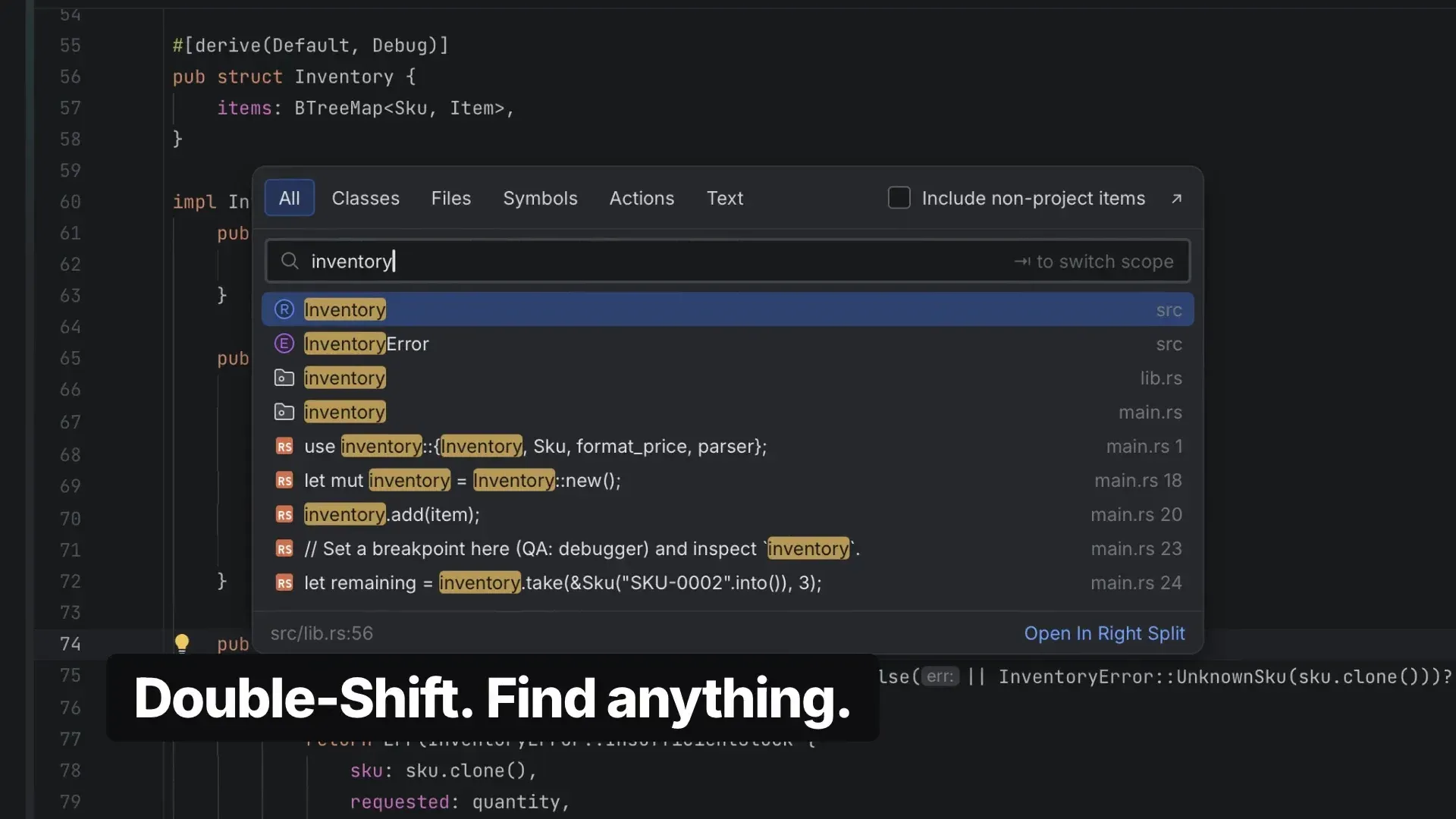
Search Everywhere opened with a double Shift press, frame from the official OpenIDEA demo video.
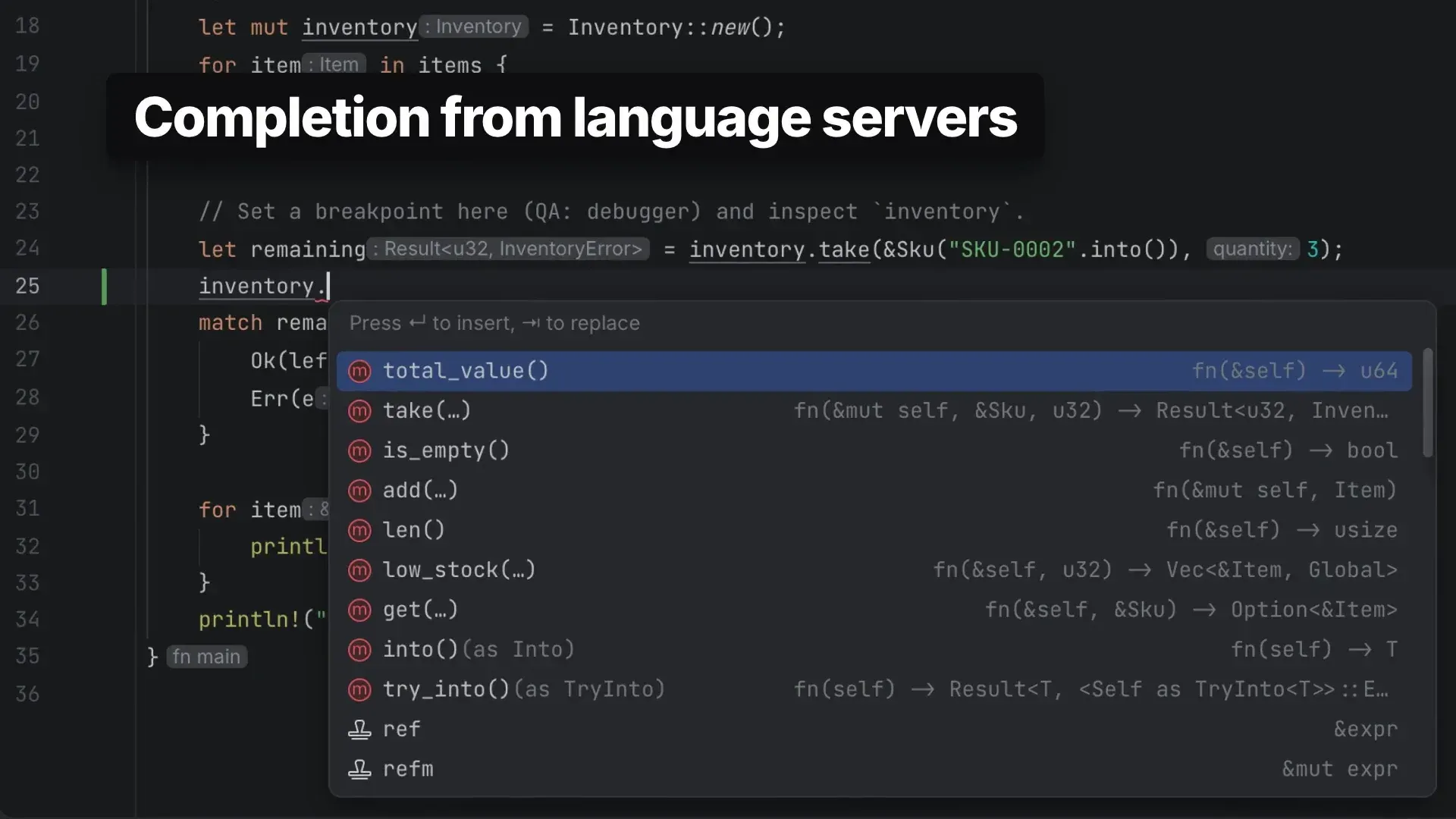
Code completion supplied by a language server, here rust-analyzer, with inlay hints; frame from the official demo video.
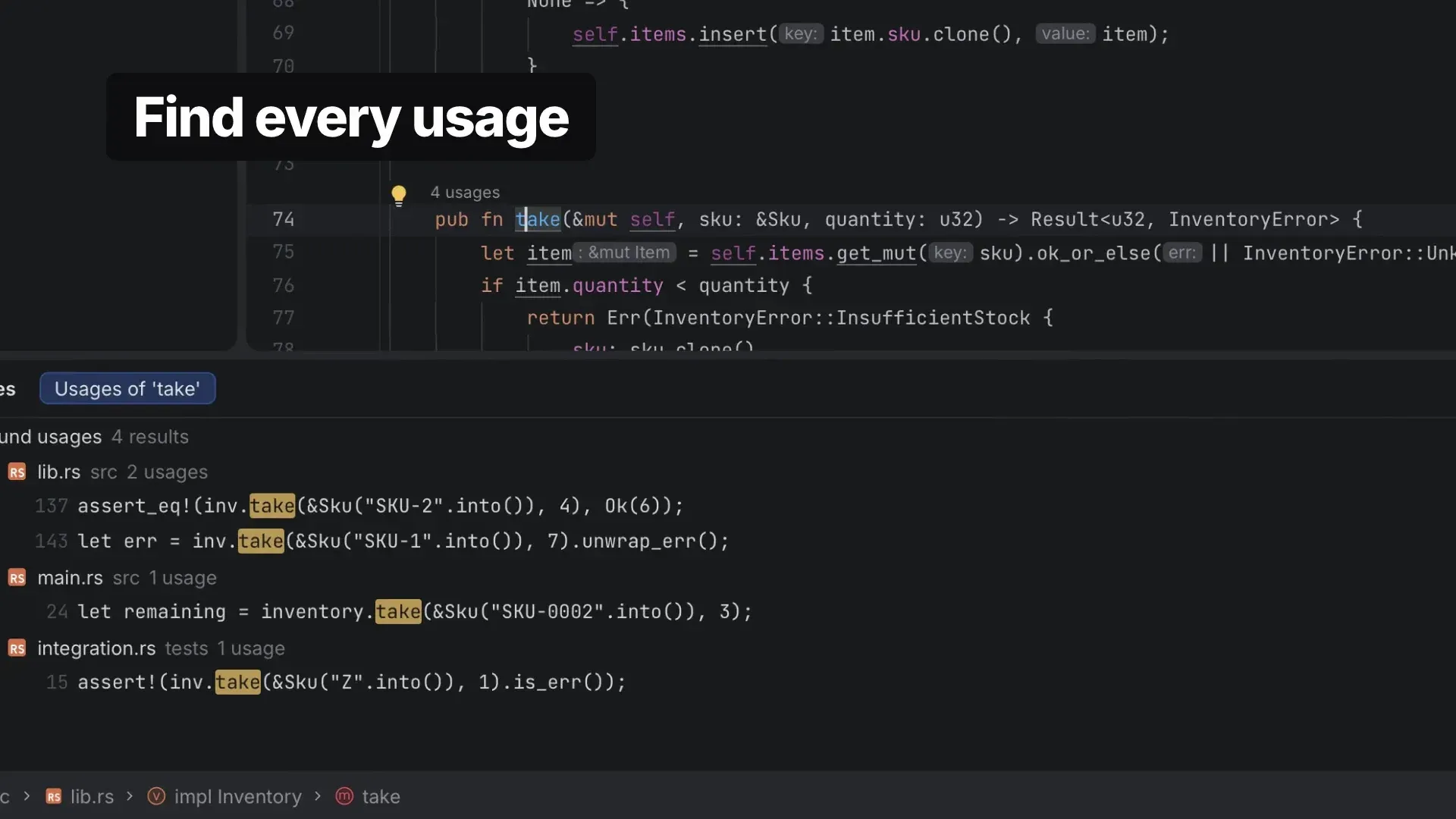
Find Usages results grouped by file, with the usage count above the method; frame from the official demo video.
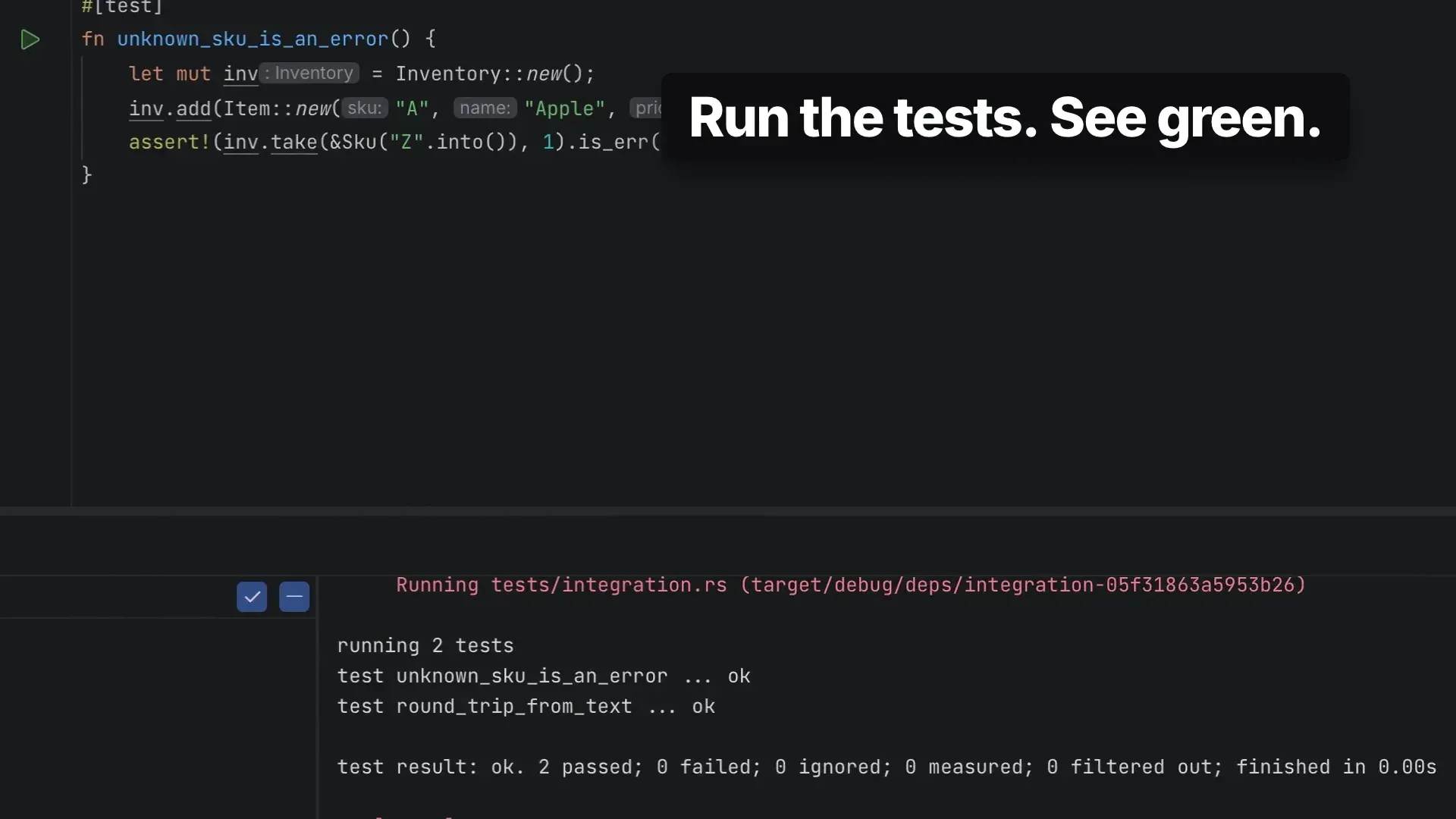
A Rust test run started from the gutter, with results in the Run tool window; frame from the official demo video.
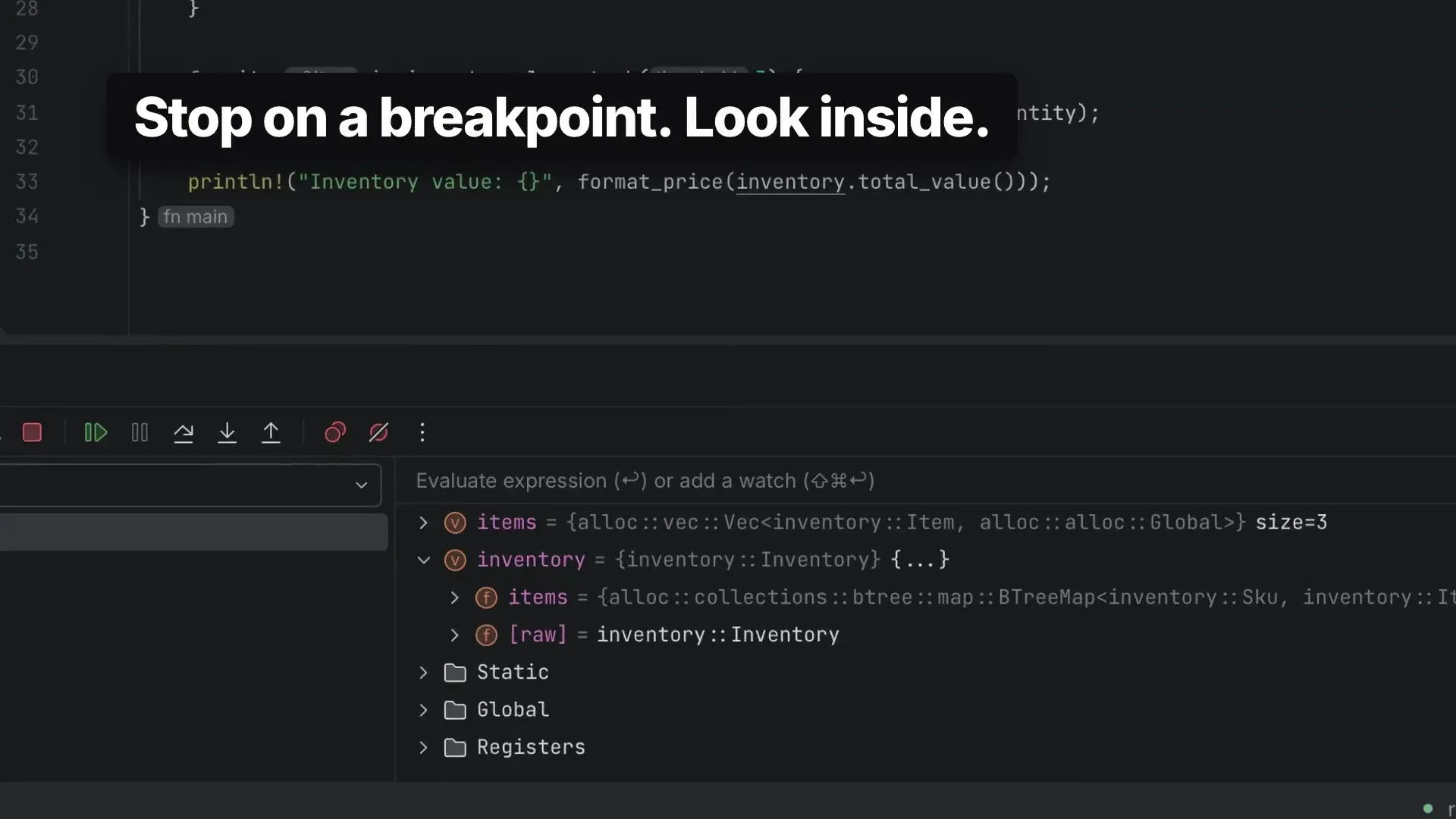
The debugger stopped on a breakpoint, showing variables and the evaluate expression field; frame from the official demo video.
Source: official OpenIDEA project page.
Key capabilities
- IntelliJ-style keymaps and navigation OpenIDEA ships six keymaps: IntelliJ IDEA's macOS and Windows keymaps (the defaults), two VS Code keymaps and two Eclipse keymaps. Pressing Shift twice opens Search Everywhere, Alt+Enter shows context actions, and Find Action, Go to Class, File or Symbol and Find in Files work across the indexed project. Every command is an action with a stable id, so any action can receive a shortcut.
- Editor and code insight for 60+ languages Each language is described in a small
languages/<id>.tomlfile that sets file patterns, highlighting, the language server and the debug adapter. The language matrix lists entries from Arduino and C to Rust, Scala and Zig. Highlighting is instant and structure comes from bundled tree-sitter grammars; completion, navigation and diagnostics come from language servers. - One-click language server installs OpenIDEA does not bundle language servers. When one is missing, a notification offers Install, and the Language Servers settings page shows each tool as installed by the IDE, found on PATH, set to a custom executable or missing. Tools are installed without sudo into the IDE's own tools folder through npm, pip, go install, rustup, gem, dotnet tool or a release download, and they only start in trusted projects.
- Refactorings and inspections The Refactor menu follows IntelliJ IDEA: Rename, Extract, Inline, Move, Change Signature and Safe Delete with the usual shortcuts. Most refactorings are executed by the file's language server, so availability depends on the language. Every problem source, including each language server and built-in checks for syntax errors, merge conflict markers and spelling, is treated as an inspection with profiles and batch analysis.
- Run configurations, tests and coverage Run configurations cover build tools such as Maven, Gradle, Cargo, Go, npm, CMake and .NET, with Docker and Docker Compose run targets. Run with Coverage shows covered, partly covered and uncovered lines in the gutter, a percentage per file in the project view and a Coverage tool window. Release 0.1.40 adds Build Module and Build Artifacts as before-launch steps.
- Debugger Debugging uses debug adapters, with breakpoints, frames, variables, watches and an expression evaluator in the Debug tool window. Release 0.1.40 adds Ruby debugging with rdbg, cancellable Hot Swap for Java and Gradle debugging of forked JVMs on a dynamic JDWP port. Earlier releases added PHP remote debugging with Xdebug.
- Profiler Run, then Profile, runs a configuration under an external sampling profiler. When the program exits or is stopped, the IDE reads the samples and opens them in the Profiler tool window as a flame graph, call tree or method list. Profile Context Configuration profiles the program or test at the caret.
- Git integration Git is the only supported version control system. OpenIDEA reads status, diffs, blame and log in-process and runs the
gitexecutable for every change, so hooks, credentials, signing and Git config behave as on the command line. The version control guide covers commit, branch, merge, rebase, stash and history; 0.1.40 adds multi-repository push with per-repository remote and branch. - GitHub pull requests through gh Pull request review, creation, checkout and merge, plus cloning, go through the GitHub CLI. OpenIDEA uses gh's login and calls the API through
gh api; it has no account manager or token field of its own and does not store credentials. - Database client The Database tool window connects to SQLite, PostgreSQL, MySQL and MariaDB, Microsoft SQL Server, Oracle 19 or later and ClickHouse over HTTP, plus presets for Redshift, CockroachDB, Neon, Supabase, TimescaleDB, TiDB and others. Drivers are built in, so no JDBC drivers are downloaded. It browses schemas, runs queries in a console and views, edits, imports and exports data.
- HTTP client Requests are written in
.httpand.restfiles in the same format as the IntelliJ IDEA HTTP client and run from the editor. Responses appear in the Services tool window under an HTTP Client tab. - Terminal, Docker and services A built-in terminal restores tabs per project and supports Windows ConPTY. The Services tool window gathers run configurations, Docker connections and registries, with Docker dashboards for image layers, container processes and logs, and SFTP deployment of files.
- Remote development over SSH, WSL and dev containers A remote window keeps the UI on the desktop and runs indexing, language servers, terminals, runs, debugging, build tools and Git on the host through
openidea-server. The desktop app installs the server automatically after verifying its SHA-256 checksum. Server builds exist for Linux x86_64 and aarch64 (static musl) and macOS; Windows hosts are not supported and dev containers must be Linux. - Coding agents in a tool window OpenIDEA starts command-line agents the user has installed and signed in to, such as Claude Code, Codex, Gemini CLI, GitHub Copilot, Cursor, OpenCode, Qwen Code, Goose and Kiro, over the Agent Client Protocol. Each conversation is a task that can run in its own Git worktree or in the checkout. OpenIDEA includes no model or account of its own.
- Built-in MCP server An opt-in Model Context Protocol server lets external clients such as Claude Code, Codex or Cursor use the IDE's index search, symbol lookup, Problems view, rename, reformat, build, run and Git status. It is off by default, listens only on 127.0.0.1 on a random port and requires a token that changes at each start; a stdio relay mode needs no token.
- Sandboxed WebAssembly plugins Plugins add actions, completion, quick fixes, tool windows, custom editors, themes, file icons and languages. Code plugins are WebAssembly components (WASI preview 2) running in wasmtime with no direct access to files, network or processes beyond granted capabilities; themes, icon themes and languages need no code. The plugin API is a preview, and plugins for earlier 1.x API versions keep loading.
- Notebooks, Logcat, Vim mode and more Jupyter notebooks in nbformat 4 run on a local Python kernel with ipykernel. Android support is a Logcat tool window over adb, without app builds or emulator management. A Vim emulation modelled on IdeaVim reads
~/.ideavimrc. The interface is available in English, Simplified Chinese, Korean, French, Polish, Portuguese and Spanish. - Downloads per platform Windows: setup EXE, MSI and portable zip for x64 and arm64, not yet code-signed, using the Edge WebView2 runtime. macOS 11 or later: DMG for Apple silicon and Intel. Linux: DEB, RPM and AppImage for x64 and arm64, requiring WebKitGTK 4.1. The install guide lists every file name.
Where OpenIDEA fits
Moving from IntelliJ IDEA, PyCharm or another JetBrains IDE
The default keymap matches IDEA's on each platform, tool windows use the same names and positions, and File, Manage IDE Settings offers Import Settings from JetBrains IDE or from an exported settings.zip. A confirmation lists what will be imported; keymaps, code styles, live templates, inspection profiles and plugins are not imported. JetBrains Go Application and Go Test run configurations can be imported since 0.1.40. The migration guide also maps concepts for VS Code and Eclipse users.
Working in a polyglot repository
A project with several languages opens as one folder. Each file gets its language from the definitions, and the IDE starts the matching language server using the nearest folder with a root marker such as Cargo.toml, package.json or pom.xml as workspace root. Some languages run alternatives or additions, for example basedpyright with Ruff in projects that configure Ruff, or vtsls with oxlint. Release 0.1.40 lets one JDT LS instance serve all Java builds in a project window.
Developing on a remote server, in WSL or in a dev container
A developer opens a remote project over SSH, directly in a WSL distribution on Windows, or by reopening a local project in the container described by its devcontainer.json. The desktop app installs openidea-server on the host for its own version and starts it over SSH, wsl.exe or docker exec. Indexing, language servers, terminals, debugging and Git then run next to the code. An offline installation path is documented in the openidea-server guide.
Querying databases and APIs from the IDE
Data sources are added from presets, from a SQLite file or from a URL such as postgresql://user@localhost:5432/db, with project data sources saved in .openidea/data-sources.toml or marked Global for all projects. Queries run in a console, and table edits are submitted or reverted from the keyboard. API calls live in versioned .http files next to the code and run from the editor, with responses shown in the Services tool window.
Running coding agents next to the editor
Agents such as Claude Code or Codex run in an agents tool window, each task optionally in its own Git worktree away from the developer's changes. The developer reviews changes as diffs and answers permission requests. With the MCP server enabled, the same agents, or agents running in an external terminal, can search the project index, look up symbols, read problems and run builds through the IDE.
Extending the IDE with themes, languages and plugins
Themes, icon themes and language definitions are declarative and need no code. Code plugins are scaffolded with openidea-plugin new, built as WebAssembly components against the WIT plugin API and installed from Settings, Plugins. The repository's official plugins folder includes blame annotations, a container runner, Graphviz, a test runner and the Harbor Night theme, plus API examples such as a to-do comment finder. The plugin documentation describes capabilities, the sandbox and API versioning.
Reviews of OpenIDEA
Be the first to share your experience with OpenIDEA.
Write a review
Loading review form…
Alternatives to OpenIDEA
 ZedZed is an open source code editor from Zed Industries, written in Rust for speed, with AI agent editing, real-time collaboration and native Git support.
 AthasAthas is an AGPL-licensed desktop code editor for macOS, Windows and Linux built with Tauri, Rust and React. It combines CodeMirror 6 editing, Git and GitHub views, terminals, database viewers and AI agents, with optional paid hosted AI and Cloud Agents.
 NeovimNeovim is an Apache 2.0 text editor that refactors Vim for extensibility. It adds Lua configuration, a built-in LSP client, Tree-sitter parsing, an embedded terminal, a msgpack RPC API and a plugin manager.