
What is Helix?
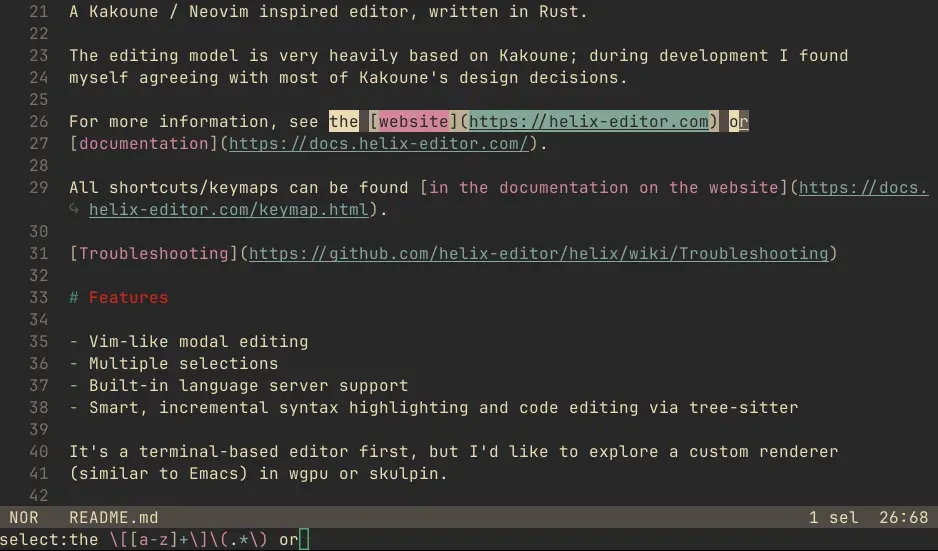
Helix is a modal text editor that runs in the terminal. The project calls it a post-modern modal text editor, a joke on Neovim being the modern Vim, and its README describes a Kakoune and Neovim inspired editor written in Rust. Instead of Vim's action then object grammar, Helix follows a selection then action model: text is selected first and the change, delete or yank command comes second, and a cursor is simply a selection one character wide. Multiple selections are a core way of working rather than an add-on. Source code, issues and releases are on GitHub under the Mozilla Public License 2.0, the documentation is at docs.helix-editor.com, and the project accepts sponsorship through Open Collective.
Compared with Kakoune, the website states that Helix integrates more features directly: splits, language server support and tree-sitter based highlighting and code analysis are built in rather than delegated to external tools. Debug Adapter Protocol support is marked experimental. The code is organized as a Cargo workspace with crates such as helix-core, helix-view, helix-term, helix-tui, helix-lsp, helix-dap and helix-vcs, and the workspace declares Rust 1.82 as its minimum version.
Releases use calendar version numbers in the form YY.MM. Before 22.03 the project used 0.x numbers, the last being 0.6.0 in January 2022. Each release publishes prebuilt archives on the GitHub releases page: tar.xz archives for x86_64 and aarch64 Linux and for x86_64 and aarch64 macOS, a zip for x86_64 Windows, an x86_64 AppImage, an amd64 Debian package and a source tarball. An archive contains the hx binary and a runtime directory with the bundled grammars, queries and themes, which has to be placed where hx searches for runtime files. The package manager page lists third-party packages for Fedora, Arch Linux, NixOS, Flathub, Snap, Homebrew, MacPorts, Winget, Scoop, Chocolatey and MSYS2.
The latest release is Helix 25.07.1, published on July 18, 2025, a patch release that lowers the GLIBC requirements of the binaries published on GitHub. It follows 25.07 from July 15, 2025, which had changes from 195 contributors according to the changelog. The 25.07 highlights describe a file explorer picker, inline color swatches from LSP document colors, a rewritten command line with flags and expansions, EditorConfig support and a new tree-sitter binding layer called tree-house that replaces the official bindings. The changelog marks the new command line quoting as a breaking change for keymaps that call typable commands.
Some things are outside the current product according to the official site and documentation. There is no plugin system yet; the website FAQ says one is intended but will take time. Helix is primarily a terminal program, and a GUI frontend based on WebGPU is a stated long-term idea rather than a shipped feature. Language servers are not bundled and must be installed separately, only some languages have indentation and textobject queries, surround does not yet handle multi-character pairs, and picker filters do not support OR operations. Helix-style editing in Vim, VS Code, Zed and other software comes from separate projects listed on the Helix mode in other software page.
Key capabilities
- Selection-first modal editing Normal mode is used for navigation and commands, insert mode (
i) for typing and select or extend mode (v) for growing selections. Minor modes are reached from normal mode: goto (g), match (m), view (z, or stickyZ), window (Ctrl-w) and space (Space). The keymap reference lists every default binding and the command it calls. - Multiple selections Several selections can be active at once and every editing command applies to all of them. A typical sequence selects the whole file with
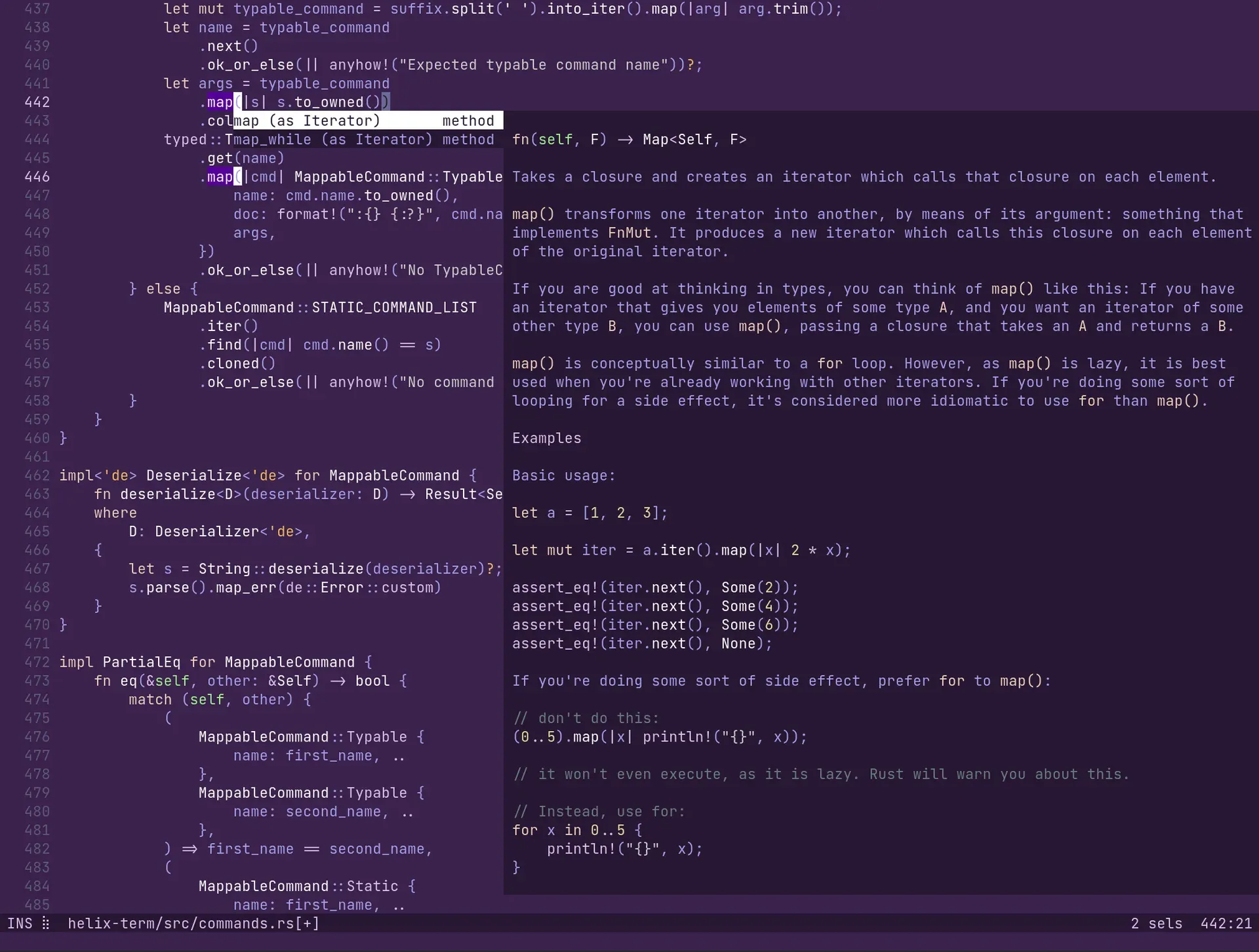
%, splits it into one selection per regex match withsand then changes all matches withc.KandAlt-Kkeep or remove selections matching a regex,(and)rotate the main selection, and the#register returns the index of each selection. - Built-in language server client Completion, hover documentation (
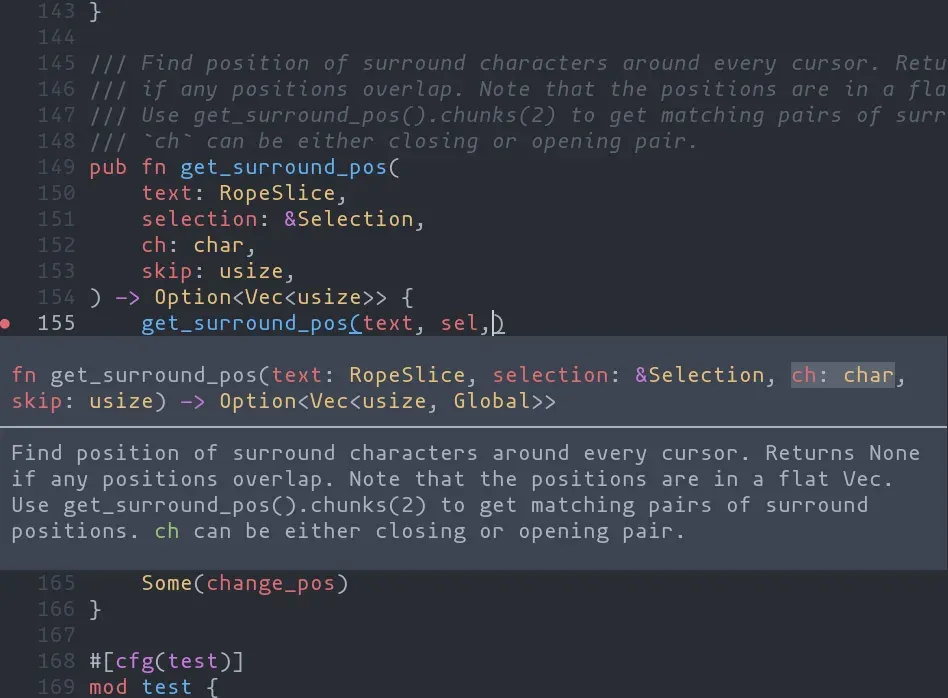
Space k), goto definition, references, symbol renaming (Space r), code actions (Space a), signature help while typing arguments, inlay hints and document highlights come from the Language Server Protocol. Several language servers can serve one language, each configured inlanguages.tomlwith a command, arguments, initialization options, environment variables, a request timeout (20 seconds by default) and root patterns. Release 25.07 added inline color swatches from LSP document colors. - Tree-sitter highlighting and indentation Syntax highlighting, indentation and code navigation are computed from tree-sitter syntax trees, and since 25.07 through the project's own tree-house crate. The generated language support table for 25.07.1 lists 277 languages with columns for highlighting, textobjects, auto indent and default language servers. Grammars are fetched and compiled with
hx --grammar fetchandhx --grammar build, and ause-grammarskey limits which ones are built. - Textobjects and syntax-aware motions
miandmaselect inside or around a word, WORD, paragraph, surround pair, function, type, argument, comment, test or git change. Unimpaired-style keys such as]fand[tjump to the next function or previous type.Alt-o,Alt-i,Alt-nandAlt-pexpand, shrink or move a selection along the syntax tree, and:tree-sitter-subtreeprints the tree under the primary selection. - Surround operations Built-in mappings modeled on vim-sandwich add surround characters to a selection (
ms), replace the closest pair (mr) or delete it (md). Counts act on outer pairs, and the commands work across multiple selections. Multi-character surrounds are not supported yet. - Fuzzy pickers and a file explorer Space mode opens pickers for files at the workspace root or current directory, open buffers, the jumplist, changed files, document and workspace symbols, diagnostics, a command palette and global search. Since 25.07,
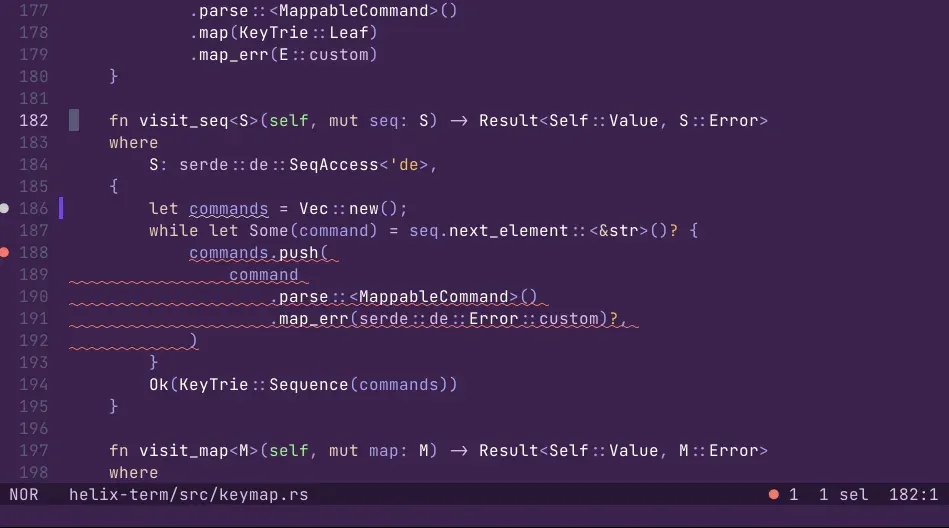
Space eopens a file explorer that walks one directory level at a time. Pickers use fzf-style matching, global search uses regular expressions, and columns can be filtered with prefixes such as%path, as described on the pickers page. - Diagnostics in the gutter and inline Diagnostics appear in a gutter, in pickers and, when configured, inline below the code or at the end of the line, with separate minimum severities for the cursor line and other lines. Terminals with extended underline support can render curly or dotted underlines in theme colors.
- Git diff gutter A gutter compares the buffer with the git index and marks added, changed and removed lines; it is enabled by default.
]gand[gjump between changed hunks, thegtextobject selects a hunk, andSpace gopens a picker of changed files in the repository. - Command line with flags and expansions Typable commands such as
:write,:sortor:shaccept quoted arguments and flags like--reverseor--no-format. Expansions insert editor state or command output, for example%{cursor_line},%{buffer_name}or%sh{...}, so a key can print the git blame of the current line to the statusline. The command line page documents quoting, flags and expansion kinds. - Registers and clipboard providers Named registers work as in Vim with
", and default registers hold the last search, command, yank and macro. Special registers expose the current selections, the file name and the system and primary clipboards. The clipboard backend can be pasteboard on macOS, Wayland, xclip, xsel, win32yank, Termux, tmux, Windows, OSC 52 terminal codes or a custom command pair. - TOML configuration Settings live in
config.tomlin~/.config/helixon Linux and macOS or%AppData%\helixon Windows, with an optional per-project file in.helix/config.tomlmerged on top.:config-reloador a USR1 signal on Unix reloads it. Options cover gutters, statusline elements, cursor shapes, soft wrap, indent guides, rulers, auto-pairs, auto-save on focus loss or after a delay, atomic saves and trailing whitespace trimming, and EditorConfig files are read by default since 25.07. - Key remapping and macros
[keys.normal],[keys.insert]and[keys.select]tables bind keys to static commands, typable commands, lists of commands or macros starting with@. Minor modes can be modified or new ones created, for example a custom mode bound to+. Remapping is one-way, and the remapping page notes that more powerful rebinding is planned. - Themes The 25.07.1 runtime ships 172 theme files, selectable with
theme = "name"in the config or:themeat runtime. Themes are TOML files with palettes, inheritance, modifiers and underline styles, and user themes go into athemesdirectory in the config folder. Helix warns when a theme needs true color the terminal does not report. - Experimental debugger support A debug menu under
Space Gdrives Debug Adapter Protocol sessions, and breakpoints are shown in the diagnostics gutter. The keymap labels this area experimental. Release 25.07 added the DAPstartDebuggingreverse request. - Health check and tutor
hx --healthreports the config and runtime locations, the clipboard provider and, per language, whether the configured language servers, debug adapter and formatter are found and which highlight, textobject and indent queries exist.hx --tutoror:tutoropens an interactive tutorial. Other flags open files atfile:row:color split several files with--vsplitand--hsplit. - Downloads for Linux, macOS and Windows The 25.07.1 release offers archives for x86_64 and aarch64 Linux (about 16 MB each), x86_64 and aarch64 macOS, x86_64 Windows (a 28.6 MB zip), an x86_64 AppImage and an amd64 .deb; the docs say systems older than Ubuntu 22.04, Mint 21 or Debian 12 can build the .deb locally instead. After extracting,
hxgoes on the PATH and theruntimefolder into the config directory, orHELIX_RUNTIMEpoints to it, as described in the install guide. - Building from source A build needs the Rust toolchain, Git and a C++14 compiler for the grammars, and
cargo install --path helix-term --lockedproduceshxand compiles the grammars into the local runtime folder. The build documentation also covers an optimized profile, musl, a desktop shortcut and a local Debian package, and source builds are the documented way to run the master branch.
Where Helix fits
Changing many occurrences at once
The usage guide describes replacing a word throughout a file by selecting every instance first, so there is one selection per match, and then applying a single change command to all of them. In practice % selects the file, s splits it on a regex such as a variable name, and c types the replacement into every selection. The surround page applies the same pattern with mr([ to swap parentheses for brackets.
Connecting language servers to a project
Default language server commands for each language are defined in the built-in languages.toml, and the server binary has to be on the PATH; for Rust the default is rust-analyzer, which then supplies completion, diagnostics and goto definition. hx --health rust shows whether the expected binaries are found. Per-project overrides go into .helix/languages.toml, where several servers can be assigned to one language, and the Language Server Configurations wiki page lists install steps and settings for individual servers.
Moving through code by structure
With a tree-sitter grammar and textobject queries for the language, mif selects the body of the current function, ]f jumps to the next function and Alt-o grows the selection to the parent syntax node. The symbol pickers (Space s and Space S) list functions and types reported by the language server, and the diagnostics pickers list errors for the file or the whole workspace. The syntax-aware motions page walks through sibling and parent movement.
Searching and browsing a workspace
Space f fuzzy-finds files from the workspace root, Space / runs a regex search over the workspace and shows results in a picker that Space ' reopens, and Space e browses directories level by level. Hidden files, .gitignore rules and global git excludes are respected by default, and a .helix/ignore file can unignore paths such as .github/ for the picker and global search.
Editing on remote machines and in multiplexers
The website positions Helix as a terminal program that works over SSH, in tmux or in a plain terminal, with no Electron, VimScript or JavaScript runtime. The clipboard provider setting can use OSC 52 terminal codes or tmux when no system clipboard is reachable, and auto-save on focus loss depends on terminal focus events listed on the Terminal Support wiki page. Similar terminal editors on iThub include Neovim, and terminal emulators such as Ghostty and Alacritty are listed in the same category.
Moving from Vim or Neovim
The Migrating from Vim page explains the main difference: Helix selects first and acts second, as Kakoune does, and the tutor teaches selecting a word with w and then deleting it with d, the reverse of Vim's dw. The wiki has its own Migrating from Vim page, hx --tutor opens the interactive tutorial, and the remapping documentation describes how bindings are changed in config.toml. Graphical editors with built-in language support, such as Zed, are separate listings.
Reviews of Helix
Be the first to share your experience with Helix.
Write a review
Loading review form…
Found Helix useful? Upvote it todayYour vote helps other IT teams find it in the daily ranking.