
What is cmux?
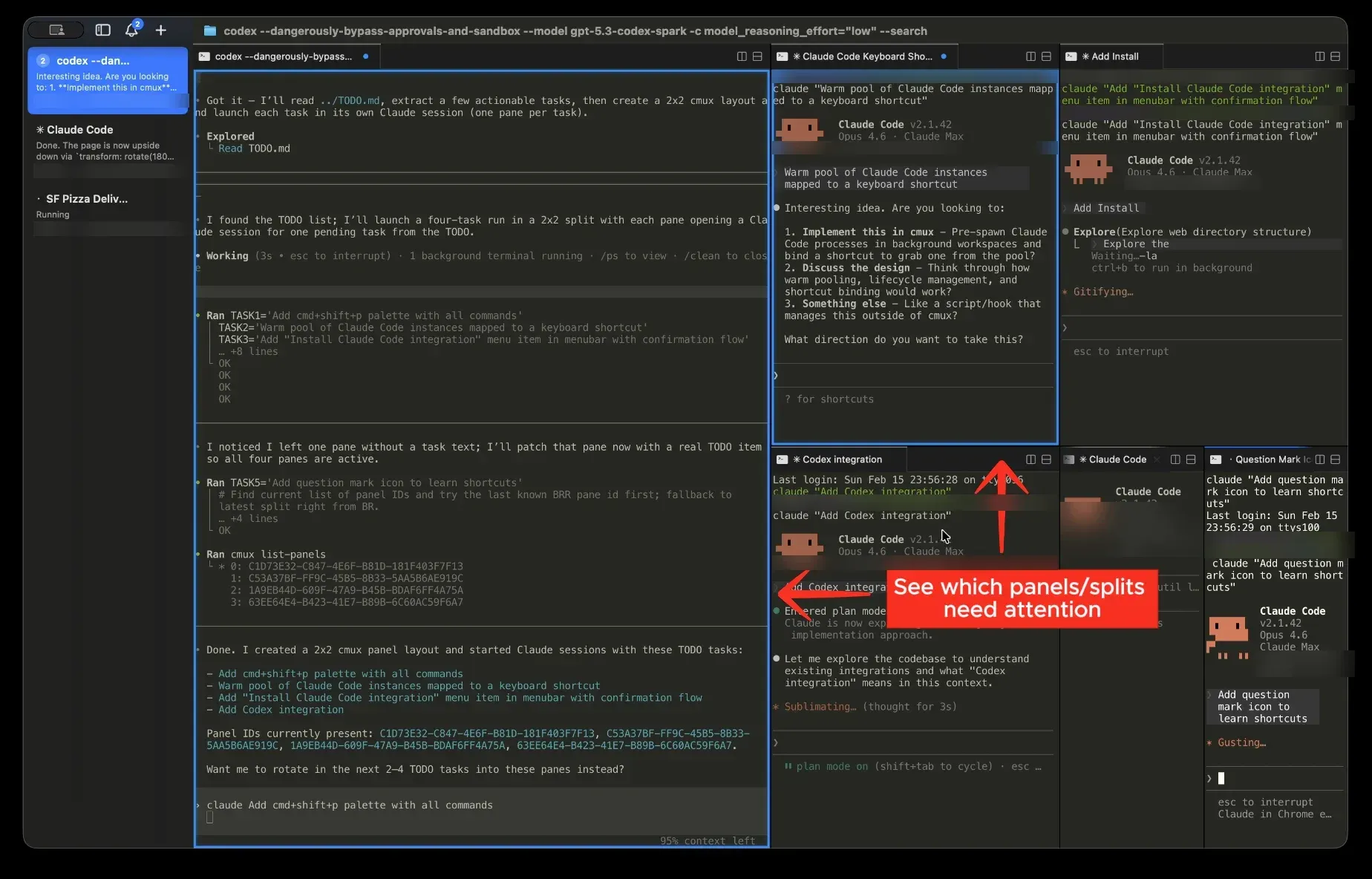
cmux is a native macOS terminal application made by Manaflow, Inc. for working with several AI coding agents at the same time. Terminal rendering comes from libghostty, the library behind the Ghostty terminal, and cmux adds a sidebar of vertical tabs, notification rings around panes that are waiting for input, an in-app browser and a CLI with a Unix socket API. The project describes cmux as a primitive rather than a fixed agent workflow: it provides terminals, a browser, notifications, workspaces and splits, and any agent that runs from the command line works inside it, including Claude Code, Codex, OpenCode, Gemini CLI, Aider, Goose and Amp. The Zen of cmux post explains that design position.
The app is distributed as a DMG on GitHub Releases and through the project's own Homebrew tap as the cmux cask. Releases contain a universal cmux-macos.dmg plus thin arm64 and x86_64 builds, and installed copies update through Sparkle. The getting started guide lists macOS 14.0 or later on Apple Silicon or Intel Macs. A separate cmux NIGHTLY app, built from the latest main commit, has its own bundle ID and update feed and can run next to the stable app. An iOS companion app that attaches to Mac terminals is in beta on TestFlight.
The latest GitHub release is v0.65.2.2, published October 27, 2026. According to the changelog, it stops cmux from trusting four leaked eMudhra root certificates for its own connections and checks certificates against the macOS trust store. Version 0.65.2 (October 14) worked on agent session restore, Cloud machine recovery and sign-in token refresh. Version 0.65.1 (October 12) added keyboard focus shortcuts for the sidebar and numbered panes, global search over Claude Code and Codex session text, program status reporting through OSC 7501 and smaller per-architecture downloads. Version 0.65.0 (October 5) added agent status for SSH hosts in the sidebar, recovery of interrupted Claude sessions after a crash, predictive local echo for remote terminals, a redesigned Settings window and cmux import for settings from iTerm2, Terminal, Alacritty, Kitty, WezTerm and Warp.
cmux is written in Swift and AppKit, not Electron. The FAQ states that it is not a fork of Ghostty: it embeds libghostty the way other apps embed WebKit, and it reads the existing ~/.config/ghostty/config for themes, fonts, colors and terminal keybindings. Its own settings live in ~/.config/cmux/cmux.json. The desktop app is licensed under GPL-3.0-or-later. The cmux server software (the web/ directory, the Cloudflare workers and the relay services named in the LICENSE file) uses the Business Source License 1.1 instead, which requires a commercial license for production use or self-hosting.
The terminal is free. The pricing page lists paid plans that add cmux Cloud, persistent Linux machines that open as cmux workspaces with Claude Code, Codex, OpenCode and Pi preinstalled: Pro at $50 per month (up to 5 Cloud VMs sharing 20 vCPUs and 40 GB RAM, the iOS app and email support), Max at $200 per month with larger VM limits, Team at $60 per user per month, and Enterprise with custom pricing, self-hosted Cloud execution, SSO and SAML, and audit logs. cmux runs on macOS only; there is no Windows or Linux desktop build. Related listings in this directory include Ghostty, Warp, Orca and Paseo.
Key capabilities
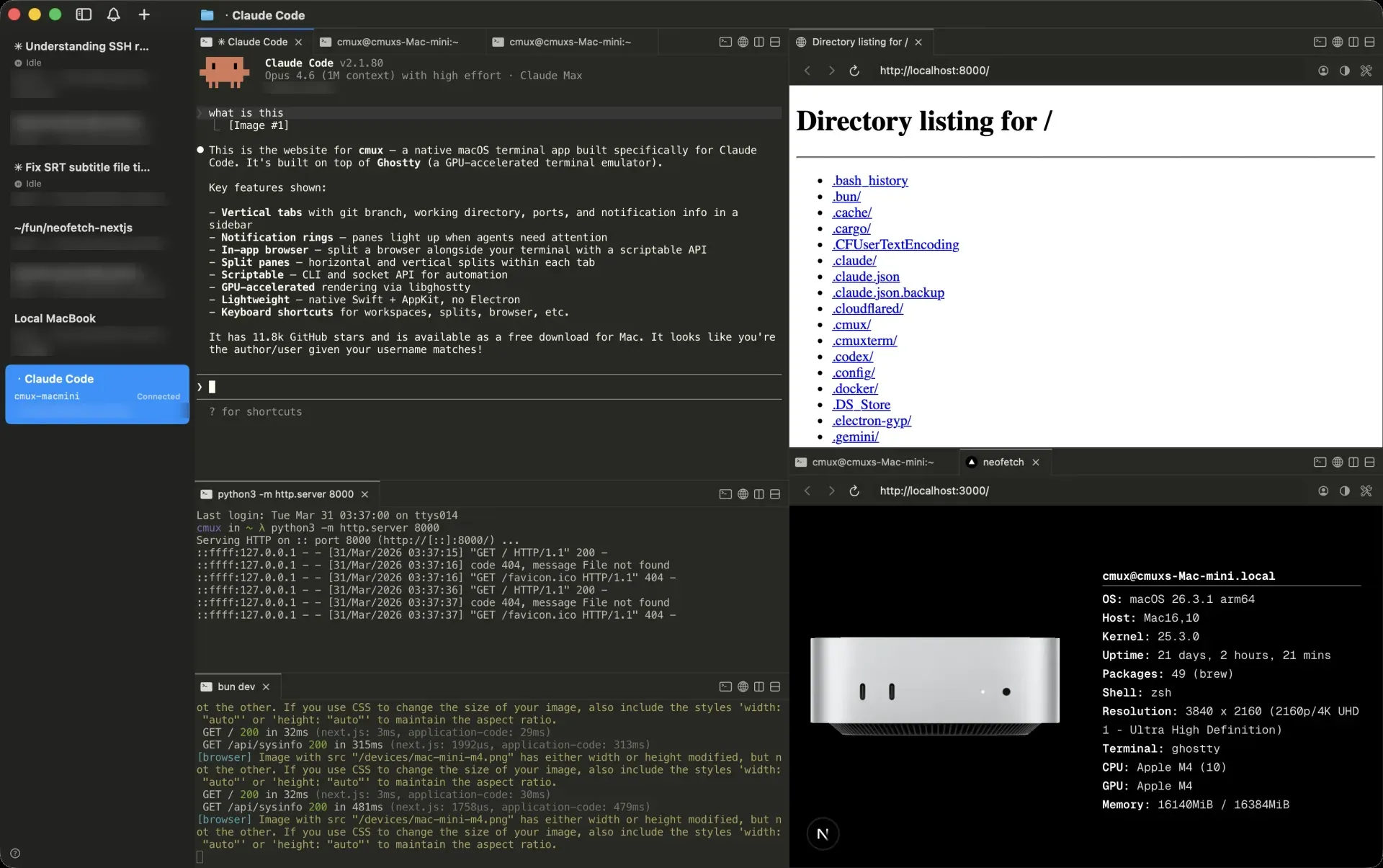
- Vertical tab sidebar Each workspace appears as a vertical tab that shows the git branch, linked pull request status and number, working directory, listening ports and the latest notification text. Workspaces can be renamed, given a description and organized in workspace groups. The sidebar toggles with ⌘B, and a right sidebar is available as well.
- Notification rings and panel When a process needs attention, its pane gets a blue ring, the tab shows an unread badge in the sidebar, a popover lists the notification and macOS shows a desktop notification. Notifications fire from the standard OSC 9, 99 and 777 terminal sequences. ⌘I opens the notification panel and ⌘⇧U jumps to the most recent unread item.
- Agent hooks
cmux notifysends a notification from any script, andcmux hooks setupinstalls hooks for supported agent CLIs it finds onPATH. The README lists resume integrations for Claude Code, Codex, Grok, OpenCode, Pi, Amp, Cursor CLI, Gemini, Rovo Dev, Copilot, CodeBuddy, Factory and Qoder. See the notifications documentation for hook examples. - Split panes and surfaces Panes split right with ⌘D and down with ⌘⇧D, take focus directionally with ⌥⌘ and the arrow keys, and resize with ⌃⇧ plus H, J, K or L. Each pane can hold several surfaces, which behave like tabs inside the pane. New splits can inherit the working directory of the current pane.
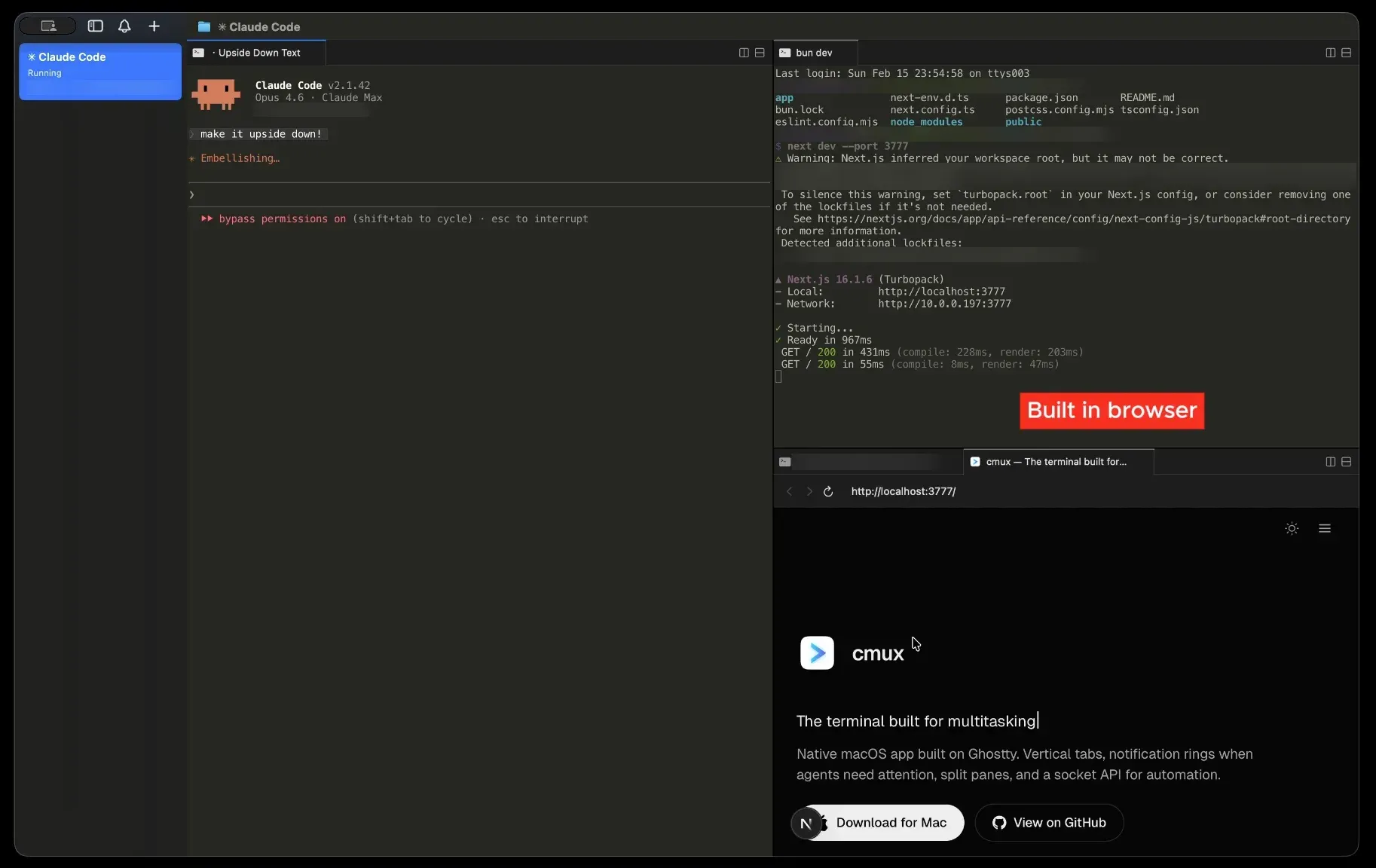
- In-app browser A browser pane opens next to the terminal with ⌘⇧L. Its scriptable API is ported from Vercel Labs' agent-browser and covers navigation, waiting on selectors or load states, clicking, filling forms, accessibility snapshots, screenshots, JavaScript evaluation, cookies, storage, console output and errors. Developer tools follow Safari default shortcuts. Details are in the browser automation guide.
- Browser import Cookies, history and sessions can be imported from Chrome, Firefox, Arc and more than 20 other browsers, so browser panes can start signed in. Browser cookies and logins are stored per cmux install and do not move between the stable, nightly and other builds.
- CLI and Unix socket API The
cmuxCLI talks to the app over a Unix socket (by default/tmp/cmux.sock) with newline-terminated JSON requests. Commands create and select workspaces, open splits with an initial command, send text and keys, post notifications, set sidebar status, progress and log entries, and return JSON with--json. The default access mode accepts only processes started inside cmux terminals; the CLI reference documents the other modes and environment variables. - SSH workspaces
cmux ssh user@remoteopens a workspace for a remote machine. On first connect cmux uploads a versionedcmuxd-remotedaemon, checked against a SHA-256 manifest, that proxies browser traffic solocalhostreaches the remote dev server, relays CLI commands and keeps the session across reconnects. Images dropped into a remote terminal are uploaded with scp. Mosh transport is optional and falls back to SSH. - tmux and zellij integration
cmux ssh-tmuxmirrors remote tmux sessions natively (beta), andcmux mosh-tmuxattaches to a named remote tmux session. For live local processes,cmux local-tmuxorcmux local-zellijkeep terminals running across a cmux quit, crash or update. A local tmux server does not survive logout, restart or power loss. - Session restore Quitting cmux saves window, workspace and pane layout, working directories, terminal scrollback (best effort) and browser URLs with history, and restores them on relaunch. It does not checkpoint arbitrary live processes. Snapshots are written under
~/Library/Application Support/cmux/, andcmux restore-sessioncan import a session from another install or an exported JSON file. - Agent session resume Supported agents resume their native session when hooks have saved a session ID. Custom resume commands can be attached to a terminal surface with
cmux surface resume set; cmux auto-runs only bindings it marks trusted, and drops sensitive environment keys such as tokens, passwords and API keys before storing a binding. Automatic resume can be turned off in Settings. - Claude Code teams and multi-agent runs
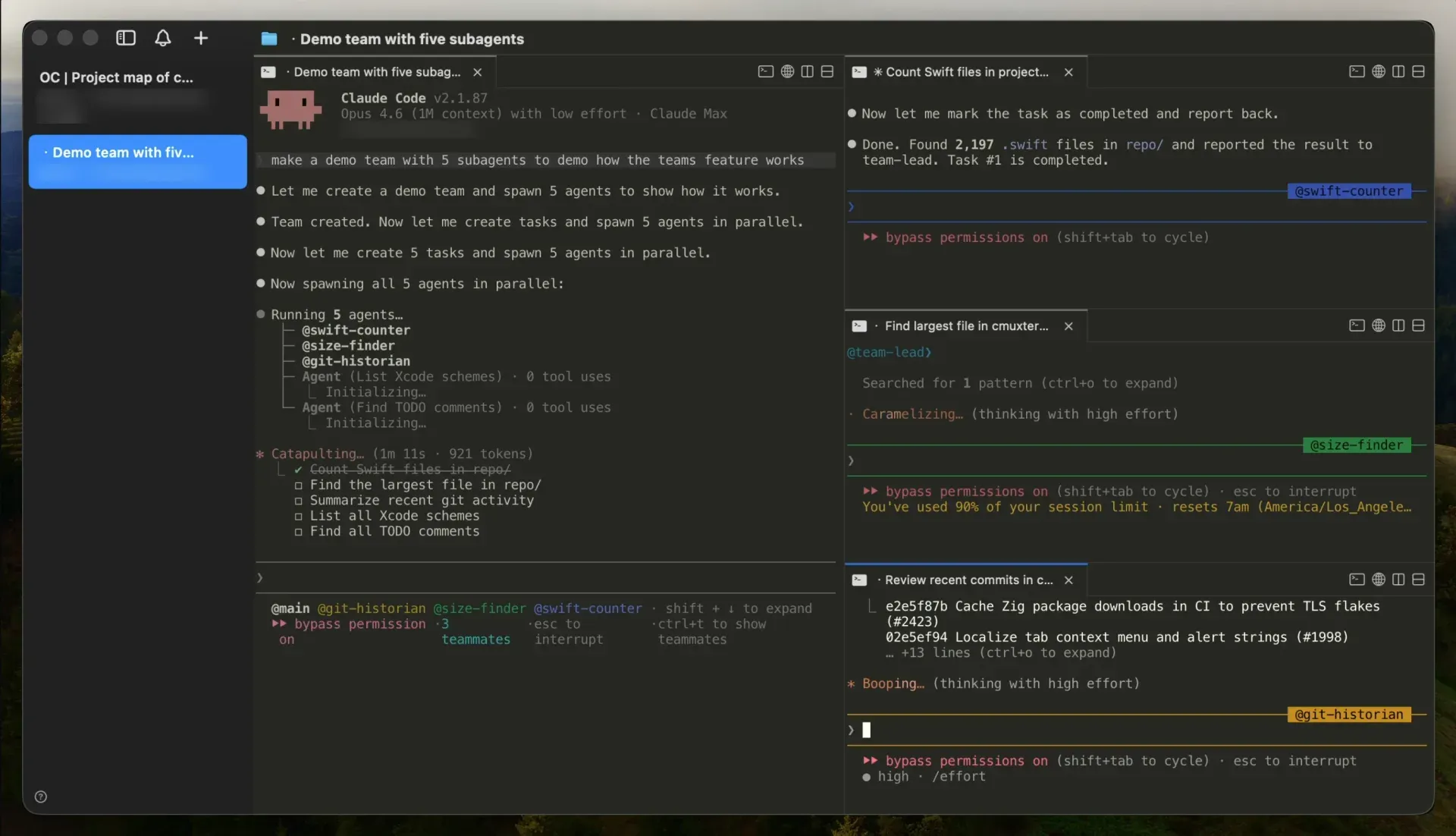
cmux claude-teamsstarts Claude Code's teammate mode with one command, and teammates open as native splits with sidebar metadata and notifications, without tmux. The docs also cover oh-my-opencode, oh-my-codex, oh-my-pi and oh-my-claudecode orchestration. - Ghostty compatibility and customization Themes, fonts, colors, cursor settings and terminal keybindings, including leader sequences and key tables, come from the Ghostty config file. cmux-specific shortcuts are editable in Settings, and project actions defined in
cmux.jsonappear in the command palette as custom commands. - Skills The open cmux-skills collection contains reusable workflows that any agent running in cmux can use for CLI control, workspace automation, settings and browser surfaces.
- Installation on macOS The recommended install is the DMG: open it and drag cmux to Applications. The alternative is
brew tap manaflow-ai/cmuxfollowed bybrew install --cask cmux, which also installs zsh, bash and fish completions. For terminals outside cmux, the command palette action installs thecmuxCLI intoPATH. Requirements are macOS 14.0 or later on Apple Silicon or Intel. - Nightly builds Cmux NIGHTLY is built automatically from the latest
maincommit, ships as a universal DMG, uses its own bundle ID and Sparkle feed, and keeps its own saved session. Nightly bugs are reported on GitHub Issues or in the project Discord. - cmux Cloud and iOS (paid plans) Paid plans add persistent Linux Cloud machines managed with
cmux vmcommands and opened with ⌘Y or ⌘⇧Y, plus early access to the iOS app. Cloud machines keep files, tools and running terminals when the laptop is closed. The Cloud overview describes machines, networking and security.
Where cmux fits
Watching several coding agents in one window
The workflow the README describes is a set of workspaces, each running an agent such as Claude Code or Codex in its own pane. With hooks installed through cmux hooks setup, or with agents that emit OSC notifications, a waiting agent turns its pane ring blue and lights up its tab in the sidebar. The notification panel collects pending items, and ⌘⇧U moves to the latest unread one, while the sidebar shows each workspace's branch, pull request and last message.
Letting an agent check a web app in the browser pane
A browser pane can sit next to the terminal running a dev server. An agent uses the browser commands of the cmux CLI to open a URL, take an accessibility snapshot, click elements, fill forms, evaluate JavaScript and read console messages, so it can look at the result of its own change without leaving cmux. Imported browser sessions let these panes start authenticated.
Running agents on a remote machine
cmux ssh user@remote creates a remote workspace that reads aliases, keys and proxy settings from ~/.ssh/config. Browser panes in that workspace route through the remote network, images dropped into the terminal are uploaded with scp, and agent status from SSH hosts appears in the sidebar. cmux session move transfers stopped Claude Code sessions between a Mac and a host, and the SSH documentation lists the Mosh and tmux options.
Scripting layouts and automation
Because every action is available through the CLI and socket, scripts and agents can create workspaces, open splits with a starting command such as npm run dev, send keystrokes, set sidebar status and progress, and post notifications. JSON output and stable surface IDs, exposed in CMUX_WORKSPACE_ID and CMUX_SURFACE_ID, let a script address a specific pane. Project-specific actions can also be stored in cmux.json and started from the command palette.
Restoring work after a quit, crash or update
On relaunch cmux rebuilds the saved layout, working directories, scrollback and browser history, then runs the native resume command of supported agents when automatic resume is enabled. For processes that must stay alive, cmux local-tmux keeps terminals running across a cmux quit or update. The session restore guide explains which state is reconstructed and which is not.
Moving agent work to Cloud machines
On paid plans, cmux vm new creates a persistent Linux machine that opens as a regular cmux workspace, and cmux vm agent starts an agent such as Claude Code on it with a task. Terminals keep running if the pane is closed, the network drops or the laptop shuts, and the machine can be resized, paused, checkpointed, forked or snapshotted.
Install
brew tap manaflow-ai/cmux && brew install --cask cmuxReviews of cmux
Be the first to share your experience with cmux.
Write a review
Loading review form…
Found cmux useful? Upvote it todayYour vote helps other IT teams find it in the daily ranking.