

What is Warp?
Warp is a terminal that has grown into what its maker calls an agentic development environment. It is built by Warp (warpdotdev) and runs on macOS, Windows and Linux. The core is a GPU-rendered Rust terminal that groups each command and its output into a block, with an input editor that behaves like a code editor. Around it sit a built-in coding agent, a code editor and review panel, a team workspace called Warp Drive, and cloud agents for automation. You can use Warp's own agent or run third-party CLI agents such as Claude Code, Codex and Gemini CLI inside it.
Licensing needs a careful read. In 2026 Warp opened the client codebase in the warpdotdev/warp repository: the UI framework crates warpui_core and warpui are MIT licensed, and the rest of the repository is AGPL-3.0, according to the README. That is not the whole product. Warp's FAQ states that the built-in agent harness runs server-side and is not open in this repository, and cloud features such as Warp Drive depend on Warp's hosted services. Treat Warp as an open-source client with proprietary cloud services, not as a fully self-contained open-source stack.
Distribution is through the download page: a DMG for macOS, an installer for Windows 10 and 11 on x64 and ARM64, and DEB, RPM, Arch and AppImage packages for Linux on x64 and ARM64. The documentation lists Homebrew and WinGet commands, and every install option auto-updates. The latest GitHub release is v0.2026.06.03.09.49.stable_00, published June 3, 2026, while pre-release dev builds are published far more often; Warp's own changelog says it ships updates weekly, typically on Thursdays, so the app you download may be newer than this GitHub tag.
The repository is run through an agent-assisted workflow. Contributing guidance describes Oz triaging issues and reviewing pull requests, feature work gated by readiness labels and spec pull requests, and build instructions via ./script/bootstrap and ./script/run. Pricing combines a free tier with paid individual, business and enterprise plans that bundle agent usage. Out of scope for this profile are Warp Factories, an early-access cloud product, and the quality of any model Warp routes to.
Warp screenshots
Explore the interface. Open a screenshot to view it at full size.
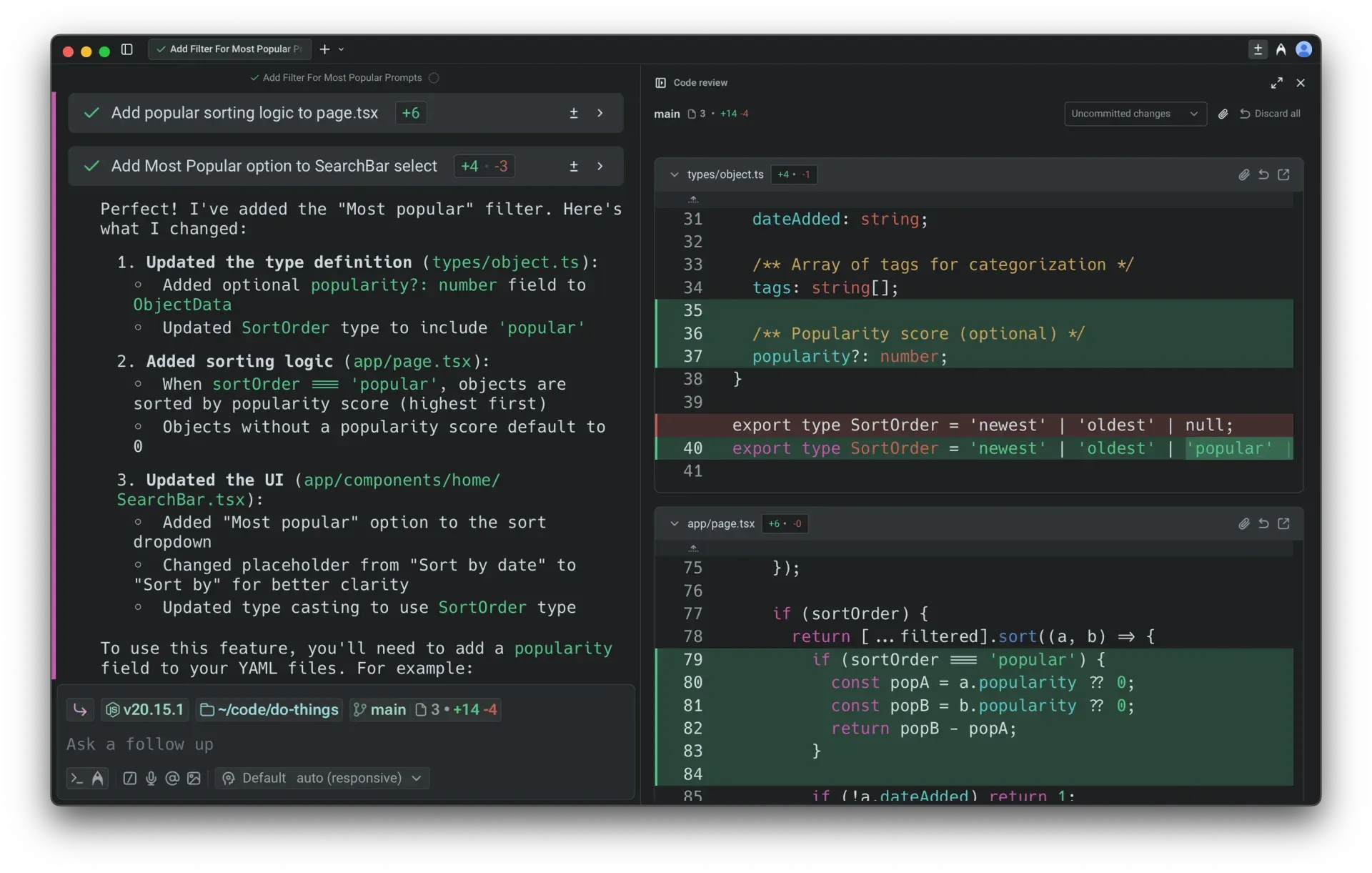
Official Warp documentation screenshot of agent changes in the code review panel, with a conversation summary beside inline additions and removals.
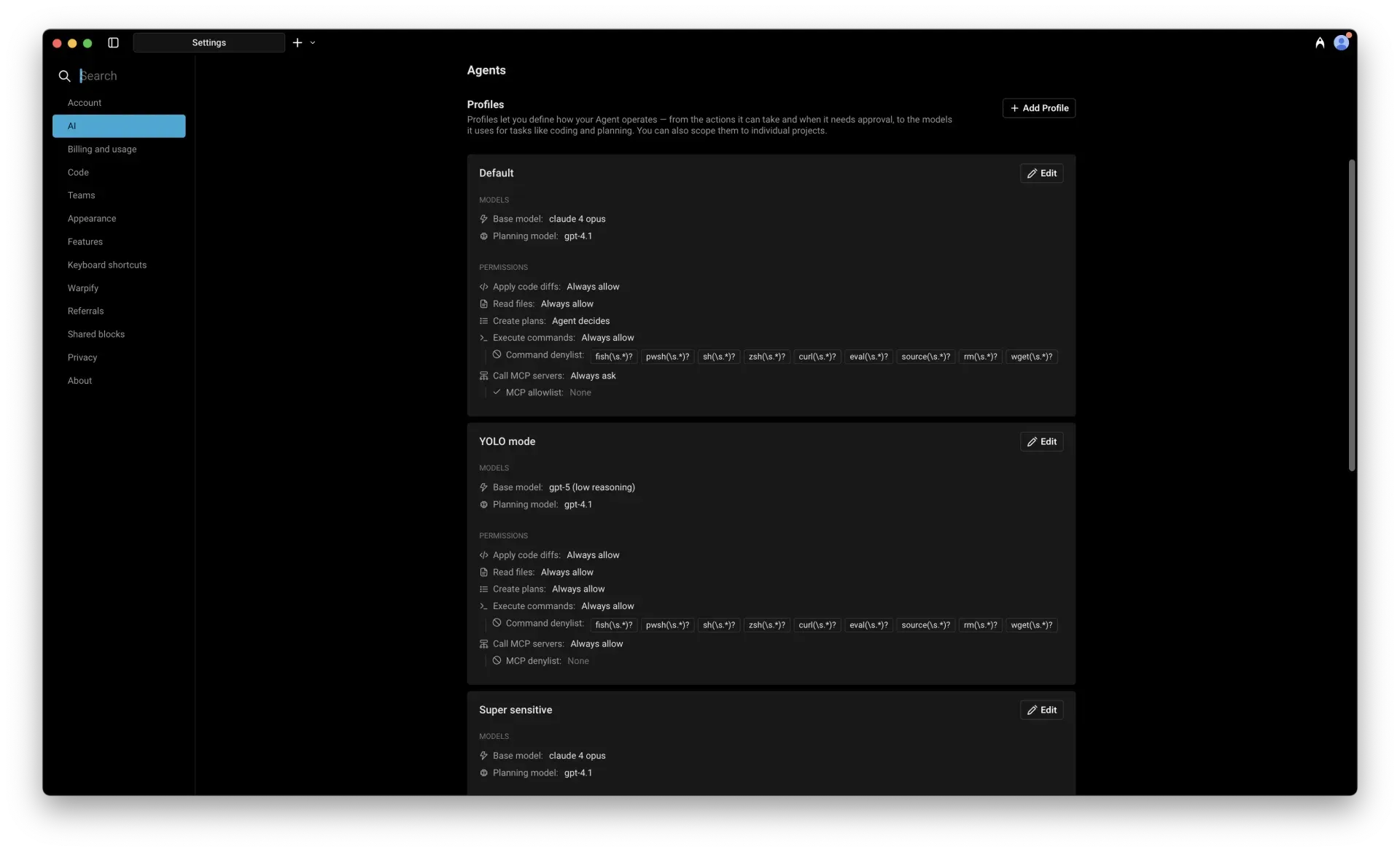
Official Warp documentation screenshot of Agent profiles, which set models and the allow, ask or deny rules for agent actions.
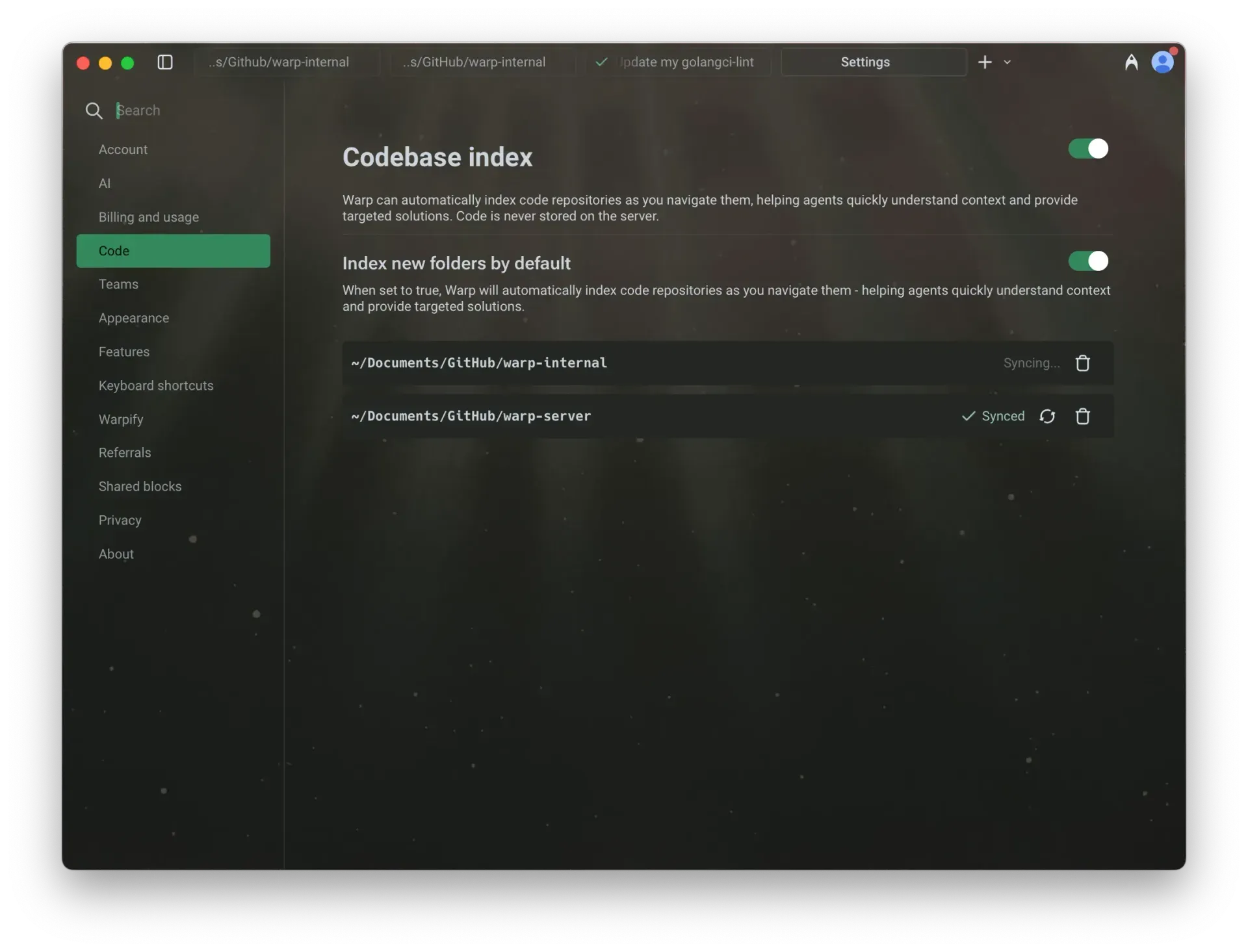
Official Warp documentation screenshot of codebase indexing settings with per-repository sync status.
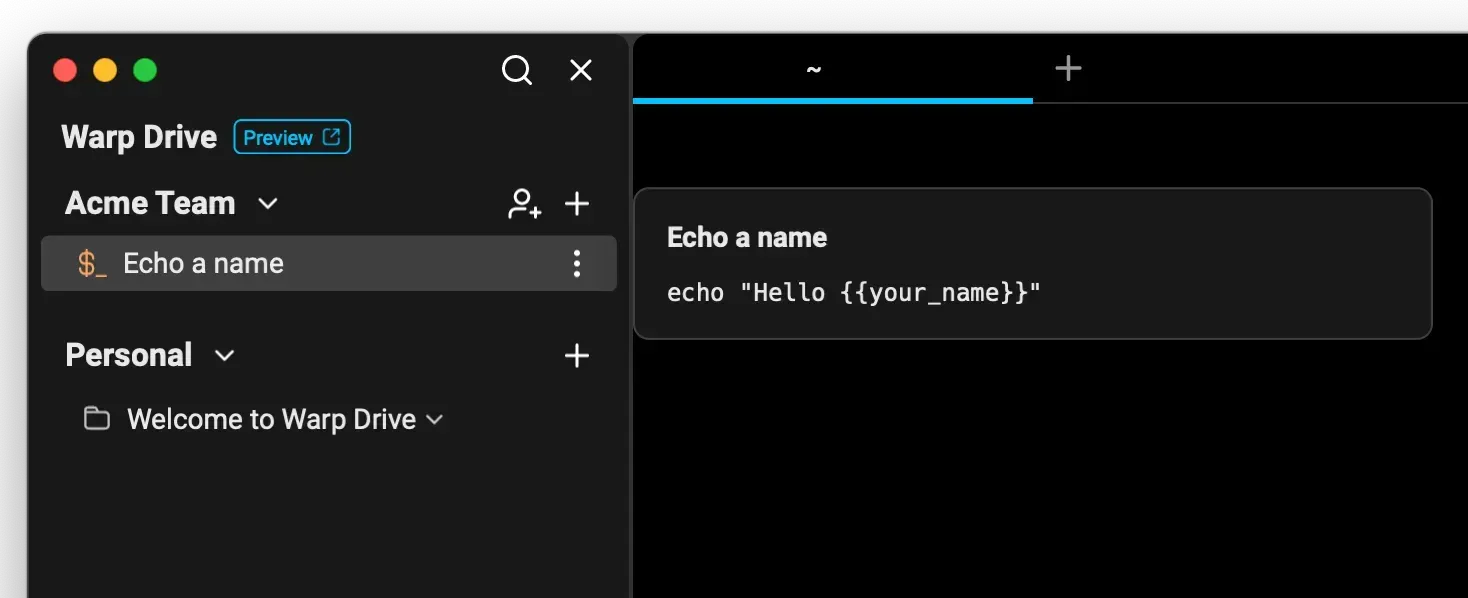
Official Warp documentation screenshot of Warp Drive with a team and a personal workspace and a parameterised workflow.
Source: official Warp project page.
Key capabilities
- Download for macOS The download page offers a DMG for macOS 10.14 or later, and the documentation lists
brew install --cask warp. The page does not say whether the DMG is Intel, Apple Silicon or universal, so check the installer before rolling it out to a mixed fleet. See the installation guide. - Download for Windows Windows 10 and 11 are supported with .exe installers for x64 and ARM64, and WinGet users can run
winget install Warp.Warp. PowerShell is the default shell on Windows, and the supported-shells page also covers WSL2 distributions. - Download for Linux Packages are published for Debian and Ubuntu (.deb), Red Hat, Fedora and SUSE (.rpm), Arch (.tar.zst) and a generic AppImage, each for x64 and ARM64. The download page lists no apt or yum repository commands, so plan updates through the built-in updater or your own packaging.
- Blocks Each command, its output and its prompt form a block that can be selected, copied, bookmarked, filtered and shared. A shared block becomes a web permalink, which is useful for debugging but means output leaves your machine, so check for secrets first. The Blocks documentation describes every action.
- IDE-style input editor The command line is a text editor with click-to-place cursors, multi-line editing, selection and soft wrapping instead of shell-specific key bindings. Autosuggestions draw on shell history and available completions, and the completion menu covers many common commands.
- Command palette and workflows The command palette searches workflows, notebooks, prompts, shortcuts, files and settings from one input. Workflows are saved parameterised commands that can be shared with a team through Warp Drive.
- Shells and sessions On macOS and Linux Warp supports bash, fish, zsh and PowerShell, and it loads your login shell when it is supported, falling back to zsh on macOS. It also covers tabs, split panes, subshells and SSH sessions, and it restores windows, tabs and panes when you reopen it.
- Themes and appearance The settings include built-in dark and light themes, a theme creator, compact block spacing, block dividers and a choice of app icons. Theme sync can follow the operating system appearance.
- Warp Agent The built-in agent works through multi-step tasks by running commands in a real terminal and reading the output. You approve actions and review diffs before changes land. Agent profiles define which models it uses and which actions are always allowed, asked about or denied, including command allowlists and denylists and MCP server access.
- Warp Agent CLI Running the
warpcommand starts the same agent in any terminal emulator, including over SSH or on machines without the Warp app. The CLI is installed with a separate script listed on the download page and can hand work to cloud agents. See the Agent CLI overview. - Third-party CLI agents Warp can host CLI agents such as Claude Code, Codex and Gemini CLI, with notifications when an agent finishes or needs input. The FAQ says using your existing Codex or Claude subscription with Warp's own agent is not supported today; ACP support is on the roadmap.
- Code editor and review A native editor, file tree, find and replace, and a code review panel show agent edits as inline diffs that you can comment on and send back. Git worktrees are supported for parallel work. See the Code overview.
- Codebase indexing Warp can index repositories as you navigate them so agents understand project context. The settings page states that code is never stored on the server, and indexing can be switched off or limited by folder.
- MCP servers Agents can call Model Context Protocol servers, and profiles control whether each call is allowed, asked about or blocked. Review MCP permissions before enabling auto-approval for tools that reach external systems.
- Warp Drive Warp Drive stores workflows, notebooks and environment variables in personal and team workspaces and has an offline mode. It is a hosted feature rather than part of the open-source client. See the Warp Drive documentation.
- Automation Platform and cloud agents Cloud agents run in the background from schedules, integrations or API calls, for tasks such as issue triage and pull request review. An Oz Agent API OpenAPI specification is published at docs.warp.dev/openapi.yaml, and Warp Factories, which route work from Slack, GitHub, Linear or Jira, are early access.
- Privacy controls Telemetry and crash reporting can be turned off under Settings, Privacy, and a Network Log shows traffic in real time. The privacy page lists every telemetry event, explains account and data deletion, and says Business and Enterprise add admin data controls. The docs state that sign-in is required for Warp Preview builds.
- Plans and pricing The pricing page lists Free at $0, Build at $20 per month, Max at $200, Business at $50 per user per month with up to 25 seats, and Enterprise on custom terms. Paid plans include dollar amounts of agent usage at API rates, and bring-your-own API keys and SAML SSO start at Business. Details are on the pricing page.
Where Warp fits
Everyday command-line work with better structure
Use blocks to copy a single command's output, filter a long log and bookmark the line you need, and use the input editor for multi-line commands. Confirm that your usual shell, prompt and dotfiles load correctly on first launch and read the supported shells page for platform differences. Check that remote sessions over SSH behave as expected on your servers.
Running a coding agent with human approval
Create an agent profile that allows reads, asks before running commands and keeps a denylist for destructive ones. Start with a small repository, review every diff in the code review panel and add comments instead of accepting blindly. Keep auto-approval off for tools and MCP servers until you have measured how the agent behaves.
Using your preferred CLI agent inside Warp
Launch Claude Code, Codex or Gemini CLI in a tab and enable the notification chip so you hear when it needs input. Remember that those agents bill and process data under their own accounts, separate from Warp's plans. Compare this with running the same agent in a plain terminal such as Ghostty.
Sharing commands and runbooks with a team
Save workflows and notebooks in a team Warp Drive, share block permalinks for incident debugging and use environment variables for parameters. Review who can read each item and what leaves the laptop. Business and Enterprise plans add admin controls, SSO and data governance for larger groups.
Auditing privacy and data flow before rollout
Turn off telemetry, watch the Network Log during a typical session and check which features contact Warp's servers. Decide whether codebase indexing, shared blocks and cloud agents are acceptable for your repositories. Ask the vendor about retention and zero-data-retention terms for the model providers behind the plan you buy.
Contributing to the open-source client
Clone the repository, run bootstrap and run the app, then follow the issue, spec and code pull request flow in CONTRIBUTING. Feature requests need a readiness label and a spec before code, while actionable bugs can go straight to a pull request. Expect an automated first review from Oz followed by a human review.
Install
brew install --cask warpReviews of Warp
Be the first to share your experience with Warp.
Write a review
Loading review form…
Alternatives to Warp
 GhosttyMIT-licensed terminal emulator with a SwiftUI and Metal app on macOS and a GTK4 app on Linux, offering tabs, splits, a quick terminal, Kitty graphics, shell integration and the embeddable libghostty-vt library.
 Codex CLIOpen-source Rust CLI from OpenAI that reads a repository, edits files and runs local commands inside a sandbox with approval prompts. Includes code review, MCP, skills, codex exec for CI, a TypeScript SDK and an app-server.
 AiderOpen-source command-line tool for editing code with LLMs inside a local git repository. It builds a repository map, applies model edits to files, commits each change, runs linters and tests, and works with most hosted and local models.