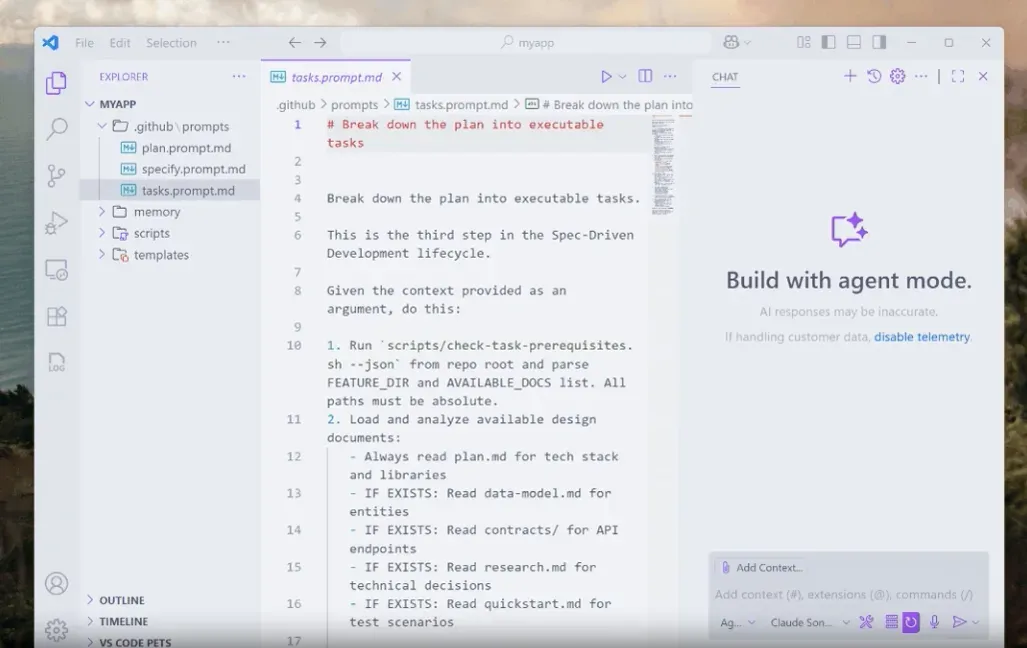
What is GitHub Spec Kit?
GitHub Spec Kit is an open-source toolkit, published in the github organization on GitHub under the MIT license, that gives AI coding agents structured processes, reusable templates and documented outcomes. Its core process is Spec-Driven Development (SDD): the developer writes down what to build and why, the agent turns that specification into a technical plan and an ordered task list, implements the tasks and then checks the code against those artifacts. In the methodology document the specification is the primary artifact and code is its expression in a given language and framework.
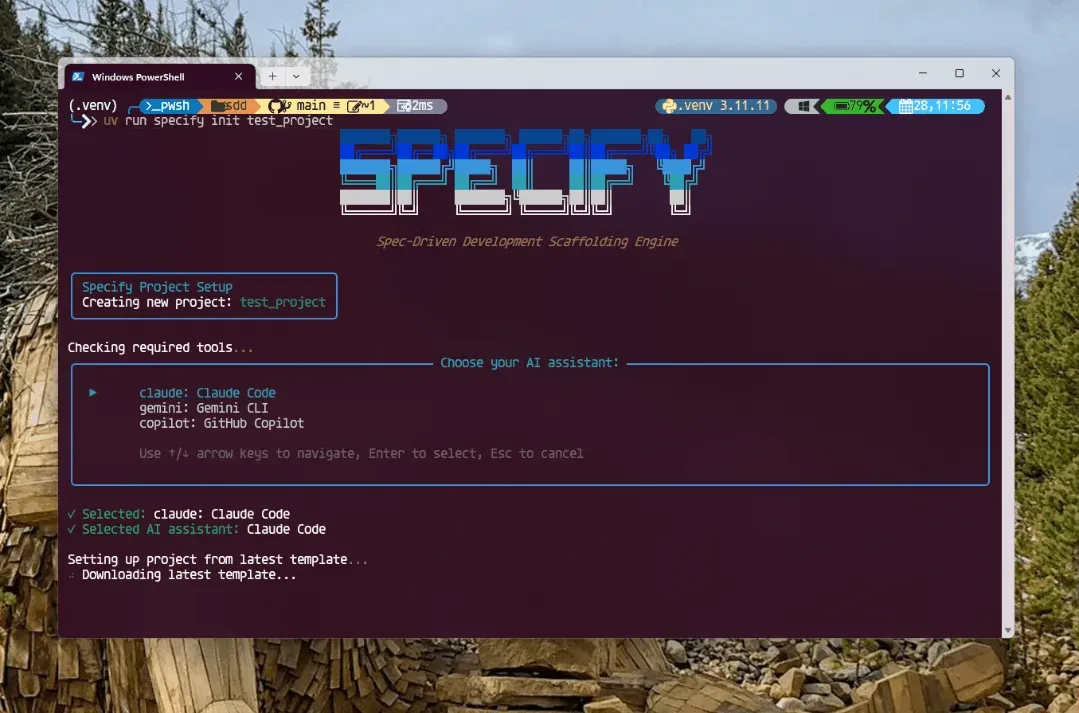
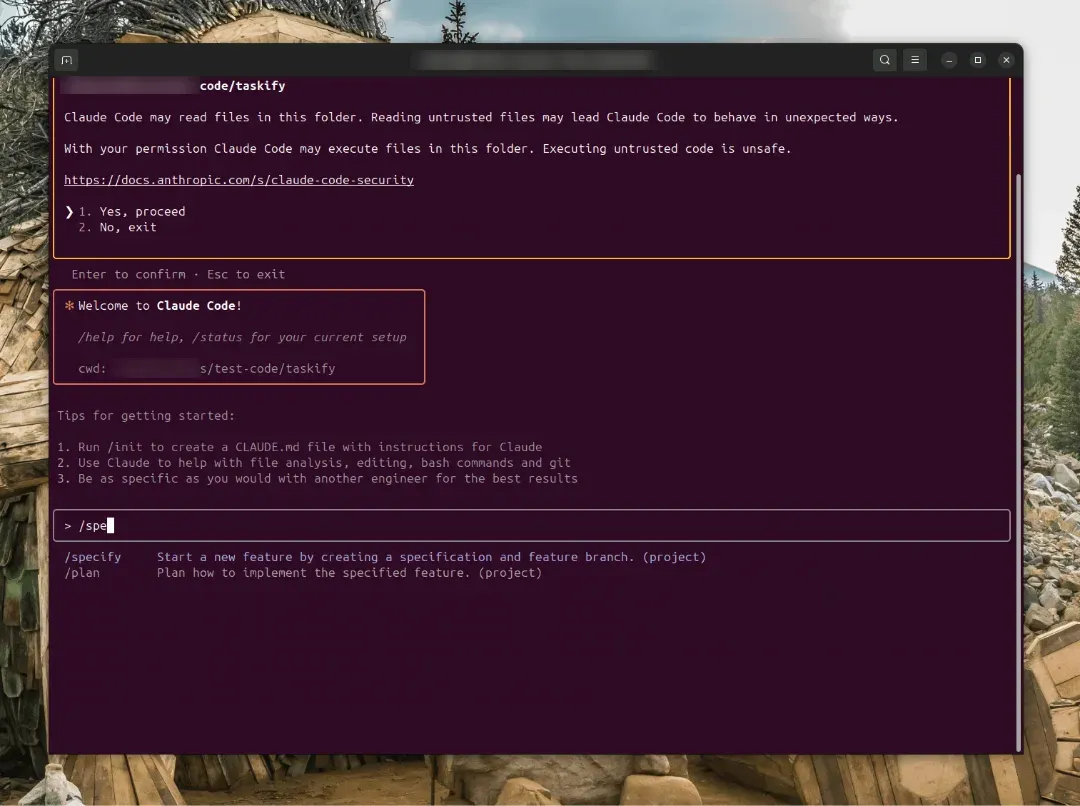
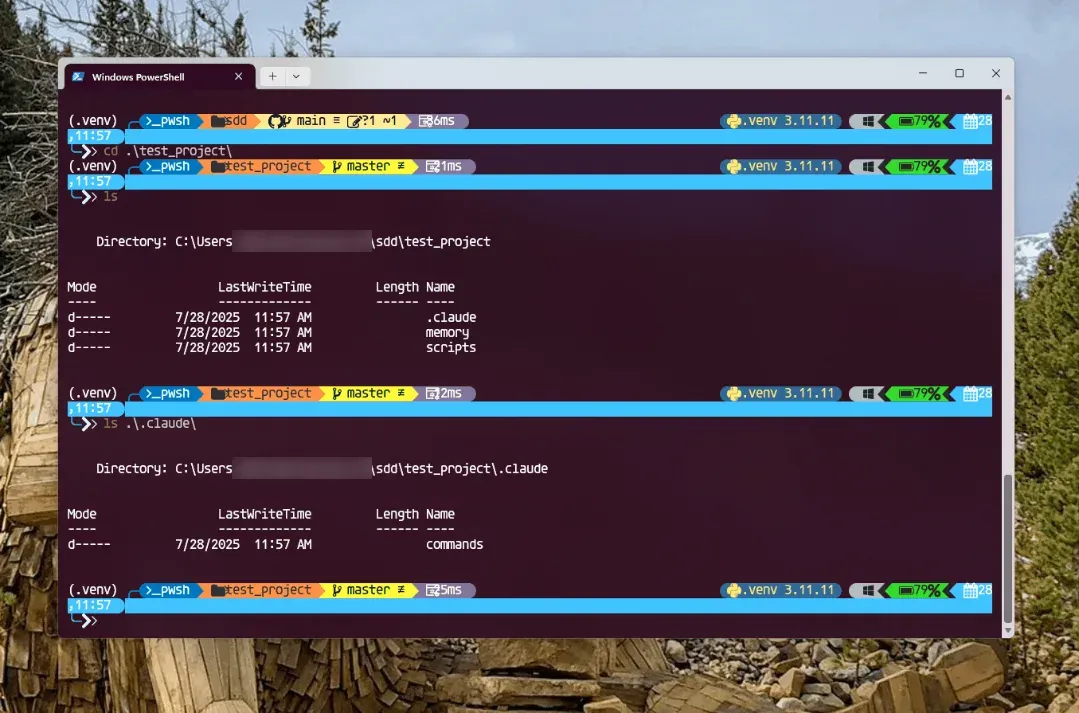
Spec Kit has two parts. The Specify CLI (specify) is a Python package, specify-cli on PyPI, that needs Python 3.11 or later and is normally installed with uv; it runs on Linux, macOS and Windows. specify init creates a .specify/ folder with templates, a project constitution and helper scripts in Bash, PowerShell or Python, and writes command or skill files for the chosen coding agent. The process steps themselves, such as /speckit.specify or /speckit.plan, run inside the agent's chat, not in the terminal. The integration directory lists 41 coding-agent integrations plus generic and none. Spec Kit contains no model of its own.
According to the project history, Den Delimarsky and John Lam conceived Spec Kit, the first commit landed on August 21, 2025, and the GitHub Blog introduced it on September 2, 2025. Manfred Riem became lead maintainer on January 22, 2026. Between February and November 2026 the project added extensions, presets, a workflow engine, workflow steps, bundles and catalogs, the model behind the repository description "Toolkit to help you get started with SDD or any other process": processes are assembled from these building blocks, and the same mechanism ships two opt-in first-party processes for bug fixing and idea assessment. Version 1.0.0 was released on August 21, 2026.
The current release is Spec Kit 1.4.3, published on GitHub and PyPI on November 19, 2026. It copies declared resources into extension skills, adds bounded Markdown section replacement for presets, rolls back a failed integration upgrade or init and fixes UTF-8 and PowerShell 5.1 issues. Version 1.4.0 mapped reasoning effort and context size settings for Copilot, Codex and Claude Code and required HTTPS for catalog sources (changelog).
The support policy states that Spec Kit is under active development and maintained by GitHub staff and the community, that responses come as time permits, and that support is limited to the listed resources: the README, the methodology guide, GitHub Discussions and GitHub Issues. By default Spec Kit does not create Git branches or edit the agent's context file such as CLAUDE.md or AGENTS.md; those behaviors come from the opt-in git and agent-context extensions. Similar agent workflow projects on iThub include CCPM and Superpowers.
Key capabilities
- Specify CLI from PyPI or a pinned tag The quickstart installs the CLI with
uv tool install specify-cli; pipx and pip also work, anduvxsupports one-time runs without a persistent install. The installation guide recommends a source install pinned to a release tag,uv tool install specify-cli --from git+https://github.com/github/spec-kit.git@vX.Y.Z. Requirements are Python 3.11+, uv or pipx and a supported coding agent; Git is needed only when the git extension is enabled. - Project scaffolding with specify init
specify init my-project --integration copilotcreates the project, while--hereinitializes the current directory and--forcemerges into a non-empty one. Options include--script sh|ps|pyfor the helper script variant,--presetto apply a preset at creation and--ignore-agent-toolsto skip the agent CLI check. Interactive terminals show an agent picker; non-interactive runs default to GitHub Copilot unless--integrationorSPECKIT_INTEGRATION_DEFAULTsays otherwise. - Project constitution
/speckit.constitutionwrites the project principles to.specify/memory/constitution.md, for example rules on testing, API compatibility or architecture. It runs once per project and again whenever principles change, and later planning and analysis steps are evaluated against it.specify integration upgradedoes not modify it, and the fallback re-init keeps an existing file. - Feature specification
/speckit.specifyturns a natural-language description intospec.mdin a feature folder underspecs/, focused on user-facing behavior and goals rather than the tech stack. It also maintains a built-inchecklists/requirements.md. The active feature is recorded in.specify/feature.json, not taken from the Git branch, so the process works without Git. - Clarification before planning
/speckit.clarifyasks up to five targeted questions about underspecified parts of the spec and writes the answers back intospec.md. It can take a focus area and be run several times. - Technical plan and design artifacts
/speckit.plantakes the tech stack and architecture as arguments and producesplan.md. The plan template also generatesresearch.mdto resolve open questions,data-model.md, interface contracts incontracts/and aquickstart.mdvalidation guide, and checks the design against the constitution. - Requirements checklists
/speckit.checklistcreates what the docs call "unit tests for your requirements": checks of whether the spec is complete, clear and consistent. Custom checklists are owned by the reviewer, and a checked item means a requirements-quality criterion was met, not that code is finished. - Ordered task list
/speckit.taskswritestasks.mdwith a Setup phase, a Foundational phase for blocking prerequisites, one phase per user story in priority order and a final Polish phase. Tasks that can run in parallel are marked. - Read-only consistency analysis
/speckit.analyzecomparesspec.md,plan.mdandtasks.mdand reports conflicts, gaps and ambiguities. It never edits files; fixes go back to the step that owns the problem, after which the analysis is run again. - Implementation and convergence loop
/speckit.implementexecutes the tasks in dependency order and stops to ask when checklist items are unchecked; large features can be implemented phase by phase./speckit.convergethen checks the code against the spec, plan and tasks. It is append-only: it either reports Converged and leavestasks.mdunchanged or appends the remaining work as new tasks for another implement pass. - 41 coding-agent integrations Integration keys include
copilot,claude,gemini,codex,cursor-agent,opencode,kiro-cli,qwen,amp,cline,kilocode,goose,junie,trae,zedand others, plusgenericandnone. CLI-based integrations need the agent's CLI installed, whichspecify checkverifies; IDE-based ones run in the IDE chat. Agents in the integration list on iThub include Codex CLI, OpenCode, Qwen Code, Cline, Kilo Code, goose and Zed. - Agent-specific command syntax The docs write commands as
/speckit.*, but the form depends on the agent: Copilot uses skills by default and is invoked as/speckit-specify, Codex and ZCode use$speckit-*and Kimi uses/skill:speckit-*. Integrations with an optional skills mode select it through--integration-options="--skills". The integration CLI reference has the full table. - Integration management
specify integration install,use,switch,uninstallandstatusadd, activate, replace or remove agent integrations in an existing project. For mixed-agent teams the docs describe starting from--integration none, switching to a personal agent locally and switching back before committing. - Bundled opt-in extensions The package ships five extensions that
specify initdoes not enable:gitfor repository setup, numbered feature branches and auto-commit;agent-contextfor a managed block in files such asCLAUDE.md,AGENTS.mdorGEMINI.md;github, whosespeckit.github.taskstoissuescommand turnstasks.mdinto dependency-ordered GitHub issues; andbugandassessfor the two extra processes. Each is added withspecify extension add <name>. - Bug-fixing process After
specify extension add bug,/speckit.bug.assess,/speckit.bug.fixand/speckit.bug.testassess the cause, apply a scoped fix and verify the original symptom. Reports are stored in.specify/bugs/<slug>/, and the final verdict is verified, partial or failed. (bug-fixing guide). - Idea assessment process The
assessextension adds intake, research, define, shape and decide steps that end in a go, needs-clarification or kill decision stored under.specify/assessments/<slug>/. A go decision does not start implementation (assessment guide). - Presets and project-local overrides Presets are stackable, priority-ordered replacements for templates, commands and scripts, used for organizational standards, other methodologies or different terminology. Commands such as
specify preset add lean,specify preset listandspecify preset resolve spec-templateinstall and inspect them. The docs count 42 community presets. - Community extensions, workflows and bundles Extensions add commands, templates, scripts, hooks and agent runtime events; the documentation counts 186 community extensions, among them Jira, Linear and Azure DevOps integrations and quality gates. YAML workflows chain agent commands, prompts, shell tasks and review gates into resumable runs, for example
specify workflow run speckitwith gates after the spec and the plan. Bundles package these as one versioned setup. - Catalogs, offline use and an experimental MCP server Organizations can host private catalogs, and catalog sources must use HTTPS; community catalogs are discovery-only. For networks without access to PyPI or GitHub, the air-gapped guide builds a wheel bundle, and core templates are embedded in the package so
specify initworks offline.specify mcpstarts an experimental stdio-only MCP server with read-only, local-only tools for version, artifact inventory and installed workflows. - Upgrades and inspection
specify self checkreports whether a newer release exists without changing anything, andspecify self upgradeupgrades uv tool and pipx installs in place or to a pinned tag.specify integration upgraderefreshes generated agent files in a project.specify artifactcommands show which layer supplies each command, template, script or hook, as JSON.
Where GitHub Spec Kit fits
Building a new application from a specification
The README flow installs the CLI, runs specify init my-project --integration copilot (or another key such as claude or gemini) and opens the agent in the project folder. In the agent chat, /speckit.constitution sets the principles once, /speckit.specify describes the product without naming a stack, /speckit.plan adds the stack, for example Vite with vanilla JavaScript and SQLite, and /speckit.tasks, /speckit.implement and /speckit.converge follow. The docs ask for each step to be run separately and its output reviewed, and implement and converge repeat until convergence reports Converged.
Running the full path with quality gates
For production features the SDD quickstart describes a nine-step path that inserts /speckit.clarify before planning, /speckit.checklist after planning and /speckit.analyze after task generation. Clarify folds answers into the spec, the checklist records reviewer approval of requirement quality, and analyze reports inconsistencies between spec, plan and tasks without editing them. /speckit.implement reads the checklist state and asks before continuing when items are still open.
Adopting Spec Kit in an existing repository
The existing-project guide starts from a committed or stashed baseline on a new branch and runs specify init --here --force --integration <key> from the repository root. Initialization adds .specify/ and the agent files but does not rewrite the application or infer specs for existing behavior. The constitution records rules already true for the codebase, such as API compatibility or migration rollback plans, and the first spec covers one bounded change.
Fixing a reported bug
With the bug extension installed, /speckit.bug.assess takes the symptom and a slug, /speckit.bug.fix applies a scoped fix and /speckit.bug.test checks that the original symptom is gone. The reports in .specify/bugs/<slug>/ end in a verified, partial or failed verdict; only verified confirms the fix. The Spec Kit repository itself uses separate bug-assess, bug-fix and bug-test agentic workflows on its issues; its agentic SDLC guide notes that these do not yet consume the bundled bug extension.
Deciding whether an idea is worth building
The assess extension works without source code. /speckit.assess.intake records the idea, and research, define, shape and decide steps collect evidence and produce decision.md with go, needs-clarification or kill. Unknowns are resolved by editing the Markdown artifacts rather than rerunning whole stages, and a go decision can be handed to /speckit.specify.
Standardizing the process across a team
Presets let an organization require, for example, regulatory traceability in plans or its own terminology, and project-local overrides change a single template. Teams with different agents can commit an agent-neutral project with --integration none and switch locally. Private catalogs restrict which extensions, presets, workflows and bundles are discovered, and the workflow engine runs the SDD sequence with review gates that pause until a verdict is supplied. Related projects on iThub include Elephant-Goldfish Model, which is listed in the Spec Kit community extension catalog, and Reqode.
Install
uv tool install specify-cliReviews of GitHub Spec Kit
Be the first to share your experience with GitHub Spec Kit.
Write a review
Loading review form…
Found GitHub Spec Kit useful? Upvote it todayYour vote helps other IT teams find it in the daily ranking.