
What is DeepTutor?
DeepTutor is an open-source, agent-native learning workspace from HKUDS, the Data Intelligence Lab at the University of Hong Kong. The project describes itself as lifelong personalized tutoring: one agent runtime connects chat-based tutoring, research, question generation, interactive books, guided study paths, document reading and spaced practice, and keeps a learner memory that can be read and edited. The project is led by Bingxi Zhao within the HKUDS group, and the README states that there are no paid online products of any form. The code is published under the Apache-2.0 license, and the first public release was announced on December 29, 2025.
The design is documented in the arXiv paper DeepTutor: Towards Agentic Personalized Tutoring (April 2026). The paper presents DeepTutor as a framework that combines citation-grounded problem tutoring with difficulty-calibrated question generation, and a hybrid personalization engine that couples static knowledge grounding with dynamic learner memory. It also introduces TutorBench, a benchmark built on learner profiles grounded in university-level curricula across five domains, together with an evaluation protocol that uses a profile-driven student simulator. The abstract reports an average gain of 10.8% on personalization metrics and 29.4% on general agentic reasoning across five backbone models.
The software is a Python backend (FastAPI) with a Next.js web frontend and a deeptutor command-line tool. Since version 1.7.0 it is split into a modular package family on PyPI: the bare deeptutor wheel installs core chat, the CLI and the Python SDK, while deeptutor[full] adds the web app and the common feature modules such as research, solve, knowledge, reading, mastery, books, memory, notebook and partners. Supported runtimes are Python 3.11 to 3.14 and Node.js 20.9 or later. A container image is published at ghcr.io/hkuds/deeptutor, and a source install from the dev branch is documented for contributors.
The latest release is v1.7.2, published November 6, 2026. It ships complete desktop downloads (Apple Silicon and Intel DMGs, a Windows installer and a Windows portable ZIP), selected-text read-aloud in Chat, Mastery Path and Reading, model discovery after credential edits with bulk import, NVIDIA NIM text embeddings, a partial Korean interface translation and more reliable package updates. Version 1.7.1 added desktop previews, password changes, checked video lessons and Anki and calendar exports, and 1.7.0 introduced the modular installation, a refreshed learning workspace, block notebooks with the Dito assistant and narrated video lessons. The desktop app, called Open DeepTutor, is labeled a preview in the README; Windows builds are unsigned and automatic desktop update discovery is not connected.
DeepTutor does not include its own language model. It calls the LLM, embedding, search, speech and image or video generation providers configured in Settings, which can be cloud APIs or local servers such as Ollama, LM Studio, llama.cpp or vLLM. Authentication is off by default, so a fresh install runs as a single-user workspace; multi-user mode with an admin, isolated user workspaces and learner or guardian roles is optional. Full documentation lives at docs.deeptutor.info, with an overview site at deeptutor.info. HKUDS also maintains the nanobot agent engine, which powered the original TutorBot feature.
Key capabilities
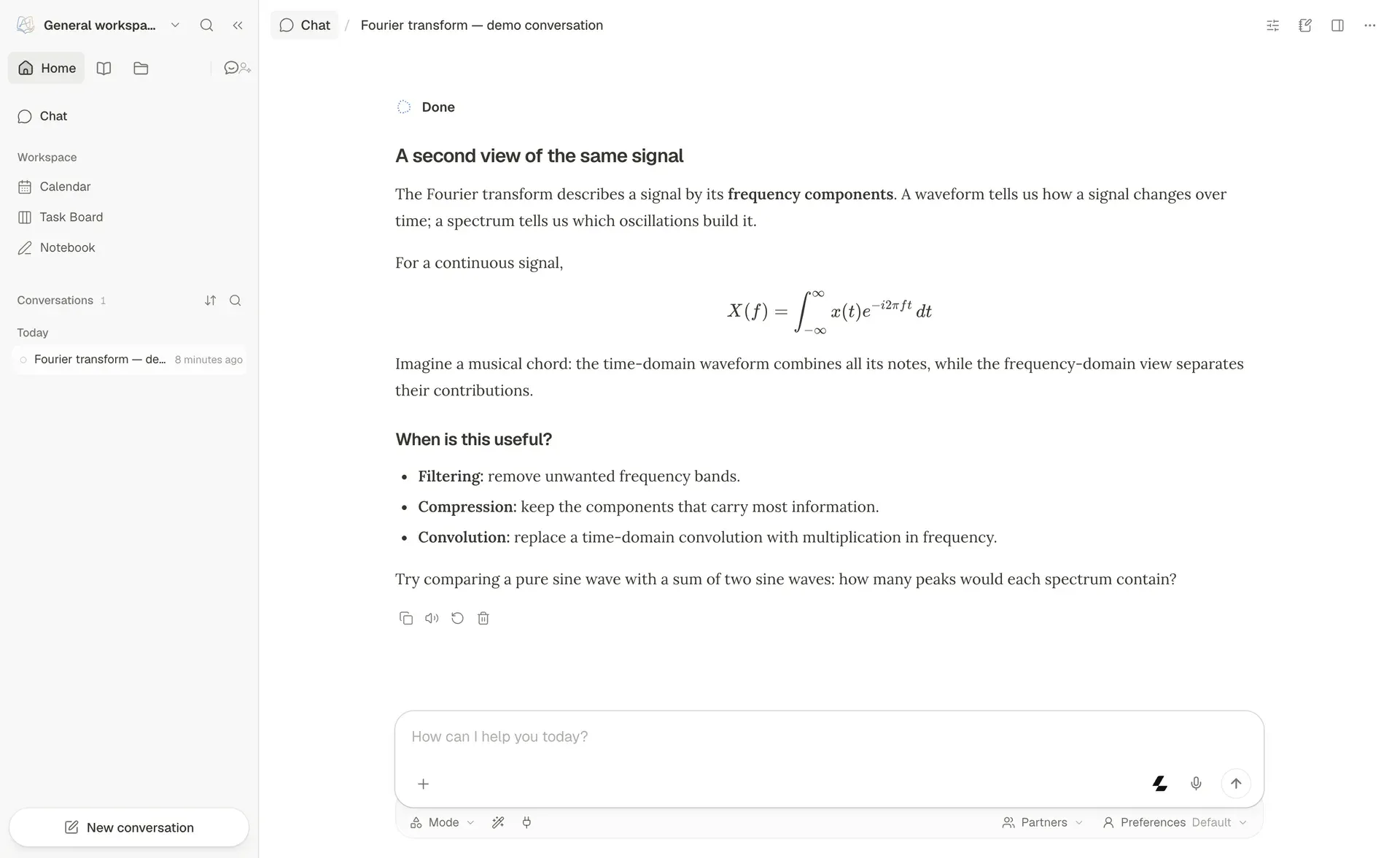
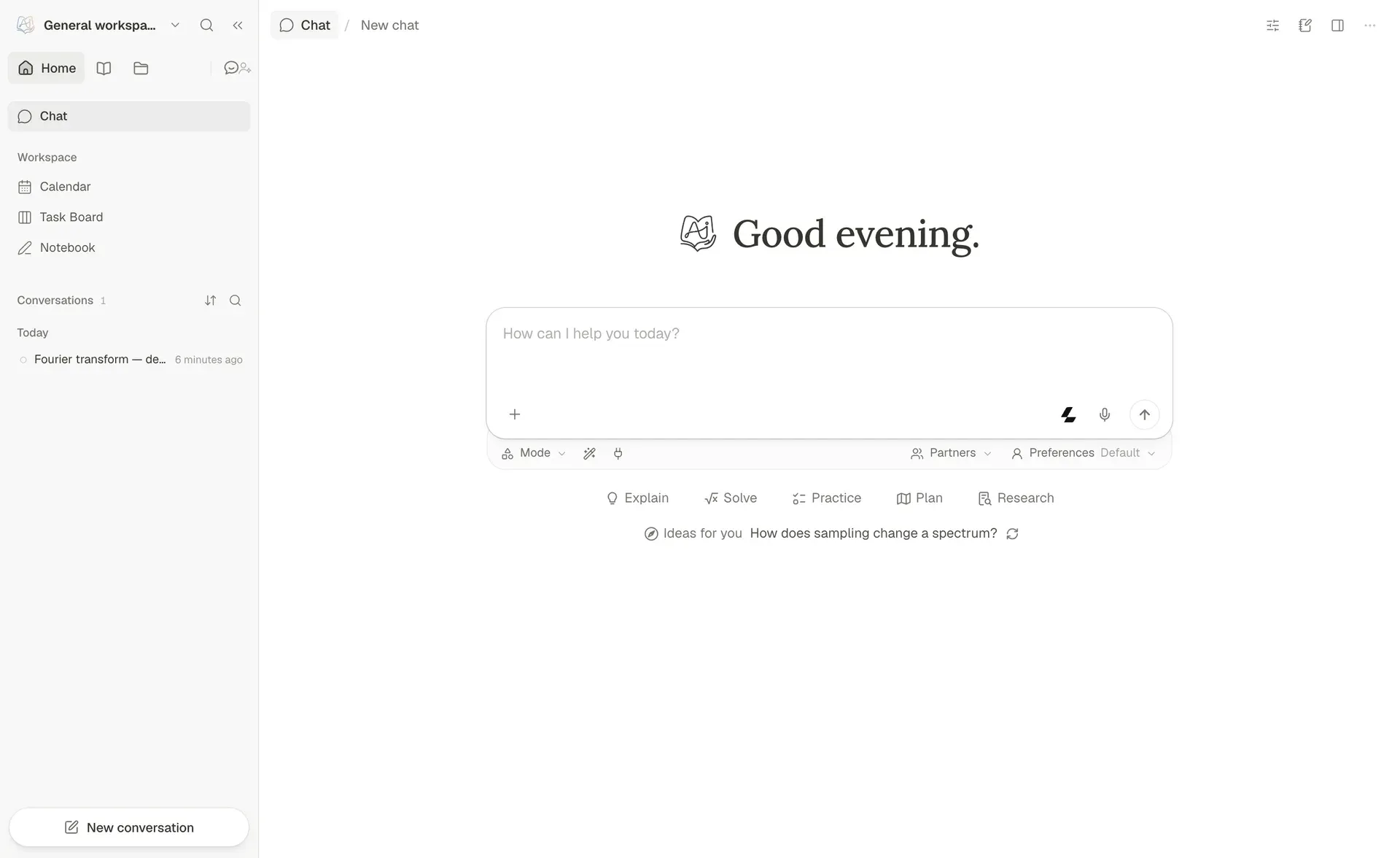
- Chat with one agent loop Chat is the default capability. A single thread can answer normally, call tools, ground answers in selected knowledge bases, read attachments, generate images, consult subagents and write notebook records while keeping context across turns. User-toggleable tools include
brainstorm,web_search,paper_search,zotero_search,reasonandgeogebra_analysis, plusimagegenandvideogenonce a generation model is configured. Selecting text in an answer opens Little Tutor, a focused side thread nested under the source conversation. - Learning modes beyond chat With the full profile, Home offers Chat, Ask Questions, Quiz, Visualize and Video Lesson, with Research for cited reports and Solve for worked reasoning under More Capabilities. These capabilities share session context but keep purpose-built workflows. Visualize produces charts, SVG, Mermaid diagrams and interactive HTML, and the Math Animator renders Manim animations with an opt-in visual review step that adds vision model calls.
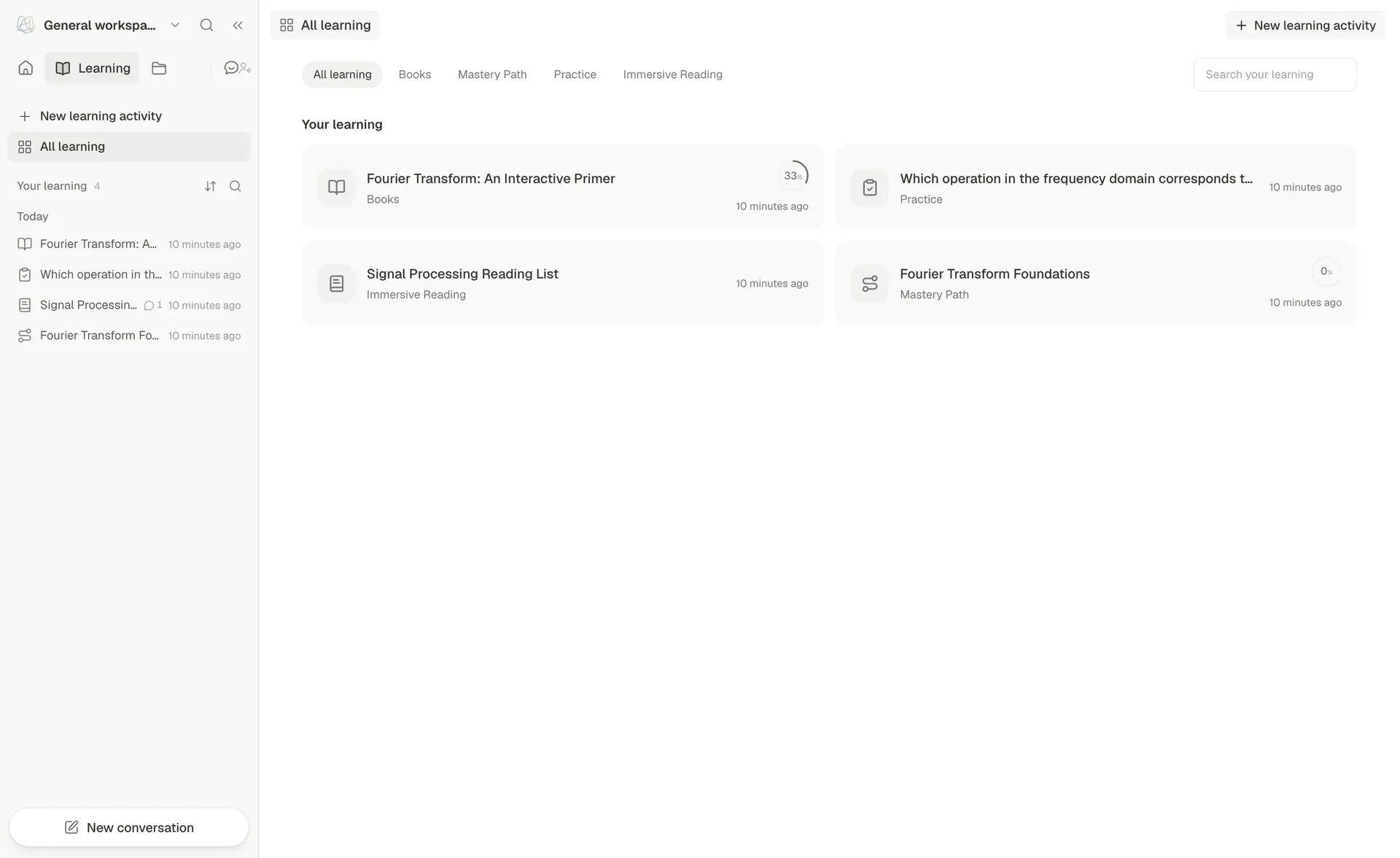
- Books built from your sources Book turns selected knowledge bases, Favorites, question banks or chat history into an interactive living book. The creation flow proposes a chapter outline before generating content, and each chapter compiles into editable typed blocks such as text, callouts, quizzes, flash cards, timelines, code, figures, interactive HTML, animations and concept graphs, each page with its own Page Chat. Books export to Markdown, and long compiles pause and resume.
- Mastery Path and Practice Mastery Path breaks a learning goal into topics with a knowledge-point map, topic conversations and mastery evidence; v1.7.2 lets you choose the model before an outline starts. Practice reviews collected or imported questions and records answers, mistakes, recall ratings and the next review date. Graded Mastery Path questions flow into the Question Bank, which organizes questions, explanations and mistakes for later review.
- Immersive Reading Reading places a document, web page, YouTube video or audio source beside the conversation, with source-linked citations, highlights, notes and progress. Video Learning settings configure YouTube captions or an administrator-managed Invidious backend; missing captions limit the tutor's evidence but do not block playback. Selected text can be read aloud through the configured text-to-speech provider.
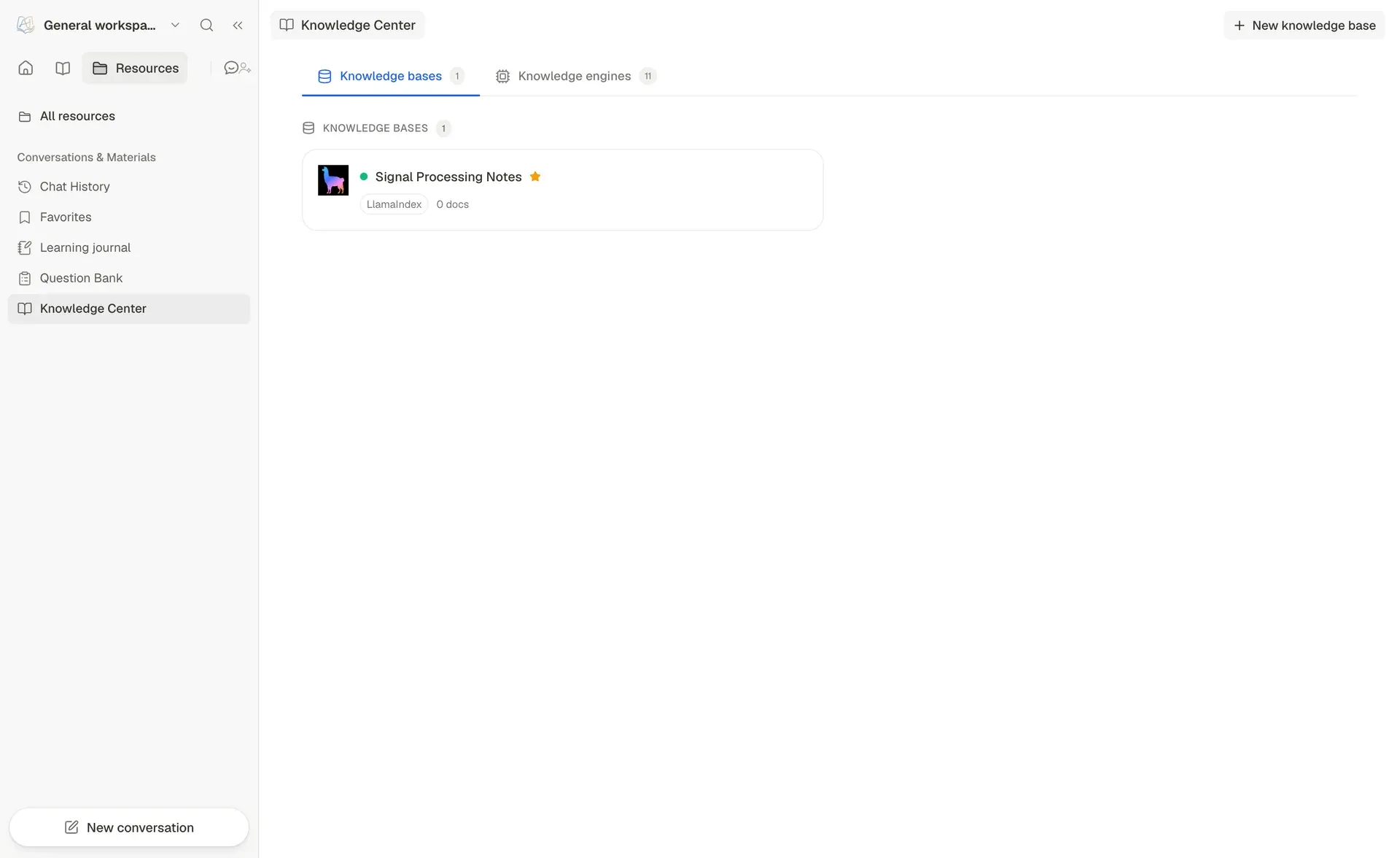
- Knowledge Center with several retrieval engines Knowledge bases ground Chat, notebook edits, Book generation and Partner conversations. Engines include LlamaIndex (the default, hybrid vector plus BM25 with optional reranking and FAISS indexes), PageIndex (hosted or self-hosted OSS), GraphRAG, LightRAG, LightRAG Server and WeKnora. A knowledge base can be created from uploads, linked to an existing index, connected to a Kiwix ZIM archive, or set to follow GitHub repositories or documentation sites that re-sync every 24 hours by default. Similar retrieval building blocks are covered by LlamaIndex.
- Learning notebook and Dito The Learning notebook, formerly Co-Writer, organizes your own writing into pages, subpages and blocks within a workspace. It imports Word documents, inserts original records from Favorites as evidence, and exports pages as Markdown or Word. Dito discusses a passage or block, proposes explanations, examples or rewrites for review, and keeps the conversation attached to the page line. Flash cards on notebook pages export to Anki as a text file that re-imports without duplicates; DeepTutor's own review schedule is not included.
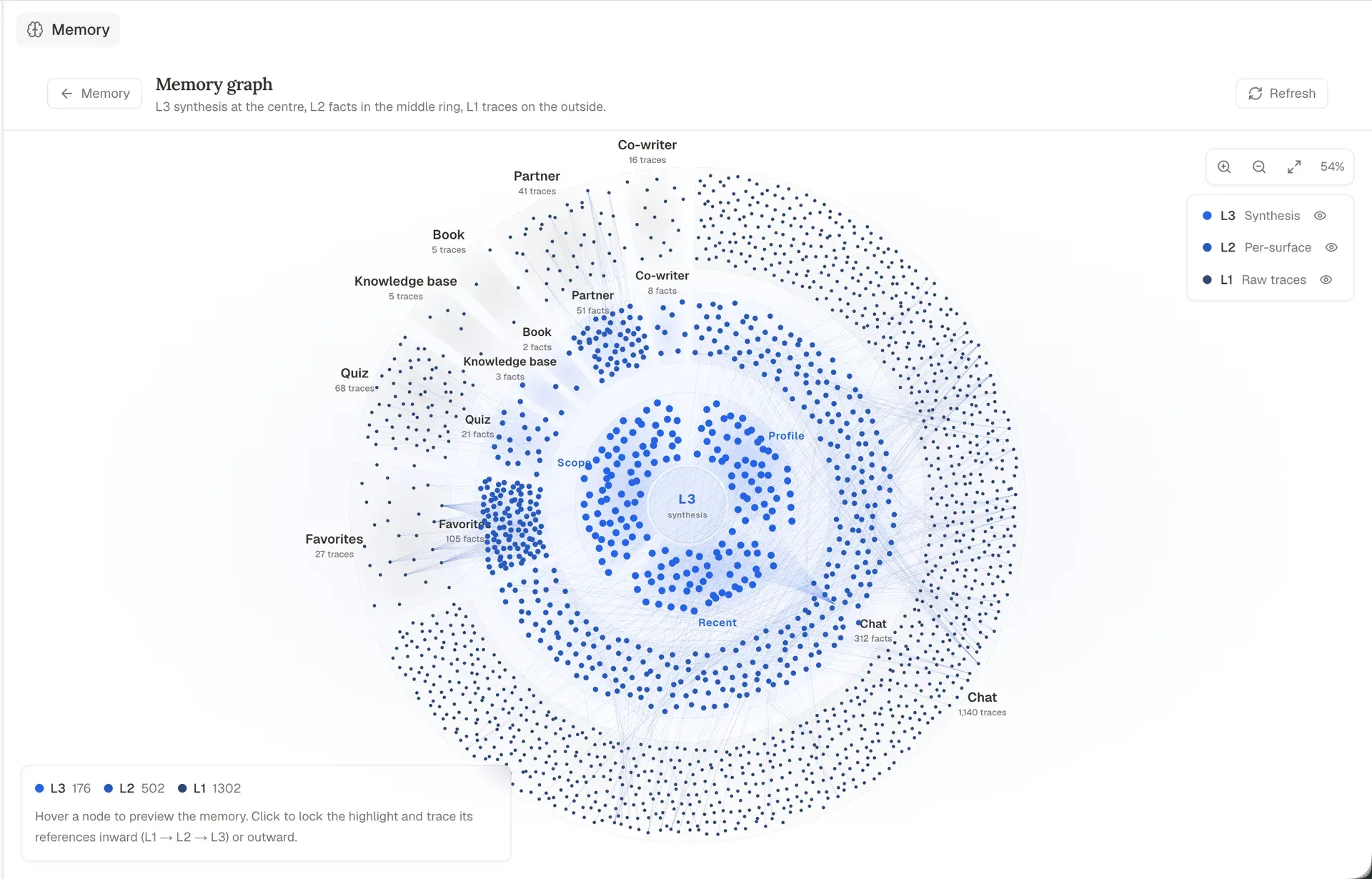
- Inspectable three-layer memory Memory is file-backed rather than a hidden vector store. L1 is an append-only event trace per surface, L2 holds curated facts per surface with references to L1, and L3 is cross-surface synthesis covering profile, recent activity, scope and preferences. The Memory Graph shows the layers with evidence edges, and consolidation budgets are tuned under Settings, Memory.
deeptutor memory showandmemory clearwork from the terminal. - Partners on chat platforms Partners are account-level companions with their own identity (
SOUL.md), model policy, tool policy, library and private relationship memory. Partner Groups put two or more Partners in one conversation. Channels connect Partners to Feishu, Telegram, Slack, Discord, DingTalk, QQ, WeCom, WhatsApp, Zulip, Mattermost, Matrix, Mochat and Microsoft Teams, depending on installed extras and credentials. - My Agents and imported history Chat can consult live agents such as Claude Code, Codex, Grok CLI, Antigravity, Kimi, opencode, MiMo Code, Hermes Agent, OpenClaw or a Partner through the
consult_subagenttool, streaming their work into the Activity panel. Past conversations from a ChatGPT export, Claude Code projects or Codex history can be imported as searchable references. - Skills, MCP services and CLI apps Skills use the open Agent-Skills
SKILL.mdformat. DeepTutor ships with EduHub, its education-focused skill registry, and also supports ClawHub. Every import passes a safety gate that checks the registry verdict, extracts archives defensively, strips thealways:flag and records provenance in.hub-lock.json. MCP Services authorize external tools, and CLI Apps expose programs from the HKUDS CLI-Anything catalog through the execution sandbox. - Wide model provider catalog The provider catalog covers LLMs, task models, embeddings, search, text-to-speech, speech-to-text and image or video generation. LLM bindings include OpenAI, Anthropic, Gemini, DeepSeek, Mistral, Groq, OpenRouter, Azure OpenAI, DashScope, Moonshot, NVIDIA NIM, GitHub Copilot device login, an experimental OpenAI Codex OAuth sign-in and any OpenAI-compatible endpoint, plus local Ollama, LM Studio, llama.cpp, Lemonade and OpenVINO Model Server. API keys are entered in forms and, per the README, never pass through the model.
- CLI for people and agents
deeptutor chatopens an interactive REPL, anddeeptutor run <capability> "<message>"runs one turn of chat, deep_solve, deep_question, deep_research, visualize, math_animator, video_lesson, mastery_path, immersive_reading or audio_overview. Adding--format jsonstreams NDJSON events tagged with a session id, and headless runs auto-resolveask_userpauses. A rootSKILL.mdserves as a handover document for other agents. - Server API and SDK
deeptutor servestarts the FastAPI backend, by default on port 8001, with an OpenAPI 3.1 spec, Swagger UI and ReDoc. A unified WebSocket at/wsruns turns for every capability and streams the same event family as the CLI. When authentication is enabled, protected routes take a Bearer JWT or thedt_tokencookie. The Server API guide and the Python SDK page document both interfaces. - Multi-user deployments Authentication is off by default. When enabled in
data/user/settings/auth.json, the first registered user becomes admin and owns provider credentials, model catalogs, shared knowledge bases, skills and per-user grants. Other users get isolated workspaces and scoped access without receiving raw API keys. Learner accounts lock learning capabilities and support guardian reports, material approval and revocable device credentials. - Installation paths Docker:
docker runwithghcr.io/hkuds/deeptutor:latestand a named volume, then open port 3782. PyPI:pip install -U "deeptutor[full]",deeptutor initanddeeptutor start. CLI only: the core wheel withdeeptutor init --cli. Desktop preview: Open DeepTutor DMGs for Apple Silicon and Intel Macs and a Windows installer or portable ZIP on the GitHub releases page, bundling Python and Node.js. Modules can be listed, installed, disabled or removed withdeeptutor module.
Where DeepTutor fits
Studying a subject from your own course material
A learner creates a workspace per subject, uploads lecture notes, PDFs or slides into a knowledge base, and asks questions in Chat with that knowledge base selected. Answers carry citations back to the source passages. From the same material, Quiz and Ask Questions generate practice questions, and wrong answers collect in the Question Bank, which Practice schedules for review with recall ratings and a next review date. The Knowledge Center guide covers engine choice and re-indexing.
Following a guided Mastery Path
For a defined learning goal, Mastery Path splits the goal into topics, builds a knowledge-point map and runs topic conversations with assessment. Clarifications and missing parts are assessed together with the explanation they complete, and mastery evidence is kept per topic. Graded questions flow into the Question Bank, so the path and later practice stay connected. The Mastery Path documentation describes the modes and gates.
Turning sources into an interactive book
A teacher or self-learner selects knowledge bases, Favorites or chat history and asks Book to propose a chapter outline. After the outline is reviewed, chapters compile into typed blocks with quizzes, flash cards, timelines, code, figures and animations, and each page has its own Page Chat. An admin can share a book read-only or for collaborative editing while each reader keeps private progress, bookmarks and quiz attempts.
Reading papers, web pages and lecture videos with a tutor
Immersive Reading opens a PDF, web page, YouTube video or audio file beside the conversation. Questions are answered with page-level or timestamp citations, and highlights, notes and progress are stored with the activity. Video lessons depend on available captions; when captions are missing, the tutor has less evidence to cite. Selected passages can be read aloud through the configured speech provider.
Running a shared tutor for a class or family
With authentication turned on, an administrator registers first, configures providers and models once, and adds users from /admin/users. Each user receives an isolated workspace and only the models, knowledge bases, skills and partners granted to them. Learner accounts restrict capabilities and materials, while guardians can view reports and approve materials. The multi-user guide explains reverse proxy and private login host settings.
Driving DeepTutor from another agent or script
Developers call deeptutor run with --format json to get NDJSON events, chain turns through a captured session id, and wrap the command as a tool in an agent framework. The FastAPI backend and /ws WebSocket support custom frontends and service integrations, and Partners can answer students on Telegram, Slack, Discord or other chat platforms. Flash cards can also be exported to Anki. Similar projects: Open Notebook (source notebooks with cited chat) and LearnHouse (an open-source learning platform for courses).
Install
docker run --rm --name deeptutor -p 127.0.0.1:3782:3782 -v deeptutor-data:/app/data ghcr.io/hkuds/deeptutor:latestReviews of DeepTutor
Be the first to share your experience with DeepTutor.
Write a review
Loading review form…
Found DeepTutor useful? Upvote it todayYour vote helps other IT teams find it in the daily ranking.