

What is TutorLoom?
TutorLoom is a self-hosted, multi-tenant learning management system for training institutes, colleges and company training teams. One installation serves several organisations, and the README states that every query is scoped to the organisation so trainers and learners only see their own data. Organisations onboard trainers and learners, group learners into batches, build courses from videos, documents, tasks and quizzes, grade submissions and follow progress. TutorLoom is built and maintained by Pace Wisdom Solutions Pvt. Ltd. and released under the Apache License 2.0.
The repository holds the Community edition, which is free and open source. The project also offers an Enterprise edition that adds modules such as Google and Microsoft sign-in, coding questions with AI-generated test cases, a coding judge in 7 languages, assessments, no-login coding interviews for candidates, a Super Admin console, audit logs, organisation branding, leaderboards, badges and calendars. According to the TutorLoom website, Enterprise is custom priced based on the number of learners and organisations, with quotes sent on request.
The backend is a REST API built with Python 3.13, Django 6 and Django REST Framework 3.16, using PostgreSQL, Redis and Celery for background tasks. The web frontend uses React 19, TypeScript, Vite and Tailwind CSS 4. A learner-only Flutter app for Android and iOS lives in student_mobile_app/ and talks to the same API; its README documents building release packages from source, and the project does not list a store distribution. Uploads go to local disk or Amazon S3, and email is sent through Amazon SES or any Django mail backend such as SMTP.
The latest release is v1.0.3, published November 10, 2026. According to the changelog, it checks that a learner is enrolled in the course before accepting an assignment submission and updates several dependencies. Versions 1.0.1 and 1.0.2 of the same day restricted submissions to active learners of the course organisation and removed a task grade endpoint that let any signed-in user grade task submissions. Version 1.0.0, released October 19, 2026, was the first stable open-source release, with certificates, the mobile app, Docker Compose for local runs and GitHub Actions CI.
The project documentation lists 117 features across both editions and four portals behind one login. Similar open-source learning platforms in this directory include LearnHouse, CourseLit and ClassroomIO.
TutorLoom screenshots
Explore the interface. Open a screenshot to view it at full size.
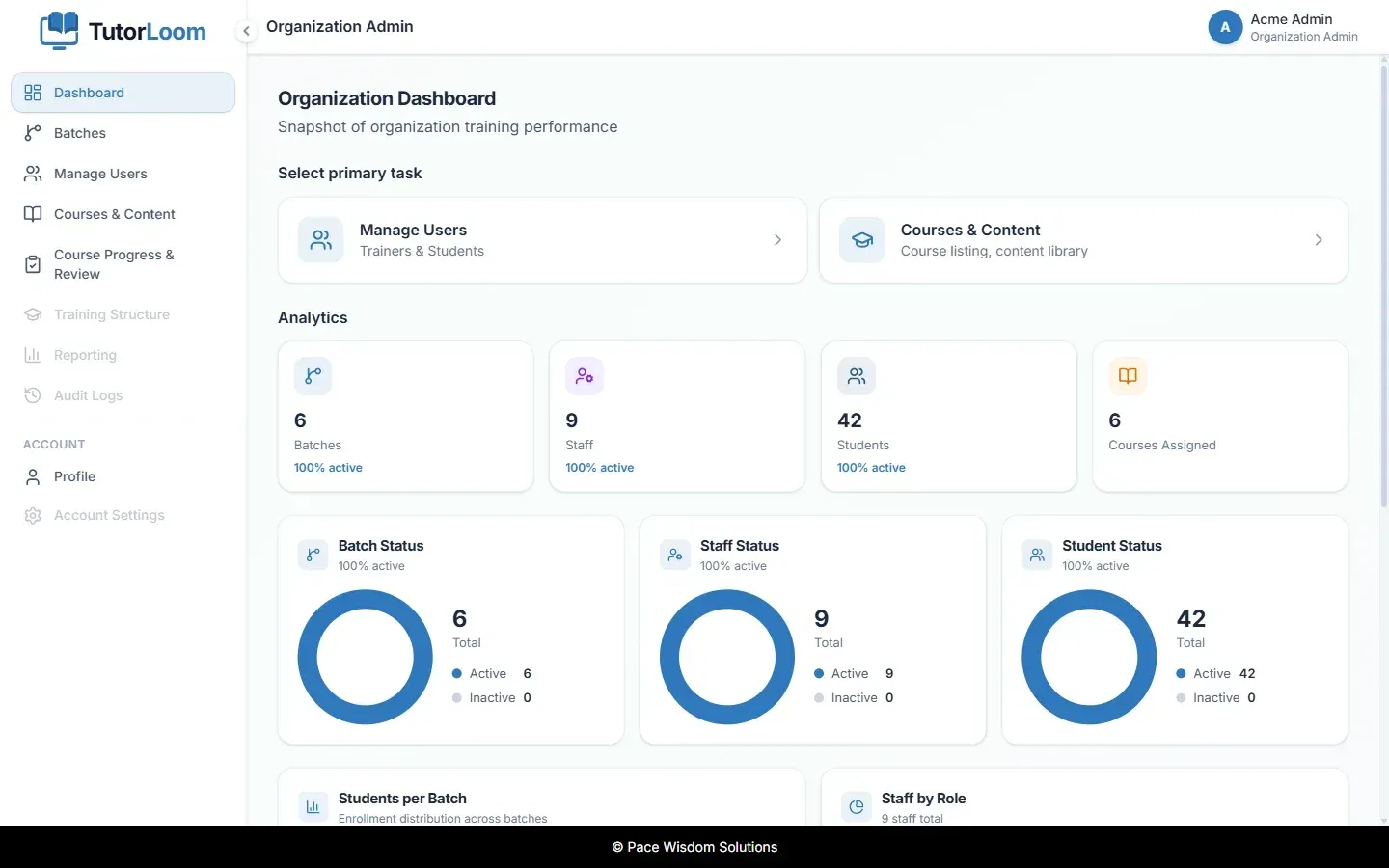
Institute Admin dashboard with analytics for batches, staff, students and assigned courses. Official README screenshot with demo data.
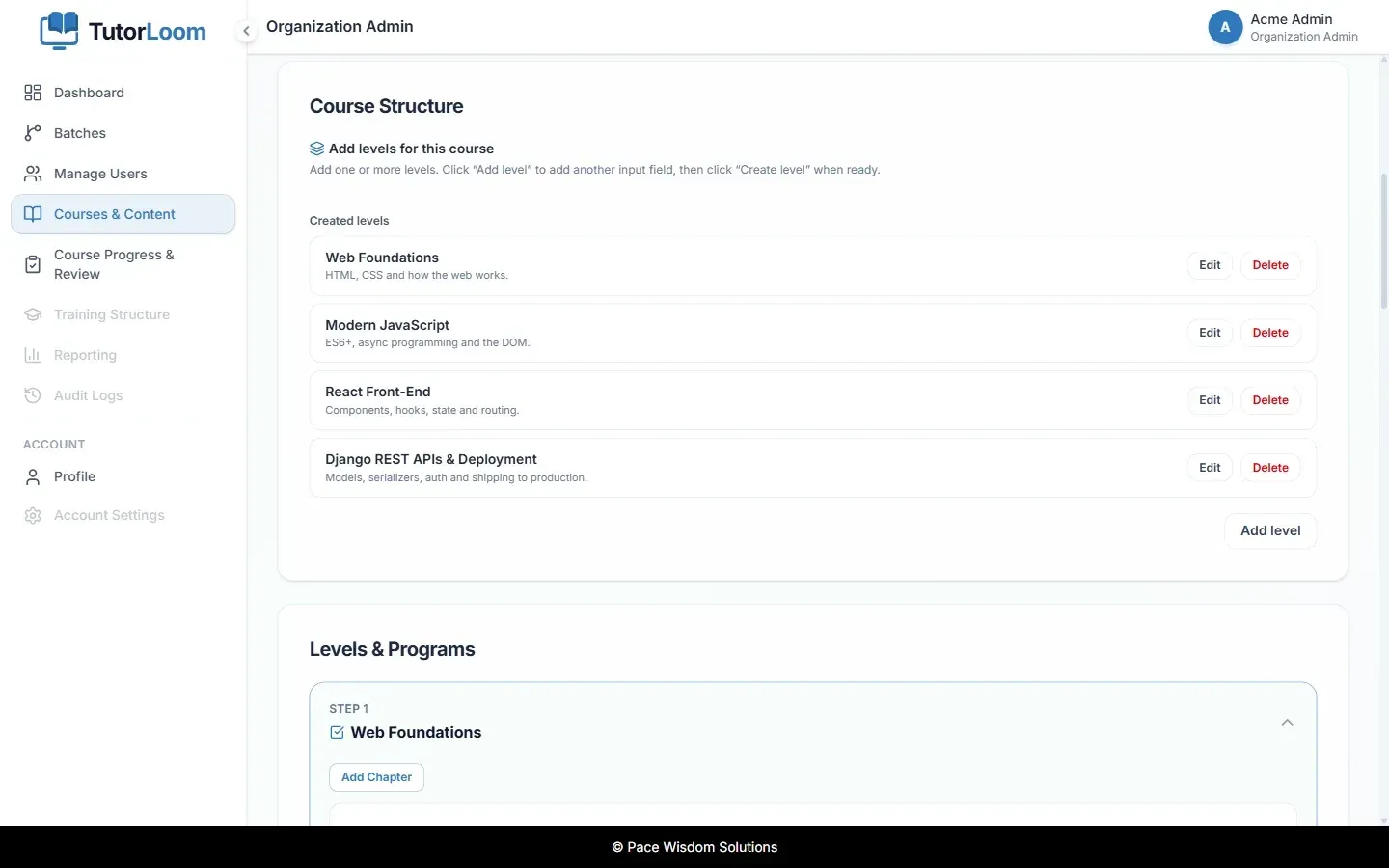
Course builder showing the levels of a course and the Levels and Programs section where chapters are added. Official README screenshot.
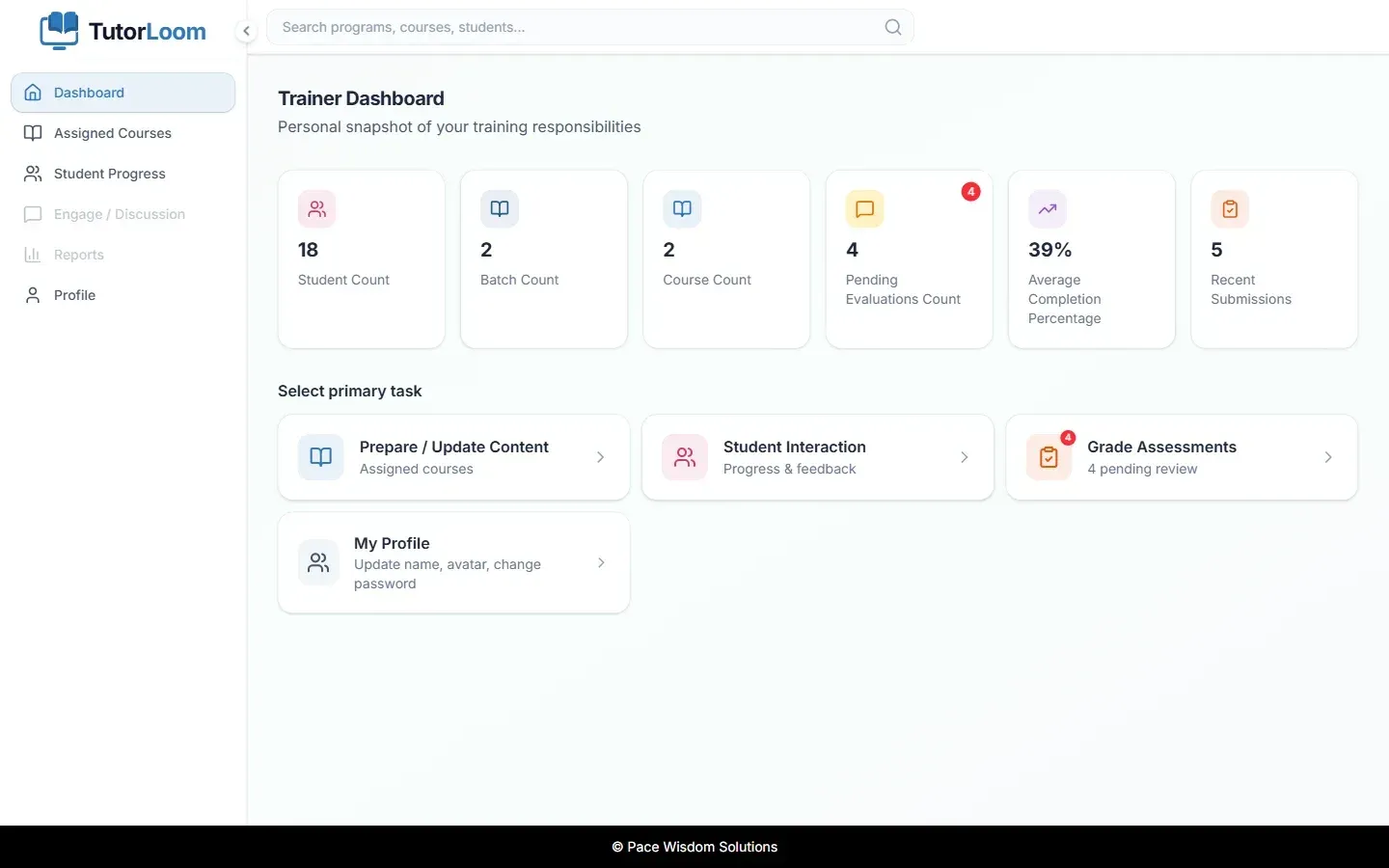
Trainer dashboard with pending evaluations, completion percentage and shortcuts to content, learner progress and grading. Official README screenshot; the demo user name in the header is masked.
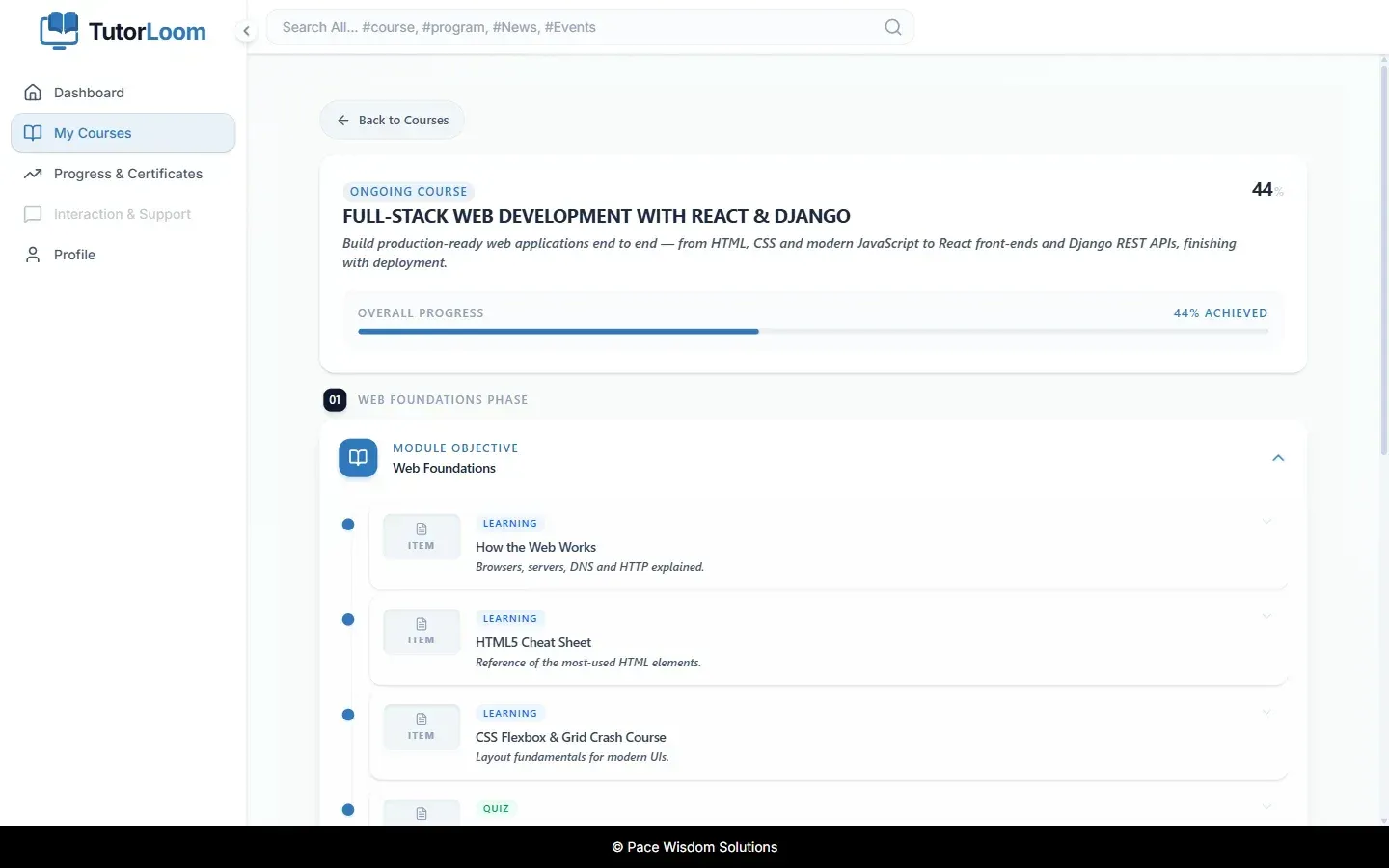
Student course roadmap with overall progress and the steps of the first module. Official README screenshot; the demo user name in the header is masked.
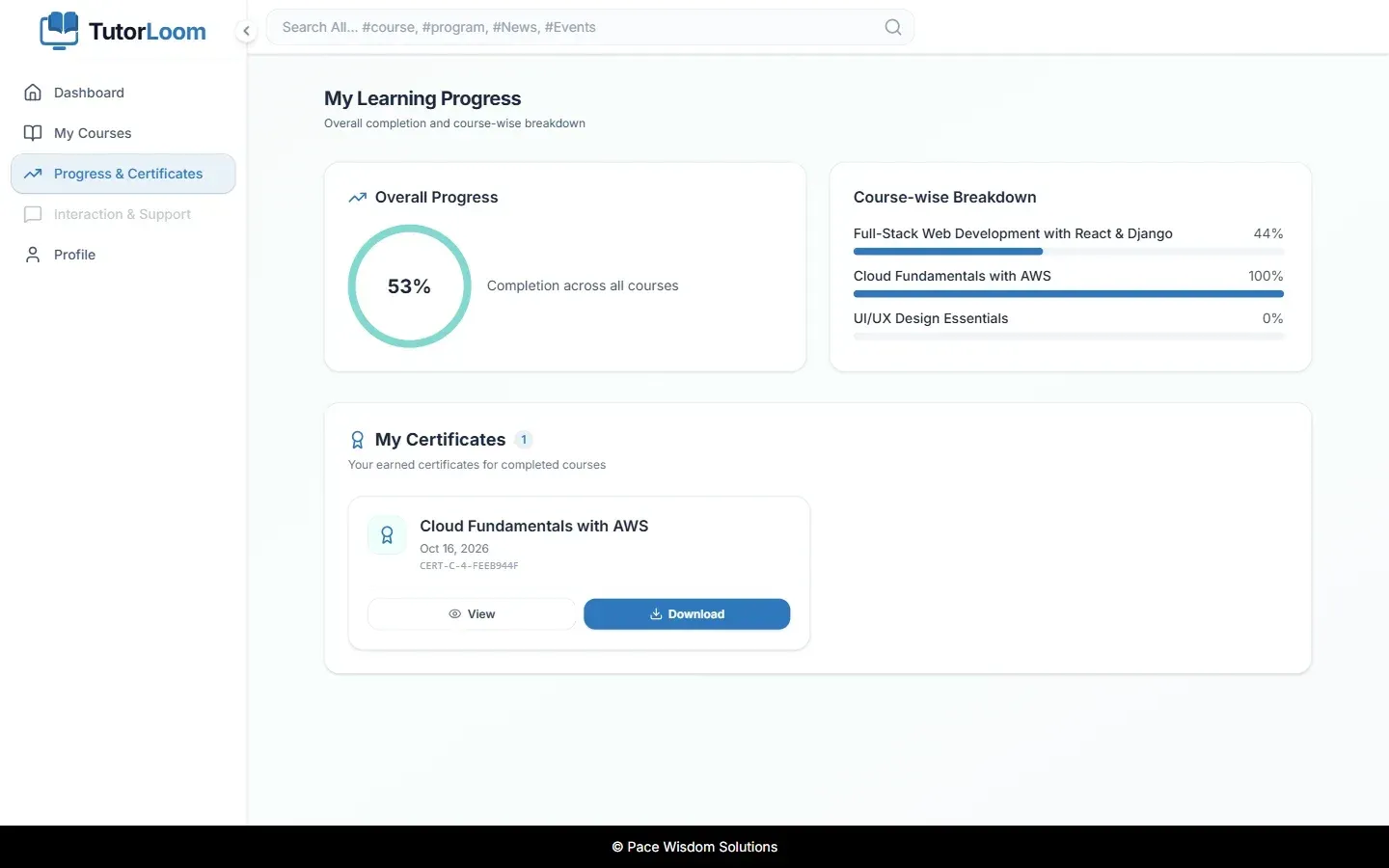
Learning progress with a course-wise breakdown and a completion certificate available for download. Official README screenshot; the demo user name in the header is masked.
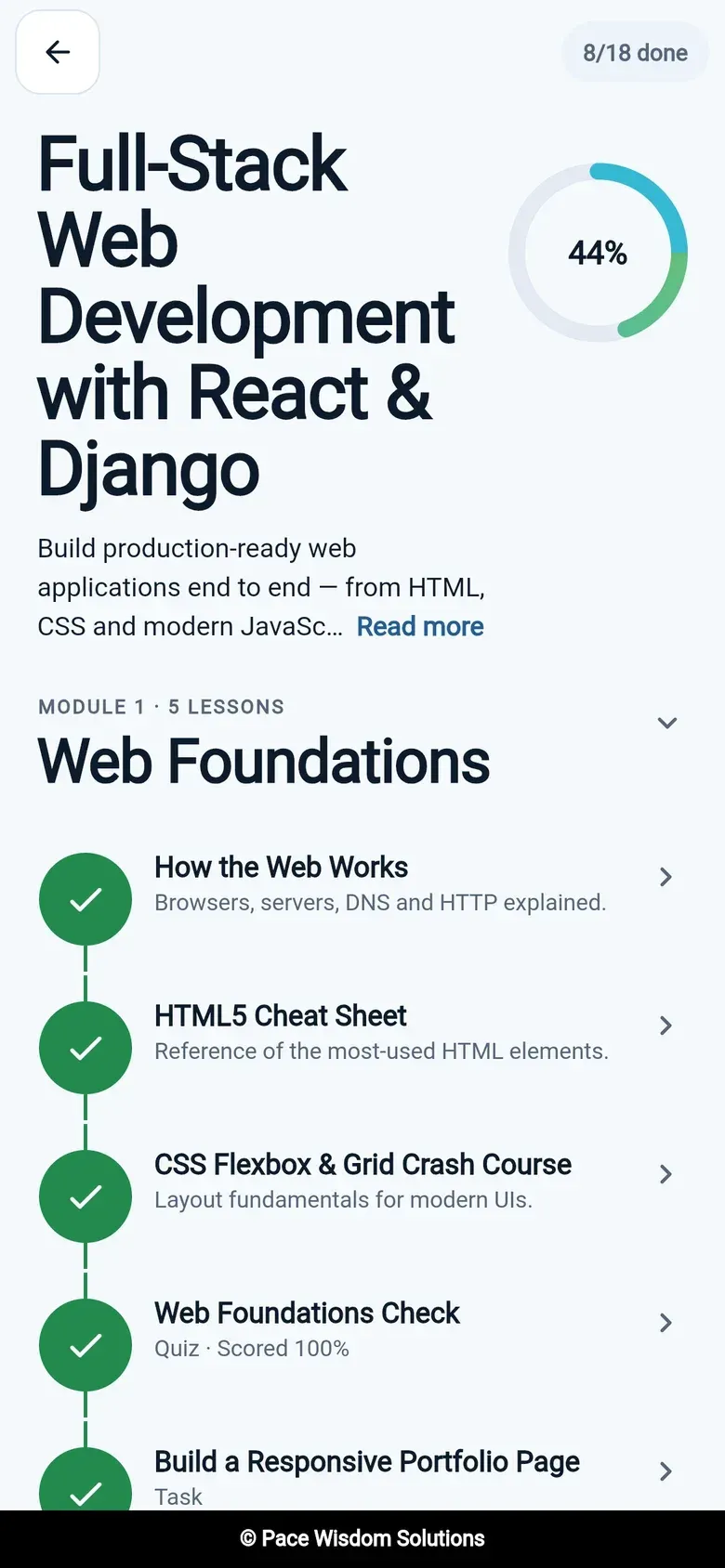
Learner mobile app course roadmap with completed steps. Official README screenshot.
Source: official TutorLoom project page.
Key capabilities
- Multi-tenant organisations A single installation hosts many organisations, each with its own trainers, learners, batches and courses. A user who belongs to several organisations picks one from an organisation picker after sign-in.
- Roles and portals The Community edition has three roles: Institute Admin (
org_admin), who runs one organisation; Trainer (teacher), who delivers assigned courses and grades work; and Student, who follows course roadmaps. Enterprise adds a Super Admin console for every organisation and External Candidates who take coding interviews through a private link. One account can hold several roles and switch portals without signing out. - Course builder Courses are organised into levels, chapters and steps, where steps are videos, documents, tasks or quizzes. Prerequisites and sequential unlocking control the order in which learners reach content.
- Batches Learners are grouped into time-boxed batches with their own dates, and trainers are assigned to them. Students are added to a batch according to the batch lifecycle.
- Bulk onboarding Trainers and students can be invited one by one or uploaded in bulk from CSV or Excel files, with downloadable templates. Invited users receive an email invite and accept it through the invite flow.
- Grading and feedback Trainers review task submissions in one queue and approve or reject them with a score and written feedback. Learner progress can be exported to Excel.
- Learner roadmap and progress Students follow a step-by-step roadmap per course on the web or in the mobile app and see overall and per-course completion. Points and levels are included in the Community edition.
- Completion certificates Certificates are generated automatically when a course is completed and can be exported as PDF from the learner progress page.
- Dashboards and analytics Admin, trainer and student dashboards show batch, staff and student status, pending evaluations and completion rates. Batch analytics include task and quiz scores. A daily analytics task exists, but the README notes that no beat schedule ships, so it must be scheduled separately.
- Authentication Users sign in with email and password, with invites and password reset. Tokens are JWTs from djangorestframework-simplejwt with rotating refresh tokens and a blacklist. Google and Microsoft sign-in are Enterprise features.
- Branded email notifications Email goes through Amazon SES when SES credentials are set, otherwise through the configured Django mail backend, such as SMTP or the console backend that is the default. Sending is handled by a Celery worker.
- Documented REST API The API is described with OpenAPI 3 through drf-spectacular, with Swagger UI at
/api/docs/, ReDoc at/api/redoc/and the schema at/api/schema/. All endpoints except login, invite and password reset need a bearer token, and lists are paginated at 20 items. The project overview contains the full endpoint reference. - Learner mobile app The Flutter app (MVVM with Provider, go_router, Dio and Hive) covers courses, roadmap, lessons, tasks, quizzes, progress, certificates and switching organisations. The coding module was removed from the mobile app in 1.0.0. Release builds are produced with Flutter for Android and iOS against a backend URL passed at build time.
- Docker Compose stack Running
docker compose up --buildstarts PostgreSQL, Redis, the Django API, a Celery worker and the web app. The web app listens on port 5173 and the API on 8010; PostgreSQL and Redis are not published to the host, and migrations run on every backend start. - Manual and production setup Manual setup needs Python 3.13, Poetry 2.x, PostgreSQL, Redis, Node.js and npm. The README states that the backend image starts the Django development server and that production should run gunicorn behind a TLS-terminating proxy, with
DEBUG=False, explicit hosts and origins, S3 for uploads, SES for email and a Celery worker. The web frontend is a static Vite build deployed separately. - Configuration through environment variables Settings come from environment variables or a
.envfile, including the database URL, Redis and Celery broker, CORS and CSRF origins, S3 storage and email. Settings can also be loaded from AWS Secrets Manager.
Where TutorLoom fits
Running courses for a training institute
An Institute Admin creates batches, invites trainers and bulk-uploads students from a spreadsheet, then builds a course in levels, chapters and steps and assigns it. Students follow the roadmap on the web or in the mobile app, and the admin dashboard shows batch, staff and student status. The project website describes the same four-step flow from invites to certificates.
Onboarding new hires in a company
The project website describes putting new joiners into a company-wide batch, with steps that unlock in order and deadline reminders 15, 7 and 2 days before the batch end date. Progress can be followed from the whole batch down to one person and exported to Excel.
Grading tasks and quizzes
Trainers open the pending evaluations queue from their dashboard, review task submissions and approve or reject them with a score and feedback. Quizzes are submitted through their own endpoint. Since v1.0.3, assignment submissions are only accepted from learners enrolled in the course.
Serving several organisations from one installation
One deployment hosts several organisations, for example separate campuses or client companies, each with its own data scope. A user with roles in more than one organisation chooses the organisation after sign-in and can switch between admin and trainer portals from the account menu.
Integrating with other systems through the API
External tools use the same REST API as the web and mobile apps. A client signs in through POST /api/auth/login/, sends the access token as a bearer header and works with organisation, batch, course, progress and submission endpoints. The Swagger UI on a running server lets developers try authenticated endpoints after authorising with a token.
Running the stack locally with Docker
Cloning the repository and running Docker Compose brings up the full stack. The quickstart then uses the create_initial_organization management command to create the first organisation, its first batch and the Institute Admin, who also gets Django admin access unless --no-superuser is passed.
Reviews of TutorLoom
Be the first to share your experience with TutorLoom.
Write a review
Loading review form…
Alternatives to TutorLoom
 LearnHouseLearnHouse is an AGPL-3.0 learning platform with a block course editor, assignments, Judge0 code exercises, boards and AI features. Self-host it with a Docker-based CLI or use LearnHouse Cloud; SSO, SCORM, LTI and payments need Enterprise.
 CourseLitAGPL-licensed course platform with a page builder, quizzes, SCORM, certificates, drip content, Stripe and Razorpay payments, communities and email. Run it yourself with Docker Compose and MongoDB or use courselit.app.
 ClassroomIOClassroomIO is an AGPL-3.0 learning platform for customer education, partner enablement and compliance training. Use the hosted cloud with a free plan or self-host the Docker stack; SSO, token auth and no-tracking need an Enterprise license.