

What is CourseLit?
CourseLit is an open-source learning management system and storefront for people who sell courses, digital downloads, memberships and blog content from their own branded website. It is built by CodeLit and positioned in its documentation as an alternative to Teachable, Thinkific and Podia, with the stated aim of becoming a "WordPress of course and membership platforms". The software is a TypeScript monorepo managed with pnpm workspaces; the web application uses Next.js, React and Mongoose against MongoDB.
CourseLit is distributed in two ways. The first is the managed service at courselit.app, where each customer creates a "school" served from a courselit.app subdomain or a custom domain. The second is self-hosting: the self-hosting guide downloads a Docker Compose file that runs the application image codelit/courselit-app with a MongoDB container, and the same file contains optional blocks for the MediaLit media service and a Redis-backed queue service. The repository also carries a Vercel deploy button for the web app.
The latest GitHub release is v0.74.2, published July 18, 2026. Its notes describe emoji reactions on community posts and comments in place of a single like button, and they flag a required database migration that converts existing likes to reactions. Migration scripts live in the repository and are run manually with Node against your MongoDB connection string, so read the release notes before upgrading a production instance.
The source is licensed under AGPL-3.0, which matters if you modify CourseLit and offer it to others over a network. The project documents a developer API for school-level automation and widgets for extending the page builder. Out of scope are a native mobile application, a video streaming pipeline you operate yourself (media is handled by MediaLit) and any guarantee that every optional feature is stable: the documentation labels communities and email automation as beta, and SSO and SCORM as alpha. This profile summarises the official repository and documentation.
CourseLit screenshots
Explore the interface. Open a screenshot to view it at full size.
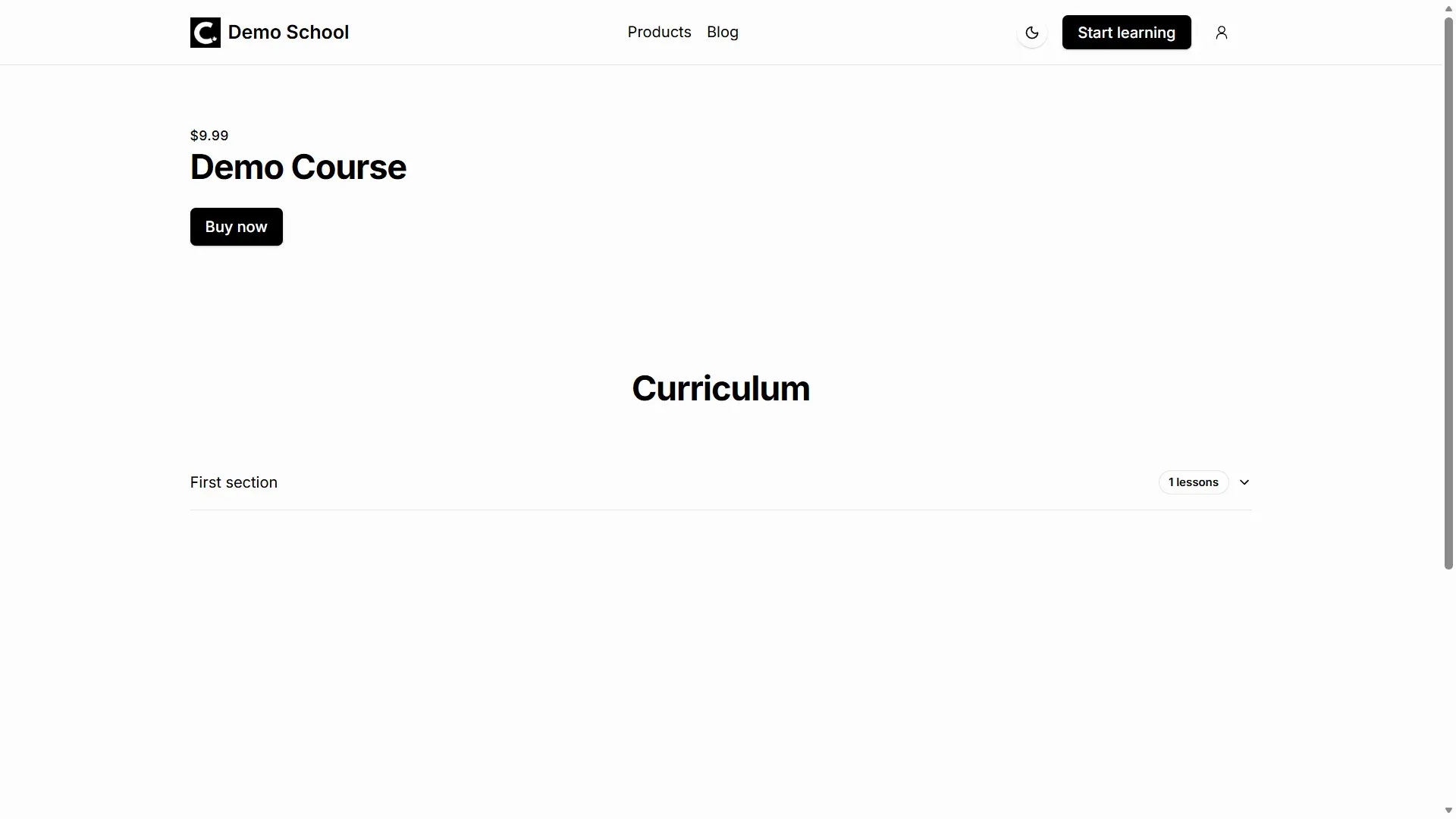
Official documentation screenshot of a generated course sales page with header, price, purchase button and curriculum list.
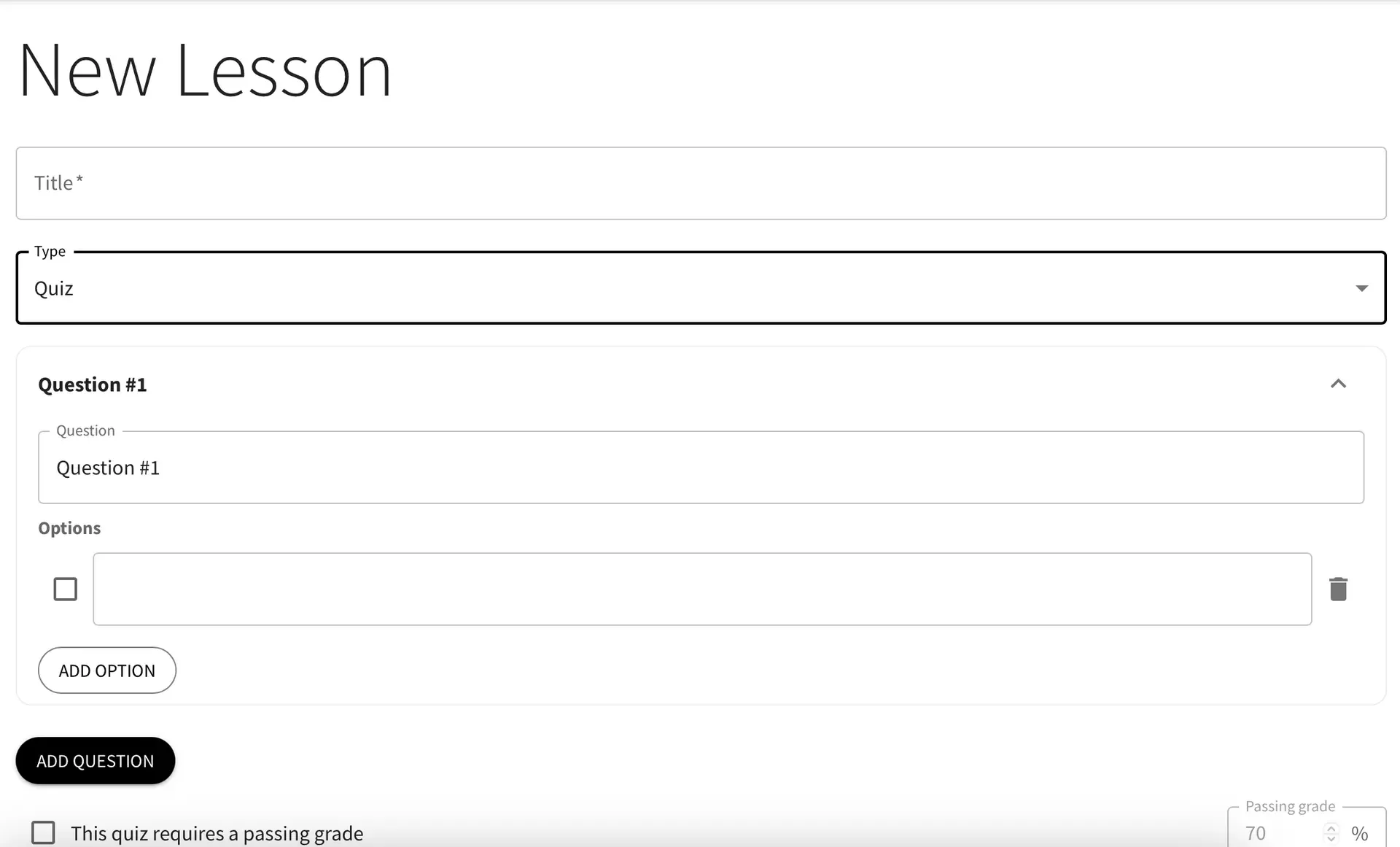
Official documentation screenshot of the quiz lesson editor, from an earlier interface version, with add option, add question and passing grade controls.
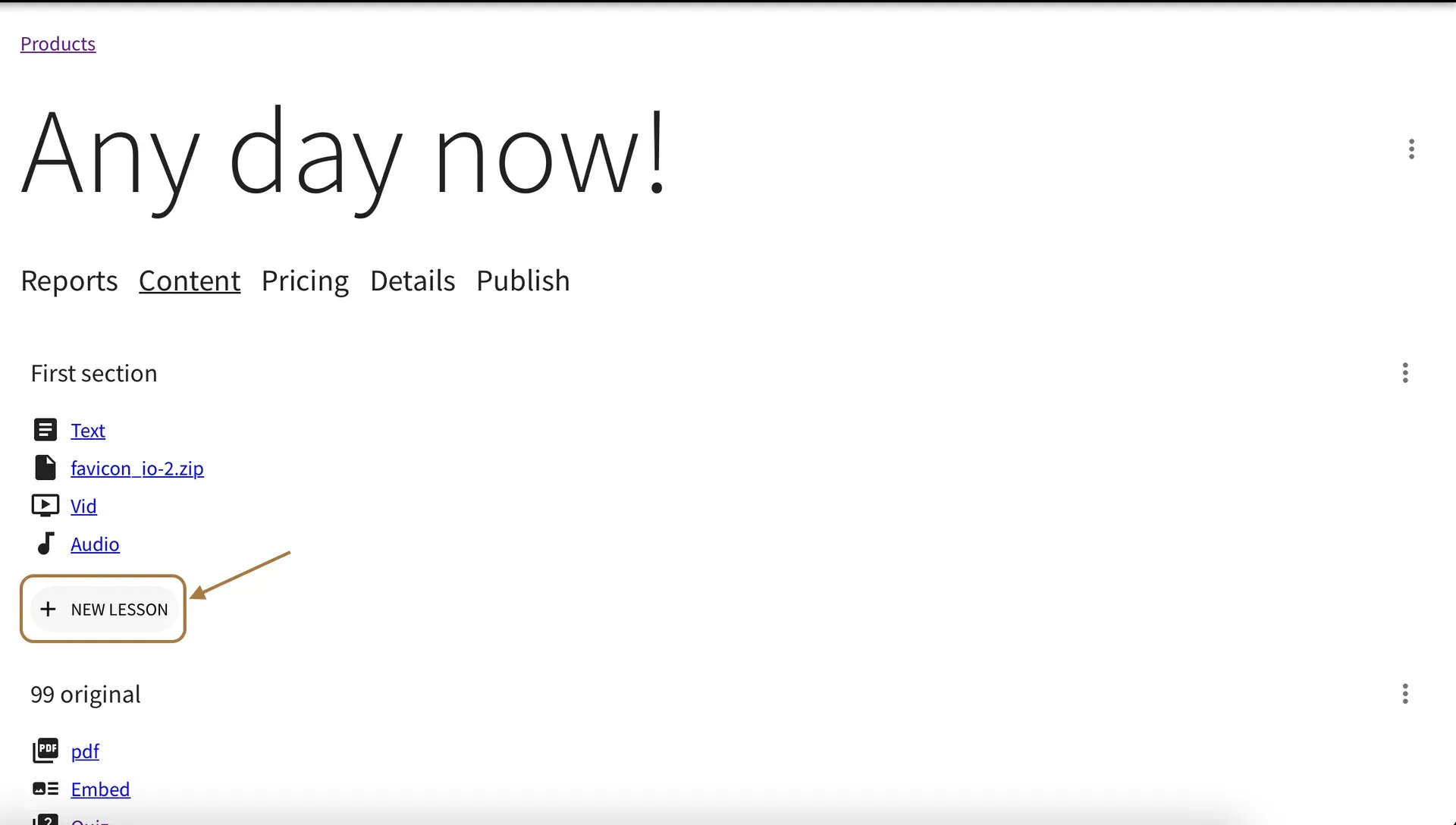
Official documentation screenshot (earlier interface version) of a course's Content tab where sections and lessons are arranged.
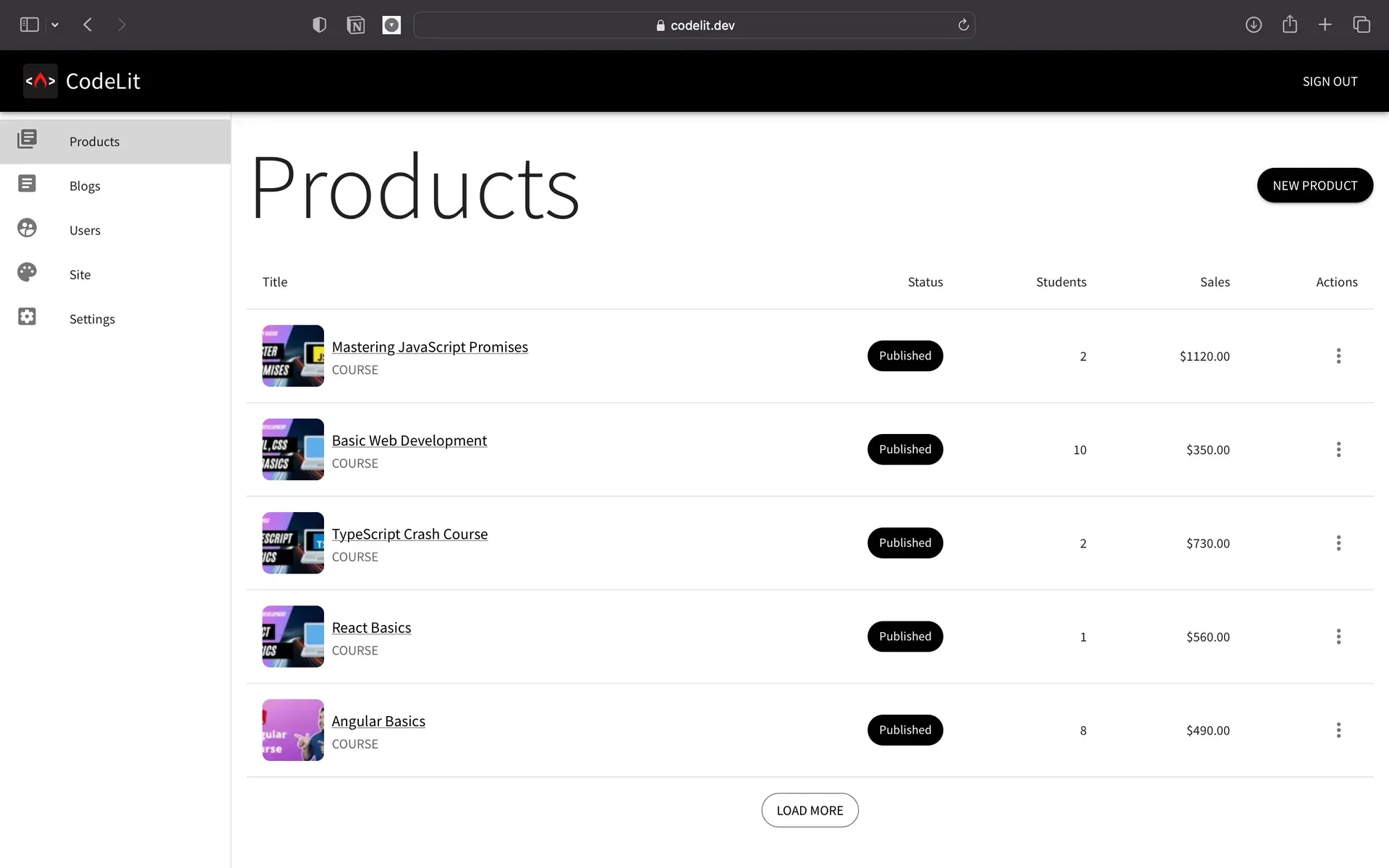
Official README screenshot of the admin products list from an earlier interface version, with sidebar entries for products, blogs, users, site and settings.
Source: official CourseLit project page.
Key capabilities
- Self-host with Docker Compose The documented path downloads
docker-compose.ymlfrom the repository and starts it withSUPER_ADMIN_EMAILset. That first email becomes the super admin and is created only once, so rerunning with a different address does not change it. Without mail settings, magic login links are printed in the compose logs. The guide itself says a subscription may save time compared with maintaining your own instance. See the self-hosting guide. - Hosted CourseLit cloud The managed service at courselit.app lists a Self-Hosted tier at $0, Pro at $12 per month and Enterprise at $20 per month, with a 14-day trial on the paid tiers and no credit card required according to the documentation. Cloud schools get a courselit.app subdomain and can bind a custom domain with a DNS A record described in the docs.
- Courses with sections and lessons A course is organised into sections that group lessons. Lesson types are text, video, audio, PDF, file, embed, quiz and SCORM. Lessons can be marked as previewable so prospects see sample content, and the product dashboard reports customers and their progress.
- Drip content by section A section can be released on a specific date or a set number of days after a student enrolls. A student cannot open a dripped section until it is released, and an optional email notification can tell students when new content becomes available. An exact-date section does not change the timing of relative-drip sections.
- Quizzes, graded or not Quiz lessons take multiple-choice questions with one or more correct options. A non-graded quiz can be marked complete without passing, while a graded quiz sets a passing percentage that the student must reach before the lesson completes.
- SCORM 1.2 and 2004 packages The SCORM lesson accepts ZIP packages up to 300 MB from tools such as Articulate Storyline, Rise, Adobe Captivate and iSpring. CourseLit validates the package, tracks progress, completion status, resume data, session time and score, and uses the reported status for course completion. The feature is labelled alpha and SCORM lessons cannot be previewed.
- Certificates Course products can issue a certificate automatically when a customer finishes all lessons. Each certificate has its own page with a link that can be shared, and the title, subtitle, description, signature name, designation, signature image and logo can be customised. Certificates are not issued retroactively to earlier customers, and they are only available for courses.
- Digital downloads and lead magnets Downloads can be sold or given away. A free download with email delivery works as a lead magnet, and a banner block can hide a direct link to a file hosted elsewhere until a visitor submits an email address.
- Pricing plans per product Products and communities support free, one-time, subscription (monthly or yearly) and EMI instalment plans. Payment gateway credentials must be configured under Settings before anything other than free is offered, and the documentation states that a school keeps 100 percent of sales apart from the payment platform's own charges.
- Stripe, Razorpay and Lemon Squeezy A school activates one payment platform at a time. Stripe needs publishable and secret keys plus a webhook for checkout.session.completed and invoice.paid. Razorpay needs a key, a secret and a webhook for order.paid and subscription.charged. The Lemon Squeezy integration is described as experimental because that service does not create products on the fly.
- No-code website builder Pages are stacks of blocks such as header, rich text, hero and grid, with themes, shared blocks and a /p/slug URL scheme. New schools start with home, blog, terms and privacy pages. Product and community sales pages are built in the same editor, and embeds from supported platforms can be placed in blocks or lessons.
- Blog Blog posts are published under the same brand and domain as courses and downloads, with a blog home page that accepts additional blocks. Posts can be unlisted or published, and permission to manage the blog is a separate role.
- Communities (beta) A community has posts, announcements, member approval, reported-content moderation and optional free access to other products when someone joins. Pricing uses the same free, one-time, subscription and EMI plans. The 0.74.2 release adds emoji reactions to posts and comments.
- Email broadcasts and sequences (beta) Broadcasts send one-off messages to selected recipients. Sequences send scheduled series triggered by entrance conditions such as tag added or removed, product purchased, subscriber added, or community joined or left. On courselit.app you must request approval before sending marketing email.
- Users, permissions and segments Team members can be given scoped permissions such as manage products, manage all products, manage blog, manage pages, manage settings, manage users, manage files and manage community. The users area also covers filters, segments and notification settings.
- Sign-in methods and SSO Customers sign in with emailed magic links. Google sign-in is configured with an OAuth client created in Google Cloud Console, and SAML single sign-on is documented for Okta and Microsoft Entra ID. SSO is alpha, requires the Enterprise plan on courselit.app and is available by default on self-hosted instances.
- Developer API Each school can create school-level API keys under Settings, Miscellaneous. Requests run as the school owner for permission checks, so keep keys in environment variables. The endpoints are listed in the API reference, and the documentation says API access sits in the Enterprise tier on the hosted service.
- MediaLit for file storage Uploads of images, video and other files go through MediaLit, a sister service. You can use the hosted MediaLit or run its Docker image with an S3-compatible bucket and an API key that appears in its first start-up logs. The core stack runs without it, but uploads do not work until it is configured.
Where CourseLit fits
Launching a first self-hosted school
Download the compose file, set SUPER_ADMIN_EMAIL, start the stack and log in with the magic link printed in the logs. Then set a real AUTH_SECRET, a production MongoDB connection string and mail settings before inviting anyone, because the sample values are placeholders. Check that /dashboard opens for the super admin account. The self-hosting introduction compares running MediaLit yourself with using the hosted one.
Selling a paid course with drip lessons
Create the course, add sections and lessons, then add a pricing plan after configuring Stripe or Razorpay in Settings. Use a drip schedule when material should unlock weekly, and enable the email notification if students should hear about releases. Buy the course with a test payment account before publishing, and confirm that the webhook marks the purchase as paid. Unlisted products are reachable by link even when they are hidden from the products page.
Issuing assessed, certified training
Combine graded quizzes with a passing percentage, optional SCORM lessons and the certificate switch on the course. Test a learner account from enrolment to completion, and check that the certificate page shows the text and signature you configured. Remember that existing customers do not receive certificates retroactively, and treat SCORM as alpha when planning compliance training.
Building a lead magnet and email list
Create a free digital download with email delivery, or place a banner block that reveals a download link after an address is submitted. Add a sequence whose entrance condition is the subscriber or tag event, and test it against a mailbox you control. On the cloud service request marketing-email access first; on a self-hosted instance supply your own SMTP settings.
Running a paid community with a bundled course
Create a community, choose automatic or manual approval and attach a payment plan. Grant new members access to a related course if you want a welcome bonus, and review the moderation queue for reported posts. Both communities and the reactions feature are recent and beta, so run a small cohort first.
Automating school operations through the API
Generate an API key, store it as a secret and read the reference for the user and product endpoints your integration needs. Because keys act as the school owner, use a dedicated key per integration and rotate it when a contractor leaves. Confirm in the plan details whether API access is included in the tier you use.
Install
curl https://raw.githubusercontent.com/codelitdev/courselit/main/deployment/docker/docker-compose.yml --output docker-compose.yml --silentReviews of CourseLit
Be the first to share your experience with CourseLit.
Write a review
Loading review form…
Alternatives to CourseLit
 LearnHouseLearnHouse is an AGPL-3.0 learning platform with a block course editor, assignments, Judge0 code exercises, boards and AI features. Self-host it with a Docker-based CLI or use LearnHouse Cloud; SSO, SCORM, LTI and payments need Enterprise.
 ClassroomIOClassroomIO is an AGPL-3.0 learning platform for customer education, partner enablement and compliance training. Use the hosted cloud with a free plan or self-host the Docker stack; SSO, token auth and no-tracking need an Enterprise license.
 GhostGhost is an open source publishing platform for building a website, sending email newsletters and selling paid memberships, self-hosted or on Ghost(Pro).