

What is nanobot?
nanobot is a self-hosted personal AI agent written in Python. It runs as a long-lived gateway that you reach from a bundled browser WebUI, a native terminal client, chat platforms such as Telegram, Discord, Slack or WeChat, a Python SDK or an OpenAI-compatible HTTP endpoint. The agent reads and writes files in a selected project, runs shell commands, searches the web, calls MCP tools, keeps long-term memory and runs scheduled automations. nanobot does not supply a model: you connect a hosted provider, an OAuth subscription or a local server such as Ollama or vLLM.
The project is published by HKUDS, the Data Intelligence Lab at the University of Hong Kong, and is maintained by Xubin Ren and Yongru Cheng. The repository was created in February 2026. Stable releases are distributed as the nanobot-ai package on PyPI, through installer scripts for macOS, Linux and Windows PowerShell, and as platform wheels attached to GitHub releases. Platform wheels bundle the built WebUI and the native terminal UI for macOS 13 or later (Apple Silicon and Intel), glibc 2.17+ Linux (ARM64 and x64) and Windows x64. Python 3.11 or newer is required. Official Docker usage means building from the repository's own Dockerfile; the project states that third-party Docker Hub images are not maintained or verified by HKUDS.
The current release is v0.4.1, published November 6, 2026. It fixes TLS certificate verification, sandboxed shell execution and workspace permissions for queued inputs, adds a file-context graph with file previews and local Markdown links, shares syntax highlighting across code, source previews and diffs, and reduces memory copies in file reads, session history and provider requests. Version 0.4.0, published October 28, moved model and WebUI history into SQLite with imports of older JSONL sessions, added WebUI connections to remote instances, native Linear and WhatsApp Agent Platform channels, Mermaid diagrams in the terminal and in-place editing of scheduled jobs. An installation on 0.3.5 can upgrade directly to 0.4.1 through its original installation method.
The Python gateway owns agent execution, sessions, tools, memory and security policy, and the WebUI, terminal client and chat channels all share that runtime. The core loop builds context, calls the model, executes requested tools and returns the result; memory, skills, channels and MCP servers extend that loop. The architecture guide documents source ownership and extension points, and stable documentation is published at nanobot.wiki in ten languages. The source code is released under the MIT license.
Some boundaries are stated directly by the project. There is no hosted nanobot service or bundled model account, so model fees and data handling depend on the provider you choose. In-app automatic installation of updates is not enabled for 0.4.1. Missed scheduled runs are not replayed after a gateway restart, and interrupted subagent tasks are not relaunched automatically. The gallery shows official screenshots of the WebUI with example conversations and illustrative token counts; this profile does not report an iThub installation.
nanobot screenshots
Explore the interface. Open a screenshot to view it at full size.
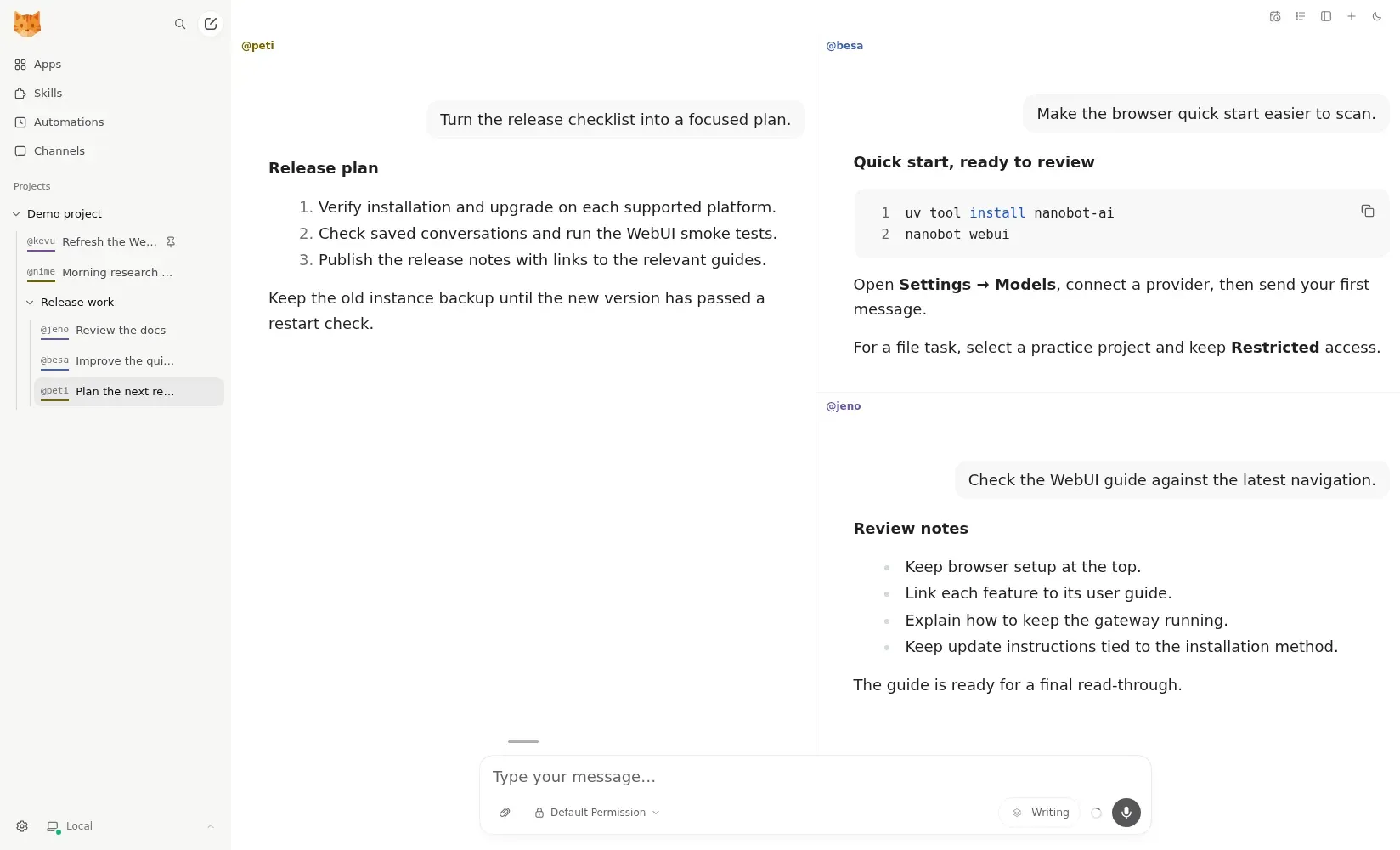
Official screenshot of the WebUI workbench: a release plan, a quick-start edit and a documentation review open in parallel panes, with example conversations.
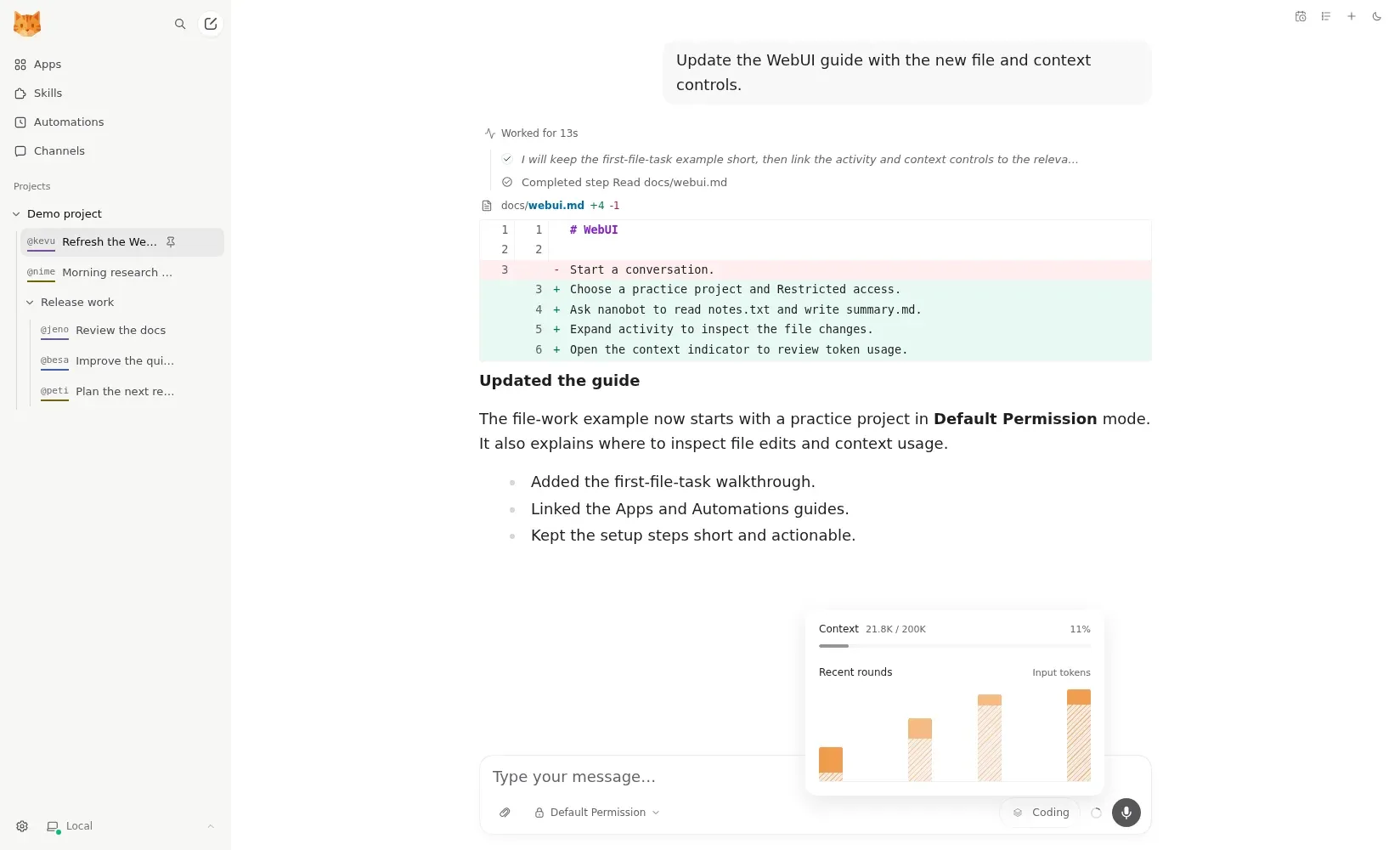
Official screenshot of agent activity: a diff of an edited documentation file above the context indicator. Token counts are illustrative.
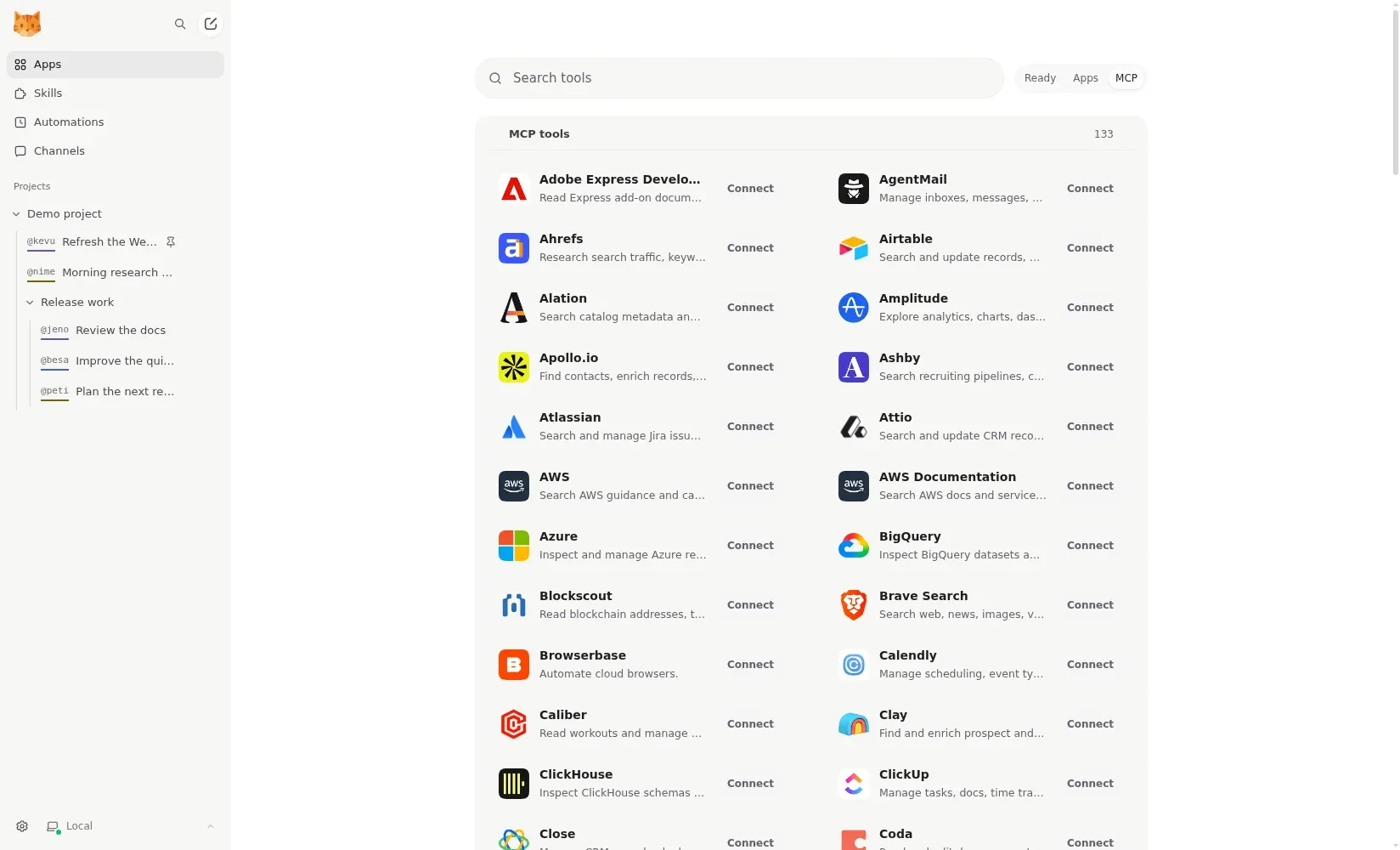
Official screenshot of the Apps MCP catalog, where presets or custom servers are connected and then attached to messages.
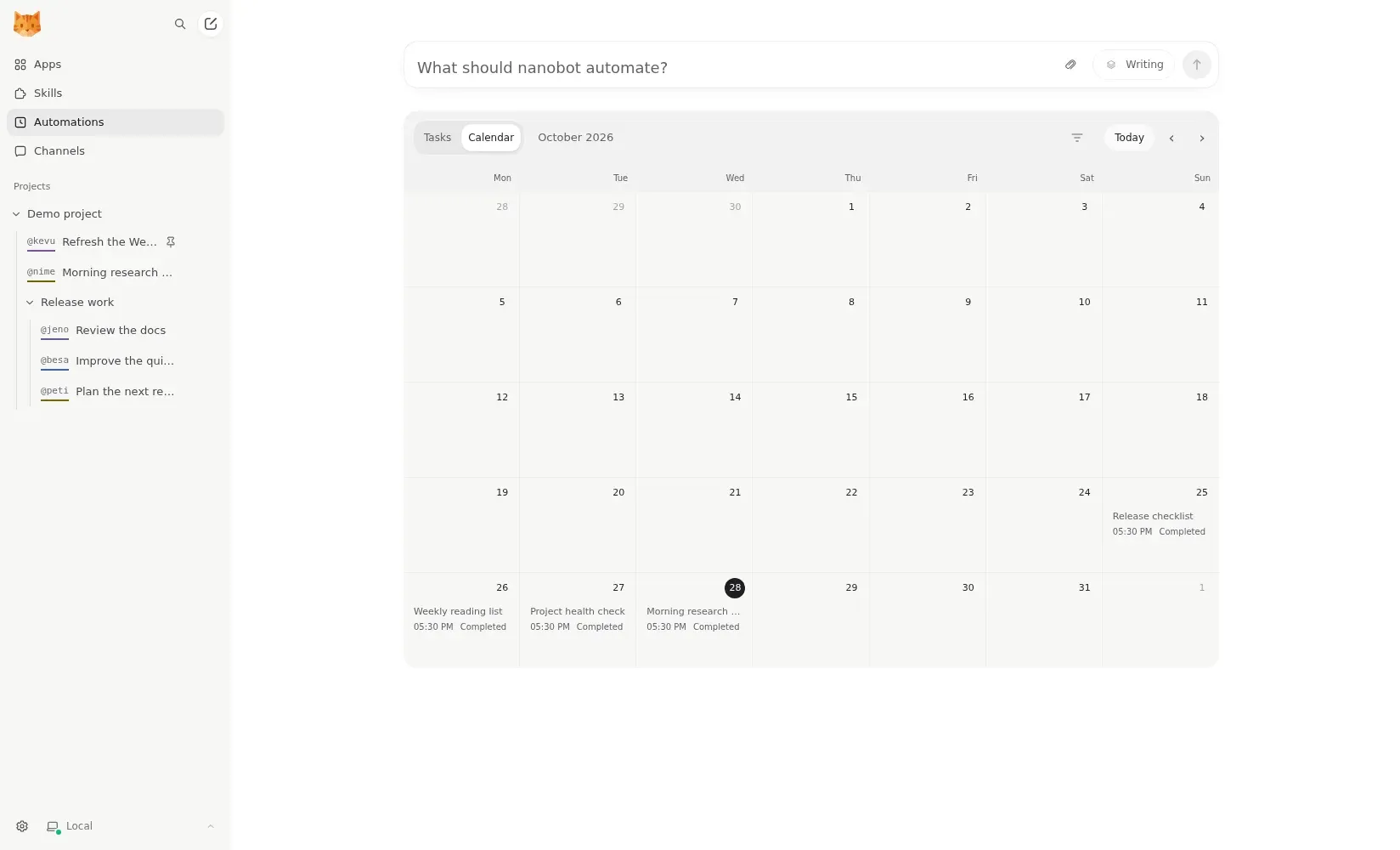
Official screenshot of the Automations calendar view with example completed runs arranged by date.
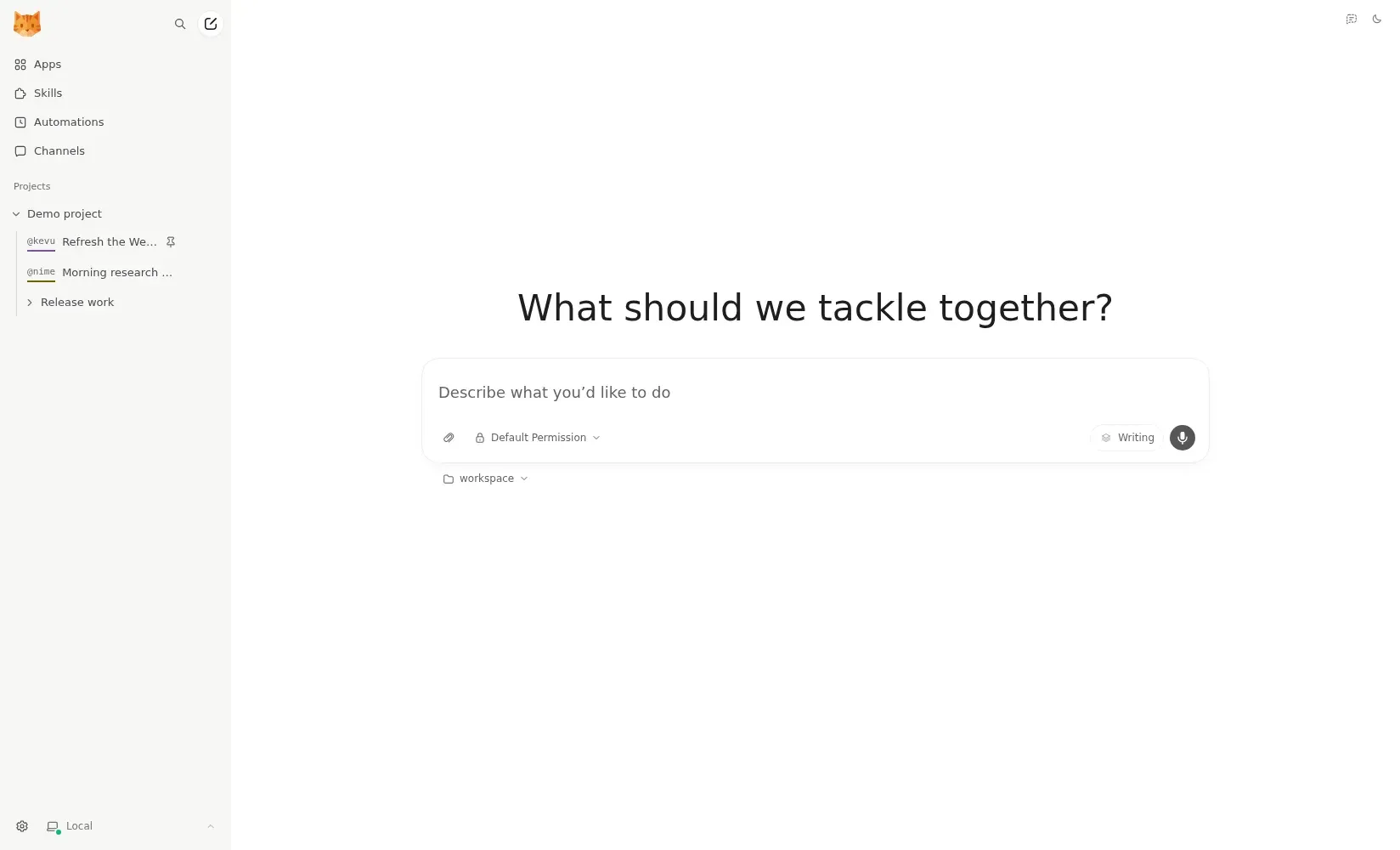
Official screenshot of the WebUI start screen with the composer, Default Permission selector and workspace picker.
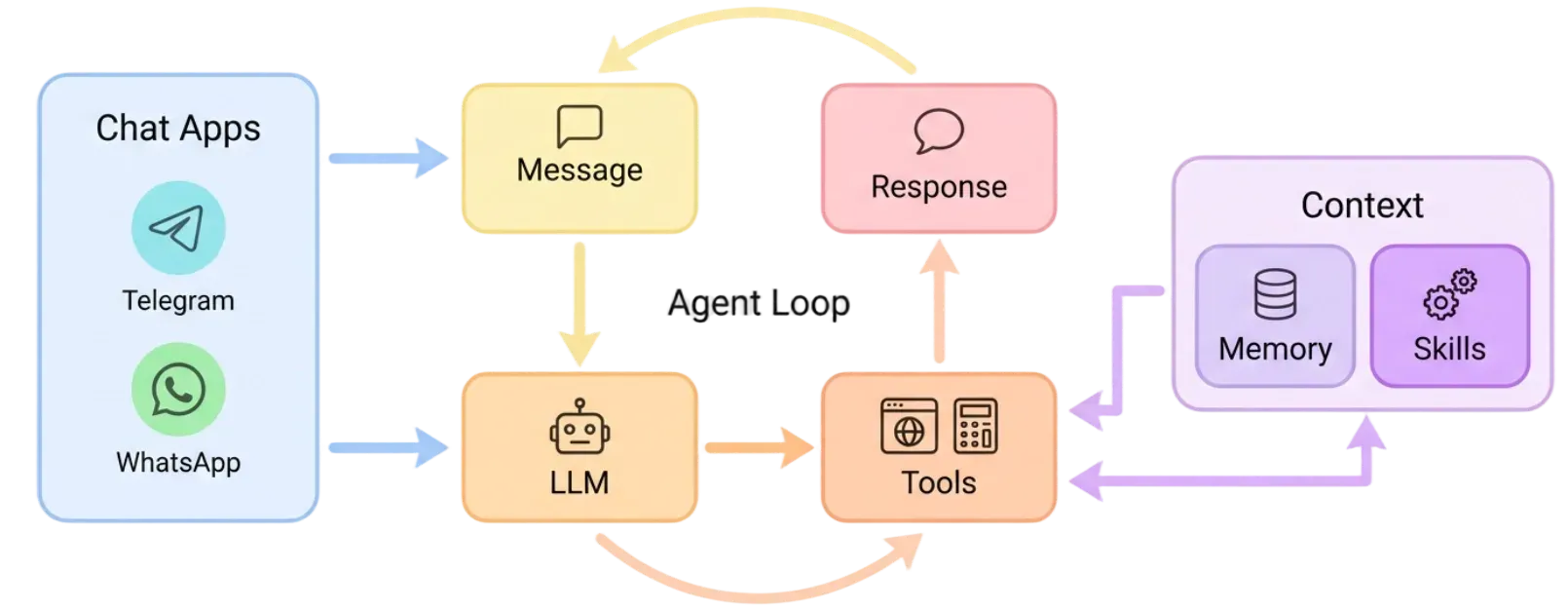
Official architecture figure showing the agent loop between chat apps, the LLM, tools and the memory and skills context.
Source: official nanobot project page.
Key capabilities
- Install on macOS and Linux The official installer is a single shell command that installs or upgrades the stable PyPI release into a dedicated environment under
~/.nanobot/venv. Passing--dry-runpreviews the plan without changes. On a fresh desktop it opens the WebUI for model setup; that gateway keeps running after the browser closes until you run the printedgateway stopcommand. Native wheels cover macOS 13+ on Apple Silicon and Intel and glibc 2.17+ Linux on ARM64 and x64; musl Linux has no native wheel. - Install on Windows A PowerShell one-liner runs the same installation flow on Windows. The native wheel targets Windows x64, and x64 builds require a CPU with SSE4.2; there is no native wheel for Windows ARM64, where the classic Python interface or WebUI remain the documented routes. The shell sandbox backends are Linux and macOS only: on Windows nanobot logs a warning and runs shell commands without OS sandboxing.
- Install with uv, pip or from source Users who manage their own Python can run
uv tool install nanobot-ai, pipx or pip inside an activated virtual environment, then startnanobot webuior the terminal wizardnanobot onboard --wizard. The Python SDK must be installed in the application's own virtual environment to be importable. A development checkout additionally requires Git and Bun. - Docker, Docker Compose and service managers
docker compose up -don a fresh host initializes the configuration with container bind addresses and random WebUI and API credentials printed in the first-boot logs. The container runs as the non-root usernanobot(UID 1000) with bubblewrap preinstalled, and the default Compose file drops Linux capabilities and enables no-new-privileges. The deployment guide also covers systemd user services, macOS LaunchAgent, Cloudflare Tunnel and a one-click Render Blueprint, whose persistent disk requires a paid Render service. - Browser WebUI workbench The WebUI ships inside the published wheel with no separate frontend build. Topics are grouped by project, up to four conversations can sit side by side in columns, rows or a grid, and expanded activity shows reasoning, tool calls, file edits, diffs and command output. A context indicator reports context size and input tokens by round, and temporary chats stay out of saved history and long-term memory. WebUI access grants administration of the agent instance, so it should only be shared with trusted operators.
- Native terminal client Running
nanobotopens a terminal UI that uses the launch directory as its project workspace and shares saved conversations and the local gateway with the WebUI. Slash commands include/sessions,/diff,/context,/branchand/detach, which promotes the gateway to background mode before closing. On platforms without a native build,nanobot --classicremains available. - Hosted providers, OAuth sign-in and fallbacks Model presets bind a provider, model and generation settings, and can be switched at runtime. Documented providers include OpenRouter, Anthropic, OpenAI, DeepSeek, AWS Bedrock, ModelScope, OpenCode Zen and custom OpenAI-compatible endpoints. OAuth sign-in covers OpenAI Codex, GitHub Copilot and eligible xAI Grok subscriptions. Fallback presets handle transient failures and rate limits, although OAuth providers are not valid automatic fallbacks. The providers guide lists each setup.
- Local model servers Ollama, vLLM, LM Studio and other OpenAI-compatible local servers are configured through a provider block with an
apiBase. nanobot runs up to four subagents in parallel by default; the documentation recommends lowering that limit when a local model server cannot hold several KV caches at once. - Chat app channels Documented channels include Telegram, Discord, Slack, Feishu, WhatsApp, WhatsApp Agent Platform, WeChat, WeCom, QQ, DingTalk, Matrix, Microsoft Teams, Email, Mattermost and Linear. Each is enabled from the WebUI Channels screen or with
nanobot plugins enable <channel>, which installs its dependencies, and channels only work while the gateway keeps running. Since v0.1.4.post4 an emptyallowFromdenies everyone, and unapproved direct-message senders receive a pairing code for the operator to approve; Slack and Mattermost use separate DM and group policies. The channel reference describes each platform's requirements. - File, shell and web tools Built-in file tools read PDF, Word, Excel and PowerPoint files as well as plain text. The
exectool runs shell commands with a default hard runtime of 3600 seconds and an inactivity report after 300 seconds without output; it can be disabled entirely. Web search uses DuckDuckGo by default without an API key, with Brave, Tavily, Jina, Kagi, SearXNG and other providers available. Web fetches and HTTP MCP connections pass through a shared SSRF guard. - MCP servers, Apps and Skills The Apps screen connects MCP servers from presets or as custom stdio, HTTP or SSE servers, and the configuration format is compatible with Claude Desktop and Cursor server blocks. Connected tools can be attached to a message with
@. Skills provide reusable instructions, and Agent Plugins and local CLI App adapters are managed on the same screen. Remote browsers cannot install Python packages unless an administrator enables that option. - Layered long-term memory When a conversation grows, a consolidator summarizes it into
memory/history.jsonl. A scheduled process called Dream then edits the durable filesSOUL.md,USER.mdandmemory/MEMORY.md, and a Git store records how those files change. You can trigger/compactand/dreammanually and review/dream-log. One instance shares its memory across all projects; the memory guide explains inspection and correction. - Automations, heartbeat and goals An automation requested from a topic delivers its results to that topic, and the Tasks and Calendar views list schedules and completed runs. Local triggers let a script start a saved task. The gateway also runs a heartbeat that checks
HEARTBEAT.mdevery 1800 seconds by default. A/goalkeeps the agent working past the ordinary iteration limit until it records completion, cancellation or a blocked state, which can consume more tokens. - OpenAI-compatible API
nanobot serveexposesGET /health,GET /v1/modelsandPOST /v1/chat/completionson127.0.0.1:8900by default, with optional SSE streaming. Binding to all interfaces requires an API key. Each request carries exactly one user message, history is selected bysession_id, uploads are limited to 10 MB per file and execution times out after 120 seconds. There is no idempotency key, so retries can repeat side effects. - Python SDK
Nanobot.from_config()embeds the agent runtime in an asynchronous Python application, withbot.run()for single results, streamed runs and session keys to separate conversations. Hooks can audit tool calls or receive streamed tokens. A standalone SDK instance does not start the Dream scheduler. The SDK reference documents each method. - Image generation, voice and observability A
generate_imagetool, disabled by default, is enabled under Settings, Capabilities with a configured image provider and model. Langfuse tracing of OpenAI-compatible and Codex OAuth calls is installed as a plugin and configured through environment variables rather thanconfig.json. - Multiple and remote instances Passing
--homecreates separate instances with independent configuration and long-term memory for different clients or users. Separate homes are not an OS security boundary. Since 0.4.0 the WebUI can connect to existing remote instances with explicit host identity and pairing, and an SSH tunnel to port 8765 is the documented route for a headless server.
Where nanobot fits
Running a personal agent on one computer
Install the stable release with the installer or uv tool install nanobot-ai, run nanobot webui and save a model preset under Settings, Models. Send a short message to confirm the provider, then select a practice folder with Default Permission and ask for a small file task, such as summarizing a notes file into a new Markdown file. Open the written file yourself: a normal reply only proves the model connection, while the file task separately checks project selection and permissions. Keep the launcher terminal open unless the gateway runs in background mode.
Answering in Telegram, Discord or Slack
Confirm that nanobot agent -m "Hello!" works before configuring a channel. Open Channels in the WebUI, enter the bot token or follow the QR flow, and let nanobot install the channel's optional package. Send a private test message and approve the pairing code if one is returned. Check the platform's group policy separately: on Slack and Mattermost, approving one direct-message user does not restrict who can mention the bot in channels. The chat app guide walks through each platform.
Keeping an always-on gateway on a server
Clone the repository on a Linux host and start it with Docker Compose, or install the package and register a systemd user service. Persist the full ~/.nanobot directory, keep secrets in environment variables with ${VAR} references, and leave the health endpoint on port 18790 bound to loopback or behind a firewall. When the WebSocket channel binds to 0.0.0.0, it refuses to start without a token, token-issue secret or trusted proxy authentication. Restart the process after editing config.json, because long-running processes read configuration at startup.
Scheduling recurring research and reports
Ask for an automation from the topic that should receive its output, then review the schedule in Tasks or the Calendar view. The gateway must keep running and the host must stay awake; missed scheduled times are not replayed after a restart. For a bounded objective that needs many steps, use /goal with a clear completion condition and watch token usage. The automations guide describes delivery and recovery rules.
Embedding the agent in another application
Choose the Python SDK when the application is written in Python and should own the agent process, or the OpenAI-compatible API when another service calls over HTTP. API callers share one key, agent, workspace and memory, and any authorized caller can select any session_id, so per-user authorization belongs in your own application. Treat a stream that ends without [DONE] as incomplete, and disable automatic client retries for requests with side effects.
Working with local models
Point an Ollama, vLLM or LM Studio provider block at the local server's base URL and pin the provider in a preset while testing. Lower the concurrent subagent limit from its default of four if the server cannot serve parallel requests, and choose a model with enough context for tool use. Ollama prompt caching has its own configuration guide in the repository. Requests then stay on hardware you control, but web search, MCP servers and chat platforms still contact their own services.
Install
curl -fsSL https://raw.githubusercontent.com/HKUDS/nanobot/main/scripts/install.sh | shReviews of nanobot
Be the first to share your experience with nanobot.
Write a review
Loading review form…
Alternatives to nanobot
 OpenClawOpenClaw is an MIT-licensed AI assistant that runs as a Gateway on your own machine or server, connects to Telegram, WhatsApp, Slack, Discord, iMessage and other channels, and keeps memory and credentials on hardware you control.
 Hermes AgentMIT-licensed agent from Nous Research that runs in a terminal, desktop app, browser or chat apps. It keeps curated memory, writes and refines its own skills, schedules jobs and works with OpenRouter, Anthropic, OpenAI, local or Nous Portal models.CCowAgentCowAgent combines language models with tools, reusable skills, memory and knowledge management. It runs locally or on a server, with a web console, desktop clients and messaging channels.