
What is MR Office?
MR Office is a web and desktop workspace for editing Word, Excel, PowerPoint and PDF files with an AI assistant, made by MR. Lattivity, the team behind MR Note, according to the MR Office website. The XinaTian/MROffice repository publishes the source code of its editors for documents, spreadsheets, presentations, PDF, handwriting and code, which run in the browser and can be built, run and embedded independently. The README states plainly that these are open-source editors and not a complete open-source office suite: reading and writing Microsoft Office files stays in MR Office's own, closed engine.
The repository is a TypeScript monorepo. Six editor packages (@mrnote/docs, sheets, slides, pdf, ink and code) share @mrnote/core, which holds the Office-style ribbon, fonts and text measurement, themes, charts, SmartArt, equations, interface text in 20 languages and a host adapter for embedding. They run together in apps/playground; apps/desktop contains MR Office Editors, an Electron shell, and apps/mcp an MCP server published on npm as mroffice-mcp. The editor packages are workspace packages marked private, so they are used from source rather than installed from npm. Each editor saves its own JSON format (.mrdoc, .mrsheet, .mrslides, .mrink) and opens open formats such as HTML, Markdown, CSV, TSV and PDF. The core README notes that src/web is generated from MR Office's own source by an export script.
MR Office is not built on ONLYOFFICE or Collabora Online code: THIRD_PARTY_NOTICES.md lists neither, nor LibreOffice. It lists libraries such as Tiptap and ProseMirror (the document editor is described as MR Office's NoteEditor on Tiptap/ProseMirror), CodeMirror 6, PDF.js 5.7 and pdf-lib, ECharts, MathLive, Excalidraw packages and Yjs, plus open substitute fonts. Opening and saving .docx, .xlsx and .pptx files, calculating formulas with functions, charts, SmartArt editing and saving PDF edits back into the file are handled by the MR Office component: a compiled local service with its runtime and file engines, free to use under its own license, which allows sharing unmodified copies but not distributing modified ones. Its source is not published, and the desktop README notes that some conversions offer to download LibreOffice.
The GitHub repository was created on November 10, 2026, and v0.1.0 followed on November 11. Its releases ship the MR Office desktop app, which includes the closed engine. The latest, MR Office 0.1.4 of November 19, 2026, is for macOS only (Apple silicon and Intel, signed and notarized); Windows stays on 0.1.3 with an installer that is not code-signed yet. Release 0.1.4 lists AI answers with exact citations, AI edits in Word grouped by instruction in the Reviewing Pane, Excel printing closer to Windows Excel, and more faithful saving of Word and PowerPoint files. A separate component-0.1.3 release provides the component for macOS on Apple silicon; a Windows component is not available yet.
The editors are licensed under AGPL-3.0 with additional terms under section 7 in NOTICE.md: copies with a user interface must keep the "MR Office" attribution and link to mroffice.ai, no trademark rights are granted, and modified versions must not present themselves as MR Office. A commercial license is available on request, without published prices. The hosted service at mroffice.ai is free to use; a free account adds saving, export, 5 GB of storage and a daily AI allowance, and paid plans add storage and AI allowance. Similar editors on iThub include ONLYOFFICE Docs, Collabora Online and Univer.
Key capabilities
- Documents editor
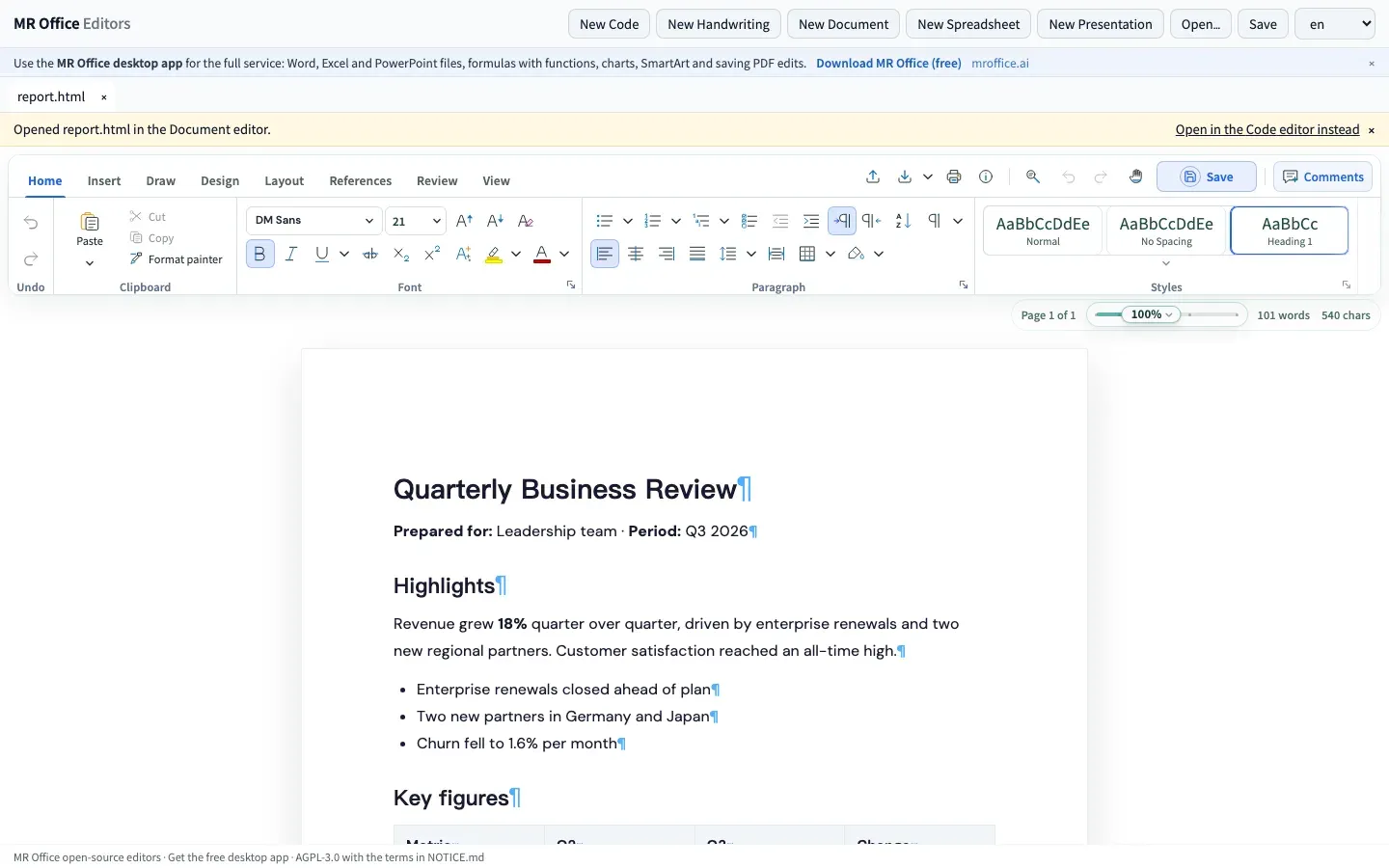
@mrnote/docsis a paged word processor with an Office-style ribbon: styles, fonts, lists, tables, headers and footers, sections and columns, shapes, equations, cover pages, tables of contents, comments, tracked changes and pen ink on the page. It saves .mrdoc and opens HTML, Markdown and plain text. Word files, PDF export and mail merge are not part of the open-source build. - Spreadsheets editor
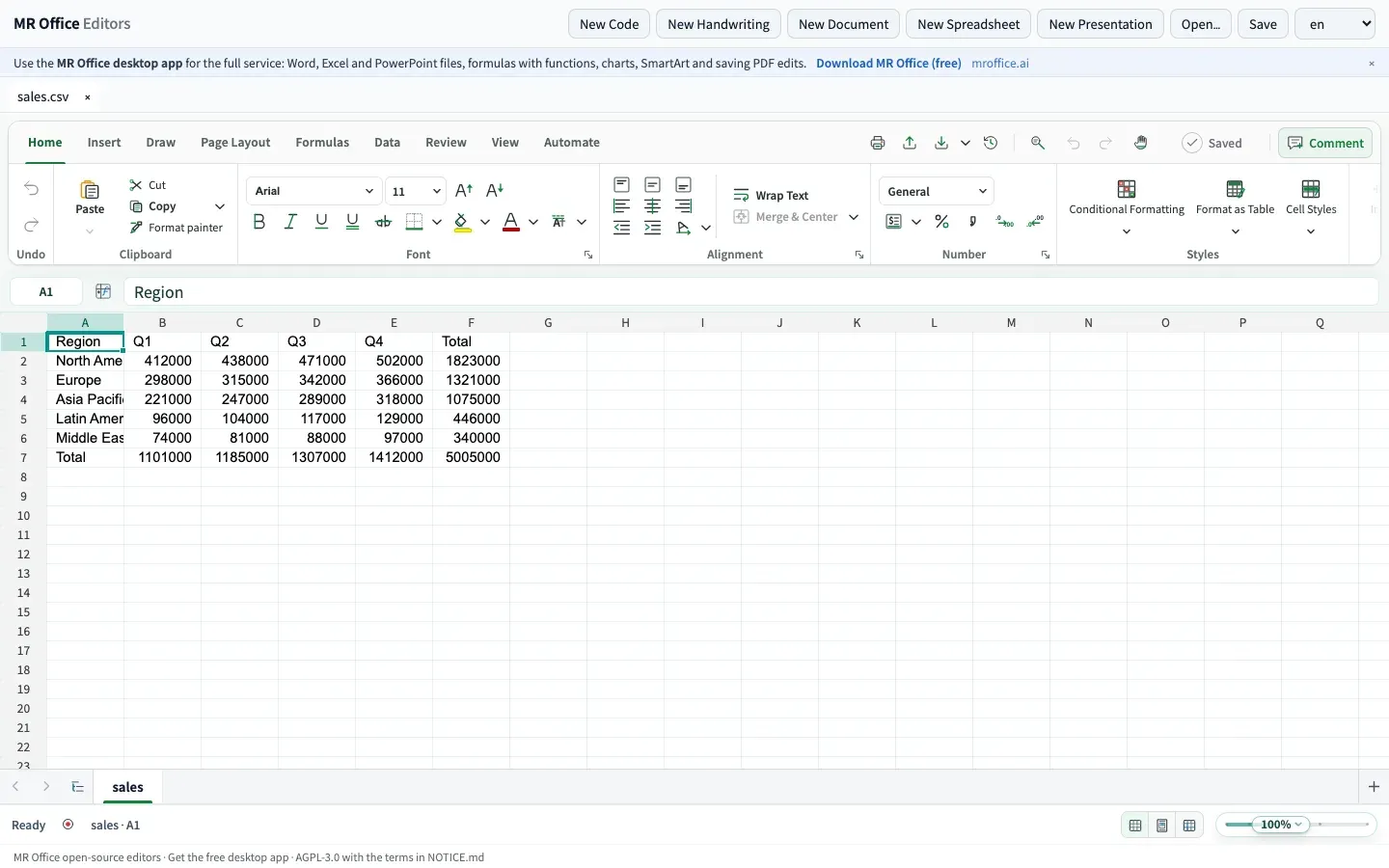
@mrnote/sheetscovers cells and formulas, number formats, conditional formatting, sorting and filtering, frozen panes, several sheets and sums and averages of the selection. Arithmetic between cells such as=A1*B1+10is calculated in the browser, while formulas with functions (SUM, IF, VLOOKUP) are kept as written. It saves .mrsheet and opens and saves CSV and TSV. - Presentations editor
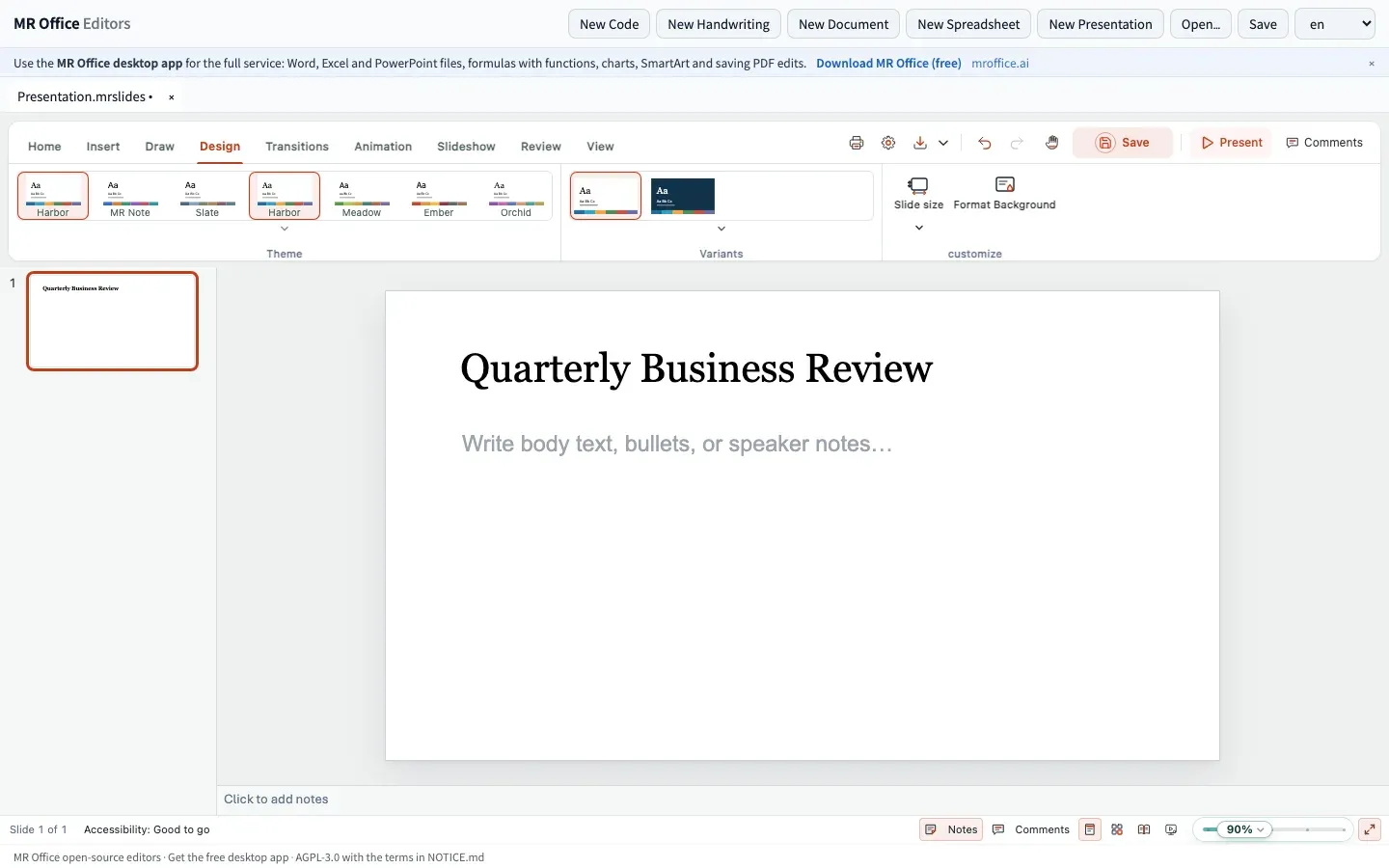
@mrnote/slidesoffers eight built-in themes, layouts, slide master and layout views, text, shapes, text boxes, tables, WordArt, equations, comments, sections, transitions and animations with preview, and a slide show. It saves the editor's own .mrslides format. - PDF editor
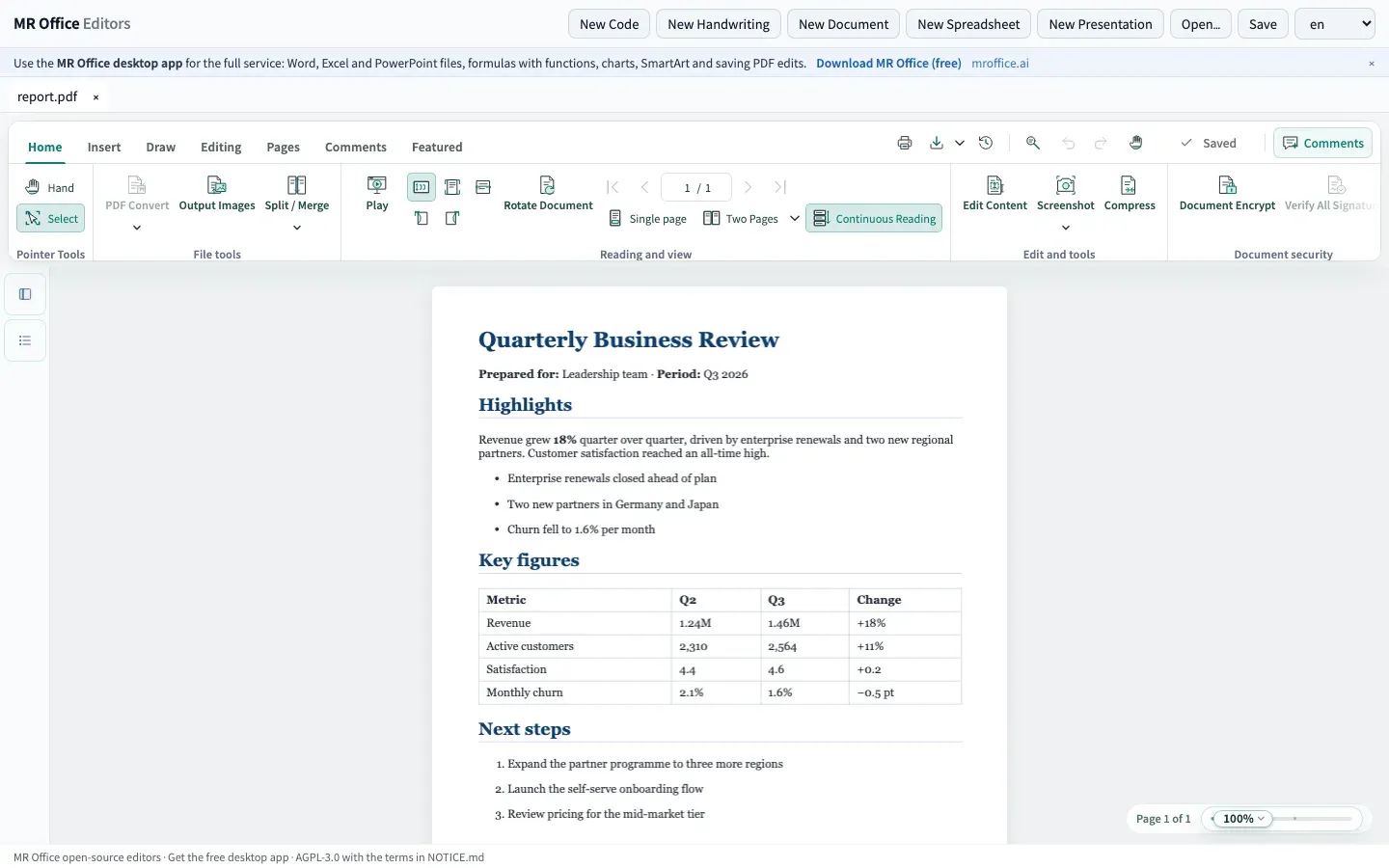
@mrnote/pdfreads, searches, presents and prints PDF files, copies and reads aloud their text, and marks up selected text with highlight, underline, strikethrough or squiggly lines plus notes and a comments panel while the file is open. Saving hands back the file as it was opened; writing edits into the PDF needs MR Office. Rendering uses PDF.js. - Handwriting editor
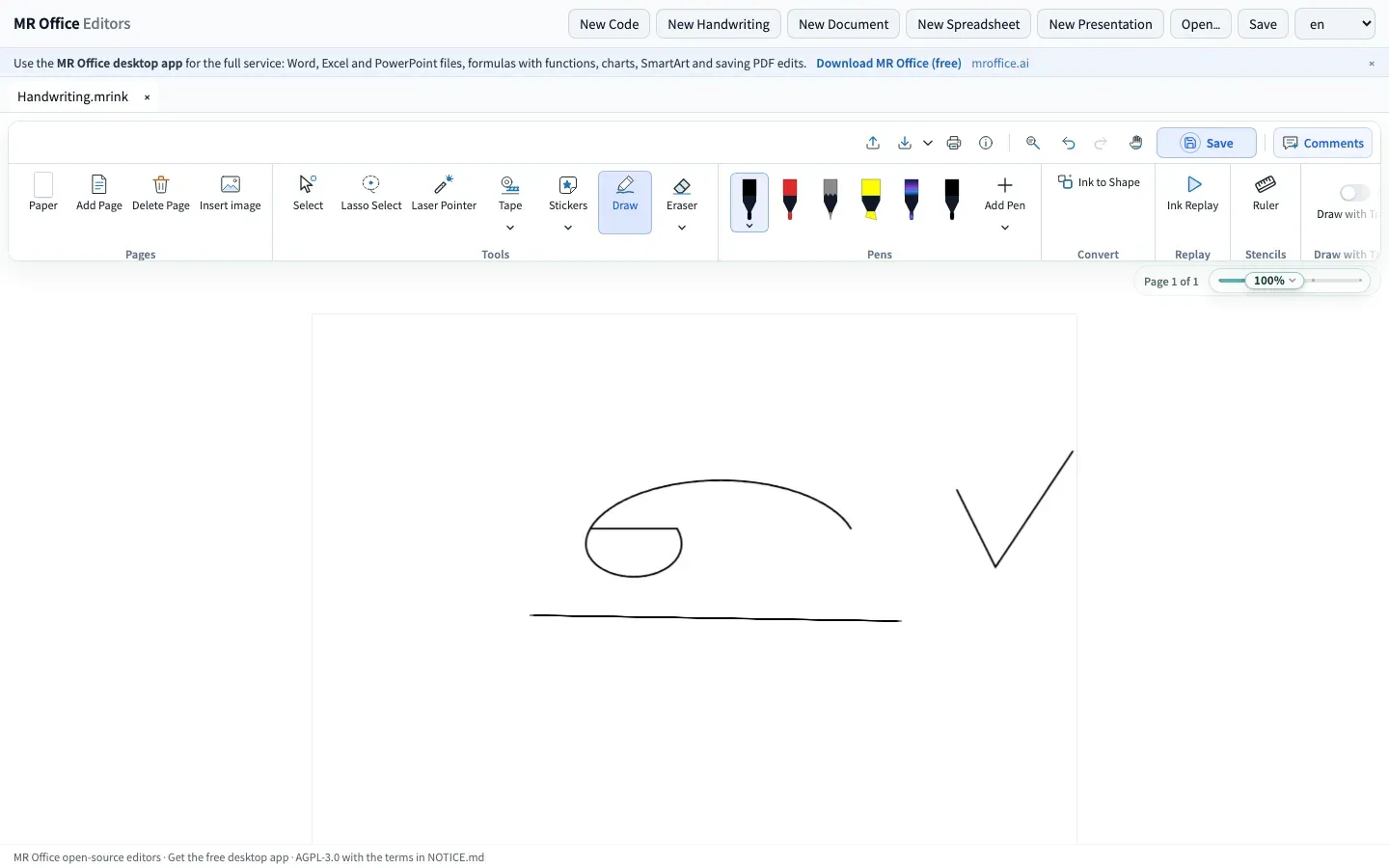
@mrnote/inkprovides handwritten notes with pressure-sensitive pens, highlighters, erasers, lasso selection, a ruler and conversion of ink into shapes. Notes are saved as .mrink files. - Code editor
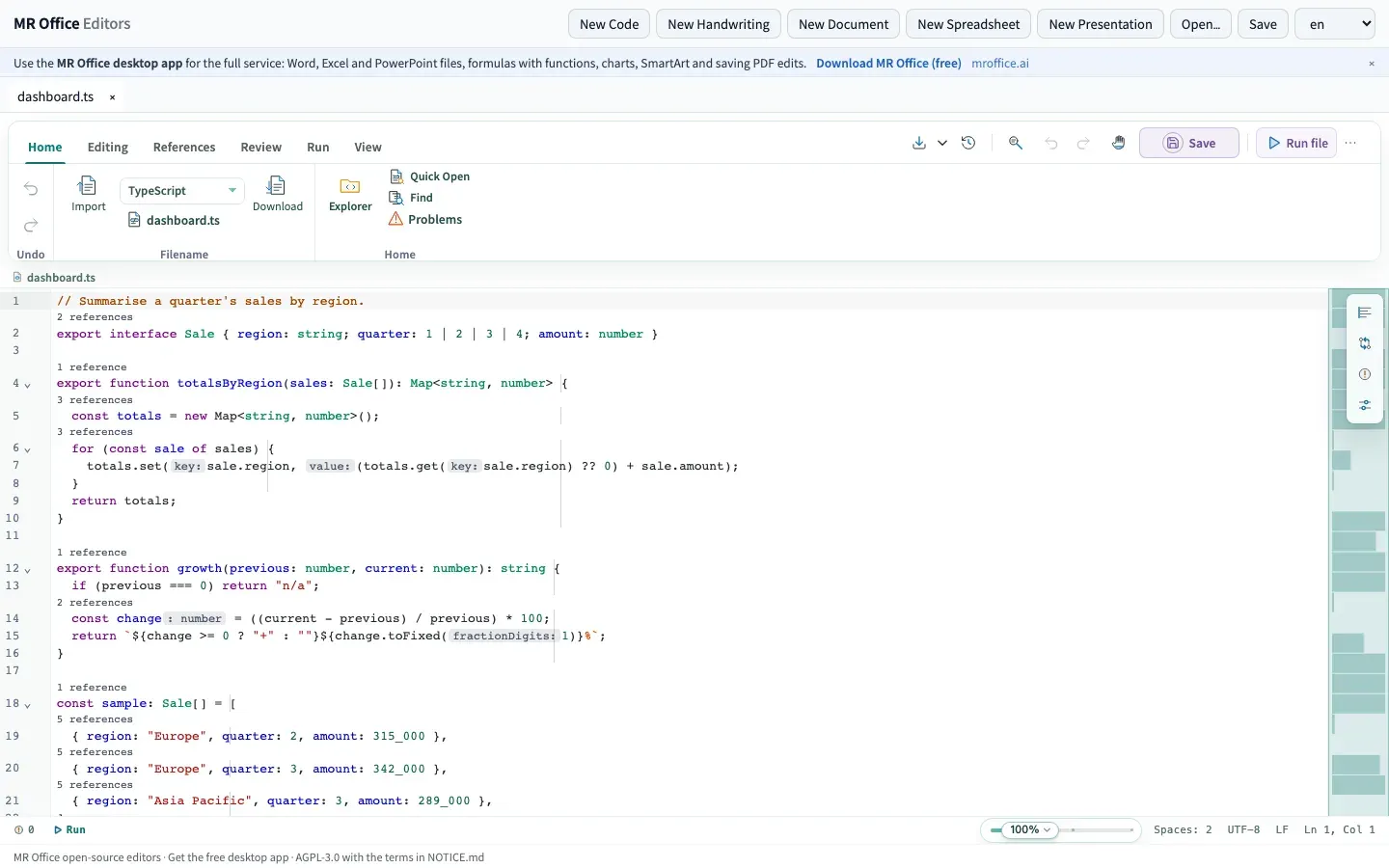
@mrnote/codeis a lightweight editor with syntax highlighting, an outline and find and replace; the notices list CodeMirror 6 language packages for languages including C++, CSS, Go, HTML, Java, JavaScript, PHP, Python, Rust, SQL and YAML. According to the README, JavaScript, TypeScript, Python, SQL, Lua and shell code run directly in the browser. - Host adapter for embedding Applications embed the editors through
@mrnote/core:EditorHostProvidersuppliessaveFile,notifyand the interface language, and each editor package exports anEditorDefinitionwith its file extensions, a new empty file and a component that receives the file and save callbacks. Workspace, accounts, collaboration, AI and the service API are stubbed out and absent. - Self-hosting as static files With Node.js 20.19 or later,
npm install,npm run fonts,npm run buildandnpm run previewstart the playground at localhost:5178. The self-hosting guide describes servingapps/playground/distfrom any static web server or CDN, with an nginx example. - Open substitute fonts
npm run fontsfetches open replacements for common Office fonts, such as Carlito, Caladea, Liberation and Noto families plus metric-compatible fonts under the SIL Open Font License. Their licenses are listed in the third-party notices. - Live demo The open-source build runs without installation at demo.mroffice.ai. The full hosted product with Office file support and AI is at mroffice.ai, where Word, Excel, PowerPoint, CSV and PDF files can be opened without an account.
- MR Office Editors desktop shell The Electron shell in
apps/desktopruns the open-source editors on their own, opening .mrdoc, .mrsheet, .mrslides and .mrink files, CSV, HTML, Markdown and PDF. In this mode nothing reaches the network, there are no automatic updates and builds are not signed.npm run desktopstarts it, and electron-builder produces a .dmg and .zip on macOS or an NSIS installer on Windows. - MR Office component Installing the free, closed-source component next to the shell turns it into the MR Office desktop app with Word, Excel, PowerPoint and PDF files, function formulas, charts, SmartArt, sign-in and AI. The component must match the shell's contract version and is currently available for macOS on Apple silicon. Its services listen on 127.0.0.1, while sign-in and AI go through MR Office's servers.
- MR Office desktop app downloads The download page lists version 0.1.4 for macOS 14 or later on Apple silicon and macOS 13 or later on Intel, and a Windows 10 or later (64-bit) installer, each about 1.2 GB. The macOS builds are signed and notarized; the Windows installer from release 0.1.3 is not code-signed yet.
- MCP server
apps/mcpis published as mroffice-mcp and runs withnpx -y mroffice-mcpon Node.js 22 or newer. Its tools create documents from Markdown and spreadsheets from CSV, open files, read back the person's edits, render pages as PNG and export to md, html, csv, pdf, mrdoc or mrsheet; a hosted endpoint is at mcp.mroffice.ai. Word, Excel and PowerPoint files go through the MR Office engine with the user's MR Office account (MCP docs). - Hosted Embed API Separately from the open-source editors, the Embed API frames MR Office's hosted Word, Excel, PowerPoint and PDF editors in another web app via
embed.jsor the MIT-licensed mroffice-embed package andMROffice.open(). The integrator's server signs short-lived HS256 session tokens per file and person, and saves arrive through signed callbacks. During the beta each app gets 500 documents and 5,000 sessions a month, with up to 5 apps per account. - Licensing The editors, the desktop shell and the MCP server are AGPL-3.0 (the MCP server and package manifests state AGPL-3.0-only), with the NOTICE.md attribution and trademark terms for the editors. The license page offers a commercial license for closed-source products, and the component uses its own free license.
Where MR Office fits
Embedding the open-source editors in a web app
A host application wraps the editors in EditorHostProvider, passes its own save and notification handlers, and mounts the EditorDefinition component of each package it needs. Files are exchanged in the editors' own formats or in CSV, HTML, Markdown and PDF. Under AGPL-3.0 the NOTICE.md terms apply: the "MR Office" attribution and link stay visible, and the commercial license covers closed-source products.
Serving the editors from an own server
The playground build is a set of static files, so it can be served by nginx, any web server or a CDN after npm run build. The self-hosting guide recommends caching the hashed scripts, styles and fonts for a year. Office file support is not part of this build.
Editing Word, Excel and PowerPoint files on the desktop
The MR Office desktop app from the releases page, or MR Office Editors with the component installed, opens and saves .docx, .xlsx and .pptx files locally and works offline. Signing in to an MR Office account enables the AI assistant, which runs through MR Office's servers.
Adding Office editing to a SaaS product
The hosted Embed API is the documented route for real Office files inside another web app: the integrator's server keeps the file, MR Office fetches it, users edit it together, and each save is posted back as a new version through a signed callback. The developer documentation includes a comparison page for teams that know WOPI or ONLYOFFICE.
Letting an AI assistant draft and revise documents
With mroffice-mcp configured in an MCP client, an assistant creates a document or spreadsheet, the person edits it in the editor (inline in clients that support MCP Apps, otherwise in the browser), and the assistant reads the edits back with get_document. Documents stay on the machine that runs the server; only the editor's code loads from demo.mroffice.ai unless a local build is configured.
Annotating PDFs and taking handwritten notes
The PDF editor highlights and comments on text while a file is open and can present or read it aloud, while the handwriting editor records pressure-sensitive ink, lasso edits and shapes in .mrink files. Saving annotations into the PDF file itself requires MR Office.
Reviews of MR Office
Be the first to share your experience with MR Office.
Write a review
Loading review form…
Found MR Office useful? Upvote it todayYour vote helps other IT teams find it in the daily ranking.