What is Pake?
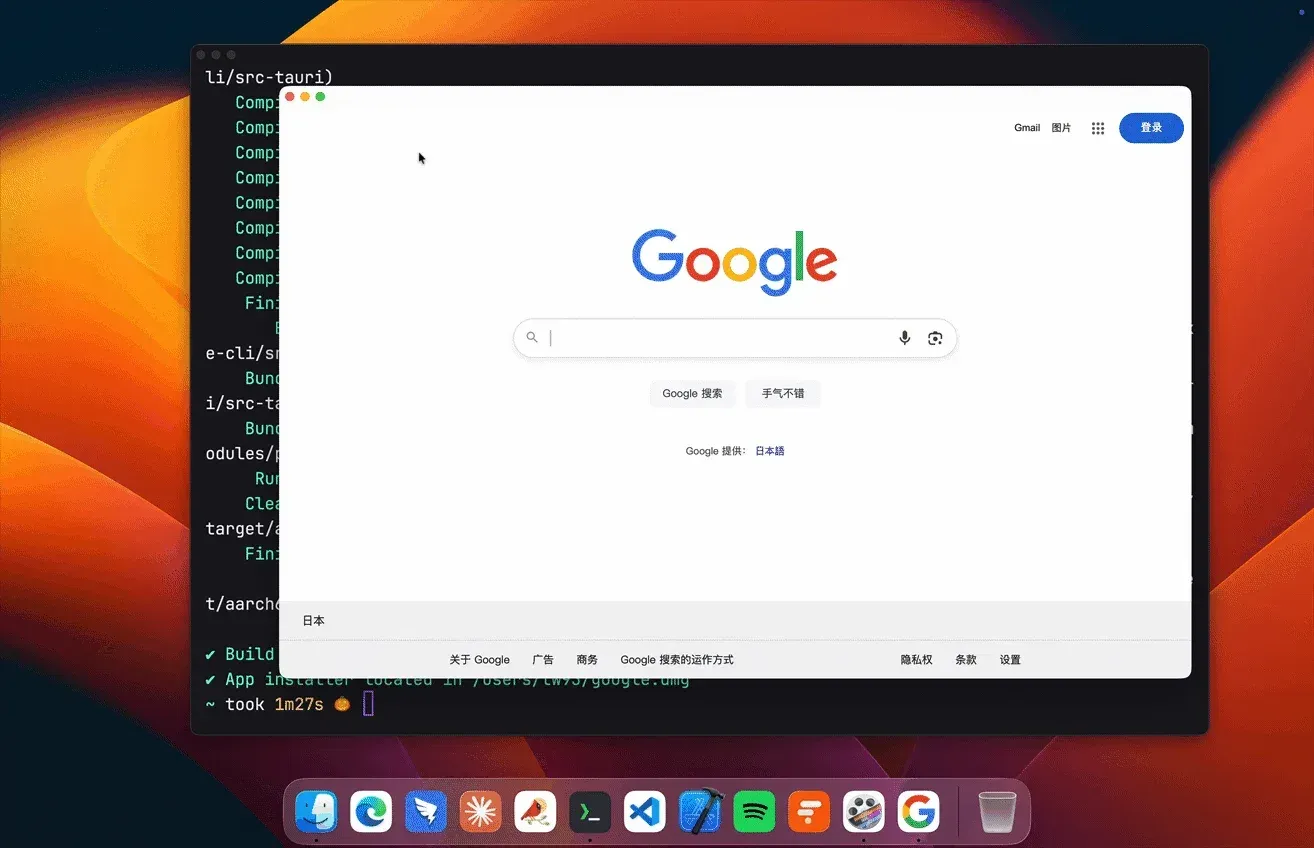
Pake is an open-source command-line tool that packages a website, a local HTML file or a folder of static web files as a standalone desktop application for macOS, Windows and Linux. It is developed by Tw93 and the Pake contributors in the tw93/Pake repository, created in October 2022. Each generated app opens the chosen site in its own window, with its own name, icon, Dock or Start menu entry and settings, instead of in a browser tab.
Pake is written in Rust and TypeScript and is built on Tauri. Generated apps render through the operating system's WebView (WKWebView on macOS, WebView2 on Windows, WebKitGTK on Linux) rather than a bundled Chromium. The README states that installers are typically under 10 MB, which the project describes as nearly 20 times smaller than Electron packages. The project FAQ clarifies that this figure is installer size on disk: runtime memory is governed by the system WebView and the loaded page, and a heavy single-page app can use several hundred MB.
The CLI is published on npm as pake-cli and needs Node.js 20.9 or later and Rust 1.85 or later on the build machine. Without a local toolchain, a fork of the repository can build apps through a GitHub Actions workflow, and every release attaches ready-made packages of popular web apps. Separately, the project sells a graphical Pake desktop app from pake.run that creates apps without Node.js or Rust. Its license page lists 2 free apps and a one-time license of $19 for up to 3 computers, and states that the open-source CLI is always free.
The latest GitHub release is V3.19.0, published on November 14, 2026; npm listed pake-cli 3.19.1 on November 17, 2026. V3.19.0 accepts Icon Composer .icon packages on macOS 26 and later (Xcode 26 required), adds Ctrl+W, Ctrl+Q, Ctrl+L and Alt+Left or Alt+Right on Windows and Linux, lets Linux call sites use the camera and microphone after a per-site permission, shows a retry page when a page fails to load on Linux and reloads crashed renderers on Linux and Windows.
Pake is licensed under GPL-3.0 with the Pake Output Exception: apps produced by the standard build process may be distributed under terms chosen by their builder, including proprietary terms, while Pake itself and modified versions of its source remain under GPL-3.0. Limits stated by the project include history-mode routing for local single-page apps, which is not yet supported, and sign-in providers such as Google that may block authentication inside embedded WebViews. A similar project listed on iThub is MyPack, which builds desktop apps from websites and local HTML projects with a prebuilt runtime.
Key capabilities
- One-command packaging
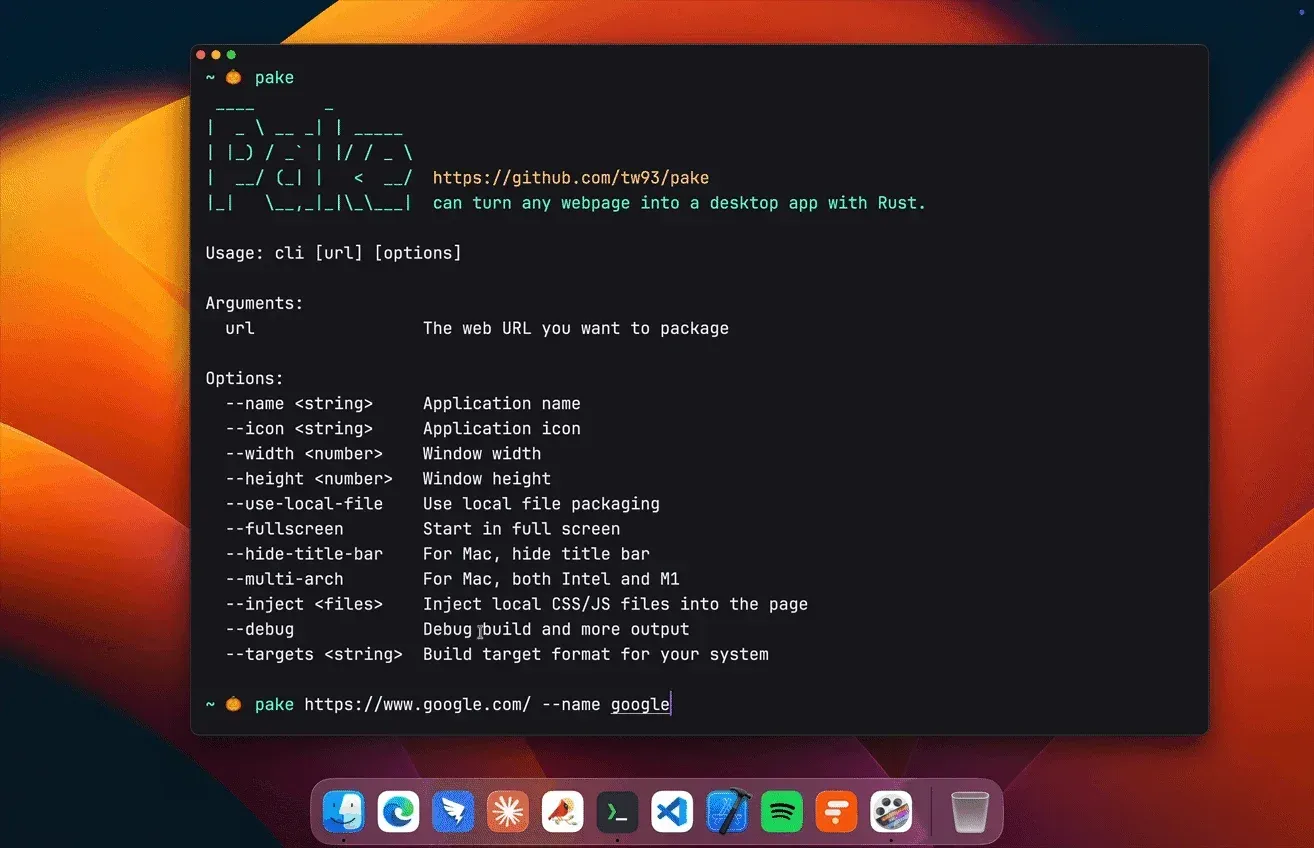
pake https://github.com --name GitHubbuilds an installer in the current directory and fetches the website icon automatically when no--iconis given. The first build sets up the Rust environment and takes longer; later builds reuse it. Without--name, the CLI prompts for a name. On Linux, names are converted to lowercase with hyphens. - Local HTML and build output The URL argument can also be a single HTML file or a directory such as
dist/with anindex.htmlat its root, sopake ./dist --name MyToolpackages a front-end build. Hash-based routing works; history-mode SPA routing is not yet supported. Local apps do not restore their last URL. - Icons per platform
--icontakes a local path or remote URL and converts it to.icnson macOS,.icoon Windows and.pngon Linux. Since V3.19.0 a local Icon Composer.iconpackage gives Light, Dark and Tinted icons on macOS 26 and later, with an.icnsfallback for older systems; compiling it needs Xcode 26 or later. - Window options The default window is 1200 by 780 pixels. Options cover
--width,--height,--min-width,--min-height,--zoom(50 to 200 percent),--fullscreen,--maximize,--always-on-topand--title.--hide-title-bargives an immersive header on macOS, and--hide-window-decorationsgives a frameless window with a top drag region on Windows and Linux. - Navigation and sign-in control By default, links to other domains open in the system browser.
--force-internal-navigationkeeps every link in the app,--internal-url-regexsets a custom pattern, and--safe-domainlists trusted domains, for example Slack plus Okta for enterprise SSO.--new-windowallows popup windows for authentication; the docs note that Google may still block sign-in inside embedded WebViews. - Page customization
--injectadds local CSS and JavaScript files to the packaged page, for example to restyle it or hide elements. Further options set a custom--user-agent, force--dark-mode, enable an in-page Find bar with--enable-findand turn on developer tools with--debug.--wasmadds cross-origin isolation headers for Flutter Web and other WebAssembly apps. - System tray and global shortcut
--show-system-trayadds a tray icon, optionally with a custom.icoor.pngbetween 32 and 256 pixels, and--start-to-traylaunches the app hidden.--hide-on-closedefaults to true on macOS and false on Windows and Linux.--activation-shortcutregisters a key combination such asCmdOrControl+Shift+Pto bring the app forward. - Sessions and privacy options Web apps reopen the last URL of the main window by default;
--no-restore-last-urlalways opens the packaged URL while keeping cookies and logins.--incognitoruns the WebView without stored cookies, local storage or history.--password-autosaveenables WebView2 password prompts on Windows in the app's own profile, and--basic-authprovides an HTTP Basic login dialog on macOS. - Network, downloads and devices
--proxy-urlroutes requests through an HTTP, HTTPS or SOCKS5 proxy on Windows and Linux, and on macOS 14 or later.--download-dirsets where downloads are saved.--cameraand--microphoneadd the corresponding macOS entitlements for video-call and voice sites. - macOS output The default output is a
.dmg.--targetsselectsintel,appleoruniversalbuilds andappordmgoutput,--multi-archbuilds for both Intel and Apple Silicon (Rust from rustup required), and--installcopies the finished.appinto/Applications. - Windows output and toolchains Windows builds produce an
.msiforx64orarm64, with--installer-languagefor the installer UI. The defaultmsvctoolchain needs Visual Studio Build Tools with the Desktop development with C++ workload;--windows-toolchain gnubuilds x64 apps with MinGW or MSYS2 instead. - Linux packages Linux targets are
deb,appimage,rpmandzst(an Arch.pkg.tar.zst), each also as an ARM64 variant. The default is distro-aware: deb and AppImage on Debian and Ubuntu, rpm and AppImage on Fedora, RHEL and related distributions.--no-bundleoutputs only the executable, and--keep-binarykeeps a standalone binary next to the installer on every platform. - Multiple apps and windows By default Pake derives a bundle identifier from the URL and name, so two apps wrapping the same site under different names install separately;
--identifiersets it explicitly.--multi-instanceallows several processes of one app, and--multi-windowallows several windows inside one running instance. - Built-in keyboard shortcuts Packaged apps support back and forward, scroll to top or bottom, refresh, zoom in, out and reset, copy the current URL, go to the home page, paste and match style, clear cache and restart, and native fullscreen. On Windows and Linux, V3.19.0 maps Ctrl+W to close the window and Ctrl+Q to quit.
--disabled-web-shortcutsturns the web shortcuts off. - Scripting and AI agent support
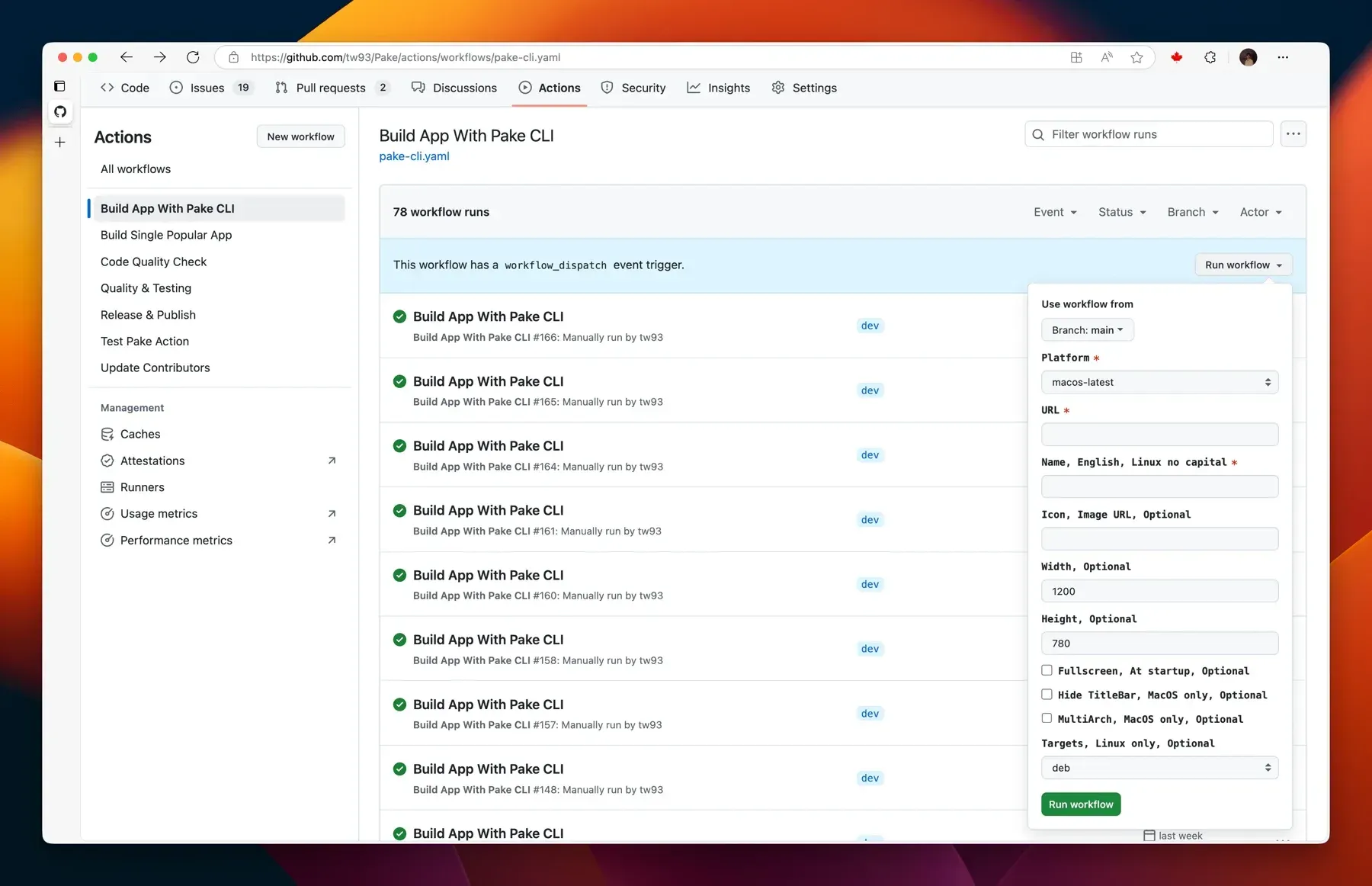
--jsonmoves logs to stderr and prints exactly one JSON result object on stdout, with interactive prompts disabled.--config app.jsonreads options from a declarative file validated against a published JSON schema. The repository also provides anllms.txtagent contract and an official plugin for Claude Code and Codex. - GitHub Actions online build In a fork, the
Build App With Pake CLIworkflow takes a form with the URL, name, icon, window size, app version, fullscreen, title bar, popup, universal binary and Linux format options, onmacos-latest,windows-latestorubuntu-24.04. According to the online build guide, the first run takes about 10 to 15 minutes, later runs about 5 minutes, and artifacts are kept for 3 days. - Ready-made app packages The V3.19.0 release attaches 16 prebuilt apps, each as a macOS
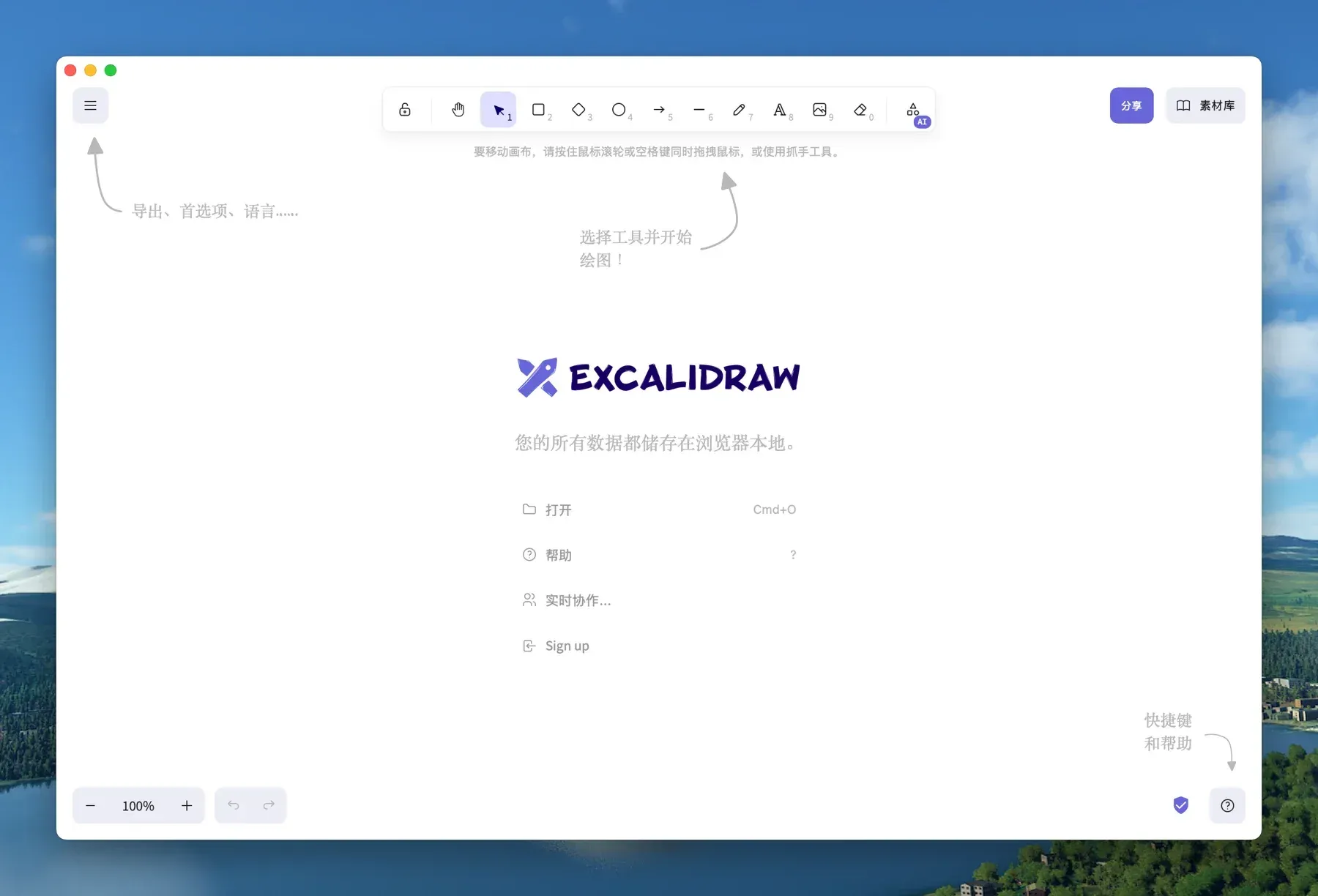
.dmg, a Windows x64.msi, a Linux x86_64.deband an AppImage: ChatGPT, DeepSeek, Excalidraw, Flomo, Gemini, Grok, LiZhi, Notion, ProgramMusic, Qwerty, Twitter (X), WeChat, WeRead, XiaoHongShu, YouTube and YouTube Music. - Build requirements The CLI usage guide lists Node.js 20.9 or later, Rust 1.85 or later (the CLI offers to install it, while
--jsonruns fail withENV_MISSING) andcurl,wget,fileandtaron macOS and Linux. Debian-based Linux builds need WebKitGTK 4.1, GTK 3, libsoup 3, appindicator and related development packages, as listed in the FAQ.
Where Pake fits
Giving a web service its own desktop window
The basic workflow installs the CLI with pnpm install -g pake-cli or npm install -g pake-cli and runs pake with a URL and a name. The README example pake https://weekly.tw93.fun --name Weekly --icon https://cdn.tw93.fun/pake/weekly.icns --width 1200 --height 800 --hide-title-bar sets a custom icon, window size and immersive title bar. The result is an installer for the current platform, in the directory where the command ran. The app keeps its own cookies and reopens the last visited page unless --no-restore-last-url or --incognito is set.
Packaging a local front-end build
Pake accepts a path instead of a URL, so a static build such as pake ./dist --name MyTool becomes a desktop app without a web server. The directory needs an index.html at its root. The CLI guide states that hash-based routing works out of the box while history-mode SPA routing is not yet supported, and that local apps do not save or restore URLs.
Building apps without a local toolchain
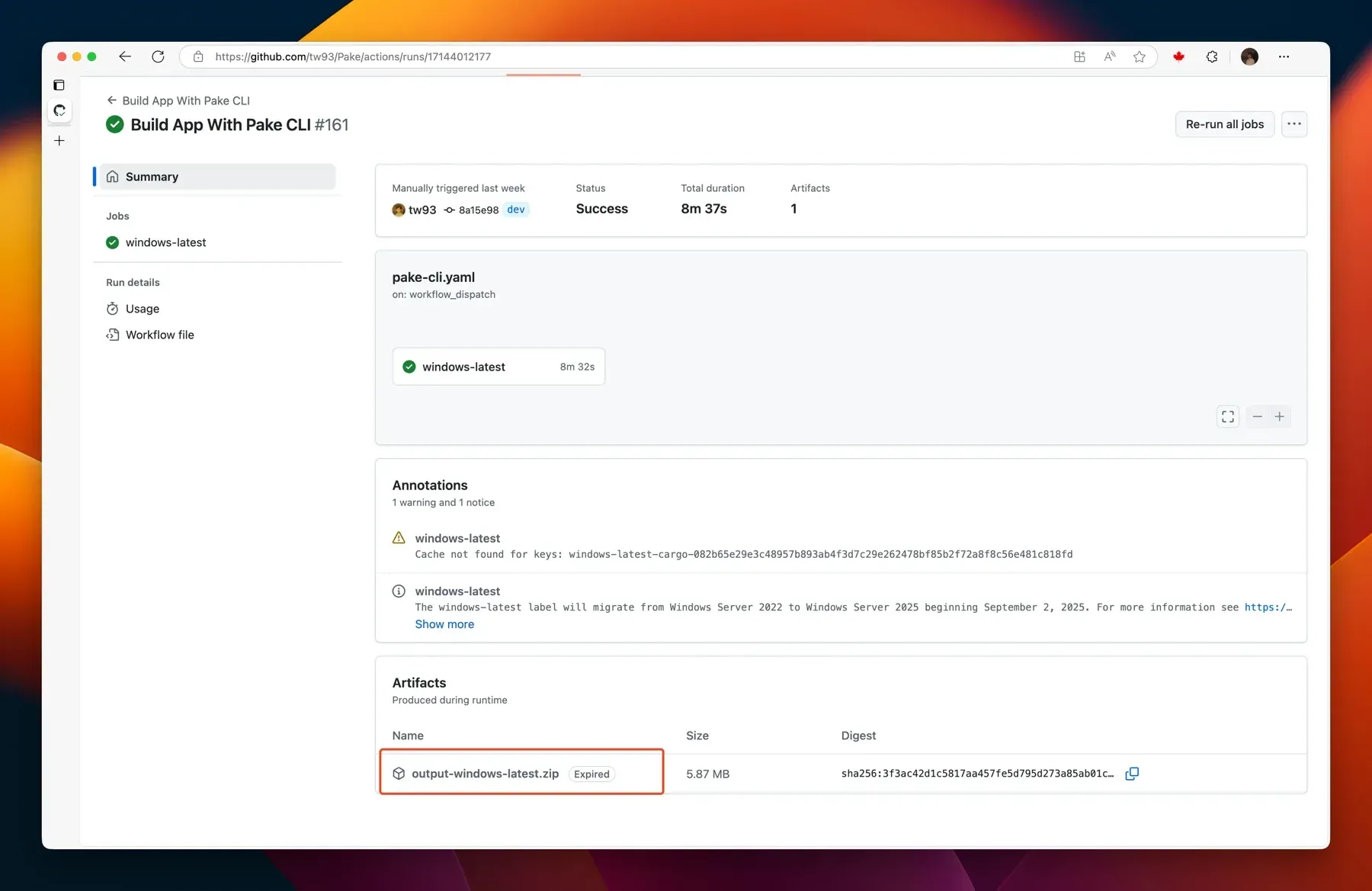
The online build guide describes forking the repository, opening the Actions tab, running Build App With Pake CLI with a form, and downloading the package from the run's Artifacts section or with gh run download. Artifacts are named after the app and platform, such as <name>-macOS for the .dmg and one Linux artifact per format. The dependency cache is 400 to 600 MB, and the guide suggests clearing it when a build fails.
Installing a ready-made app
For the 16 web apps packaged by the project, the README links direct downloads from the Releases page, for example ChatGPT.dmg, ChatGPT_x64.msi or ChatGPT_x86_64.deb. The release also carries an AppImage for each app. These packages need no Node.js or Rust and are installed like any other application for the platform.
Scripted and agent-driven packaging
For CI jobs and AI agents, the README describes running Pake with --json, which prints a single JSON object on stdout and disables prompts, and describing apps declaratively with --config app.json, where explicit CLI flags override file fields. The repository's llms.txt documents this contract for agents, and the official skill installs in Claude Code with /plugin marketplace add tw93/Pake followed by /plugin install pake@pake, or in Codex with the equivalent codex plugin commands.
Workspace apps with single sign-on
Workspace tools that redirect through an identity provider can be kept inside the app window with --safe-domain, which the CLI guide illustrates with slack.com,okta.com; the guide notes that this list replaces the default same-domain rule and therefore needs to include the app's own domain. --new-window allows popup sign-in windows, and --identifier separates two apps that wrap the same URL, for example a work and a personal account. The pake.run FAQ notes that Google and some other providers block sign-in inside embedded WebViews regardless of these options.
Install
pnpm install -g pake-cliReviews of Pake
Be the first to share your experience with Pake.
Write a review
Loading review form…
Found Pake useful? Upvote it todayYour vote helps other IT teams find it in the daily ranking.