What is MyPack?
MyPack is a free, open-source desktop application that turns a website, or a local HTML project, into a standalone desktop app. The documented flow has four steps: paste an address, confirm the name and icon, build, then install and open. MyPack does not compile anything during that build. It copies a small prebuilt runtime binary for the target platform, adds the app's name, icon and a mypack.json configuration, and on macOS signs the result ad hoc. Generated apps use the system WebView (WKWebView on macOS, WebKitGTK on Linux, WebView2 on Windows), each with its own name, icon, window and sign-in, and they keep working if MyPack itself is uninstalled. The code is published by The MyPack Authors under the Apache License 2.0, and the project states that every feature is included, with no app limits, license keys or account. The name and logo are trademarks covered by a separate trademark policy. The official site is mypack.pages.dev.
The repository was created on November 12, 2026. Five 0.1.0 betas led to the first stable release, 0.1.0, on the same day, and version 0.7.0 was published on November 15, 2026. Each GitHub release carries a universal macOS disk image, Windows setup programs for x64 and arm64, Debian and RPM packages for Linux x64 and arm64, plain archives of the app and CLI, and a SHA256SUMS file. Stable releases also update the project's package-manager channels for macOS, Windows and Linux. Releases are not signed yet and macOS builds are not notarized. The README platform table names macOS (Apple silicon and Intel) as the main platform; the Linux and Windows builders, and apps generated for Windows, carry a test-tube marker instead of a check mark, and the website describes Windows apps as less tested so far.
Version 0.7.0 adds a Settings window inside every built app, working downloads, several accounts of one site in a group and a group split view. Version 0.6.0 added a Shortcuts pane and a Help menu. Version 0.5.0 introduced a Lite runtime about 27% smaller than the Full one, and 0.5.1 cut Mac-built apps to about 12 MB on Lite and 17 MB on Full for Apple silicon. Version 0.4.0 launched the official website.
MyPack is written in Go on MyGo, a pure-Go native UI toolkit, so neither the builder nor the generated apps use Electron, a web front end or cgo. State lives in a local SQLite database through modernc.org/sqlite. The desktop GUI, the headless CLI and the MCP server are separate processes that share one service layer and that database. Runtimes come from a registry signed with Ed25519 and are verified before they are cached. The architecture notes describe the build pipeline, runtime tiers and data paths. The interface is available in English, Traditional Chinese, Simplified Chinese, Cantonese, Spanish, French and Japanese.
The README credits Pake as the inspiration: MyPack takes the same idea a different way, with a prebuilt runtime instead of a build toolchain and a native app for making and maintaining apps over time, and it reads Pake configuration files. MyPack has no built-in chat or language model; agents connect through its MCP server and cannot install apps. Only a Mac can produce macOS apps, and signed macOS builds are not yet part of the release pipeline, as described in the release documentation.
Key capabilities
- Download MyPack for macOS The release includes a universal
.dmgfor Apple silicon and Intel Macs, plus plain archives; the app declares macOS 12 as its minimum system version. Homebrew users install it withbrew install --cask sinhong2011/tap/mypackfrom the project's own tap. The disk image is signed ad hoc and not notarized, so Gatekeeper can block the first launch until the user chooses Open from the context menu. A copy installed from the disk image in /Applications can download and apply signed MyPack updates itself. - Download MyPack for Windows Setup programs are published for x64 and arm64, along with ZIP archives of the app and CLI. The README documents
winget install MyPack.MyPack, a Scoop bucket andchoco install mypack; the Chocolatey package is x64 only and runs emulated on arm64. The setup has no code signature, so SmartScreen may ask for confirmation. Apps generated for Windows use WebView2, which the project describes as less tested so far. - Download MyPack for Linux Debian and RPM packages and tar.gz archives are published for x64 and arm64. The project runs its own APT and DNF/Zypper repositories on GitHub Pages, and an AUR package named
mypack-binis documented for Arch Linux. The packages depend on GTK 3 and WebKitGTK and pull them in. Generated Linux apps use WebKitGTK and are tested on Ubuntu 24.04, according to the README. - Apps from any website After an address is pasted, MyPack fetches the site's name and the best available icon, and since 0.4.0 falls back to Google and DuckDuckGo when a site has no icon. Name and icon can be changed before the build. The Icon Studio draws a styled icon from a glyph (the image, up to three letters or an emoji) on an automatic, solid, gradient, glass or empty background, with an optional badge ribbon; emoji are drawn on macOS only.
- Apps from local projects A single HTML file, a folder with
index.html, or an export from Vite, Create React App, Astro, Nuxt, SvelteKit or Next.js can become an app. When a folder containspackage.json, MyPack runs the project's build script first, and only after a person approves it; the approval is keyed to the package manager, script and project path, and the build has a 15-minute timeout. The MCP server can never grant that approval. - Prebuilt runtime instead of a toolchain Each platform has one runtime binary that knows nothing about any particular website, and MyPack injects the identity and configuration into a copy of it. Runtimes are downloaded once from a registry signed with Ed25519, verified and cached, and the CLI needs
--yesbefore it downloads one. Since 0.5.0, plain website apps use a Lite runtime about 27% smaller than the Full runtime, which remains in use for the custom title bar, tabs, site groups, find in page and HTTP basic authentication. - Separate website data per app Each app keeps its website data, such as sign-ins, in its own profile folder outside the app bundle, under
mypack-appsin the user's application data directory. Update and Repair never touch that profile, and Uninstall removes it only when the user explicitly asks to clear data. A Stay signed in option controls whether logins and history are kept on the device. - Window modes and title bars An app can open as a normal window, a compact window, a sidebar docked full-height to a screen edge, or a menu bar panel toggled from a tray icon. The Glass title bar, added in 0.1.2, lets the page scroll under the Liquid Glass of macOS 26 and later and falls back to another bar style elsewhere and with Reduce Transparency.
- Tabs and pinned pages With tabs turned on, links that would open a new window open a native tab instead; pop-ups that request a size stay windows so sign-in flows keep working. Pinned tabs stay loaded, so they can still send notifications and update badges, and tabs are restored at launch. Tabs are not available in group apps or in the menu bar panel.
- Group apps and several accounts A group puts several websites in one native window with a side rail, one web view and one separate session per member, and routes links between members by host. Version 0.7.0 adds several accounts of the same site in one group, for example two ChatGPT members renamed Work and Personal, and a split view that shows two members side by side or stacked with a draggable divider.
- Notifications, badges and media keys The runtime provides the web Notification API and the Badging API to the app's own pages, and a title-based heuristic feeds unread counts into the Dock badge. Since 0.2.0, apps made from music and video sites respond to media keys and show Now Playing information on macOS and Linux; the README notes that Windows already provides these. Links to a site owned by another installed MyPack app open in that app.
- Content blocking and per-app settings Per-app options cover blocking of well-known ad and tracker hosts from MyPack's own list (not EasyList), hiding of common cookie consent banners, an allow list, CSS selectors to hide, custom CSS and JavaScript, a proxy and a user-agent preset for Safari, Chrome, Edge, Firefox, mobile Safari or a custom string. Since 0.7.0, a Settings window inside each built app changes window, page, privacy, native and shortcut options and the download folder without a rebuild.
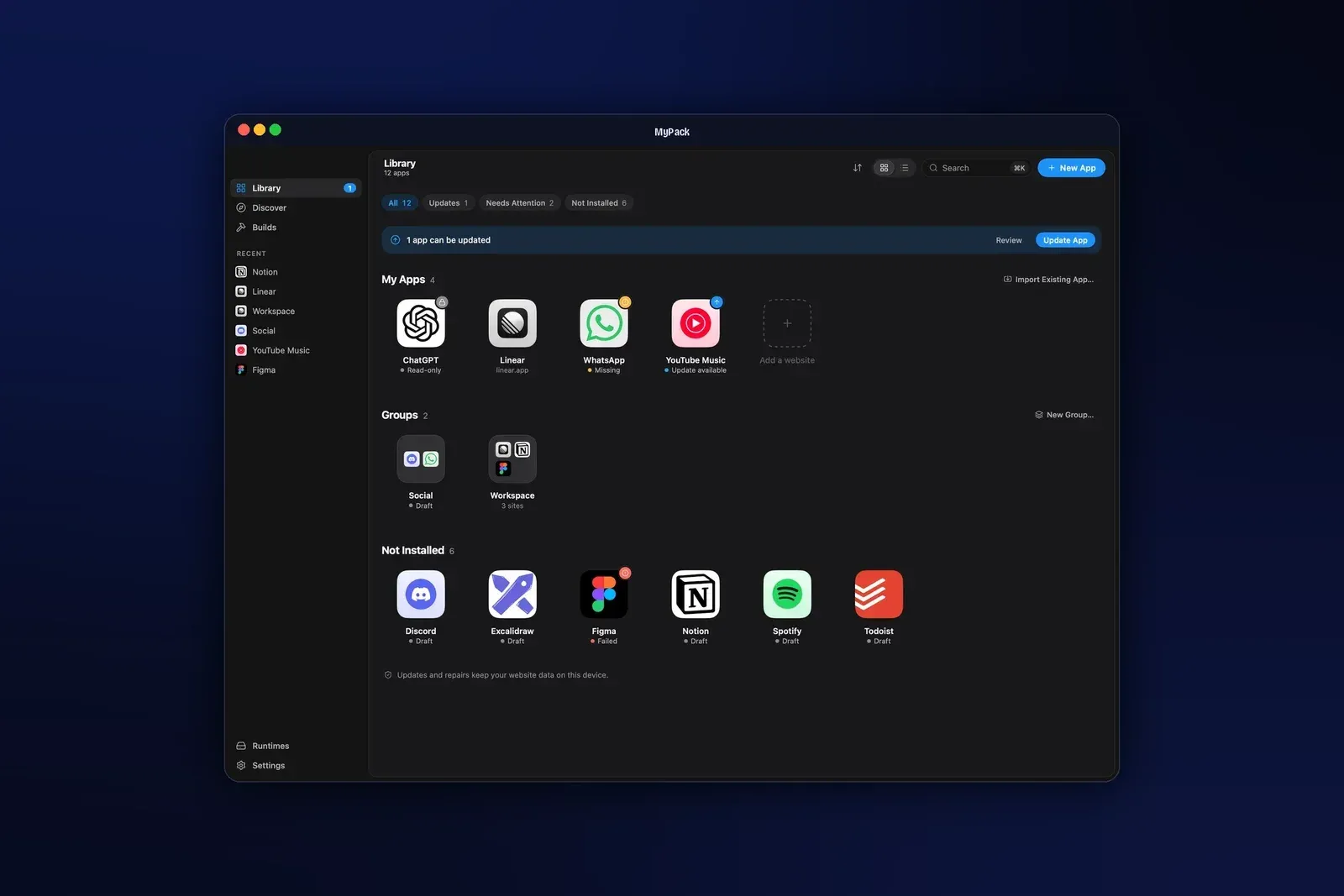
- Library with update, repair and rollback The Library lists every app with Install & Open, Update, Repair and Uninstall, and filters for Updates, Needs Attention and Not Installed, with an option to update everything at once. Updates replace the app atomically and keep logins; if an update fails, the previous version comes back. A failed or cancelled build never touches the previous build output.
- Library sync and .mypack files A
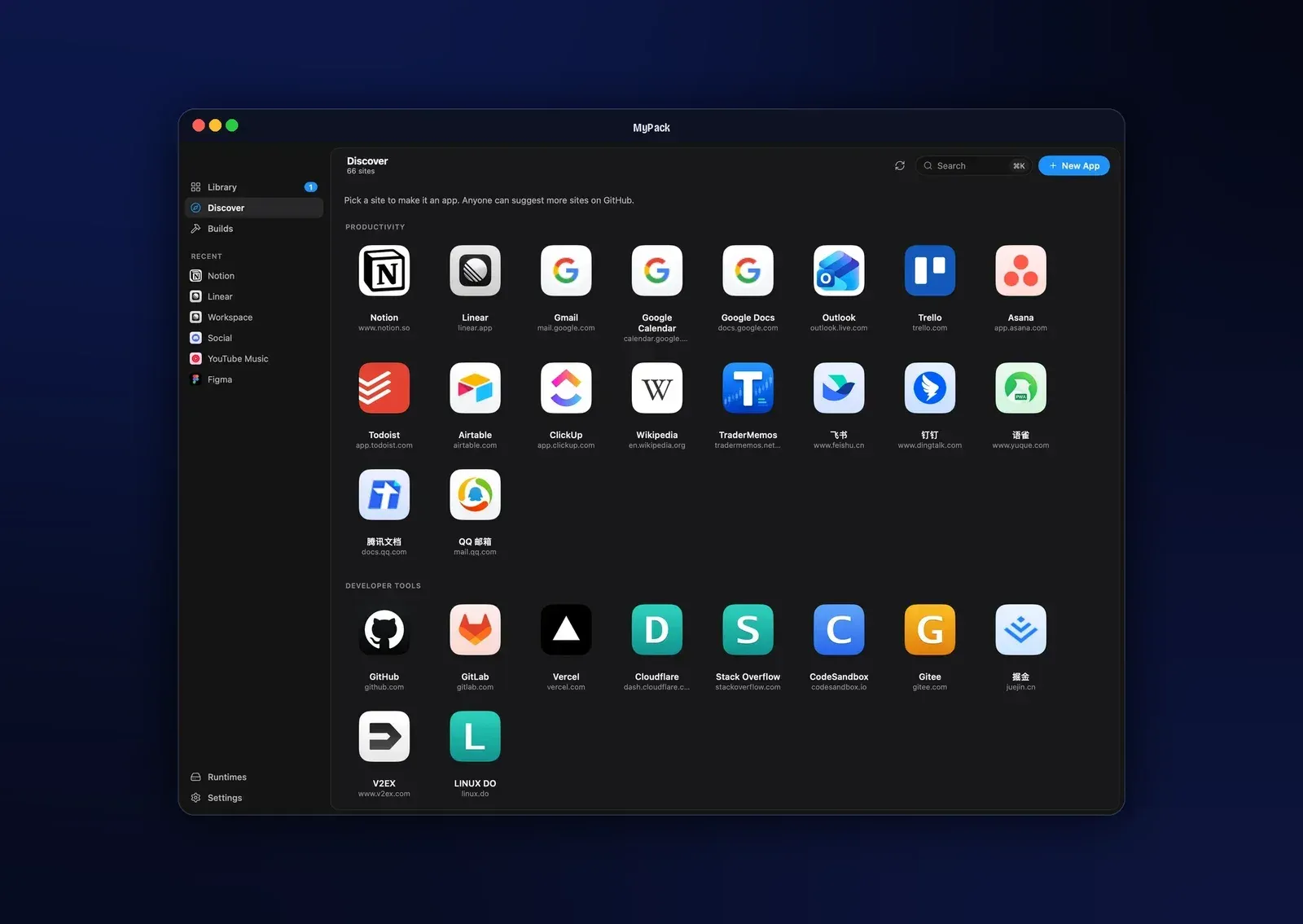
.mypackfile holds one or more app configurations with their icons, with local paths removed, for export and import between computers. Library sync keeps one such file per app in a shared folder, iCloud Drive by default, and runs at launch, every two minutes and a few seconds after a change. When both sides changed, the later edit wins, and a sync never permanently deletes, builds or installs anything. - Discover catalog Discover lists dozens of popular websites in categories such as work, developer tools, chat, social, AI, design, media and video, each one click away from a new app. The list is a plain JSON file in the repository; merged additions reach users within a day without a release, and entries can only fill in an address, never scripts or settings.
- Headless CLI The app binary doubles as the
mypackcommand, with subcommands to create, build, install, import, export and sync apps, list installed apps, manage runtimes and read or change settings. With--json, every command prints one JSON object, and exit codes are stable: 0 for success, 3 for invalid input, 4 for runtime or network errors, 5 for a failed build and 6 when approval is required, among others. - Built-in MCP server
mypack mcp servestarts a stdio MCP server with tools to list, read, create, update and validate projects, check runtimes, start, follow and cancel builds, and list artifacts. Settings, Agent Connections provides ready-to-copy setups for Claude Code, Codex and other MCP clients. Agents cannot install apps, and a project's build script only runs after a human approval. - Browser companion An optional Chrome and Edge extension turns the current tab into a draft project in MyPack, opens an existing MyPack app for that site or opens the manager. It talks to a native messaging host that never listens on a network port, and it never builds, installs, signs or deletes anything; MyPack always asks for confirmation. The companion documentation covers building it and loading it unpacked.
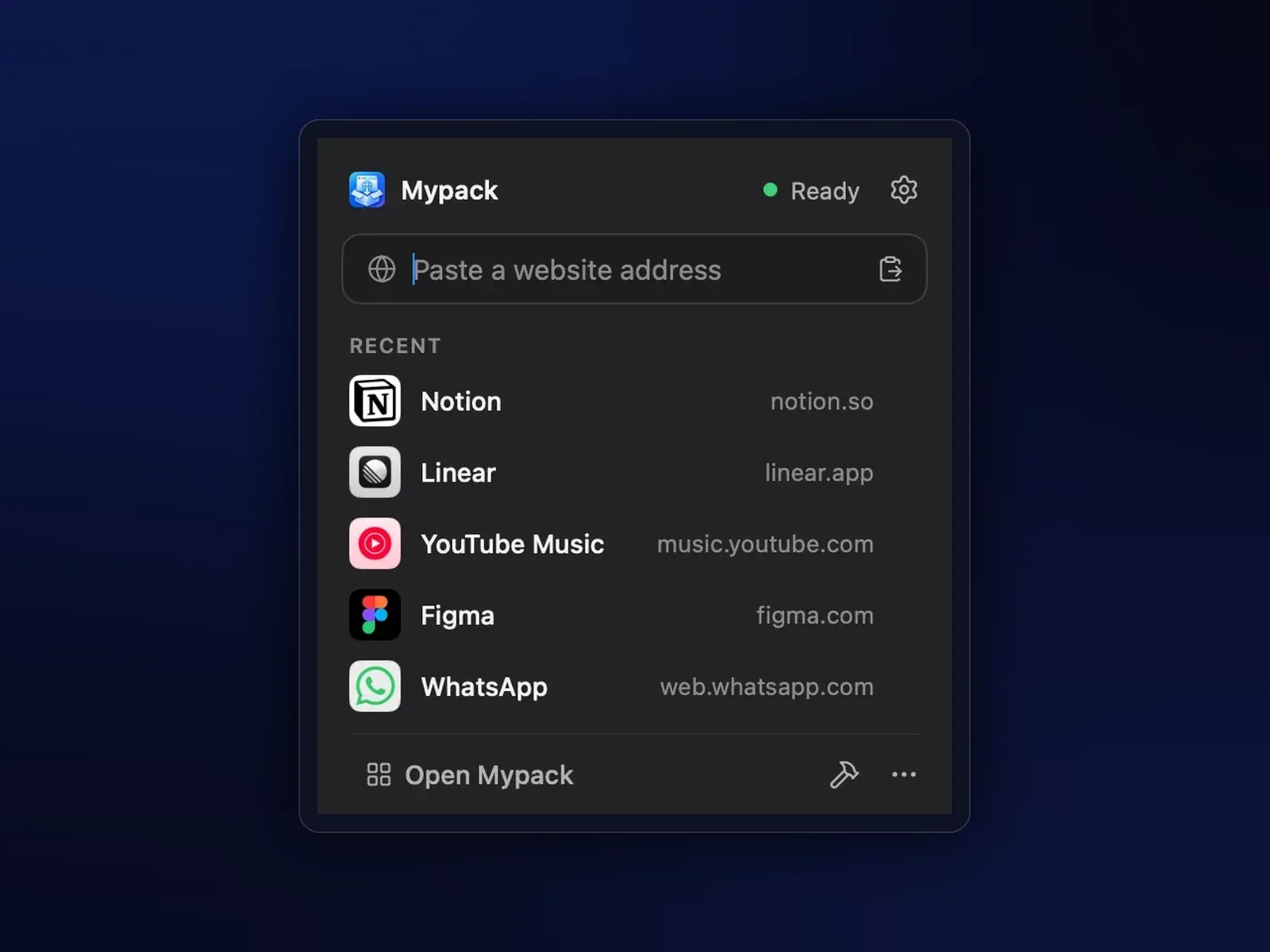
- Quick launcher and command palette A global shortcut (Option-Shift-Space on a Mac since 0.6.0, Ctrl+Alt+Space on Windows and Linux) opens an app by typing its name, and a Command-K palette finds apps, pages and actions. A menu bar flyout takes a new address, opens recent apps and follows builds without the main window.
- Pake configuration import
mypack import-configreads a Pakepake.jsonor amypack.jsonand writes a MyPack configuration, so existing Pake setups can be carried over.
Where MyPack fits
Giving a web app its own window and sign-in
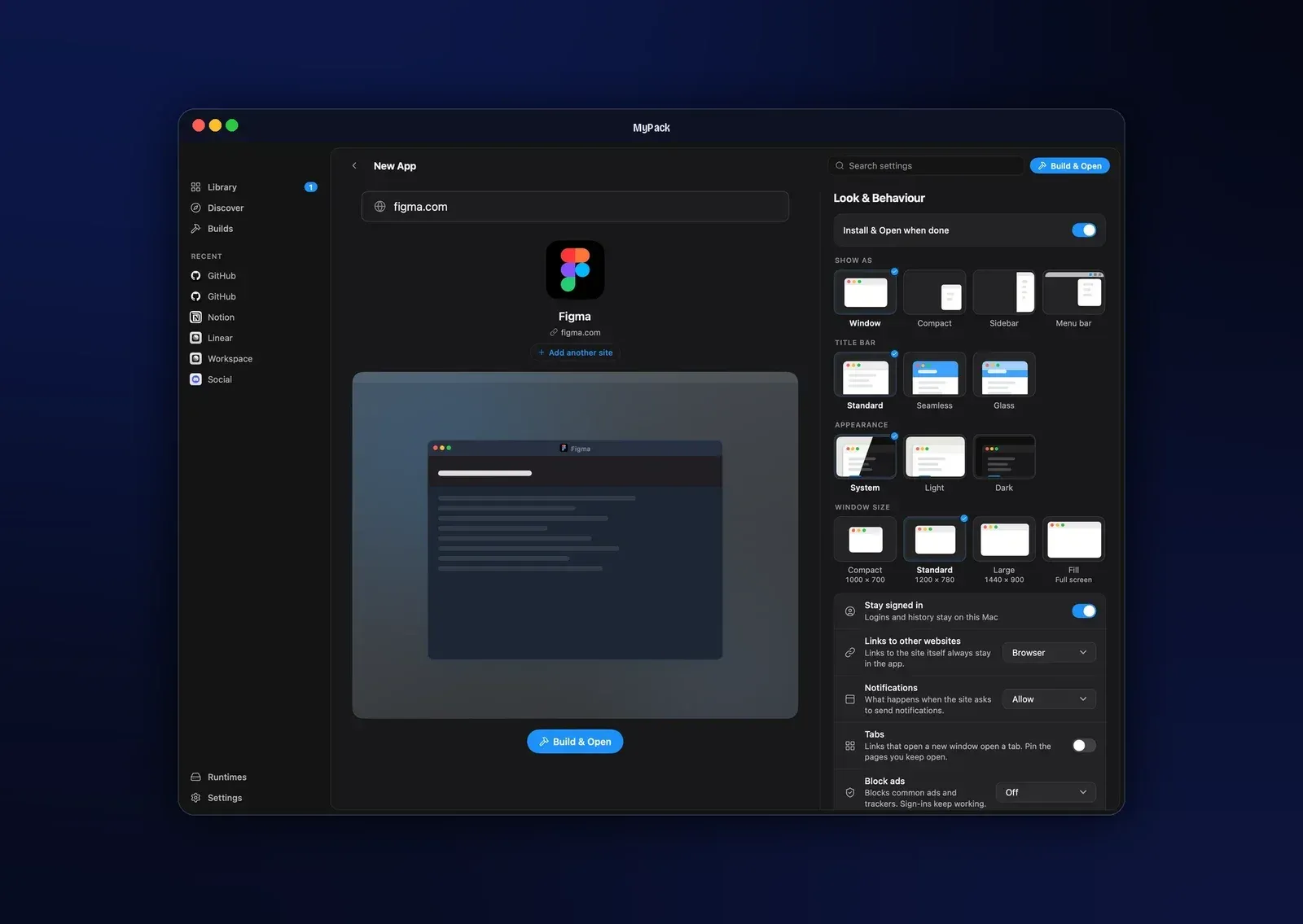
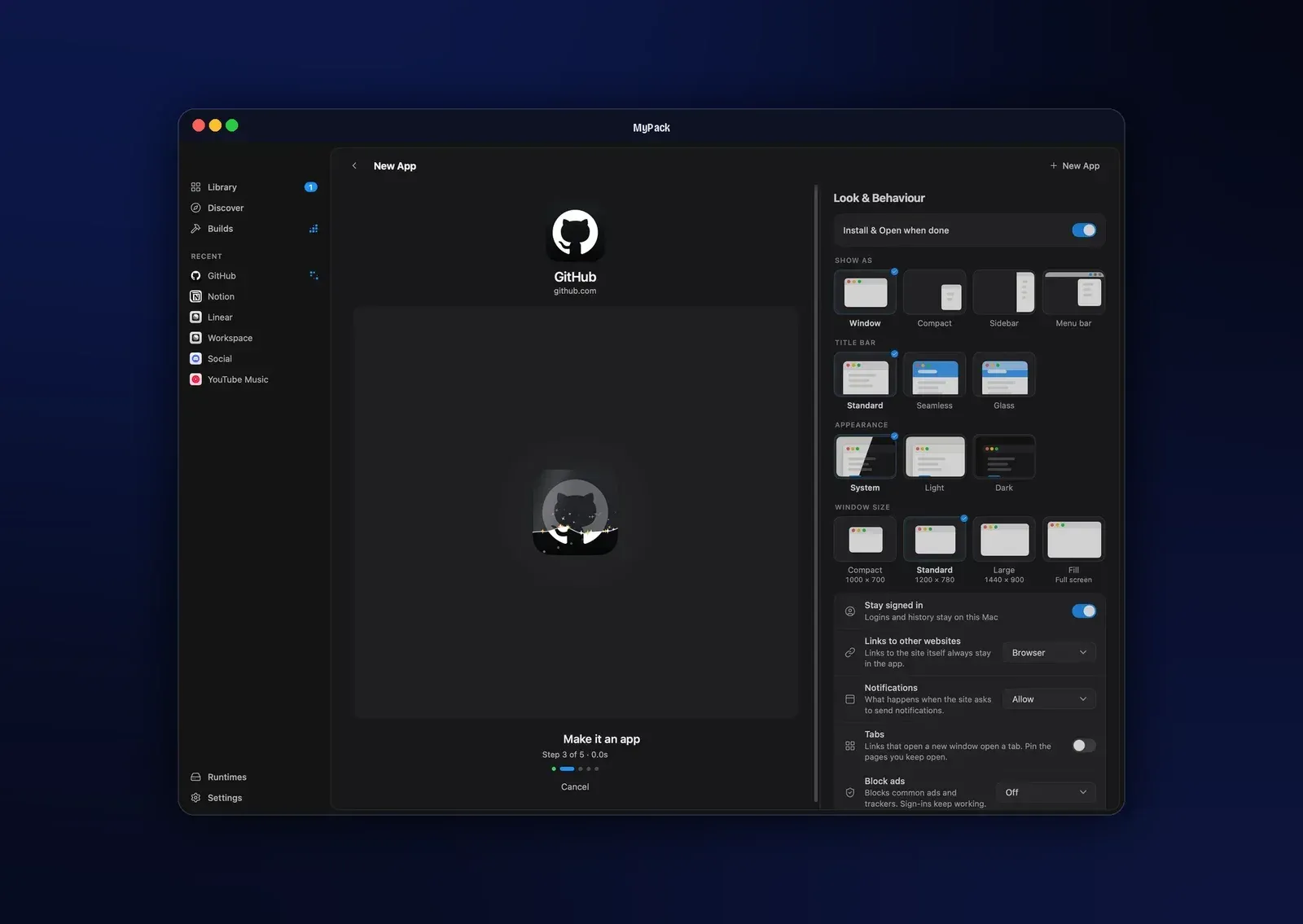
The documented first run is New App (Command-N), an address such as github.com, a check of the fetched name and icon, then Build and Install & Open. Window mode, title bar, appearance, size, link handling, notifications, tabs and ad blocking are chosen on the same screen. The resulting app has its own Dock or taskbar icon and its own website profile, separate from the browser and from other MyPack apps, and it keeps working if MyPack is removed.
Packaging a local HTML project
An HTML file or a folder can be dropped onto the MyPack window. For a JavaScript project with package.json, MyPack shows the package manager and build script, waits for approval, runs the build in the project root and packages the exported files, for example the output of a Vite, Astro, Nuxt, SvelteKit or Next.js build. The approval is stored per project and keyed to the package manager, script and project path.
Working with several accounts in one window
Group apps combine several sites behind a side rail, each in its own session. Since 0.7.0, the New Group sheet can add a second copy of the same site, for example ChatGPT for Work and Personal, and each copy keeps its own sign-in. Split view shows two members side by side or stacked, and View, Rotate Split switches between the two layouts.
Maintaining apps across updates and computers
The Library groups apps with available updates and apps that need attention, and can update all of them at once. Update and Repair leave the website profile untouched, and a failed update restores the previous version. To move apps, the Library can be exported as a .mypack file and imported on another computer, or kept in sync through a shared folder such as iCloud Drive; these files carry app configurations and icons, not website data.
Building apps from a script or an AI agent
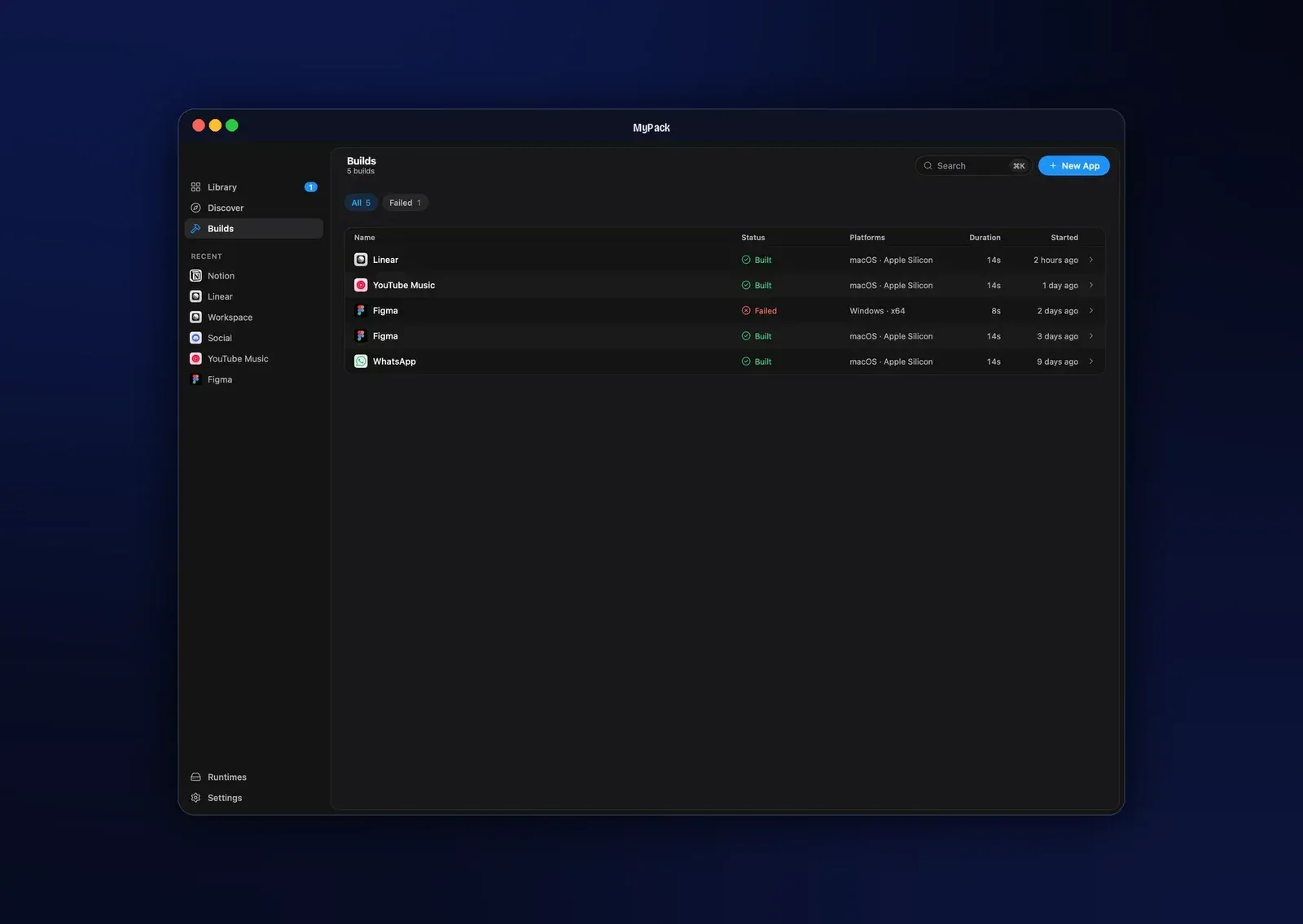
The CLI uses the same service as the GUI: mypack create github.com --json makes a draft project, mypack build <project-id> --yes --json builds it and mypack install <artifact-id> --open installs and opens it. For agents, the README gives a one-line claude mcp add command that registers mypack mcp serve as an MCP server in Claude Code. Builds started from the app, the CLI or an agent appear in the same Builds list, and since 0.6.0 an open Library refreshes when the CLI or MCP changes something. The CLI and agents section of the README lists the commands.
Bringing over a Pake setup
Pake users can convert an existing pake.json with mypack import-config and keep building from the resulting mypack.json. The README describes MyPack as taking the Pake idea a different way: a prebuilt runtime instead of a build toolchain, and a native app for creating, updating and repairing the apps afterwards. Contributions such as new Discover sites, website compatibility reports and Linux and Windows testing are described in the contributing guide.
Install
brew install --cask sinhong2011/tap/mypackReviews of MyPack
Be the first to share your experience with MyPack.
Write a review
Loading review form…
Found MyPack useful? Upvote it todayYour vote helps other IT teams find it in the daily ranking.