

What is Next.js?
Next.js is a React framework for building full-stack web applications. The official documentation describes it as a layer on top of React: developers write React components for the interface, and Next.js adds routing, rendering, data fetching, caching and build tooling, while configuring bundlers and compilers automatically. The project is developed in the vercel/next.js repository, which was created in October 2016, and is released under the MIT license. Vercel maintains the framework and runs a public bug bounty program for it on HackerOne.
Next.js ships two routers. The App Router is the newer one and supports React Server Components, streaming with Suspense, Server Functions and nested layouts; it uses React canary releases bundled with Next.js. The Pages Router is the original router; the documentation states that it is still supported and uses the React version installed in the project. New projects are created with create-next-app, whose default setup enables TypeScript, Tailwind CSS, ESLint, the App Router and Turbopack, and adds an AGENTS.md file for coding agents. The minimum Node.js version is 20.9, and development is supported on macOS, Windows (including WSL) and Linux.
The latest stable release on GitHub is v16.4.6, published on November 9, 2026. It is a backport release that pins Tailwind to 4.3.3 in create-next-app, compresses route handler responses that are not already compressed, and includes Turbopack garbage collection fixes for development. The project also continues to publish 15.5.x patch releases, such as 15.5.29 on November 3, 2026, and announces scheduled security releases on the Next.js blog.
The feature release Next.js 16.4 (October 6, 2026) enables Cache Components by default for new apps created with create-next-app and states that this model will become the default in Next.js 17. It adds the ensureStatic route option, a next upgrade --agent command, experimental agent upgrade reminders and agent feedback, a 20 to 25 percent smaller Turbopack disk cache, lazy server HMR, a shared Turbopack runtime chunk, shorter CSS Module class names in production and React 19.3. Earlier 16.x releases added Instant Navigations and Partial Prefetching (16.3), a stable Deployment Adapter API (16.2) and Turbopack file system caching for development (16.1).
According to the deployment documentation, a Next.js app can run as a Node.js server or Docker container with all features, as a static export with a limited feature set, or on platforms through adapters. Vercel and Bun are listed as verified adapters; other hosts provide their own integrations. Similar web frameworks on iThub include Remix, Astro, Nuxt and SvelteKit.
Next.js screenshots
Explore the interface. Open a screenshot to view it at full size.
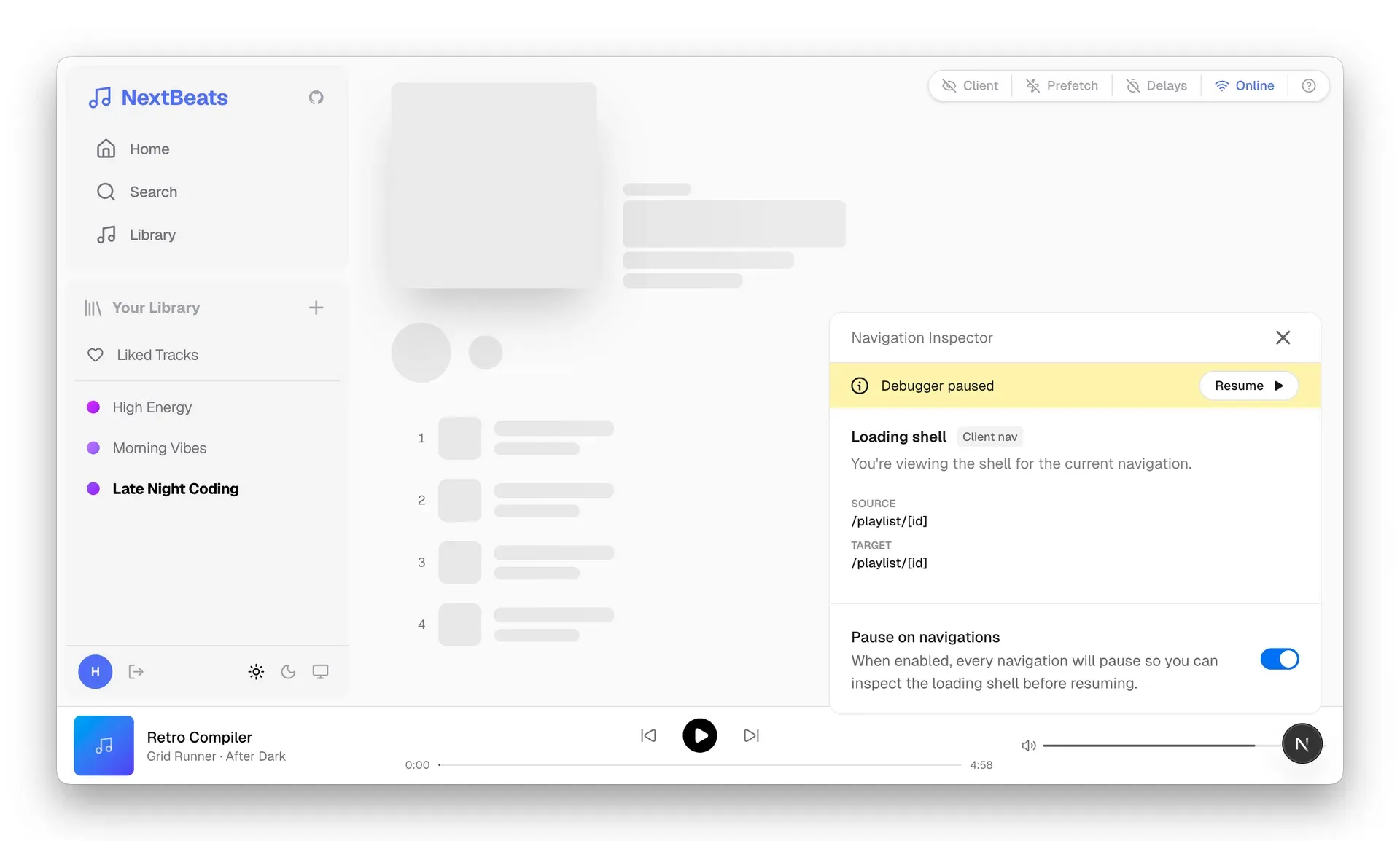
Navigation Inspector from the Next.js 16.3 Instant Navigations announcement.
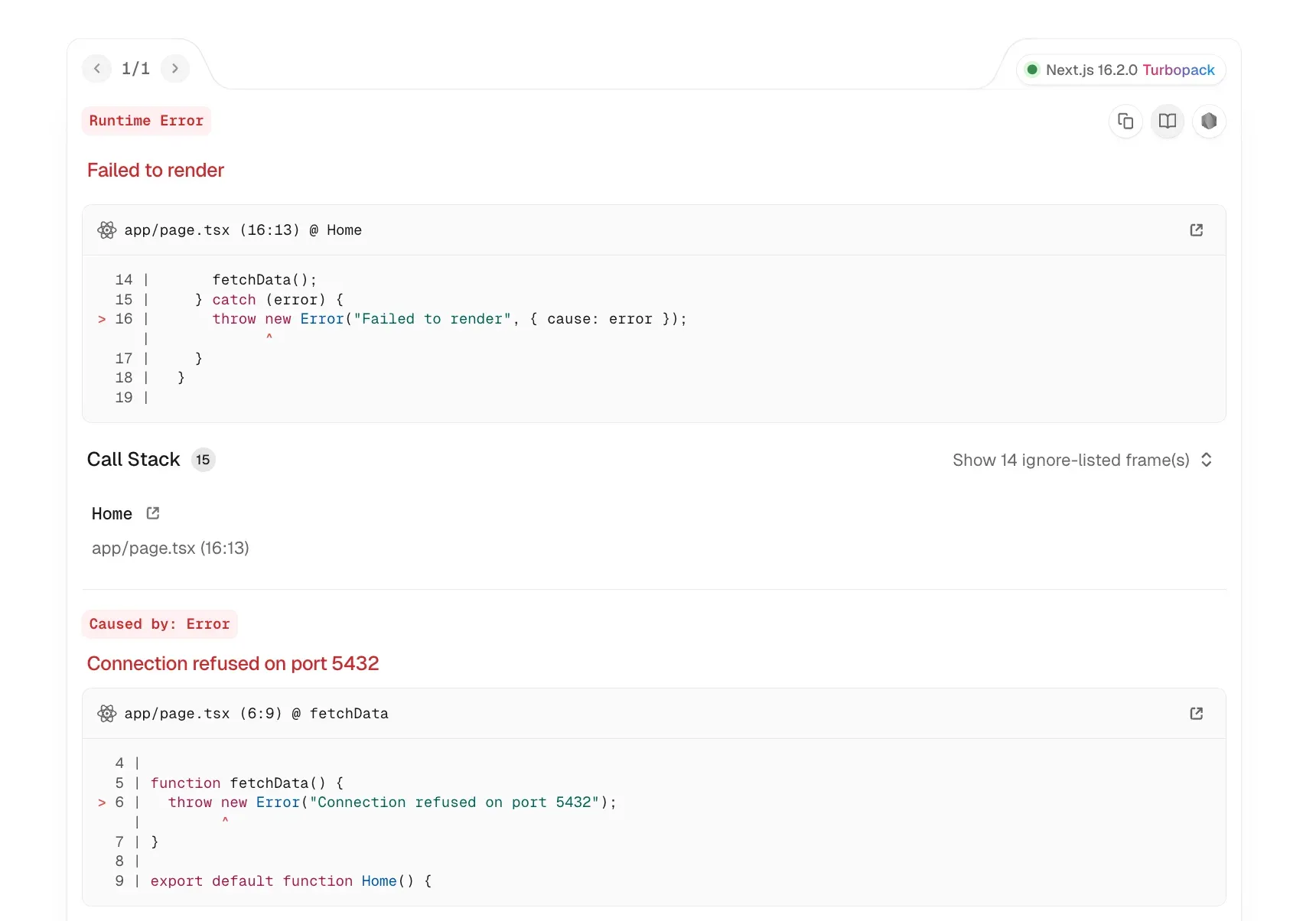
Development error overlay in Next.js 16.2 with a code frame, call stack and the Error.cause chain.
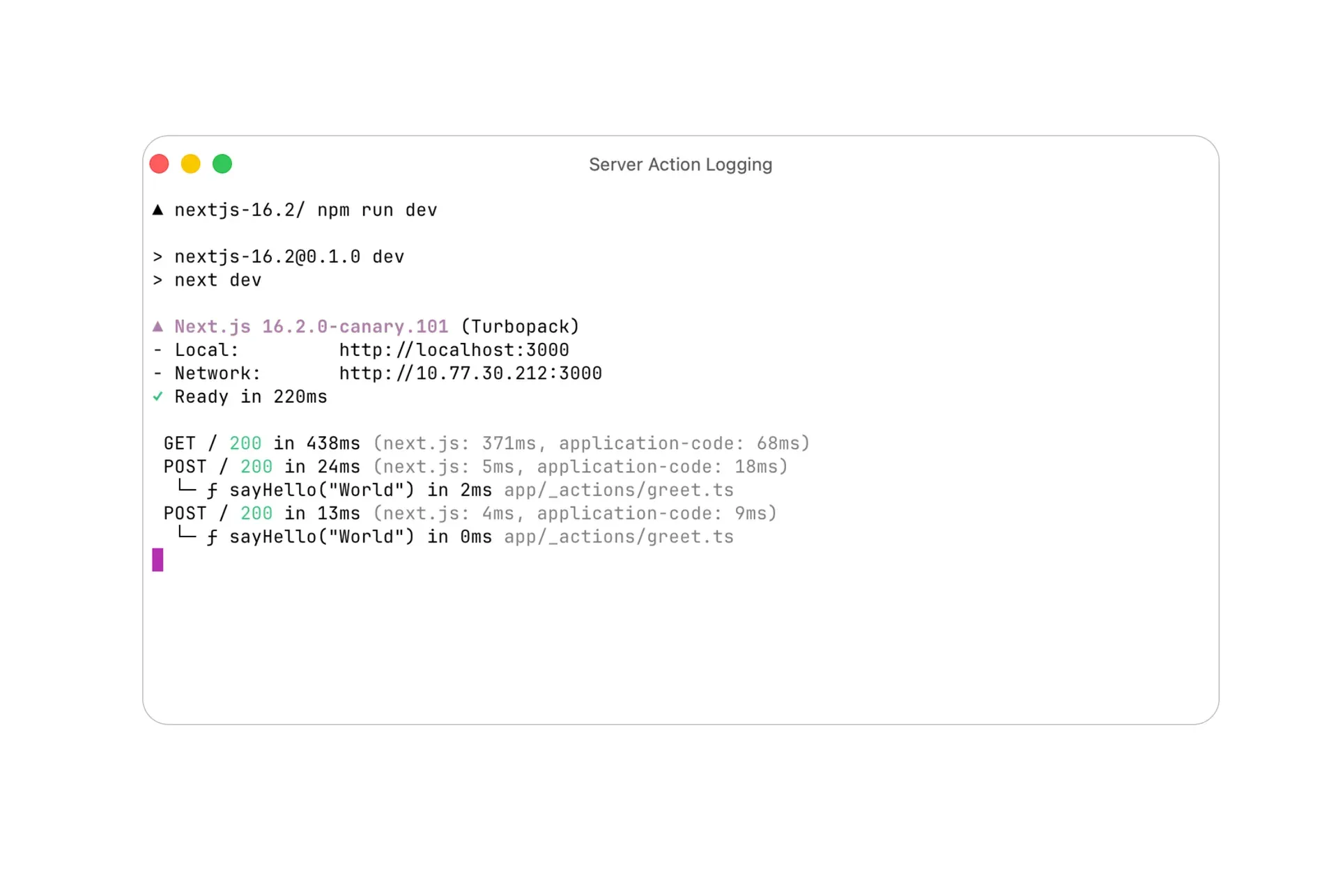
Server Function logging in the next dev terminal output, introduced in Next.js 16.2.
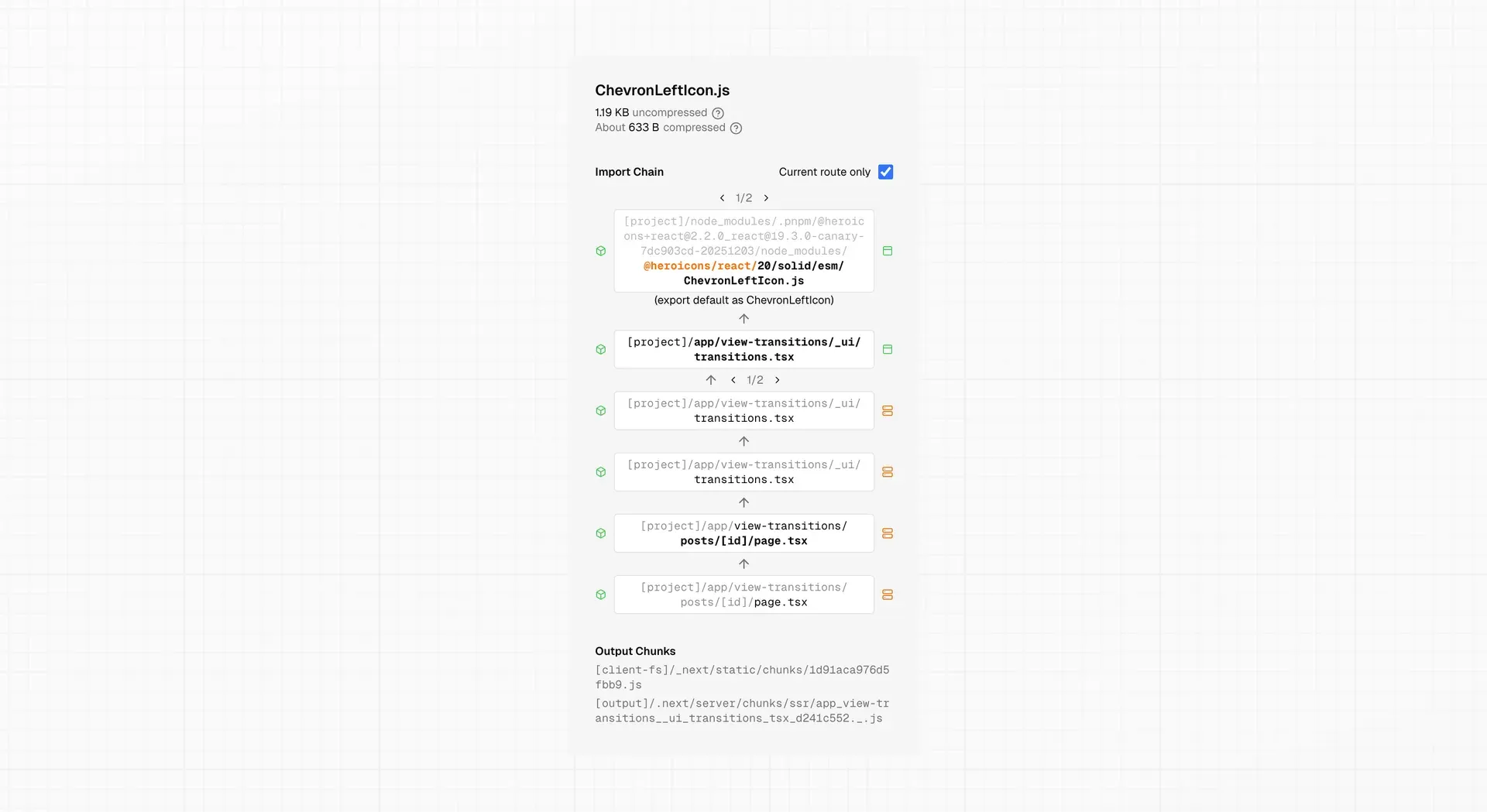
Turbopack Bundle Analyzer detail view with compressed size, import chain and output chunks, from the package bundling guide.
Source: official Next.js project page.
Key capabilities
- App Router with file-system routing Routes are defined by folders inside the
appdirectory, with special files such aspage,layout,loading,errorandnot-found. Layouts are shared between pages and keep state during navigation. Route groups, private folders, dynamic segments, parallel routes and intercepting routes are documented in the project structure guide. - Server and Client Components Components in the App Router are React Server Components by default and render on the server; the
'use client'directive marks components that need state, effects or browser APIs. Server Components can fetch data directly and stream their output to the browser through Suspense boundaries. - Server Functions and Server Actions Functions marked with
'use server'can be called from forms and client components to mutate data. Since Next.js 16.2 the development server logs each Server Function call with its arguments, duration and source file next to the request line. - Cache Components The
'use cache'directive marks components, functions or pages as cacheable, with lifetimes set throughcacheLifeand invalidation through cache tags. WithcacheComponentsandpartialPrefetchingenabled, a single response can combine prerendered and request-time content. Cache Components are on by default for new apps since 16.4. - Static guarantees with ensureStatic Added in 16.4, the
ensureStaticexport on a page or layout fails the build when dynamic content would be rendered at request time. It acceptsshell,prefetchornavigationas the level of guarantee. - Instant Navigations and prefetching The
Linkcomponent anduseRouter().prefetch()prefetch routes in the viewport. Next.js 16.3 introduced Instant Navigations and Partial Prefetching, plus a Navigation Inspector in development that can pause a navigation to show the loading shell that will be displayed. - Route Handlers and Proxy Route Handlers create custom HTTP endpoints with the Web Request and Response APIs. Proxy (the successor of middleware) runs before a request completes and can rewrite, redirect, change headers or respond directly. Since 16.4.6, route handler responses are compressed automatically if they are not already compressed.
- Turbopack bundler Turbopack is the Rust-based bundler used by default for
next devandnext build. Recent releases added file system caching, memory eviction in development, Zstandard compression of the disk cache, lazy server HMR and a shared runtime chunk. Webpack remains available as an option. - Bundle Analyzer The Turbopack Bundle Analyzer shows which modules end up in each route, with import chains, compressed and uncompressed sizes and output chunks. Version 16.4 added a route summary, a table view, snapshots with bundle diffs and a filter for the critical render path. The package bundling guide covers its use.
- Image, font and metadata optimization The
next/imagecomponent resizes and serves images in modern formats,next/fontself-hosts Google and local fonts, and the Metadata API generates head tags, sitemaps and dynamic Open Graph images from code. - Styling options CSS Modules, global CSS, Tailwind CSS and Sass are supported, and CSS-in-JS libraries work in Client Components. In 16.4, Turbopack generates shorter CSS Module class names for production builds while keeping readable names in development.
- Development error overlay Runtime and build errors are shown in an in-browser overlay with the code frame, call stack and chained causes (
Error.cause), with a badge showing the Next.js version and bundler. Version 16.3 added actionable errors with prompts that can be pasted into a coding agent. - Tooling for coding agents New apps include an
AGENTS.mdfile, Next.js publishes agent Skills for upgrades and Cache Components adoption, andnext upgrade --agentprepares migration guides, codemods and verification steps. Agent feedback, an experimental option, drafts reports that are only sent after the developer reviews them and requires telemetry to be enabled. - Deployment targets A production build runs with
next starton any Node.js host or in a Docker container, withoutput: "standalone"producing a minimal runtime.output: "export"produces static HTML for servers such as Nginx, Apache or object storage, without server-only features. The self-hosting guide covers reverse proxies, caching, multi-server deployments, version skew and CDNs. - Deployment Adapter API Stable since 16.2, the Adapter API lets hosting platforms customize how Next.js apps are built and deployed. Verified adapters run the public Next.js compatibility test suite and are hosted under the Next.js GitHub organization.
- Installation with create-next-app New projects are created with
npx create-next-app@latest, or the pnpm, Yarn and Bun equivalents, and started withnext devon port 3000. The installation guide lists Node.js 20.9 as the minimum and Chrome 111, Edge 111, Firefox 111 and Safari 16.4 as the supported browsers.
Where Next.js fits
Building a full-stack React application
A project created with create-next-app uses the App Router, where pages and layouts live in the app directory. Server Components fetch data from a database or API on the server, Client Components handle interactivity, and Server Actions process form submissions and mutations without a separate API layer. The Learn Next.js course walks through a dashboard application built this way.
Content sites with prerendered pages
Blogs, documentation, marketing pages and online stores can prerender pages at build time and refresh them with time-based or on-demand revalidation. With Cache Components, the static parts of a page are served from cache while personalized parts render per request; ensureStatic makes the build fail if a route that is meant to be static gains dynamic content.
Static export for plain web servers
With output: "export", next build writes HTML, CSS and JavaScript files that any static file server can host, including Nginx, Apache or AWS S3. The documentation lists the features that require a server and are therefore unavailable in this mode, and notes that an app can later move to a server deployment.
Self-hosting on Node.js or Docker
Teams that run their own infrastructure build the app and start it with next start, or package it as a Docker image using the standalone output from the official Docker examples. For multiple instances, the self-hosting guide documents the Server Functions encryption key, deployment identifiers, a shared cache handler and how to serve immutable assets from a CDN.
Deploying to managed platforms
Vercel and Bun provide verified adapters built on the Adapter API, and providers such as AWS Amplify, Cloudflare and Netlify document their own Next.js integrations. Deployment templates for Railway, Render, Fly.io, Google Cloud Run, DigitalOcean and GitHub Pages are linked from the deployment page. Related hosting listings on iThub include Vercel and Railway.
Upgrading between versions
Each release has an upgrade guide with codemods that rewrite affected code. Since 16.4, next upgrade --agent lets a coding agent select a target release, apply codemods and run verification steps, and the experimental.agentUpgrade option can show reminders during next dev or next build when a security or feature release is available.
Install
npx create-next-app@latestReviews of Next.js
Be the first to share your experience with Next.js.
Write a review
Loading review form…
Alternatives to Next.js
 RemixRemix is an open-source, MIT-licensed full-stack React framework emphasizing nested routing, server-side data loading and Web API standards, maintained by Shopify.
 AstroAstro is an open-source, MIT-licensed framework for content-driven sites using islands architecture, shipping minimal JavaScript by default; its team joined Cloudflare in January 2026.
 NuxtNuxt is an open-source, MIT-licensed full-stack framework for Vue with file-based routing, server rendering and a large module ecosystem; its core team joined Vercel in 2026.