

What is Railway?
Railway is a hosted application platform operated at railway.com. Projects are arranged on a visual canvas where each service, database or volume is a block; services are deployed from a GitHub repository, a Docker image, a template or a local directory through the Railway CLI. Railway builds source code with its Railpack builder by default, runs the result as containers, and handles public domains with SSL, private networking between services, load balancing across replicas, logs, metrics and alerts. Railway runs only as a hosted service; its CLI and other tooling are published under the railwayapp GitHub organization.
Usage is billed by the second for the resources a service consumes. The pricing page lists memory at $0.00000386 per GB per second, CPU at $0.00000772 per vCPU per second, volumes at $0.00000006 per GB per second, egress at $0.05 per GB and object storage at $0.015 per GB-month with free bucket egress. Sandboxes and VMs for agents and untrusted code are billed separately at $0.00001929 per GB per second of memory and per vCPU per second of active CPU, which the page puts at about $50 per GB-month and $50 per vCPU-month.
Four plans are listed. Free starts with a 30-day trial that includes $5 of credits, then $1 per month, with up to 1 vCPU and 0.5 GB RAM per service and 0.5 GB of volume storage. Hobby has a $5 monthly minimum that includes $5 of usage, up to 48 vCPU and 48 GB RAM per service, up to 5 GB of storage and 7-day log history. Pro has a $20 monthly minimum that includes $20 of usage, up to 1,000 vCPU and 1 TB RAM per service, up to 42 replicas, unlimited workspace seats and 30-day log history. Enterprise is priced on request and adds SSO, role-based access control, 18-month audit log retention, HIPAA BAAs, dedicated VMs and bring-your-own-cloud; several of these can also be unlocked with committed monthly spend from $1,000.
The regions reference lists four deployment regions: US West (California), US East (Virginia), EU West (Amsterdam) and Southeast Asia (Singapore). According to the compliance page, Railway is SOC 2 Type II and SOC 3 certified, provides a Data Processing Agreement for GDPR, offers HIPAA BAAs as a paid add-on and supplies DORA documentation to European financial organizations under NDA. Platform status is published at status.railway.com.
Other hosted deployment platforms on iThub include Render, Fly.io, Northflank and Vercel; self-hosted platforms such as Coolify run on infrastructure the user operates.
Railway screenshots
Explore the interface. Open a screenshot to view it at full size.
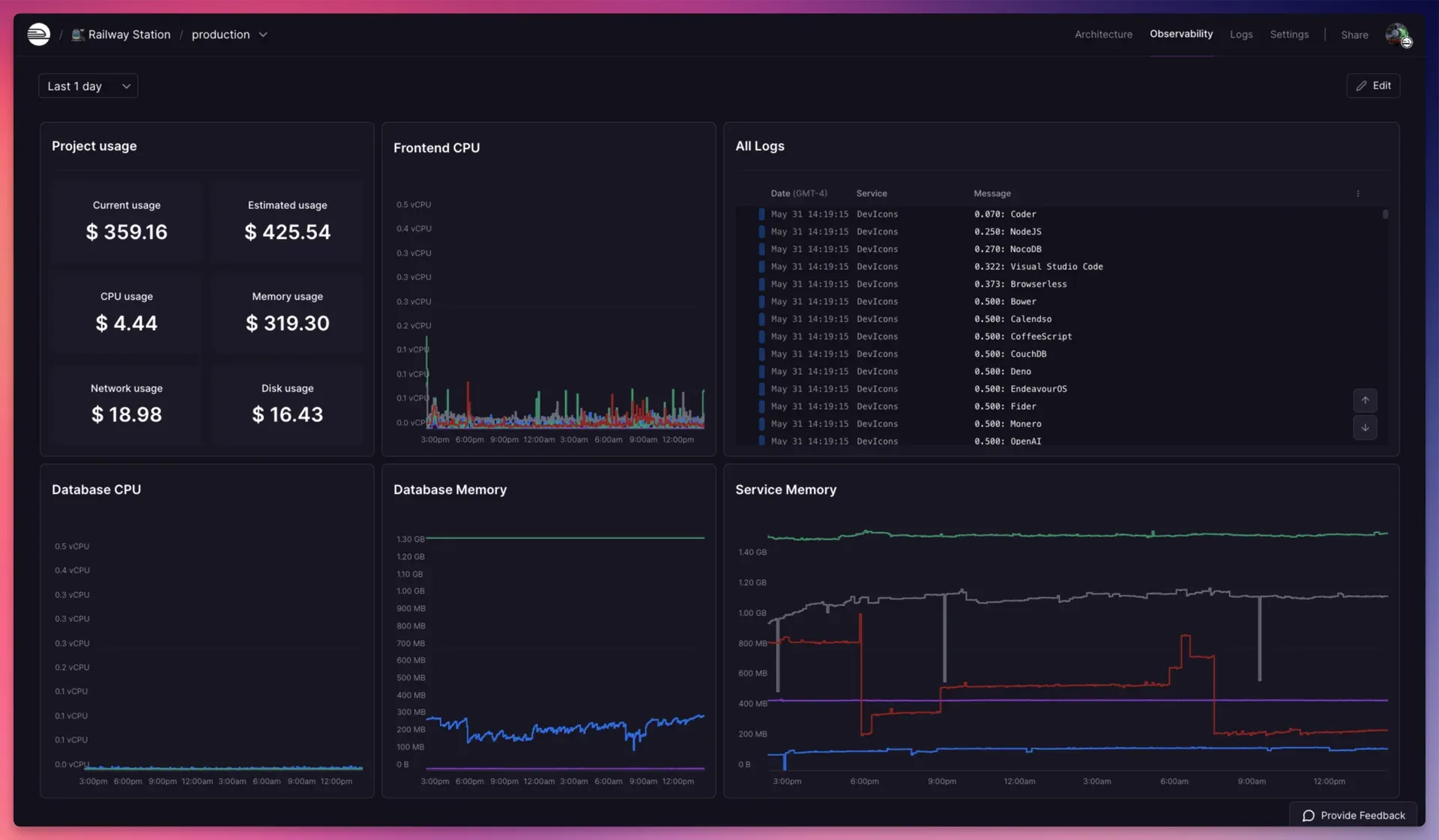
Railway observability dashboard with project usage, CPU and memory charts and a log panel.
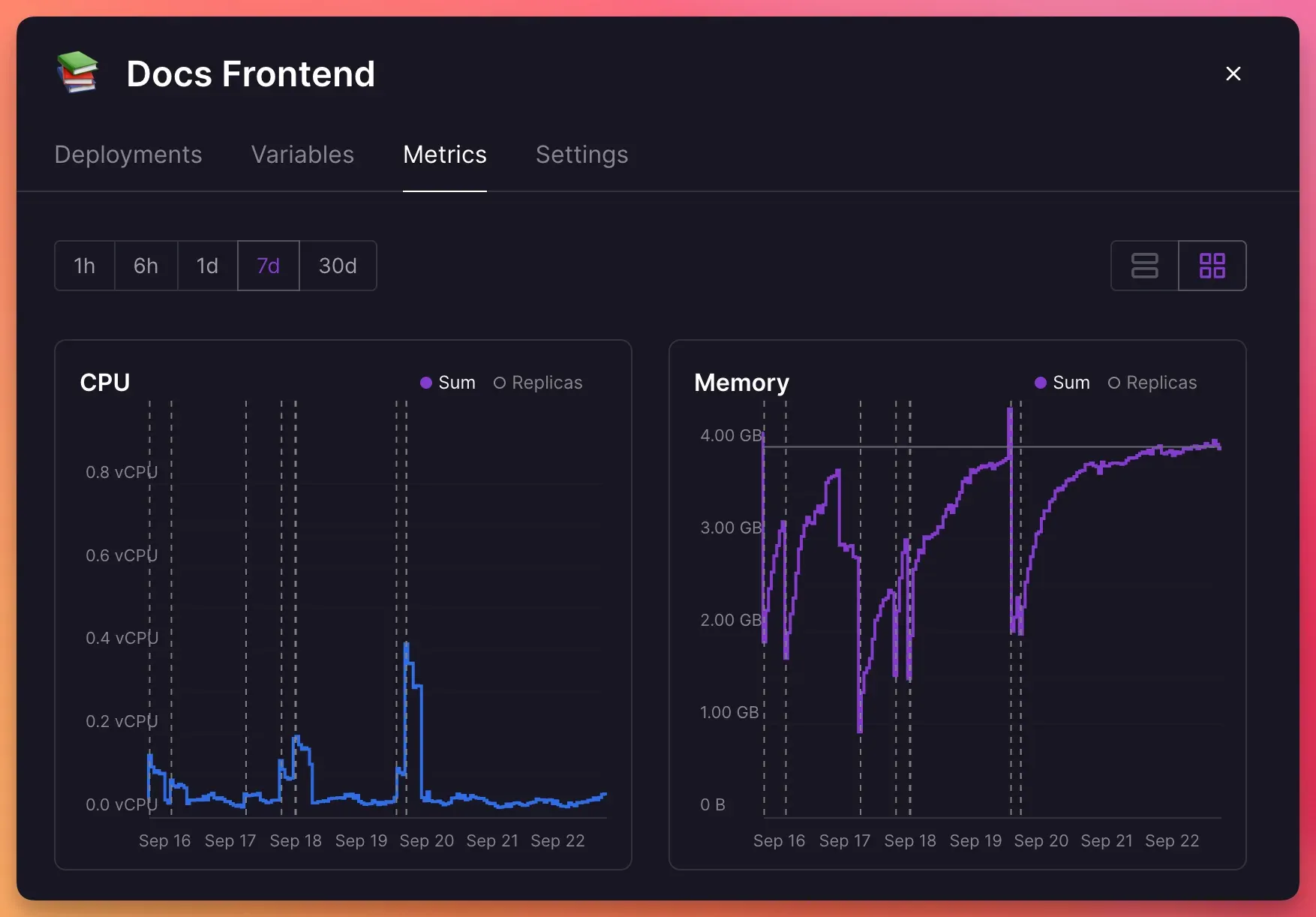
Service metrics showing CPU and memory over seven days, with sum and per-replica views.
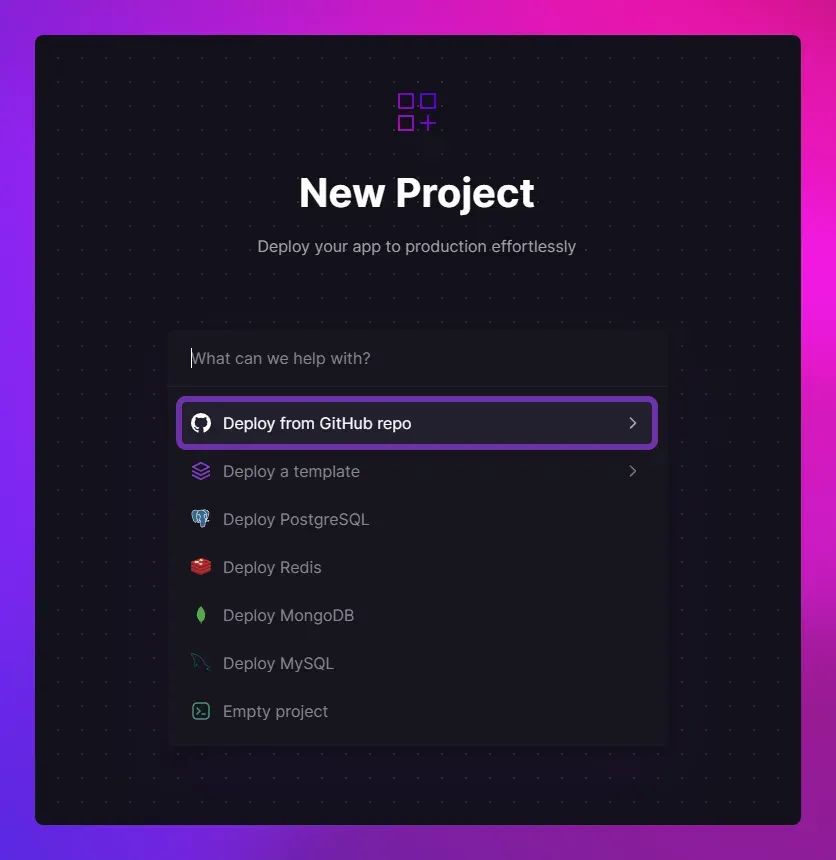
The New Project dialog with GitHub, template, PostgreSQL, Redis, MongoDB, MySQL and empty project options.
Source: official Railway project page.
Key capabilities
- Deploy from GitHub A service linked to a GitHub repository builds and deploys on each push to the configured branch. Watch paths, written as gitignore-style patterns, limit which changes trigger a new deployment, and a root directory can be set for monorepos.
- Railpack builds and Dockerfiles Source code is built by Railpack by default, without configuration, and the build and install commands can be overridden in service settings or with environment variables. The pricing page lists custom Dockerfile support and Docker image deployment on all plans, with build image sizes from 4 GB on Free to unlimited on Pro.
- Config as code Build and deploy settings can be stored in a
railway.jsonorrailway.tomlfile in the repository. The build configuration guide notes that the file path is absolute and does not follow the root directory setting. - Databases and templates The new project dialog offers one-click PostgreSQL, Redis, MongoDB and MySQL services, and the template marketplace deploys preconfigured stacks. The pricing page lists built-in database and volume backups and states that any open-source database can be deployed.
- Volumes and object storage Persistent volumes attach to services, with up to 0.5 GB on Free, 5 GB on Hobby and 1 TB on Pro. Buckets provide object storage with free Class A and B operations and free bucket egress.
- Environments and PR previews Each project can have multiple environments, such as production and staging, and pull requests can get their own preview environment. Rollbacks to previous deployments take one click, and deployments can be redeployed or restarted.
- Networking Services receive Railway-provided domains and custom domains with SSL. Private networking connects services inside a project, which the home page describes as 100 Gbps internal networking; the pricing page also lists a TCP proxy, an HTTP proxy, DDoS protection, wildcard domains and IPv6.
- Scaling and replicas CPU and memory scale vertically up to the plan limit, and services can run multiple replicas with load balancing, up to 6 on Hobby and 42 on Pro. The pricing page lists concurrent regions for a service on the Pro plan.
- Observability Build and deploy logs, CPU, memory, disk and network metrics per service and per replica, structured log filtering and custom dashboards are built in. Alerts can be sent by email, Slack, Discord or webhooks, and log retention ranges from 7 days on Hobby to 90 days on Enterprise.
- Cron jobs Services can run on a cron schedule instead of continuously. The pricing page allows 50 cron jobs per project on Hobby and 100 on Pro.
- Sandboxes Isolated Linux VMs for agents, builds and untrusted code support checkpoints, forks and templates. Default sizes range from 2 vCPU and 2 GB on Free to 8 vCPU and 8 GB on Pro, with idle timeouts up to two hours or never on paid plans.
- Railway CLI The CLI installs with Homebrew, npm (
npm i -g @railway/cli, Node.js 16 or later), Scoop on Windows or a shell script. It links projects, deploys a local directory withrailway up, runs local commands with production variables viarailway run, streams logs, opens SSH sessions and manages variables, domains, volumes and buckets. - Public GraphQL API The API at
backboard.railway.com/graphql/v2is the same one that powers the dashboard. It accepts account, workspace, project and OAuth tokens, and is rate limited from 100 requests per hour on Free to 10,000 per hour on Pro, as documented in the API guide. - MCP server and agent integrations A hosted MCP server at
mcp.railway.comlets AI assistants list projects, create projects, manage feature flags and redeploy services, connected throughrailway mcpor OAuth. Railway also documents plugins for coding tools and a built-in Railway Agent with a default monthly spend limit of $5 on Hobby and $20 on Pro. - Team and security controls Pro includes unlimited workspace seats with Admin, Member and Deployer roles, and 30 days of audit logs. Enterprise adds SAML SSO, access groups, environment-level RBAC and 18-month audit log retention.
Where Railway fits
Deploying a web app from a Git repository
A new project is created from a GitHub repository, and Railway detects the language, builds the code with Railpack and starts the service. A Railway domain or custom domain is attached in the service settings, and later pushes to the branch trigger new deployments. The quick start describes the flow from the dashboard and from the CLI.
Running an app with its database
A PostgreSQL, MySQL, MongoDB or Redis service is added to the same project, and its connection details are referenced from the application through service variables. Traffic between the two travels over the private network, and volumes keep the database files across deployments.
Preview environments for pull requests
With PR environments enabled, each pull request gets a temporary copy of the project's services with its own URL. Staging and production are separate environments in the same project, and changes can be synchronized between environments before deployment.
Deploying a local directory or Docker image
From a terminal, railway init creates a project and railway up uploads and deploys the current directory. Prebuilt images from Docker Hub or a private registry can be deployed directly as services without a build step.
Scheduled jobs and workers
Background workers run as services without a public domain, and batch tasks run on a cron schedule. Logs and metrics for these services appear in the same observability dashboards as web services, and configurable restart policies and healthcheck endpoints control how failed processes are handled.
Automating infrastructure through the API and agents
CI pipelines deploy with the CLI using a RAILWAY_TOKEN project token, and scripts manage projects through the GraphQL API. AI coding assistants connect to the hosted MCP server to create projects, deploy templates, pull environment variables and redeploy services.
Install
npm i -g @railway/cliReviews of Railway
Be the first to share your experience with Railway.
Write a review
Loading review form…
Alternatives to Railway
 RenderRender is a hosted cloud platform for web services, static sites, private services, background workers, cron jobs, managed Postgres and Key Value, deployed from Git or Docker images and described in render.yaml Blueprints.
 Fly.ioFly.io runs applications on Fly Machines, fast-launching VMs you control through a REST API or flyctl, with pay-as-you-go pricing from $2.19 a month.
 NorthflankNorthflank deploys services, databases, jobs and GPU workloads on its own cloud or in your cloud account, billed to the second with no seat fees.