
What is iCopy?
iCopy is an open-source backup app for iCloud Photos. On Windows it runs in the notification area as a tray app; a beta build for Apple Silicon Macs runs in the macOS menu bar. It downloads the original photos and videos of an iCloud Photos library to a folder on the computer or on an external disk, checks every file before it counts as copied, and resumes on its own after power cuts, network drops or restarts. Internally the project, its Rust crate and its executables are called icopia. The code, the interface strings and the documentation are written mainly in Spanish, and the README ends with an English summary.
The project is published by the GitHub account Z1Code under the MIT license. According to the changelog, version 0.1.0 appeared on November 7, 2026 with verified copying, the tray panel and the space-freeing wizard. Version 0.2.0 added a per-user Windows installer and automatic updates checked against ed25519 signatures. The current release, iCopy 0.3.0, adds the macOS beta, a second signature format that also covers the package name (version and operating system) so an older authentic installer cannot be served as a new one, a 300 MB size limit for update packages, and a fix that keeps the app running and resumes the copy when an update installer fails.
The README describes the problem the app addresses: with iCloud Photos and Optimize iPhone Storage turned on, the iPhone keeps reduced versions while the originals live in iCloud, and USB copies to Windows through File Explorer or the Photos app tend to stall or come out incomplete. iCopy does not use the cable. It talks to iCloud the way the iCloud website does, lists the library and downloads the originals over HTTPS.
The architecture has two parts. A Rust engine handles concurrent downloads, verification, resumption, the interface and a SQLite registry in WAL mode stored inside the destination folder. A small Python bridge, packaged with PyInstaller as puente-icloud.exe, handles only the conversation with Apple: login, two-factor authentication, listing, renewing download links and deleting. It uses the pyicloud_ipd library from the icloudpd project, pinned to icloudpd v1.33.0 in requirements.txt. The two processes exchange line-delimited JSON over standard input and output.
The project lists its limits plainly. It relies on the unofficial iCloud web API, so a change on Apple's side can stop it until icloudpd is updated. It needs an Apple ID with two-factor authentication, and accounts with Advanced Data Protection must enable access to iCloud data on the web on the iPhone. iCloud download links expire after about 15 minutes, so very slow connections with very large files can need several rounds. Freeing iCloud space is not yet available in the Mac beta. iCopy is not affiliated with or endorsed by Apple. Similar listings on iThub include Immich and Ente, which are photo backup services rather than iCloud downloaders.
Key capabilities
- All originals from the library ICopy downloads every original in the iCloud Photos library: photos, videos, the video part of Live Photos and edited versions. Files are sorted into
YYYY\YYYY-MM\folders by capture date. When two names collide, the app adds a suffix with the item id, for exampleIMG_0001 (ab12cd).HEIC, and an edited version is saved next to the original with an(editada)suffix. - Per-file verification Each file is checked for its exact size, for a complete container structure (JPEG, PNG, HEIC, MOV and MP4) and for a SHA-256 hash read back from disk. Originals with an atypical structure are confirmed by downloading them twice and comparing the bytes. Every part of an item moves through the states pending, downloading, downloaded and verified.
- Interruption-safe writes Downloads are written to
.partfiles and renamed only after verification, and partial downloads resume with HTTP Range requests. The README states that copying resumes after power cuts, network failures or restarts and never creates duplicates. Failed parts are retried with increasing waits and, if they keep failing, again in the next round. - Download link renewal ICloud download links expire after roughly 15 minutes. iCopy renews them in batches before they expire, without listing the whole library again. The project notes that a very slow connection combined with very large files can still need several rounds.
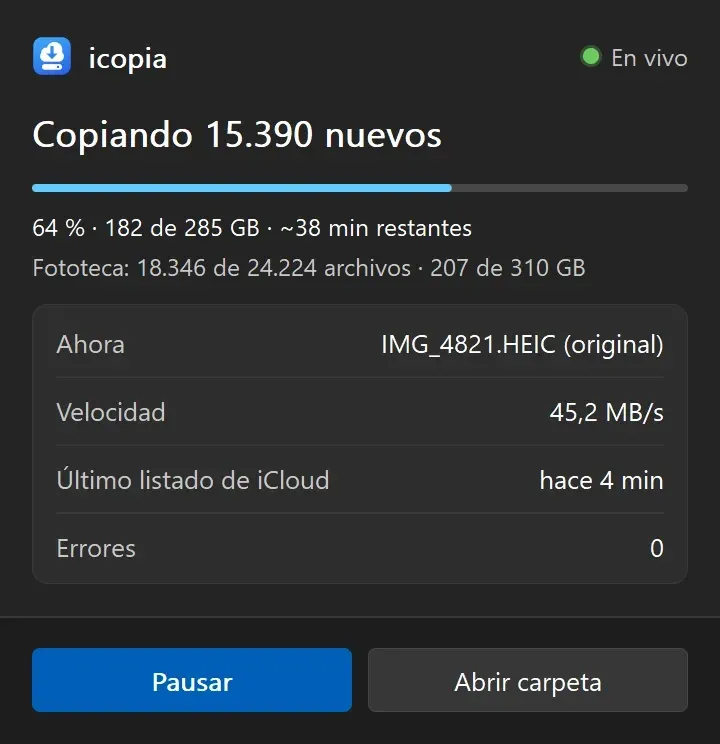
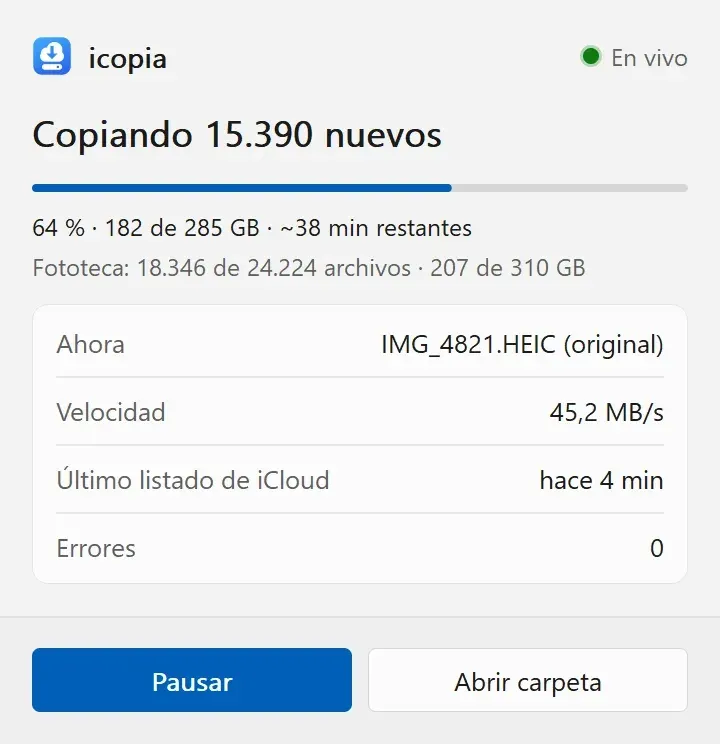
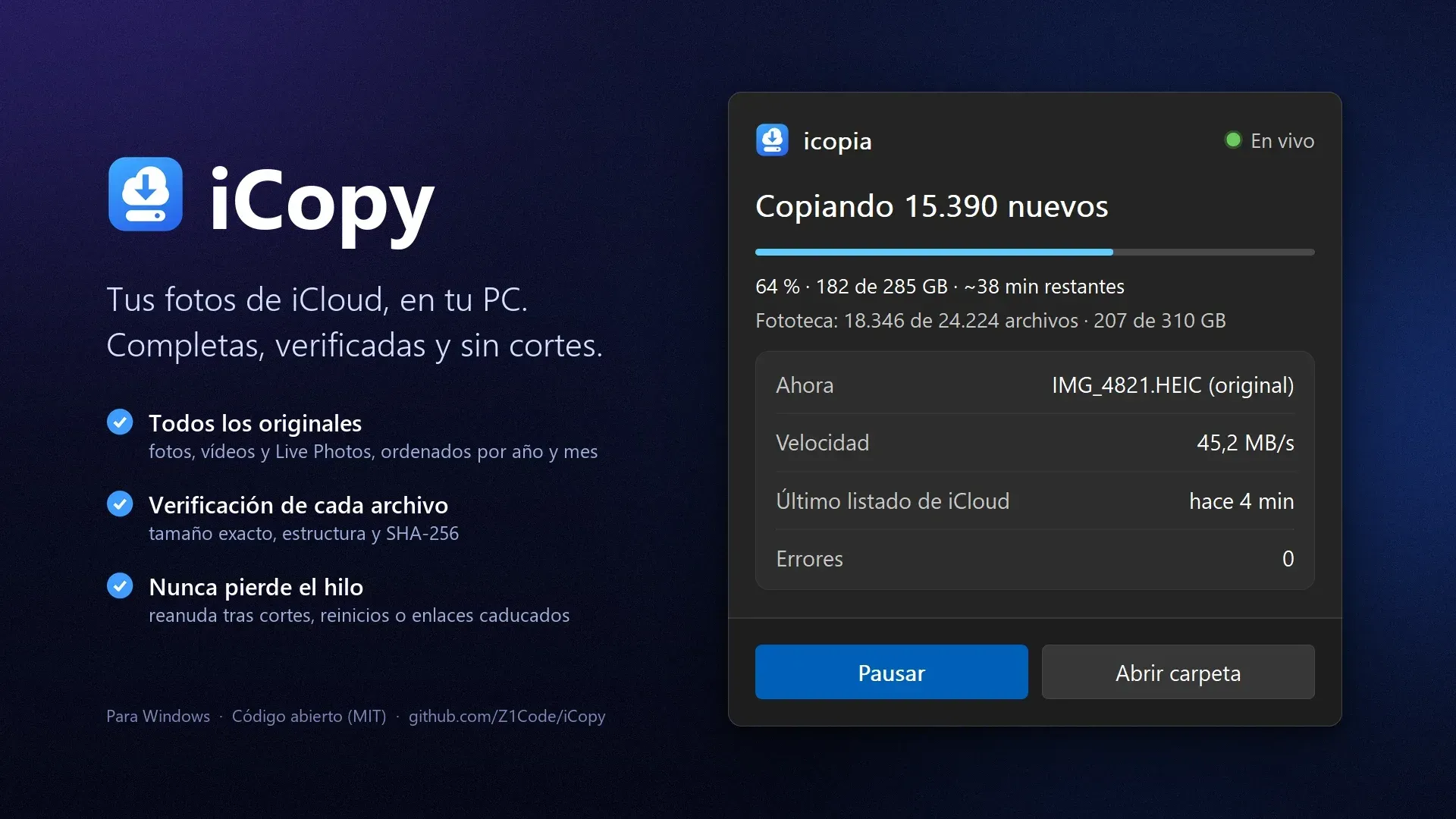
- Live tray panel Hovering over or clicking the tray icon on Windows opens a panel with the current round (progress bar, percentage and GB), the library totals, the transfer speed, the estimated time remaining, the file being copied, the time of the last iCloud listing and the error count. Pause and Open folder buttons sit at the bottom. The panel is drawn with GDI and has light and dark themes.
- Unattended operation On Windows the app can start with the system, checks iCloud every few hours (the default interval in the configuration is 4 hours), keeps the computer from sleeping while copying, and sends notifications when a round finishes, on errors, when the session expires and when the destination disk is full or disconnected. The default download concurrency is 3.
- Tray menu The right-click menu offers Copy now and Pause, Verify all, Free up iCloud space, Open photos folder, Change destination, Sign in to iCloud, Start with Windows, Update automatically and Check for updates. Pausing stops a round, and the next round continues where it stopped.
- Optional freeing of iCloud space A separate five-step wizard (Choose, Review, Confirm, Running, Result) deletes from iCloud only items whose parts are all verified, after verifying them on disk again (existence, size and SHA-256). Selection options are keeping the last 30 days, 3, 6 or 12 months, 2 or 3 years, or marking capture years; the plan can be opened as CSV before confirming.
- Deletion safeguards ICopy never deletes from iCloud on its own. Confirmation requires ticking a box and holding a button for 2 seconds in the window, or typing
BORRARin the console. The last 30 days are always kept, by capture date and by date added, and the iCloud Shared Library is never touched. Nothing is deleted from the PC. - Restore and audit trail Deleted items go to iCloud's Recently Deleted album, where Apple keeps them for 30 days, and a release can be undone with the Restore this deletion button or
icopia restaurar --ultima. Deletion runs in batches of 50; when Apple answers HTTP 503 orTRY_AGAIN_LATER, the app waits longer each time and retries. Every deletion is logged inborrados.csvwith the release identifier. - Command-line interface The
icopia.exeCLI covers the same operations:destinoto set the folder,login,diagnosticoto check the session and downloads,copiarwith an optional--mes YYYY-MM,estado,verificar,liberarwith--dias,--aniosor--hasta-anio, andrestaurar. The full list is in the README. - Sign-in and session storage The first start asks for a destination folder and opens an iCloud sign-in window for the Apple ID, the password and the 6-digit code from the iPhone. The password is not stored. On Windows the session is kept in
%APPDATA%\icopia\sesion\and the settings in%APPDATA%\icopia\config.json; mainland China accounts set"dominio": "cn"in that file. - Windows installer The Windows release is
iCopy-Setup-0.3.0.exeon the GitHub release page. It needs no administrator rights, installs to%LOCALAPPDATA%\Programs\icopia\, adds a Start menu entry and can register autostart. Requirements are Windows 10 or 11. The installer has no Windows code signature yet, so SmartScreen may report an unknown publisher; uninstalling from Settings keeps the photos and asks whether to remove settings and session. - Mac beta for Apple Silicon The macOS build,
iCopy-0.3.0-macos-arm64.dmg, is labelled beta and requires macOS 13 or later on an M1 or newer Mac. It is signed and notarized by Apple and runs as a menu bar app with copy status, Copy now, Pause, Verify all, Open folder, Change destination, Sign in and Open at login. Settings and session live in~/Library/Application Support/icopia/. - Signed automatic updates The app checks GitHub Releases at start and once a day, downloads the installer in the background and uses it only if its signature is valid. By default it installs when nothing is running (no copy, pause, deletion or open windows) and reopens; it never updates during an iCloud deletion. On the Mac the updater also checks Apple's signature and Team ID.
- Spanish and English interface The interface follows the Windows display language, Spanish or English, and the environment variable
ICOPIA_IDIOMA=es|enforces one of them. All interface keys exist in both languages. - Build from source Building requires Rust with the MSVC toolchain, Python 3.11 and Git.
instalar.ps1packages the Python bridge, compilesicopia.exe,icopia-bandeja.exeandicopia-login.exeand installs them;empaquetar.ps1builds the setup file with Inno Setup 6. The test suites run against a simulated iCloud and need no Apple account, and AGENTS.md documents the code layout.
Where iCopy fits
Backing up an iCloud library to a PC or external disk
The documented flow is to download the setup file, choose a destination folder on first start and sign in with the Apple ID, password and two-factor code. The app then lists the library and copies all originals into year and month folders. The tray panel shows the round progress and the library totals, and the registry in .icopia\registro.db inside the destination records the state of every part.
Recovering from interrupted copies
Large libraries take long transfers that USB copies on Windows often fail to finish, according to the README. iCopy writes partial files, resumes them with HTTP Range requests after a power cut, network drop, sleep or reboot, and renews expired iCloud download links in batches. Parts that keep failing are retried in the next round instead of stopping the run.
Keeping a local copy current
With autostart enabled the app checks iCloud on a schedule, every 4 hours by default, and copies only what is missing. Notifications report finished rounds, errors, an expired session and a full or disconnected destination disk. The verificar command or the Verify all menu item re-checks everything already copied.
Freeing iCloud storage after a verified backup
Once the copy is up to date, the Free up space wizard lets the user pick a retention window or capture years, re-lists iCloud, re-verifies the files on disk and shows a summary of file count, size, date range and excluded items before asking for confirmation. Deleted items stay in Recently Deleted for 30 days and the release can be restored from the result screen or with icopia restaurar. This workflow is Windows only in version 0.3.0.
Scripting with the CLI
The icopia command line runs the same engine without the tray app: set the destination, log in, run diagnostico, copy a single month with copiar --mes, print a summary with estado, verify, and free space with liberar --dias N, --anios or --hasta-anio. Deletion from the console requires typing BORRAR.
Backing up from an Apple Silicon Mac
The Mac beta is installed by dragging iCopy from the DMG to Applications. It appears in the menu bar rather than the Dock, asks for a destination and an iCloud sign-in, and macOS asks for folder access the first time it writes to an external disk, Documents or the Desktop. It performs the same verified copy as the Windows version and updates itself after checking both signatures.
Reviews of iCopy
Be the first to share your experience with iCopy.
Write a review
Loading review form…
Found iCopy useful? Upvote it todayYour vote helps other IT teams find it in the daily ranking.