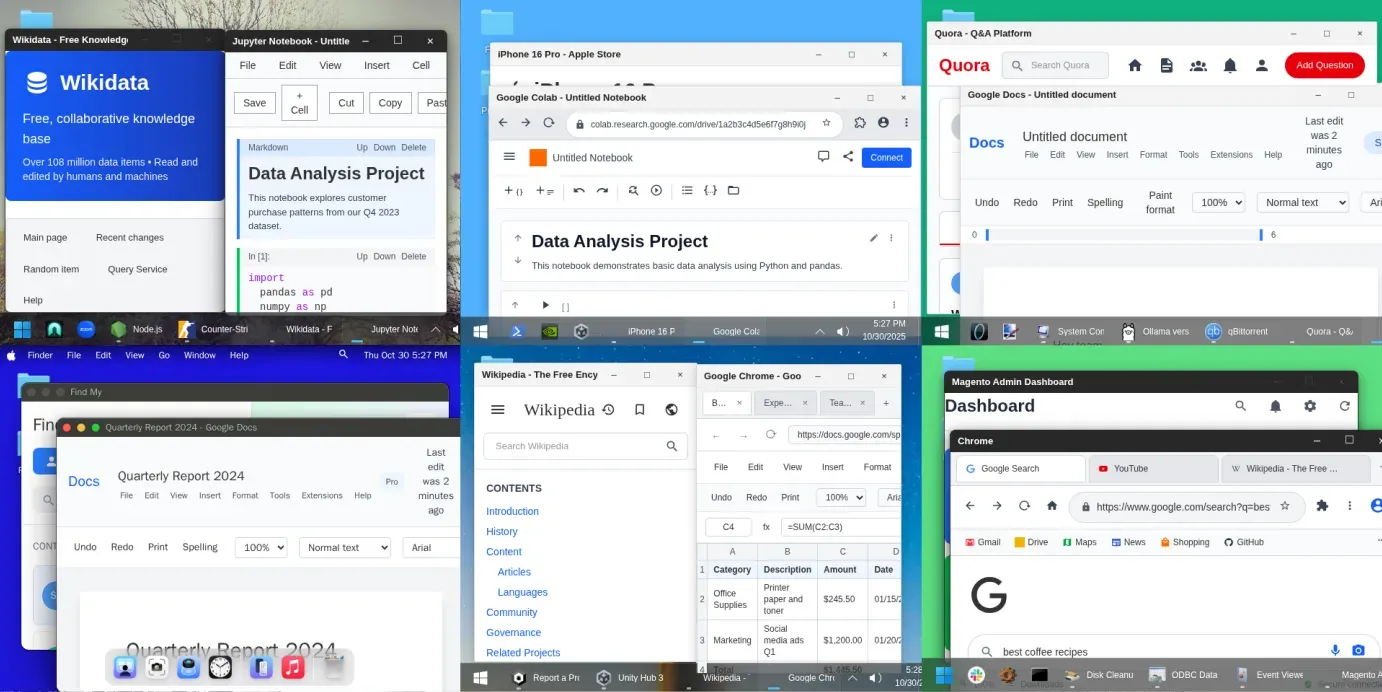
What is Cua?
Cua is a set of tools for computer-use agents, AI agents that operate graphical desktops as well as code and APIs. The trycua/cua repository is maintained by Cua AI, Inc. and holds several products: Cua Spaces, a desktop app that gives agents full desktops on computers the user already owns; Cua Driver, which lets an agent inspect and operate native apps and browsers on macOS, Windows and Linux; Lume, a CLI for macOS and Linux virtual machines on Apple Silicon; the cua SDK and cua command for local and self-provisioned sandboxes; CUA-S1, a research family of small decision models; and Cua Bench for building tasks, evaluating agents and exporting trajectories. The project describes its approach as Computer-Use 2.0: an agent moving between code, APIs and graphical interfaces within the same task. Users bring their own agent and model.
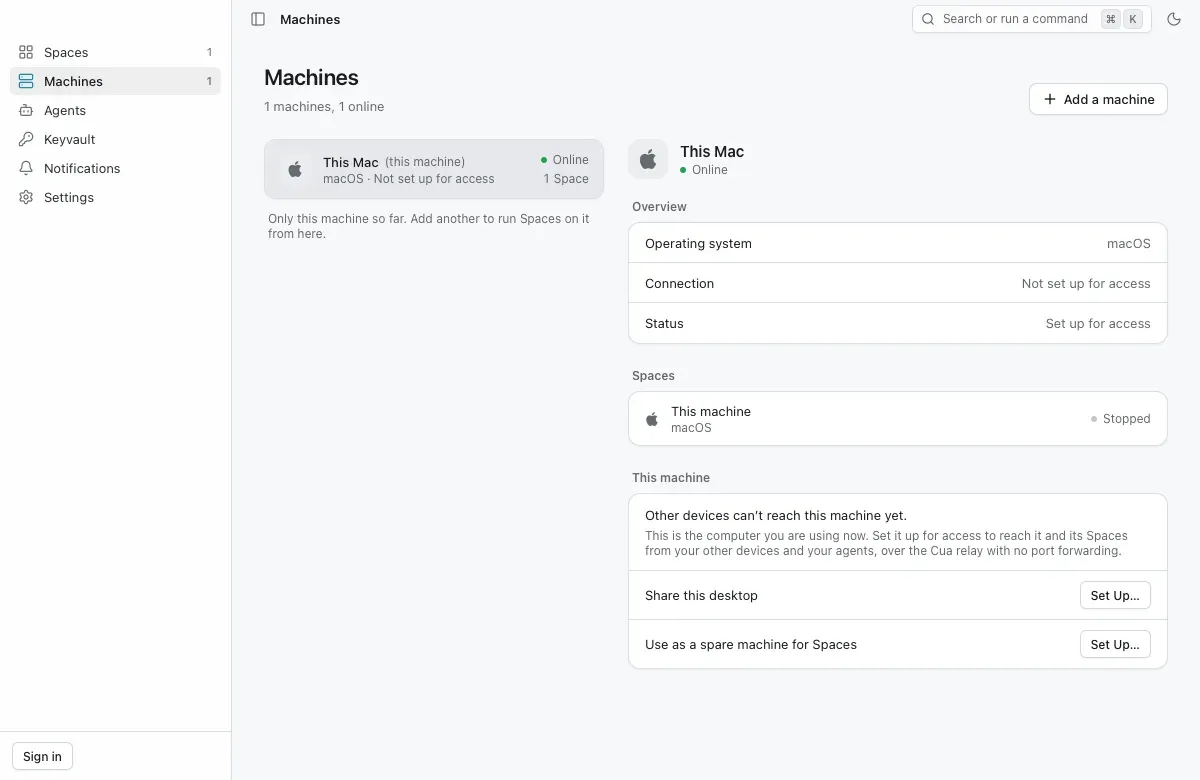
Cua does not host or rent computers. A Space is a macOS VM built locally on a Mac, or a Linux or Omarchy image, running on the user's Mac, on other computers the user adds, or in the user's own AWS, Google Cloud or Modal account. The hosted Cua Cloud and Cua Fleets ended on 18 October 2026; SDK calls that targeted it now fail with a message pointing to local sandboxes or the user's own computers. Several older packages, including cua-agent, cua-computer and the Lumier Docker image, are deprecated, and the README states that the cuabot npm package has known security issues and should be uninstalled.
Distribution differs per component. Cua Spaces ships as a signed universal .dmg and .pkg for macOS 26 or later, .deb packages for Ubuntu 24.04 on x64 and arm64, and Windows installers that the install guide labels as a preview; Linux AppImages are described as portable builds for trying the app, not supported ones. The install script curl -fsSL https://cua.ai/install.sh | sh (or install.ps1 on Windows) always installs the cua CLI and optionally adds the Spaces app and Cua Driver. Lume has its own install script and notarized macOS archives, and Cua Bench installs with uv on Python 3.12 or 3.13.
The latest GitHub release is Cua Spaces 0.37.2, published November 17, 2026, which fixes free-space checks before image pulls. Components are versioned separately and released often: the same week saw cua SDK 0.28.0, Lume 0.7.2, cua-bench 0.4.9 and a series of Cua Driver 0.52 builds that GitHub marks as pre-releases. The SDK core is written in Rust with Python (pip install cua), TypeScript (@trycua/cua) and Rust (cua-sdk) packages; Swift and Kotlin bindings are not yet released.
Licensing is split. The cua SDK, the cua command and daemon, Cua Driver, Lume and most of the repository are MIT. Cua Spaces (the apps, cua-spacesd, the Cua Keyvault, teleport, Cua Volume and the streaming client) and Cua Driver Bench are source-available under FSL-1.1-MIT: free to use, self-host and build on without offering a competing hosted service, with each release becoming MIT two years after it ships. Optional components such as cua-perception and cua-som carry AGPL-licensed parts, as listed in the repository's licensing notes.
Key capabilities
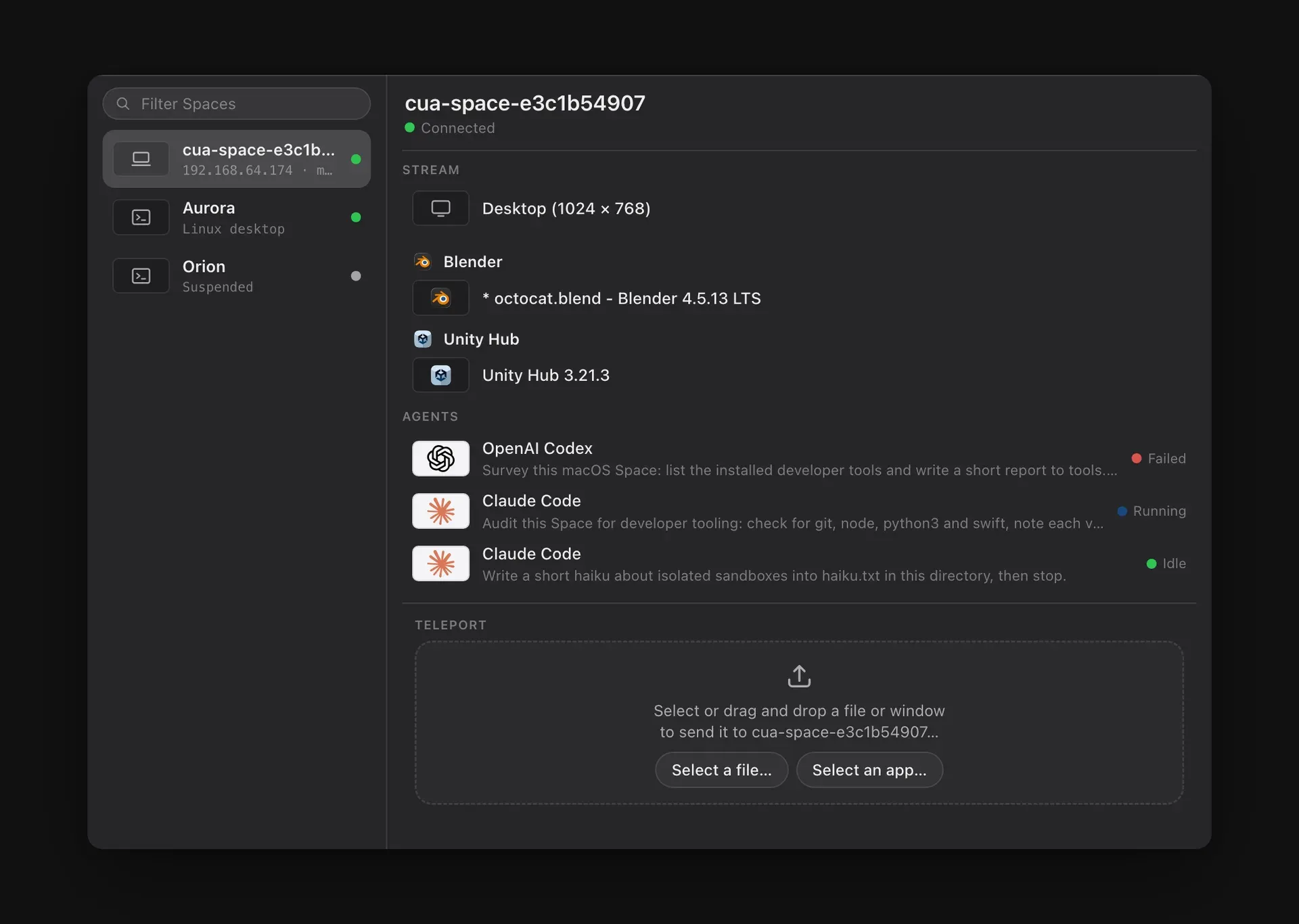
- Cua Spaces app A desktop app that lists Spaces, the computers they run on, connected agents and the Keyvault, and streams each desktop live. On macOS it sits in the menu bar and notch. Each Space is an isolated sandbox built from an image and a kind (
vm,gvisor,microvmorcontainer), and a computer can also share its own desktop as a Space. - Where Spaces run Spaces run on the current computer, on another computer the user adds, such as a spare Mac mini, or in the user's own AWS, Google Cloud or Modal account, which bills for those VMs directly. On Linux hosts, Spaces use Docker, with gVisor
runscisolation when installed, or QEMU with/dev/kvmaccess. The How Spaces works page describes the model. - Relay and direct connections
cua host setupmakes a computer reachable through the cua.ai relay over an outbound connection, so no inbound ports or port forwarding are needed. Direct connections on the same network or over Tailscale, using an address and token, bypass the relay. Relay use counts toward the plan limits on concurrent computers and remote hours. - Teleport and Cua Keyvault A signed-in app such as Chrome or Slack can be moved into a Space and opens there still signed in. Sessions are kept in the Cua Keyvault, encrypted on the Mac, and reach a Space only after the user approves. Files can also be sent into a Space from the app.
- Multiplayer desktops The user and agents work on the same desktop, each with its own cursor, and the user can step in to make a choice and hand control back. A Space can be shared with another cua.ai account as viewer or editor; the Teams plan adds shared team computers, roles and device approval.
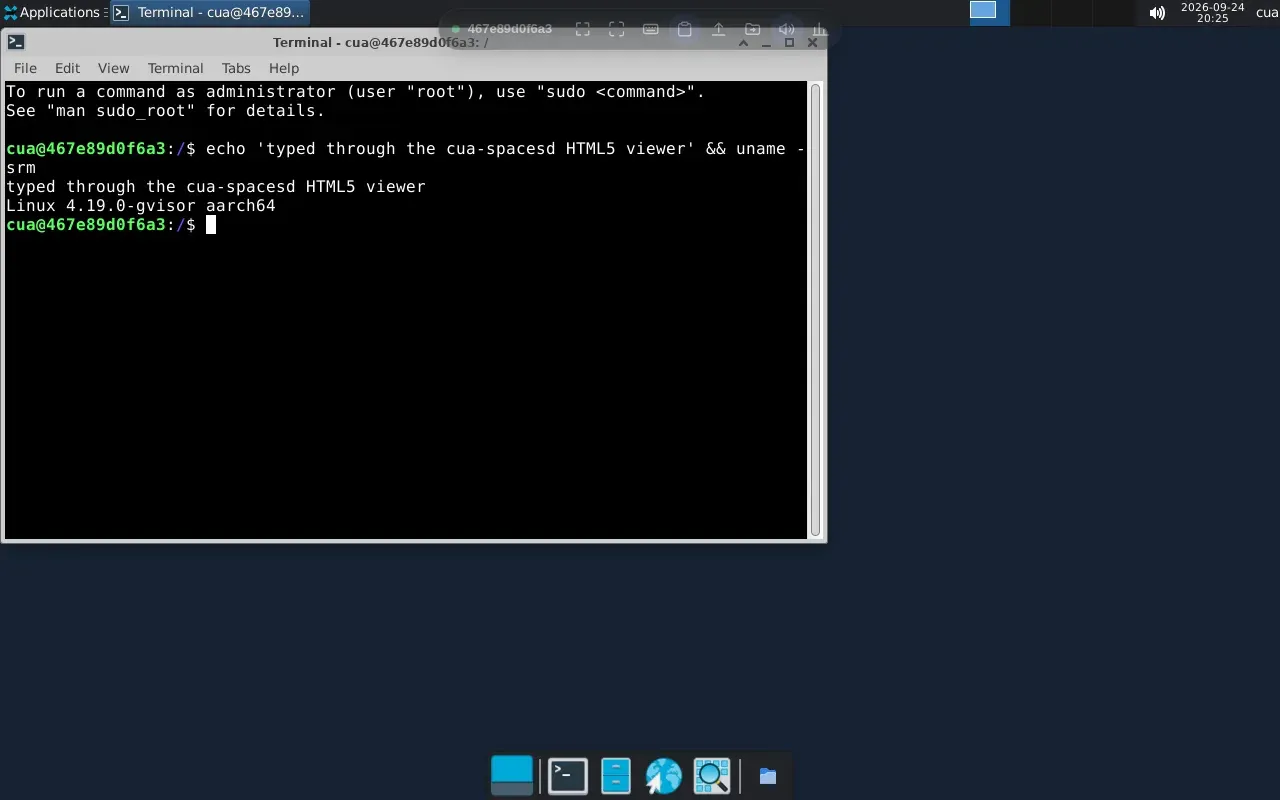
- cua-spacesd daemon Images that ship cua-spacesd expose processes, files, screenshots, input through Cua Driver and low-latency video and audio streaming on port 3211 over gRPC, so an agent can work as soon as a Space starts. Sandboxes do not need an agent inside; readiness comes from the runtime and optional port probes.
- Cua Driver Tools for an agent to inspect and operate native desktop apps and browsers, connected through a CLI, MCP or typed SDKs. On macOS it uses Accessibility, Quartz and ScreenCaptureKit and needs Accessibility and Screen Recording permissions; on Windows it uses UI Automation and Win32; on Linux it uses AT-SPI with X11 or Wayland. The platform support page lists background-input limits per platform and marks KDE, Hyprland and Omarchy as experimental.
- Background delivery Where the app and platform allow it, Cua Driver delivers input without moving the user's pointer or taking focus, so the user can keep working. Documented exceptions include elevated Windows apps, some macOS scroll and drag gestures and unfocused windows on standard Wayland.
- Lume virtual machines Lume creates and manages macOS and Linux VMs on Apple Silicon using Apple's Virtualization.Framework. The quickstart builds a vanilla macOS Tahoe VM from an Apple restore image with unattended setup and connects over SSH. Lume provides a CLI and a local HTTP API, as shown in the official architecture figure.
- cua SDK and CLI One SDK and one
cuacommand manage local VMs and containers and any computer running cua-spacesd.cua sb create ubuntu --name devstarts a gVisor container, andexec,screenshotandrmoperate on it. The Python, TypeScript and Rust SDKs share one API and run embedded in the process or through a sharedcua daemon. - Own harness integration The SDK contains no agent layer. Sandboxes are driven from the user's own agent harness, and the
cua auth loginstep of the installer offers to set up coding agents such as Claude Code, Codex and Cursor. The SDK quickstart covers a first local sandbox. - CUA-S1 models A family of small System 1 models for fast, bounded computer-use decisions, such as which value belongs in a form field. The first profile, CUA-S1-FORMS, scores decisions from structured interface elements; weights and dataset are hosted on Hugging Face. The README calls the GitHub component an early, source-only research release.
- Cua Bench A toolkit to build computer-use tasks, evaluate agents and export trajectories for training, including reinforcement-learning environments. The quickstart creates a simulated task that needs no VM, Docker or model API key, runs its reference solution and checks that the evaluator returns a reward of
1.0. - Plans for Cua Spaces The pricing page lists Free at $0 with up to 2 computers in use at once and 20 remote hours a month; Pro for one person at $18 a month, or $15 a month billed $180 yearly, with 5 computers and 200 remote hours; and Teams at $30 per seat a month, or $25 billed $300 per seat yearly, for 1 to 100 seats, each seat adding 5 computers and 200 hours to a shared pool. Using a computer from itself is free, and SSO and audit export are listed as coming next.
- Installation per platform MacOS and Linux use
curl -fsSL https://cua.ai/install.sh | sh; Windows usesirm https://cua.ai/install.ps1 | iex. Flags select or skip components, for example--cli-onlyfor only the CLI. Cua Driver and Lume also have standalone install scripts under cua.ai.
Where Cua fits
Giving coding agents a full desktop
An agent such as Claude Code or Codex is connected to a Space through the cua MCP server, CLI or SDK, and works inside a macOS or Linux desktop instead of on the user's own screen. The Spaces app shows each agent's task and status, and the user can watch the stream, take over and hand the desktop back. The Spaces quickstart walks through installing the app and running a first Space.
Pooling spare machines for a team
A spare Mac or Linux PC is set up as a host with cua host setup and reached through the relay, Tailscale or SSH. On the Teams plan, computers can belong to the team rather than to individuals, with roles and device approval, and each seat adds concurrent computers and remote hours to a shared pool.
Automating native apps on the current computer
With Cua Driver installed, an agent operates desktop applications through accessibility APIs, in the background where the platform allows it. The quickstart asks an agent to compute 6 times 7 in Calculator and verify that the app displays 42. A demo in the README shows two Driver sessions working in LibreOffice Calc and Inkscape while a terminal stays in the foreground.
Disposable sandboxes from code
Developers create ephemeral Linux, macOS or Windows sandboxes from Python, TypeScript or Rust, run commands, take screenshots and remove them, either locally or in their own AWS, Google Cloud or Modal account, where each sandbox has a time limit and is cleaned up afterwards.
macOS VMs on Apple Silicon
Lume creates macOS and Linux VMs with Apple's Virtualization.Framework from the command line or its HTTP API, for example to give an agent or a CI job a clean macOS Tahoe system reachable over SSH. The Lume quickstart documents the unattended setup defaults.
Evaluating agents and generating training data
Cua Bench tasks define an environment, a reference solution and an evaluator that returns a reward. Agents are run against them, and their trajectories are exported for training. Similar listings on iThub include Sandbox0 for managed agent sandboxes and OpenComputer.
Install
curl -fsSL https://cua.ai/install.sh | shReviews of Cua
Be the first to share your experience with Cua.
Write a review
Loading review form…
Found Cua useful? Upvote it todayYour vote helps other IT teams find it in the daily ranking.