

What is Sandbox0?
Sandbox0 is a managed cloud runtime that gives an AI agent an isolated cloud computer, called a sandbox. Its defining idea, described on sandbox0.ai, is that the whole writable root filesystem (RootFS) belongs to the sandbox: installed software, system configuration under /usr and /etc, caches and user files under /home and /workspace persist across successful checkpoints. Compute can be paused between tasks and resumed later, and the site shows gVisor as the isolation layer.
Sandbox0 Cloud is the only supported deployment. The deployment options page states that self-hosting support ended on October 16, 2026, that current runtime development is closed source, and that a Bring Your Own Cloud option is planned with no launch date. The historical Apache-2.0 runtime repository is archived read-only and receives no fixes. The s0 command line client and the Go, JavaScript/TypeScript and Python SDKs remain open source, and they default to the API at https://api.sandbox0.ai.
You work with it through the quickstart: install the s0 CLI with the documented shell or PowerShell script, or with go install, sign in with s0 auth login, create a team-scoped API key for SDK use, then claim a sandbox from a template and run commands and file operations. The documentation describes a control plane of regional gateways and a scheduler, and a per-region data plane with its own PostgreSQL and object storage. The newest release visible to us is the s0 CLI v0.10.5; the hosted service itself is not versioned publicly.
Sandbox0 is a paid, usage-based service. Compute is billed by the second against the configured memory limit, retained incremental storage is billed per GiB-month, and eligible new users receive a $5 credit after adding a credit card. The documentation describes a runtime for agents; it does not describe model selection, task planning or a chat interface.
Sandbox0 screenshots
Explore the interface. Open a screenshot to view it at full size.
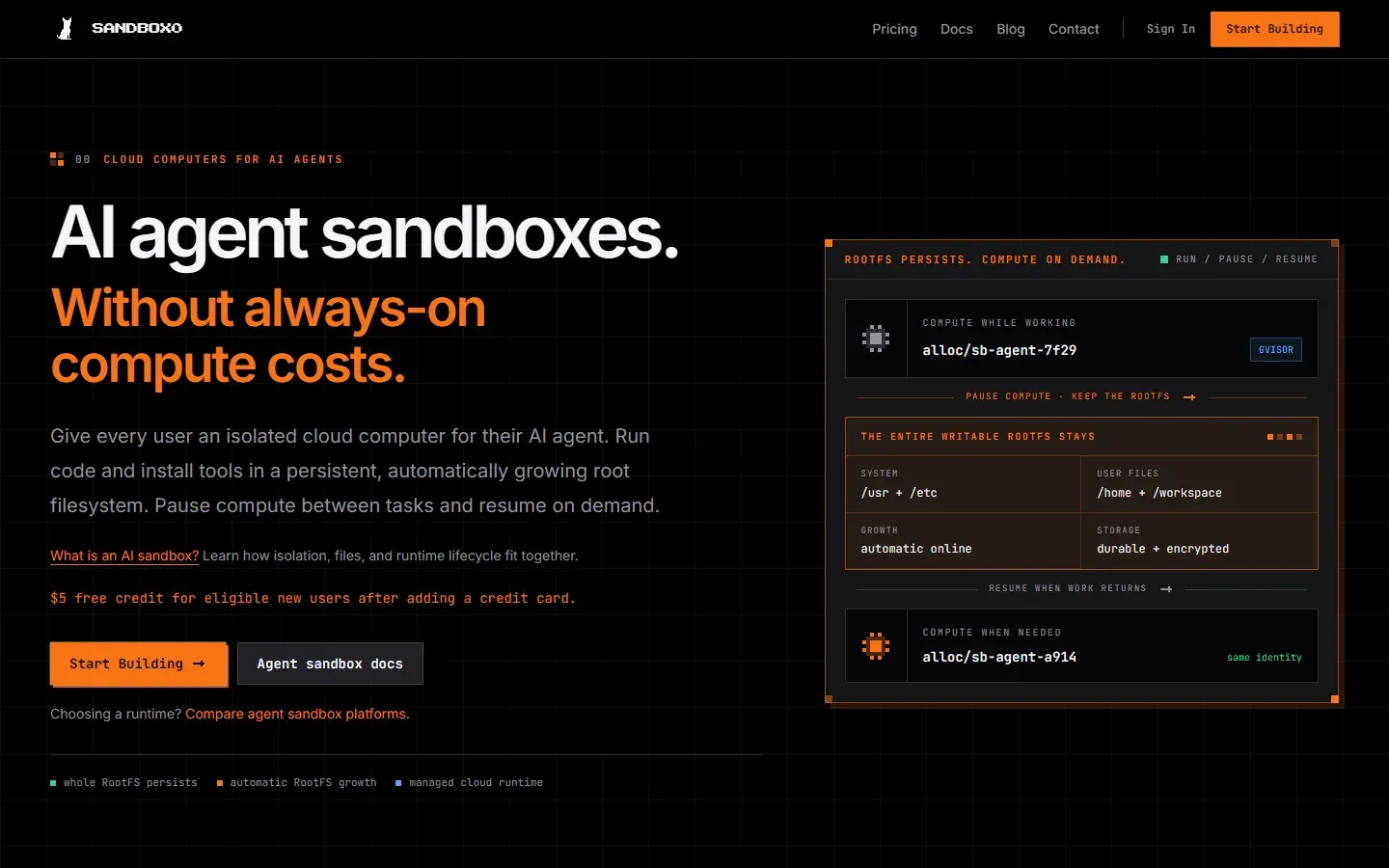
Screenshot of the Sandbox0 home page. The diagram shows compute running, paused and resumed while the RootFS persists.
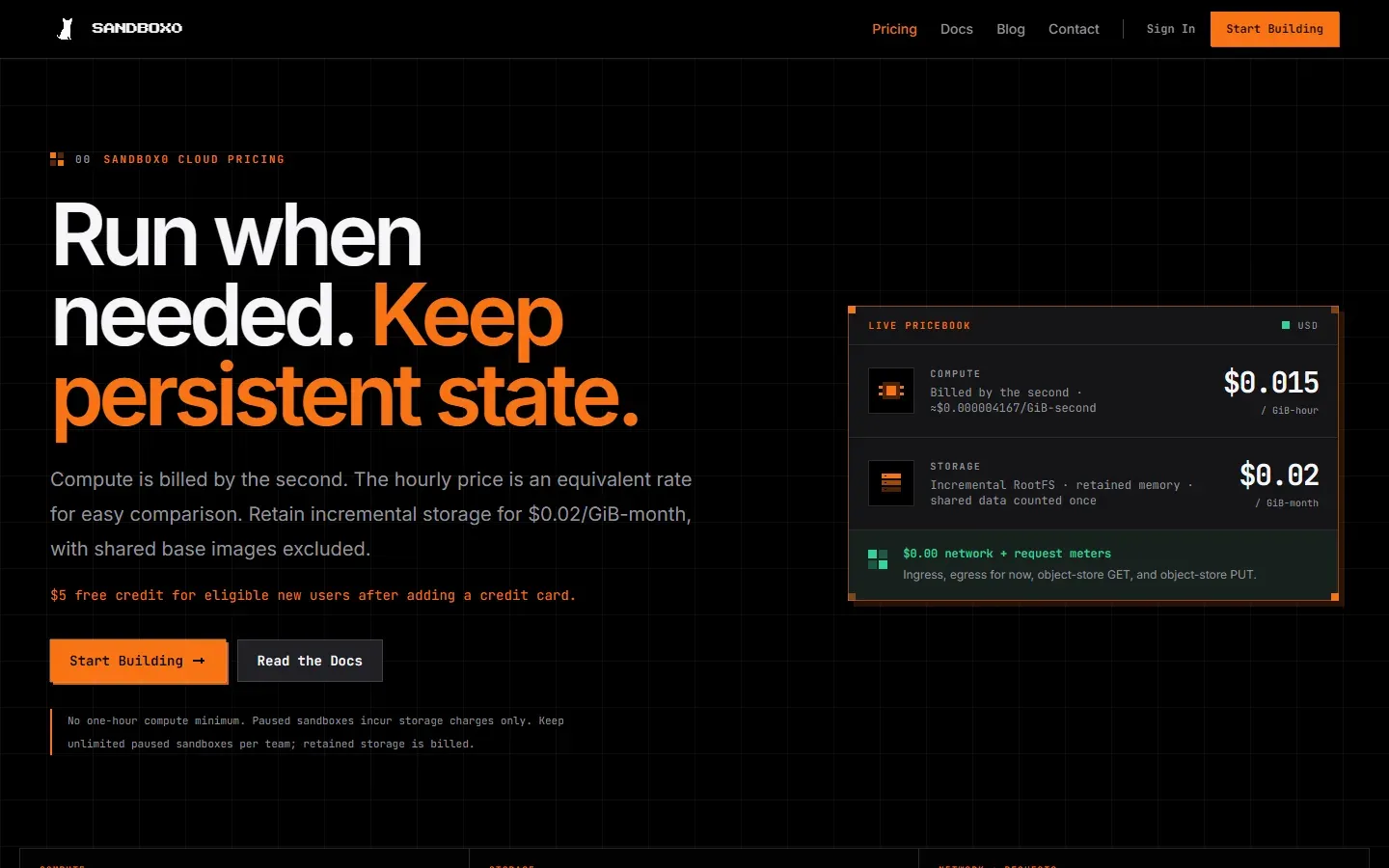
Screenshot of the Sandbox0 pricing page, listing $0.015 per GiB-hour for compute and $0.02 per GiB-month for storage.
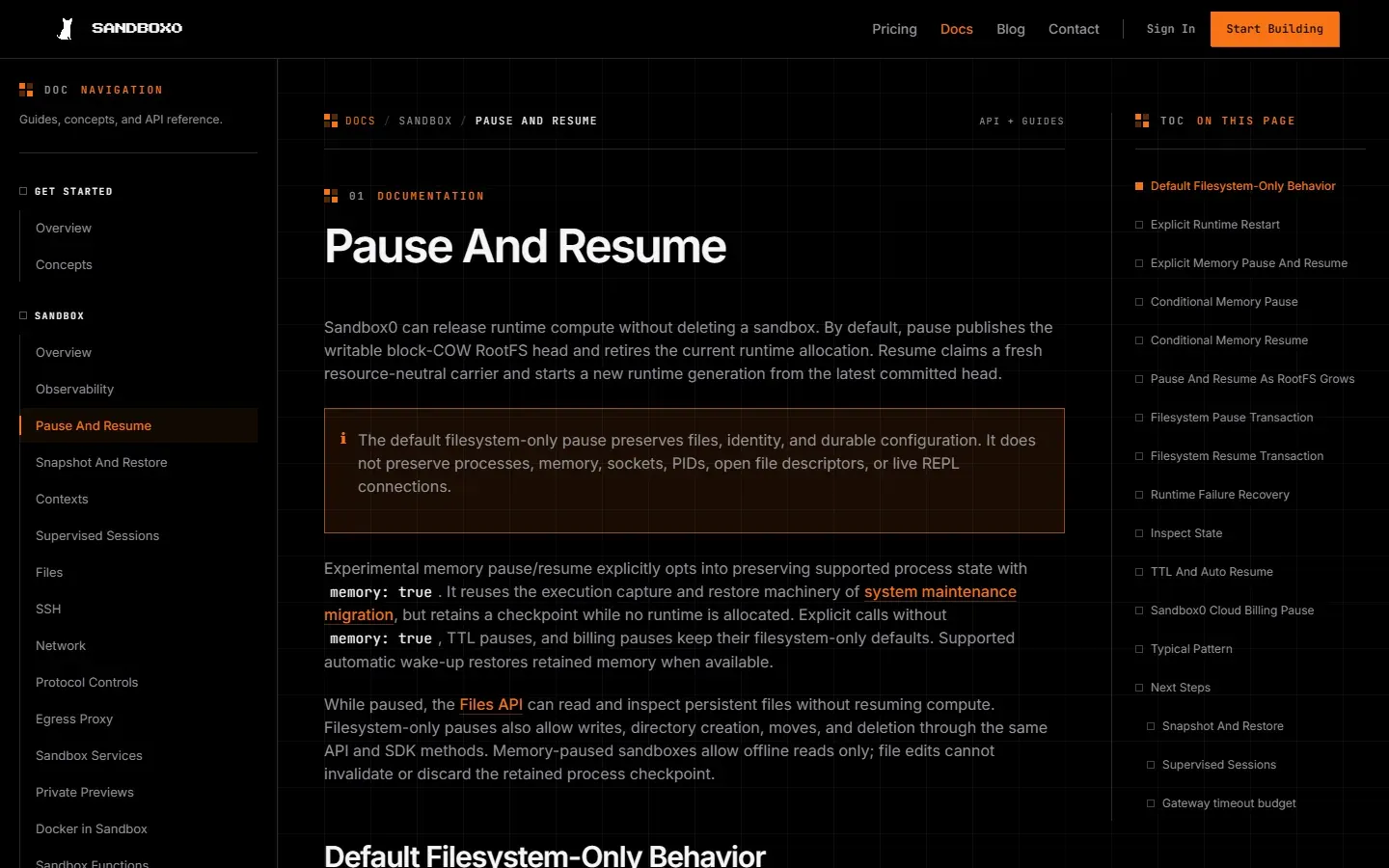
Screenshot of the Pause and Resume documentation page with the navigation tree and page outline.
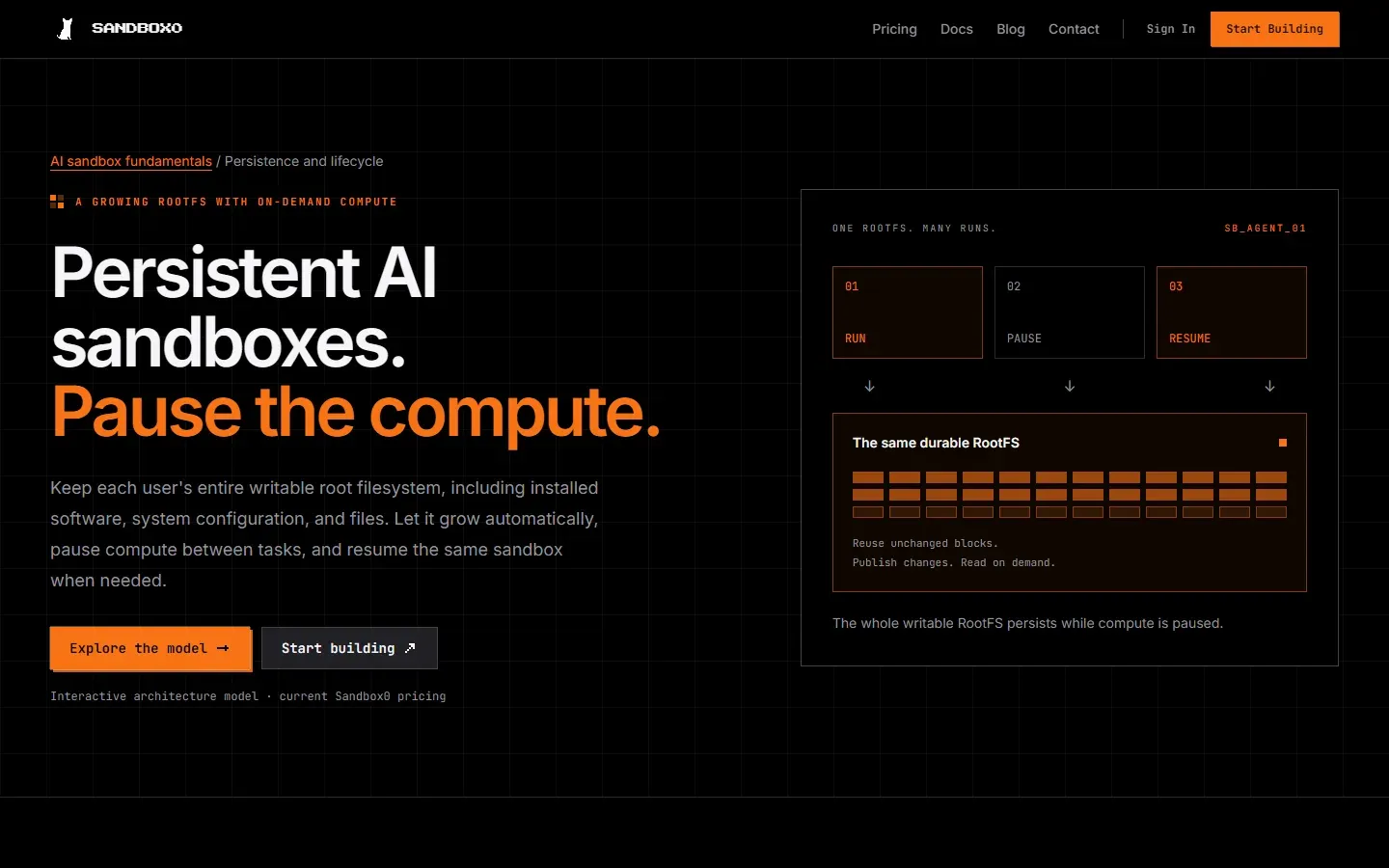
Screenshot of the persistent sandboxes page, which models run, pause and resume over the same RootFS.
Source: official Sandbox0 project page.
Key capabilities
- Persistent writable RootFS Each sandbox keeps one block copy-on-write root filesystem across pause and resume. System packages, configuration, caches and workspace files survive successful checkpoints. Paths that are runtime-only, such as
/tmp,/proc,/dev,/sysand template-defined ephemeral mounts, are recreated, so durable data must not be stored there. - Automatic online RootFS growth Growth-enabled templates expand the root filesystem while the agent keeps running, up to a configured device ceiling. Existing images and snapshots keep their original filesystem size. Check the ceiling in the template before planning large workspaces.
- Pause and resume Pause publishes the latest changed blocks and releases the compute allocation; resume claims a fresh carrier and starts a new runtime generation from the latest committed head. The default pause preserves files, identity and configuration, but not processes, memory, sockets or open file descriptors. On Sandbox0 Cloud, paused sandboxes incur no compute charges, while an idle sandbox that stays running does.
- Experimental memory pause Setting
memory: truekeeps supported process state in a retained checkpoint while no runtime is allocated. The documentation marks this as experimental and limits it to compatible workloads. Memory-paused sandboxes allow offline reads only, so file edits cannot invalidate the checkpoint. - Files while paused The same Files API and SDK methods read, write, list, move and delete persistent files without starting compute when the sandbox is in a filesystem-only pause. File operations do not trigger auto-resume. Virtual mounts and runtime files need the runtime and are unavailable offline.
- Snapshots, restore and forks Named RootFS snapshots are point-in-time records that you can list, claim new sandboxes from, restore into a paused sandbox, or use to fork an isolated child. Snapshots and forks share unchanged data within a team. The Rebase operation is documented but not exposed by the current Cloud gateway.
- Templates and warm pool Every sandbox is claimed from a template that sets image, default memory, environment and network policy. Builtin templates include
defaultandcoding-agent; teams can create custom templates from a digest-pinned image or from an initialized sandbox. CPU is derived from memory by platform policy, with a memory minimum of 128Mi, and warm capacity is shared across templates. - Lifecycle, TTL and limits Sandboxes move through starting, running, paused, terminating and failed states. A soft
ttlpauses a sandbox and ahard_ttldeletes it with its durable state; both default to disabled. The platform default memory ceiling is 16Gi and list calls return 50 items by default, 200 at most. Over-limit claims return429withquota_exceeded. - Command contexts and supervised sessions Contexts run one-shot commands and REPL workflows. Supervised sessions run a process as a sandbox-owned resource with a stable identity, a replayable event journal, PTY support and restart after failure or runtime replacement. Closing an SDK stream detaches the client without stopping the process.
- Network policy Outbound traffic is controlled by a
SandboxNetworkPolicywith an allow-all or block-all default and ordered allow or deny rules matching domains, CIDRs, ports and application protocols. Cloud metadata and host credential endpoints are protected by the platform and cannot be opened by a rule. Protocol-aware controls and a customer-managed SOCKS5 egress proxy are documented separately. - Credential injection Credential sources, bindings and rules let Sandbox0 authenticate outbound requests without putting raw secrets in the sandbox process. Projections include HTTP headers, placeholder substitution, TLS client certificates, username and password, and SSH proxy authentication. Sources are team-scoped objects within a region, stored in encrypted PostgreSQL or a Vault-compatible backend managed by the platform.
- SSH, previews and services Standard SSH and SFTP-backed scp reach the sandbox through a region-scoped gateway using uploaded public keys. Private previews let an authenticated client open a loopback-only HTTP server for IDE panes, with 30 to 3600 second grants. Sandbox Services and Python Sandbox Functions publish routes with their own auth, CORS, rate limit and auto-resume policy.
- Docker in Sandbox A template can run a Docker daemon inside the sandbox for agents that expect
docker runordocker build. It needs a Docker-enabled image and the privileged security class, which applies inside the gVisor guest. Docker state lives on ephemeral storage and is discarded by filesystem-only pause and resume. - Shared browser and coding workspaces The
coding-agenttemplate includes Chrome Stable, the Playwright CLI and a noVNC viewer so a human and an agent can share one browser through a private preview. The Browser desktop is not started when a sandbox is claimed, and browser profile files persist on the RootFS. - Observability Streaming logs and events, bounded runtime metrics and a health status are available through the API and CLI, for example
s0 sandbox logs --watch. The documentation notes that audit events require an enterprise feature. - CLI and SDKs The s0 CLI covers authentication, teams, API keys, templates, sandboxes, commands, files and logs. Official SDKs exist for Go, Python and TypeScript, with Python requiring 3.9 or newer. The source for the CLI and SDKs is public under the sandbox0-ai organization.
- Teams, roles and API keys Access uses device login, teams and scoped API keys with roles such as developer and builder. Template changes need team admin permissions. A home region is chosen when a team is created, and credentials do not replicate across regions.
- Integrations and agent references Documented guides cover GitHub CI, LangChain Deep Agents, the OpenAI Agents SDK and Vercel Eve, plus hosting guides for OpenClaw and Hermes. The site also publishes an agent-readable reference at
/llms.txtand Markdown versions of its docs. - Usage-based pricing Compute is $0.015 per GiB-hour billed by the second, retained incremental storage is $0.02 per GiB-month with shared base images excluded, and network and object-store request meters are listed as free at current rates. There is no monthly plan fee on the pricing page, and no one-hour compute minimum.
Where Sandbox0 fits
Giving each user a persistent coding workspace
Claim the coding-agent template, clone the repository under /workspace, and pause the sandbox when it is idle. Resume restores the writable RootFS, so dependencies and build caches are still present. Check that nothing durable sits in /tmp, and set a hard TTL so abandoned workspaces do not accrue storage indefinitely.
Running long agent jobs without always-on compute
Set ttl to pause idle sandboxes (see Pause and Resume) and enable auto-resume for the routes that should wake them. Plan for resume latency, because the documentation says wake-up takes time and depends on available capacity. Treat processes as disposable unless you use the experimental memory option or a supervised session.
Fanning out parallel tasks from a prepared state
Prepare a workspace once, create a named RootFS snapshot (Snapshot and Restore), and claim new sandboxes from the snapshot ID for each task. Forks give an isolated child when you need to branch a running sandbox. Delete snapshots you no longer need, since retained data keeps accruing storage charges.
Controlling what an agent can reach
Start from a block-all network policy and add ordered allow rules for the domains and ports the task needs. Use credential rules so that tokens are injected at the egress boundary rather than stored in the sandbox. Read the effective policy after each update instead of assuming omitted template rules were removed.
Hosting an agent runtime or a browser session
Use supervised sessions for processes that must outlive a client connection, and private previews to show a human the running application or the shared Chrome desktop. Use Sandbox Services only when a public HTTP entrypoint is needed, and review the route policy before exposing it.
Running tests and Docker workloads from CI
Follow the GitHub CI integration guide to claim a sandbox per pipeline run, and enable Docker in Sandbox only for templates that need service containers. Remember that Docker images and volumes are discarded on pause, so keep source and results on the persistent RootFS.
Install
curl -fsSL https://raw.githubusercontent.com/sandbox0-ai/s0/main/scripts/install.sh | bashReviews of Sandbox0
Be the first to share your experience with Sandbox0.
Write a review
Loading review form…
Alternatives to Sandbox0
 Kortix CompanyOSSource-available platform for running AI agents across a company: event-triggered agents, 3,000+ connectors, per-session cloud computers, approvals and audit, from Kortix Cloud or a self-hosted Docker Compose stack.
 NVIDIA NemoClawApache 2.0 reference stack from NVIDIA for running OpenClaw, Hermes or LangChain Deep Agents Code inside OpenShell sandboxes, with guided onboarding, provider keys kept outside the sandbox, deny-by-default egress and state-preserving rebuilds.
 ModalModal is a cloud platform for running AI inference, training and sandboxes on GPUs and CPUs billed per second, with $30 of free credits each month.