What is Nod?
Nod is an open-source personal agent from n8n GmbH, the company behind the n8n workflow automation platform. It gives one person a single ongoing conversation with an AI assistant that has its own Linux workspace and its own Chromium browser, so it can run commands, keep files, sign in to websites and act in connected apps such as Gmail, Google Calendar, Slack, Notion and Linear. The project describes jobs such as chasing an unpaid invoice, preparing a brief before a call, cancelling a trial subscription or watching a web page for a price change. The source code is published under the Apache License 2.0, and the project labels Nod an early research preview in which features and data formats can still change.
Nod is distributed in three forms. The desktop app installs on macOS 14 or later (Apple silicon or Intel) from signed and notarized DMG files; a Windows 11 x64 installer signed by n8n GmbH and a Linux x64 Flatpak bundle are marked as previews. A local assistant on Windows needs WSL 2 with hardware virtualization, and on Linux it needs KVM and a desktop secret store. The second form is a source install on macOS or Linux with Node.js 24.21 or later, pnpm and Docker. The third is a self-hosted server run with Docker Compose on Linux AMD64 or ARM64 or on a Mac, which the desktop app, a web browser, Telegram and WhatsApp can all reach with an access token. A managed hosted version is listed on the project roadmap, not as an available product.
Under the hood, Nod is one Node.js process plus a few Docker containers on the machine that runs it: the Nod server, a sandboxed Linux workspace container, a Chromium browser container and PostgreSQL. The server is written in TypeScript on Node.js 24 with Fastify, React, PostgreSQL with pg-boss, the Pi agent runtime, agent-browser, Composio, the Model Context Protocol and Electron for the desktop shell. According to the architecture documentation, policy runs in the server rather than in the prompt: the trust check, Vault, payments and spending limits are enforced there, results from apps and websites reach the model marked as data, and provider keys never enter the workspace or the browser.
Nod does not run language models itself. It connects to a provider chosen by the user, including OpenAI, Anthropic, Google Gemini, OpenRouter, Amazon Bedrock, Google Vertex AI, Azure OpenAI and more than 20 other named services, an OpenAI-compatible server such as Ollama, or a ChatGPT Plus or Pro plan through Sign in with ChatGPT. Nod itself is free; the model provider bills its own usage. Nod is a separate app from n8n and does not require an n8n account, although it can build and test workflows in an n8n instance when one is connected.
The latest GitHub release is nod-v0.7.5, published on November 13, 2026. It adds context recovery for long chats, in which Nod summarizes older context or saves a checkpoint while the full chat stays searchable, keeps large tool results in workspace files, and gives Windows its own title bar. It also shows activity times in the local time zone and re-checks a Gmail draft before an approved deletion. Similar self-hosted assistants listed on iThub include OpenClaw, Hermes Agent and OpenBot by CopilotKit.
Key capabilities
- One conversation across devices The Nod desktop app, a web browser connected to a Nod server, Telegram and WhatsApp all show the same conversation, memory and tasks. A task started on a laptop can be checked from a phone. Each installation belongs to one person; several devices can reach one server, but separate installations do not sync their data.
- Private Linux workspace Nod runs commands and keeps files in a sandboxed Linux container. On the desktop app this workspace lives inside a private virtual machine on the user's computer. Files sent from chat apps are stored there for file tools, and large tool results are kept as workspace files instead of being added to the next model request.
- Own Chromium browser with takeover The chat, each scheduled or background run and each subagent get their own browser when they need one. When a site needs a person, Nod pauses the task and shows the live page in a Browser panel in chat, where the user can click and type before selecting Return to Nod. Passkeys stored on the user's own devices cannot be used in Nod's browser.
- App connections through Composio Gmail, Outlook, Google Calendar, Drive, Sheets, Docs, Slack and many other apps connect from the Apps screen with the provider's own sign-in. By default, app requests pass through a connection service hosted by n8n and through Composio, whose default project for Nod has Zero Data Retention enabled for covered calls. Source installs can select a different connection service.
- MCP servers, APIs and CLIs Notion, Linear and n8n connect through their own MCP servers. Users can add another MCP server by name and public HTTPS address, and Nod can set up other services through an HTTP API or a command-line tool. Every change made through these connections goes through the same trust check as other app actions, as described on the MCP, API and CLI page.
- Build with n8n With an n8n instance connected, Nod can build, test, fix and publish n8n workflows and n8n Agents. It writes workflow code to a file, checks it with n8n, then creates and tests the workflow with sample data before reporting back. Test runs skip steps that send or write to other services; Nod checks the data those steps would have sent instead.
- Trust check and approvals The Nod server checks each app action, and each website step that can change something, against the user's request and written rules. Anything not covered waits for a yes from the user. The project states that this check is a model's judgement and can be wrong; background work that Nod starts on its own only reads and drafts unless a standing instruction allows more. Details are in the approvals documentation.
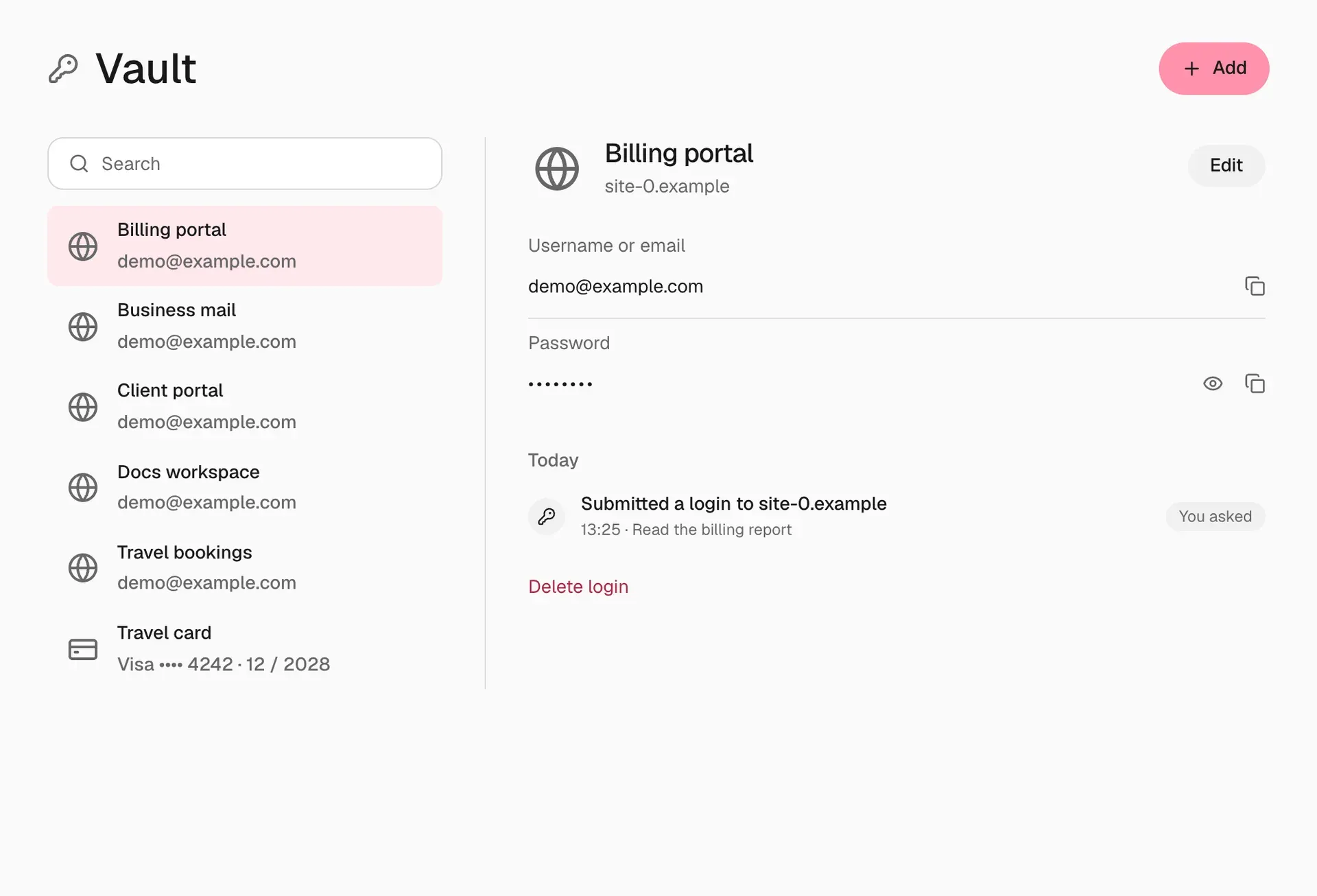
- Vault for logins and codes Vault stores website logins, verification code sources and payment cards, and enters passwords and codes on the website without exposing them to the model. Each login is tied to an exact website origin, and a 1Password helper can copy a chosen login into Vault. Saved browser sessions can be signed out from Vault.
- Card payments with per-payment approval A payment card saved in Vault never stores the security code, which the user enters for each payment. When Nod reaches a checkout, it prepares one payment request bound to the card version, the shop origin and the amount, and the model never sees the card number. Saving a card does not approve any payment.
- Memory the user can inspect Nod saves notes it learns from the user's own messages, never from pages or emails it reads. Each note is visible in Settings with the message it came from and can be edited or forgotten. An hourly maintenance job repairs and reflects on memory, and Nod can learn a writing style from sent Gmail messages with names and numbers removed.
- Learned skills When a flow takes several steps, needs a workaround or is corrected, Nod can save it as a reusable skill and patch it later if a site changes. The server strips known secrets, and the memory model is instructed to replace names, numbers and message content with placeholders. Memory keeps up to 40 skills, each with a body of up to 6,000 characters.
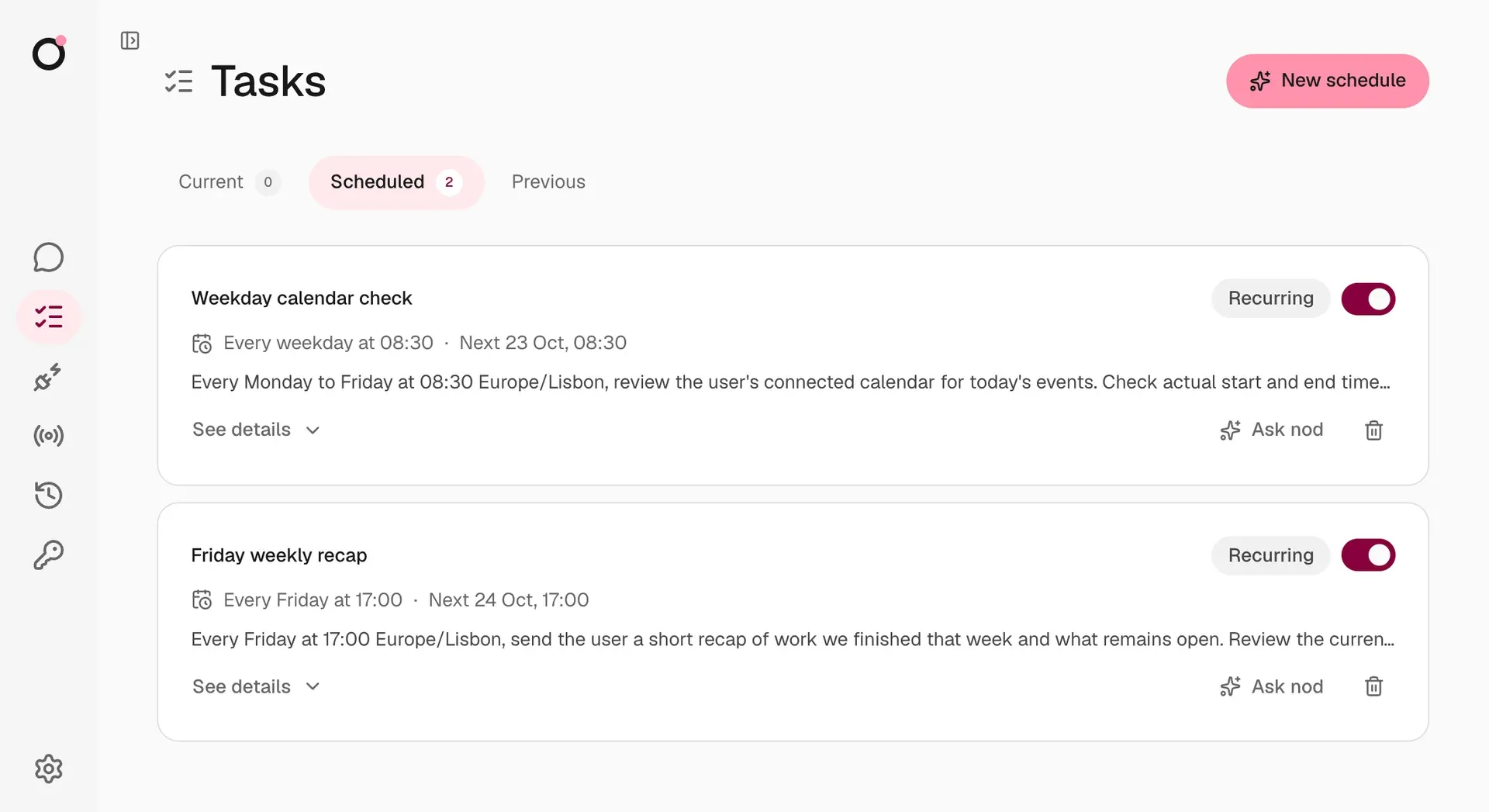
- Schedules and background checks Recurring or one-time schedules run next to the chat, report failures and reply on the channel where they were created. Watches can skip a run when the watched accounts show no change. With Gmail connected, Nod checks for new inbox mail every 15 minutes; Google Calendar and other connected apps are checked every 30 minutes.
- Telegram and WhatsApp channels Telegram connects through a bot created with BotFather and paired to one account. WhatsApp connects by QR code through the unofficial Baileys client or through the Meta Cloud API; the documentation notes a small risk of account restrictions with the QR method. Both channels carry images, documents, video and audio, and private steps such as sign-in and payment are completed in the Nod app.
- Model choice, including local models Supported connections include OpenAI, Anthropic, Google Gemini, OpenRouter, Google Vertex AI, Amazon Bedrock, Azure OpenAI, Cloudflare Workers AI and AI Gateway, Groq, Mistral, DeepSeek and other named providers, plus any OpenAI-compatible server. A local model needs tool-call support and at least 64,000 tokens of context.
- Usage log and monthly limit The Usage screen lists each request, scheduled run, sign-in and card submission with its model calls, token counts, costs and the reason each action was allowed. With an API model selected, Nod sets a monthly spending limit of 200 US dollars at setup, which the user can change or remove, and stops at that limit.
- Desktop app on macOS, with Windows and Linux previews The macOS app needs macOS 14 or later and downloads about 1.8 GB including its runtime for a local assistant. The Windows 11 x64 preview needs WSL 2, hardware virtualization and at least 20 GB of free disk space for a local assistant. The Linux x64 preview ships as a Flatpak split into parts that are joined and checked against SHA256SUMS before installation. Mac and Windows apps update themselves.
- Self-hosted server A Nod server runs with Docker Engine 25 or newer and Compose v2 on Linux AMD64 or ARM64, or on a Mac with Docker Desktop. The documentation suggests starting with two CPU cores, 8 GB of memory and 50 GB of disk. One server belongs to one person; its access token grants full access, and remote use goes through an SSH tunnel or a domain with HTTPS.
- Privacy controls Files, memory and saved logins stay on the machine that runs Nod, and model keys are stored encrypted on the installation. Basic usage data is shared with n8n by default for new users and can be turned off in Settings, while conversation traces are off by default. The privacy page lists every outside service Nod contacts and what it receives.
Where Nod fits
Preparing for client calls
The project describes a morning task in which Nod reads the user's email threads, calendar and recent news about a client, then writes a one-page brief for each call. This uses a connected mail account and calendar, web search and a recurring schedule. The brief arrives in the Nod app or on the chat channel where the schedule was created.
Answering messages with a drafted reply
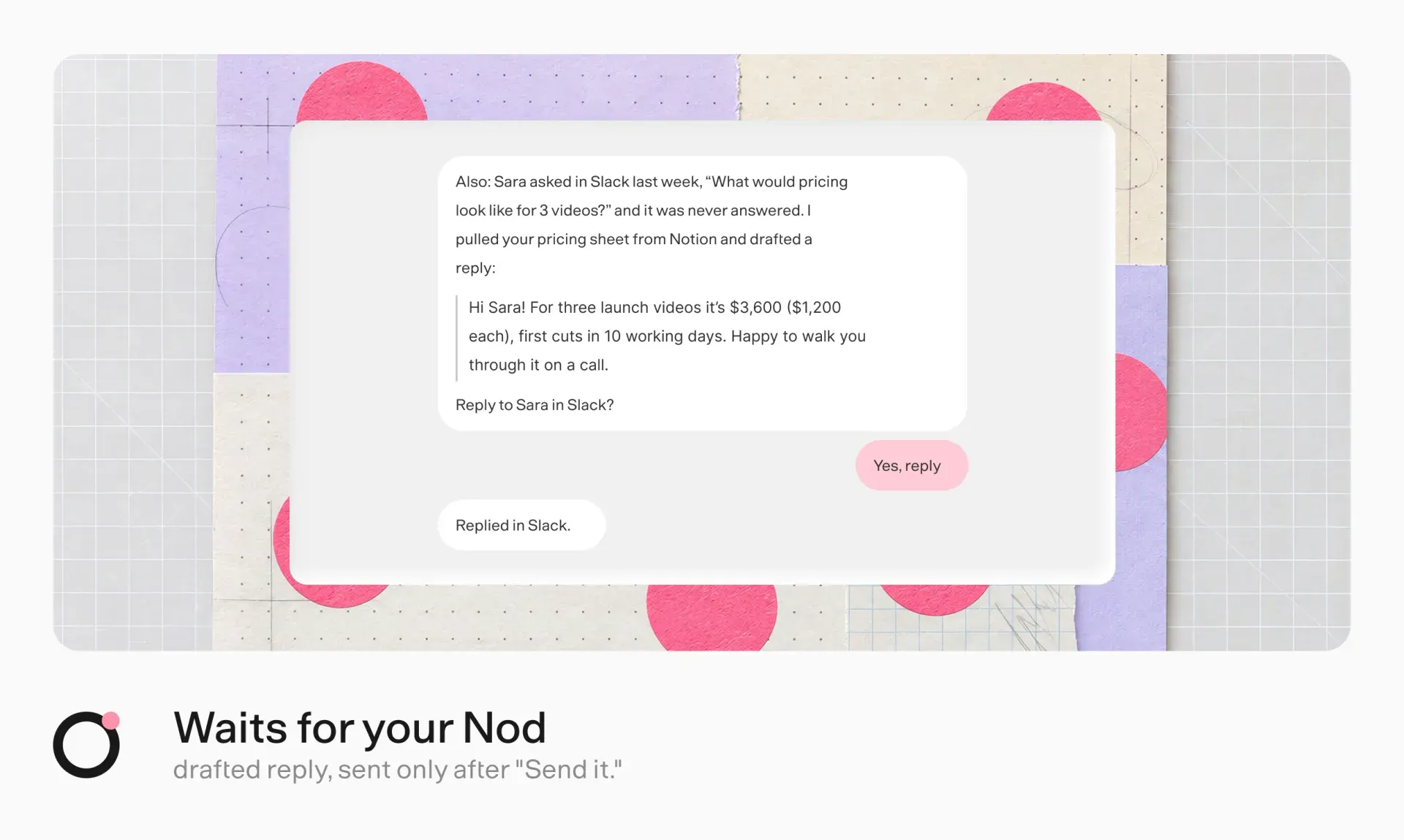
Nod can find a question that was never answered, for example a pricing request in Slack, pull the relevant figures from a document such as a pricing sheet in Notion, and draft a reply. Sending the reply to someone else is an action the user did not explicitly request, so the trust check holds it until the user approves it in the app, on Telegram or on WhatsApp.
Errands on real websites
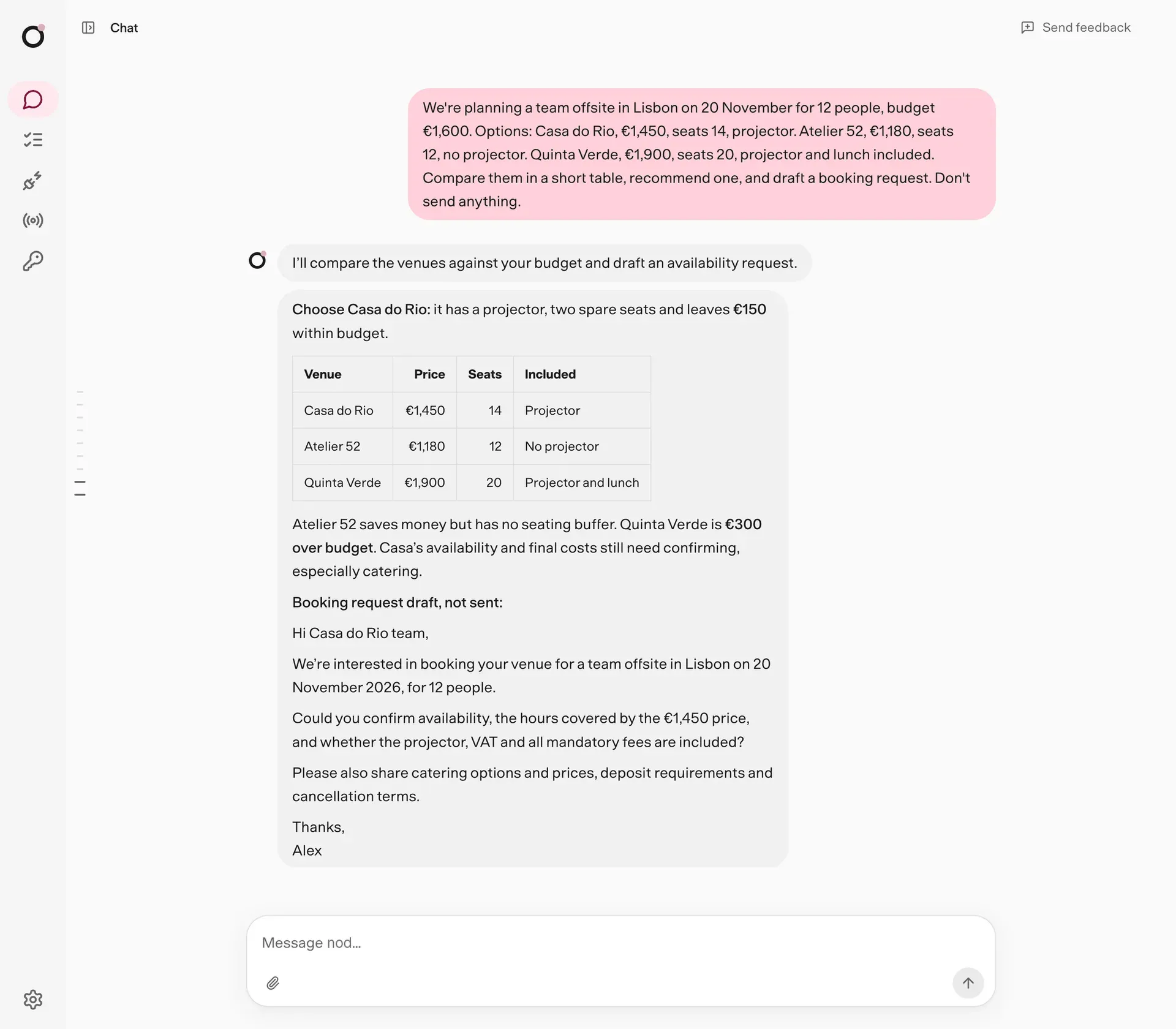
The README lists errands such as chasing an invoice until it is paid, getting a refund for a subscription, filing month-end paperwork and booking a team offsite. Nod uses its own browser, signs in with a login saved in Vault when the user's request covers that website, and asks for approval before a step that submits or changes something outside the request. When a page needs a human, for example for a CAPTCHA, the user takes over the browser from chat.
Watching a page or an inbox
A recurring schedule can check a web page or connected accounts and message the user only when something changes, such as a price moving from one amount to another. Routine checks stay quiet, failed runs send a short notice, and watches that depend on connected accounts skip a run when nothing changed since the last finished one.
Turning requests into tracked work
With Linear and other apps connected, Nod can turn client requests found in email or chat into Linear issues, and it can report weekly numbers from connected tools on a schedule. Each write to Linear, Notion or another app is checked against the user's request and rules, and every action appears in the Usage log with the words that allowed it.
Building n8n workflows from chat
When an n8n instance is connected, a request that names n8n, such as a weekday weather alert posted to Slack, makes Nod build the workflow in that instance, test both paths with sample data and leave it as a draft. Follow-up messages can fix a failed execution, add a step or publish the workflow. Requests that do not mention n8n run as Nod's own tasks and schedules instead.
Reviews of Nod
Be the first to share your experience with Nod.
Write a review
Loading review form…
Found Nod useful? Upvote it todayYour vote helps other IT teams find it in the daily ranking.