
What is Shopware?
Shopware 6 is an open-source e-commerce platform developed by shopware AG, which lists its seat at Ebbinghoff 10 in Schöppingen, Germany, in its legal notice. The shopware/shopware repository contains the platform itself: a Symfony application written in PHP with Doctrine DBAL, a storefront built on Twig and Bootstrap, an Administration built with Vue and TypeScript, and two HTTP APIs, the Store API and the Admin API. Catalog, customer and order data are stored in MySQL or MariaDB through the Shopware Data Abstraction Layer.
According to the company story, Stefan Hamann founded Hamann-Media GmbH in Münsterland in 2001, and his brother Sebastian joined soon after. A custom shop system built for an early customer became a standard product, and the product name later became the company name, shopware AG. The open-source Community Edition launched in the 2010s, and Shopware 6 was introduced at Shopware Community Day 2019 as a new version developed API-first. The company also reports a USD 100 million investment from Carlyle and PayPal.
The core is released under the MIT license (copyright shopware AG). On top of that free Community Edition, shopware AG sells the Rise, Evolve and Beyond plans, which add commercial features such as AI content tools, B2B components, customer-specific pricing and multi-location inventory, plus direct support. Access to the Shopware Account and the Shopware Store for Community Edition users is governed by a Fair Usage Policy: shops above 1 million euros in gross merchandise value over the preceding 365 days need a paid plan to keep that access, and GMV reporting is mandatory for all Community Edition users. The software itself stays usable under the MIT license.
The latest stable release is v6.7.16.1, published on November 18, 2026. It is a security release that tightens API field and association visibility in the Admin API and Store API, stops the ExtensionAPI from passing the Administration access token to apps, enforces write protection on clone overwrites and blocks document type declarations when parsing extension XML files. The preceding v6.7.16.0 (November 2, 2026) added external file assignment for digital products and tabs in plugin system configuration, and fixed Rule Builder line-item conditions. Both releases are tested on PHP 8.2, 8.4 and 8.5 with MySQL 8, MySQL 9.7, MariaDB 11 and MariaDB 12. The 6.6 line still receives patch releases (v6.6.10.32 on the same day), and several 6.8 behavior changes can already be previewed through environment flags.
Shopware can run self-hosted, on Shopware PaaS (a generic platform with infrastructure as code) or PaaS Native (a Shopware-specific managed environment on AWS), or as Shopware SaaS with managed hosting and automatic updates, as described in the PaaS documentation and on the pricing page. Local projects are created with the MIT-licensed Shopware CLI, with Docker as the default runtime and PHP plus Composer as the alternative. Payment processing fees, paid extensions from the Shopware Store, hosting and implementation work are outside the license and billed separately. Similar projects listed on iThub include Medusa, Saleor, Vendure and Bagisto.
Key capabilities
- Storefront, catalog, cart and checkout A new project starts with a working Twig storefront, product and category management, cart, checkout, customer accounts and the Administration. Physical and digital products, dynamic product groups, promotions, cross-selling, product reviews, multiple currencies, tax rules and multi-language storefronts are part of every plan, including the free Community Edition.
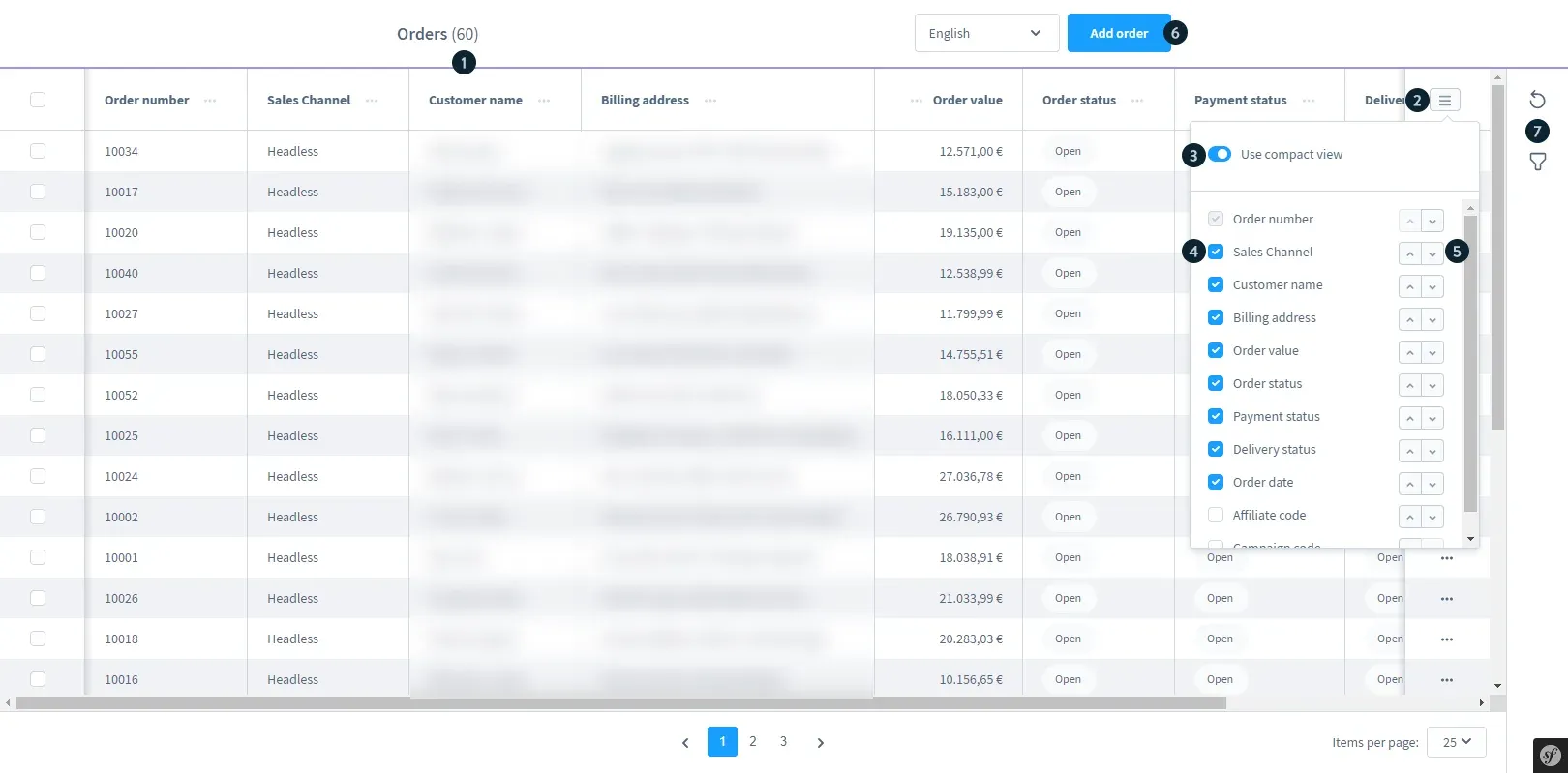
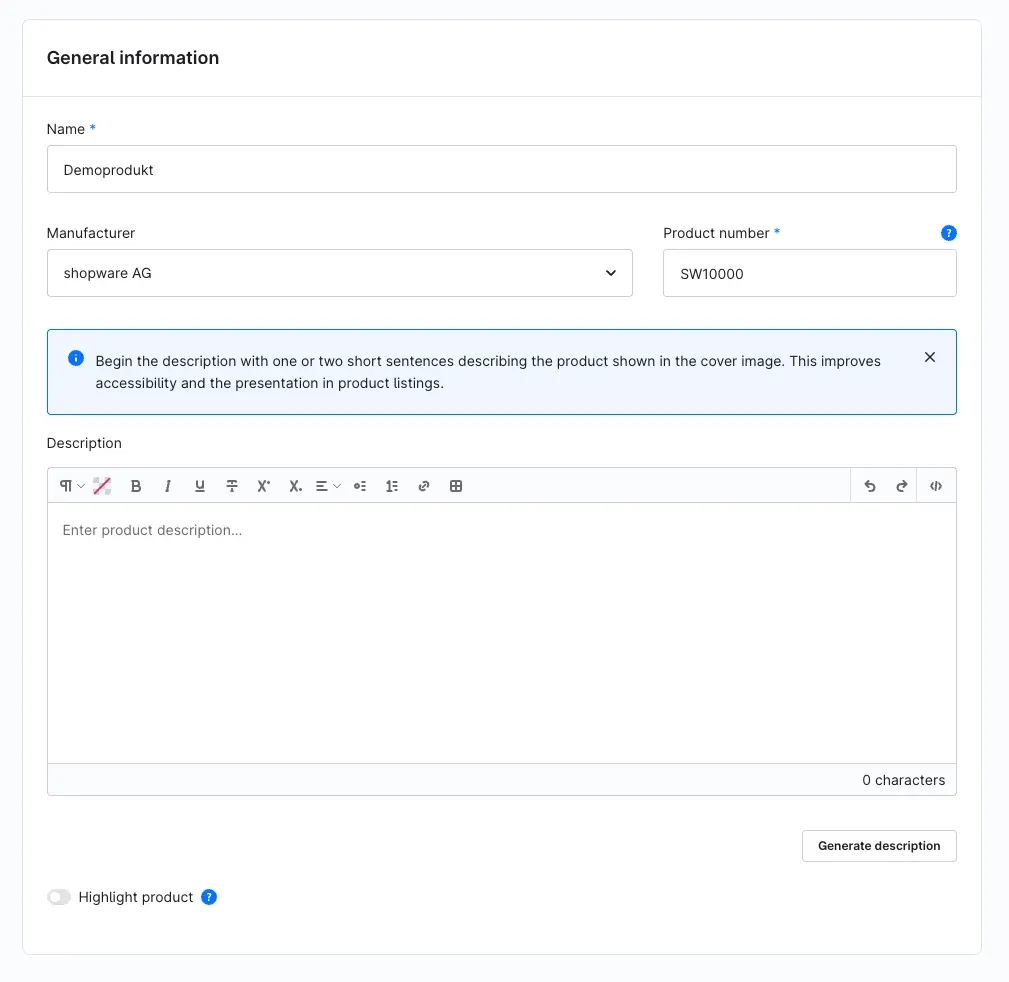
- Administration in Vue.js The browser-based Administration manages products, orders, customers, content and settings. Roles and permissions control who can view, create, edit or delete data. The 6.7.16.0 release added tabs that plugin developers can use to group configuration cards for merchants.
- Store API for headless frontends The Store API under
/store-apicovers products, carts, checkout and customer sessions for custom storefronts and mobile apps. Requests authenticate with a sales channel access key in thesw-access-keyheader. Shopware Frontends is a separate MIT-licensed Vue.js framework, with a Nuxt starter template, for building custom storefronts on this API. - Admin API and Sync API The Admin API under
/apihandles back-office operations on products, orders, customers and extensions, authenticated with OAuth client credentials from an integration created in the Administration. The Sync API, part of the Admin API, accepts bulk payloads for mass imports. Each instance also serves a local API reference at/api/_info/stoplightio.html. - Built-in MCP server Since 6.7.14.0 the core includes an MCP server at
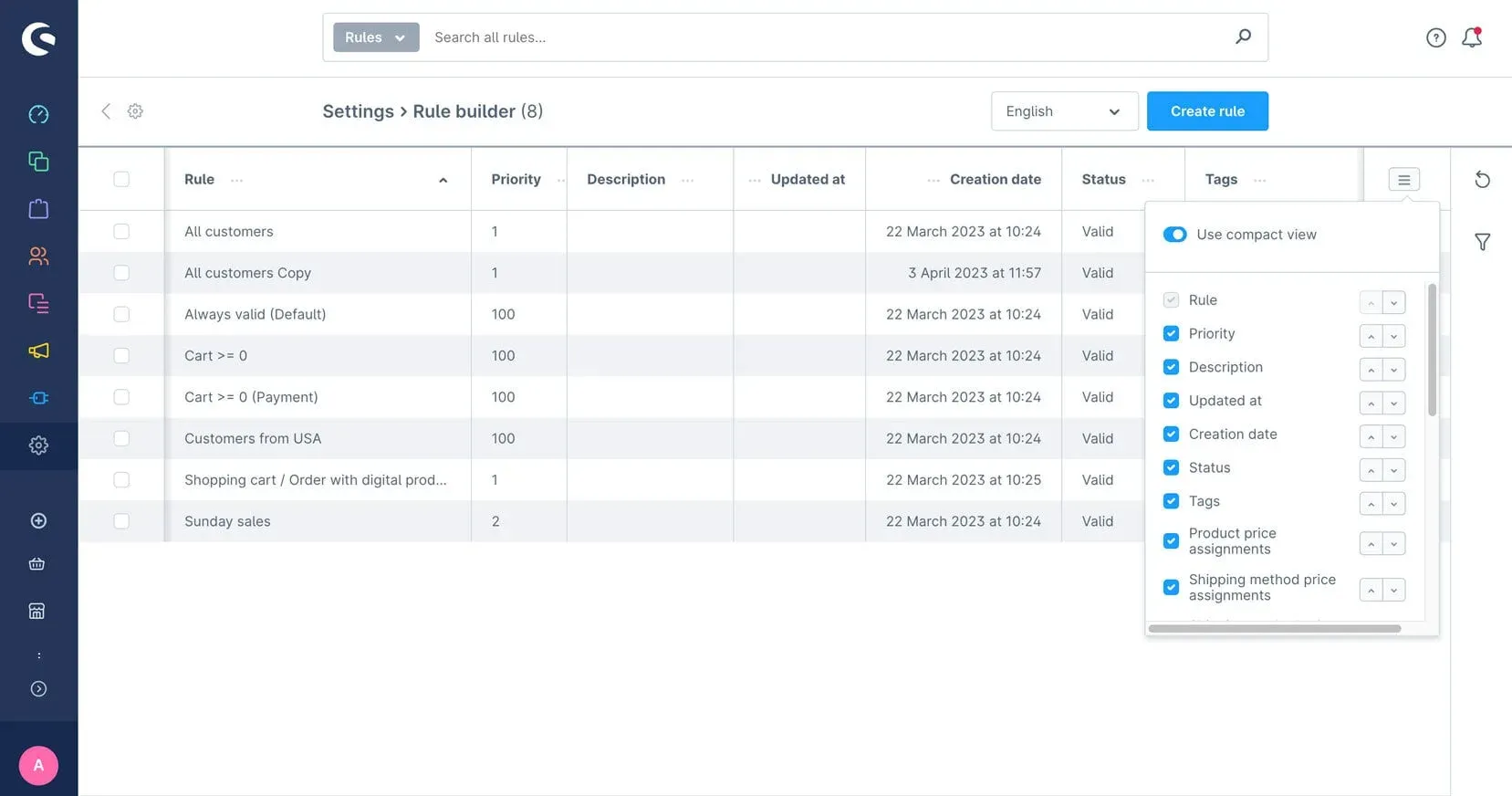
/api/_mcpand/store-api/_mcp(6.7.11 to 6.7.13 needMCP_SERVER=1). Clients authenticate with integration credentials or OAuth tokens, discover toolsets on demand, and can be limited through per-integration and per-user allowlists, as described in the MCP getting started guide. - Rule Builder Rules combine AND and OR conditions on cart contents, customers, orders, dates, sales channels and more, with priorities. They control payment and shipping method availability, shipping price matrices, advanced product prices, promotions, tax providers, warehouse groups and Flow Builder branches. Testing a rule against an existing order (preview mode) and sharing rules as files require the Rise plan or higher.
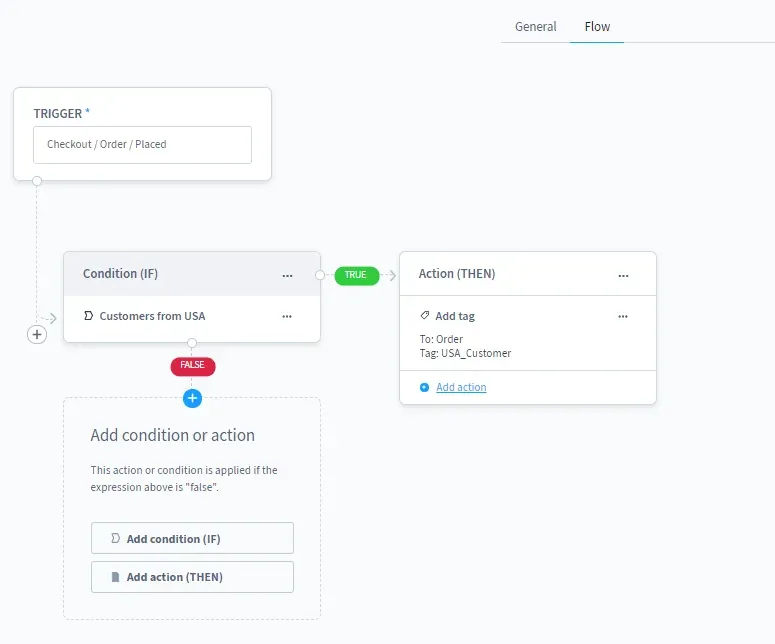
- Flow Builder Flows start from events such as order placed, payment or delivery status changes, customer registration or newsletter sign-up, branch on Rule Builder conditions and run actions like sending email, adding tags, setting order status, assigning customer groups or generating documents. Flows can be exported and imported between shops. According to the Flow Builder documentation, webhook actions need Evolve or higher and delayed actions need Beyond.
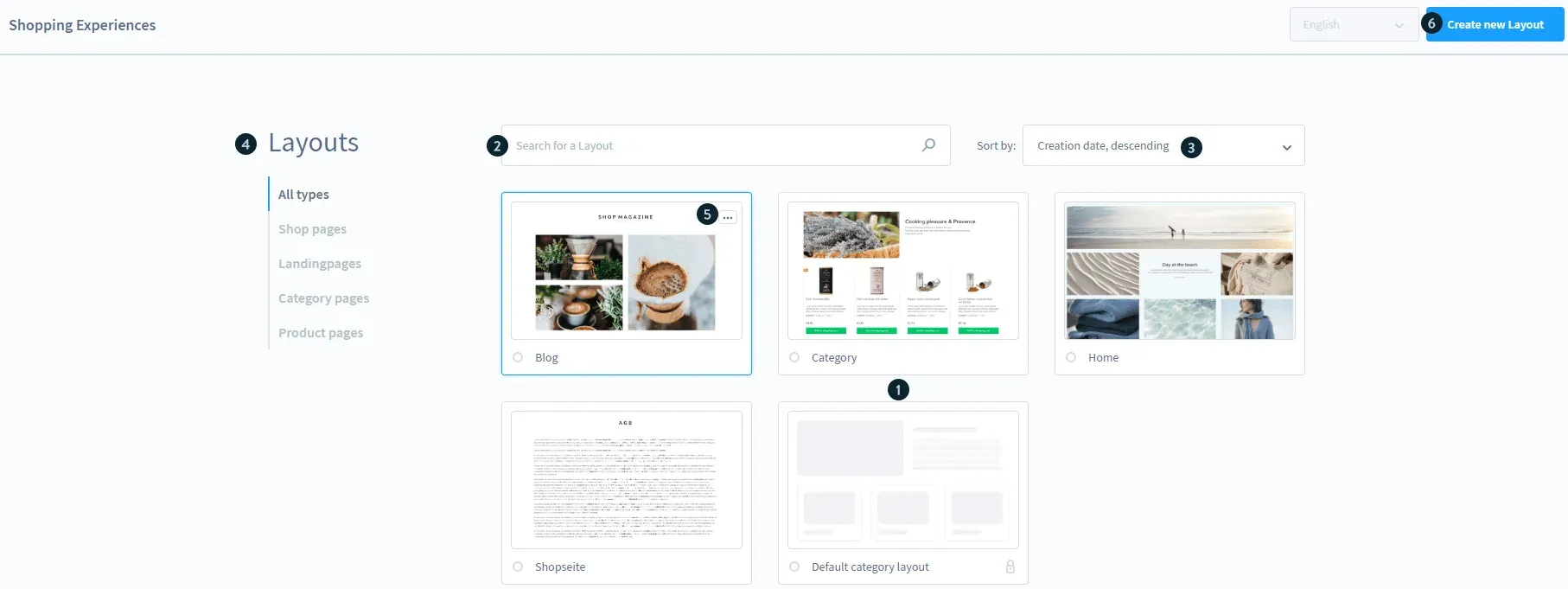
- Shopping Experiences A drag-and-drop layout editor builds shop pages, landing pages, category pages and product pages from sections, blocks and elements, with device previews per breakpoint. The plan comparison lists the Publisher (draft layouts, versioning and an activity feed) and the form builder for Evolve and Beyond.
- Extension models Themes change storefront templates, apps integrate external services through APIs and webhooks and run outside the core, and plugins add in-process PHP and Symfony code on self-hosted or compatible deployments.
shopware-cli extension createscaffolds a plugin or theme. Ready-made extensions are distributed through the Shopware Store; the GitHub repository description cites more than 3,100 community extensions. - B2B components (Evolve and Beyond) The commercial B2B set includes quote management, quick ordering by product number or file import, shopping lists, sales agents ordering on behalf of customers, organization units, advanced product catalogs, budget management and individual pricing rules. Beyond adds customer-specific prices imported from an ERP through the API, multi-location inventory and Digital Sales Rooms for live video selling.
- Shopware Intelligence (AI features) The Copilot knowledge assistant answers questions about Shopware and the store configuration inside the Administration, based on the installed version and plan. From Rise upwards, AI features generate product descriptions, translate reviews, summarize reviews, derive product properties, tag images with keywords, classify customers, power search by context or image and create images from text prompts. The Shopware Intelligence+ add-on adds an agentic Copilot, data insights, 3D preview generation and CAD-to-3D conversion.
- Shopware Nexus Nexus is an integration add-on with ready-made connectors and reusable workflows for ERP, CRM, PIM and other systems, triggered by store events. Each shop receives a monthly execution allowance by plan (100, 1,000, 2,000 or 5,000 executions from Community Edition to Beyond on the pricing table), and extra executions cost 10 euros per block of 1,000.
- Shopware Payments An integrated payment option powered by PayPal manages payment methods and transactions from the Administration. It is available in supported markets and transaction fees apply; other payment providers can be connected through extensions.
- Local setup with Shopware CLI and Docker
shopware-cli project create my-shop(ornpx @shopware-ag/shopware-cli project create my-shop) creates a project andshopware-cli project devstarts the Docker environment, with the storefront athttp://127.0.0.1:8000and the Administration at/admin. The wizard can use local PHP and Composer instead of Docker. The development requirements list macOS 13 or newer, 64-bit Linux or Windows with WSL 2 as development hosts. - Server requirements The hosting guide requires PHP 8.2 or newer (8.4 recommended) with
memory_limitof at least 512M and extensions such as intl, gd, pdo_mysql and zip, MariaDB 10.11.6+ or MySQL 8.0.22+ (MySQL innovation releases are not supported), Node.js 20+ for builds and any web server, with Caddy recommended. Composer 2.2+ is recommended. - Optional search, cache and queue services OpenSearch 1.0+ or Elasticsearch 7.8+ can power product search and indexing (OpenSearch 2.17.1 recommended; admin search preview needs OpenSearch 2.12+ or Elasticsearch 8.8+). Redis 7+ or Valkey 8.0 can hold cache and sessions. The database serves as the default message queue, and the docs recommend a dedicated transport such as RabbitMQ for production.
- Production Docker images The MIT-licensed shopware/docker repository publishes Alpine-based PHP images with Caddy, Nginx or FrankenPHP, plus OpenTelemetry variants, for building a production image that contains the shop code.
- Plans and support levels Community Edition is free with community support through the forum and Discord. Rise starts at 600 euros per month excluding VAT with a 30-day free period and written support (8-hour reaction time on weekdays), Evolve starts at 2,400 euros per month with phone support and a 4-hour reaction time, and Beyond is priced individually with 24/7 support and a 1-hour reaction time. Prices are as shown on the pricing page on November 21, 2026; the FAQ states that plan prices depend on gross merchandise value and other factors.
Where Shopware fits
Running a branded B2C store on the Community Edition
A merchant or agency creates a project with the Shopware CLI, imports the catalog through CSV import and export or the Admin API, configures payment and shipping methods per sales channel and builds the home, category and landing pages in Shopping Experiences. Themes extend Twig blocks instead of replacing whole templates. Under the Fair Usage Policy, shops that stay below 1 million euros of annual GMV keep access to the Shopware Account and Store on the free edition, provided GMV is reported at least once a year.
Building a headless storefront
Teams that use their own frontend create a headless sales channel, copy its access key and call the Store API for product listings, cart and checkout. Shopware Frontends provides Vue.js composables and a Nuxt starter template for this, and the same API serves native mobile apps. Back-office systems keep using the Admin API, and the MCP server also has a Store API endpoint at /store-api/_mcp.
Automating order processing with rules and flows
A store defines rules such as a cart total threshold combined with a customer group or payment method, then uses them to show or hide shipping methods, set prices or start flows. A typical flow listens to the order placed event, checks a rule and tags the order, changes its status or sends an email template. Flows and, from Rise, rules can be exported as files and imported into another shop, for example from staging to production.
Selling to business customers
On Evolve, B2B buyers can request quotes, order by product number, keep shopping lists, work within organization units and budgets, and see catalogs and prices assigned to their company. Sales agents can create orders and quotes for assigned accounts. Beyond adds agreed customer-specific prices pulled from an ERP via API, stock across several warehouses and Digital Sales Rooms for guided live sessions.
Integrating ERP, PIM and other systems
Integrations use apps that receive webhooks and call the Admin API, plugins that run inside the Symfony kernel, or the Nexus add-on with ready-made connectors and execution-based billing. Bulk data moves through the Sync API or CSV profiles. Since 6.7.16.1, API responses and app scripts consistently respect field and association visibility, and from 6.8 non-visible associations in requests fail with HTTP 400, which matters for existing integrations.
Extending Shopware with coding agents
The repository ships agent instructions and development skills, and shopware-cli ai list and shopware-cli ai add install Shopware agent skills and MCP servers into a coding agent. The README separates such coding agents, which work on project files, from administrative agents connected to a running shop through the MCP server, whose access depends on integration permissions and allowlists.
Install
npx @shopware-ag/shopware-cli project create my-shopReviews of Shopware
Be the first to share your experience with Shopware.
Write a review
Loading review form…
Found Shopware useful? Upvote it todayYour vote helps other IT teams find it in the daily ranking.