

What is ERPNext?
ERPNext is a web-based enterprise resource planning system for accounting, buying, selling, stock, manufacturing, projects, assets, point of sale, quality and support. It is developed by Frappe Technologies Pvt. Ltd. and published on GitHub under the GNU General Public License v3. According to the project history on the Frappe blog, it began in 2006 as a custom ERP for the founder's family business, the company (then called Web Notes Technologies) was formed in 2008, the code was named ERPNext and released under the GPL in 2010, and it moved from Google Code to GitHub in 2011. The product page states that more than 30,000 companies have adopted it.
ERPNext is an app for the Frappe Framework, a full-stack Python and JavaScript framework that supplies the database layer, user authentication, permissions, the desk interface and a REST API. Every business record, such as a Sales Invoice, Stock Entry or Work Order, is a DocType stored in MariaDB, and customisations are made through the same DocType system rather than by editing core code. Newer screens use Frappe UI, a Vue component library, and the v16 code adds a bank reconciliation interface written in React and TypeScript with Vite. HR and payroll moved out of the core into the separate Frappe HR app, and the online shop lives in the separate Webshop app.
There are three ways to run it. Frappe Cloud is the vendor's managed hosting, built on the open-source frappe/press platform. Self-hosting uses either the official frappe_docker images and Compose files or a native install with bench, the command-line tool that creates benches, sites and app installs on Linux or macOS. There is no Windows server package; the framework installation guide points Windows users to Ubuntu under WSL. A public demo instance is linked from the README.
The latest release when this listing was checked is v16.54.0, published November 6, 2026. Version 16.0.0 was released on January 12, 2026, and the v15 line is still maintained in parallel (v15.124.5 shipped on November 4, 2026). v16.54.0 adds proforma invoices created from a Sales Order, a customer hold that blocks orders and invoices until a release date, per-company restrictions on items, customers and suppliers, a faster snapshot mode for the Stock Balance report and process-loss planning in Production Plan. It also restricts data-changing endpoints to POST requests, so scripts that call them with GET must be updated.
ERPNext v16 requires Python 3.14 and Frappe Framework 16.55 or later within the 16.x line; v15 runs on Python 3.10 to 3.13. The source is GPL-3.0, while the ERPNext name and logo are trademarks of Frappe Technologies covered by a separate trademark policy. Implementation, data migration and functional consulting are out of scope for the project itself: Frappe directs these to certified partners and sells hosting and bug-fix support instead.
ERPNext screenshots
Explore the interface. Open a screenshot to view it at full size.
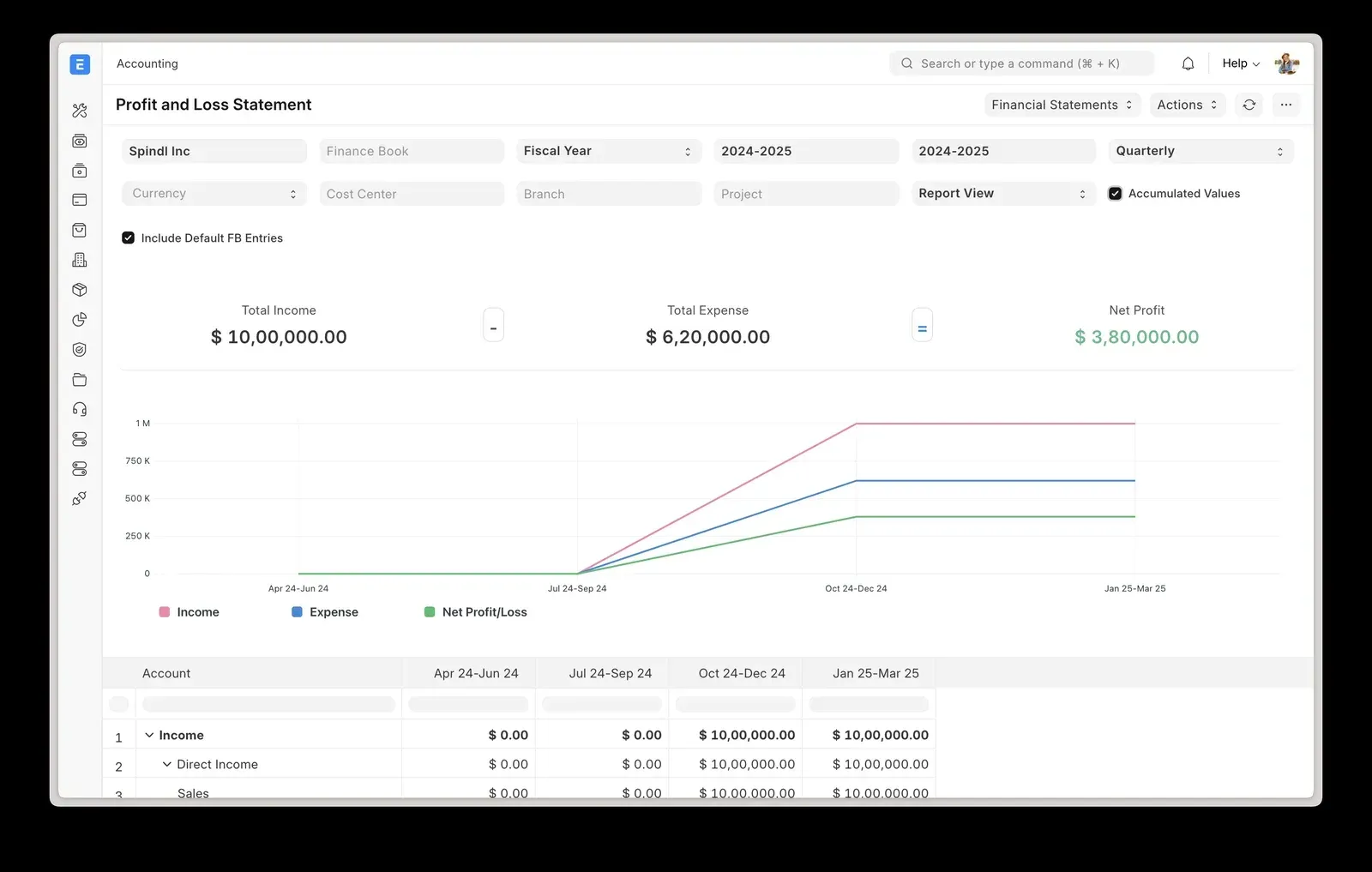
Official ERPNext v16 product image: the Profit and Loss Statement with filters for company, fiscal year and periodicity, totals and a quarterly trend chart.
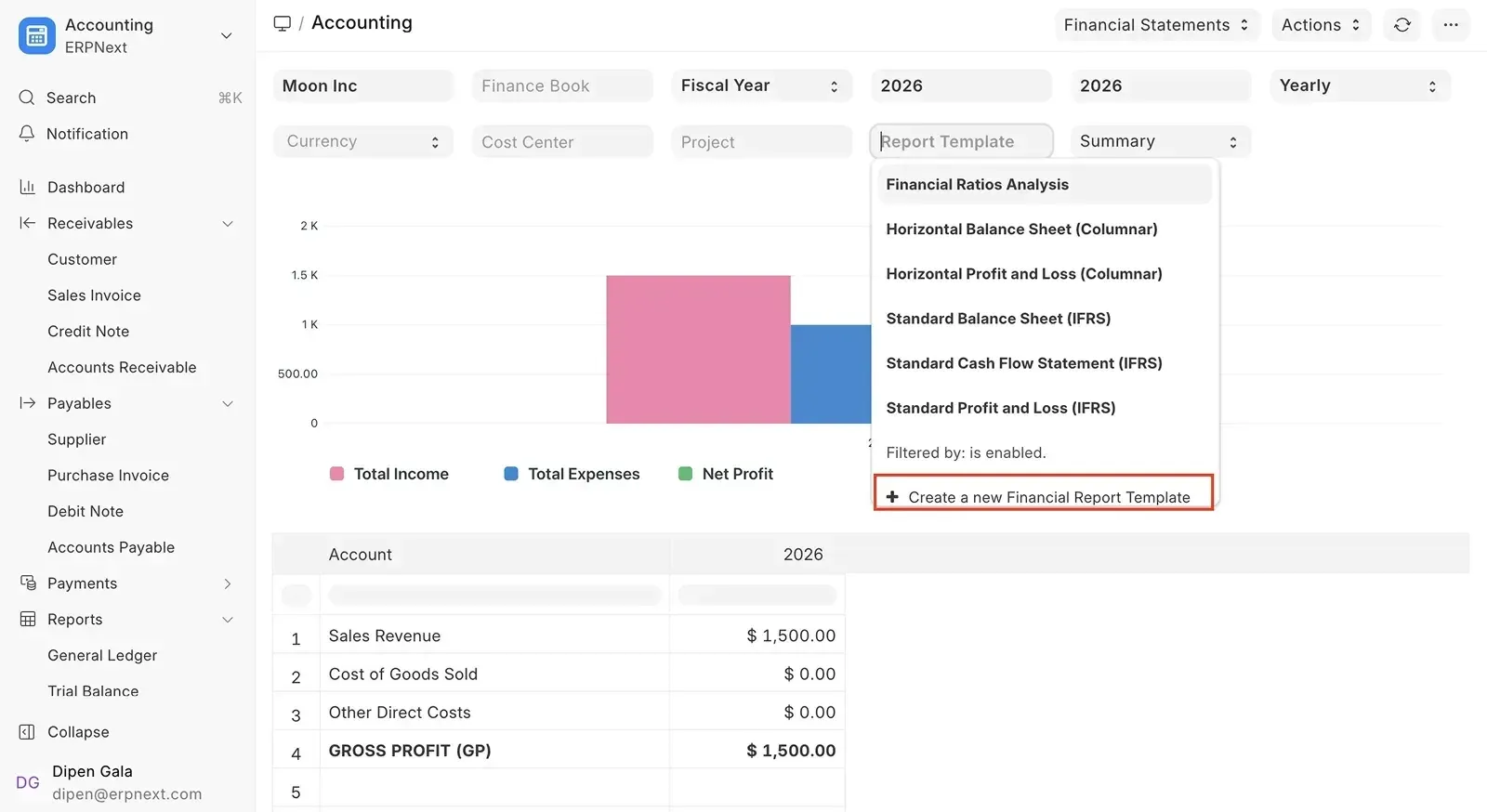
Official v16 release image of Financial Report Templates, with bundled IFRS-style statements and an option to create a new template.
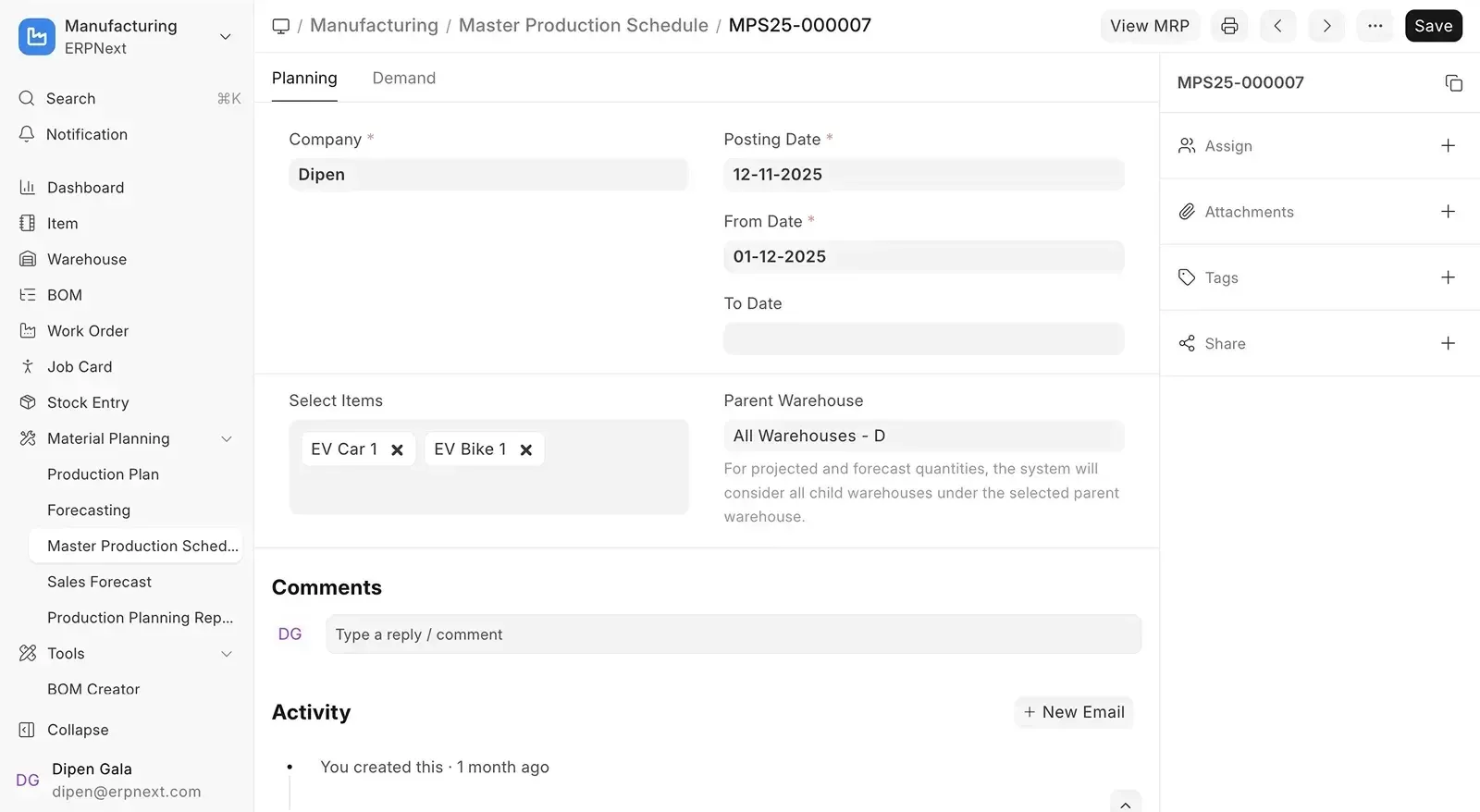
Official v16 release image of the Master Production Schedule used by the new MRP flow, with the Material Planning menu in the sidebar.
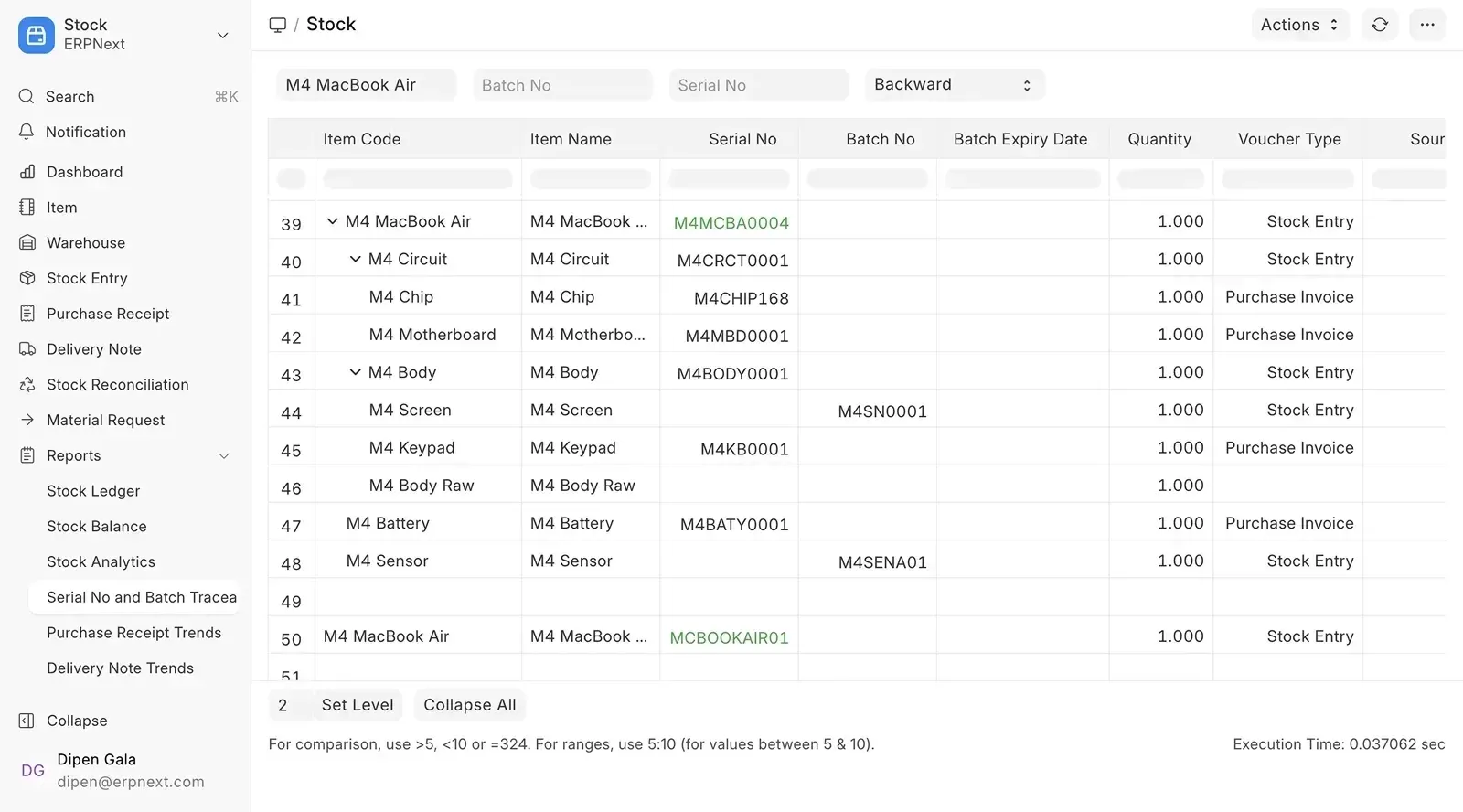
Official v16 release image of the Serial No and Batch Traceability report in backward mode, listing components, serial numbers and source documents.
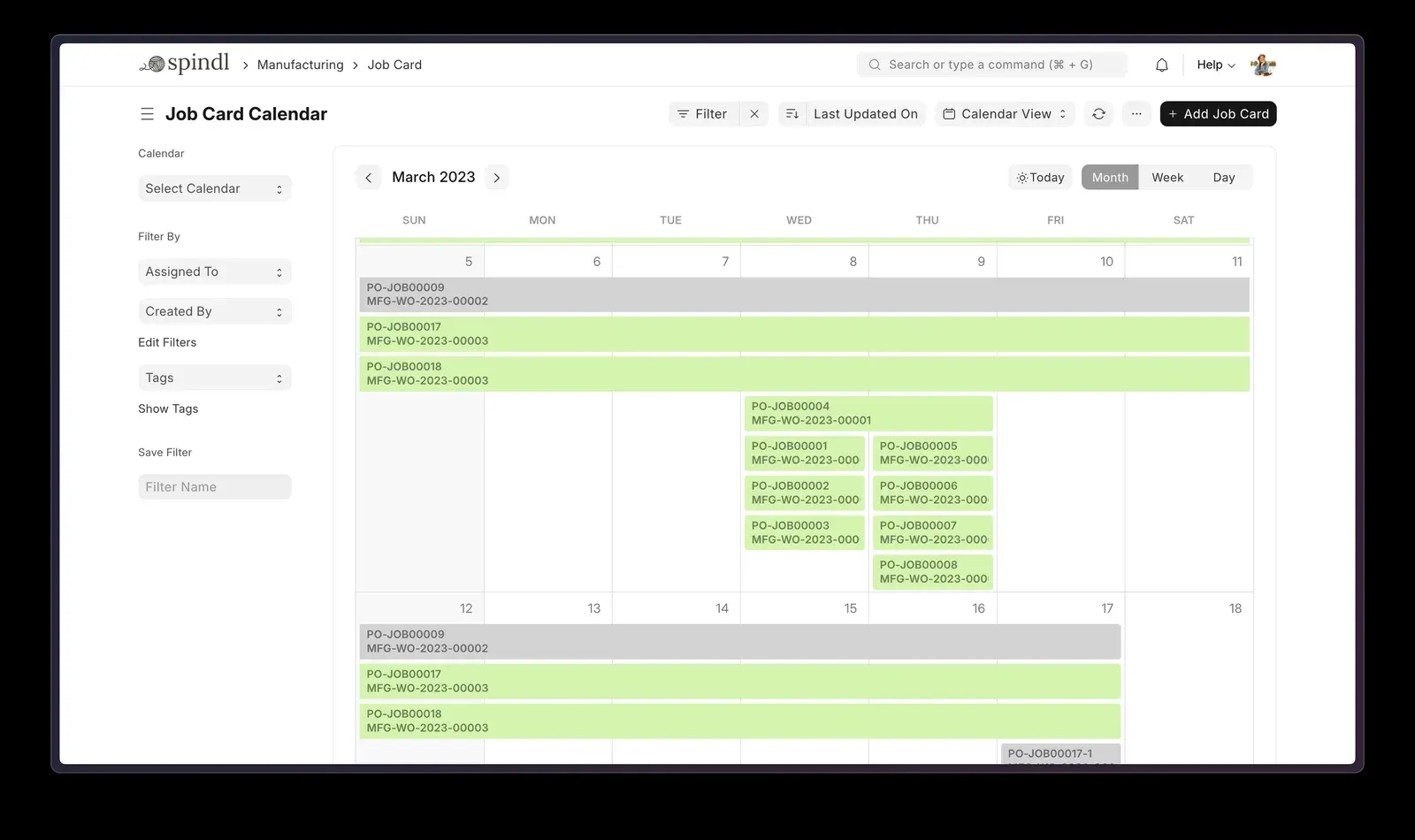
Official README image of manufacturing job cards in calendar view, each linked to a work order.
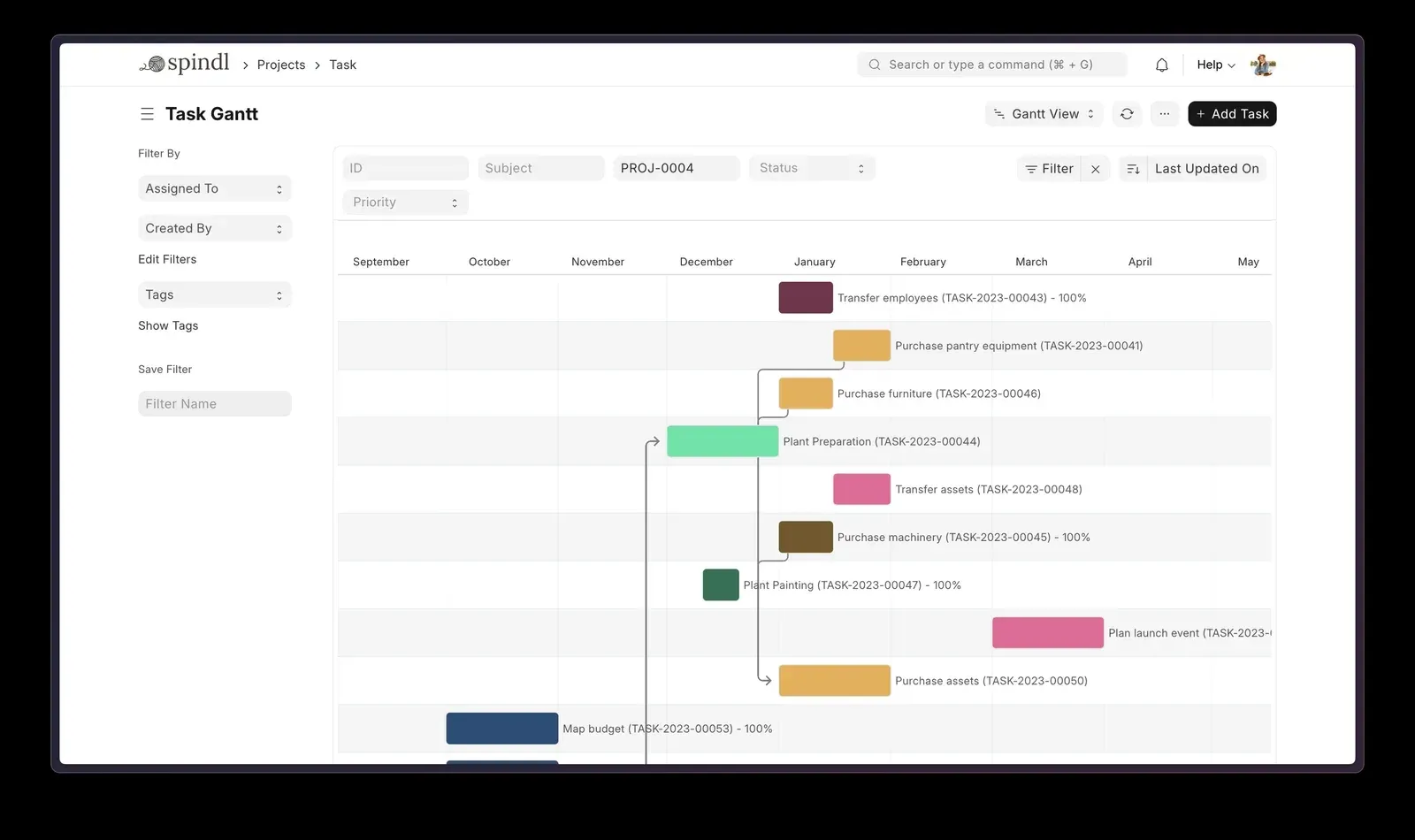
Official README image of project tasks in Gantt view, with dependency arrows between tasks.
Source: official ERPNext project page.
Key capabilities
- Accounting and financial statements A multi-company, multi-currency general ledger with receivables, payables, payment entries, bank reconciliation, budgets, cost centers and accounting dimensions. Profit and Loss, Balance Sheet, Cash Flow and Trial Balance are standard reports. v16 adds Financial Report Templates, which turn statements into formula-driven layouts with bundled IFRS-style templates, and a Consolidated Trial Balance that converts child-company currencies automatically.
- Bank statement import and reconciliation The v16 code base ships a separate bank reconciliation interface built with React, TypeScript and Vite, served from the ERPNext site. Its dependencies include an MT940 parser and pdfplumber for reading PDF statements in addition to CSV import, and the Plaid client library for bank feeds. Bank connectivity through Plaid depends on your own Plaid account and region coverage.
- Selling and order to cash Quotations, Sales Orders, Delivery Notes and Sales Invoices share one document chain, with pricing rules, coupon codes, payment terms, dunning and statements of accounts. Since v16.54.0 a Sales Order can generate a Proforma Invoice by quantity or amount, and a customer can be placed on hold so new orders, deliveries and invoices are blocked until a release date while quotations remain allowed.
- Buying and procurement Material Requests, Request for Quotation, Supplier Quotations, Purchase Orders, Purchase Receipts and Purchase Invoices cover procure to pay. The product page lists approval workflows and supplier scorecards. The Supplier Quotation Comparison report helps pick a vendor, and expired quotations cannot be converted into purchase orders.
- Stock and warehouse management Item masters with variants, units of measure, multiple warehouses, serial numbers, batches, stock reservations and pick lists, all posted to a stock ledger that also feeds valuation in accounting. The Serial No and Batch Traceability report traces a product backward to raw materials or forward to customers. The Stock Balance report has an optional snapshot mode that is faster but omits ageing columns.
- Manufacturing and MRP Multi-level bills of materials, routings and operations, work orders, job cards with a calendar view, production plans and quality inspections. v16 adds a dedicated material requirements planning flow with Master Production Schedule and Sales Forecast documents, and v16.54.0 can raise production quantities to cover each BOM's planned process loss.
- Subcontracting Outward subcontracting sends raw materials to a supplier and receives finished goods through Subcontracting Orders and Receipts. v16 introduced inward subcontracting, where a customer supplies material and the company manufactures for them, plus landed cost vouchers on subcontracting receipts so freight and duty reach the valuation.
- Projects, timesheets and support Projects with tasks, dependencies, a Gantt view, timesheets and project costing link back to sales and purchase documents. The Support module provides issues with service level agreements, warranty claims and maintenance visits, and the product page lists a customer portal and knowledge base.
- Assets and maintenance Fixed assets from purchase to disposal, with depreciation schedules per finance book, asset movements, repairs, value adjustments and capitalization. Recent releases tightened permissions so that Asset Activity lists and reports only show assets a user is allowed to access.
- Point of Sale A browser-based POS with POS Profiles per store, opening and closing entries for shifts, batch and serial selection and returns. POS Closing Entry can consolidate POS invoices into Sales Invoices. It runs in the web client, so terminals need a browser and a connection to the server.
- CRM inside the ERP Leads, Opportunities, Prospects, Contracts and Appointments feed Quotations directly, with territories, sales stages and email campaigns. Teams that need a dedicated sales interface can look at Frappe's separate CRM app; the ERPNext module keeps everything in the same database as invoices and stock.
- Regional and tax features Tax templates, withholding tax (TDS) and item tax rules are part of the core. The repository contains regional code for Australia, Italy, South Africa, Turkey, the United Arab Emirates and the United States; other countries rely on charts of accounts, tax templates and community compliance apps, which should be checked before choosing ERPNext for statutory reporting.
- No-code customisation Custom fields, form and list customisation, print formats, dashboards, workspaces, workflows with multi-level approvals and role permissions down to field level are configured in the browser. Server and client scripts allow small automations without a custom app; larger changes belong in a separate Frappe app so upgrades stay clean.
- REST API and integrations Every DocType is exposed through the Frappe REST API at
/api/resource/<DocType>for create, read, update and delete, and whitelisted Python functions are callable at/api/method/. Authentication uses an API key and secret per user, a session cookie or OAuth bearer tokens, and requests inherit the user's roles. List calls return 20 records unless a page length is set. - Docker deployment The official frappe_docker repository provides images (published as
frappe/erpnexton Docker Hub), a basecompose.yamlwith overrides for production, and a singlepwd.ymlfile for a disposable demo on port 8080. The demo cannot install custom apps. ARM64 hosts are covered in a separate guide. - Easy install script The bench repository publishes
easy-install.py, which wraps frappe_docker.python3 easy-install.py deploy --email=... --sitename=... --app=erpnextbuilds a production stack with HTTPS for a domain (--no-ssldisables it) and a backup schedule that defaults to every six hours. The same script hasupgrade,developandexecsubcommands. Logs are written to$HOME/easy-install.logif setup fails. - Native install with bench For development or bare-metal servers, install bench with
uv tool install frappe-bench, runbench init, thenbench get-app erpnext,bench new-siteandbench --site ... install-app erpnext. The v16 requirements are MariaDB 11.8, Python 3.14, Node.js 24, Redis or Valkey 6 or later, Yarn 1.22 and pip 25.3, on Debian 13, Ubuntu 24.04 or newer, or macOS. Chromium is used for PDF generation and cron for scheduled jobs. One bench can serve several sites. - Frappe Cloud hosting Managed hosting from the vendor with upgrades, backups, custom app deployments and a 14-day trial. Plans are billed by site or server rather than per user, starting at 5 USD per month for a site on shared servers, with dedicated servers priced higher. You choose the cloud provider and region; Hetzner is suggested for testing and AWS or OCI for production.
Where ERPNext fits
Evaluating ERPNext on a disposable instance
Clone frappe_docker and start pwd.yml, or open the public demo linked from the README, then run the setup wizard with a test company, fiscal year, currency and chart of accounts. Enter a handful of real items, customers and suppliers rather than relying only on sample data. Check which features you need come from separate apps, such as Frappe HR for payroll or Webshop for an online store, because the demo compose file cannot install them.
Running order to cash for a trading company
Configure warehouses, item groups, price lists, tax templates and payment terms, then follow a Quotation to Sales Order, Delivery Note, Sales Invoice and Payment Entry. Confirm that stock and the general ledger move at each step, that pricing rules and discounts apply as expected, and that statements of accounts and dunning work for overdue customers. Use customer holds for accounts that should not receive new deliveries.
Planning production in a discrete manufacturer
Build multi-level BOMs with operations and workstations, create a Sales Forecast or Master Production Schedule, and let the v16 MRP flow propose work orders and material requests. Reserve stock for work orders, issue materials through pick lists and record operations on job cards. Verify process-loss settings, scrap handling and the valuation of finished goods before go-live.
Closing the books for several companies
Create a parent and child companies with their own currencies, set up accounting dimensions and cost centers, and import bank statements through the banking interface. At month end, reconcile bank accounts, post period closing vouchers and compare the Consolidated Trial Balance with expected figures. Financial Report Templates let finance teams define statutory layouts without code, which is worth testing against last year's reports.
Self-hosting a production server
Use easy-install.py deploy or the production Compose files on a Linux host with a domain and TLS, or a native bench setup on Debian or Ubuntu with MariaDB 11.8. Schedule bench backup with files, store copies off the server, and rehearse a restore. Plan minor updates regularly and treat major upgrades, such as v15 to v16 with its Python 3.14 requirement, as a project with a staging copy.
Integrating ERPNext with other systems
Create a dedicated integration user with minimal roles, generate an API key and secret, and call /api/resource endpoints for orders, items or invoices. Use webhooks for outbound events and whitelisted methods for custom logic in a separate app. Since v16.54.0 data-changing ERPNext methods require POST, so test existing scripts after upgrading.
Install
git clone https://github.com/frappe/frappe_docker && cd frappe_docker && docker compose -f pwd.yml up -dReviews of ERPNext
Be the first to share your experience with ERPNext.
Write a review
Loading review form…
Alternatives to ERPNext
 OdooOdoo is a web-based suite of business apps from Odoo S.A. The LGPLv3 Community edition covers CRM, sales, invoicing, inventory, manufacturing, POS and website modules on PostgreSQL; Enterprise apps, Studio and hosting are sold per user.
 SAPSAP SE sells enterprise applications, including SAP Cloud ERP for finance, supply chain and procurement, with editions for small and large firms.
 ZohoZoho One bundles more than 50 business apps for sales, finance, support and HR under one license, with centralized administration and a developer platform.