

What is Odoo?
Odoo is a suite of web-based business applications published by Odoo S.A., a company headquartered in Grand-Rosière, Belgium, according to its company page. The odoo/odoo repository contains the Community edition: the Python server, the web client and, on the 20.0 branch, 647 modules in the addons folder, 234 of them country localizations. Each business function, such as CRM, Sales, Inventory or Point of Sale, is a module that can run on its own or share records with the others in one PostgreSQL database.
Odoo is offered in two editions. Community is open source under LGPLv3. Enterprise is a separate set of add-ons in the private odoo/enterprise repository, licensed under the Odoo Enterprise Edition License v1.0; it runs on the Community server by adding its folder to the addons-path. The edition comparison lists full Accounting, Studio, Helpdesk, Field Service, Planning, Knowledge, Sign, Payroll, the store mobile apps and version upgrade services as Enterprise only.
There are three hosting routes. Odoo Online is the vendor SaaS without custom modules, Odoo.sh is a Git-based hosting platform with development, staging and production branches, and on-premise installation runs either edition on your own servers. For Community, Odoo publishes nightly Debian and RPM repositories, a deb package for Ubuntu 24.04, an rpm package for Fedora 42, a Windows installer meant for testing and single-user setups, source archives and an official Docker image maintained in the odoo/docker repository.
The current major version is Odoo 20.0, released in September 2026, with standard support planned until September 2029 according to the support policy. The Odoo 20 release notes list an offline mode for creating and editing records, access rights that carry a domain instead of separate record rules, push notifications moved from Firebase to Odoo's own service, and AI agents that can create and update records or be reached over MCP; all AI features now consume paid IAP credits. Version 20 also raises the minimum requirements to Python 3.12 and PostgreSQL 16, and removes the db service of the old XML-RPC and JSON-RPC APIs.
The server is written in Python with its own ORM, XML view definitions and the OWL JavaScript framework for the web client. PDF reports depend on wkhtmltopdf 0.12.6, which must be installed separately. The release metadata still names OpenERP S.A. as author, the project's earlier name. Out of scope for the Community repository: vendor support, the upgrade service, Studio, the AI apps and every Enterprise-only module. Implementation work is usually done by Odoo or its partner network, which this listing does not evaluate.
Odoo screenshots
Explore the interface. Open a screenshot to view it at full size.
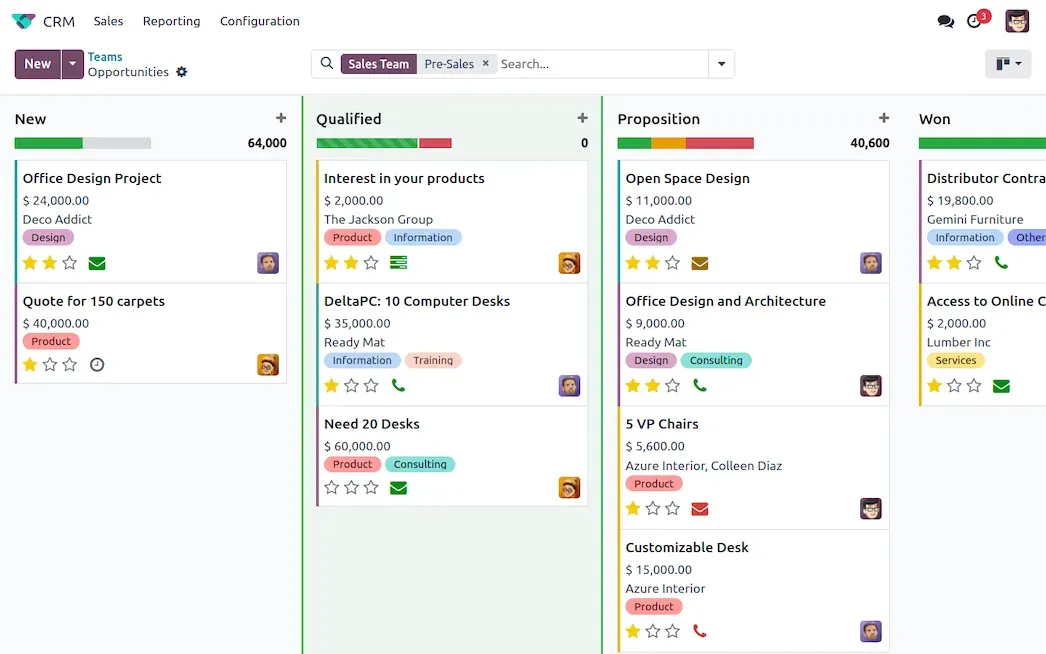
Official Odoo product image of the CRM pipeline, with opportunities grouped by stage and expected revenue per column.
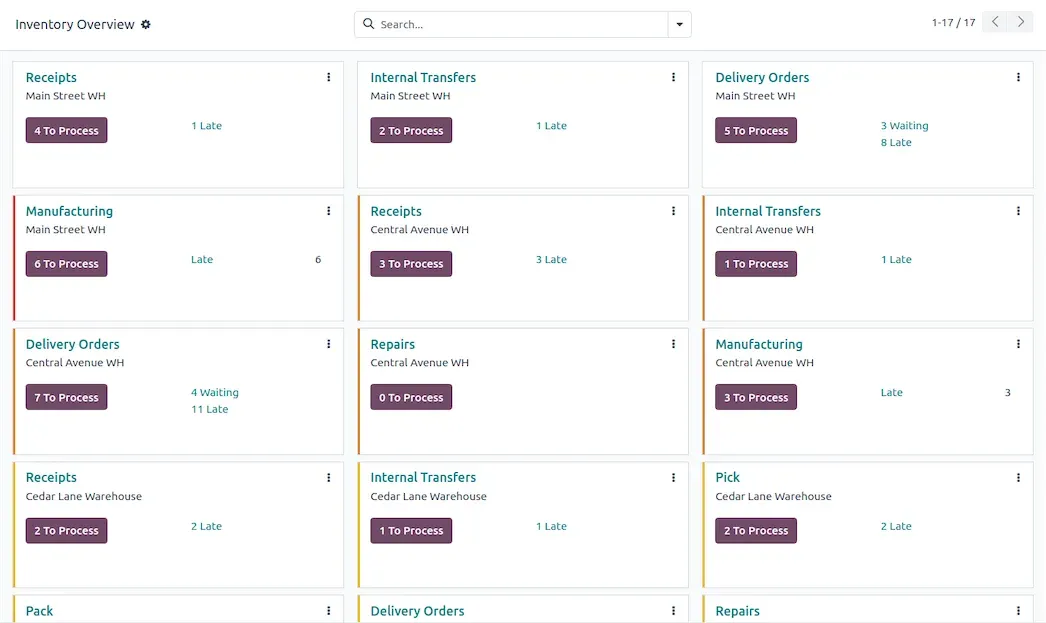
Official Odoo product image of the Inventory overview, showing operation types per warehouse with counts of transfers to process and late ones.
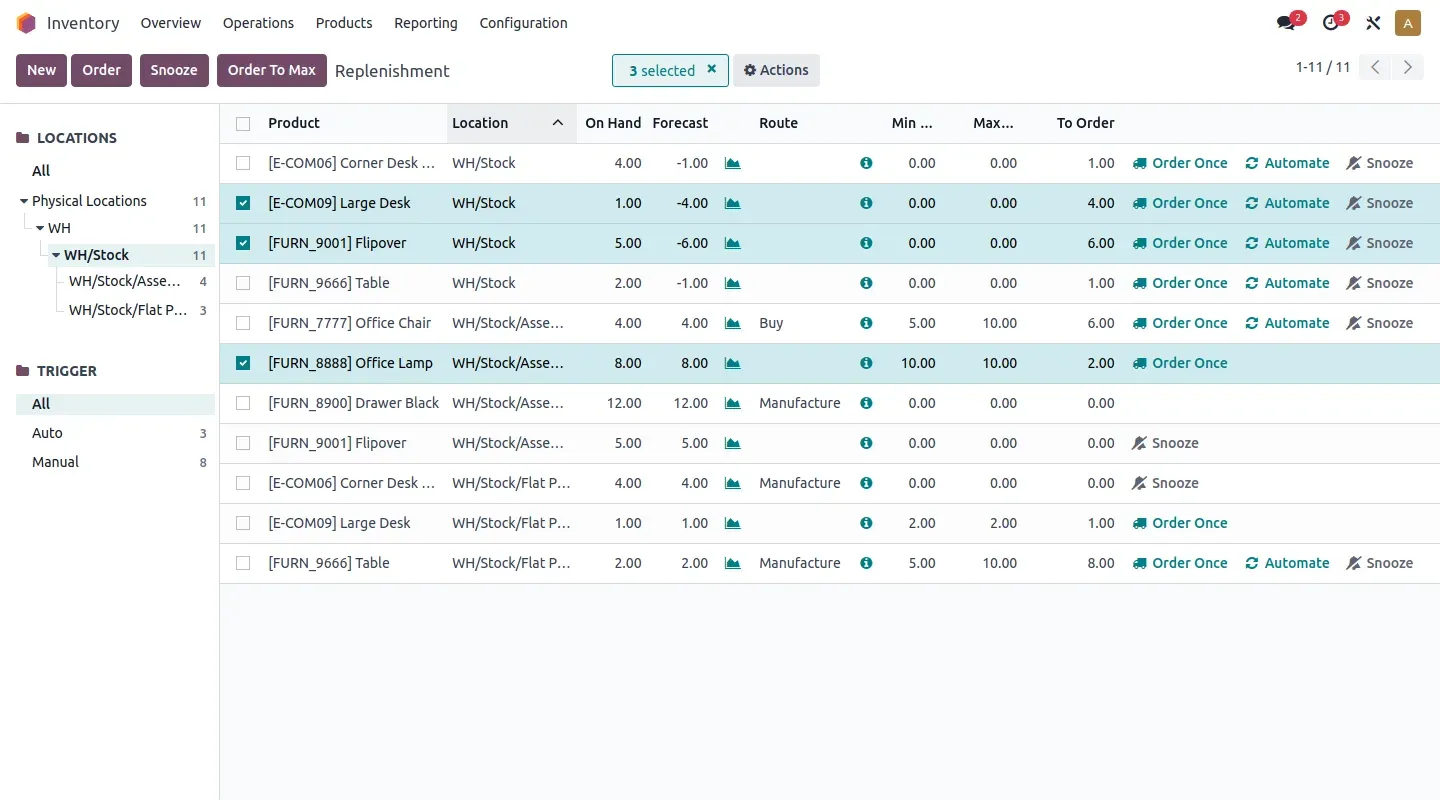
Official Odoo product image of the replenishment report, where reordering rules suggest quantities to order or manufacture.
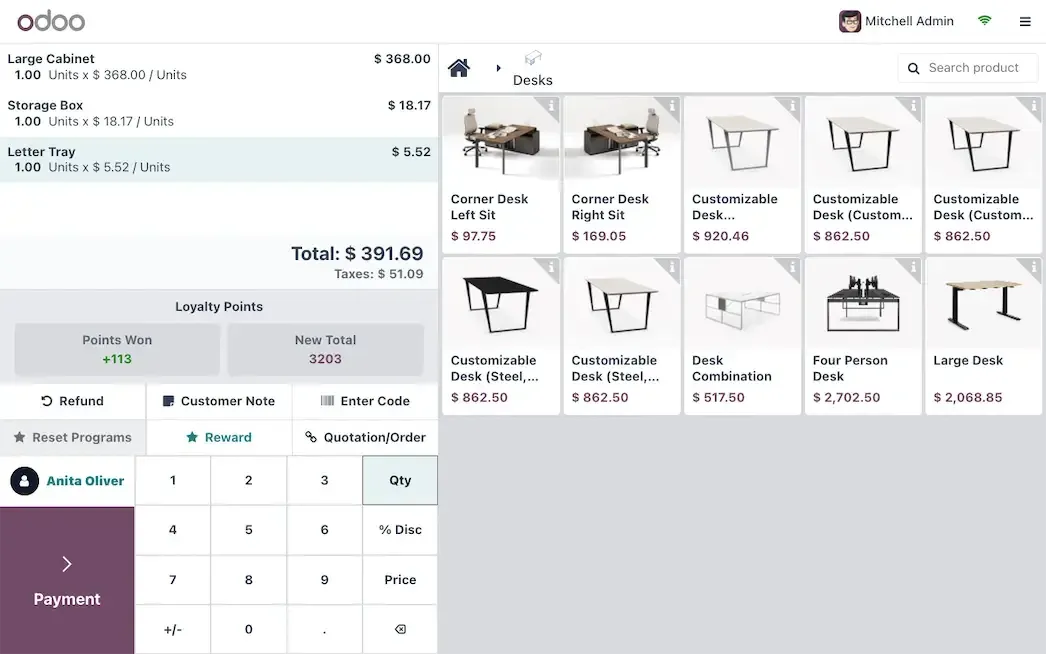
Official Odoo product image of the Point of Sale interface with an open order, loyalty points and the product grid.
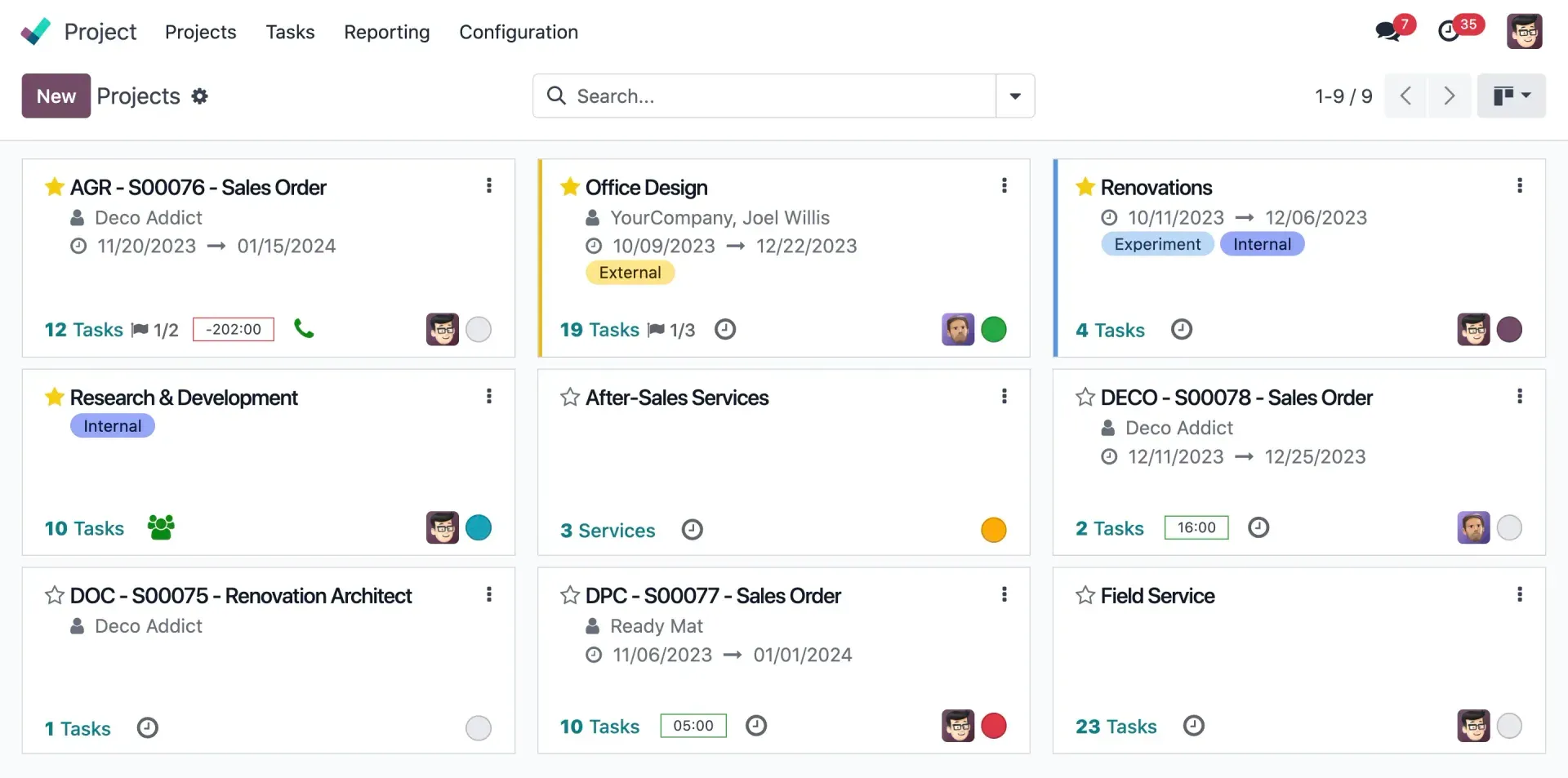
Official Odoo product image of the Project app listing projects as cards with customers, planned dates and task counts.
Source: official Odoo project page.
Key capabilities
- Download Odoo for Linux Odoo provides a nightly APT repository for Debian and Ubuntu and a DNF repository for Fedora, both for the Community edition only. Standalone packages from the download page cover Ubuntu 24.04 (deb) and Fedora 42 (rpm), and the deb package installs Odoo as a service and creates the PostgreSQL user. Install PostgreSQL first and add wkhtmltopdf 0.12.6 manually if PDF reports need headers and footers. Details are in the packaged installers guide.
- Download Odoo for Windows A Windows installer is available from the nightly server for Community and from the download page for either edition. The documentation describes it as suitable for testing or single-user local instances and discourages production deployment on Windows. SmartScreen may show a warning before installation, and Odoo starts automatically when setup finishes.
- Run Odoo from source on Linux, macOS or Windows Clone the
20.0branch ofodoo/odoo(andodoo/enterprisefor Enterprise subscribers), install Python 3.12 or later and PostgreSQL 16 or later, then startodoo-bin. The 20.0 release metadata accepts Python up to 3.14. Odoo refuses to connect as thepostgressuperuser, so a dedicated database role is required. The source install guide lists the per-platform steps; this is the usual route for module developers and for running several versions side by side. - Official Docker image The odoo image on Docker Hub is built from the
odoo/dockerrepository, with tags for 18.0, 19.0 and 20.0. The 20.0 image is based on Ubuntu Noble, installs the nightly Community deb and wkhtmltopdf, exposes ports 8069, 8071 and 8072, and declares volumes for/var/lib/odooand/mnt/extra-addons. It does not include PostgreSQL, which has to run as a separate container or server. - CRM and Sales Both apps are part of Community. CRM manages leads and opportunities in a pipeline with stages, activities and email logging, and Sales turns them into quotations and sales orders. Odoo 20 adds the option to show prices tax included or tax excluded on sales orders, purchase orders and invoices.
- Invoicing, payments and the Accounting boundary Community includes Invoicing, online payments and Expenses. The full Accounting app, with general ledger reporting, bank reconciliation, analytic accounting, budgets, consolidation and vendor bill OCR, is listed as Enterprise only. Teams that need a complete bookkeeping system on Community should check this boundary before planning a rollout.
- Inventory, Purchase and Maintenance Inventory handles warehouses, locations, transfers, routes and replenishment rules, and Purchase handles requests for quotation and vendor orders; both are in Community. The Barcode app for scanner-driven warehouse work is Enterprise only. Equipment maintenance requests are covered by the Community Maintenance app.
- Manufacturing The Community MRP app manages bills of materials, manufacturing orders and work centers linked to inventory. Shop Floor, the control panel and work order scheduling, PLM and Quality are Enterprise features. Check which of these a production process depends on before choosing an edition.
- Point of Sale The Point of Sale app runs in the browser, uses the same product catalog and stock as Inventory and is available in Community. It supports loyalty programs, customer notes and quotation loading in its interface. IoT box support for connected hardware is listed as Enterprise only.
- Website, eCommerce and community apps The Website Builder, eCommerce, Blog, Forum, eLearning and Live Chat apps are all in Community. Shop orders flow into Sales and Inventory without an external connector. The live chat and other real-time features use a separate event-driven worker on port 8072 in multi-process deployments.
- Projects, HR and marketing Community covers Project with timesheets, Employees, Recruitment, Time Off, Fleet, Email Marketing, SMS Marketing, Events, Surveys, Discuss, Calendar and To-Do. Helpdesk, Field Service, Planning, Appointments, Payroll, Appraisals, Marketing Automation and Social Marketing require Enterprise. The timesheet grid view, timer and validation are also Enterprise additions.
- Country localizations The 20.0 branch contains 234
l10n_modules with charts of accounts, taxes and fiscal positions for individual countries. Coverage depth differs by country, and some legal reporting depends on the Enterprise Accounting app. Review the localization documentation for your country before relying on it for filings. - Module framework for developers Business logic is written as Python models on the Odoo ORM, views are declared in XML and the web client uses the OWL framework. Custom modules are loaded through the
addons-pathand can extend existing models instead of patching core files. The server framework tutorial is the official starting point. - External JSON-2 API Since 19.0, data and model methods are reachable over HTTP at
/json/2/<model>/<method>with a bearer API key; each database documents its own models on its/docpage. API keys can last at most three months and must be rotated. On Odoo Online, external API access requires the Custom plan. The API reference also documents the deprecation of XML-RPC and JSON-RPC. - Odoo 20 usability changes Records can be created, edited, archived and deleted while offline, and previously run searches still work. Other changes include pinned chatter messages, CC recipients on emails, multi-record drag and drop in list and Kanban views, Material Symbols icons in place of Font Awesome, and a translation mode based on Weblate.
- AI agents and MCP The AI section of the Odoo 20 release notes covers agents that create or update records, read uploaded files, run from scheduled actions and connect to a database through the Model Context Protocol. Conversations are stored for up to 30 days. All AI features require IAP credits, and the AI apps are part of the paid offering rather than this Community repository.
- Upgrade and support lifecycle Each major version receives three years of standard support, which is the only period with security updates; extended support is paid and limited to Odoo.sh and on-premise. Database upgrades between major versions go through the upgrade platform and are part of the Enterprise subscription. Community users who self-host have to plan migrations of data and custom modules themselves.
Where Odoo fits
Evaluating Community on a single test server
Start with the Docker image or a source checkout of the 20.0 branch, a PostgreSQL 16 server and a throwaway database with demo data. Install only the apps you expect to use, then compare each workflow against the edition table, because several screens shown in marketing material belong to Enterprise. Record which missing features would force a subscription, since that decision changes licensing, hosting options and the upgrade path.
Running sales, stock and invoicing for a small trading company
Install CRM, Sales, Inventory, Purchase and Invoicing so that a won opportunity becomes a quotation, a sales order, a delivery and an invoice on the same records. Configure warehouses, routes and replenishment rules before importing products. Check that taxes from your country localization are applied correctly and decide early whether Invoicing is enough or whether the Enterprise Accounting app is needed for bank reconciliation and statutory reports.
Combining Point of Sale and an online shop
Point of Sale and eCommerce share the product catalog, prices and stock levels of one database. Set up the shop with the Website Builder, then open POS sessions for each counter and confirm that stock moves from both channels land in the expected locations. Test loyalty programs, refunds and closing a session, and plan separately for any payment terminal or IoT hardware, which may need Enterprise components.
Deploying a production on-premise server
The deployment guide recommends multi-process mode with roughly (CPU count x 2) + 1 workers, plus cron workers, and a reverse proxy that forwards /websocket requests to the event-driven worker on port 8072. Enable proxy_mode, terminate HTTPS at the proxy, set a strong admin_passwd, restrict databases with dbfilter and block or hide the database manager with --no-database-list. Back up both the PostgreSQL database and the filestore under the data directory.
Integrating Odoo with other systems
New integrations should use the JSON-2 endpoint with a dedicated API key per integration and a short key lifetime. Existing scripts on /xmlrpc, /xmlrpc/2 or /jsonrpc keep working for now, but the db service is gone in Odoo 20 and the common and object services are scheduled for removal in Odoo 22 in fall 2028. Inventory these clients and plan their migration together with the next major upgrade.
Planning a major version upgrade
Moving from 19.0 to 20.0 changes requirements (Python 3.12, PostgreSQL 16) and the security model, since record rules are replaced by domains on access rights. Request an upgraded test database, run it with your custom modules and check access rights, reports, scheduled actions and integrations before switching. The upgrade documentation explains the process for Odoo Online, Odoo.sh and on-premise hosting.
Reviews of Odoo
Be the first to share your experience with Odoo.
Write a review
Loading review form…
Alternatives to Odoo
 SAPSAP SE sells enterprise applications, including SAP Cloud ERP for finance, supply chain and procurement, with editions for small and large firms.
 ZohoZoho One bundles more than 50 business apps for sales, finance, support and HR under one license, with centralized administration and a developer platform.
 TwentyTwenty is an open-source CRM with custom objects, workflows, AI agents and REST and GraphQL APIs, run on a managed cloud or self-hosted.