What is Hyprland?
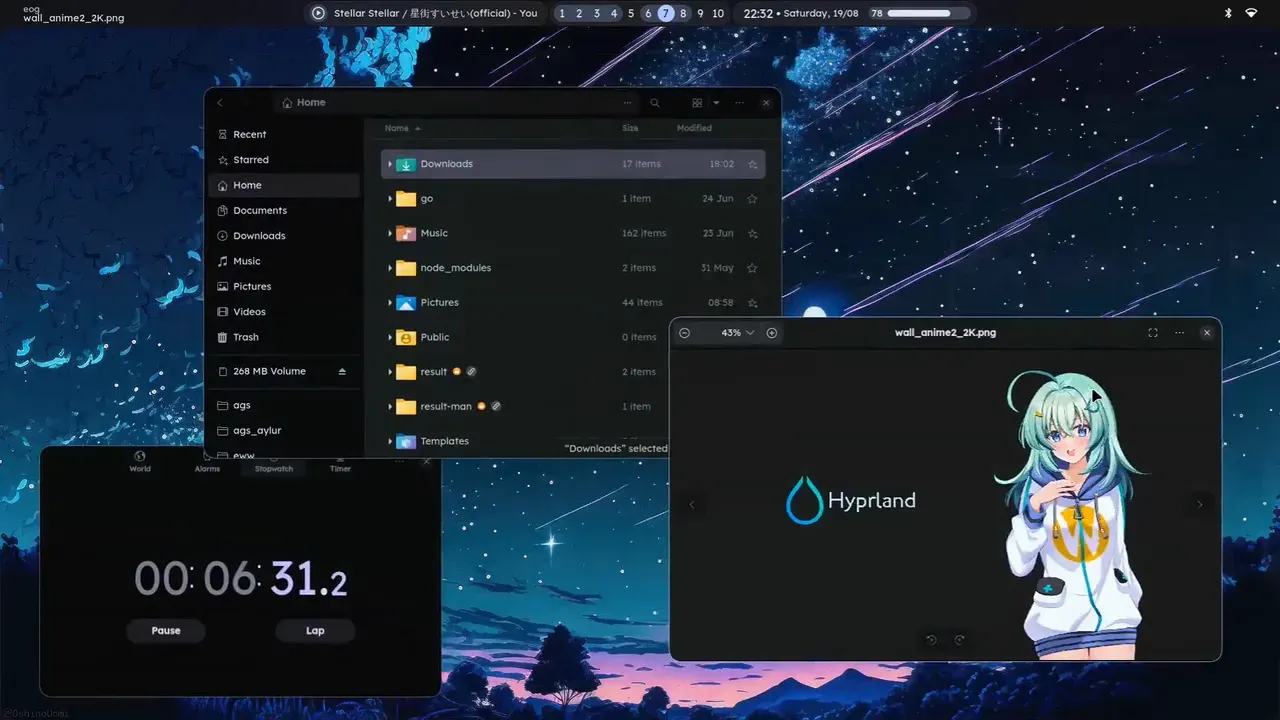
Hyprland is a dynamic tiling Wayland compositor for Linux. As a Wayland compositor it is the display server, window manager and compositor in one program. The project describes it as a 100% independent compositor that provides recent Wayland features, extensive customization, animations and blur, plugins and IPC. It is developed in the open on GitHub under the BSD-3-Clause license, with the website at hypr.land and documentation in the Hyprland Wiki. According to the support page it is developed by volunteers and led by one person working on it full-time, supported by donations and an exclusive sponsor, and the project states it will stay free and open source without features behind a paywall. The name and logo are trademarks of Hyprland Development registered in the European Union, and the logo files are excluded from the BSD license and covered by the trademark usage policy.
Independent means that Hyprland does not use wlroots, libweston, KWin or Mutter. The move off wlroots was completed in July 2024 for release 0.42.0: all Wayland protocol implementations now live inside Hyprland in C++, and the low-level KMS, DRM and libinput backend moved into aquamarine, a small library from the same organization. Other hyprwm libraries such as hyprutils, hyprcursor and hyprgraphics are build dependencies. The code uses the C++26 standard, so a source build needs GCC 16 or Clang 19 or newer, CMake 3.30 and Lua 5.5.
GitHub releases contain a source tarball only, and the installation page states that the Hypr team does not maintain any packages. The team runs and tests Hyprland on Arch Linux and NixOS, where it is installed with pacman -S hyprland or programs.hyprland.enable = true; community-maintained instructions cover openSUSE, Fedora through a Copr repository, Debian 13 backports and Debian 14, Gentoo, FreeBSD, Ubuntu, Alpine, Void, Solus and others. The wiki warns that point-release distributions can have major issues with its recent dependencies and documents Nix as an option on other systems. Hyprland is started from a TTY with start-hyprland and must not run as root; display managers such as SDDM, greetd and ly are listed as working but not officially supported.
The latest release is Hyprland v0.57.2, published on November 9, 2026, a set of fixes backported onto 0.57.1 that includes crash fixes under heavy load and stops Hyprland from acquiring realtime scheduling at startup. It follows 0.57.0 from October 28, 2026, which the 0.57 release post describes as the first version without support for .conf configs: configuration is now written in Lua. The same release added blur variants, workspace sharing for screen capture in Hyprland and xdg-desktop-portal-hyprland, a window wobble effect, new Lua APIs and the no_glow and no_wobble rules, and removed the long-deprecated togglesplit and swapsplit dispatchers. Lua configs arrived with 0.55 in May 2026, and the April 2026 announcement said the old hyprlang syntax would remain supported for one or two releases.
Several limits are stated by the project. Hyprland is not a full desktop environment: the installation page says it is a set of tools for building one, so bars, launchers, notification daemons, wallpapers and other applications are chosen and configured separately. NVIDIA GPUs often need extra steps described on a dedicated wiki page, virtual machines need 3D acceleration, tearing support and the HDR color presets are marked experimental, and plugins run as part of the Hyprland process. Other Hypr tools such as hyprlock and hypridle keep using hyprlang for their own configs.
Key capabilities
- Dynamic tiling layouts Built-in layouts are dwindle (the default in the example config), master, scrolling and monocle, and the layout can be set per workspace. The scrolling layout places windows as columns on an infinitely growing tape with configurable column widths, focus behavior and scroll direction. Windows can also be floating, pseudotiled or fullscreen, and the layouts section documents each engine's options and layout messages.
- Custom layouts in Lua A layout can be written directly in the config with
hl.layout.register(name, { recalculate, layout_msg })and then selected aslua:name. The context object provides the work area, the list of targets and helpers such ascolumn,row,grid_cellandsplit, and:place()applies gaps, pseudotiling and reserved space. The repository ships example columns, grid, spiral and manual layouts, and plugins can register further layouts. - Lua configuration with live reload The config lives in
~/.config/hypr/hyprland.lua, and an example file is generated when none exists. Files are reloaded automatically when they change, or withhyprctl reload. A config can be split into modules withrequire, where each required file runs in its own scope so an error in one does not stop the others, and generated type stubs in/usr/share/hypr/stubsgive a Lua language server autocompletion, as described on the core configuration page. - Events, timers and scripting hooks The Lua API adds event callbacks such as
hl.on("hyprland.start", ...), timers, layout data and device queries. Recent releases addedhl.reload_config(),hl.get_devices(), window minimize and state events, a key event, Lua-driven custom gestures and helpers for workspace management, so behavior that previously needed a plugin can be scripted in the config. - Workspaces, special workspaces and groups Workspaces are created and destroyed dynamically and can be bound to monitors with workspace rules. Special workspaces act as scratchpads that are toggled over the current workspace, and windows can be combined into groups shown as tabs with a groupbar. Since 0.57 a whole workspace can be selected as a screen sharing source.
- Window, workspace and layer rules
hl.window_rulematches windows by class, title, initial class or title, tags, content type, floating, fullscreen, pinned or group state and applies effects such as size, position, centering, floating, pinning, border color, rounding, opacity, workspace placement orimmediatefor tearing. Workspace rules set layouts, gaps and monitors per workspace, and layer rules apply blur, dimming, animations or screen sharing exclusion to layer surfaces such as bars, launchers and notifications. - Keybinds, submaps and gestures
hl.bindmaps key combinations to dispatchers or Lua functions, with flags such asrepeating,release,long_press,lockedandmouse, submaps for modal key sets, device-specific binds and switches such as a laptop lid. Thepassandsend_shortcutdispatchers and D-Bus global shortcuts through xdg-desktop-portal-hyprland deliver keys to applications in the background, and touchpad gestures include workspace swipes, pinch cursor zoom and Lua-defined gestures. - Animations with bezier and spring curves Animations are declared per leaf of an animation tree (windows, layers, fade, border, workspaces, special workspaces and more), each with a speed in deciseconds, a curve and a style such as slide, popin or gnomed. Curves can be custom bezier curves or, since 0.55, spring curves with mass, stiffness and damping, and unset leaves inherit from their parent, as listed on the animations page.
- Decorations and effects Windows can have gradient borders whose angle can be animated, rounded corners, shadows and a glow decoration added in 0.55. Blur supports several variants since 0.57, including animated ones, plus proportional blur, and further effects include a motion blur option and the window wobble from 0.57. The FAQ names blur and animations as the settings to turn off for maximum performance.
- Monitors and color management
hl.monitorsets the mode, position, scale, rotation and mirroring for each output, andhyprctl monitorslists the modes a display reports. Color management presets include srgb, wide, dcip3, dp3, adobe and edid, while hdr and hdredid are marked experimental; fullscreen HDR can be enabled automatically, and 0.55 added an ICC profile pipeline. Variable refresh rate can be limited to fullscreen applications. - Tearing for games With
general.allow_tearingenabled and animmediatewindow rule, a fullscreen game can tear to reduce latency. Tearing only applies when the game is the only thing visible on that monitor,hyprctl monitorsreports what is blocking it, and the tearing page marks the feature experimental and dependent on GPU driver support. - hyprctl command-line control
hyprctlqueries and controls a running instance: listing clients, monitors, workspaces and the active window, running dispatchers, reloading the config, evaluating Lua or opening an interactive Lua REPL (since 0.56), sending notifications, switching keyboard layouts, reading window properties and creating headless or nested outputs. Flags select JSON output (-j), a specific instance (-i) or a state refresh, and several commands can be sent as a batch. - Socket-based IPC Each instance exposes two UNIX sockets under
$XDG_RUNTIME_DIR/hypr/:.socket.sockfor hyprctl-style requests and.socket2.sock, which streams events asEVENT>>DATAlines for workspace changes, focused monitors, active windows, opened and closed windows, monitor hotplug and more. The IPC page notes that the request socket is handled synchronously, so a client that keeps it open can freeze Hyprland until a five-second timeout. - C++ plugins and hyprpm Plugins are shared objects written in C++ that run inside Hyprland, and none are bundled by default. The
hyprpmplugin manager adds plugin repositories such as the official hyprland-plugins collection, builds them against the installed headers and enables, disables, reloads or updates them; it needs cpio, cmake, git, meson and gcc. Plugins can also be loaded withhyprctl plugin loadorhl.plugin.load, and the wiki warns to read a plugin's source before loading it. - Permission system With hyprland-guiutils installed and
ecosystem.enforce_permissionsenabled (it is off by default), Hyprland asks before applications use sensitive compositor features. Permission types cover direct screen capture, plugin loading, new keyboards, cursor position and input capture, each set to allow, ask or deny per binary regex or device name. Permission rules are not hot-reloaded and need a restart. - Input devices and text input Keyboards, pointers, touchpads, touch screens and tablets are configured globally or per device, and device tags group them. Hyprland supports input methods and input panels natively, and tablets can be globally disabled since 0.57.
- Xwayland for X11 applications X11 programs run through Xwayland, and
hyprctl clientsshows whether an application uses it. On HiDPI screens thexwayland.force_zero_scalingoption stops Xwayland windows from being scaled, with toolkit environment variables used to set their size instead. - Hypr ecosystem utilities The same organization publishes companion programs documented in the wiki: hyprlock (lock screen), hypridle (idle daemon), hyprpaper (wallpapers), hyprpicker (color picker), hyprsunset (blue light filter), hyprlauncher, hyprpolkitagent, hyprcursor, hyprqt6engine and xdg-desktop-portal-hyprland for screen sharing and other portals. They are installed separately.
Where Hyprland fits
Building a desktop from the default config
The master tutorial starts from a TTY with start-hyprland, which creates the example hyprland.lua on first launch; SUPER + Q opens kitty, the terminal set in that file. The tutorial then points to the monitors page, the must-have software list (a notification daemon, PipeWire, an XDG desktop portal, an authentication agent, Qt Wayland support and fonts) and the useful utilities pages for bars, launchers, wallpapers and screenshots. A preconfigured setups page lists ready-made dotfiles for a desktop-environment-like start. Other iThub listings in related areas include Defi, a scrolling-column window manager for macOS, and the terminal emulators Ghostty and Alacritty.
Driving status bars and scripts through IPC
Status bars and scripts can read the event socket to follow workspace, window and monitor changes as they happen, and query state with hyprctl -j clients or hyprctl -j monitors. The same information is available inside the config through Lua event callbacks, so a script can react to a window opening or a monitor being connected without an external process.
Running games with tearing and VRR
For low-latency gaming the tearing page describes enabling allow_tearing and adding an immediate rule that matches the game's window class. Tearing only takes effect when the fullscreen game is the only visible surface, and hyprctl monitors shows a tearingBlockedBy field. The FAQ describes setting the variable refresh rate option to fullscreen-only on monitors whose brightness flickers with VRR.
Setting up several monitors and HDR
Each display gets an hl.monitor entry with its output name, mode, position and scale, and workspace rules pin workspaces to specific monitors. The colors page describes the cm presets, the experimental hdr mode with SDR brightness and saturation controls, and automatic HDR for fullscreen content. Screen sharing of a monitor, a window or, since 0.57, a workspace goes through xdg-desktop-portal-hyprland.
Extending the compositor with plugins
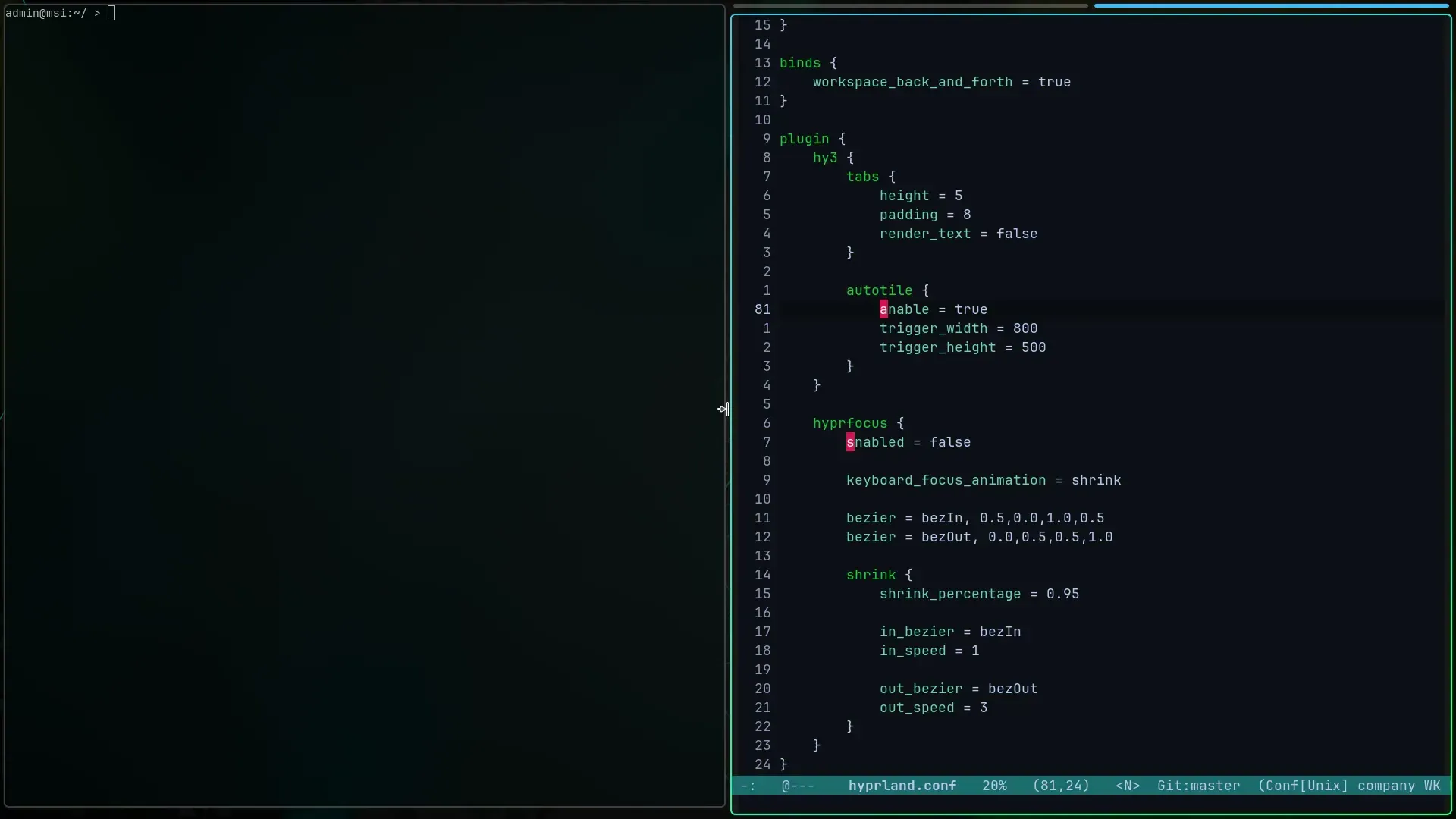
hyprpm add https://github.com/hyprwm/hyprland-plugins fetches the official plugin collection, hyprpm enable turns on individual plugins and hyprpm reload loads them; the wiki describes adding that command to autostart. The hypr.land homepage shows a community setup that uses the hy3 and hyprfocus plugins. When the permission system is active, a rule allowing the hyprpm binary to load plugins avoids a prompt on every load.
Moving a config from hyprland.conf to Lua
Since 0.57 only hyprland.lua is read, so a hyprlang hyprland.conf has to be rewritten. The Lua announcement explains that single-line rules such as windowrule = immediate yes, class:... are replaced by Lua tables passed to functions like hl.window_rule, hl.bind and hl.config. The wiki is versioned, and its version selector shows the documentation that matches the installed release, which hyprctl version reports.
Reviews of Hyprland
Be the first to share your experience with Hyprland.
Write a review
Loading review form…
Found Hyprland useful? Upvote it todayYour vote helps other IT teams find it in the daily ranking.