What is AnyMachine?
AnyMachine is a public repository of experiments and a written method for building 3D machines in Blender whose parts actually move: lids on real hinges, legs that walk without sliding, bags that fill and open. It is published at github.com/apekshik/anymachine under the MIT license, with Apekshik Panigrahi named as copyright holder in the LICENSE file. The README places it in a family of related repositories: AnyScene builds whole sets, AnyKit builds the props that go in them, AnyMachine makes machines that move, and AnyShot renders the result.
Every model in the repository is code. One Python script, run headless in Blender, builds the geometry, materials, UV layouts, texture bake, armature, animations and export, so a design change is a change to the script followed by a full rebuild. The README and PIPELINE.md state that the work was carried out by an agent (Claude Fable 5.2 in Claude Code) following the documented steps, with a person choosing the design, approving each set of references and judging the result. Reference images were generated with GPT Image 2.6 on fal, and generated meshes for the everyday objects came from Meshy and Tripo.
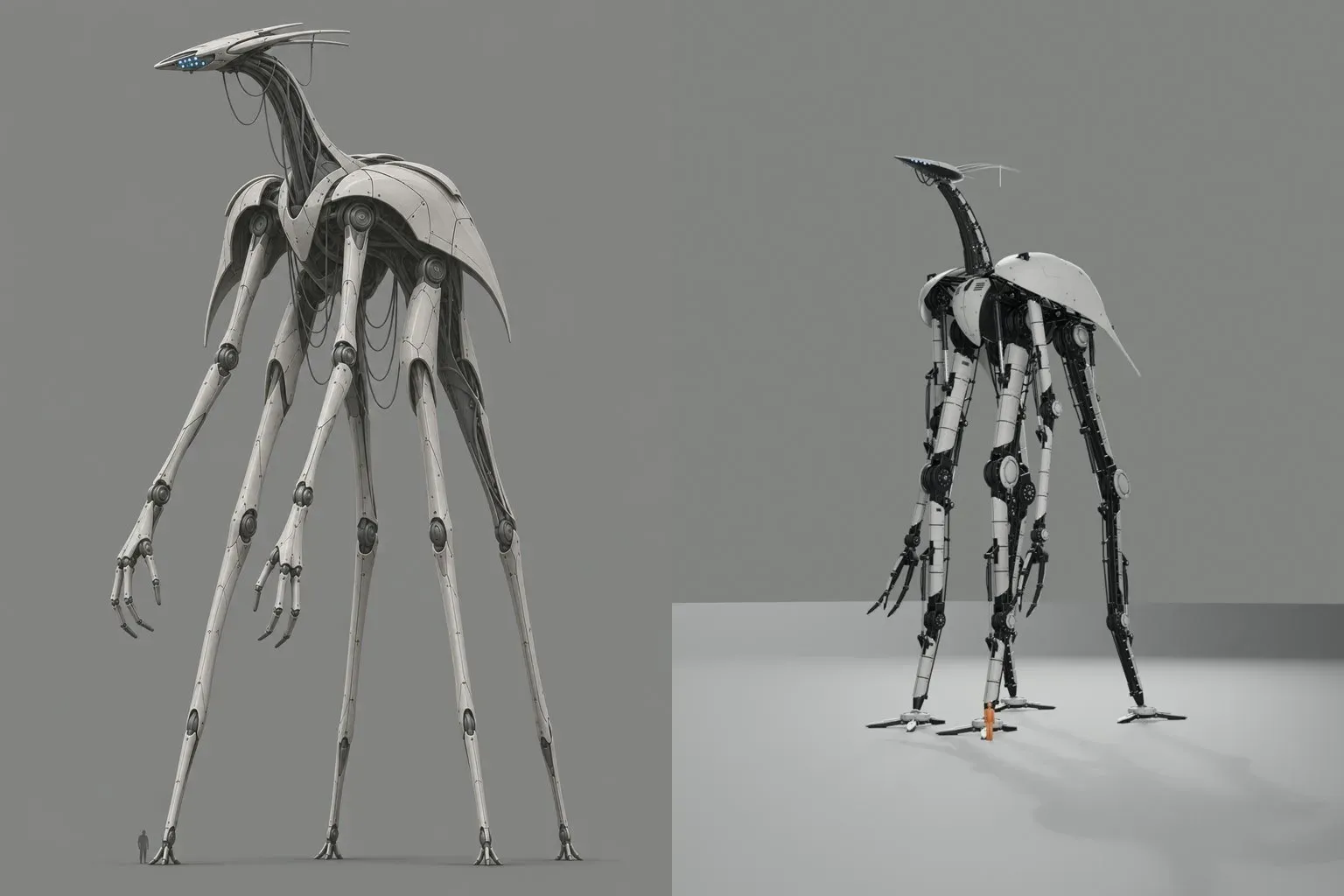
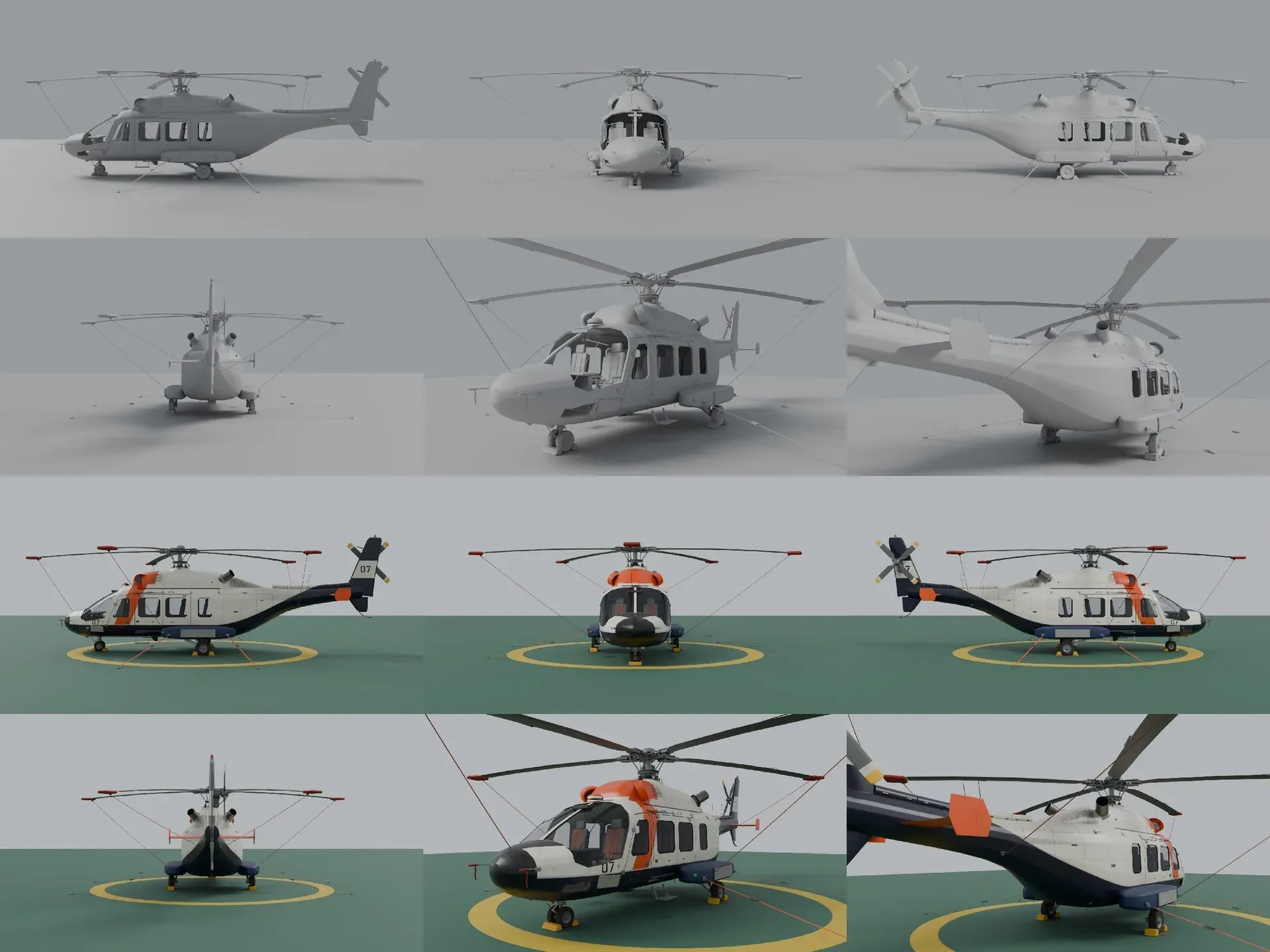
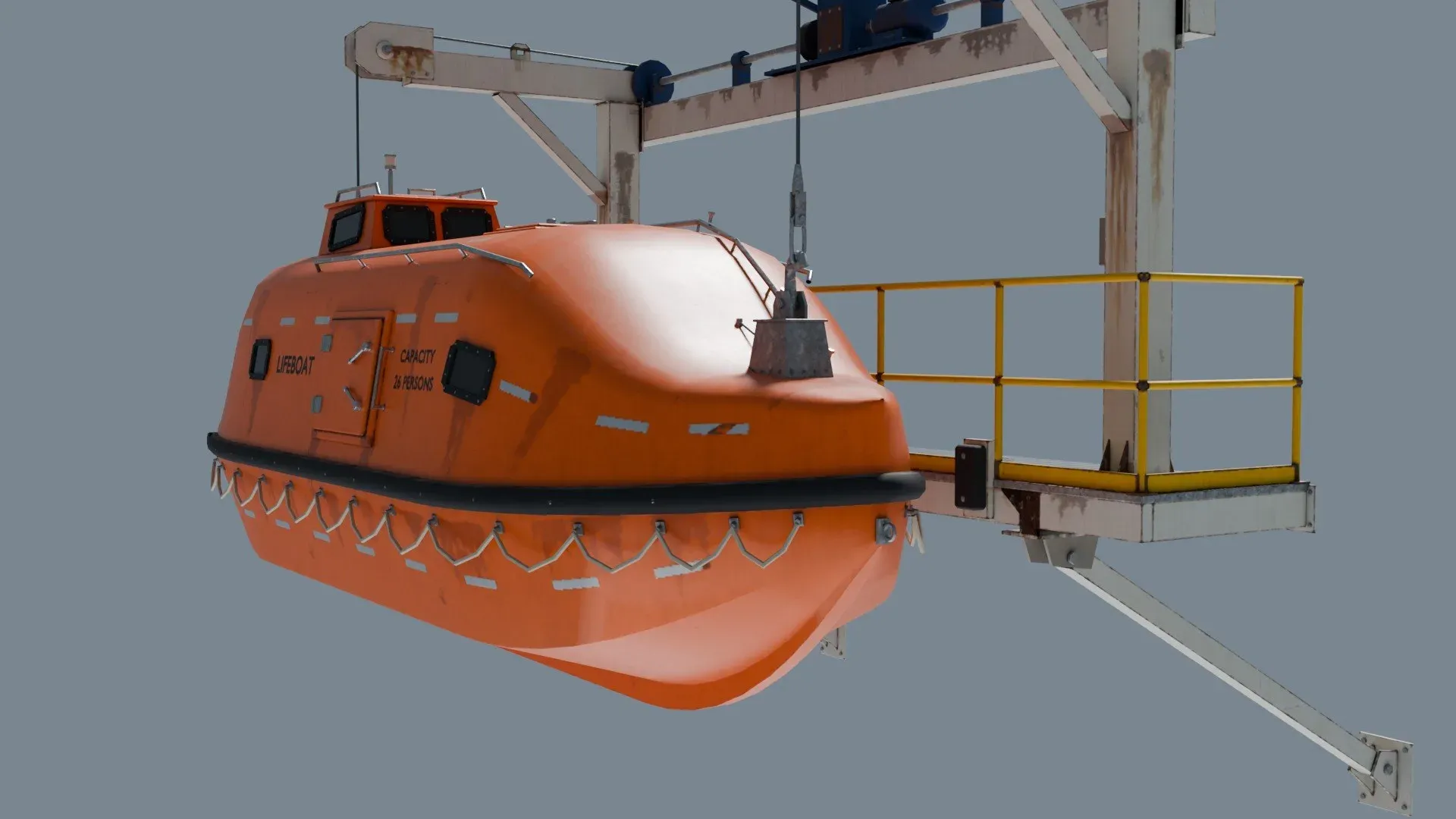
The README describes three ways in. From a generated mesh, for everyday objects: the object is generated in an articulated pose, the mesh is treated as a skin, joint axes are measured from it and the moving parts are rebuilt as clean geometry on those axes, with every control exposed as a 0-1 parameter. From references, for machines no generator can supply: one concept image becomes a turnaround, single views and close-up plates, then a parts breakdown and a build script; the worked example is Stilt, a 30 m walker with 160 parts, hydraulic actuators on every joint, a 104-bone rig and three animations. From reference sheets, for static objects with a lot on them: a helicopter with 31,477 triangles and three texture sets, an enclosed lifeboat on its davit and winch, twelve pieces of oil-rig equipment, nineteen light fixtures and three rifles, built part by part for one map of a browser first-person shooter.
The repository has no releases, tags or packages, and the README labels its status as experiments with no endpoint yet. Six runs are documented: hardsurface, stilt, laptop, quadruped, spider and backpacks. Stilt and the hard-surface objects need Blender 5.2, the older experiments run on Blender 5.0, ffmpeg is used for videos, and a FAL_KEY is needed only to regenerate reference images and motion clips; building, rendering and verifying need no network. For the older experiments the generations, .blend files, GLBs and render frames are not in the repository, while the demo GIFs, stills and check.json reports are; Stilt ships with stilt.blend and stilt.glb.
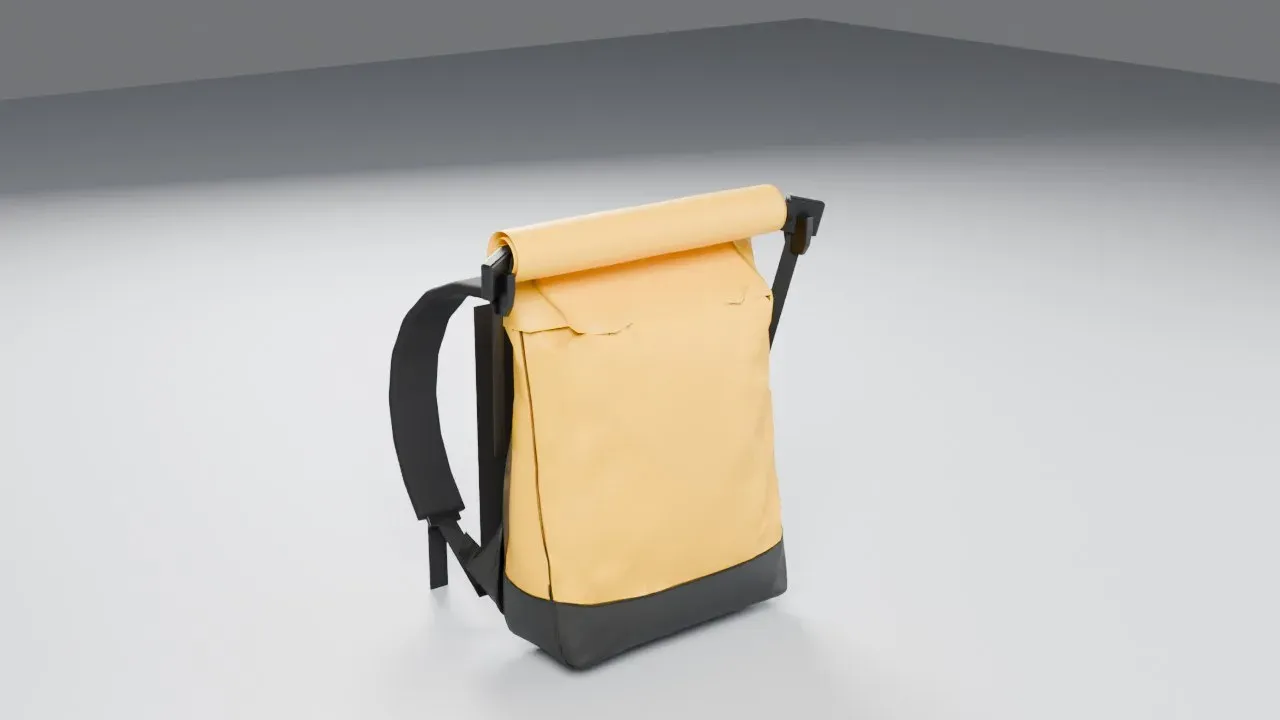
The notes are explicit about limits. The backpack experiment works only partly: the roll-top passes every check, while the rucksack and daypack fail where controls interact. PIPELINE.md describes the hard-surface results as game props rather than film assets, simpler and flatter than their reference sheets, and states that a person still decides which design is used and whether a result is good enough; hardsurface/NOTES.md lists the specific shortfalls. Other 3D asset tools listed on iThub include TextureCraft for texture painting and baking and MaterialCraft for PBR materials.
Key capabilities
- Documented pipeline PIPELINE.md has two parts. Part 1 lists ten steps for machines that move: concept, turnaround, single views, close-up plates, parts breakdown, build script, check renders, motion reference, animation, and export with verification. Part 2 is a seven-step variant for complicated static objects, with the rig and animation removed and a second modelling pass and a GPU texture bake added. It is written for both a person reading how a model was made and an agent asked to build the next one.
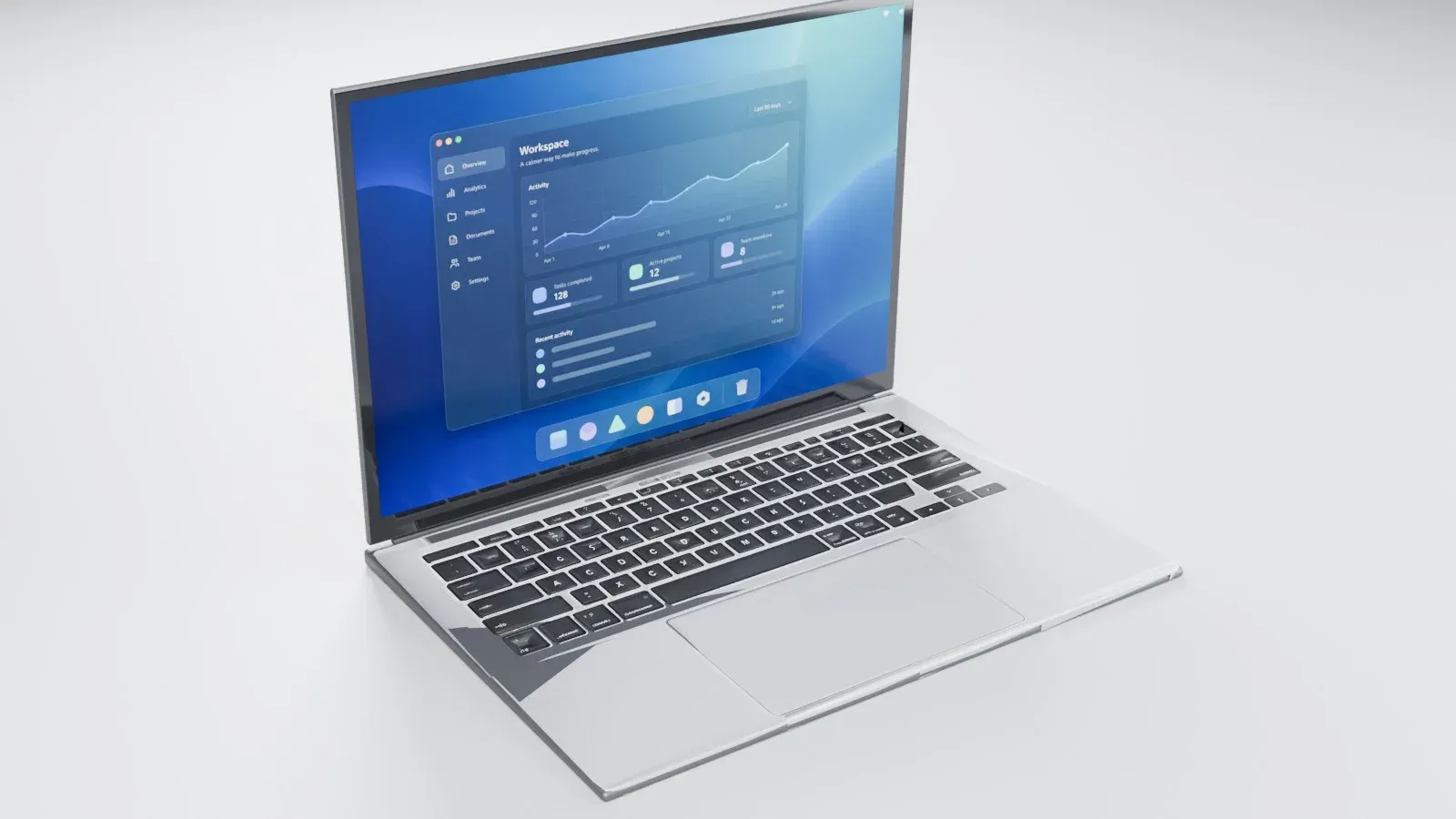
- Rigs from generated meshes The laptop experiment shows the generated-mesh route: a reference image, image-to-3D with Tripo P2 and Meshy v7.1 (Tripo was kept), automatic measurement of the deck plane and lid line, and a rebuilt lid whose back edge is a barrel coaxial with the hinge. The generated top skin with keys and trackpad is kept on a clean rebuilt shell. Parts the generator fused or left open are listed with the fix applied.
- 0-1 parameter controls Each joint is a custom property from 0 to 1 that drives the bone through a driver, with limits such as a Limit Rotation constraint holding the laptop lid to 0 to 135 degrees. Out-of-range values are clamped: in the laptop check, 1.4 clamps to 135 degrees and -0.3 to 0. In the GLB, every control is baked into a linear one-second action named
<control>_param, so seeking to t = value poses the model in any engine, and the joint spec is stored in the rig node's extras. - Machine checks Each experiment writes a
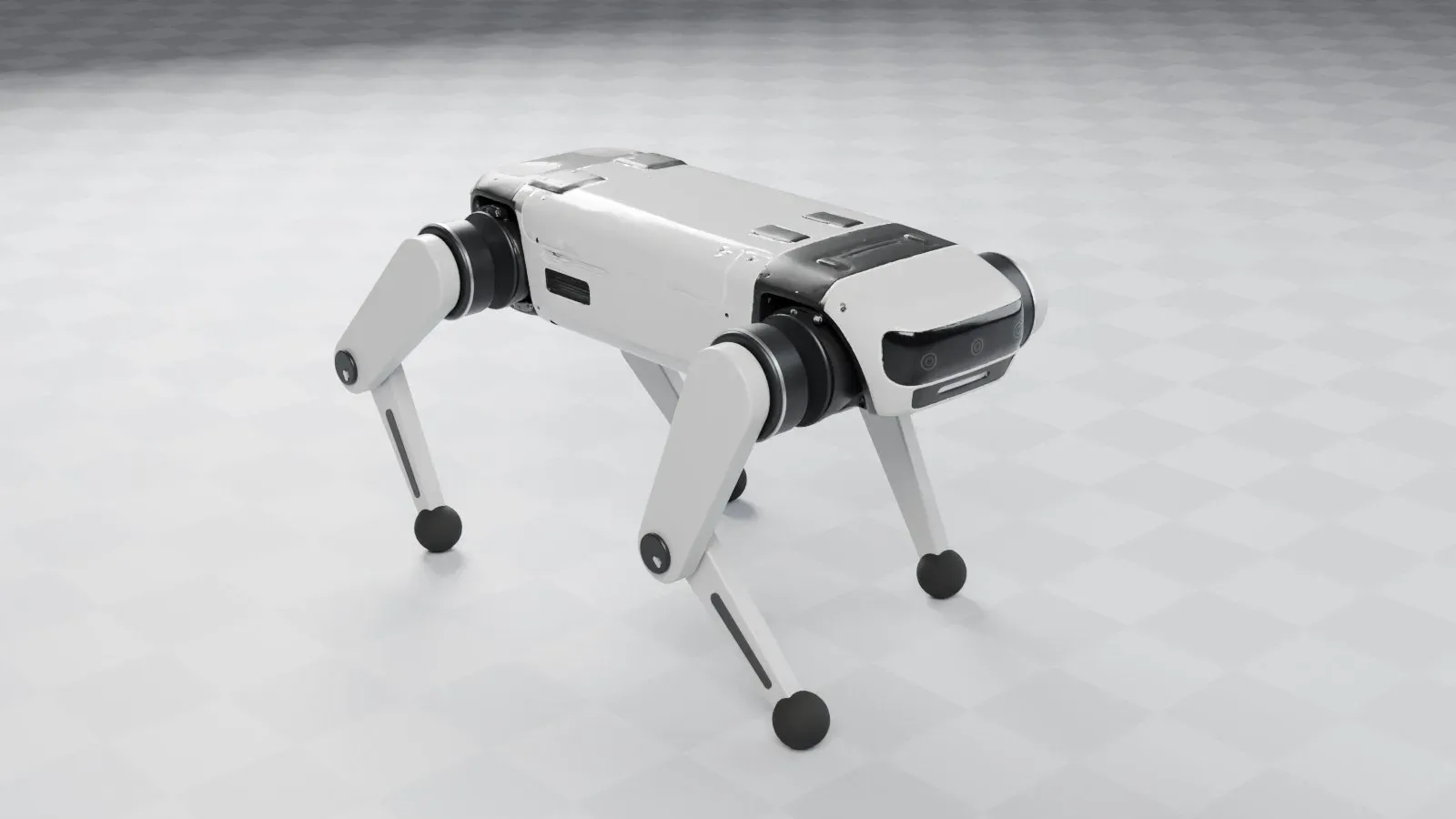
check.jsonreport. The laptop sweep covers 0 to 135 degrees in 1 degree steps and reports 0 triangle overlaps at all 136 steps with a minimum clearance of 0.32 mm. The quadruped reports 0 overlaps and 0.014 mm foot slip. Averify_glb.pyscript re-imports each GLB into an empty scene and counts bones, meshes and actions to confirm the export matches. - Walking quadruped and spider The quadruped has four legs with three joints each and trot, idle, sit and stand actions; the README notes its legs are plain slabs. The spider has eight legs with three joints each and walk, idle and crouch actions; the generators produced six legs, so the eight come from the brief, and its body skin is described as rough. Both rebuild from cached generations with a
run_all.shscript. - Soft goods joint types The backpack experiment tested whether hinges, sliders and wheels stretch to soft objects. Straps and buckles fit, while flaps, zips, fill and roll each needed a new joint type with its own solver; the notes draft
flap,zip_path,fill,strap,roll,clipandjiggle. The roll-top collar curls on a 67-bone chain into an Archimedean spiral, and the daypack zip opens its panel through 12 in-between shape keys. - Stilt build script build_stilt.py rebuilds
stilt.blendandstilt.glbfrom nothing, including a texture bake of about 80 seconds that--no-bakeskips. PIPELINE.md puts the script at about 2,200 lines. Actuator anchor points are chosen by sampling every action and keeping points where each rod stays inside its cylinder, and the build fails if a rod could leave its cylinder.stilt_info.jsonrecords every part, bone, rest axis and stroke. - Reference generation The
jobs_*.jsonfiles instilt/are the prompts for the turnaround, single views, close-ups and motion clips, andedit.ps1andvideo.ps1run them through fal with aFAL_KEY. Each step feeds earlier images back in as references so the design does not drift, and the method stops for human approval after the turnaround and after the first plates. Stilt used 40 reference images. - Comparison renders
render_stilt.pyrenders the model from the camera of each reference, and the comparison images place reference and model side by side. Differences are written into the notes under what differs from the references rather than left for someone to find. The hard-surface objects are rendered from the six directions of their overall sheet with flat light for the same purpose. - Motion from video clips For Stilt, renders of the finished model were given to an image-to-video model, and the clips were read for timing rather than tracked: foot order, time in the air and body dips went into the actions in the build script. After every animation change a clash check compares every part against every part on another bone through all actions and reports intersections not present in the rest pose.
- Hard-surface part kit The hardsurface folder contains one build script per object on a shared kit (
hs.pyand family helpers) with boxes, prisms, lathes, pipes with bends, flanges with bolt circles, hinges, handwheels, gratings and welds. Detail under about 8 mm, such as bolt heads and weld beads, is built but flagged bake-only, so it shapes the normal map without entering the exported mesh. The equipment pieces are 2,000 to 6,000 triangles with 5,000 to 35,000 triangles of bake-only detail. - Texture baking Materials are wear shaders over tiling paint or metal textures, baked in Cycles to base colour, normal and occlusion, roughness and metal maps, one set per object or one shared set for small instanced families such as the light fixtures. Each build takes
--sizeand--spp, runs unattended from one command and exits non-zero if no texture was written, so bakes can run as parallel jobs on a GPU render farm.--nobakebuilds the geometry in seconds. - Exports Outputs are
.blendand.glbfiles, plus FBX for Stilt and astats.jsonper hard-surface object. The helicopter folder includes proposed collision boxes, and its notes state it has not been loaded in the game. Texture sizes in the laptop export are capped at 2K. - Running the examples Stilt is rebuilt with
blender --background --python stilt/build_stilt.py, rendered withrender_stilt.pyand verified withverify_glb.py. Hard-surface objects are built fromhardsurface/rig2_blender/kitby running a script such asaircraft/helicopter/build.pyin background Blender with--factory-startup, adding--nobakefor geometry only. The older experiments rebuild headless from theirgen/caches throughrun_all.shorrun_bag.sh. - License and status The code is MIT-licensed. There are no GitHub releases or tags, and the README describes the repository as six experiments with no endpoint yet; the first experiment notes are dated November 3, 2026 and the repository was created on November 4, 2026. Changes are visible in the commit history.
Where AnyMachine fits
Rigging an everyday object from a generated mesh
The generated-mesh route starts from an image of the object in an articulated pose, because an open lid or a bent leg is what makes the joint measurable. The mesh is fitted to a known size, the joint axes are estimated from its surfaces, and the moving parts are rebuilt as clean geometry on those axes while the generated surface detail is kept as a skin. The laptop notes list each measured value in laptop_build.json and each part that had to be remade, such as a lid fused into the base and Tripo's metallic maps that turned keycaps into chrome.
Building a walking machine from one concept image
The reference-first route in PIPELINE.md turns one painting into a turnaround, single views and close-up plates, each generated from the earlier images. A parts breakdown in PARTS.md fixes axes, dimensions, the load path and every part with its bone before any geometry is written. The build script then produces geometry, materials, rig, actions and export, and comparison renders, motion clips and a clash check follow. Stilt is the worked example and was the fourth machine built this way.
Modelling detailed static props from reference sheets
For objects with many parts, part 2 of PIPELINE.md uses an overall sheet showing one object from six directions and several close-up sheets, then one Python script per object builds each real part as its own mesh. A comparison against the sheet drives a planned second pass, after which textures are baked. PIPELINE.md states that image-to-3D meshes are not used for these objects; a generated lifeboat was replaced because it had no hinges, hooks or winch underneath its outline.
Driving exported models from a game engine
Because every control is baked into a linear glTF action of one second, an engine can pose the model by seeking that action to the control value instead of reproducing Blender drivers. The joint spec in the rig node's extras records the control names and limits. The verify_glb.py step re-imports the GLB to confirm bone, mesh and action counts, and the GLB is rendered on its own so that what a plain viewer shows is known.
Extending the joint vocabulary to soft goods
The backpack notes describe how straps become a slider plus a chain, buckles become rigid parts on bones, and flaps, zips, fill and rolls need dedicated solvers. Soft joints are coupled through contact, for example a lid that drapes on the fill shape beneath it, which independent 0-1 parameters cannot fully express; the roll-top's clip control is solved as a dependent joint at roll = 1. The notes also list skipped controls such as the rucksack drawstring.
Rebuilding and checking the included runs
Each experiment folder keeps its scripts, cached references, stills and check reports, so the runs can be rebuilt headless and compared with the committed results. Stilt needs only its script and Blender 5.2; the older experiments need the cached generations in their gen/ folders, which are not part of the repository. Regenerating references or motion clips requires a fal API key, while building, rendering and verification run offline.
Reviews of AnyMachine
Be the first to share your experience with AnyMachine.
Write a review
Loading review form…
Found AnyMachine useful? Upvote it todayYour vote helps other IT teams find it in the daily ranking.