

What is Refined GitHub?
Refined GitHub is an open-source browser extension that changes the github.com interface: it adds buttons, links, keyboard shortcuts and status indicators, hides clutter and fixes small interface problems in repositories, issues, pull requests, commits, releases, profiles and notifications. The README describes it as an extension that "simplifies the GitHub interface and adds useful features", and lists each feature by name with a one-line description and, for most of them, a screenshot. The Mac App Store description puts the total at more than 200 features. The project states that GitHub took inspiration from it: after GitHub's Paper Cuts announcement in 2018, dozens of its features were implemented natively by GitHub and then removed from the extension.
The project started in 2016 under Sindre Sorhus's GitHub account; the old sindresorhus/refined-github address now redirects to the refined-github organization. The MIT license names Sindre Sorhus as copyright holder, and he is listed as the publisher on the Chrome Web Store and the App Store and as a co-author on Firefox Add-ons together with fregante. The README names @fregante as the maintainer, who also authors the releases and has made by far the most commits. Funding is through GitHub Sponsors for the maintainer; the README thanks Prisma and Frappe as sponsors. The README also notes that the GITHUB and REFINED GITHUB trademarks are owned by GitHub, Inc. and used under license.
The extension is distributed through three official stores, all at version 26.11.6 on November 21, 2026: the Chrome Web Store (for Chrome and other Chromium browsers), Firefox Add-ons (desktop Firefox and Firefox for Android, version 133 or later) and the App Store as a free Safari extension for Mac, iPhone and iPad (OS 18.2 or later). The manifest is Manifest V3 and requires Chrome 140 or later. Version numbers follow the release date. Releases are created by a GitHub Actions workflow on the first of each month when there are unreleased commits, with extra releases for bug fixes; 26.11.6 (November 6, 2026) mostly restored features that had stopped working after GitHub interface changes, and made the token fields paste-only with a copy button.
The code is TypeScript with Svelte components for the options page and parts of the injected UI. Content scripts run on github.com and gist.github.com; host permissions cover only those and api.github.com. Most features work by reading and changing the page DOM; some call the GitHub REST or GraphQL API with a personal access token that the user adds in the options. GitHub Enterprise Server instances are supported after the user grants the extension access to each domain.
The project describes itself as opinionated and keeps a written feature policy: features must be enabled by default, have no per-feature settings, stay small, add no third-party servers and keep API traffic low. Because it depends on GitHub's page structure, the wiki states that any frontend change by GitHub can break features. Features that break GitHub badly can be switched off remotely through a hotfix list. The extension runs only on GitHub and GitHub Enterprise pages, has no server component and offers no per-feature settings beyond turning features on or off.
Key capabilities
- Repository header and navigation The
repo-header-infofeature adds the star count, CI status and fork or private status next to the repository name.extend-repo-tabscollapses rarely used or empty tabs (Insights, Security, Projects, Wiki, Actions) and adds counters to Projects and Wiki, andreleases-tabadds a Releases tab with thegrshortcut. A Bugs tab appears when a repository has open issues labeled "bug". - Release awareness The
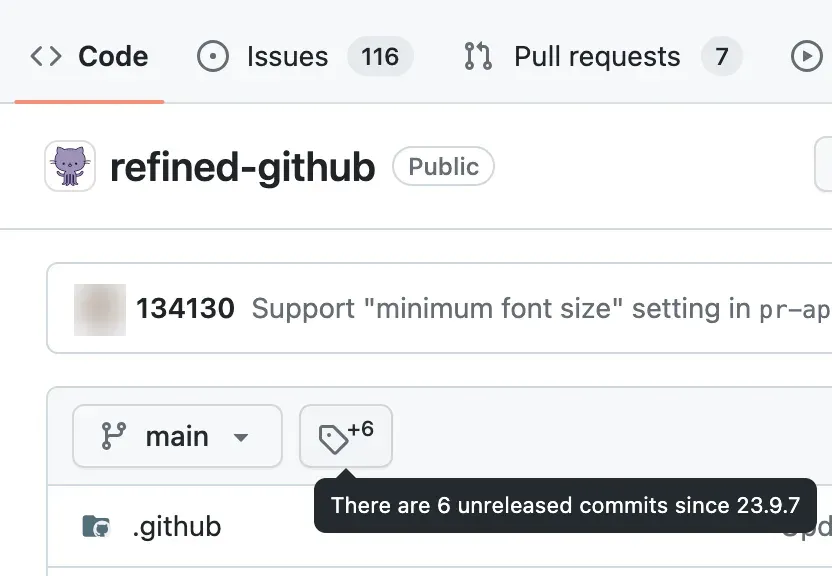
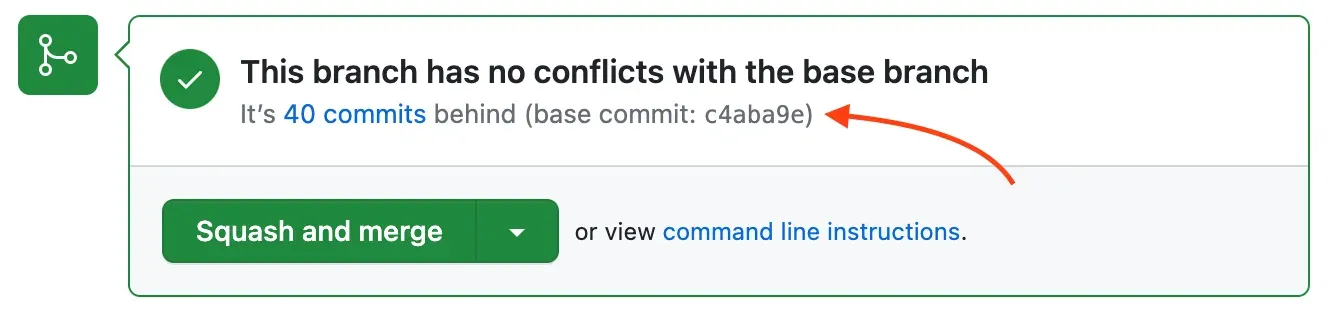
unreleased-commitsfeature shows whether the default branch has commits since the latest tag and how many.tag-changes-linkadds a link to the changes since the previous tag on each release,release-download-countshows download counts next to release assets, andclosing-remarksshows on a merged pull request the first tag that included it, or suggests creating a release if none exists yet. - Pull request review Features in this group show how far a pull request branch is behind its base and the base commit (
pr-base-commit), add a button to discard all changes to a file in a pull request (restore-file), allow shift-click to mark several files as viewed, jump to the first unviewed file, dim viewed files in the file tree and add diff stats to commits inside a pull request. Pull request lists get color-coded review counts, conflict markers, a Draft filter and the base branch when it is not the default branch. - Merging and pull request editing The squash commit title defaults to the pull request title (
sync-pr-commit-title), the merge commit message is cleared of clutter except co-authors, and an "Update branch | Rebase" button is added to every pull request. After a merge, the head branch is deleted automatically where possible, except common long-lived names such asdevelop. Review submission gets one-click Approve or Request changes buttons and thevshortcut. - Issue and conversation lists Lists default to the "Recently updated" sort order, can open all visible issues or pull requests at once, highlight items opened by the viewer or by collaborators, mark pinned and locked items and dim commits and pull requests made by bots. Labels can be removed with one click, and an issue can be closed as "not planned" in one click instead of three.
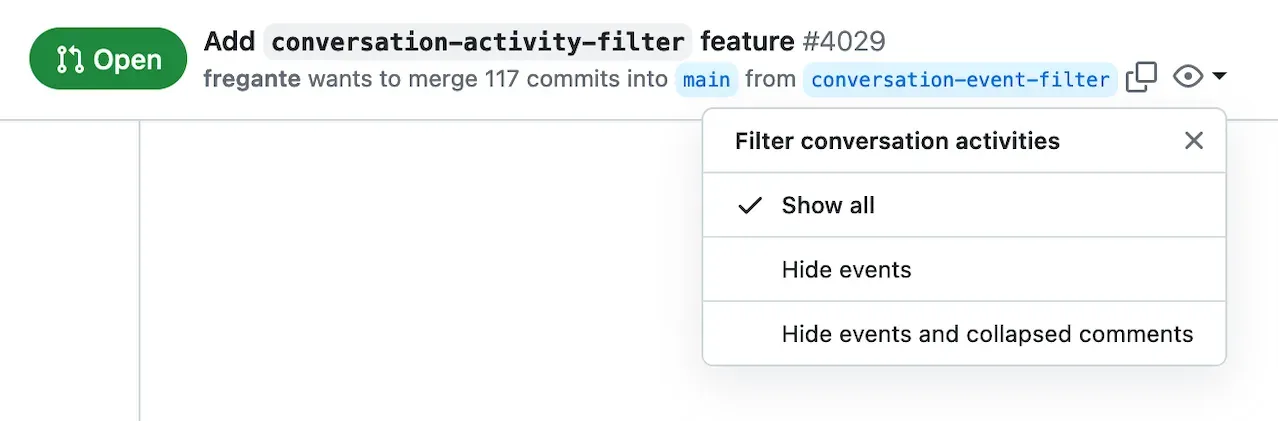
- Reading long conversations A filter lets the reader hide events, or events and collapsed comments, in issue and pull request timelines (
conversation-activity-filter). Other features preview hidden comments inline, hide "+1" style reaction comments except from maintainers, show avatars of who reacted, load up to 200 hidden comments at once with Alt-click and addjandknavigation between comments. - Writing comments Comment fields accept Tab and Shift+Tab for indentation, resize to fit their content, wrap a selection when a Markdown symbol is typed instead of replacing it, and get buttons to insert collapsible
<details>blocks and simple HTML tables. The extension warns about unfinished comments in other tabs, about links that point to the same issue and about creating a pull request from the default branch. - Code and file browsing Whitespace characters become visible in code (
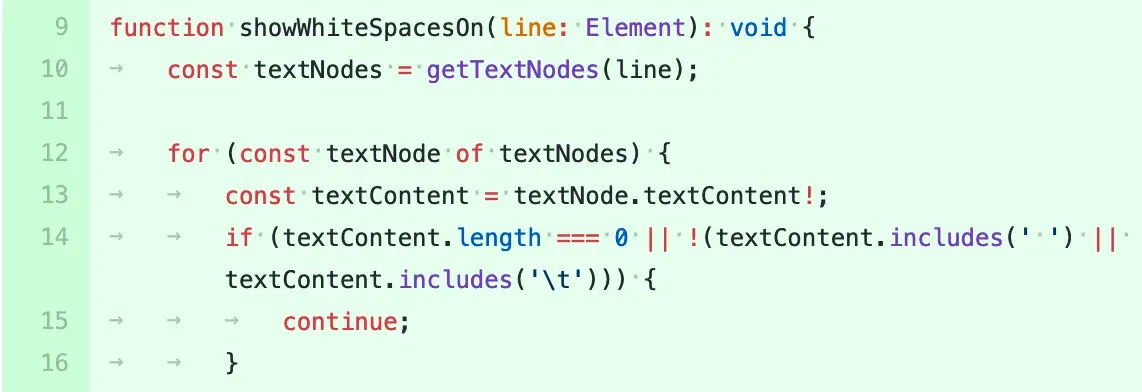
show-whitespace), issue references and URLs in code become links, and the file finder (t) works across the whole repository. File lists highlight recently modified items and show absolute dates for old commits; a file view warns when an open pull request changes that file and offers the previous version in one click. A folder download button uses the separate download-directory.github.io service. - Commits and diffs Commit pages get links to the
.patchand.difffiles, raw, blame and history links for each changed file, a "Hide whitespace" button with thedwshortcut and Conventional Commits types shown as labels. Tags are shown next to commits in commit lists and merge commits are marked. - Notifications A button in the global header opens unread notifications from any page, and the notifications page can open all unread items at once, select all with
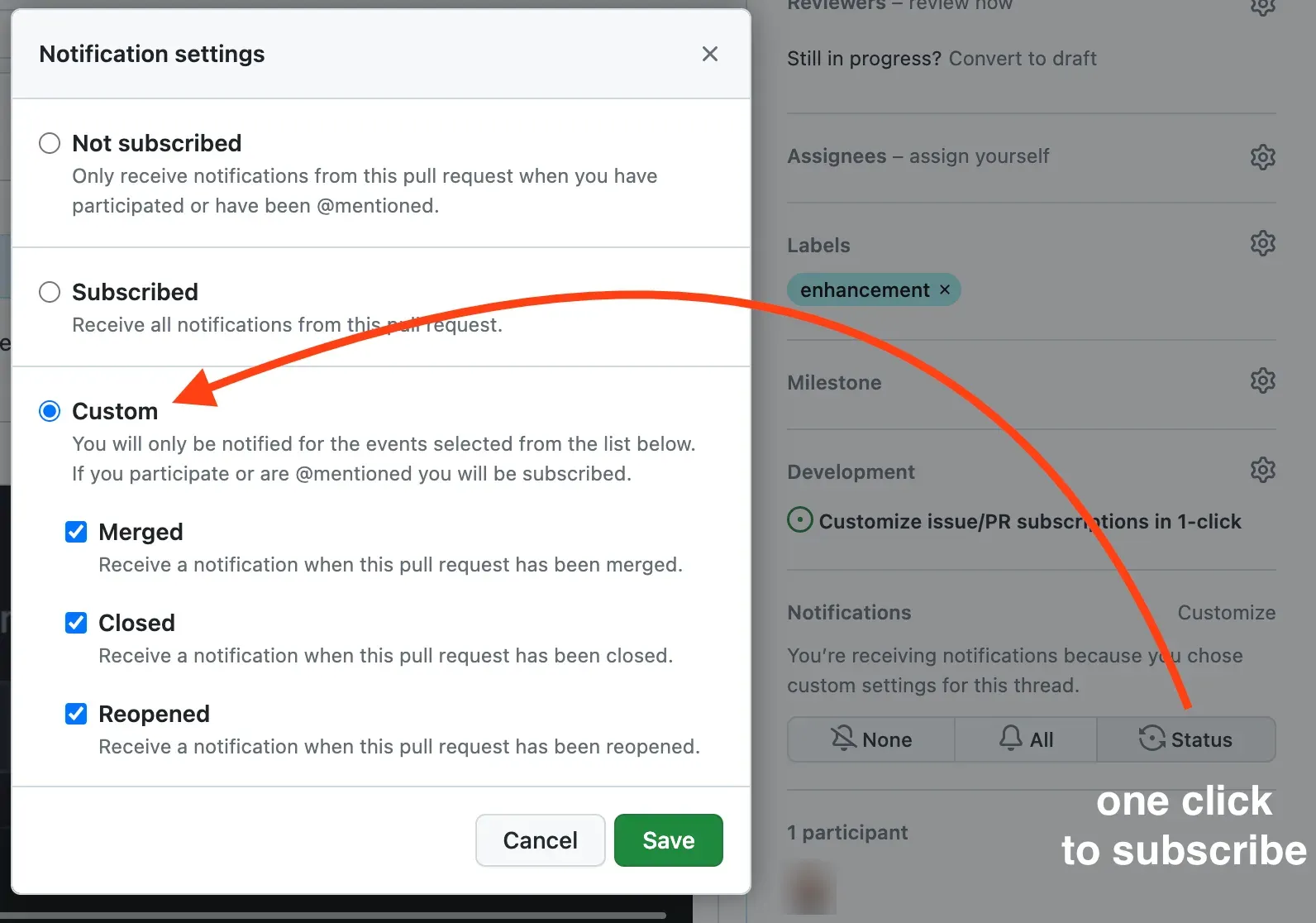
a, and select notifications by type and status. Pull request notifications point to the Conversation tab, and a status subscription button subscribes to the open, close and reopen events of an issue or pull request in one click. - GitHub Actions The pull request that triggered a workflow run is linked from the run page, the workflows sidebar shows which workflows can be run manually and when the next scheduled run is, and the "Re-run jobs" menu is unwrapped into buttons with an
rfshortcut to re-run failed jobs. Workflow runs can be cancelled or deleted faster from the list. - Fixes for GitHub shortcomings A separate group of features patches interface problems: sticky file headers in diffs, links on line numbers where GitHub omits them, duplicate pull request submission prevention, retries for images that failed to load through GitHub's proxy, a file tree that scrolls to the current file and a 404 page that suggests related pages. Code views use a tab width of 4 where GitHub ignores the user's preference.
- Personal access token Some features read data through the GitHub API and need a classic personal access token; the options page links to a pre-filled token form with the
repo,read:projectandworkflowscopes and shows which scopes each token has. Thedelete_reposcope enables one-click repository deletion. Fine-grained tokens are not supported, token-less use is "not officially supported", and up to three tokens can be stored for different accounts. The Security page suggestsgh auth tokenfrom the GitHub CLI when an organization blocks personal tokens. - Options, feature toggles and custom CSS Every JavaScript feature can be disabled individually in the options page, and "Identify feature" finds which feature changed a given element. CSS-only changes that cannot be turned off can be overridden in a Custom CSS field, and the Customization page lists CSS variables such as
--rgh-heat-colorand--tab-size. Options, including the token, can be exported and imported as a JSON file. - Remote hotfixes To react to GitHub changes between releases, the extension loads a list of disabled features and temporary CSS fixes from the yolo repository, at most every 6 hours when the user visits GitHub. The options page can refresh or empty this list. Hotfixes are not applied to GitHub Enterprise or to development builds.
- GitHub Enterprise support On GitHub Enterprise Server the user grants the extension permission for each domain, after which it runs there as on github.com. Options are stored per domain, the token is validated against that server's
/api/v3/endpoint, and options must be exported per domain. - Installation on Chrome and Chromium browsers The Chrome Web Store listing is free and was at version 26.11.6 on November 21, 2026. The manifest requires Chrome 140 or later; the README states that other Chromium browsers can use the same store build.
- Installation on Firefox and Safari The Firefox Add-ons listing supports desktop Firefox and Firefox for Android from version 133. The Safari version is a free app on the App Store for macOS, iOS and iPadOS 18.2 or later. A ZIP asset on each GitHub release is labeled "for local testing only".
Where Refined GitHub fits
Reviewing pull requests faster
In a pull request, the merge box shows how many commits the branch is behind and its base commit, viewed files are dimmed in the tree, and Shift-click marks a range of files as viewed. A Rebase button is added next to "Update branch", review submission uses one-click buttons, and after a squash merge the commit title matches the pull request title and the branch is deleted, except names the project treats as long-lived.
Triaging issues and conversations
Issue and pull request lists sort by recent updates, highlight items from the viewer and collaborators and show review counts and conflicts. Inside a long thread, the activity filter hides events and collapsed comments, low-value "+1" comments are hidden and hidden comments are previewed inline. Labels can be removed and issues closed as not planned in one click.
Tracking releases of a repository
The tag button in the file view shows the number of commits since the latest release, each release links to its changes since the previous tag, and asset download counts are shown. Maintainers see on a merged pull request which tag first included it. A button subscribes to releases of a repository in one click.
Managing notifications
A header button opens unread notifications from any page, the notifications page can open all unread items at once and select items by type and status, and the status subscription button follows only the open and close events of an issue or pull request. Pull request notifications link to the conversation instead of a commits page that may return 404.
Setting up a token and choosing features
After installation, the options page links to a pre-filled classic token form with the repo, read:project and workflow scopes; the Security page warns that some features may fail without a valid token. The token is stored in extension storage and synced by the browser if extension sync is on, as described on the Security page. Individual features can be turned off, and Custom CSS can undo style-only changes.
Using it on GitHub Enterprise Server
For a company GitHub Enterprise instance, the user enables the extension on that domain, then adds a token created on the Enterprise server. Options are separate per domain and remote hotfixes do not apply there. Related listings on iThub: GitHub and the MCP GitHub Server, which exposes repositories, issues and pull requests to AI clients.
Reviews of Refined GitHub
Be the first to share your experience with Refined GitHub.
Write a review
Loading review form…
Found Refined GitHub useful? Upvote it todayYour vote helps other IT teams find it in the daily ranking.