

What is Helium?
Helium is a desktop web browser built on Chromium by imput, a two-person team that also develops the cobalt media downloader. It starts from the Chromium source, removes Google service dependencies and adds its own patches for ad and tracker blocking, consent-gated network services, fingerprinting countermeasures and a reworked interface. The project branched off ungoogled-chromium and also carries patches from Inox, Debian, Bromite, Iridium and Brave, sorted by vendor in the patches/ directory. The legal entity behind the browser and its hosted services is imput LLC, a Wyoming limited liability company, according to the privacy policy. The official site still labels Helium a beta.
The main repository holds the shared Chromium patches, resources and development tooling, while packaging lives in separate repositories for macOS, Linux and Windows. Builds are published as signed, immutable GitHub releases. macOS 13 Ventura or newer gets DMG images for Apple silicon and Intel. Windows 10 or newer gets full installers, mini installers and portable ZIP archives for x64 and arm64. Linux gets AppImage, tarball and Debian packages for x86_64 and arm64, plus a Fedora COPR repository and an APT repository at pkg.helium.computer. Automatic updates work on macOS and Windows when Helium services are enabled; Linux relies on the package manager or a manual download.
The current release is 0.21.2, published November 10, 2026. It moves the browser to Chromium 157.0.8103.50 and merges the matching ungoogled-chromium update, adds autocomplete options for address bar search suggestions to the settings, and adds a developer script that resolves trivial patch merge conflicts. The matching platform builds for macOS, Windows and Linux are tagged 0.21.2.1. The previous release, 0.21.1 from November 4, 2026, moved to Chromium 157.0.8103.38 and bumped the bundled uBlock Origin fork to 1.75.4. The 0.20 series refreshed the layout settings, made expand-on-hover vertical tabs work with the frameless zen mode and added a flag to hide native window buttons; 0.18.1 adapted the interface for immersive fullscreen on macOS. Between September and November 2026 the project shipped more than a dozen releases, most of them following Chromium stable updates.
Helium-specific code, patches and modifications are licensed under GPL-3.0; imported code keeps its original license, for example the BSD 3-Clause license of ungoogled-chromium. The companion helium-services repository, licensed AGPL-3.0, contains the backend the browser talks to: an extension download proxy, filter list mirrors, the !bangs list, crash report handling and update manifests, down to the Ansible playbooks used in production. Development is crowdfunded by users rather than paid tiers, and the browser shows no ads or promotions. As of November 2026 the official FAQ states that sponsorships are temporarily disabled because of issues with Stripe.
Several features expected from mainstream browsers are out of scope or not available yet. There is no built-in password manager by design, no Widevine DRM, so some streaming services will not play, no data sync and no mobile version. The official FAQ refers users to a dedicated password manager extension and points to the blog and GitHub releases for news on sync and mobile builds. Similar browsers listed on iThub include Brave Browser, Zen Browser, Flow Browser and Ladybird; the bundled blocker is a fork of uBlock Origin.
Helium screenshots
Explore the interface. Open a screenshot to view it at full size.
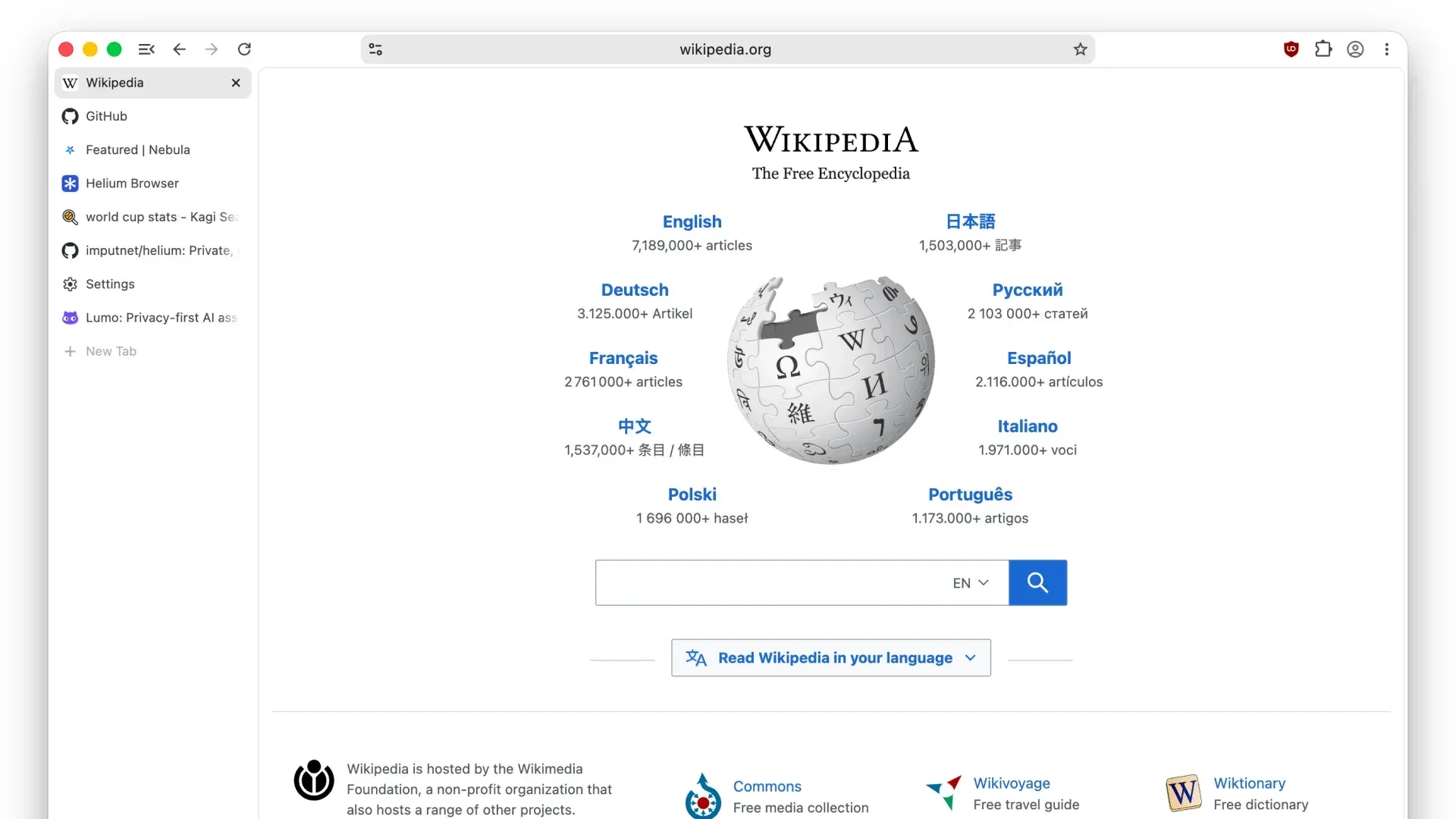
Vertical layout from the official Helium brand kit: tabs in a sidebar, address bar centered above the page, uBlock icon in the toolbar.
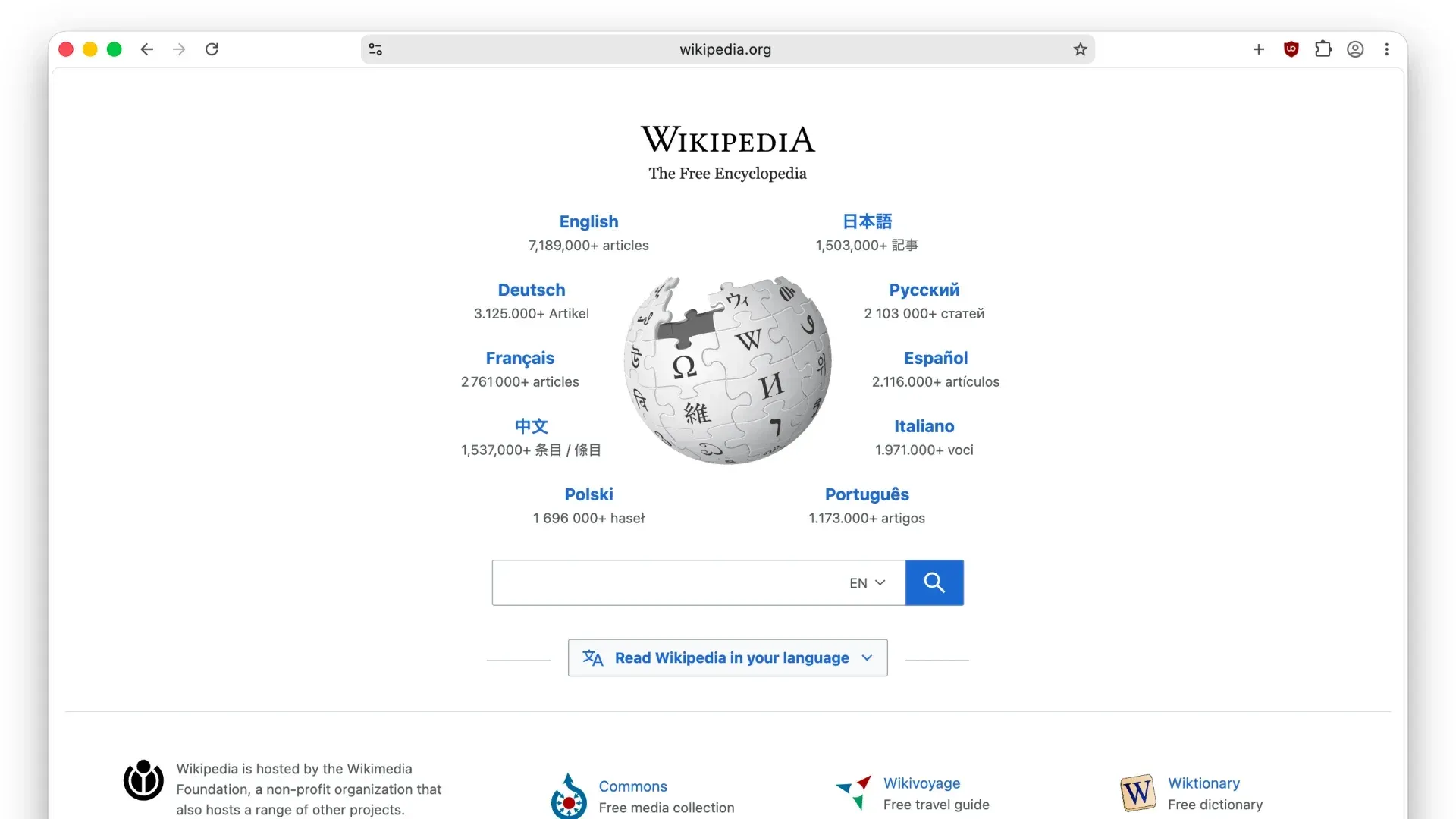
Dynamic layout with one open tab: the tab strip is hidden and only the centered address bar remains.
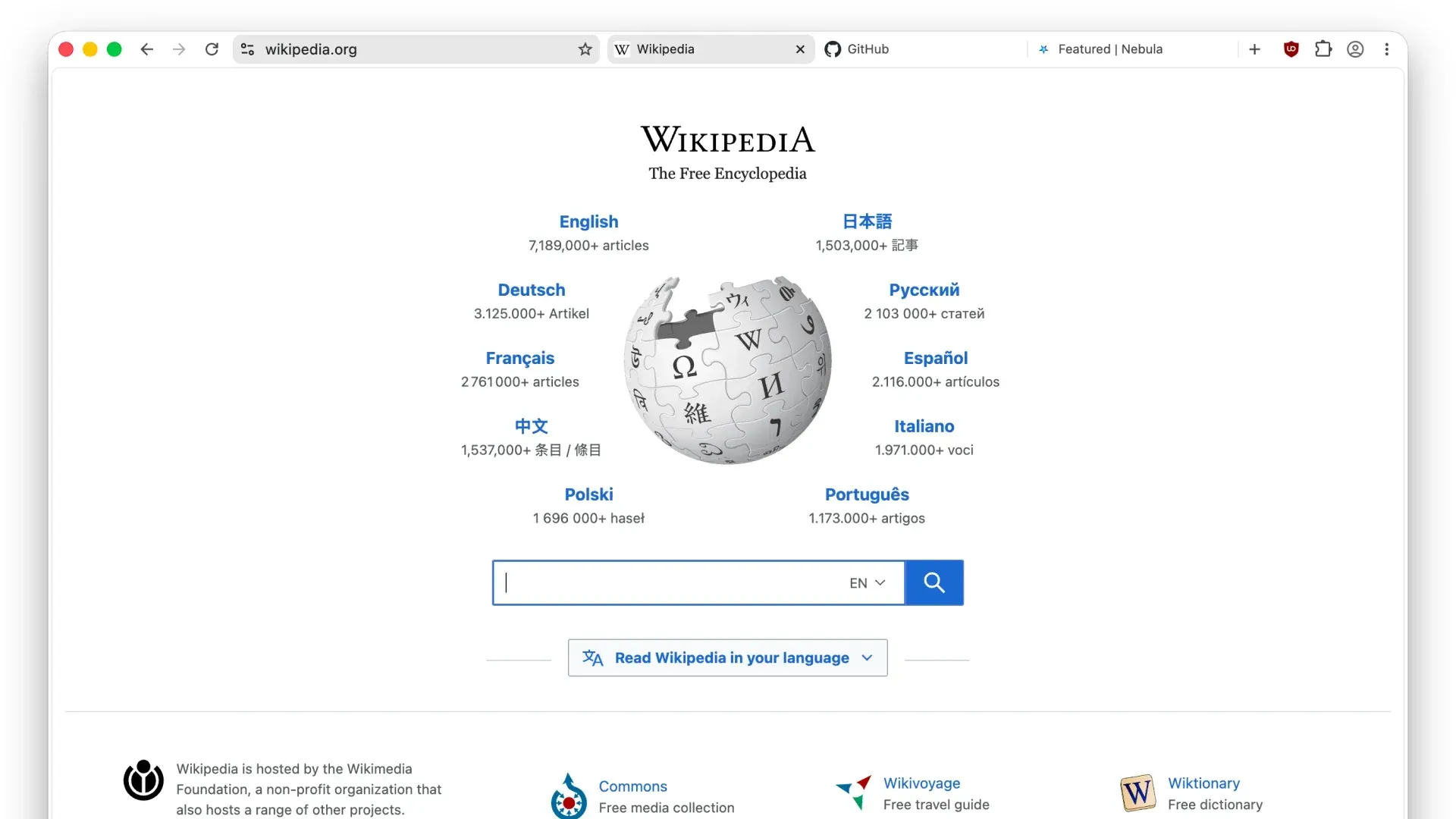
Compact layout: the tab strip sits inside the toolbar next to the address bar.
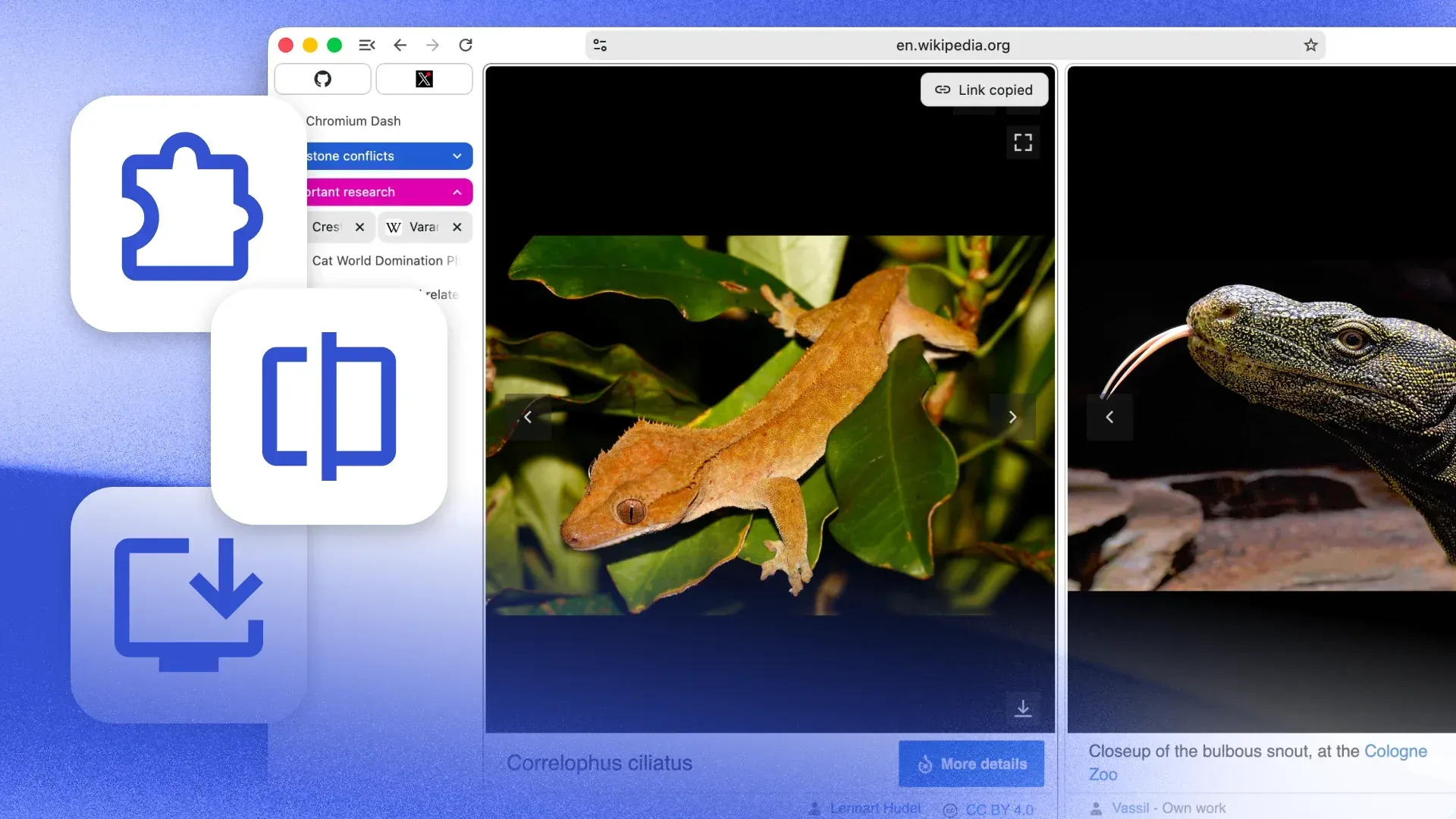
Official productivity artwork: split view, tab groups, link copying, extensions and web app installs.
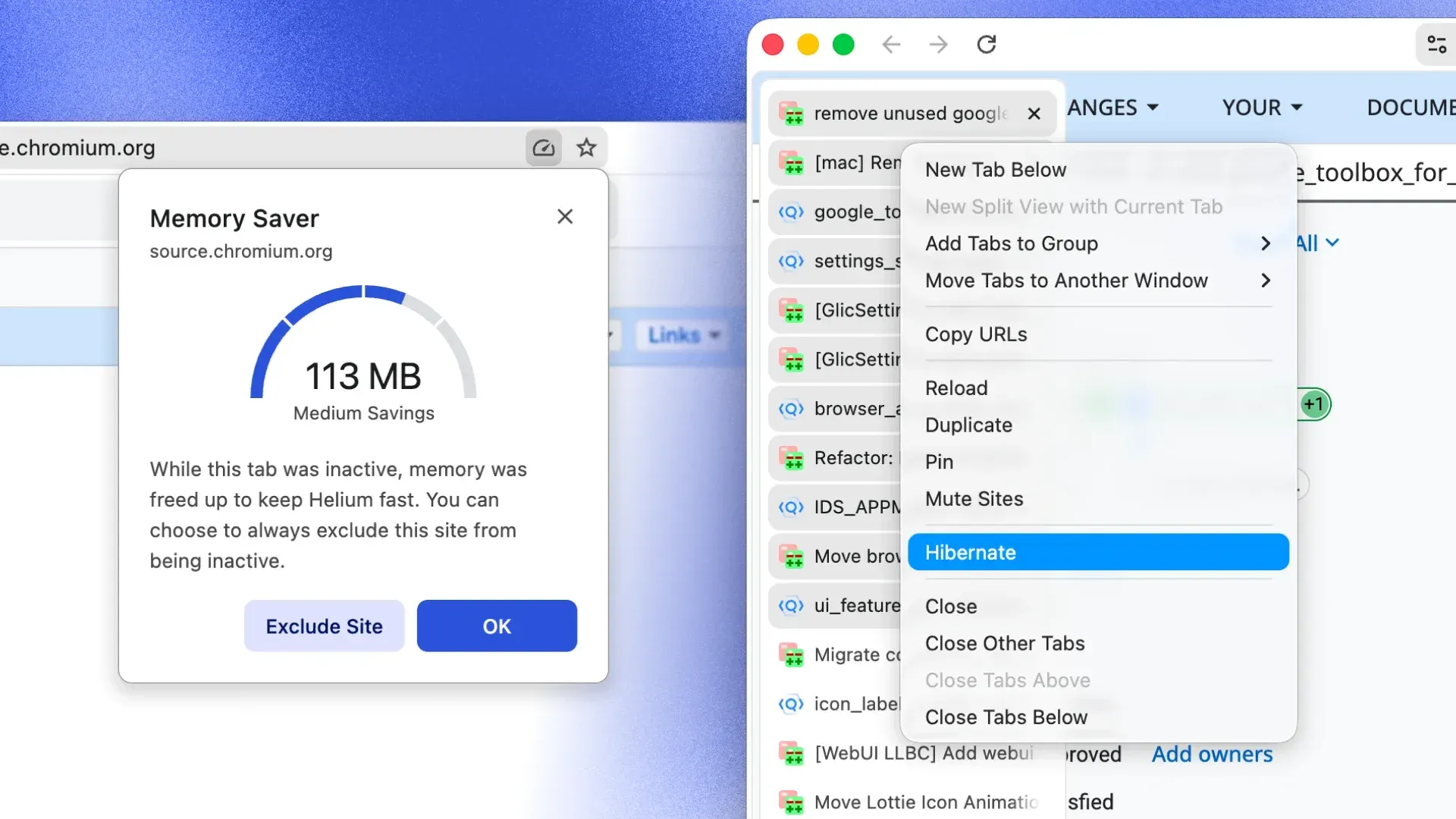
Official performance artwork: the Memory Saver dialog and the Hibernate option in the tab context menu.

Official bangs artwork: address bar suggestions routing queries to Kagi, Wikipedia, Wolfram Alpha, ChatGPT and Nebula.
Source: official Helium project page.
Key capabilities
- Ad, tracker and cookie banner blocking by default Helium installs its own fork of uBlock Origin as a browser component, with Helium filters, adjusted defaults and CNAME uncloaking, so first-party disguised trackers are also matched. Third-party cookies are blocked as well. The project states that its blocking has no paid allowlists or exceptions sold to advertisers. Filter list updates are fetched from the Helium services mirror rather than directly from list authors.
- No network traffic without consent According to the FAQ and privacy policy, Helium makes zero web requests on first launch, has no analytics and no first-party ads. The onboarding page at
helium://setupasks before any Helium service is enabled, and the services endpoint can be replaced with a self-hosted instance before the first request. Requests that happen without consent are treated as bugs. - Anonymized Chrome Web Store access Helium supports Chromium extensions and can import them from a previously used Chromium browser. Extension downloads and updates go through the Helium extension proxy, so Google does not see which extensions a user installs. When extension downloads are disabled, the browser shows a specific error instead of a generic failure.
- Fingerprinting noise Helium adds noise to selected web APIs, including canvas image data, audio and the reported hardware concurrency, and exposes the protection in settings and the page info panel. The project also describes protections against fingerprint analysis attacks. The FAQ is explicit that fingerprinting cannot be prevented completely without breaking core web functionality.
- Native !bangs in the address bar Release 0.21.2 added autocomplete options for search suggestions to the settings. Typing a bang such as
!wor!ksends the query straight to the target site without loading a search results page first. Bangs are processed locally; the list of more than 13,000 entries is generated from Kagi's public bang data plus Helium additions and can be searched on the bangs page. The list itself is delivered by Helium services. - Four layouts and a frameless mode The interface offers dynamic, compact, vertical and classic layouts. Dynamic shows only a centered address bar while one tab is open, compact places tabs inside the toolbar, vertical moves them to a sidebar, and classic keeps the Chromium tab strip. Each layout has toolbar options and color themes, and frameless mode hides the browser UI around the page.
- Vertical tabs, split view and tab groups Productivity features include tab groups, split view of two pages in one window, most-recently-used tab cycling, quick link copying from the tab context menu and closing tabs to the left. Recent releases tuned vertical tab behavior, including expand on hover and collapsed pinned tabs.
- Memory saver and tab hibernation Memory saving is enabled by default, and any tab can be hibernated from its context menu and restored later. Individual sites can be excluded from becoming inactive. Session restore loads tabs lazily, which reduces start-up work for large sessions.
- Custom keyboard shortcuts and web apps A settings page lets users remap browser shortcuts. Websites can be installed as web apps with their own window. Other quality-of-life additions in the patch set include more zoom presets, a middle-click autoscroll flag and a low-power frame rate flag.
- Importers for Arc and Zen Besides the usual Chromium import paths, Helium adds importers for Arc and Zen Browser. The site states that Helium can transfer everything important from a current browser profile.
- Network privacy settings The patch set adds a Global Privacy Control preference, a DNS provider selection, reduced Accept-Language headers and a modified default WebRTC handling policy. The FAQ states that Helium enforces HTTPS and supports passkeys. Flags cover options such as disabling ECH, QUIC v2 and ignoring the system proxy server.
- No built-in password manager or autofill The Chromium password manager is disabled and autofill is removed from settings. The project states this is deliberate, so that passwords stay under the user's control rather than tied to a browser vendor, and the FAQ refers users to a dedicated password manager extension.
- Opt-in crash reporting Crash reports are sent only after explicit consent, to a crash service hosted by imput and built on Crashpad data. Reports include the Helium version, OS details and process memory fragments, are kept for up to 30 days and are never shared with third parties. Client IP addresses are used in memory for rate limiting and not stored.
- Automatic updates On macOS and Windows the browser updates itself when Helium services are enabled; macOS updates use a Sparkle appcast generated from GitHub releases and delta files between versions. Updates are delivered through Cloudflare's cache. Linux users update through the COPR or APT repository, or through zsync files published next to each AppImage.
- macOS download Helium requires macOS 13 Ventura or newer. Each release ships separate DMG images for Apple silicon (
arm64) and Intel (x86_64) Macs, available from the download page or the helium-macos releases on GitHub. - Windows download Helium supports Windows 10 and newer on x64 and arm64. Each release offers a full installer, a smaller mini installer and a portable ZIP archive per architecture. The installers enable automatic updates.
- Linux packages Fedora users can add the
imput/heliumCOPR repository and installhelium-bin; Debian and Ubuntu users add the signed APT repository at pkg.helium.computer. AppImage and tar.xz builds exist for x86_64 and arm64, and each tarball has a detached.ascsignature. - Self-hostable Helium services The helium-services repository contains the same services imput runs: an nginx reverse proxy that also serves spellcheck dictionaries, the extension proxy, the uBlock filter mirror, the bangs service and the minidumpster crash handler. The main stack starts with
setup.shand an example.envfile and issues a TLS certificate through acme.sh; crash handling runs separately with Docker Compose next to Sentry's symbolicator. - Build from source The building guide lists macOS 12 or newer, Xcode 26, Homebrew, Python 3.13 and Perl, then a single
build.shrun that produces a DMG. Builds use prepared Chromium source tarballs by default, orbuild.sh -cto clone Chromium. Linux packaging includes a similar development script.
Where Helium fits
Moving from another browser
Helium imports bookmarks, extensions and other profile data from Chromium browsers and adds dedicated importers for Arc and Zen Browser. On first launch the onboarding page at helium://setup asks which Helium services to enable before any request is sent. Widevine DRM is not included, so some streaming services and protected media do not play, and saved passwords have no browser store to move into because the Chromium password manager is disabled; the FAQ refers users to a dedicated password manager extension.
Browsing with privacy defaults
Blocking of ads, trackers, cookie banners and third-party cookies, plus noise on fingerprintable web APIs, is active without any opt-out step. According to the privacy policy, Helium services collect no personal data, anonymized traffic logs are kept for no longer than 24 hours, crash reports are opt-in and stored for up to 30 days, and processing may happen in the United States and/or the European Union. Legal documents are versioned in the public helium-legal repository.
Running Helium services on your own infrastructure
The helium-services repository, licensed AGPL-3.0, contains the extension proxy, the uBlock filter mirror, the bangs service, the nginx reverse proxy and the crash handler that imput runs in production. The main stack is set up with setup.sh and an example .env file, and the browser can be pointed at a self-hosted endpoint during onboarding, before any request reaches imput servers.
Searching with !bangs
Bangs typed in the address bar are resolved locally and send the query directly to the target website, without a search results page in between. The list of more than 13,000 bangs is built from Kagi public bang data plus Helium additions and is searchable on the bangs page. Since release 0.21.2 the settings also include autocomplete options for search suggestions in the address bar.
Working with many tabs
The vertical layout moves tabs to a sidebar with expand-on-hover and collapsed pinned tabs, while tab groups, split view and most-recently-used tab cycling are part of the productivity feature set. Memory saver is on by default, individual sites can be excluded from it, and any tab can be hibernated from its context menu and restored later. Session restore loads tabs lazily.
Contributing patches
Changes are made in the Chromium source tree and stored as quilt patches, sorted by vendor in the patches/ directory; the repository ships devutils scripts for working with the patch set, and 0.21.2 added one that resolves trivial merge conflicts. According to CONTRIBUTING.md, the project develops on macOS or Linux, asks for an issue first for non-trivial changes and does not accept AI-generated issue and pull request descriptions. Platform-specific work goes to the matching helium-macos, helium-windows or helium-linux repository.
Install
dnf copr enable imput/helium && dnf install helium-binReviews of Helium
Be the first to share your experience with Helium.
Write a review
Loading review form…
Alternatives to Helium
 Zen BrowserZen Browser is an open-source, Firefox-based desktop browser with workspaces, compact mode, split view and a mods registry for custom themes.
 Flow BrowserGPL-3.0 desktop browser from Multibox Labs for Windows, macOS and Linux. It runs on a Widevine-enabled Electron build and adds spaces, profiles, a command palette, a built-in ad blocker and Chrome extension support. Still in beta.