

What is Flow Browser?
Flow Browser, shipped as the app Flow, is a tabbed desktop web browser developed by Multibox Labs; development is led by iamEvan, who authored most of the recent pull requests. It renders pages with Chromium through Electron and wraps them in a vertical sidebar interface organised around profiles and spaces. The project credits Arc and Zen Browser as design influences and says parts of the shell are based on Sam Maddock's electron-browser-shell. The first public build, 0.1.0, appeared on March 22, 2025 with Windows, macOS and Linux packages, and the official site still labels the product a beta.
Builds are distributed through GitHub Releases: an NSIS setup.exe for Windows, separate DMG and ZIP files for Intel and Apple silicon Macs, and AppImage and Debian packages for x86_64 and arm64 Linux. Since 0.11.0 the browser is also published on Flathub under the ID com.flow_browser.flow. Installed copies update themselves through electron-updater, and the macOS configuration requests notarization. There is no mobile or web version.
The current stable release is v0.12.0, published April 15, 2026. It replaced the command palette with a new implementation that supports DuckDuckGo-style bangs, added Ctrl/Cmd+Shift+T to reopen closed tabs, Ctrl+Tab cycling, passkey autofill on macOS and more context-menu items, and moved to Electron 41.1.1. A v0.12.1 pre-release the next day patched floating-sidebar glitches on Linux Wayland. The previous release, 0.11.0 from March 2026, added pinned tabs, optional tab sync across windows, incognito windows, a browsing history page and the Flathub package. The official update log lists every version since 0.1.0.
The application is written in TypeScript with a React renderer, bundled with electron-vite and Vite and managed with Bun. Instead of stock Electron it uses Castlabs Electron for Content Security, a fork that ships the Widevine CDM so DRM-protected streaming works. Local state lives in SQLite through better-sqlite3 and Drizzle ORM, ad and tracker blocking comes from Ghostery's adblocker-electron library, and Chrome extension support relies on forks of electron-chrome-extensions and electron-chrome-web-store maintained by the lead developer. Each dependency and its purpose is listed in the repository's dependency notes.
Flow Browser is licensed under GPL-3.0 and costs nothing; there is no paid tier, account system or cloud sync service. Out of scope for now are a download manager, favourites, a top-bar layout, custom search engines and tab previews, all of which the README and website list as upcoming. It is not a browser engine project either: page rendering, JavaScript and web standards support come from the Chromium version bundled with each Electron release.
Flow Browser screenshots
Explore the interface. Open a screenshot to view it at full size.
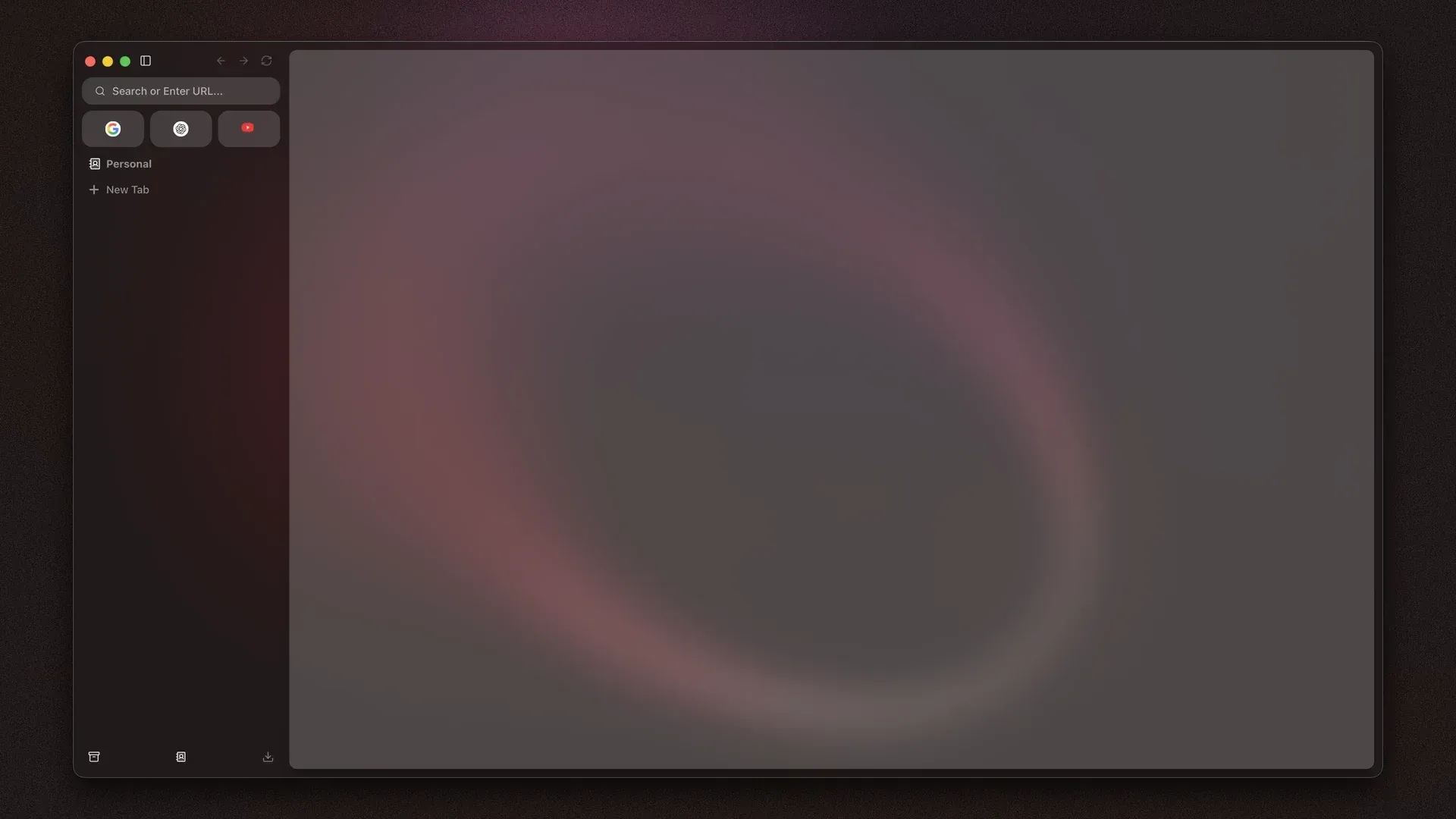
Current Flow interface as shown on the official website: sidebar with address field, quick links and the active space.
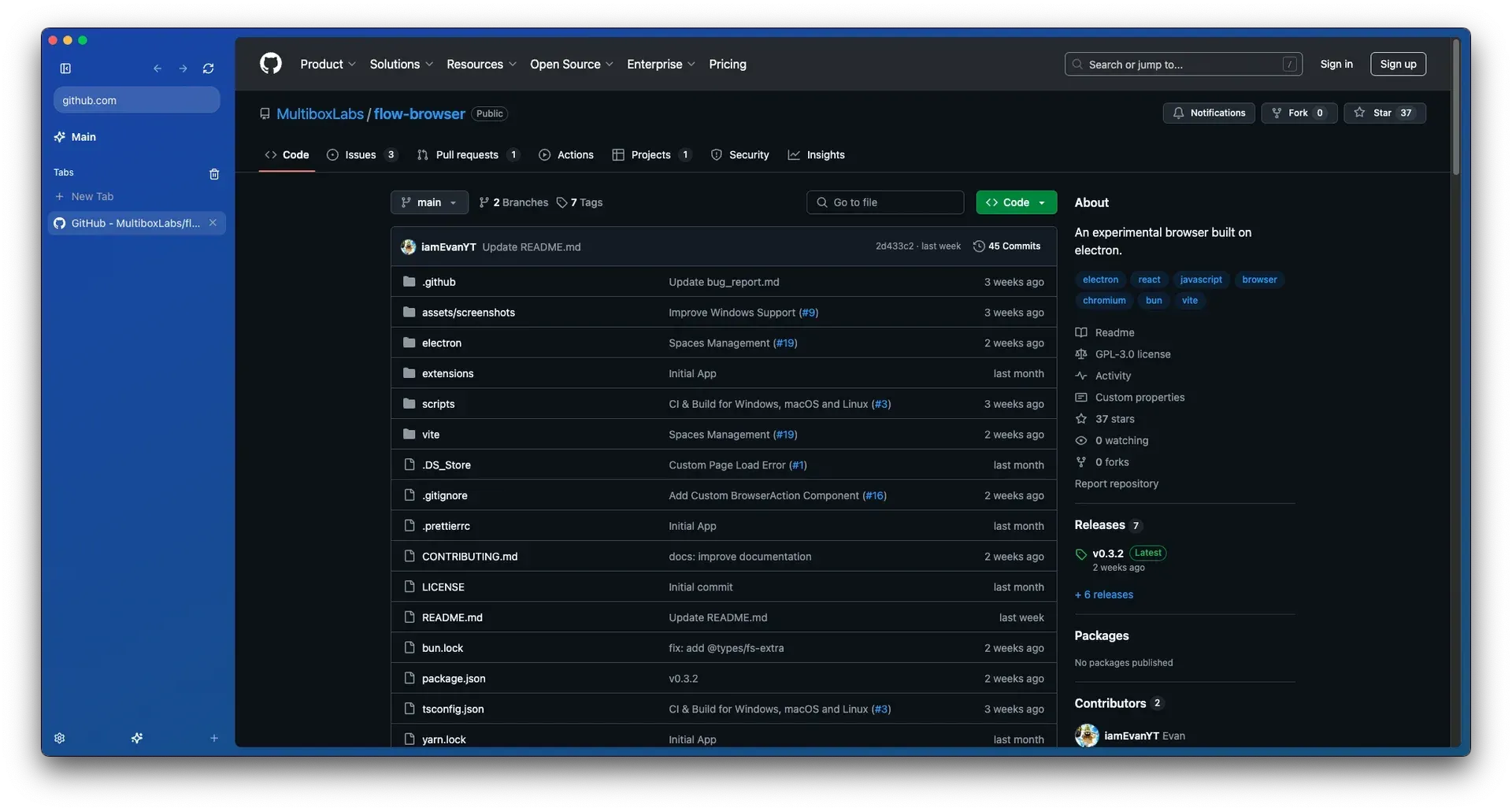
README screenshot from an early beta: a GitHub page open next to the sidebar with the Main space and tab list.
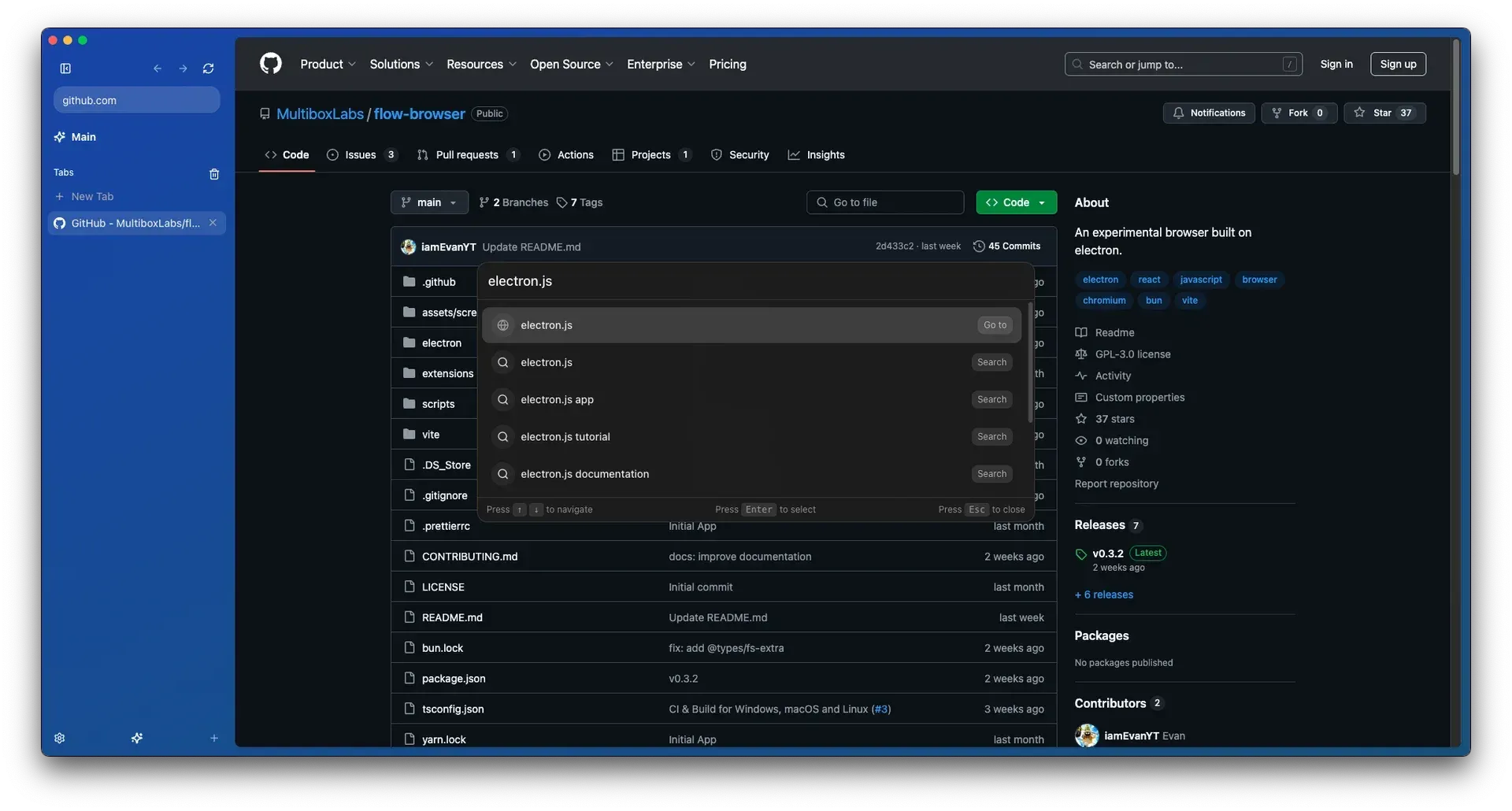
README screenshot of the earlier command palette; v0.12.0 replaced it with a new implementation that supports bangs.
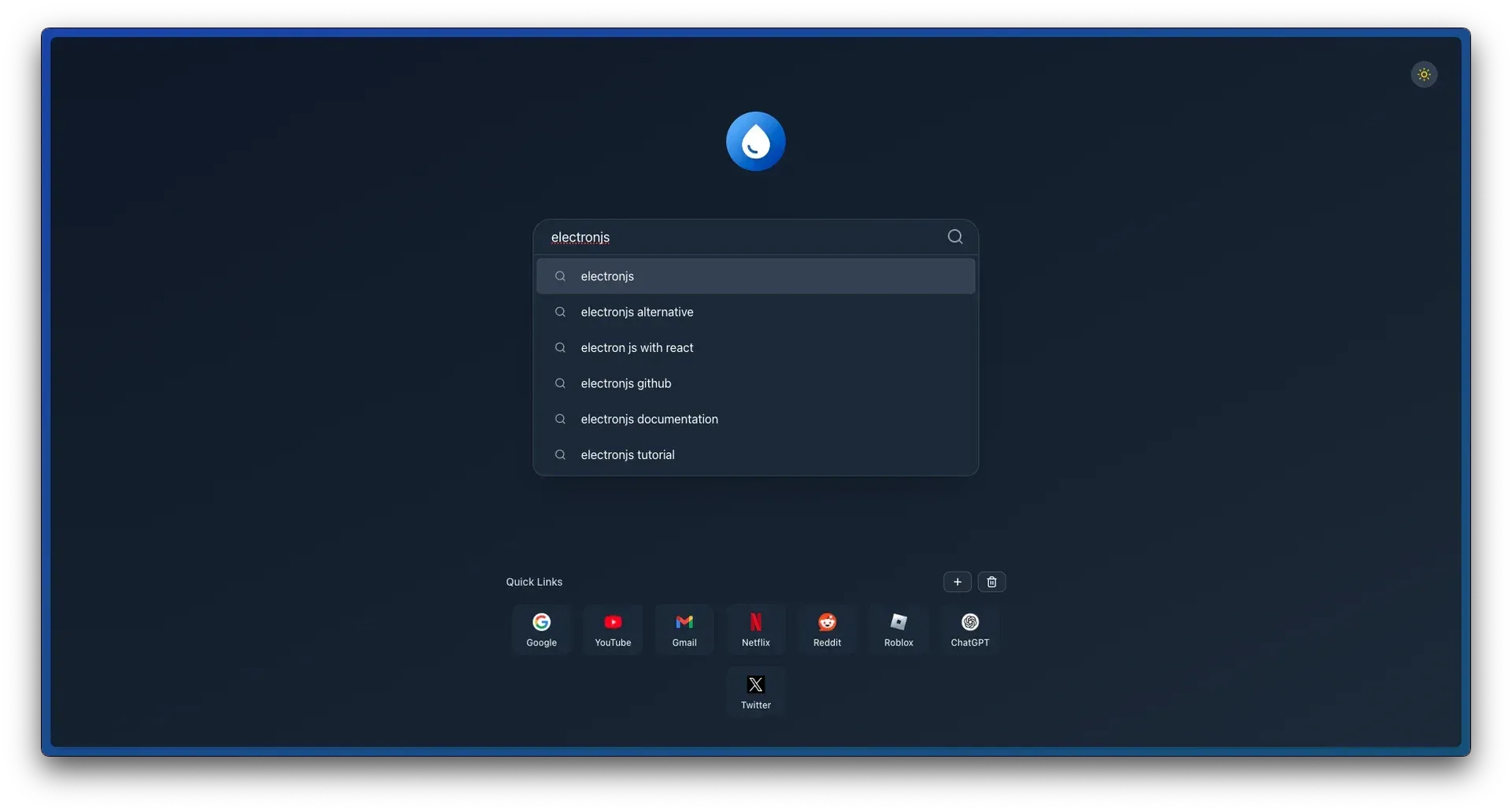
New tab page from the README with search suggestions and editable quick links.
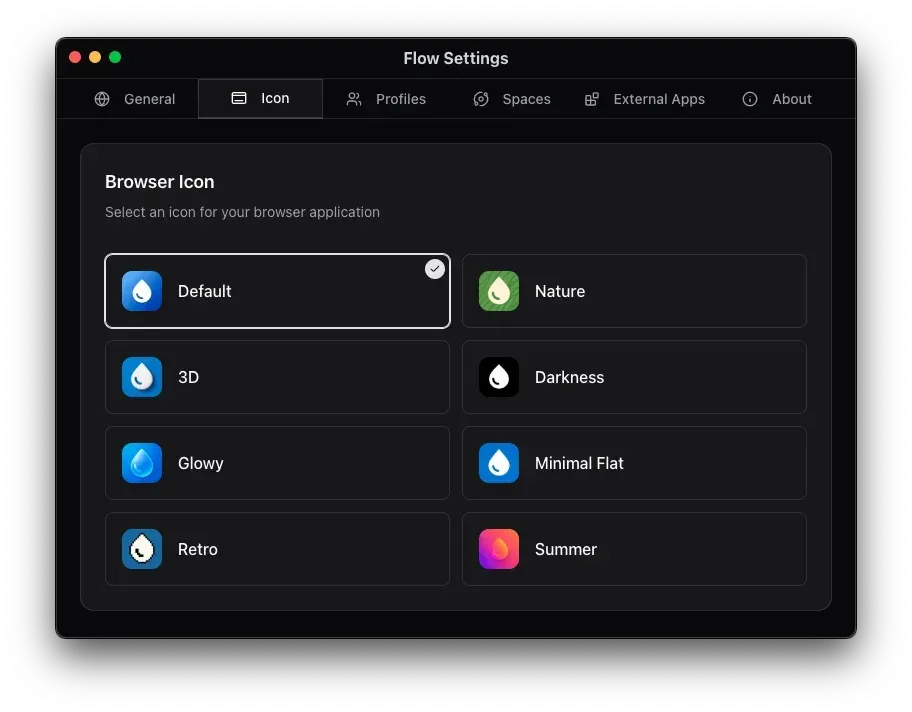
Settings window from the README, showing the app icon picker and tabs for Profiles, Spaces and External Apps.
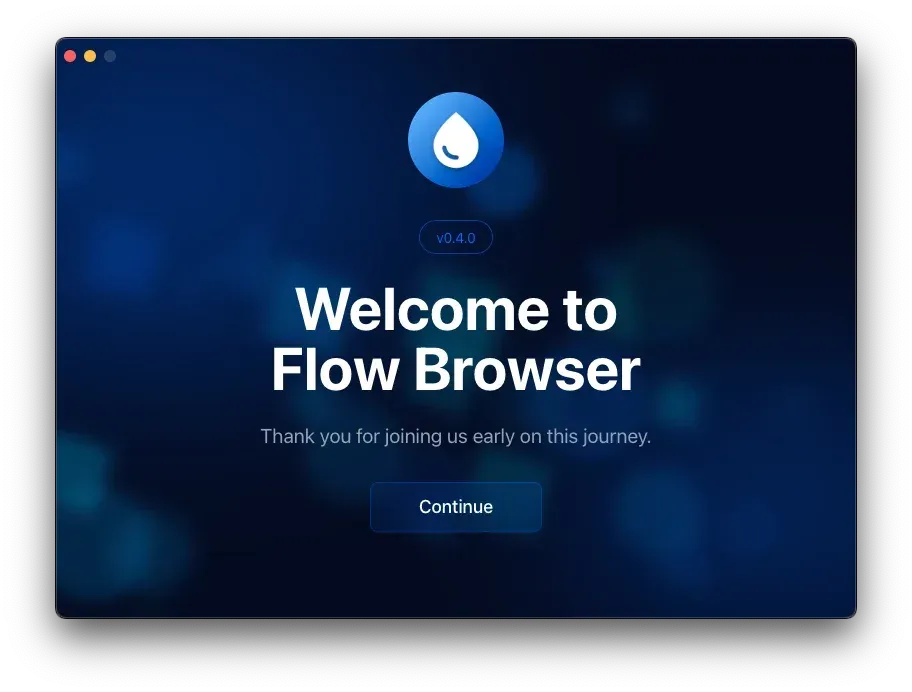
Onboarding welcome screen captured from version 0.4.0, as included in the README.
Source: official Flow Browser project page.
Key capabilities
- Windows installer Each release includes an NSIS installer named
flow-browser-<version>-setup.exethat creates a desktop shortcut and registers Flow for http and https links and for HTML, MHTML and PDF files. Only one Windows installer is published per release, and the build configuration turns off code-signature verification for Windows updates, so check your endpoint policy before deployment. - macOS packages for both architectures Separate DMG images are published for Apple silicon (arm64) and Intel (x64) Macs, plus ZIP archives used by the updater. Intel support and macOS code signing with auto-update arrived in 0.8.2. The app registers for Handoff so tabs can move between Apple devices.
- Linux AppImage, Debian packages and Flathub AppImage and
.debfiles are built for x86_64 and arm64. Since 0.11.0 the Flathub build installs withflatpak install flathub com.flow_browser.flow. The Linux build starts with--ozone-platform-hint=auto, and 0.12.1 contains a temporary fix for the floating sidebar on Wayland. - Chromium rendering through Castlabs Electron Pages are rendered by the Chromium version inside the bundled Electron build; v0.12.0 uses Electron 41.1.1 from the Castlabs Widevine fork. Engine and security updates therefore reach users only when the project ships a new release with a newer Electron. Some
chrome://diagnostic pages such aschrome://gpuremain reachable, while other internal pages are mapped toflow://. - Profiles Each profile keeps its own settings, extensions and browsing session, which separates work and personal identities on one machine. Profiles are created and managed in the settings window. They are local only; there is no account or sync service behind them.
- Spaces Spaces group tabs inside a profile, each with its own name, icon and colour chosen during onboarding or later in settings. Switching spaces changes the tab list in the sidebar. Pinned tabs, added in 0.11.0, can be dragged to the top of a space for quick access.
- Sidebar interface Tabs, the address field, bookmarks, history and settings are reached from a vertical sidebar that can float over the page. The 0.10 interface redesign removed the earlier icon-only collapse mode. A top-bar layout is listed as upcoming but is not available in the current release.
- Command palette with bangs Ctrl/Cmd+L opens a palette that searches the web, opens URLs and finds tabs, bookmarks and history entries. Version 0.12.0 reimplemented it and added support for DuckDuckGo bangs such as
!wfor direct site searches. Custom search engines are not yet configurable. - Chrome Web Store extensions Extensions install directly from the Chrome Web Store, which the browser supports through patched extension and store APIs. The website labels this support experimental, and 0.12.0 fixed extension favicons and right-click menus on extension buttons. Test each extension you rely on, because Electron does not implement every Chrome extension API.
- Built-in ad and tracker blocker Blocking is handled natively by Ghostery's adblocker-electron library, introduced in 0.7.0, so a blocker extension is not required. Filter list sources and per-site exceptions should be checked in settings on your build.
- Widevine DRM playback Because the browser uses the Castlabs Electron fork, DRM-protected streaming services that require Widevine can play. Output quality and service compatibility depend on the streaming provider and on Castlabs' licensing of the CDM.
- Tab sleep and persistence Inactive tabs can be put to sleep manually or automatically to reduce memory and CPU use, and open tabs persist across restarts. Window sizes and positions are restored since 0.9.0. Tab muting and drag reordering arrived in 0.8.0.
- Incognito windows and history Ctrl/Cmd+Shift+N opens an incognito window backed by an ephemeral profile. Since 0.11.0 browsing history is recorded and shown at
flow://history, and 0.12.0 made the recently closed list ephemeral with a restore shortcut. - Tab sync across windows An optional setting from 0.11.0 keeps tabs consistent across multiple browser windows. It applies to windows on the same machine and is not a cloud sync feature.
- Passkeys on macOS WebAuthn passkeys are handled through the electron-webauthn library on macOS, and 0.12.0 added conditional passkey autofill. Passkey behaviour on Windows and Linux is not described in the release notes.
- External app prompts The browser asks before handing a link to an external application, and the settings window has an External Apps section to review those decisions. This limits drive-by protocol handler launches from web pages.
- Built-in PDF viewer and find in page An experimental PDF viewer, added in 0.8.0, opens PDFs at
flow://pdf-viewer. Ctrl/Cmd+F searches text in the current tab since 0.10.0. - Custom app icons and offline games The settings window offers several alternative app icons, including a Liquid Glass set on macOS where the icon persists through a Dock tile plug-in. Offline games, including a Chrome dinosaur clone and Edge's surf game, run at
flow://games.
Where Flow Browser fits
Separating work and personal browsing
Create one profile per identity during or after onboarding, then install only the extensions each one needs. Inside a profile, use spaces for projects or clients so the sidebar shows only the relevant tabs. Check that cookies and logins stay isolated by signing into the same service in two profiles, and remember that profiles are local: nothing moves to another computer unless you copy the user data directory yourself.
Replacing Arc or Zen on a mixed fleet
Flow Browser follows the same sidebar and spaces model, but it runs on Windows, macOS and Linux from one code base and uses Chromium for site compatibility. Install the build for each platform from GitHub Releases or Flathub, rebuild your spaces and pinned tabs by hand, and compare the result with the official comparison page. Import of data from other browsers is not documented, so plan a manual migration of bookmarks and passwords.
Keyboard-driven navigation
Use Ctrl/Cmd+L for the command palette, bangs such as !gh for direct searches, Ctrl+Tab to cycle tabs and Ctrl/Cmd+Shift+T to reopen closed tabs. Shortcuts can be changed in the shortcut editor introduced in 0.7.0. Verify on Linux that window-level shortcuts such as Ctrl+W close a tab and not the window, which was fixed in 0.11.0.
Running Chrome extensions with built-in blocking
Install password managers, note-taking or developer extensions from the Chrome Web Store and pin the ones you use to the address bar. The native blocker covers ads and trackers, so test whether you still need a separate content blocker. Because extension support is marked experimental, open each extension's popup, options page and context-menu entries after an update and report failures on the issue tracker.
Media and streaming on the desktop
Widevine support lets Flow play DRM-protected video, and picture-in-picture windows were improved in 0.9.0. Sign into the streaming services your team uses and confirm playback and resolution on each operating system, since providers can restrict quality for browsers outside their allow lists. Use tab muting and tab sleep to keep background media from consuming resources.
Building and contributing
The contributing guide requires Node.js 22 or newer, Bun 1.2 or newer and the node-gyp toolchain for native modules. Clone the repository, run bun install, then bun dev:watch for hot reload, or bun build:win, bun build:mac and bun build:linux for packages. Database changes go through Drizzle migrations, documented in the docs folder.
Install
flatpak install flathub com.flow_browser.flowReviews of Flow Browser
Be the first to share your experience with Flow Browser.
Write a review
Loading review form…
Alternatives to Flow Browser
 Zen BrowserZen Browser is an open-source, Firefox-based desktop browser with workspaces, compact mode, split view and a mods registry for custom themes.BBBrave BrowserBrave is a web browser from Brave Software that blocks ads and trackers by default and ships a built-in VPN, with an independent search engine.
 LadybirdLadybird is a BSD-licensed web browser with a new engine (LibWeb, LibJS, LibWasm) built from the HTML, CSS and JavaScript specifications. It is pre-alpha, built from source on Linux and macOS, and funded only by donations to a US non-profit.