What is ApkStart?
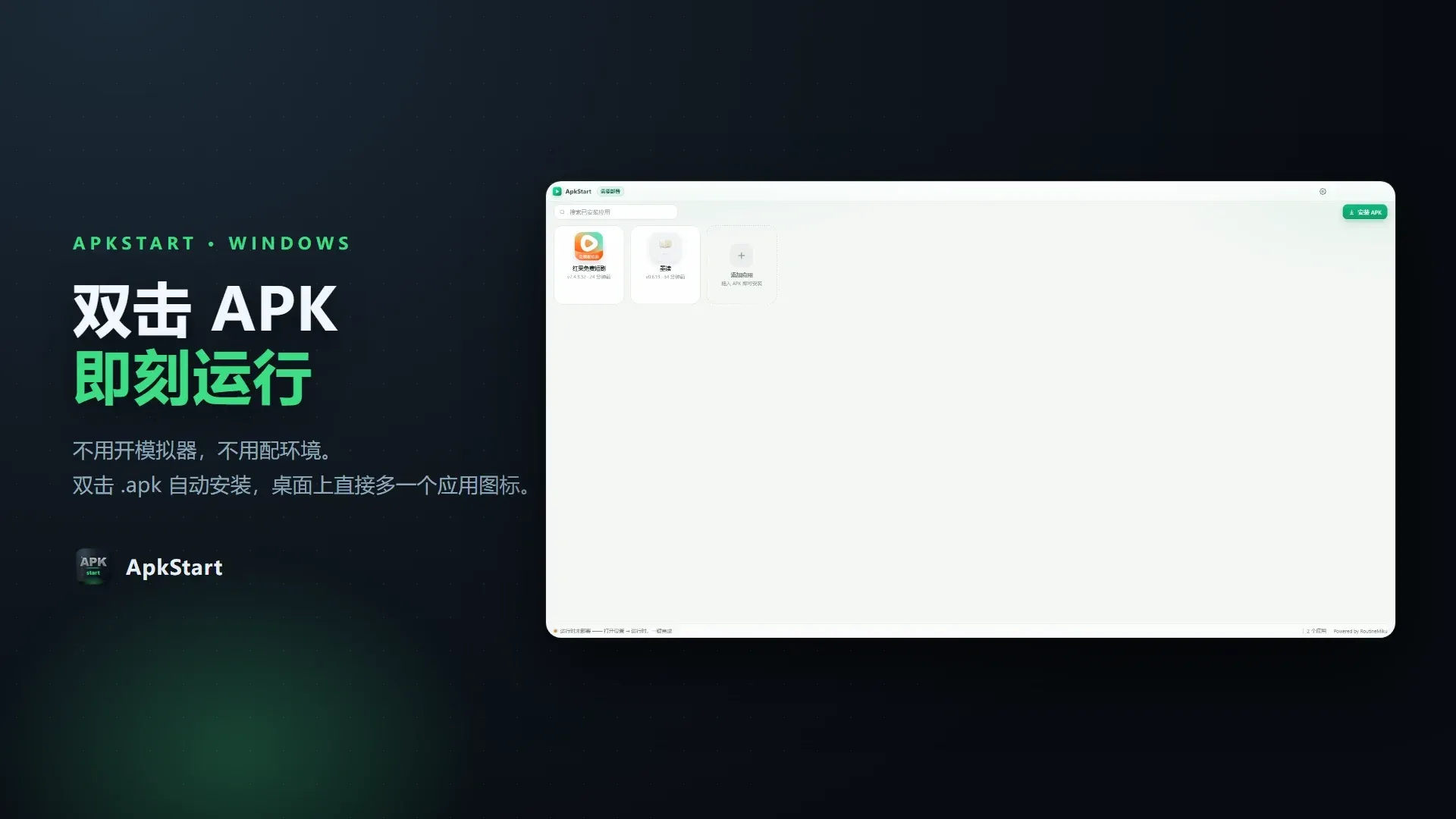
ApkStart is an Android app runner for Windows 10 and 11 (x64), developed by RoutineMiku and published under the MIT license. Its README, written in Chinese, describes the aim as making Android apps install and open like native Windows software: double-clicking an .apk file in File Explorer parses and installs it, ApkStart extracts the app icon from the APK, and a shortcut with that icon is placed on the desktop and in the Start menu. Opening the shortcut starts the app in its own window, without showing an emulator interface. The README calls the project an early version that the author maintains in spare time, free and without ads.
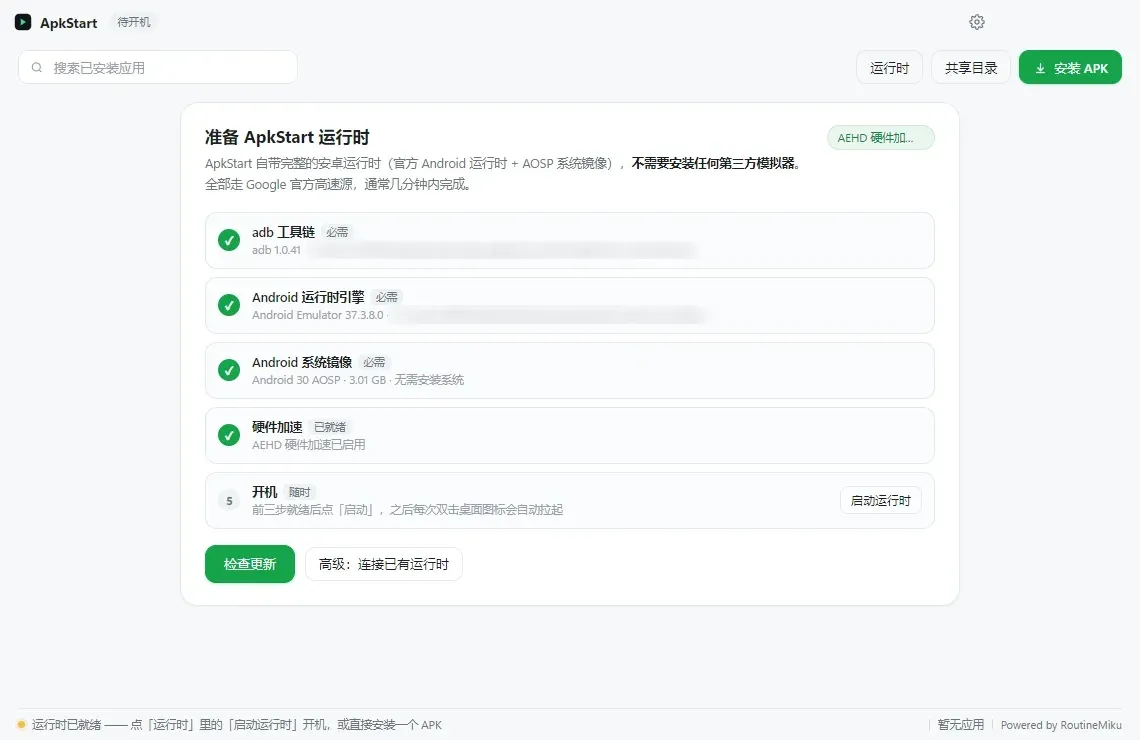
Under the hood ApkStart runs Google's Android Emulator, which is based on QEMU full-system virtualization, with the Android 14 (API 34) Google Play x86_64 system image, plus adb from Android platform-tools. The architecture document states that the Linux kernel, zygote and system_server boot once as a whole and stay resident, while ApkStart keeps the environment warm, restores quickboot snapshots and only issues am start when an app is opened. Apps that ship only ARM native libraries run through the ndk_translation layer included in that image. Since version 0.5.6 ApkStart uses only its own runtime and no longer detects or drives MuMu, LDPlayer, BlueStacks or Windows Subsystem for Android.
The desktop shell is an Electron application written in JavaScript; APK parsing (ZIP, binary XML, resources.arsc), PNG and ICO generation and shortcut creation are implemented by hand in the project. The interface, README and user manual are in Simplified Chinese. The latest GitHub release is v0.6.2, published on November 19, 2026, with three assets: an installer ApkStart-0.6.2-Setup.exe (about 1.45 GB), a lightweight portable ZIP (about 102 MB) and a separate runtime archive ApkStart-runtime-v0.6.2.zip (about 1.43 GB). Releases are mirrored on Gitee. A v0.6.3 tag already exists in the repository without a GitHub release; its notes describe a refreshed launch animation, an experimental multi-app mode and incremental updates for the portable build.
On the source of the Android components, the README states two things. Its runtime section lists adb, the Android Emulator, the Android 14 Google Play x86_64 image and the optional AEHD driver as coming from Google's official download host dl.google.com, and says the lightweight build first downloads a complete runtime package from the project's own GitHub release, falling back to those official sources. Its license section states that release packages contain only ApkStart's own code and the Electron runtime and do not redistribute Android system images, QEMU binaries or Google components, which are downloaded from official sources and remain under their own licenses. The same README and the manual describe the installer, a full portable edition and a Microsoft Store MSIX edition as bundling the emulator and system image.
Requirements stated in the project's Store listing draft are Windows 10 version 2004 (build 19041) or later on x64, 8 GB of RAM recommended and about 4 GB of free disk space for the expanded system image. Hardware acceleration uses either the Windows Hypervisor Platform (WHPX) feature or Google's AEHD driver; without it the emulator falls back to software emulation, which the README says boots in minutes rather than seconds. Related listings in the directory: scrcpy, which mirrors and controls Android devices from a PC, and Microsoft Hyper-V, the hypervisor built into Windows.
Key capabilities
- Double-click APK installation After the
.apkfile association is registered (Settings, System integration, ornpm run assoc:onin a source checkout), double-clicking an APK parses, installs and creates shortcuts without opening an emulator window. Apps can also be installed from the main window or withApkStart.exe <path\to.apk>. Split packages in.apksand.xapkformat are installed withadb install-multiple. - Per-app desktop and Start menu shortcuts The app icon is extracted offline from the APK and converted to a multi-size ICO, stored under
%APPDATA%\apkstart\icons. Shortcuts go to the desktop and toPrograms\ApkStartin the Start menu, so Windows Search finds apps by name. Each shortcut carries its own AppUserModelID, so pinned taskbar items keep the app's icon; a "rebuild shortcuts" action repairs broken ones. - One window per app Each app opens in a window with its own title and icon. Full screen fills the screen height and keeps the phone aspect ratio, while windowed mode can be moved and resized and remembers the size per app;
F11toggles between them andCtrl+Alt+Rrotates. Since 0.6.0 the emulator's native window is the default, with an embedded window with a rotate button available in Settings. - Orientation and tablet layout At install time ApkStart reads
AndroidManifest.xmlto decide whether an app is portrait or landscape and picks a 720x1280 or 1280x720 panel accordingly. Switching to an app with the other orientation restarts the runtime once, which takes about 40 seconds according to the README. A tablet layout option, on by default, sets 190 dpi so that the screen reports 606 dp and apps use their tablet layouts. - Bundled Android 14 runtime The base layer is the Android 14 (API 34) Google Play x86_64 system image run by Google's Android Emulator, with adb from platform-tools. The image is expanded once to
%APPDATA%\apkstart\system-images, and the README reports cold boots of about 23 seconds and snapshot restores of about 10 seconds. ApkStart creates its own encrypted ext4/datapartition on first start, since the official image only ships a placeholder. - ARM app support Apps that include only ARM native libraries (arm64-v8a or armeabi-v7a) run through the
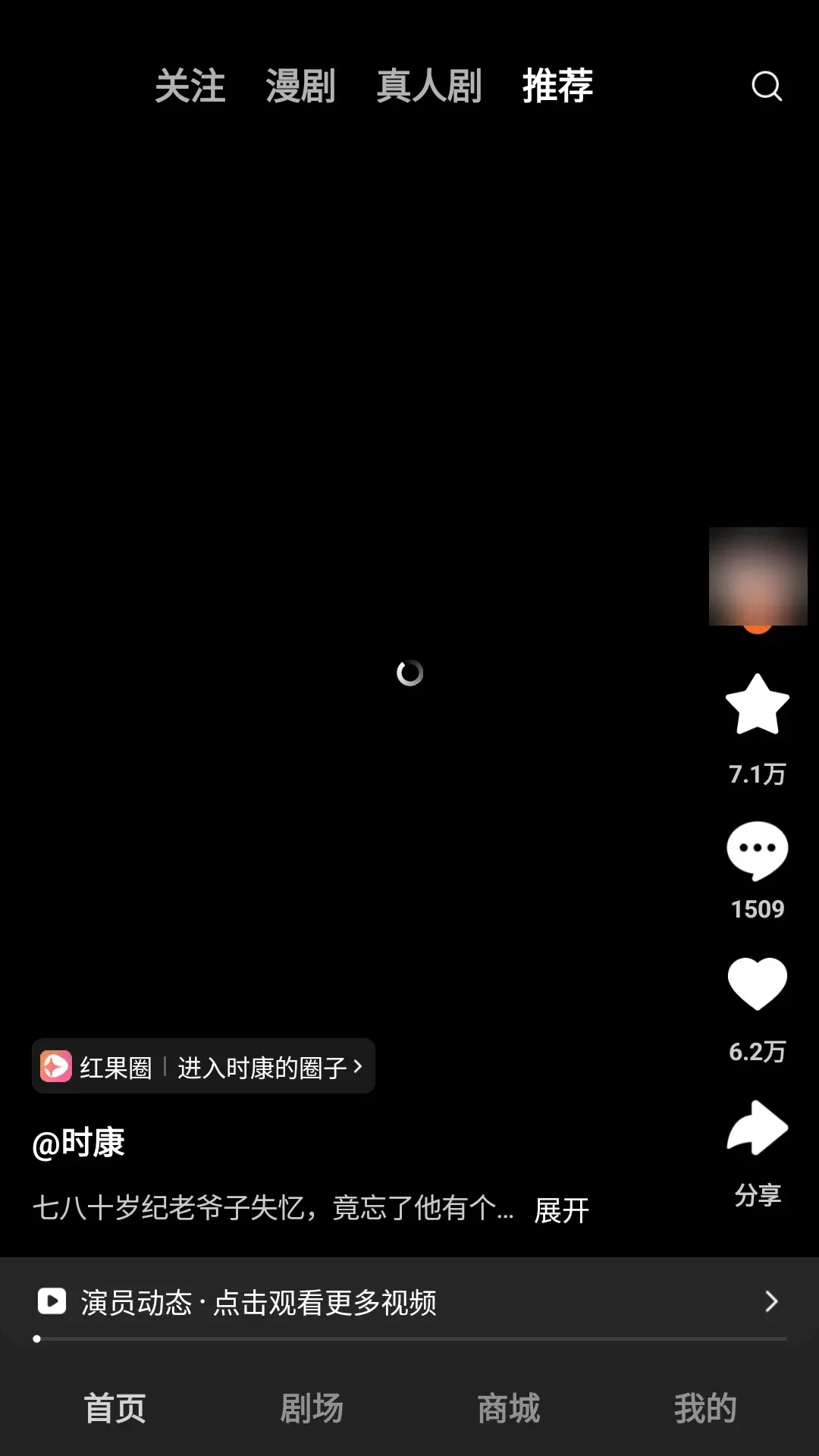
ndk_translationlayer in the Android 14 image. The README reports that an arm64-only short-video app installs and plays video in this mode. It also notes that apps with deeper anti-emulator checks, such as verification of real sensors or baseband, may still fail. - Hardware acceleration The emulator uses Windows Hypervisor Platform (WHPX) or Google's AEHD kernel driver. In the installer and portable builds a "Fix" button enables WHPX through one UAC prompt and falls back to installing AEHD; the Store build can only open the Windows Features dialog because MSIX apps cannot elevate. The README points out that "Virtual Machine Platform", used by WSL 2, is a different feature from the "Windows Hypervisor Platform" the emulator needs.
- Graphics and rendering fallbacks Graphics go through the Android Emulator's GPU translation. Without hardware acceleration ApkStart switches to software rendering, and a failed start is retried with up to four parameter sets (render backend, acceleration mode, memory and cold boot). Release 0.6.0 retries hardware rendering with Vulkan disabled on AMD graphics, which previously fell back to software rendering.
- Shared folder with Android
%USERPROFILE%\ApkStartSharedon Windows and/sdcard/ApkStartSharedinside Android are kept in two-way sync, so files saved by an Android app appear on the PC. The README notes this is a sync rather than a mount, because Android cannot mount an NTFS folder without root. - Host networking without virtual adapters Android traffic uses QEMU user-mode NAT over the host's network connection. No virtual network adapter, virtual switch or network driver is installed on Windows, and the privacy policy states that ApkStart does not inspect or retain app traffic.
- PC check-up and auto-configuration Since 0.5.8 a check-up reads CPU virtualization (VT-x or SVM), the hypervisor platform state, GPU and video memory, RAM and the Windows version, all locally. It can apply recommended guest memory (for example 4 GB on a 12 GB host, never more than half of host RAM), CPU cores, render size and render mode, and gives steps for settings that only the BIOS can change.
- Auto diagnostics Added in 0.6.0, a background check (every 10 minutes by default) looks for runtime boot failures, leftover lock files, orphaned emulator processes, empty snapshots, missing acceleration, unauthorized adb, disk space, data partition mismatches, network problems and, since 0.6.2, disabled Android audio. Each finding has a one-click fix and is re-checked afterwards; only new problems trigger a notification.
- Compatibility patches ("drivers") Since 0.5.7 a JSON file can declare which machines it matches and which whitelisted launch options to change, for example for older GPUs or machines without acceleration. Patches can be imported, enabled, disabled and exported from Settings, and the project states that they never execute code. Three examples ship disabled.
- Resident runtime and idle handling An optional pre-warm, on by default, boots Android in the background when ApkStart starts so that opening an app only needs one
am start; the README puts the idle cost at about 1 GB of RAM. Closing the last app window stops other apps, lowers the emulator's process priority and saves a quickboot snapshot, and an idle watchdog shuts the runtime down after a set time. - Isolated adb server ApkStart runs its adb server on port 5044 instead of the default 5037, so Android Studio or scrcpy on the same PC do not compete for the device. Setting
ANDROID_ADB_SERVER_PORT=5044exposes the emulator asemulator-5554to a command-line adb. - Updates from GitHub or Gitee The built-in updater queries both GitHub and Gitee, measures download speed from each candidate source and downloads the package in parallel chunks from the fastest one. Updates replace only the program directory, leaving the runtime, installed apps and snapshots in place. Settings can force one source, disable public mirrors or set a custom mirror prefix.
- Built-in manual and diagnostics export Since 0.6.2 the user manual opens from the title bar, Settings or the tray menu and can be printed or saved as PDF, and failed repairs open the matching chapter. A diagnostics report with hardware model, driver versions and memory can be exported for bug reports.
- Downloads and editions GitHub releases currently provide an NSIS installer for the current user, a lightweight portable ZIP that downloads the runtime on first start, and the runtime archive. The README also lists a full portable ZIP (about 830 MB) and a Microsoft Store MSIX edition; no Store product link is published in the repository. Building from source uses
npm install,npm startandnpm run packornpm run build:exe. - Privacy The privacy policy states that ApkStart has no account system, no analytics, telemetry, crash reporting or ads, and no server of its own. Network requests go to GitHub and Gitee release endpoints when checking for updates, and to the runtime package on first start of the lightweight build.
Where ApkStart fits
Running a single Android app like a Windows program
The main workflow in the README is to install ApkStart, let it set up the runtime, then double-click an APK. After installation, the desktop or Start menu shortcut calls ApkStart.exe --launch <package>, which starts the runtime if needed, opens the app's launcher activity and presents the emulator window as the app window. The README notes that the first launch takes longer, while later launches of apps with the same orientation are close to instant.
Using Android-only apps on a PC, including ARM-only apps
The project's own examples are Chinese apps such as a short-video app and a reading app that are distributed as Android packages. With the Android 14 image, ARM-only packages run through the translation layer; the manual's section on ARM apps covers what happens when an app still fails to install or crashes, and ApkStart reports such failures with an explanation in Chinese.
Moving files between Windows and Android apps
Files placed in %USERPROFILE%\ApkStartShared appear in /sdcard/ApkStartShared inside Android and the other way round. The sync runs every few seconds and after key actions, and can be triggered or opened from Settings, Files and Integration.
Getting the runtime to start on a given machine
The check-up page describes the sequence: run the PC check-up, apply the recommended memory, core and render settings, enable the Windows Hypervisor Platform (administrator rights and a reboot), or install the AEHD driver in non-Store builds. Machines that need special launch options can use a compatibility patch, and the auto diagnostics page lists remaining problems with one-click fixes.
Inspecting the emulator with adb
Developers can attach their own adb to the ApkStart runtime by setting ANDROID_ADB_SERVER_PORT=5044 and running adb devices, which lists emulator-5554. The README warns against connecting manually to port 5555, because the Google Play image then shows a USB debugging prompt over the running app.
Building and packaging from source
With Node.js 20 or newer, npm install and npm start run the app and download adb, the emulator and the system image. npm run pack produces the lightweight portable build, npm run runtime followed by npm run build:exe produces the installer with the runtime included (system image compressed with xz from 3.1 GB to about 1.1 GB), and npm test runs the Node unit tests, which need no network.
Reviews of ApkStart
Be the first to share your experience with ApkStart.
Write a review
Loading review form…
Found ApkStart useful? Upvote it todayYour vote helps other IT teams find it in the daily ranking.